What Is VR Simulation Training and Why It Matters Now
VR simulation training creates immersive, risk-free practice environments where employees develop critical skills through experiential learning. Unlike traditional classroom instruction or e-learning modules, virtual reality training simulations place learners directly into realistic scenarios where they make decisions, practice procedures, and experience consequences without real-world risks.
The shift from passive learning to active participation fundamentally changes how organizations approach workforce development. Employees no longer memorize procedures from manuals—they perform them repeatedly in virtual environments that mirror their actual workplaces. This transformation addresses the growing skills gap across industries while meeting the expectations of a workforce increasingly comfortable with digital experiences.
The Science Behind VR Learning Retention
Research consistently demonstrates that VR training achieves a 75% retention rate compared to just 10% for traditional lecture-based methods and 20% for reading-based learning. This dramatic improvement stems from multiple cognitive factors working simultaneously during immersive training experiences.
The brain processes VR experiences similarly to real-world events, creating stronger neural pathways through embodied cognition. When learners physically perform tasks in virtual environments—whether operating machinery, conducting medical procedures, or handling customer interactions—they develop muscle memory that transfers directly to real-world performance.
Emotional engagement amplifies learning retention through stress inoculation. VR training safely exposes employees to high-pressure situations, allowing them to practice emotional regulation and decision-making under stress. Emergency responders training in virtual disaster scenarios report feeling better prepared for actual emergencies, with measurably faster response times and fewer errors during critical incidents.
The spatial memory component of VR training creates mental maps that persist long after training ends. Warehouse workers who learn layouts through VR navigation demonstrate 40% faster item retrieval times compared to those trained with traditional floor plans and diagrams.
Industries Leading VR Training Adoption
Healthcare – organizations deploy VR surgical simulations that allow residents to practice complex procedures hundreds of times before touching actual patients. Johns Hopkins reported a 230% improvement in surgical performance accuracy among residents using VR training platforms. Beyond surgery, VR simulations train healthcare workers in patient interaction, empathy development, and rare disease recognition.
Manufacturing – companies utilize VR for safety protocol training and equipment operation certification. Assembly line workers practice procedures on virtual production lines, reducing training injuries by 43% while accelerating time-to-productivity by 50%. Maintenance technicians troubleshoot equipment failures in VR, building diagnostic skills without costly production downtime.
Retail – operations transform customer service training through VR scenarios that simulate difficult customer interactions, theft prevention, and store emergency procedures. Walmart’s VR training program reached one million employees, reporting 30% higher employee satisfaction scores and 15% better customer service metrics compared to traditional training methods.
Emergency response – teams prepare for low-frequency, high-stakes events through VR simulations that would be impossible or dangerous to recreate in reality. Firefighters navigate smoke-filled buildings, police officers practice de-escalation techniques, and paramedics triage mass casualty incidents—all within controlled virtual environments that track performance metrics and decision patterns.
Core Components of Effective VR Training Systems
Professional VR training platforms extend far beyond consumer VR experiences, incorporating sophisticated learning design principles, enterprise-grade infrastructure, and comprehensive analytics capabilities. Understanding these components helps organizations distinguish between basic VR applications and training-specific solutions that deliver measurable business results.
Hardware Requirements and Setup
Headset selection for enterprise deployment requires balancing performance, comfort, and total cost of ownership. Standalone headsets like Meta Quest 3 or Pico 4 Enterprise offer simplified deployment without external computers, supporting 90Hz refresh rates and 2K per eye resolution sufficient for most training scenarios. High-fidelity simulations requiring precise hand tracking or photorealistic graphics may necessitate PC-tethered systems like HTC Vive Pro 2 or Varjo Aero.
Tracking systems determine the accuracy and freedom of movement within VR training environments. Inside-out tracking eliminates external sensors, simplifying setup and enabling portable training stations. Outside-in tracking provides superior precision for scenarios requiring exact positioning, such as surgical simulations or technical assembly procedures. Hybrid approaches combine both methods for maximum flexibility.
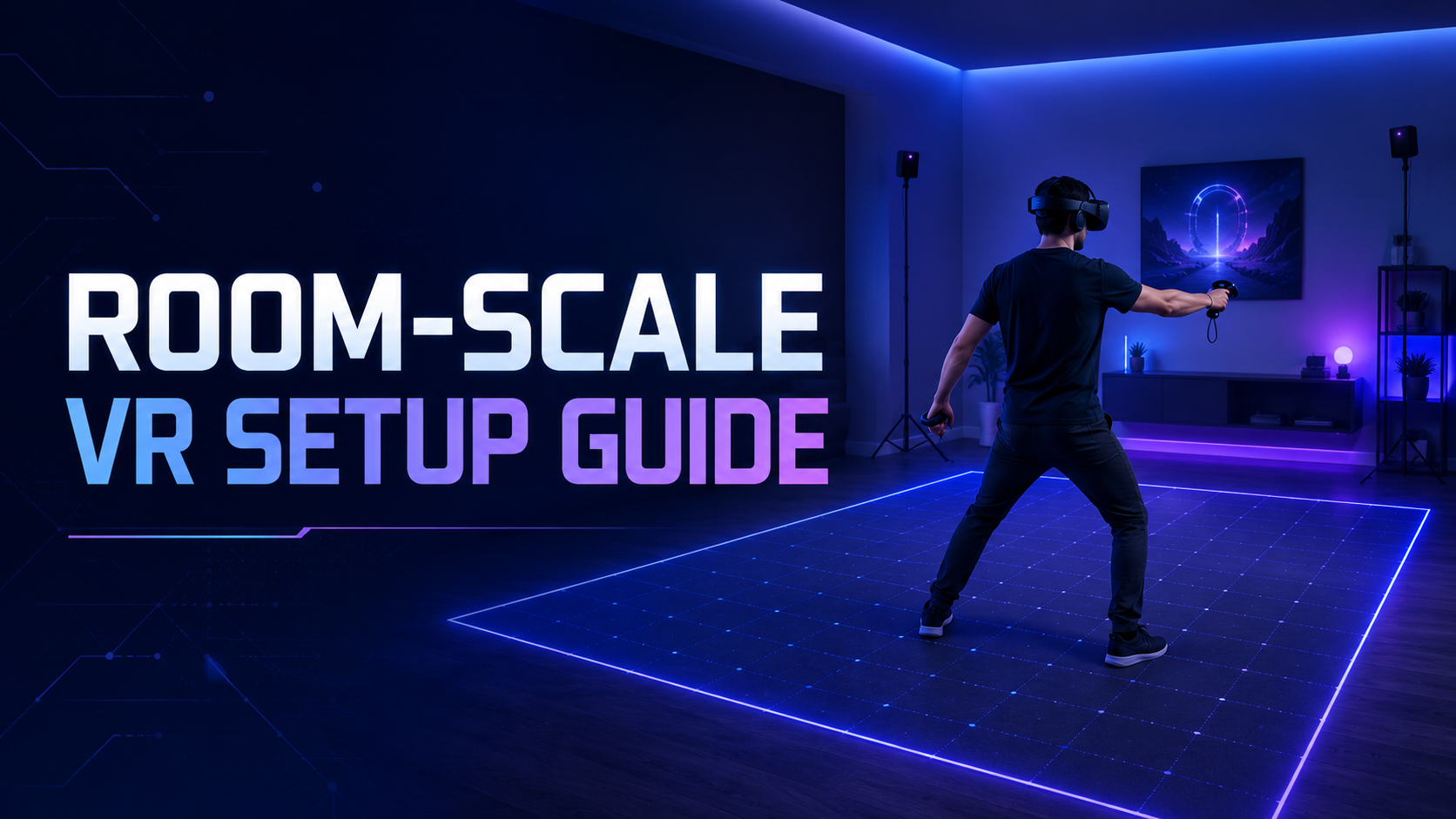
Spatial requirements vary significantly based on training objectives. Seated experiences need only 3×3 feet, while room-scale simulations require minimum 6.5×6.5 feet of clear space. Organizations implementing warehouse or retail training simulations often dedicate 10×10 feet areas with padded flooring and wall protection.
Multi-user configurations enable collaborative training scenarios through local network connections or cloud-based servers. Synchronous training sessions support up to 20 concurrent users in the same virtual environment, while asynchronous modes allow hundreds of employees to access training content independently. Network bandwidth requirements average 25 Mbps per user for smooth multi-user experiences.
Mobile versus tethered deployment models offer distinct advantages. Mobile VR training carts equipped with charging stations and sanitization supplies enable training delivery at any location within facilities. Tethered setups in dedicated training rooms provide consistent experiences with centralized equipment management and higher graphical fidelity.
Content Development and Scenario Design
Pre-built simulation libraries accelerate deployment timelines by providing ready-to-use training modules covering common scenarios. Generic safety training, soft skills development, and equipment operation simulations cost between $500-$5,000 per module with immediate availability. Industry-specific content libraries address specialized needs like medical procedures or industrial processes.
Custom simulation development creates organization-specific scenarios that precisely match actual work environments, equipment, and procedures. Development costs range from $25,000 for simple single-scenario applications to $500,000+ for comprehensive training platforms with multiple interconnected modules. Development timelines typically span 3-6 months from concept to deployment.
Branching scenarios adapt to learner decisions, creating personalized learning paths that respond to individual performance. Advanced systems incorporate AI-driven difficulty adjustment, automatically increasing complexity as learners demonstrate mastery. These adaptive systems reduce training time by 35% compared to linear content delivery.
Assessment integration transforms VR simulations from practice tools into certification platforms. Built-in scoring systems track accuracy, speed, and decision quality. Eye-tracking data reveals attention patterns, while biometric sensors monitor stress responses during critical procedures. Comprehensive assessment reports document competency achievement for compliance requirements.
Update cycles maintain content relevance as procedures, regulations, and equipment evolve. Cloud-based content delivery enables instant updates across all devices, while version control systems preserve previous iterations for audit purposes. Quarterly content reviews ensure alignment with operational changes, while major updates typically occur annually.
Learning Management System Integration
SCORM and xAPI compliance enables VR training data to flow seamlessly into existing learning management systems. SCORM 2004 packages track completion status and quiz scores, while xAPI captures granular interaction data including movement patterns, gaze direction, and decision timing. This integration eliminates duplicate data entry while providing unified reporting across all training modalities.
Progress tracking workflows automatically update employee training records upon VR module completion. Managers access real-time dashboards showing individual and team progress against training requirements. Automated notifications alert supervisors when employees require additional practice or achieve certification milestones.
Analytics dashboards aggregate performance data across the organization, revealing training effectiveness patterns and identifying knowledge gaps. Heat maps visualize common error points within simulations, while comparative analytics benchmark performance across departments, locations, or time periods. Predictive models forecast future training needs based on historical patterns and upcoming operational changes.
User authentication systems ensure training completion credit goes to the correct employee while maintaining data security. Single sign-on (SSO) integration simplifies access using existing corporate credentials. Role-based permissions control content access, ensuring employees only see relevant training modules while protecting sensitive operational simulations.
Implementation Roadmap for VR Training Programs
Successful VR training implementation follows a structured approach that minimizes risk while building organizational confidence. This phased roadmap typically spans 6-12 months from initial planning through full-scale deployment, with clear milestones and decision points throughout the journey.
Phase 1: Pilot Program Design
Identifying high-impact training scenarios begins with analyzing current training pain points, incident reports, and performance gaps. Priority scenarios typically share characteristics including high training costs, safety risks, equipment scarcity, or geographic distribution challenges. A manufacturing company might prioritize forklift operation training after identifying it as their highest source of workplace injuries and training expenses.
Building stakeholder buy-in requires translating VR training benefits into language that resonates with different organizational levels. C-suite executives respond to ROI projections showing 40% training cost reduction and 60% faster time-to-competency. Safety managers focus on injury reduction potential. IT departments need infrastructure requirement details and security assessments. Successful presentations include competitor case studies, vendor demonstrations, and conservative financial projections based on pilot program results.
Pilot participant selection balances representation with practical constraints. Groups of 20-30 employees provide sufficient data while remaining manageable. Include technology-comfortable early adopters alongside skeptical veterans to gauge full workforce reception. Mix job roles, experience levels, and departments to identify scenario-specific challenges. Document participant demographics, prior training experiences, and baseline performance metrics for comparison.
Success metrics and evaluation criteria establish clear, measurable objectives before training begins. Quantitative metrics include task completion times, error rates, assessment scores, and training hour reductions. Qualitative measures encompass learner satisfaction surveys, trainer feedback, and manager observations of on-job performance improvements. Define minimum acceptable outcomes that justify broader rollout, typically 25% improvement over current training methods.
Phase 2: Technical Deployment
IT infrastructure assessment examines network capacity, security protocols, and device management capabilities. VR training platforms require stable WiFi connections supporting 25-50 Mbps per concurrent user. Cloud-based platforms need firewall exceptions for content delivery networks. On-premise deployments require server specifications supporting Unity or Unreal Engine applications with adequate GPU resources for rendering.
Security and data privacy considerations address both technical and regulatory requirements. VR training systems collect extensive behavioral data requiring GDPR or CCPA compliance protocols. Encryption standards must protect data in transit and at rest. Biometric data from eye tracking or hand scanning requires additional consent and protection measures. Establish data retention policies balancing analytics needs with privacy requirements.
User onboarding protocols ease employees into VR experiences while building confidence. Initial sessions focus on comfort and basic navigation before introducing training content. Graduated exposure protocols start with 15-minute sessions, extending to 45-60 minutes as users acclimate. Comfort coaches assist first-time users with headset adjustment, IPD calibration, and movement techniques. Provide alternative training options for the 5-10% of users who experience persistent motion sensitivity.
Support desk preparation ensures rapid issue resolution during critical training periods. Common support tickets include headset connectivity problems, account access issues, and content loading errors. Develop troubleshooting guides covering 80% of expected issues. Establish escalation procedures for complex technical problems. Train support staff on VR-specific terminology and common user concerns. Maintain spare equipment inventory for immediate replacement of faulty devices.
Phase 3: Scaling and Optimization
Content library expansion follows successful pilot validation with additional scenario development. Prioritize modules based on pilot feedback, incident data, and operational priorities. Bundle related scenarios into learning paths that build progressive skill development. Implement content governance processes ensuring consistency across modules while maintaining development efficiency.
Multi-location deployment strategies address logistical challenges of distributed workforce training. Hub-and-spoke models position VR equipment at regional centers where employees travel for training. Distributed models place equipment at each location with remote management capabilities. Hybrid approaches combine permanent installations at major sites with mobile units serving smaller locations. Cloud-based content delivery ensures version consistency across all locations.
Performance data analysis reveals optimization opportunities through pattern recognition across large user populations. Identify common failure points requiring additional instruction or scenario redesign. Correlate VR training performance with real-world outcomes to validate transfer effectiveness. A/B testing compares different instructional approaches to optimize learning outcomes. Machine learning algorithms predict which employees need additional support based on early performance indicators.
Long-term budget planning transitions from pilot funding to operational budgets. Hardware refresh cycles typically span 3-4 years with annual software licensing fees. Content development costs decrease over time as libraries mature and development expertise grows internally. Calculate per-employee training costs including equipment amortization, content licensing, and support resources. Most organizations achieve positive ROI within 18-24 months of full deployment.
Measuring VR Training ROI and Business Impact
Quantifying VR training value requires comprehensive measurement across financial, operational, and human performance dimensions. Organizations implementing robust measurement frameworks report average ROI of 250-300% within two years, with some achieving payback periods under six months for high-frequency training scenarios.
Direct Cost Savings
Travel and facility expense reduction provides immediate, measurable savings. Organizations eliminate flight costs, hotel expenses, and per diem payments for centralized training events. A distributed retail chain saved $2.3 million annually by replacing quarterly regional training sessions with VR modules. Facility costs decrease as VR training requires 75% less physical space than traditional simulation centers.
Equipment wear prevention extends operational asset lifecycles by shifting practice to virtual environments. Airlines report saving $50,000 per pilot in reduced aircraft wear during training flights. Manufacturing companies preserve production equipment availability by conducting operator training in VR rather than on actual machinery during productive hours. Medical device companies eliminate consumable waste from repeated practice procedures.
Insurance premium reductions reflect improved safety outcomes from VR training programs. Workers compensation insurers offer 5-15% premium discounts for companies demonstrating reduced injury rates through immersive safety training. Some insurers provide additional credits for VR-based recertification programs that maintain skill proficiency between traditional training cycles.
Training timeline compression accelerates employee productivity while reducing instructor costs. VR training typically requires 40% less time than traditional methods while achieving superior outcomes. Self-paced VR modules eliminate scheduling conflicts and instructor availability constraints. Automated assessment and certification reduce administrative overhead by 60%. New employee onboarding periods decrease from weeks to days for complex technical roles.
Performance Improvements
Error rate reductions directly impact quality, safety, and customer satisfaction metrics. Surgical teams trained in VR demonstrate 35% fewer procedural errors. Manufacturing assembly workers show 42% reduction in quality defects after VR training implementation. Customer service representatives resolve issues 25% faster with 30% fewer escalations after VR scenario practice.
Time-to-competency acceleration shortens the period before employees contribute full productivity. Technical roles achieve independent operation status 50% faster through VR training. Sales representatives reach quota attainment 30% sooner after VR customer interaction practice. Emergency responders qualify for field deployment 6 weeks earlier using VR scenario training.
Employee confidence scores correlate strongly with performance and retention. Post-VR training confidence assessments average 40% higher than traditional training methods. Employees report feeling better prepared for challenging situations and more willing to take on complex tasks. Confidence improvements particularly benefit younger workers and career changers entering unfamiliar industries.
Customer satisfaction correlation links VR training quality to business outcomes. Organizations implementing VR customer service training report 20-point NPS score improvements. Patient satisfaction scores increase 15% in healthcare facilities using VR empathy training. Retail locations with VR-trained staff show 18% higher sales conversion rates and 25% better mystery shopper scores.
Common VR Training Challenges and Solutions
Organizations implementing VR training encounter predictable obstacles that, while manageable, require proactive planning and mitigation strategies. Understanding these challenges and their solutions accelerates successful deployment while avoiding common pitfalls that derail unprepared initiatives.
Motion Sickness and User Comfort
Gradual exposure protocols minimize discomfort through systematic adaptation. Begin with stationary experiences before introducing locomotion. Limit initial sessions to 15 minutes, extending duration as tolerance builds. Implement “comfort breaks” every 20 minutes during longer training sessions. Track individual sensitivity patterns to customize exposure schedules.
Comfort settings and customization accommodate individual physiological differences. Interpupillary distance (IPD) adjustment prevents eye strain and headaches. Field of view restrictions reduce peripheral motion sensitivity. Comfort mode options include teleportation movement, reduced motion blur, and static reference frames. Allow users to adjust movement speed and rotation settings to personal preferences.
Alternative interaction methods provide options for motion-sensitive users. Seated experiences eliminate balance concerns while maintaining immersion. Third-person perspectives reduce motion conflicts for navigation training. Desktop VR modes using monitors instead of headsets serve as fallback options. Augmented reality alternatives overlay digital content on real environments without full immersion.
Break scheduling guidelines prevent fatigue and maintain learning effectiveness. Implement mandatory 10-minute breaks every 30 minutes of VR use. Provide hydration stations and comfortable seating in training areas. Schedule VR sessions during optimal alertness periods, avoiding post-meal drowsiness. Rotate between VR and traditional training methods to prevent overexposure.
Content Relevance and Updates
Maintaining scenario accuracy requires systematic review and revision processes. Quarterly content audits compare VR simulations against current operational procedures. Change management protocols trigger content updates when equipment, processes, or regulations change. User feedback mechanisms identify discrepancies between virtual and real-world environments. Version control systems track all modifications for compliance documentation.
Regulatory compliance tracking ensures training content meets evolving requirements. Automated alerts notify administrators of regulatory changes affecting training content. Compliance matrices map VR modules to specific regulatory requirements. Audit trails document training completion and assessment results for regulatory inspections. Annual third-party reviews validate content alignment with industry standards.
Version control systems manage content iterations while preserving training records. Git-based repositories track all content changes with detailed commit histories. Branching strategies separate development, testing, and production content versions. Rollback capabilities restore previous versions if updates introduce issues. Automated testing validates content functionality before production deployment.
User feedback integration loops continuously improve content quality and relevance. In-simulation feedback buttons capture immediate reactions to content issues. Post-training surveys collect detailed improvement suggestions. Analytics identify content sections with high failure or abandonment rates. Monthly review meetings prioritize feedback implementation based on impact and frequency.
Selecting Your VR Training Platform Partner
Choosing the right VR training platform partner determines long-term program success. Beyond feature comparisons and pricing negotiations, evaluate vendors across technical capabilities, support quality, and strategic alignment with organizational objectives.
Technical Capabilities Checklist
Supported hardware ecosystems determine flexibility and future-proofing. Platform-agnostic solutions support multiple headset manufacturers, preventing vendor lock-in. Native applications optimize performance for specific devices while limiting flexibility. WebXR-based platforms provide maximum compatibility at the cost of reduced performance. Evaluate roadmaps for upcoming hardware support, particularly for enterprise-focused devices.
Cloud versus on-premise deployment balances control, cost, and complexity. Cloud platforms offer rapid deployment, automatic updates, and global accessibility with monthly subscription costs. On-premise installations provide complete data control and customization capabilities but require internal IT resources. Hybrid models combine cloud content delivery with on-premise data storage for optimal balance.
API availability and integration depth enables ecosystem connectivity. RESTful APIs support standard HTTPS communications with existing systems. Webhook capabilities enable real-time event notifications for training completions or failures. SDK availability allows custom application development using platform capabilities. Evaluate documentation quality, code examples, and developer support resources.
Scalability and concurrent user limits must accommodate growth projections. Server architecture should support your maximum expected concurrent users plus 50% buffer. Load balancing capabilities distribute users across multiple servers during peak periods. Auto-scaling features dynamically adjust resources based on demand. Verify performance guarantees and degradation protocols during high-usage periods.
Vendor Support and Services
Implementation consulting availability accelerates deployment and adoption. Experienced consultants guide platform configuration, content strategy, and change management. Industry-specific expertise ensures relevant best practices application. Evaluate consultant credentials, previous client references, and typical engagement durations. Compare bundled consulting hours versus hourly rates for additional support.
Training for trainers programs build internal expertise for sustainable operations. Comprehensive programs cover platform administration, content customization, and troubleshooting. Certification programs validate trainer competency and provide ongoing education. Online resources including documentation, video tutorials, and community forums supplement formal training. Assess knowledge transfer effectiveness through previous client testimonials.
Content development partnerships expand available training scenarios. Vendor content libraries provide immediate value for common training needs. Partner networks connect organizations with specialized content developers. Co-development programs share costs across multiple organizations with similar needs. Evaluate content quality standards, update frequencies, and intellectual property arrangements.
SLA terms and support response times ensure reliable operations during critical training periods. 24/7 support availability accommodates global operations and shift work. Tiered response times prioritize critical issues affecting multiple users. Escalation procedures provide paths to senior technical resources. Financial penalties for SLA violations demonstrate vendor commitment to service quality.
Frequently Asked Questions
How much does VR simulation training cost per employee?
VR training costs range from $50-500 per employee annually, depending on deployment model and content requirements. Hardware costs amortized over 3 years add $200-400 per user. Pre-built content libraries cost $20-100 per user per year. Custom content development spreads across all users, typically adding $50-200 per employee for organization-specific scenarios. Support and administration overhead contributes $30-50 per user annually.
What’s the minimum number of users to justify VR training investment?
Organizations with 50+ employees requiring similar training typically achieve positive ROI within 18 months. High-value training scenarios (medical procedures, dangerous equipment operation) justify investment for as few as 10-20 users. Consider sharing costs through industry consortiums or training provider partnerships for smaller deployments.
Can VR training replace all traditional training methods?
VR training complements but doesn’t completely replace traditional methods. Conceptual knowledge transfer remains efficient through e-learning or classroom instruction. Physical skills requiring actual material properties (welding heat, chemical reactions) need real-world practice. VR excels at procedural training, spatial navigation, and scenario-based decision making. Most organizations adopt blended approaches combining VR with traditional methods.
How long does it take to develop custom VR training content?
Simple single-scenario modules require 6-8 weeks from concept to deployment. Complex multi-path simulations with detailed assessments take 3-6 months. Factors affecting timeline include asset creation complexity, subject matter expert availability, and iteration cycles. Agile development approaches deliver incremental functionality throughout the development period rather than waiting for final completion.
What happens if employees get motion sick during VR training?
Approximately 5-10% of users experience persistent motion sensitivity requiring accommodation. Provide alternative training methods including desktop VR modes or traditional instruction. Implement gradual exposure protocols helping sensitive users build tolerance over time. Document accommodation requests for ADA compliance. Most users experiencing initial discomfort successfully adapt within 3-5 sessions.
How do you ensure VR training meets compliance requirements?
Establish validation protocols mapping VR content to specific regulatory requirements. Conduct third-party audits verifying content accuracy and completeness. Maintain detailed documentation of content development processes and approval chains. Implement version control systems preserving training records for audit periods. Regular reviews ensure continued compliance as regulations evolve.
Can VR training data integrate with existing HR systems?
Modern VR platforms support standard integration protocols including SCORM, xAPI, and LTI. REST APIs enable custom integrations with proprietary HR systems. Single sign-on (SSO) capabilities eliminate duplicate user management. Automated data synchronization updates employee training records without manual intervention. Evaluate integration requirements during platform selection to ensure compatibility.
Conclusion
VR simulation training represents a fundamental shift in how organizations develop workforce capabilities. The convergence of affordable hardware, sophisticated software platforms, and proven learning outcomes makes VR training implementation both practical and profitable for enterprises across industries.
Success requires more than technology deployment—it demands thoughtful planning, stakeholder alignment, and systematic execution. Organizations that approach VR training as a strategic initiative rather than a tactical tool achieve superior results through improved employee performance, reduced operational risks, and accelerated business outcomes.
The implementation roadmap outlined in this guide provides a proven framework for navigating the complexity of VR training deployment. From pilot program design through full-scale rollout, each phase builds upon previous successes while minimizing risks and maximizing value creation.
As VR technology continues advancing and content libraries expand, early adopters gain competitive advantages through superior workforce capabilities and operational efficiency. The question is no longer whether to implement VR training, but how quickly organizations can deploy these powerful tools to transform their learning and development programs.
Ready to explore VR training for your organization? Start by identifying your highest-impact training scenario and requesting demonstrations from qualified platform vendors. Build your business case using the ROI metrics and implementation timeline provided in this guide. Connect with peers who have successfully deployed VR training to learn from their experiences and accelerate your own journey.
The future of workplace training is immersive, effective, and available today. Take the first step toward transforming your organization’s learning capabilities through VR simulation training.