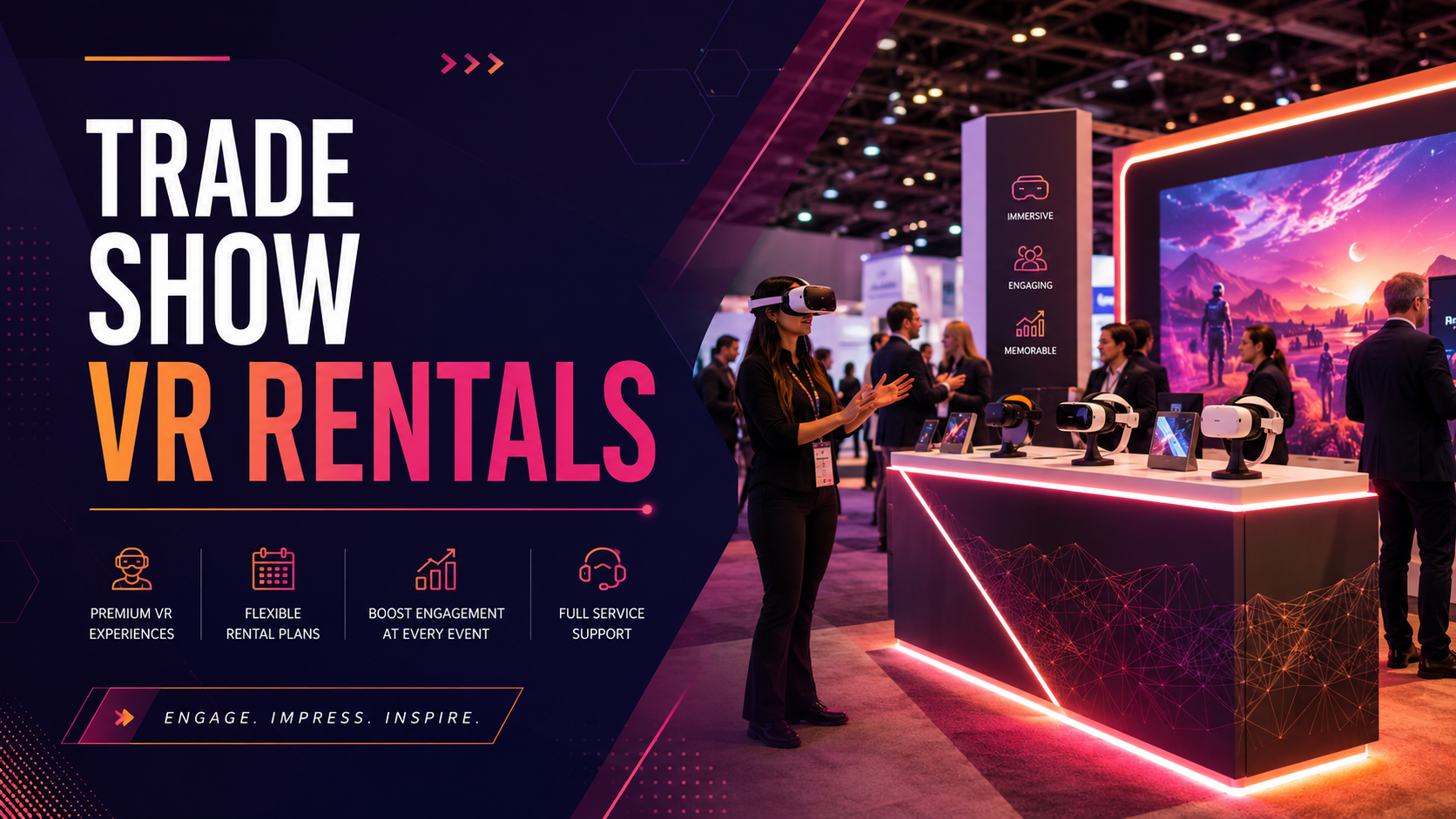
Transform your trade show booth into an immersive brand experience with professional VR rental packages designed specifically for exhibitions. From compact 10×10 booths to sprawling island displays, we provide the hardware, content, and support needed to capture attention, generate qualified leads, and deliver memorable product demonstrations that attendees discuss long after the show ends.
VR Rental Packages for Trade Shows
Choose from three booth-optimized packages designed for different traffic levels and engagement goals. Each includes headsets, content library access, setup support, and on-site troubleshooting.
Starter Booth Package (2-4 headsets)
The Starter Package delivers maximum impact for smaller booth footprints, perfect for companies testing VR engagement or working within limited floor space.
Ideal for 10×10 and 10×20 booths with 50-150 daily visitors
Your package includes 2-4 Quest 3 or Pico 4 headsets pre-loaded with 5-minute demo experiences optimized for quick turnover. Each headset comes with disposable hygiene covers, ensuring comfort and cleanliness throughout the show. The streamlined setup requires just one 6-foot table or two demo stations, leaving ample room for product displays and face-to-face conversations.
Lead capture happens automatically through QR codes displayed after each VR session. Attendees scan with their phones to receive follow-up information, while their contact details flow directly to your CRM. The system tracks basic engagement metrics including completion rates and experience selections, providing valuable insights for post-show follow-up.
Engagement Suite (6-8 headsets)
Built for 20×20+ booths expecting 200-400 daily interactions, the Engagement Suite transforms your space into a high-throughput experience center.
Your rental includes 6-8 premium headsets with dedicated charging stations and backup units to ensure zero downtime. Custom-branded waiting area screens display live feeds from active VR sessions, creating a crowd-drawing theater effect that pulls attendees from across the show floor.
The advanced lead capture system integrates directly with Salesforce, HubSpot, or your preferred CRM platform. Every interaction generates detailed analytics including heat maps of where users looked longest, which product features they explored, and their progression through the experience. Booth staff receive real-time notifications when high-value prospects complete demos, enabling immediate follow-up conversations.
The package includes professional cable management systems, anti-fatigue mats for standing users, and branded queue barriers to organize visitor flow during peak traffic periods.
Enterprise Activation (10+ headsets)
Full island booth installations with dedicated demo zones accommodate unlimited concurrent users while maintaining premium brand presentation.
The Enterprise Activation scales to match your booth size and traffic expectations, with unlimited headsets featuring hot-swap battery systems that eliminate charging downtime. Multi-user synchronized experiences enable group demonstrations where entire buying teams explore your product simultaneously, seeing each other as avatars within the virtual space.
Your rental includes a dedicated on-site technician for shows lasting 3+ days, ensuring flawless operation during critical demonstrations. The technician manages equipment setup, conducts hourly system checks, troubleshoots issues immediately, and trains booth staff on advanced features. They also coordinate with show services for optimal WiFi configuration and power distribution.
Custom-branded headsets, charging stations, and demo pedestals reinforce your visual identity throughout the activation. The package includes priority shipping, white-glove setup service, and post-show equipment return handling.
What’s Included in Every Trade Show VR Rental
Beyond the hardware, we handle the operational details that make or break booth experiences. Every rental includes setup guidance, content curation, and visitor flow optimization.
Pre-Show Planning Support
Your dedicated account manager begins consultation 6 weeks before your show, reviewing booth dimensions, traffic patterns, and demonstration goals to design the optimal VR layout. Using 3D booth modeling software, we position each VR station for maximum visibility while maintaining safe movement zones and ADA compliance.
Content selection happens through guided curation sessions where we match experiences to your audience demographics and product messaging. Whether showcasing industrial equipment to engineers or demonstrating software to IT managers, we identify the perfect 3-7 minute experiences that communicate your value proposition while respecting attendees’ time constraints.
Staff training materials include comprehensive video tutorials covering headset operation, common troubleshooting scenarios, and best practices for guiding first-time VR users. Your team receives access to our online training portal with role-specific modules for booth managers, demo specialists, and technical support staff.
Shipping coordination eliminates logistics headaches through partnerships with convention center preferred vendors. We handle advanced warehouse receiving, coordinate with show services for booth delivery, and arrange post-show pickup directly from your booth.
Equipment and Content Library
Every headset undergoes professional sanitization between shows using UV-C cabinets and medical-grade cleaning protocols. Latest-generation Quest 3, Pico 4 Enterprise, and HTC Vive Focus 3 headsets ensure compatibility with cutting-edge content while maintaining reliable performance in crowded RF environments.
The content library features 50+ pre-loaded experiences spanning multiple categories:
- Product Demonstrations: Interactive 3D models, virtual showrooms, and feature exploration tools
- Training Simulations: Safety procedures, equipment operation, and process walkthroughs
- Engagement Games: Branded experiences, competitive challenges, and prize-winning activities
- 360° Videos: Facility tours, customer testimonials, and behind-the-scenes content
Custom content upload supports your existing CAD models, Unreal Engine projects, Unity builds, and 360-degree videos. Our technicians optimize file sizes, adjust comfort settings, and test thoroughly before shipping. Cloud-based content management enables last-minute updates even after equipment ships.
Backup headsets ship automatically for shows exceeding 2 days, typically at a 25% ratio to primary units. This redundancy ensures continued operation even if devices suffer damage or battery degradation during extended use.
On-Site Support Options
Remote troubleshooting via dedicated support line connects you with VR technicians familiar with your specific setup and content. Support hours extend from 7 AM to 8 PM in your show’s time zone, with average response times under 3 minutes during peak booth hours.
Optional technician dispatch brings expert support directly to major shows in Las Vegas, Orlando, Chicago, and other primary convention markets. Technicians arrive during setup day, remain on-call throughout show hours, and handle all technical aspects so your team focuses on sales conversations.
Same-day replacement shipping from regional warehouses ensures any equipment failures receive immediate attention. Replacement units arrive pre-configured with your content and settings, requiring just minutes to swap into operation.
Post-show data export delivers comprehensive analytics within 48 hours of event conclusion. Reports include visitor demographics, content engagement patterns, lead quality scores, and comparative metrics against industry benchmarks.
Trade Show VR Rental Pricing
Transparent pricing based on show duration, headset count, and support level. Most exhibitors spend $2,500-8,000 for a 3-day show including all equipment and services.
Base Rental Rates
Daily rates range from $150-250 per headset depending on model selection:
- Quest 3: $150/day for standard configuration
- Pico 4 Enterprise: $200/day with advanced tracking
- HTC Vive Focus 3: $250/day for premium experiences
Weekly rates provide significant savings for 3-5 day shows:
- Quest 3: $600/week (save 43% versus daily)
- Pico 4 Enterprise: $800/week (save 43% versus daily)
- HTC Vive Focus 3: $1,000/week (save 43% versus daily)
Volume discounts automatically apply to orders of 6+ headsets, reducing per-unit costs by 15-25%. Additional savings available for companies committing to multiple shows annually, with package deals covering entire trade show circuits.
Multi-show packages for annual trade show circuits offer 30-40% savings compared to individual show rentals. Lock in rates for your entire year while ensuring equipment availability at major industry events.
Additional Services
Custom content development ranges from $2,000-10,000 depending on complexity:
- Basic CAD model optimization and VR preparation: $2,000-3,500
- Interactive product configurators with multiple options: $4,000-6,000
- Full custom experiences with gamification: $7,000-10,000
On-site technician support costs $1,500/day plus travel expenses. Multi-day shows receive discounted daily rates starting at $1,200/day for 3+ consecutive days.
Lead capture integration requires $500 initial setup for CRM connection plus $0.50 per captured lead. This includes API configuration, custom field mapping, and lead scoring algorithm development.
Branded headset skins and booth graphics range from $800-2,000:
- Vinyl headset wraps with company logo: $800 for 4 units
- Full booth graphic package with VR zone signage: $1,500-2,000
- Custom charging station branding: $500 per station
How to Plan VR for Your Trade Show Booth
Successful VR activations require 4-6 weeks of planning. Here’s your implementation timeline and key decisions to maximize booth traffic and lead quality.
6 Weeks Before: Define Your VR Strategy
Start by determining whether VR serves as your booth’s main attraction or supports traditional product displays. Main attraction deployments require prominent placement, dedicated staffing, and longer demonstration times. Supporting demonstrations work best in booth corners or side areas, offering interested prospects deeper engagement after initial conversations.
Calculate headset needs using this formula: (Expected daily visitors × desired demo percentage) ÷ (hours open × demos per hour per headset) = headsets needed. Most exhibitors target 20-30% of booth visitors for VR experiences, with each headset completing 6-8 demos hourly.
Choose your experience type based on audience and goals:
- Product visualization for complex or large equipment that can’t travel to shows
- Gamification for consumer brands seeking social media amplification
- Training demonstrations for software or service companies proving expertise
Reserve equipment immediately after strategy confirmation, especially for major industry shows where VR inventory depletes months in advance. Spring and fall seasons see highest demand, with CES, NAB, and HIMSS requiring 3+ month advance reservations.
4 Weeks Before: Configure Your Experience
Content selection or development should align directly with show-specific goals. Review attendee demographics to choose appropriate complexity levels and demonstration lengths. Technical audiences appreciate detailed explorations, while executive attendees prefer high-level overviews.
Design visitor flow patterns that prevent VR station bottlenecks during peak traffic. Position check-in tablets at booth entrance, create defined waiting areas with seating, and establish clear exit paths leading to follow-up conversation zones. Include overflow activities like touchscreen displays or traditional demos for when VR stations reach capacity.
Pre-registration systems dramatically improve throughput and lead quality. Promote VR demonstrations through pre-show emails, offering scheduled time slots for key prospects. Walk-up visitors use QR codes to join virtual queues, receiving text notifications when their turn approaches.
Booth staff training should cover:
- Headset adjustment for different head sizes and glasses
- Content navigation and experience selection
- Common technical issues and quick fixes
- Hygiene protocols and equipment cleaning
- Lead capture procedures and qualification questions
Show Week: Execution Checklist
Setup Day:
- Test all headsets with actual show floor WiFi
- Verify content loads properly and runs smoothly
- Check boundary settings for safety zones
- Confirm lead capture system connectivity
- Brief booth staff on final procedures
Daily Operations:
- Arrive 30 minutes early for equipment inspection
- Clean and charge all headsets
- Review previous day’s metrics and adjust strategy
- Monitor social media for attendee posts
- Export leads for immediate follow-up
Throughout the Show:
- Track engagement metrics hourly via dashboard
- Adjust demo length based on wait times
- Rotate content based on audience response
- Document technical issues for post-show review
- Collect staff feedback for future improvements
VR Booth Design and Space Requirements
Optimize your booth layout for VR demonstrations while maintaining traffic flow and safety. Most VR activations require 6×6 feet per station minimum.
Physical Space Planning
Each VR station needs 6×6 feet minimum for safe movement, though 8×8 feet provides optimal comfort. This space accommodates the user’s arm movements, turning radius, and safety buffer from booth structures or other attendees. Mark boundaries with floor decals or low-profile LED strips that won’t trip observers.
Guardian boundaries in the VR software prevent users from hitting displays or leaving the safe zone. Configure these boundaries 12 inches inside physical barriers, providing double protection against collisions. Test boundaries with tallest available staff member to ensure adequate overhead clearance.
Raised platforms measuring 12-18 inches high create natural stages that accomplish multiple goals: improving visibility for waiting attendees, defining VR zones clearly, and providing storage space underneath for equipment cases. Include ADA-compliant ramps for accessibility compliance.
Cable management systems route power and data safely overhead or under platform edges. Use bright-colored cable covers on any floor-level runs, securing them with gaffer tape every 3 feet. Position charging stations behind demo areas, keeping spare batteries easily accessible but out of public reach.
Visitor Flow Optimization
Entry paths should funnel naturally from aisle traffic into registration areas. Use tension barriers or branded graphics to create defined queues that don’t block booth access for other attendees. Position entry points at booth corners to maximize visibility from multiple aisles.
Waiting areas with preview screens build anticipation while managing crowd flow. Mount 55-65″ displays at eye level showing mixed reality captures of current VR sessions. Include comfortable seating for 4-6 people, positioned to maintain sight lines to VR stations without crowding active users.
Registration kiosks capture essential lead information before demos begin. Use tablets on adjustable stands rather than fixed terminals, allowing staff to assist with registration during peak periods. Include fields for company size, buying timeline, and specific interests to enable targeted follow-up.
Post-experience zones facilitate immediate follow-up conversations while memories remain fresh. Create semi-private spaces with high-top tables where sales staff review what attendees experienced, answer questions, and schedule deeper discussions. Stock these areas with printed materials reinforcing key VR demonstration points.
Lead Capture and ROI Tracking
Convert VR engagement into qualified leads with integrated capture systems. Track everything from dwell time to content interaction for post-show follow-up.
Automated Lead Collection
Pre-demo registration captures essential contact information plus qualifying details like company role, budget authority, and project timelines. Progressive profiling adds questions based on previous responses, keeping forms short while gathering rich data. Integration with badge scanning systems eliminates manual entry for registered attendees.
In-VR interactions generate behavioral data impossible to capture through traditional demonstrations. Track which product features users explore longest, what questions they ask virtual assistants, and where they point or gesture most frequently. Heat mapping reveals areas of highest interest across your entire product line.
Post-experience surveys launch automatically on exit tablets or through immediate email follow-up. Keep surveys under 5 questions, focusing on purchase intent, timeline, and specific interests discovered during the VR session. Gamify responses with prize drawings to boost completion rates above 70%.
CRM integration syncs leads in real-time, triggering automated nurture campaigns based on engagement patterns. High-intent signals like completing full demonstrations or requesting pricing information route directly to sales teams for immediate follow-up. Lower-intent leads enter education-focused email sequences with VR experience recaps and related content.
Measuring Trade Show VR Success
VR demonstrations average 3-5x more booth visitors versus traditional product displays, with some exhibitors reporting 10x increases during peak traffic periods. The novelty factor draws attendees who might otherwise walk past, while social sharing amplifies reach beyond physical booth visitors.
Memory recall rates reach 85% for VR experiences after 30 days, compared to just 20% for traditional demonstrations. This enhanced retention translates to higher response rates during post-show follow-up, with VR participants engaging with emails at 2-3x standard rates.
Cost per qualified lead typically runs 40% lower than traditional trade show tactics like giveaways or prize drawings. While VR rental costs exceed promotional items, the quality of captured leads and conversion rates justify the investment. Companies report sales cycle acceleration of 20-30% for leads generated through VR experiences.
Social media amplification from attendee-generated content extends reach beyond the show floor. VR participants share photos and videos at 5x higher rates than standard booth visitors, generating thousands of impressions per show. Branded VR experiences with shareable moments can trend within industry hashtags, multiplying marketing impact.
Frequently Asked Questions
How many VR headsets do I need for a trade show booth?
Calculate headset requirements based on expected traffic and desired engagement percentage. For a 10×10 booth expecting 100 daily visitors with 25% trying VR, you need 2-3 headsets to maintain reasonable wait times. Larger booths with 300+ daily visitors typically require 6-8 headsets to prevent long queues during peak hours.
What happens if VR equipment breaks during the show?
Every rental includes backup headsets at a 25% ratio for shows exceeding 2 days. On-site technicians at major shows can diagnose and resolve most issues within minutes. For equipment failures, same-day replacement shipping from regional warehouses ensures minimal booth downtime. Remote support remains available throughout show hours for immediate troubleshooting.
Can we use our own VR content with rental headsets?
Yes, custom content uploads are included with every rental package. Send your files 2 weeks before the show for optimization and testing. We support Unity builds, Unreal Engine projects, CAD models, and 360-degree videos. Content must meet comfort guidelines and technical specifications to ensure smooth operation on rental hardware.
How do you handle hygiene between trade show users?
Every headset includes disposable face covers replaced between users. Booth staff receive cleaning supplies including antibacterial wipes and UV sanitizing wands for quick cleaning between sessions. Headsets undergo professional medical-grade sanitization between shows using UV-C cabinets and EPA-approved disinfectants.
What’s the typical setup time for trade show VR stations?
Basic installations with 2-4 headsets require 2-3 hours including testing. Larger deployments with 8+ headsets, custom content, and integrated lead capture need 4-6 hours. We recommend scheduling setup the afternoon before show opening to allow thorough testing and staff training without rushing.
Do you provide on-site support at major trade shows?
On-site technicians are available at major convention centers in Las Vegas, Orlando, Chicago, San Francisco, and New York. Technician support costs $1,500/day plus travel expenses. For other locations, we maintain partnerships with local AV companies for emergency support while providing comprehensive remote assistance.
Can VR rentals integrate with our lead scanning system?
Yes, VR lead capture integrates with most major systems including Cvent, Expo Logic, and CompuSystems. We configure API connections during pre-show setup, mapping VR interaction data to your existing lead fields. The integration requires your scanner vendor’s API credentials and typically takes 2-3 hours to configure.
What’s the minimum booth size for VR demonstrations?
Single VR stations fit comfortably in 10×10 booths when positioned in corners. The absolute minimum space per station is 6×6 feet, though 8×8 feet provides better user experience. Island booths can accommodate unlimited stations with proper flow design. Consider overhead clearance of at least 9 feet for full arm movement.
Conclusion
Trade show VR rentals transform standard booth experiences into memorable brand interactions that generate qualified leads and accelerate sales cycles. From compact starter packages perfect for testing VR engagement to enterprise activations that dominate show floors, the right rental configuration amplifies your trade show investment while delivering measurable ROI.
Success requires more than just hardware—it demands strategic planning, optimized booth design, and seamless execution. Our comprehensive rental packages include the equipment, content, support, and expertise needed to execute flawless VR demonstrations that achieve your specific show objectives.
Ready to elevate your next trade show with VR? Request a custom quote today and receive a complimentary booth layout consultation. Our team will assess your space, recommend the optimal package, and provide transparent pricing for your upcoming shows. Call 1-800-VR-RENTAL or complete our online quote form to start planning your VR activation.