What Is VR Product Visualization and Why Rent Instead of Buy
VR product visualization transforms static product displays into interactive 3D experiences where customers can examine, customize, and interact with products in virtual space. For trade shows, sales meetings, and brand activations, renting VR equipment delivers the same immersive impact without the capital investment, technical overhead, or storage logistics of ownership.
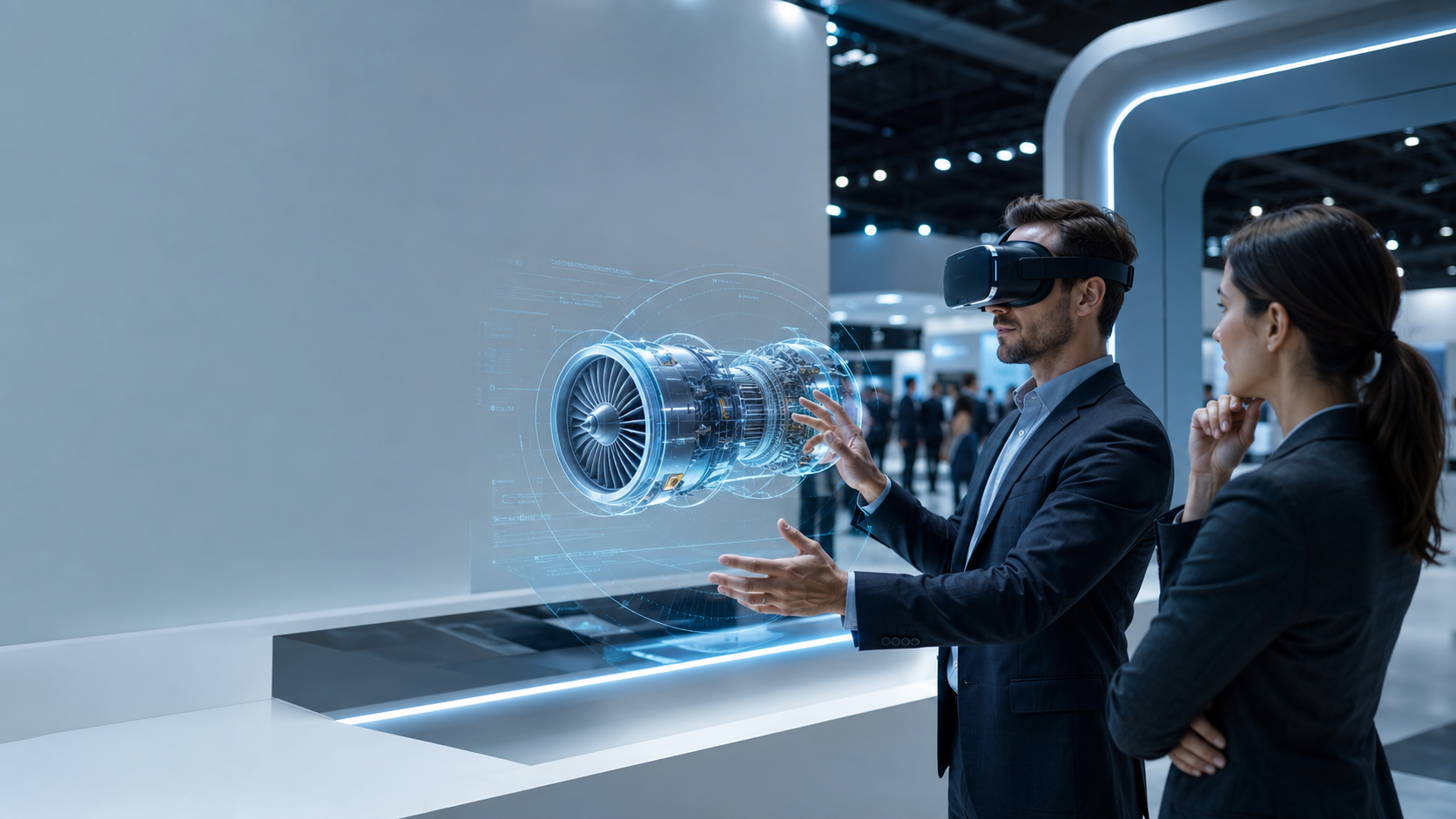
Unlike traditional product demonstrations limited by physical constraints, VR visualization enables customers to explore products at actual scale, view internal components through x-ray vision, swap configurations instantly, and experience products in context-appropriate environments. A construction equipment manufacturer can showcase a 50-ton excavator in a hotel conference room. A furniture retailer can display their entire catalog in a 10×10 booth. A medical device company can demonstrate surgical procedures without biosafety concerns.
Core Applications for Business Events
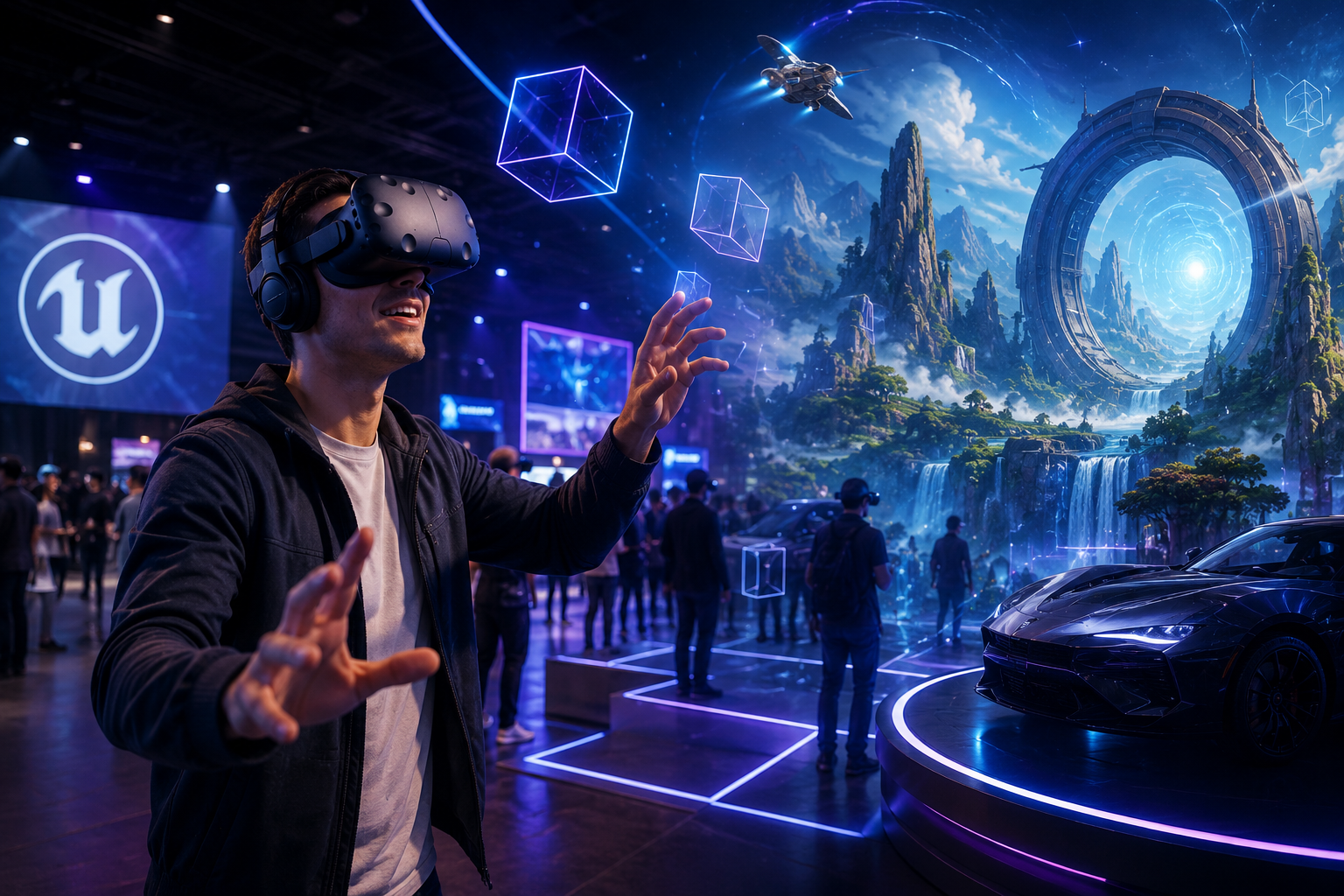
Trade show booth differentiation with interactive product demos transforms passive booth visitors into engaged participants. While competitors distribute brochures, VR-equipped booths create memorable experiences that extend dwell time from 30 seconds to 5-10 minutes. Visitors actively explore products rather than passively viewing them, creating stronger memory formation and brand recall.
Sales enablement for complex B2B products that can’t travel solves the logistics challenge of demonstrating industrial equipment, architectural projects, or specialized machinery. Sales teams carry entire product portfolios in a briefcase-sized VR kit, enabling on-site customer demonstrations without shipping costs, installation requirements, or safety certifications.
Retail pop-ups showcasing full product lines in limited space maximize revenue per square foot by virtualizing inventory. A 200-square-foot pop-up can showcase thousands of SKUs, complete with customization options, without physical stock. Customers explore full product ranges, configure custom orders, and visualize products in their intended environments.
Real estate and automotive virtual showrooms accelerate purchase decisions by providing immersive previews. Buyers tour properties under construction, explore vehicle interiors before manufacturing, and compare multiple options simultaneously without travel time between locations.
Rental vs Purchase Decision Framework
The cost comparison for event-based use strongly favors rental for businesses participating in 5-10 events annually. Purchase costs for enterprise VR hardware range from $1,500-$3,000 per headset, plus accessories, cases, and backup units. Annual rental costs for the same usage typically total 30-40% of purchase price, including equipment refresh, maintenance, and support.
Setup complexity and technical support requirements create hidden costs for ownership. VR equipment requires firmware updates, driver management, content deployment pipelines, and troubleshooting expertise. Rental packages include pre-configured equipment, on-call technical support, and replacement units for failures. Internal IT teams avoid specialized VR training while maintaining focus on core infrastructure.
Hardware refresh cycles and obsolescence risk accelerate in VR markets where new headsets launch annually with significant capability improvements. Equipment purchased today becomes outdated within 18-24 months as resolution, field of view, and tracking precision advance. Rental agreements provide access to current-generation hardware without depreciation losses or disposal logistics.
Content development partnerships vs in-house creation determine total project costs beyond hardware. Rental providers maintain relationships with content studios specializing in product visualization, offering bundled hardware-plus-content packages. These partnerships reduce project timelines from months to weeks while ensuring optimization for specific hardware capabilities.
VR Hardware Requirements for Product Visualization
Product visualization demands specific VR capabilities beyond basic gaming headsets. Resolution, tracking precision, and controller responsiveness directly impact whether customers can meaningfully interact with product details, textures, and configurations.
Professional product visualization requires minimum display resolution of 2K per eye to render text, measurements, and fine details clearly. Tracking precision must maintain sub-millimeter accuracy to prevent drift during close inspection of product features. Controller latency under 20 milliseconds ensures natural-feeling interactions when manipulating virtual products.
Headset Selection for Product Detail
Meta Quest 3 vs Quest Pro for resolution and passthrough represents the current sweet spot for trade show deployment. Quest 3 delivers 2064×2208 per eye resolution at $499, sufficient for most product visualization needs. Quest Pro adds eye tracking and face tracking at $999, valuable for analytics but unnecessary for basic product demos. Both offer color passthrough for mixed reality experiences where virtual products appear in real booth spaces.
Pico 4 Enterprise for commercial licensing provides comparable specifications to Quest 3 with explicit commercial use rights and enterprise support. The 2160×2160 per eye resolution matches Quest Pro while the 105-degree field of view exceeds Quest 3’s 96 degrees. Enterprise features include kiosk mode, remote device management, and bulk deployment tools essential for multi-unit trade show setups.
HTC Vive Focus 3 for precision tracking excels in environments with challenging lighting conditions common at trade shows. The dual 2448×2448 displays provide the highest resolution among standalone headsets, while the replaceable battery system enables continuous operation through hot-swapping. The $1,300 price point reflects professional build quality and commercial warranty coverage.
Minimum specs for professional product visualization include 2K per eye resolution to render CAD-level detail, 90Hz refresh rate to prevent motion sickness during extended sessions, and hand tracking capability for intuitive interaction without controller training.
Supporting Equipment and Space Setup
Boundary setup for trade show booths requires minimum 6×6 feet of clear floor space per VR station to accommodate user movement and safety zones. Optimal configurations use 8×8 feet, allowing comfortable arm extension without boundary warnings interrupting the experience. Portable floor mats define play areas while protecting users from stepping outside safe zones.
Hygiene covers and multi-user considerations become critical for public deployments where dozens of users share headsets daily. Disposable face cushions cost $1-2 each and install in seconds between users. Silicone face plates enable alcohol-based sanitization but require 30-second drying time. UV-C sanitization stations process headsets in 60 seconds but require $500-800 investment per unit.
Charging stations and battery management for all-day events prevent demonstration interruptions. Standard VR headsets provide 2-3 hours of active use per charge. Trade show deployments require either battery hot-swapping capabilities or 2-3 headsets per station to maintain continuous operation. Charging infrastructure must accommodate simultaneous charging of all equipment during overnight booth closure.
Display mirroring for audience viewing multiplies demonstration impact by engaging waiting visitors. 55-65 inch displays positioned above demo stations show the user’s perspective to crowds. Wireless casting introduces 100-200ms latency acceptable for viewing but requires stable WiFi. Wired connections through USB-C to HDMI adapters eliminate latency but restrict headset movement range.
Content Development and Product Import Workflows
Converting existing CAD files, 3D models, or physical products into VR-ready experiences requires specific workflows and optimization. Most businesses underestimate the content preparation phase, which determines whether the final experience feels professional or amateur.
Raw CAD models designed for engineering precision contain geometric detail unnecessary for visualization that degrades VR performance. A single automotive assembly might contain 10 million polygons when only 500,000 are needed for visual fidelity. Material definitions optimized for rendering engines don’t translate directly to real-time VR shaders. Preparation workflows must balance visual quality against performance requirements of mobile VR processors.
3D Model Preparation and Optimization
CAD to VR pipeline using Datasmith, Pixyz, or manual conversion streamlines the transformation process. Datasmith (Unreal Engine) automatically converts 20+ CAD formats while preserving material assignments and assembly hierarchies. Pixyz specializes in CAD tessellation optimization, reducing polygon counts by 70-90% without visible quality loss. Manual conversion through intermediate formats like FBX provides maximum control but requires 3D modeling expertise.
Polygon optimization targets for mobile VR require scenes under 1 million polygons for stable 72Hz performance. Individual products should target 50,000-200,000 polygons depending on complexity. Automated decimation tools reduce polygon counts but often damage visual quality at edges and curves. Retopology services manually rebuild models at target polygon counts while preserving visual fidelity, costing $500-2,000 per complex product.
Texture baking and material simplification converts complex shader networks into simple texture maps compatible with mobile GPUs. Physical materials with subsurface scattering, complex reflections, or procedural patterns must be pre-calculated into standard texture maps. Resolution targets of 2048×2048 pixels per material balance quality against memory constraints. Texture atlasing combines multiple small textures into single large maps, reducing draw calls and improving performance.
LOD systems for complex assemblies display different detail levels based on viewing distance. A car engine might show 200,000 polygons when viewed closely but switch to 20,000 polygons when viewed from outside the vehicle. Automatic LOD generation tools create simplified versions, though manual optimization produces superior results for hero products.
Interaction Design for Product Exploration
Grab, rotate, and scale interactions form the foundation of product manipulation. Natural hand tracking enables pinch-to-grab gestures familiar from touchscreens. Two-handed scaling mimics real-world stretching motions. Rotation constraints prevent unnatural orientations while snap-to angles assist precise positioning. Haptic feedback confirms successful interactions through controller vibration.
Exploded view and cross-section tools reveal internal components without CAD software knowledge. Animated explosions separate assemblies along logical boundaries, maintaining spatial relationships while exposing hidden parts. Real-time cross-sections use shader-based clipping planes to slice through geometry, revealing internal structures. Section views can follow controller movement for dynamic exploration or snap to predefined cutting planes.
Configuration options for colors, materials, and components enable mass customization demonstrations. Real-time material swapping shows products in different finishes without pre-rendering variations. Modular component systems allow customers to build custom configurations by adding or removing parts. Rule engines prevent invalid combinations while suggesting compatible options.
Annotation hotspots and information panels deliver contextual product information without overwhelming the experience. Floating labels appear when users approach specific features. Detailed specification panels expand on demand. Video tutorials demonstrate product operation within the virtual environment. Voice narration guides users through complex products while maintaining hands-free interaction.
Platform Selection for Deployment
Unity vs Unreal Engine for product visualization represents the primary technology decision. Unity’s lighter runtime performs better on mobile VR hardware, making it ideal for Quest deployment. Unreal Engine’s superior rendering quality and Datasmith CAD pipeline excel for high-end visualization on PC-connected headsets. Both engines require specialized VR development expertise, with project costs ranging from $10,000-50,000 for custom applications.
WebXR for browser-based access without app installation eliminates friction for quick demonstrations. Users access experiences through standard web browsers on VR headsets, avoiding app store approval processes and installation steps. Performance limitations restrict scene complexity to 100,000 polygons and basic interactions. Progressive Web Apps bridge the gap, offering app-like performance with web-based distribution.
Specialized platforms like Sketchfab, Modelo, and ShapesXR provide template-based solutions for common visualization needs. Sketchfab’s VR viewer automatically converts uploaded 3D models for VR viewing without programming. Modelo focuses on architectural visualization with built-in walkthrough tools. ShapesXR enables collaborative design reviews where multiple users interact with products simultaneously.
Custom app development vs template solutions balances unique requirements against development costs. Template solutions deploy in days for $100-500 monthly subscriptions but limit customization to predefined options. Custom applications require 2-6 month development cycles and $25,000-100,000 budgets but deliver exact brand experiences with proprietary features.
Trade Show and Event Implementation Guide
Deploying VR product visualization at trade shows requires coordination between booth design, staff training, and visitor flow management. Success depends on operational details that many first-time users overlook.
Pre-show preparation determines day-of execution quality. Equipment must be tested in environments mimicking trade show conditions: bright lighting, WiFi interference, and crowd noise. Content should be optimized for 2-3 minute experiences that deliver value while maintaining throughput. Staff need hands-on practice managing equipment, troubleshooting issues, and guiding visitors through experiences.
Booth Layout and Traffic Flow
Demo station positioning for visibility and access maximizes engagement potential. Stations placed at booth corners create natural gathering points visible from multiple aisles. 45-degree angles toward aisles invite participation while maintaining safety zones behind users. Elevated platforms raise VR users above crowds, creating visual interest while preventing collisions.
Queue management and scheduling systems balance walk-up accessibility with appointment efficiency. Digital sign-up tablets capture contact information while managing wait times. Scheduled appointments during peak hours guarantee serious prospects receive full demonstrations. Open access during slow periods maintains booth energy and attracts casual interest.
Spectator screens showing user perspective transform individual experiences into group engagement opportunities. Ceiling-mounted displays visible from aisles attract attention from passing traffic. Multiple viewing angles using picture-in-picture show both user reactions and virtual content. Commentary from booth staff explains actions to waiting visitors, building anticipation for their turn.
Physical product samples alongside VR stations bridge virtual and physical experiences. Texture samples let visitors feel materials seen in VR. Scale models provide tangible reference points for virtual products. QR codes on physical products launch specific VR experiences, creating seamless transitions between real and virtual exploration.
Staff Training and Demo Scripts
30-second headset fitting and comfort adjustment prevents abandonment due to discomfort. Staff must recognize different head shapes require different strap configurations. IPD (interpupillary distance) adjustment improves visual clarity for 30% of users. Quick comfort checks prevent pressure points that cause premature session termination.
Controller basics and gesture training require 60-second orientation for first-time users. Point-and-click selection provides fallback for users struggling with grab gestures. Wrist straps prevent dropped controllers in crowded environments. Hand tracking calibration improves recognition accuracy for diverse hand sizes and skin tones.
Guided vs self-directed exploration paths accommodate different user preferences and experience levels. Guided tours ensure key features receive attention within time constraints. Self-directed exploration appeals to technical users wanting deep investigation. Hybrid approaches provide optional guidance through UI hints while allowing deviation from prescribed paths.
Troubleshooting common issues requires rapid resolution to maintain flow. Tracking loss from booth lighting requires pre-positioned boundary markers for quick recalibration. Battery warnings need immediate hot-swap procedures to prevent session interruption. Software crashes must recover to home screens within 15 seconds to maintain professional appearance.
Lead Capture and Analytics
In-VR data collection forms capture qualified leads without breaking immersion. Virtual keyboards enable email entry within experiences. Voice dictation accelerates contact information collection. Integration with badge scanning systems auto-populates forms from attendee credentials.
Session recording for follow-up creates personalized post-event touchpoints. Screen captures of configured products provide reference for sales conversations. Interaction timelines show which features generated most interest. Recorded sessions enable remote stakeholders to experience demos they missed.
Interaction heatmaps showing product interest reveal unconscious preferences through behavioral analytics. Gaze tracking identifies which features draw extended attention. Touch patterns show which components users explore most frequently. Navigation paths reveal intuitive versus confusing interface elements.
CRM integration for automated follow-up accelerates lead nurturing through systematic workflows. Real-time lead scoring based on interaction depth prioritizes hot prospects. Automated email sequences deliver personalized content based on products explored. Sales alerts notify representatives when high-value prospects complete demonstrations.
Industry-Specific Product Visualization Use Cases
Different industries leverage VR product visualization for distinct objectives. Understanding sector-specific applications helps justify investment and shapes content development priorities.
Each industry brings unique requirements for detail, interaction, and presentation style. Medical devices demand anatomical accuracy and regulatory compliance. Automotive experiences emphasize emotional connection and lifestyle positioning. Industrial equipment focuses on technical specifications and operational procedures. Successful implementations align VR capabilities with industry-specific buyer expectations.
Manufacturing and Industrial Equipment
Heavy machinery demos without shipping costs transform equipment sales processes. A single mining excavator demonstration traditionally costs $50,000-100,000 in transportation and setup. VR demonstrations eliminate these costs while enabling prospects to operate equipment in simulated work environments. Caterpillar reports 35% reduction in sales cycle length using VR demonstrations for construction equipment.
Safety training on equipment operation addresses liability concerns during product evaluation. Virtual training environments allow dangerous procedure practice without injury risk. Mistake consequences appear as visual warnings rather than physical harm. Completion certificates document safety orientation before real equipment access.
Custom configuration workshops with clients accelerate specification development for made-to-order products. Engineers and customers collaborate in shared virtual spaces, testing different configurations in real-time. Immediate visualization of specification changes eliminates interpretation errors common with 2D drawings. Configuration validation ensures ordered products meet operational requirements before manufacturing begins.
Maintenance procedure visualization reduces service complexity for customer technicians. Step-by-step animations overlay virtual instructions onto equipment models. Exploded assemblies show part relationships and removal sequences. Interactive troubleshooting guides diagnose problems through systematic component testing.
Architecture and Real Estate
Pre-construction walkthroughs for buyers enable sales before groundbreaking. Photorealistic environments show finished spaces with accurate lighting and materials. Buyers explore different unit types and floor plans without physical model homes. Upgrade options visualize in real-time, facilitating immediate purchase decisions for premium features.
Material and finish selection interfaces streamline design centers into portable experiences. Hundreds of material combinations preview instantly without physical samples. Lighting conditions adjust to show materials in morning, afternoon, and evening conditions. Side-by-side comparisons eliminate decision paralysis from overwhelming options.
Spatial planning and furniture placement helps buyers visualize living in spaces. Virtual furniture libraries test different layouts without moving physical pieces. Scale verification ensures purchased furniture fits intended spaces. Style compatibility assessment prevents costly decoration mistakes.
Multi-unit development portfolio tours enable remote investment decisions. Investors explore entire developments without travel costs or time investment. Comparable unit analysis highlights value propositions across price points. Environmental context shows surrounding amenities and transportation access.
Retail and Consumer Products
Virtual try-on for fashion and accessories reduces return rates through better fit prediction. Clothing drapes realistically on personalized avatars matching customer measurements. Accessories scale to actual size, preventing disappointment from misleading product photos. Movement simulation shows how garments behave during activity.
Product customization studios enable mass personalization without inventory complexity. Customers design unique products through intuitive 3D interfaces. Real-time pricing updates reflect material and feature selections. Social sharing generates organic marketing through customized product posts.
Size and fit visualization addresses the primary barrier to online furniture purchasing. Products appear at actual scale in room-scale VR environments. Measurement tools verify clearances and pathways. Multiple size options compare simultaneously to identify optimal dimensions.
Lifestyle context placement creates emotional connections beyond product features. Camping equipment appears in wilderness settings. Home electronics integrate into living room environments. Sporting goods demonstrate in appropriate athletic contexts. Environmental storytelling strengthens brand positioning beyond functional benefits.
ROI Measurement and Success Metrics
Quantifying VR product visualization impact requires tracking both immediate engagement metrics and downstream sales influence. Establish baseline measurements before deployment to demonstrate value.
Traditional trade show metrics like booth traffic and brochure distribution poorly capture VR engagement quality. A single 10-minute VR session generates more product understanding than dozens of brief booth conversations. Success measurement must evolve beyond quantity metrics to assess interaction depth and emotional impact.
Engagement and Experience Metrics
Average session duration vs traditional demos quantifies attention capture. Physical product demonstrations average 90 seconds at trade shows. VR experiences maintain engagement for 5-8 minutes, representing 300-500% improvement in attention retention. Extended engagement correlates with improved brand recall and purchase intent.
Product interaction depth measures exploration thoroughness through feature access rates. Traditional demonstrations cover 3-5 key features due to time constraints. VR users explore 15-20 features through self-directed investigation. Comprehensive exploration increases confidence in purchase decisions and reduces post-purchase dissatisfaction.
Visitor-to-demo conversion rates indicate experience appeal and booth staff effectiveness. Well-designed VR experiences achieve 40-60% conversion from booth visitors to demo participants. Traditional product displays typically convert 10-15% of visitors to meaningful interactions. Higher conversion rates maximize booth investment through increased qualified lead generation.
Net Promoter Score for experience quality captures visitor satisfaction and word-of-mouth potential. VR demonstrations consistently score 70-80 NPS compared to 30-40 for traditional booth experiences. High NPS drives organic booth traffic through attendee recommendations and social media sharing.
Sales Pipeline Impact
Lead quality scores from VR interactions improve through behavioral qualification. Time spent exploring specific features indicates genuine interest versus casual browsing. Configuration choices reveal budget ranges and requirement priorities. Interaction patterns predict purchase likelihood with 75% accuracy compared to 40% for traditional lead scoring.
Sales cycle acceleration measurements document faster progression through purchase stages. B2B sales cycles reduce by 25-30% when prospects experience VR demonstrations early in evaluation processes. Decision stakeholder alignment improves when multiple participants share virtual experiences. Technical validation accelerates through interactive specification verification.
Deal size correlation with VR engagement shows positive revenue impact from immersive experiences. Customers who experience VR demonstrations purchase 20-35% more options and upgrades. Configuration visualization reduces purchase anxiety for premium features. Emotional engagement through immersive experiences supports premium pricing strategies.
Customer retention and repeat purchase rates improve through better purchase satisfaction. VR-assisted purchases show 40% lower return rates due to accurate expectations. Customer satisfaction scores increase 15-20% when purchases match virtual previews. Positive experiences drive referrals and repeat business, improving customer lifetime value.
Getting Started with IGIVU VR Rental Packages
IGIVU’s curated VR rental packages include everything needed for product visualization at events: hardware, setup support, and beginner-friendly operation guidance. Our team helps match visualization requirements to appropriate equipment and can recommend content development partners.
Our rental inventory includes current-generation Meta Quest 3, Pico 4 Enterprise, and HTC Vive Focus 3 headsets configured specifically for commercial use. Each rental includes hygiene supplies, charging infrastructure, and backup equipment to ensure uninterrupted operation. Technical support remains available throughout rental periods, with remote assistance for software issues and next-day replacement for hardware failures.
Package Components and Pricing
Headset quantities for expected traffic scale from single-unit rentals to 20+ headset deployments for major trade shows. Standard packages include 2-4 headsets to maintain continuous operation while units charge. High-traffic events benefit from 1 headset per 20 expected demonstrations daily, ensuring reasonable wait times during peak periods.
Duration options range from daily rentals at $150-200 per headset to monthly rates of $800-1,200. Weekly rentals for typical 3-4 day trade shows cost $400-600 per unit. Extended rentals beyond 30 days transition to lease-to-own programs, applying 50% of rental fees toward purchase price.
Technical support levels match deployment complexity and staff experience. Basic support includes setup documentation and email assistance. Standard support adds phone troubleshooting during business hours. Premium support provides dedicated technical contacts and potential on-site assistance for major events.
Content loading and configuration services eliminate technical complexity for marketing teams. IGIVU technicians pre-load customer content onto all devices, configure kiosk modes to prevent user access to system settings, and test experiences for optimal performance. Content updates during rental periods are handled remotely when internet connectivity permits.
Pre-Event Planning Support
Venue requirement assessment ensures successful deployment in challenging trade show environments. Our team reviews floor plans to identify optimal station placement, evaluates lighting conditions that might affect tracking, and confirms power availability for charging stations. Site surveys for major deployments identify potential issues before event day.
Content compatibility testing verifies customer experiences run smoothly on rental hardware. We evaluate performance metrics, identify optimization opportunities, and recommend adjustments for improved user experience. Testing includes multi-user scenarios to ensure stable operation under peak load conditions.
Staff training sessions prepare booth teams for confident VR demonstration. Virtual or in-person training covers equipment operation, basic troubleshooting, and best practices for visitor engagement. Role-playing exercises simulate common scenarios and questions. Recorded training materials provide reference for staff unable to attend live sessions.
Backup equipment and contingency planning prevents demonstration disruption from technical failures. Rental packages include 20% spare equipment for immediate replacement of failed units. Contingency plans document procedures for common issues, alternative demonstration methods if VR becomes unavailable, and escalation contacts for technical support.
Frequently Asked Questions
How much does VR product visualization rental cost for a 3-day trade show?
A typical 3-day trade show package with 2-3 Meta Quest 3 headsets, charging equipment, hygiene supplies, and basic support costs $1,200-1,800 total. This includes pre-event configuration, content loading, and remote technical support throughout the event.
Can we use our existing CAD files directly in VR?
CAD files require optimization before VR use. Raw CAD models must be converted, simplified, and optimized for real-time rendering. This process typically takes 2-5 days per product and costs $500-2,000 depending on complexity. Some rental packages include basic conversion services.
What’s the learning curve for booth staff to operate VR demos?
Booth staff can learn basic VR demo operation in 30-60 minutes. This includes headset fitting, controller basics, app launching, and common troubleshooting. Confident presentation skills develop after 5-10 practice sessions. Most staff achieve competency during event setup day.
How many people can try VR product demos per hour?
A single VR station accommodates 6-10 demonstrations per hour, assuming 5-minute experiences plus 1-minute transitions. Shorter 3-minute experiences increase throughput to 12-15 per hour. Multiple stations operating simultaneously multiply these numbers proportionally.
Do we need WiFi or internet connection for VR product visualization?
Most product visualization experiences run entirely offline once installed on headsets. Internet connectivity enables remote content updates, analytics collection, and screen mirroring to smart TVs. Cellular hotspots provide sufficient bandwidth when venue WiFi proves unreliable.
Can visitors interact with products or just view them?
Modern VR enables full interaction including grabbing, rotating, scaling, and configuring products. Visitors can disassemble products to view internal components, change colors and materials, and operate moving parts. The interaction depth depends on content development investment.
What happens if VR equipment fails during our event?
IGIVU rental packages include spare equipment for immediate replacement of failed units. Remote technical support diagnoses issues within 15 minutes during business hours. Next-day replacement ships for failures beyond remote repair. Backup demonstration methods ensure continuity if all VR units fail simultaneously.
How do we capture lead information from VR sessions?
Lead capture occurs through multiple methods: in-VR forms where users enter information directly, pre-session registration on tablets, or post-session surveys. Badge scanning integration automates data collection at some venues. All methods sync with CRM systems for immediate follow-up.
VR product visualization transforms trade show booths and sales presentations from passive displays into memorable interactive experiences. The technology has matured beyond novelty status to deliver measurable ROI through increased engagement, accelerated sales cycles, and improved customer satisfaction.
Rental solutions remove the barriers of capital investment, technical complexity, and obsolescence risk that previously limited VR adoption to large enterprises. Modern standalone headsets deliver professional-quality experiences without gaming PCs or complex setup procedures. Content development workflows now convert existing CAD assets into VR experiences within days rather than months.
Success requires more than just hardware deployment. Effective implementations align VR capabilities with specific business objectives, whether differentiating trade show presence, enabling remote product evaluation, or accelerating complex B2B sales cycles. Staff training, visitor flow management, and lead capture integration determine whether VR becomes a powerful sales tool or expensive booth decoration.
The decision to rent versus purchase depends on usage frequency, internal technical capabilities, and content development requirements. For most businesses participating in 5-10 events annually, rental delivers superior economics while maintaining access to current-generation equipment. The flexibility to scale deployments up or down based on event requirements provides operational advantages beyond pure cost considerations.
Ready to elevate your next trade show or sales presentation with VR product visualization? Contact IGIVU to discuss your specific requirements and explore our rental packages.