Why Product Customization Needs VR at Physical Events
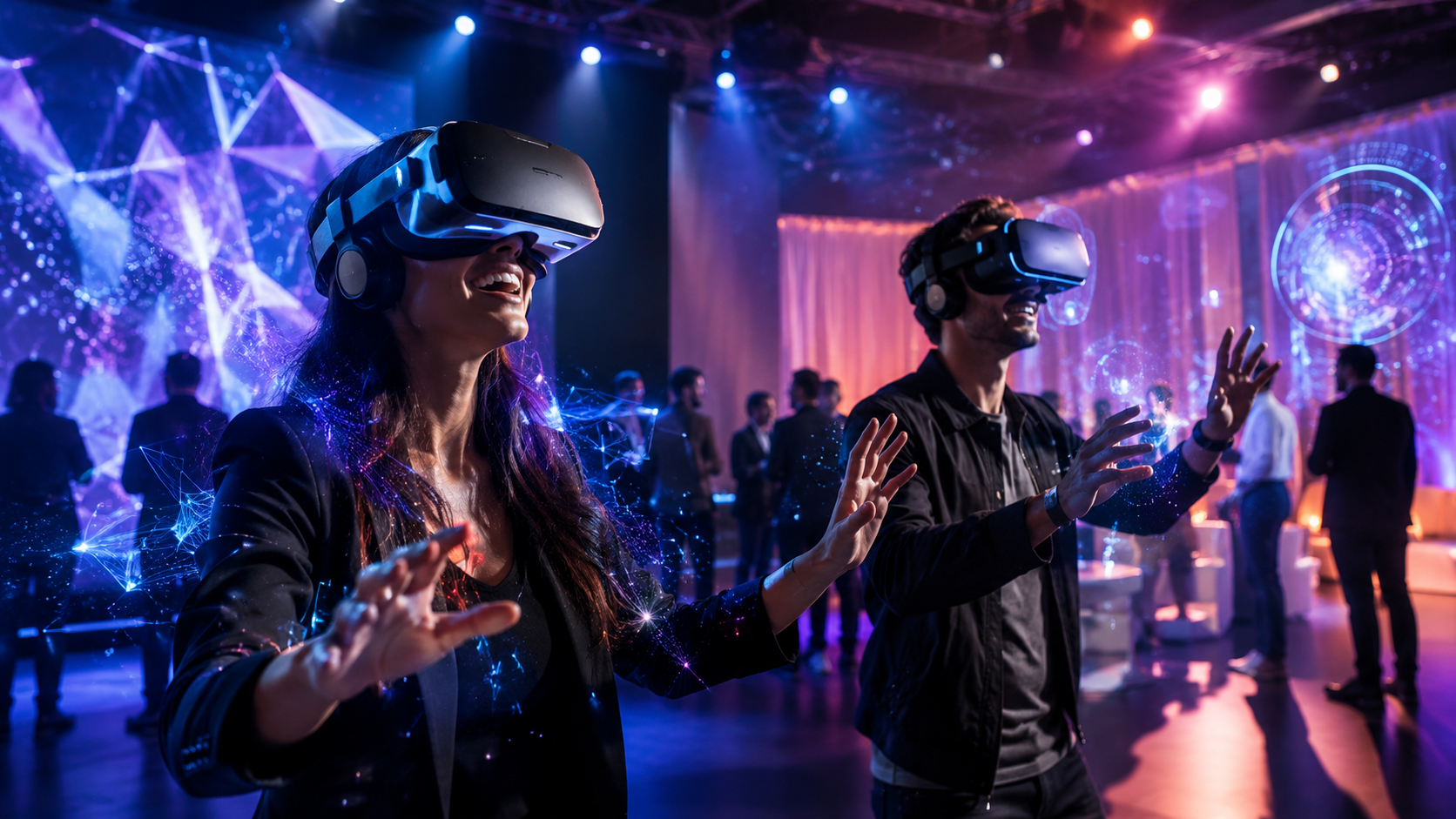
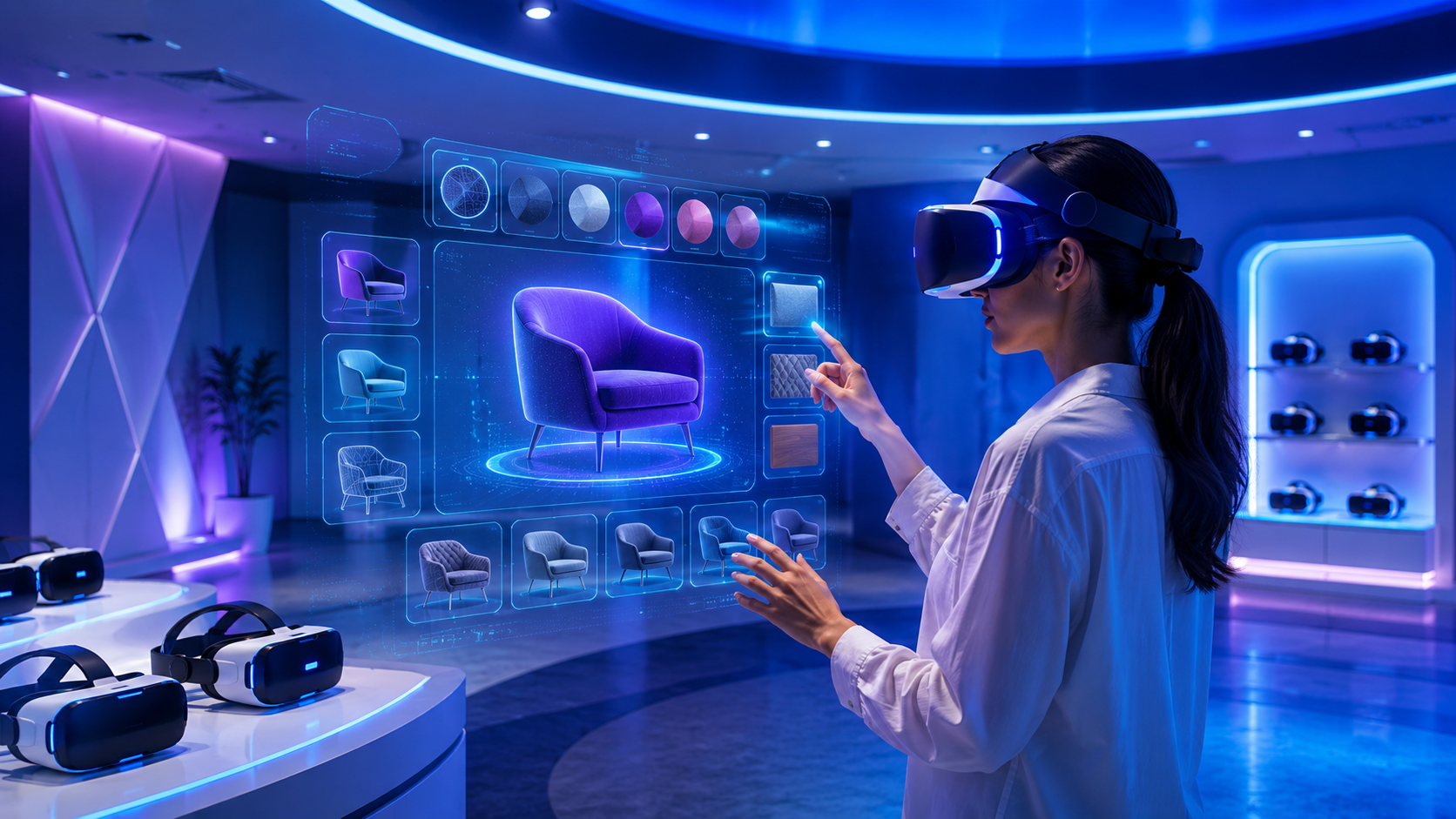
Digital product configurators let customers design custom products online, but at trade shows and brand activations, you need to bridge the gap between screen-based tools and physical experience. VR headsets turn your customization platform into an immersive showcase where visitors can see, rotate, and experience their configured products in 3D space.
The Customization Experience Gap at Events
Traditional product customization demonstrations face significant limitations at physical events. Laptop screens limit the impact of 3D configurators at trade show booths, forcing visitors to crowd around small displays while trying to visualize complex product variations. The 15-inch screen that works perfectly for individual online shopping becomes a bottleneck when multiple prospects want to explore customization options simultaneously.
Visitors expect hands-on interaction with customizable products at events. They arrive ready to touch materials, test mechanisms, and experience the weight and scale of products. When brands can only offer screen-based configurators, this expectation-reality mismatch creates disappointment and reduces engagement time at the booth.
VR eliminates the disconnect between digital configuration and physical product visualization. Instead of asking visitors to imagine how their configured product would look in real life, VR places them inside a virtual showroom where customizations appear at actual scale. A configured sofa fills their field of view at true dimensions. A customized vehicle surrounds them as they sit in the virtual driver’s seat. This spatial understanding drives purchase confidence in ways that flat screens cannot achieve.
How VR Transforms Product Configurators into Experiences
When visitors wear headsets to see their custom configurations at real scale, the psychological impact multiplies. A kitchen designer can stand inside their created space, looking up at cabinet heights and reaching toward appliance placements. This embodied experience creates emotional connections to configured products that translate directly into purchase intent.
360-degree product views replace static screen renders, allowing natural exploration of customized items. Visitors lean in to examine texture details, walk around to check proportions from different angles, and crouch down to inspect lower components. These natural movements mirror real shopping behavior, making the virtual experience feel authentic and trustworthy.
Multiple customization options can be tested without physical samples, solving the logistics nightmare of displaying every possible product variation. A furniture manufacturer offering 50 fabric options across 20 models would need 1,000 physical samples for complete demonstration. In VR, these combinations load instantly, letting visitors compare unlimited variations in the same booth footprint that previously held three display models.
VR Rental Packages for Product Customization Showcases
Renting VR equipment for customization demos requires specific hardware configurations and content compatibility. Here’s how to match rental packages to your customization platform and event goals.
Essential VR Hardware for Customization Tools
Meta Quest 3 headsets for standalone customization apps provide the optimal balance of visual quality and deployment simplicity. The 2064×2208 per-eye resolution renders product details sharply enough for material texture evaluation, while the Snapdragon XR2 Gen 2 processor handles complex 3D models without external computers. Standalone operation means no cable management issues in crowded booth environments, and the 2-3 hour battery life covers continuous demo sessions with hot-swappable battery packs.
PC-tethered setups for complex configurators requiring processing power become necessary when showcasing photorealistic renders or managing extensive product databases. High-end configurators with ray-traced lighting, complex physics simulations, or real-time rendering of intricate mechanical assemblies demand NVIDIA RTX 4080 or better graphics cards. Varjo Aero or HTC Vive Pro 2 headsets connected to rendering workstations deliver the visual fidelity needed for luxury goods and precision engineering applications.
Hand tracking vs controllers for intuitive product manipulation depends on your customization interface complexity. Hand tracking excels for simple selection tasks—pointing at color swatches, grabbing and rotating products, or pinch-zooming for detail inspection. Controllers provide superior precision for detailed configuration work like adjusting dimensional sliders, inputting exact measurements, or navigating complex menu hierarchies. Most rental packages now include both options, letting you switch based on user preference and task requirements.
Connecting Your Configurator to VR Headsets
WebXR compatibility for browser-based customization tools offers the fastest path from existing configurators to VR experiences. If your current tool runs in Chrome or Edge, adding WebXR support requires minimal development. Visitors access your standard web configurator URL through the headset’s browser, and the experience automatically switches to immersive mode. This approach works particularly well for brands already using Three.js, Babylon.js, or A-Frame for their 3D visualization.
Unity and Unreal Engine exports for native VR experiences provide superior performance and deeper immersion. Native apps load 3D models faster, render more complex scenes smoothly, and access headset-specific features like eye tracking and advanced haptics. The development investment pays off through reduced latency, eliminated network dependencies, and consistent performance across varying venue internet conditions.
Real-time sync between configurator changes and VR display creates seamless multi-user experiences. Sales representatives operate the configurator on a tablet while customers wear the headset, seeing changes instantly reflected in their virtual environment. This synchronized approach lets trained staff guide the customization process while visitors focus on experiencing the results. Cloud-based state management ensures configuration consistency even when switching between multiple headsets or continuing sessions across different devices.
Multi-User Setup for Trade Show Booths
Running 4-6 headsets simultaneously for high traffic booths requires careful network architecture and power distribution. Each Quest 3 running a cloud-based configurator consumes approximately 50 Mbps bandwidth for smooth operation. A six-headset setup needs dedicated 5GHz WiFi 6 access points positioned above the booth to minimize interference from attendee devices. Power banks mounted on retractable ceiling reels keep headsets charged while eliminating trip hazards from charging cables.
Spectator screens showing what VR users see transform individual experiences into group engagement opportunities. 55-inch 4K displays mounted at eye level broadcast the VR user’s perspective to waiting visitors and passing traffic. This visibility serves dual purposes: entertaining queued visitors while demonstrating the customization capabilities to hesitant prospects who might not initially commit to trying VR.
Queue management and session timing for optimal throughput determines event ROI. Five-minute sessions allow 12 visitors per hour per headset, but complex B2B configurators might require 10-15 minute explorations. Digital queue systems let visitors register for specific time slots while exploring other booth areas. Smart scheduling algorithms account for no-shows and early completions, maintaining steady traffic flow without overwhelming staff or creating excessive wait times.
Industries Using VR for Product Customization at Events
Different industries leverage VR-powered customization in unique ways. Understanding these use cases helps you design the right experience for your audience and select appropriate rental packages.
Automotive and Vehicle Customization
Car configurators in VR showrooms at auto shows revolutionize how manufacturers present their customization options. Visitors sit in physical mockup seats while wearing VR headsets, experiencing their configured interior in full detail. They reach out to touch virtual dashboard materials, triggering haptic feedback that simulates texture differences between leather, Alcantara, and carbon fiber trim options.
Interior customization walkthroughs in virtual cockpits reveal how different packages affect the driving experience. Ambient lighting changes reflect across surfaces as users adjust color and intensity. Sound system upgrades demonstrate their speaker placements through spatial audio. Seat adjustment ranges become apparent as the virtual seat moves through its full range of motion, helping buyers understand ergonomic differences between standard and premium seating options.
Color and trim visualization at actual scale solves the persistent challenge of paint chip inadequacy. Metallic flakes shimmer as virtual sunlight moves across body panels. Matte finishes reveal their unique light absorption properties. Two-tone combinations display their break lines exactly as they’ll appear on the delivered vehicle. This true-to-life representation reduces customer disappointment from expectation mismatches and decreases post-purchase customization change requests.
Furniture and Interior Design
Room-scale VR for furniture placement and configuration transforms how brands demonstrate space planning capabilities. Visitors physically walk through their configured rooms, testing traffic flow around placed furniture. They experience whether that sectional sofa really fits in their living room or if the dining table leaves enough clearance for chairs to pull out comfortably.
Material and fabric selection in realistic lighting addresses the primary concern in furniture customization: how fabrics look in different environments. VR configurators cycle through lighting conditions—morning sunlight, afternoon shade, evening lamp light—showing how fabric colors and textures change throughout the day. This dynamic visualization reduces returns from customers surprised by how their chosen upholstery looks in their actual homes.
Custom kitchen and bathroom design experiences leverage VR’s spatial awareness for precise configuration. Visitors reach up to test overhead cabinet accessibility, lean over to evaluate counter depths, and walk through the triangle between sink, stove, and refrigerator. These embodied interactions reveal ergonomic issues that flat renderings miss, leading to more functional final designs and higher customer satisfaction scores.
Fashion and Apparel
Virtual fitting rooms with customizable designs merge personalization with fit visualization. Visitors see their body scan or selected avatar wearing configured garments, with fabric draping realistically based on material properties. Custom prints and patterns wrap accurately around garment contours, showing how designs distort across curved surfaces like shoulders and waists.
Shoe and accessory personalization in 3D enables detailed customization previously impossible at events. Users rotate shoes to see how color combinations look from every angle, zoom in to examine stitching patterns, and virtually “wear” items to judge proportions against their body type. The ability to save and share configurations directly from VR increases social media engagement and peer influence on purchase decisions.
Brand activation experiences for limited edition launches create exclusivity through VR customization. Visitors design one-of-a-kind pieces available only through the event experience, with their configurations sent directly to production. This immediate customization-to-manufacturing pipeline, visible through VR visualization of the production process, justifies premium pricing and generates significant social media buzz.
Industrial and B2B Equipment
Complex machinery configuration at trade shows eliminates the logistics of transporting massive equipment. A single VR headset replaces a 40-foot trailer of industrial machinery, letting buyers configure production lines, test equipment arrangements, and validate workflow assumptions without physical constraints.
Safety equipment customization for enterprise buyers addresses the critical need for proper fit and compliance. VR configurators show how different harness sizes distribute weight, how helmet padding configurations affect comfort during extended wear, and how visibility changes with various visor options. Buyers configure equipment for their entire workforce, seeing each variation on representative body types.
Manufacturing line layout tools in VR enable collaborative configuration sessions where multiple stakeholders examine proposed setups simultaneously. Engineers walk through maintenance access paths, operators test reach distances to controls, and safety managers verify emergency egress routes. This multi-perspective validation during the configuration process prevents costly post-installation modifications.
Implementation Guide: Setting Up VR Customization at Your Event
Successful VR customization experiences require careful planning of space, staffing, and user flow. This implementation framework covers the logistics from rental to teardown.
Pre-Event Setup Requirements
Space calculation demands 6×6 feet per VR station minimum, but optimal configurations allocate 8×8 feet to accommodate staff assistance and spectator viewing. Mark boundaries with LED floor strips that are visible in peripheral vision, preventing users from wandering into other stations or booth structures. Height clearance of 10 feet minimum prevents users from hitting overhead signage when reaching up to interact with elevated virtual elements.
Power and networking needs for multiple headsets scale beyond simple multiplication. Six Quest 3 headsets running simultaneously require 300W for charging stations, plus 500W for spectator displays and 200W for network equipment. Install dedicated 20-amp circuits rather than daisy-chaining power strips. Network infrastructure needs dedicated 1Gbps fiber or cable internet with sub-20ms latency to cloud configurator servers. On-site 5GHz WiFi 6E routers should be positioned 8-10 feet high and configured with dedicated SSIDs for VR traffic.
Content testing and calibration timeline begins 48 hours before event opening. Day one focuses on network validation, confirming bandwidth stability under full load and testing failover to mobile hotspots. Day two involves content optimization, adjusting quality settings to maintain 90fps while maximizing visual fidelity. The morning of the event includes final calibration: IPD adjustments for demo staff, boundary confirmation, and spectator screen synchronization.
Staff Training for VR-Assisted Sales
Teaching booth staff to guide VR customization sessions starts with comfort handling the hardware. Staff must confidently adjust head straps, clean lenses between users, and recognize when someone needs IPD adjustment. Practice sessions should cover putting headsets on visitors with different hairstyles, glasses, and comfort levels with technology.
Troubleshooting common headset issues prevents experience interruptions that break immersion and sales momentum. Staff should instantly recognize and resolve tracking loss (usually from covered sensors), controller disconnection (typically from low batteries), and display blackouts (often from overheating). Keep laminated troubleshooting cards at each station covering the five most common issues with visual guides for quick resolution.
Converting VR experiences to sales conversations requires timing and technique. Train staff to identify “wow moments”—when visitors gasp, reach out to touch virtual objects, or call others over to see something. These emotional peaks are optimal for introducing pricing, discussing delivery timelines, or scheduling follow-up consultations. Develop talk tracks that bridge from specific VR interactions to product benefits: “I noticed you spent time examining the leather texture—that’s our premium Italian hide that actually improves with age.”
Data Capture from VR Sessions
Saving visitor configurations for follow-up transforms one-time interactions into ongoing sales opportunities. Every VR session should automatically save the final configuration to a cloud database linked to the visitor’s contact information. QR codes on lanyards let visitors instantly access their configurations on personal devices, while automated emails deliver configuration summaries with pricing within an hour of session completion.
Analytics on most popular customization options inform inventory and production planning. Track not just final selections but the exploration journey—which options visitors try first, what they change most frequently, and what combinations appear repeatedly. Heat maps showing where users focus attention reveal which features drive decisions. If 80% of visitors zoom in on stitching details, that craftsmanship story needs prominence in marketing materials.
Lead scoring based on engagement time and interactions prioritizes follow-up efforts. Visitors who spend over 10 minutes in VR and modify more than 15 options show high purchase intent. Those who return for multiple sessions or bring colleagues to see their configurations indicate enterprise-level opportunities. Automated lead scoring algorithms should factor in configuration complexity, price point interactions, and specific feature investigations like financing options or warranty details.
ROI Calculation: VR Rentals vs Traditional Product Displays
Quantifying the value of VR customization experiences helps justify rental costs and measure event success. These metrics and calculations provide a framework for ROI assessment.
Cost Comparison Framework
VR rental costs vs shipping physical product samples reveals significant savings for customizable products. Shipping a single automobile to a trade show costs $3,000-8,000 including insurance and specialized transport. A week-long VR rental package with six headsets costs $4,000-6,000 total, effectively replacing dozens of vehicle configurations. Furniture manufacturers save even more dramatically—container shipping for 20 sofa configurations costs $15,000-25,000 internationally, while VR rentals remain under $10,000 regardless of destination.
Setup labor comparing one VR station vs multiple physical displays shows 75% time reduction. Installing a VR customization station takes two people one hour: unbox headsets, connect networking, calibrate play spaces. Physical product displays require 6-8 hours for the same impact: uncrating, assembly, positioning, lighting adjustment, and damage repair from transport. Breakdown follows similar patterns—VR equipment packs in flight cases in 30 minutes while physical displays need careful disassembly and crating over 3-4 hours.
Storage and transportation savings compound across multiple events. Six VR headsets with accessories fit in two Pelican cases totaling 8 cubic feet and weighing under 50 pounds—checked luggage on commercial flights. Physical samples for equivalent customization demonstration require 200+ cubic feet of storage and dedicated freight transportation. Annual storage costs for physical samples in climate-controlled facilities reach $5,000-10,000, while VR content updates happen remotely with zero physical storage needs.
Engagement Metrics That Matter
Average session time in VR vs screen-based configurators shows 3x longer engagement. Screen configurator sessions average 2-3 minutes at trade shows, with visitors making 4-5 customization choices before moving on. VR sessions extend to 8-12 minutes, with visitors exploring 15-20 customization options and often requesting extended time. This deeper engagement correlates directly with purchase probability and configuration value.
Configuration completion rates jump from 35% on screens to 78% in VR. The immersive environment eliminates distractions that pull visitors away from screen-based configurators. Once wearing a headset, visitors commit to the experience, exploring all available options rather than abandoning mid-configuration. Complete configurations provide better lead intelligence and enable accurate follow-up quotes.
Visitor-to-lead conversion percentages double with VR customization experiences. Traditional product displays at trade shows convert 8-12% of booth visitors to qualified leads. VR customization stations achieve 20-25% conversion rates, with higher-quality lead information including specific product preferences, budget indicators from configured options, and timeline insights from questions asked during sessions.
Choosing Between Rental and Purchase for Customization Tools
For brands running frequent customization showcases, the rent vs buy decision depends on event frequency, technical requirements, and internal capabilities.
When Renting Makes Sense
1-4 events per year with customization demos favor rental economics. Purchase costs for six enterprise VR headsets with accessories reach $15,000-20,000. Annual rental costs for four week-long events total $16,000-24,000, but include equipment updates, replacement for failures, and technical support. The rental model avoids obsolescence risk—VR hardware generations last 18-24 months before significant capability improvements.
Testing VR customization before major investment reduces implementation risk. Three-month rental trials let brands validate customer response, refine content requirements, and train staff without capital expenditure. These pilots reveal true infrastructure needs, optimal session lengths, and necessary customization options. Brands often discover their initial hardware assumptions were wrong—needing more stations but simpler headsets, or fewer stations with higher-end displays.
Varying headset requirements across different events make ownership impractical. Auto shows demand maximum visual fidelity for discriminating buyers, requiring high-end PC-tethered headsets. Regional dealer events prioritize portability and simplicity, favoring standalone units. Outdoor festivals need ruggedized equipment with bright displays. Rental flexibility matches equipment to venue requirements without maintaining multiple hardware inventories.
Hybrid Approaches
Owning base units while renting for surge capacity optimizes costs for regular exhibitors. Brands might purchase 2-3 headsets for smaller regional events and continuous showroom use, then rent additional units for major trade shows. This approach maintains staff familiarity with consistent hardware while scaling for periodic high-traffic events.
Seasonal rental agreements for trade show circuits reduce per-event costs through volume commitments. Furniture brands attending January markets in Las Vegas, April shows in Milan, and October events in Shanghai can negotiate annual agreements covering all events. These contracts typically offer 25-30% discounts versus individual event rentals and guarantee equipment availability during peak seasons.
Rent-to-own programs for proven use cases bridge the rental-purchase gap. After 6-12 months of successful rental deployments, accumulated rental payments apply toward purchase. This approach validates ROI before capital commitment while building internal expertise. Most programs include upgrade options, letting brands switch to newer hardware as technology advances.
Frequently Asked Questions
Can existing web-based product configurators work in VR headsets?
Yes, if your configurator uses WebGL for 3D rendering, it can likely work in VR through WebXR APIs. Most modern configurators built with Three.js, Babylon.js, or Unity WebGL exports can add VR support in 2-4 weeks of development. The main requirement is that your 3D models and interaction logic separate cleanly from the 2D interface elements.
How many customization options can visitors realistically explore in a 5-minute VR session?
Visitors typically explore 8-12 meaningful customization decisions in five minutes. This includes 2-3 major choices (model selection, size, primary color), 4-5 detail selections (materials, finishes, accessories), and 2-3 comparison actions where they switch between saved configurations. Design your experience hierarchy to present most impactful options first.
What’s the minimum internet speed needed for cloud-based VR configurators?
Cloud-based VR configurators require 25 Mbps sustained bandwidth per headset for smooth operation, with 50 Mbps recommended for optimal quality. Latency matters more than raw bandwidth—maintain under 30ms ping to configurator servers. For six-headset setups, provision 300 Mbps dedicated bandwidth with failover to cellular hotspots.
Do VR customization tools require specialized development or can we use existing 3D models?
Existing 3D models usually work with optimization. CAD models need polygon reduction from millions to under 100,000 polygons per object. Textures require compression and atlasing for performance. The main development effort involves adding VR interaction logic—where users can grab, how menus appear, and what triggers customization changes. Budget 4-8 weeks for converting an existing configurator to VR.
How do you handle hygiene concerns with multiple users trying VR customization?
Implement a three-layer hygiene protocol. First, use disposable VR hygiene masks that create barriers between faces and headset padding. Second, wipe headsets with UV-C sanitizing wands between users—30 seconds kills 99.9% of bacteria. Third, provide individual disposable controller covers or use hand tracking to eliminate shared touch surfaces. Display your cleaning protocol prominently to build visitor confidence.
Can VR customization experiences work outdoors at festivals and outdoor events?
Outdoor VR requires specific equipment and setup modifications. Use headsets with high-brightness displays (1000+ nits) or provide popup tents for shade. Inside-out tracking fails in direct sunlight, so create defined boundaries with portable barriers. Wind affects balance, so provide stability rails or seated experiences. Power needs increase 40% due to maximum brightness operation. Consider early morning or evening sessions when lighting conditions are optimal.
Conclusion
VR rentals transform product customization from a screen-based task into an immersive brand experience that drives measurable results at events and trade shows. The technology bridges the gap between digital configurators and physical product interaction, delivering 3x longer engagement times and doubling visitor-to-lead conversion rates.
The key to successful implementation lies in matching VR rental packages to your specific customization platform and event objectives. Whether you’re showcasing automotive interiors at auto shows, demonstrating furniture configurations at design events, or presenting industrial equipment at B2B trade shows, the right combination of hardware, software integration, and booth setup creates memorable experiences that translate directly to sales.
For brands hosting 1-4 events annually, VR rentals offer superior economics compared to shipping physical samples while providing unlimited customization demonstrations. The rental model eliminates obsolescence risk, includes technical support, and scales flexibly from regional events to major international trade shows.
Ready to transform your next product customization showcase with VR? Start by evaluating your existing configurator’s VR compatibility, calculating space requirements for your typical booth size, and identifying which rental package matches your event calendar. Contact VR rental providers 6-8 weeks before your event to ensure equipment availability and allow adequate time for content testing and staff training. The investment in immersive product customization experiences pays dividends through higher-quality leads, increased configuration values, and memorable brand interactions that prospects share long after leaving your booth.