Virtual reality training has moved from experimental technology to proven corporate learning solution, with companies reporting 4x better retention rates and 40% faster skill acquisition compared to traditional methods. For HR and L&D teams evaluating VR training programs, the decision isn’t whether to adopt VR, it’s how to implement it cost-effectively while proving ROI.
This guide provides a comprehensive framework for implementing VR employee training, with particular focus on rental programs that minimize risk and accelerate deployment. Whether you’re planning a pilot program or scaling existing VR initiatives, you’ll find practical implementation strategies, cost comparisons, and real-world examples to inform your decision.
Why Companies Are Adopting VR for Employee Training
The shift from classroom-based training to VR-powered programs reflects a fundamental change in how employees learn and retain critical skills. Research from PwC shows VR learners complete training 4x faster than classroom learners and demonstrate 275% more confidence in applying learned skills. These aren’t marginal improvements—they represent transformative gains in training effectiveness.
VR training achieves 75% retention rates compared to 10% for traditional lectures and 20% for reading-based learning. This dramatic difference stems from VR’s ability to engage multiple senses simultaneously while placing learners in realistic scenarios that trigger emotional responses and muscle memory formation. When Walmart deployed VR training across 4,700 stores, they reduced training time from 8 hours to 15 minutes for specific modules while improving test scores by 10-15%.
The business case extends beyond improved learning outcomes. Companies implementing VR training report 30-50% reductions in travel costs, elimination of equipment downtime for training purposes, and the ability to train employees on dangerous procedures without safety risks. These measurable benefits make VR training particularly compelling for organizations seeking to optimize L&D budgets while improving outcomes.
Training Scenarios Where VR Delivers Maximum Impact
Safety and hazardous environment training represents the highest-value VR training application. Employees can practice emergency procedures, chemical spill responses, and equipment failures without real-world consequences. Energy companies use VR to simulate offshore platform emergencies, while construction firms train workers on fall protection and equipment operation in virtual environments that would be impossible or prohibitively expensive to recreate physically.
Soft skills and customer interaction simulations leverage VR’s ability to create emotionally realistic scenarios. Employees practice difficult conversations, de-escalation techniques, and empathy-building exercises with virtual humans that respond dynamically to their choices. Fidelity saw a 10% improvement in customer satisfaction scores after implementing VR-based empathy training for call center representatives.
Technical skills training with unlimited practice repetitions allows employees to master complex procedures without consuming materials or occupying equipment. Boeing technicians learning wire assembly procedures in VR completed training 75% faster with 90% first-time quality compared to traditional methods. The ability to repeat procedures instantly, slow down time, and receive immediate feedback accelerates skill development beyond what’s possible in physical training.
Onboarding and facility familiarization at scale solves the challenge of training distributed workforces consistently. New employees explore virtual recreations of facilities, learn safety protocols, and understand workflow processes before stepping foot on-site. This approach has proven particularly valuable for companies with multiple locations or high seasonal hiring volumes.
Measurable Benefits vs Traditional Training Methods
Enterprise VR deployments consistently demonstrate 40% faster completion times compared to traditional training methods. This acceleration comes from eliminating logistics overhead, removing waiting time between practice attempts, and maintaining consistent learner engagement throughout sessions. A major automotive manufacturer reduced new model training from 2 weeks to 3 days using VR, enabling faster production ramp-up.
The 275% confidence improvement in applying learned skills translates directly to workplace performance. Employees who practice in VR report feeling prepared for real-world scenarios because they’ve already experienced them virtually. This confidence boost is particularly pronounced for high-stress situations like emergency response or customer complaints where hesitation can escalate problems.
Cost per trainee reduction becomes significant after initial setup, typically reaching break-even within 6-12 months for programs training 100+ employees annually. The elimination of travel costs, instructor fees, and material consumption drives ongoing savings. One pharmaceutical company reduced per-employee training costs from $1,200 to $300 after implementing VR for clean room procedures.
Standardized training delivery across locations ensures every employee receives identical high-quality instruction regardless of trainer availability or expertise. This standardization proves critical for compliance training where consistency directly impacts regulatory approval and safety outcomes.
VR Training Hardware and Platform Requirements
The technical ecosystem for employee VR training has simplified dramatically over the past three years, with standalone headsets eliminating the need for powerful computers or complex setup procedures. Understanding hardware options and platform requirements enables HR teams to make informed decisions about rental versus purchase strategies.
Modern VR training deployments center on standalone headsets that contain all computing power internally, require no external sensors, and connect via standard WiFi. These devices can be deployed in any conference room or training space without IT infrastructure changes. The shift to standalone hardware has reduced setup time from hours to minutes and eliminated the technical expertise barrier that previously limited VR training adoption.
Headset Selection for Corporate Training Programs
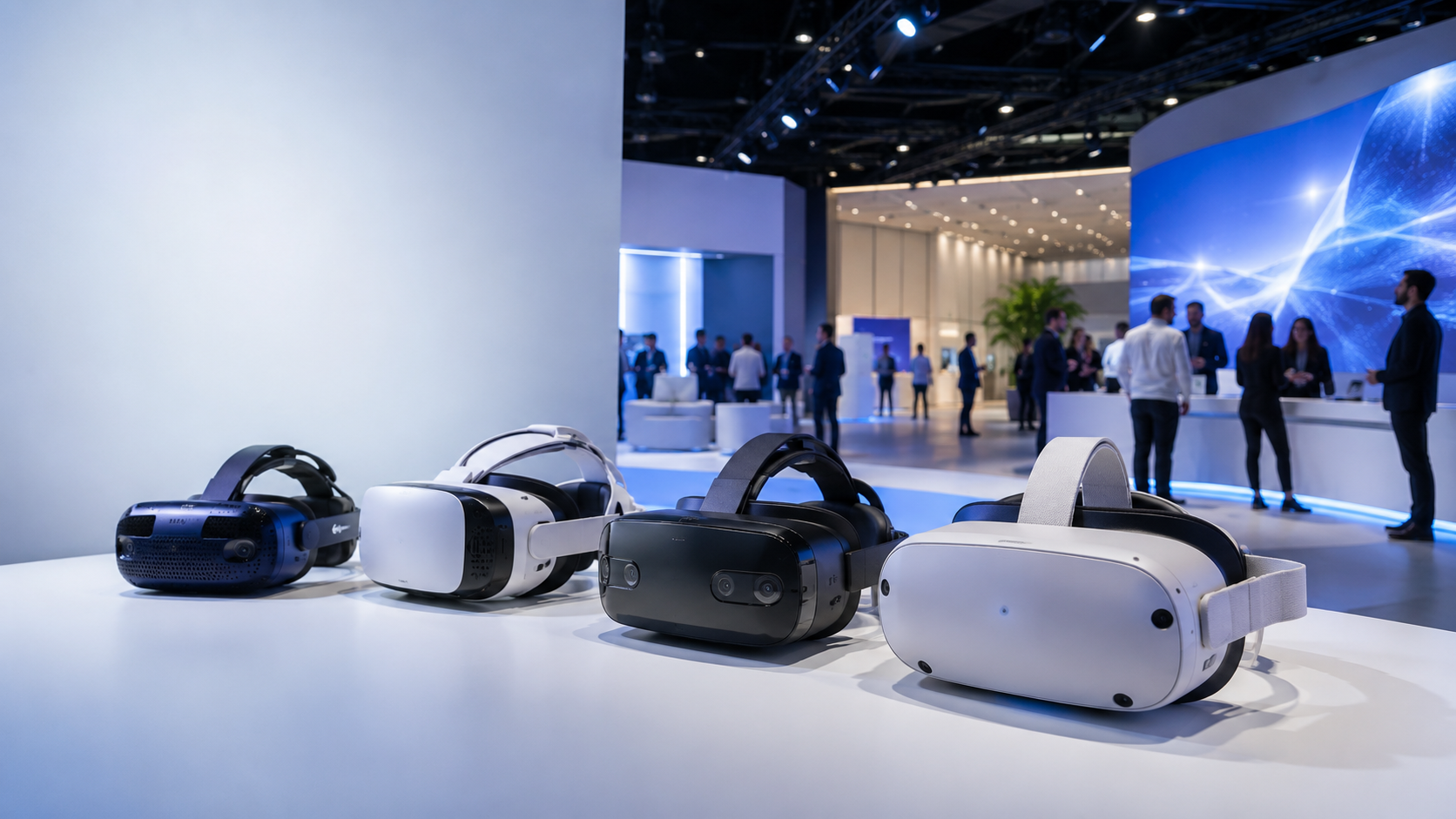
Meta Quest 3 vs Pico 4 Enterprise represents the primary decision for standalone training deployments. The Quest 3 offers superior hand tracking, wider content library access, and better long-term comfort at $499 per unit. Its 2064×2208 per-eye resolution provides clear text readability essential for training content. The Pico 4 Enterprise at $899 includes enterprise-focused features like kiosk mode, centralized device management, and extended warranty coverage that justify the premium for permanent installations.
HTC Vive and Varjo Aero systems justify their $1,000-3,000 price points only for specialized training requiring maximum visual fidelity or precise hand tracking. Medical schools use Varjo Aero’s human-eye resolution for surgical training where seeing fine detail determines success. Manufacturing companies deploy HTC Vive Pro systems for CAD model review and precision assembly training. These PC-tethered systems require dedicated training rooms with permanent installation.
Hygiene considerations for multi-user deployment demand systematic cleaning protocols and appropriate accessories. Silicone face covers that can be wiped with alcohol between users cost $15-20 per headset. Disposable face masks at $0.50 each provide additional protection for high-turnover training sessions. UV sanitization cabinets designed for VR headsets run $2,000-5,000 but process 10-20 devices simultaneously in 3-minute cycles.
Storage, charging, and device management at scale requires purpose-built solutions for deployments exceeding 10 headsets. Charging carts holding 20-30 headsets cost $3,000-5,000 and include cable management, ventilation, and lockable storage. Mobile device management (MDM) software licenses run $5-10 per device monthly, enabling remote app installation, usage monitoring, and device lockdown for training-only use.
Training Content Platforms and Custom Development
Off-the-shelf training libraries provide immediate deployment capability across common training scenarios. Strivr’s enterprise platform includes modules for retail operations, workplace safety, and soft skills development with pricing starting at $50,000 annually for 100 users. Immerse specializes in language learning and communication skills with per-seat pricing from $300-500 annually. Virti offers healthcare-focused scenarios including patient interaction and clinical procedures at $100-200 per user monthly.
Custom content development costs range from $25,000 for simple single-scenario modules to $500,000+ for comprehensive training programs with branching narratives and assessment integration. Development timelines typically span 3-6 months from concept to deployment. The investment makes sense for company-specific procedures, proprietary equipment training, or scenarios where off-the-shelf content doesn’t exist.
LMS integration and SCORM compliance ensures VR training data flows into existing learning management systems. Most enterprise VR platforms support SCORM 1.2 or 2004, xAPI, and LTI standards. Integration typically requires 20-40 hours of IT configuration but enables automatic progress tracking, completion certificates, and compliance reporting without manual data entry.
Content licensing models vary significantly between rental and owned hardware scenarios. Rental programs often include content library access in the base price, while purchased hardware requires separate content subscriptions. Some platforms charge per-user monthly fees regardless of hardware ownership, while others offer perpetual licenses with annual support fees. Understanding these models prevents unexpected ongoing costs.
Renting vs Buying VR Training Equipment: Decision Framework
The decision between renting and purchasing VR training equipment hinges on usage frequency, program maturity, and organizational readiness for VR deployment. While purchasing offers long-term cost advantages for high-frequency use, rentals provide flexibility, risk mitigation, and simplified logistics that make them ideal for most initial deployments.
Organizations typically benefit from starting with rentals to validate training effectiveness, refine implementation processes, and build internal expertise before committing to hardware purchases. This approach minimizes financial risk while providing real-world data to inform long-term strategy. Companies that successfully pilot VR training through rentals report 3x higher program expansion rates compared to those that purchase equipment initially.
When VR Rental Makes Business Sense
Pilot programs testing VR training effectiveness benefit from rentals’ low commitment threshold and included support services. A 30-day pilot with 10 headsets costs $3,000-5,000 through rental versus $15,000+ for purchase including accessories and setup. This 70% cost reduction for pilots enables testing multiple training scenarios or vendor platforms before selecting a long-term solution.
Quarterly or annual training events under 50 employees rarely justify equipment purchase given storage and maintenance requirements between sessions. Renting 20 headsets for a 3-day quarterly training costs approximately $2,000 per event versus $10,000+ upfront purchase that sits idle 350 days annually. The rental model also ensures access to current-generation hardware without upgrade costs.
Multi-location training roadshows leverage rental companies’ logistics capabilities to deliver equipment directly to each site. Shipping purchased equipment between locations adds $500-1,000 per move in packaging and insurance costs while increasing damage risk. Rental providers handle all logistics, typically including setup support at each location.
Avoiding IT support burden proves valuable for organizations without dedicated VR expertise. Rental packages include technical support, device management, and replacement units for failures. Internal IT departments supporting purchased equipment average 2-4 hours weekly on updates, troubleshooting, and repairs—approximately $5,000 annually in labor costs.
Budget constraints requiring OpEx vs CapEx make rentals attractive for organizations with limited capital budgets. Operating expense treatment for rentals simplifies approval processes and preserves capital for other investments. The predictable monthly costs also facilitate accurate budget planning without concerns about equipment depreciation or obsolescence.
Total Cost Comparison: 12-Month Scenario
Consider a typical scenario: quarterly training sessions for 20 employees using 20 VR headsets.
Rental costs for quarterly training sessions:
- 4 sessions × 3 days × $100/headset/day × 20 headsets = $24,000
- Includes: Latest hardware, hygiene supplies, technical support, shipping
- No additional costs for storage, maintenance, or upgrades
Purchase costs including devices and accessories:
- 20 Quest 3 headsets × $499 = $9,980
- Accessories (cases, hygiene supplies, cables) = $2,000
- Charging/storage solution = $3,500
- Initial setup and configuration = $2,000
- Year 1 Total: $17,480
Hidden costs for purchased equipment:
- IT support time (4 hours/month × $50/hour × 12) = $2,400
- Replacement for 10% failure rate (2 headsets) = $1,000
- Storage space allocation = $1,200
- Insurance and asset management = $800
- Annual hidden costs: $5,400
Break-even analysis shows purchases become cost-effective when training frequency exceeds 15 days annually or when training 100+ employees regularly. Below these thresholds, rentals provide better value considering total cost of ownership. The analysis shifts further toward rentals when factoring in 18-month hardware refresh cycles and the opportunity cost of capital investment.
Implementing Your First VR Training Program
Successful VR training implementation requires careful attention to logistics, participant preparation, and measurement frameworks. Organizations using rental equipment can leverage provider expertise while focusing on content selection and program design rather than technical details.
The implementation process typically spans 6-8 weeks from initial planning through post-training analysis. This timeline allows for stakeholder alignment, content customization, participant scheduling, and proper space preparation. Organizations that rush implementation without adequate preparation report 40% higher failure rates and significantly lower participant satisfaction scores.
Pre-Training Setup and Logistics
Space requirements for VR training depend on content type and movement requirements. Seated experiences need 6×6 feet per participant, while room-scale training requires 10×10 feet minimum. Mark boundaries with tape or portable barriers to prevent collisions. Ensure 3-foot minimum spacing between participants to avoid controller interference. Conference rooms work well for seated training, while empty warehouse space or cleared training rooms accommodate standing experiences.
WiFi and network considerations become critical for multi-headset deployments. Each headset requires 25-50 Mbps bandwidth for cloud-based content streaming. A 20-headset training session needs dedicated 1Gbps connection or isolated network segment to prevent performance issues. Work with IT to configure guest network access or temporary bandwidth allocation. Some rental providers include mobile hotspots for locations with insufficient network capacity.
Participant preparation guidelines improve first-time user success rates. Send pre-training communications explaining what to expect, how to prepare, and what to wear (avoid loose jewelry, tie back long hair). Request participants avoid alcohol 24 hours before training and eat light meals to minimize motion sickness risk. Provide optional dramamine 30 minutes before sessions for sensitive individuals.
Facilitator training and support resources ensure smooth session execution. Rental providers typically include 2-hour virtual facilitator training covering equipment operation, troubleshooting, and session management. Designate 2 facilitators per 10 participants for optimal support ratios. Create printed quick-reference guides for common issues like controller pairing, boundary setup, and comfort adjustments.
Running Effective VR Training Sessions
Group size optimization balances equipment costs with facilitation quality. Groups of 6-8 participants per facilitator enable personalized attention while maintaining session energy. Larger groups can rotate through headsets, with half participating in VR while others engage in discussion or complementary activities. This rotation model works particularly well for soft skills training where debrief discussions add significant value.
Session timing to prevent VR fatigue requires 20-minute modules with 10-minute breaks between sessions. First-time users should limit total VR time to 45 minutes, while experienced users can extend to 90 minutes. Schedule demanding training for morning sessions when participants are fresh. Build in buffer time for equipment issues—assume 15% of session time for technical troubleshooting in initial deployments.
Troubleshooting common first-time user issues prevents session disruption. Controller orientation confusion affects 30% of new users—have them hold controllers naturally and observe hand positions in VR. Blurry visuals usually indicate improper headset positioning—adjust vertical position and interpupillary distance. Motion sickness affects 10-15% of users—immediately remove headset at first signs of discomfort and provide fresh air access.
Combining VR modules with discussion maximizes learning transfer. Follow each VR module with structured debrief covering key observations, emotional responses, and real-world applications. Use screen mirroring to display one participant’s view for group discussion. Document insights on whiteboards or digital collaboration tools. This hybrid approach increases retention by 25% compared to VR-only training.
Measuring Training Effectiveness and ROI
Pre/post assessment design quantifies skill improvement objectively. Administer identical assessments before and after VR training to measure knowledge gain. Include practical demonstrations where applicable—customer service scenarios, equipment operation, safety procedures. Compare results against control groups using traditional training methods. Typical VR training shows 30-40% higher post-assessment scores.
Engagement and completion rate tracking indicates program acceptance. VR training typically achieves 95%+ completion rates compared to 60-70% for e-learning modules. Track time-in-headset, module completion sequence, and replay frequency. High replay rates indicate either confusion or high engagement—investigate through participant interviews. Use platform analytics to identify modules requiring refinement.
Long-term retention testing validates training effectiveness. Schedule follow-up assessments at 30, 60, and 90 days post-training. VR training typically maintains 80% retention at 90 days versus 20-30% for traditional methods. Track on-the-job performance metrics relevant to training objectives—safety incidents, customer satisfaction scores, productivity measures. Document correlation between VR training participation and performance improvements.
Building the business case for expansion requires comprehensive data collection. Calculate total training cost per employee including equipment, content, facilitation, and participant time. Compare against traditional training costs including travel, materials, and instructor fees. Document soft benefits like reduced equipment downtime, improved standardization, and increased employee satisfaction. Present findings with clear recommendations for program scaling or modification.
VR Training Use Cases by Industry
Real-world VR training deployments demonstrate the technology’s versatility across industries and use cases. These examples provide templates for program design and expected outcomes that HR teams can adapt to their specific needs.
Healthcare and Medical Training
Surgical procedure simulation enables risk-free practice of complex operations. Johnson & Johnson Institute uses VR to train orthopedic surgeons on knee replacement procedures, reducing training time by 50% while improving precision scores by 230%. Residents practice rare procedures repeatedly, building muscle memory impossible to achieve with limited cadaver access. Assessment modules track hand steadiness, decision timing, and procedural accuracy with greater objectivity than traditional observation.
Patient interaction training develops empathy and communication skills critical for care quality. Stanford Medicine’s VR program places medical students in patient perspectives, experiencing age-related conditions, visual impairments, and cognitive decline firsthand. Participants report 40% improvement in empathy scores and demonstrate better bedside manner in subsequent patient interactions. The program scales across hundreds of students simultaneously without requiring standardized patients.
Emergency response coordination prepares teams for high-stress scenarios. Mass casualty simulations train triage protocols, resource allocation, and communication procedures without mobilizing actual emergency resources. Teams practice the same scenario repeatedly with varying patient loads and complications. Cincinnati Children’s Hospital reduced code team response time by 30% after implementing VR-based emergency training.
Equipment operation practice familiarizes staff with expensive medical devices before patient use. VR simulations of MRI machines, ventilators, and surgical robots provide unlimited practice without equipment wear or scheduling conflicts. New nurses master equipment operation 60% faster through VR training, reducing preceptor burden and accelerating time-to-independence.
Manufacturing and Industrial Safety
Equipment operation certification standardizes training across facilities while reducing equipment downtime. Honeywell trains plant operators on control room procedures using VR replicas of actual interfaces. Operators practice startup, shutdown, and emergency procedures without production impact. Certification pass rates improved from 70% to 95% while eliminating $2M annual production losses from training-related shutdowns.
Hazard recognition training develops situational awareness critical for workplace safety. Construction workers identify potential hazards in virtual job sites, receiving immediate feedback on missed risks. Bechtel reported 20% reduction in safety incidents after implementing VR hazard training. The ability to experience near-miss scenarios without actual danger creates lasting behavioral change.
Assembly line optimization allows workers to practice procedures before production begins. Ford uses VR to train assembly line workers on new vehicle models, identifying ergonomic issues and refining processes before physical production. Workers achieve full productivity 50% faster when pre-trained in VR. The approach also reduces injury rates by allowing workers to perfect movements without repetitive strain.
Maintenance procedure standardization ensures consistent service quality across technician teams. Siemens trains wind turbine technicians using VR simulations of nacelle environments, practicing repairs at virtual heights without safety risks. Technicians complete certification 40% faster while demonstrating higher first-time fix rates. The training scales globally without shipping actual turbine components to training centers.
Retail and Customer Service
Customer interaction scenarios prepare employees for challenging situations without real customer impact. Walmart trains associates on Black Friday scenarios, active shooter response, and customer service excellence using VR. Employees who complete VR training score 15% higher on customer satisfaction metrics. The ability to practice emotional regulation in realistic but controlled environments builds confidence for real-world application.
Store layout familiarization accelerates new employee productivity in complex retail environments. Best Buy uses VR to train employees on store layouts, product locations, and optimal traffic flow patterns before their first shift. New hires reach full productivity 30% faster when pre-trained in virtual store environments. Seasonal workers particularly benefit from rapid familiarization without shadowing experienced staff.
De-escalation practice develops critical skills for handling upset customers safely. Verizon store employees practice calming angry customers, with virtual characters responding dynamically to tone and word choice. Post-training incident reports show 25% reduction in escalated situations requiring manager intervention. The safe environment allows employees to experiment with different approaches without real-world consequences.
Product knowledge modules enable hands-on exploration of inventory without physical samples. Luxury retailers use VR to train sales associates on product features, materials, and craftsmanship details. Associates can examine products from all angles, zoom into details, and practice product demonstrations. Knowledge retention improves 40% compared to catalog-based training while reducing sample damage and shipping costs.
Getting Started with VR Training Rentals
Moving from VR training interest to successful implementation requires structured planning and careful vendor selection. Organizations that follow systematic pilot approaches report 85% higher success rates and faster progression to full deployment.
The path to VR training success begins with small, focused pilots that prove value before scaling. This approach minimizes risk, builds internal expertise, and generates data supporting broader investment. Most successful VR training programs start with 10-20 person pilots focused on single use cases before expanding to hundreds of employees across multiple training scenarios.
Designing Your Pilot Program
Selecting the right training scenario determines pilot success probability. Choose scenarios with clear metrics, frequent training needs, and current pain points. Safety training, customer service, and technical procedures typically show fastest ROI. Avoid starting with soft skills or abstract concepts that are harder to measure. The ideal pilot scenario affects 20-50 employees, occurs monthly or quarterly, and has documented performance issues.
Participant selection and control group setup enables objective comparison. Select participants representing your target training population—mix experience levels, demographics, and learning styles. Establish control groups using traditional training methods for the same content. Random assignment prevents selection bias. Groups of 10-15 participants per condition provide statistical significance while remaining manageable.
Timeline for pilot execution typically spans 30-60 days for initial pilots, extending to 90 days for comprehensive evaluation. Week 1-2: Setup and facilitator training. Week 3-4: Participant training sessions. Week 5-8: On-the-job observation and performance tracking. Week 9-12: Follow-up assessment and data analysis. Build in buffer time for technical issues and scheduling conflicts—assume 20% schedule slippage.
Budget allocation for pilots ranges from $5,000-15,000 depending on scope. Allocate 40% for equipment rental, 30% for content licensing, 20% for facilitation and support, 10% for assessment and analysis. Include indirect costs like participant time and facility usage. Secure budget approval for potential expansion before pilot completion to maintain momentum.
VR Rental Vendor Evaluation Checklist
Hardware quality and hygiene standards directly impact participant experience. Verify vendors use current-generation headsets (Quest 3, Pico 4) manufactured within 18 months. Inspect sample units for wear, clarity, and comfort. Confirm cleaning protocols between users including UV sanitization or alcohol-based cleaning. Request hygiene supplies included in rental package—face covers, cleaning wipes, disposable masks.
Setup support and technical assistance determines implementation smoothness. Evaluate included support hours and response time guarantees. Confirm on-site setup assistance for first deployment. Test technical support responsiveness during evaluation period. Verify support availability during your training hours, including evenings or weekends if needed. Premium vendors offer dedicated success managers for pilot programs.
Content library access accelerates deployment without custom development costs. Assess included content relevance to your training needs. Verify licensing terms—per-user, per-device, or unlimited access. Confirm content update frequency and new module availability. Evaluate customization options for branding and scenario modification. Request demo access to evaluate content quality before committing.
Pricing transparency prevents budget surprises. Obtain detailed quotes including all fees—rental, shipping, insurance, support. Understand damage liability and replacement costs. Clarify billing terms for extensions or early returns. Compare total cost including hidden fees, not just daily rates. Negotiate volume discounts for larger deployments or longer rental periods.
Geographic coverage and logistics impact program feasibility. Confirm delivery to all planned training locations. Understand international shipping capabilities if needed. Verify turnaround time between rental periods for multiple sessions. Assess packaging quality and shipping insurance coverage. Evaluate vendor ability to scale with your program growth.
Conclusion
VR employee training has evolved from innovative experiment to practical solution delivering measurable ROI across industries. The combination of 75% retention rates, 40% faster completion times, and 275% confidence improvement makes VR training compelling for organizations seeking competitive advantage through workforce development.
The rental versus purchase decision framework presented here enables data-driven choices aligned with organizational needs. For most companies, starting with rental programs provides the flexibility, support, and risk mitigation necessary for successful VR training adoption. As programs mature and usage patterns stabilize, the transition to owned equipment becomes a natural evolution rather than a leap of faith.
Success in VR training implementation requires careful attention to logistics, participant experience, and measurement frameworks. Organizations that invest in proper planning, pilot testing, and systematic evaluation consistently achieve positive outcomes that justify program expansion.
Take Action: Start Your VR Training Journey
Ready to explore VR training for your organization? IGIVU’s rental programs provide everything needed for successful pilot implementation—current-generation hardware, comprehensive content libraries, and expert support throughout your journey.
Our VR training specialists help design pilot programs tailored to your specific needs, ensuring maximum impact while minimizing risk. With flexible rental terms starting at just 3 days and scaling to enterprise deployments, you can test VR training effectiveness without long-term commitments.
Contact IGIVU today for a free consultation and custom pilot program design. Join leading organizations already transforming their workforce development through immersive VR training.
Frequently Asked Questions
How much does VR employee training cost compared to traditional training?
VR training typically costs $100-300 per employee for rental-based programs versus $500-1,500 for traditional instructor-led training including travel and materials. After initial setup, VR training costs decrease to $50-100 per employee while maintaining consistent quality. Organizations training 100+ employees annually typically see 40-60% cost reduction within the first year.
What’s the minimum number of employees needed to justify VR training?
VR training becomes cost-effective at 20+ employees for quarterly training or 50+ employees for annual sessions. Smaller groups can justify VR for high-value training like safety certification or technical skills where traditional training costs exceed $1,000 per person. Rental programs make VR accessible for groups as small as 5-10 for pilot testing.
Can VR training content be customized for our specific procedures?
Yes, VR content can be fully customized, though costs range from $25,000-500,000 depending on complexity. Many organizations start with off-the-shelf content libraries that cover 70-80% of training needs, then develop custom modules for proprietary procedures. Some platforms offer template-based customization for $5,000-10,000 per module.
How long does it take employees to get comfortable with VR headsets?
Most employees achieve basic comfort within 5-10 minutes of first use. Full proficiency with controls and navigation typically develops within 20-30 minutes. Providing pre-training orientation videos and starting with simple experiences accelerates comfort development. 95% of employees report feeling confident with VR controls after one training session.
What happens if employees experience motion sickness during VR training?
Motion sickness affects 10-15% of first-time VR users but decreases with exposure. Immediate steps include removing the headset, providing fresh air, and offering water. Prevention strategies include shorter initial sessions, seated experiences, and avoiding smooth locomotion in favor of teleportation. Most affected employees develop tolerance within 2-3 sessions.
How do we track and report VR training completion for compliance?
Modern VR training platforms integrate with Learning Management Systems (LMS) via SCORM or xAPI standards. Training completion, assessment scores, and time-in-module automatically sync to compliance reporting systems. Platforms provide detailed analytics including replay counts, error rates, and competency achievement for audit purposes.
Can VR training replace hands-on practice entirely?
VR training supplements but doesn’t completely replace hands-on practice for most applications. Best results come from blended approaches using VR for initial skill development and dangerous scenario practice, followed by hands-on validation. VR excels at building muscle memory and decision-making skills that transfer to real-world application.
What IT infrastructure is required to support VR training programs?
Standalone VR headsets require only WiFi access (25-50 Mbps per device) and standard power outlets for charging. No servers, specialized software, or IT configuration needed for basic deployment. Enterprise deployments benefit from mobile device management (MDM) systems for remote management but can function without them. Most organizations can deploy VR training using existing conference room infrastructure.