Portable VR Hardware Configurations for Business Events
Portable VR setups require standalone headsets, minimal cabling, and transport-optimized cases. The right configuration depends on your event type, audience size, and whether you need simultaneous multi-user experiences or sequential demos.
Standalone Headset Systems vs. PC-Tethered Portable Rigs
The Meta Quest 3 and Pico 4 Enterprise dominate the standalone portable VR market for business deployments. The Quest 3 offers 2064×2208 resolution per eye, 120Hz refresh rate, and approximately 2.5 hours of active use battery life. The Pico 4 Enterprise provides similar specifications with enhanced device management tools and 5800mAh battery capacity delivering up to 3 hours of continuous operation.
Battery life becomes critical for all-day events. A typical 8-hour conference day requires either three full charge cycles per headset or hot-swappable battery solutions. The Quest 3’s Elite Strap with Battery extends runtime to 4-5 hours, while third-party 10,000mAh power banks can provide all-day operation through USB-C power delivery.
Portable gaming laptops paired with tethered headsets make sense for applications requiring RTX 4080-class graphics performance. CAD visualization, architectural walkthroughs, and photorealistic training simulations often demand PC-grade processing. The MSI Titan GT77 with RTX 4090 mobile GPU weighs 7.3 pounds and fits in a standard backpack, supporting Varjo Aero or HTC Vive Pro 2 headsets for maximum visual fidelity.
Weight comparisons reveal significant differences. A 4-headset Quest 3 setup weighs approximately 8 pounds including accessories, while a single gaming laptop plus tethered headset configuration weighs 12-15 pounds. Transport volume for standalone setups measures 40% less than PC-tethered alternatives when properly packed.
Multi-Headset Portable Packages
Four-headset configurations suit small group demos and executive briefings. This setup requires one 65W USB-C charging hub, occupies a single Pelican 1650 case, and operates effectively with one facilitator. The total power draw reaches 260W during simultaneous charging, fitting within standard 15-amp circuit capacity.
Eight-headset configurations serve training sessions and medium-sized booth activations. These require two charging stations, draw 520W during full charging, and need two staff members for optimal operation. Network requirements include a dedicated WiFi 6 router supporting 8 concurrent 50Mbps streams for synchronized experiences.
Twelve-headset configurations support large training cohorts and high-traffic convention booths. This scale demands three charging stations across separate circuits, 780W total power capacity, and three trained operators. Network infrastructure must handle 600Mbps aggregate bandwidth for cloud-streamed content, typically requiring enterprise-grade access points or 5G bonded connections.
Staff-to-headset ratios determine operational smoothness. Maintain 1:4 ratios for technical demos requiring individual assistance, 1:6 for guided group experiences, and 1:8 for self-directed content with minimal supervision.
Transport Cases and Protection Systems
Professional VR transport requires padded cases with custom foam inserts, cable management, and TSA-compliant configurations for air travel. The case system often costs 20-30% of the headset investment but prevents thousands in damage.
Pelican Case Configurations for VR Equipment
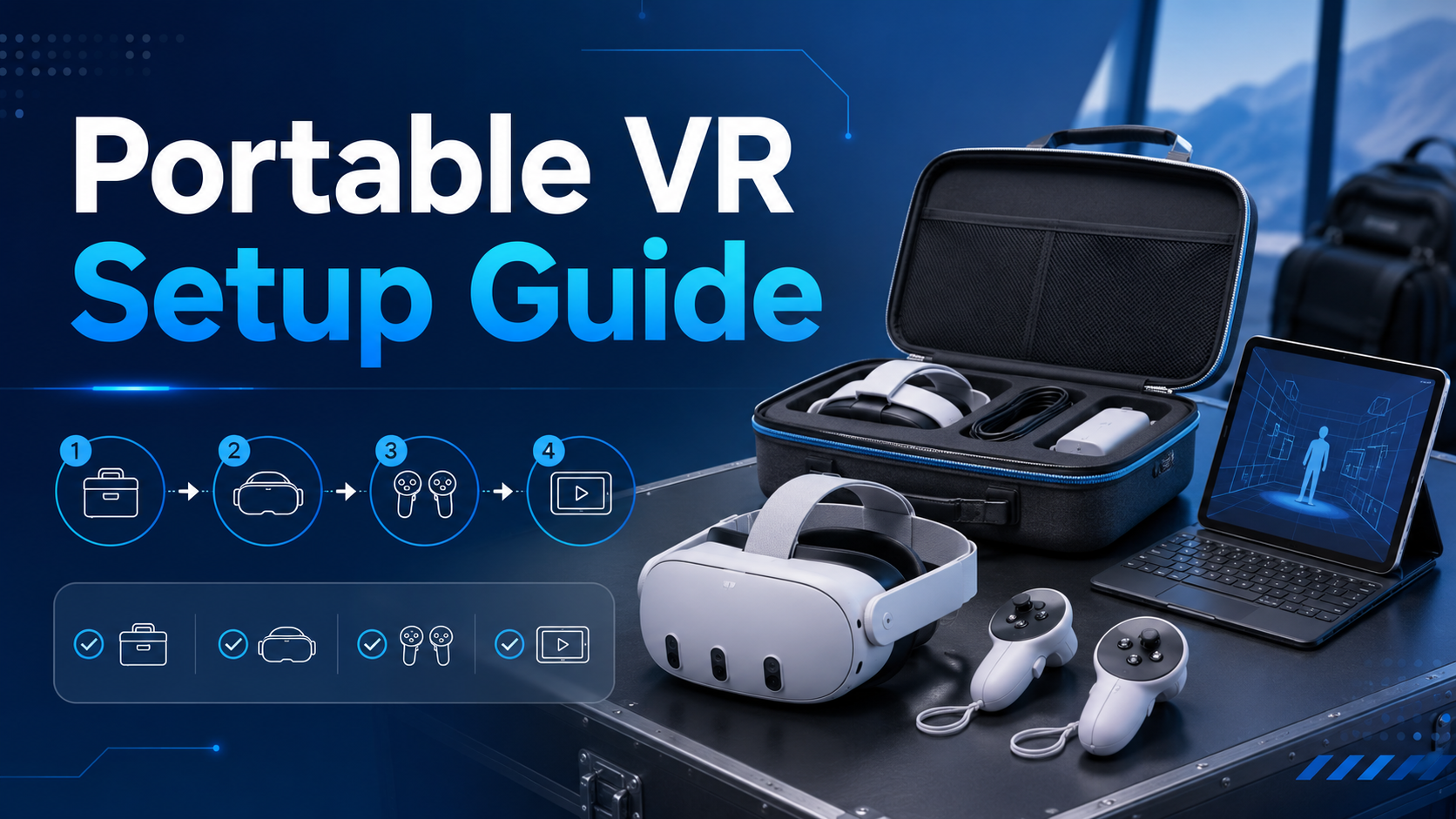
The Pelican 1650 accommodates four complete Quest 3 setups with custom-cut foam inserts. Interior dimensions of 28.5″ x 17.5″ x 10.6″ provide space for headsets, controllers, charging cables, and cleaning supplies. The case weighs 18.5 pounds empty, 28 pounds loaded, meeting most airline checked baggage requirements.
Custom foam cutting services from Cobra Foam or MyCaseBuilder cost $200-400 per case but provide precise protection. Each headset sits in a dedicated cavity preventing lens contact, while controller slots include trigger guards. Pluck foam alternatives save 60% on cost but offer 40% less protection during drops or impacts.
Separate cases optimize organization for larger deployments. Dedicate one Pelican 1520 for controllers and hand straps, another for charging equipment and cables, and a Pelican 1450 for hygiene supplies and backup batteries. This modular approach simplifies inventory management and reduces single-point failure risks.
TSA-approved locks prevent tampering while maintaining inspection access. The Master Lock 4688D TSA-accepted combination lock fits Pelican cases’ reinforced hasps. For international travel, include ATA Carnet documentation listing serial numbers and values to expedite customs processing.
Rolling Cart Systems for Convention Centers
Rubbermaid Commercial Products’ 4-shelf utility cart (model FG9T6700BLA) provides 800-pound capacity across 24″ x 36″ shelves. The 5-inch casters handle convention center carpeting and elevator thresholds while maintaining stability during transport. Total height of 51 inches fits standard freight elevators and storage areas.
Grainger’s wire shelving carts offer adjustable configurations for varying equipment loads. The Nexel 5-tier cart supports 600 pounds per shelf with NSF certification for easy cleaning. Chrome-plated construction resists corrosion from cleaning supplies while open wire design improves ventilation during charging.
Setup station functionality transforms carts into operational command centers. Mount a 6-outlet surge protector on the middle shelf, dedicate the top tier for active headsets, use middle shelves for charging, and reserve the bottom for cases and supplies. Magnetic hooks on cart sides hold cable bundles and cleaning supplies.
Cable organization prevents tangling during transport and accelerates deployment. Velcro One-Wrap strips in 8-inch lengths bundle charging cables, while mesh bags contain controller straps and spare batteries. Label each cable and accessory with waterproof tags indicating headset assignment.
Quick Deployment Strategies and Setup Times
A well-designed portable VR setup should deploy in under 30 minutes for a 4-headset configuration. This requires preloaded content, labeled components, and practiced setup sequences.
Pre-Event Content Loading and Testing
Content sideloading through SideQuest or Meta Quest Developer Hub enables offline event operation. Load applications 48 hours before events, allowing time for testing and troubleshooting. Each application requires 2-8GB storage, with most Quest 3 units supporting 15-20 applications simultaneously on the 128GB model.
Device management platforms streamline bulk updates across headset fleets. ArborXR supports over-the-air deployment to unlimited devices, automated app updates, and remote troubleshooting. ManageXR offers similar capabilities with additional kiosk mode features preventing users from exiting designated applications.
Testing protocols before shipping prevent day-of failures. Run each headset through a 20-minute test sequence: power on, launch three different applications, verify controller tracking, test audio output, and confirm WiFi connectivity. Document battery levels, noting any units below 80% capacity requiring charging priority.
Backup procedures include maintaining one spare headset per four active units. Configure backups identically to primary devices, including content, settings, and guardian boundaries. Hot-swap protocols take 90 seconds: power down failed unit, power up replacement, and hand to user with brief orientation.
Setup Choreography and Time Budgets
The 15-minute unpack and placement sequence follows a specific order. First, position the rolling cart or setup table near power outlets. Second, remove headsets from cases and place on designated spots. Third, connect charging cables to the hub. Fourth, arrange controllers and straps. Fifth, position hygiene supplies and signage.
Power and charging verification requires 5 minutes of systematic checks. Confirm outlet functionality with a circuit tester. Connect the charging hub and verify LED indicators. Attach each headset to power, checking for charging confirmation. Test backup battery packs if applicable. Document any power issues for venue coordination.
Content launch and guardian setup consumes 10 minutes for experienced operators. Power on all headsets simultaneously. Navigate to the designated application on each device. Define guardian boundaries appropriate to available space—minimum 6.5′ x 6.5′ per user for room-scale experiences. Adjust IPD settings if running personalized demos.
Two-person teams cut setup time by 40% through parallel processing. Person A handles physical setup while Person B manages software configuration. Standardized setup checklists ensure consistent deployment regardless of team composition. Practice runs before events reduce setup time by an additional 20%.
Rental vs. Purchase Economics for Portable VR Programs
Companies running fewer than 8 events annually typically save money renting portable VR packages. The breakeven point shifts based on travel frequency, equipment refresh cycles, and whether you need dedicated IT support.
Total Cost of Ownership for Portable VR
Hardware depreciation follows a 36-month schedule for tax purposes, though practical lifespan extends to 48 months with proper maintenance. A Quest 3 purchased at $649 depreciates $18 monthly. Four-headset configurations including cases and accessories total $4,200 initial investment, depreciating to $2,100 value after 18 months of typical business use.
Case and accessory investments add 35% to base hardware costs. Professional Pelican cases ($400-600 each), charging stations ($200), backup batteries ($150), hygiene supplies ($100 annually), and replacement parts ($300 annually) bring total first-year costs to $5,700 for a 4-headset setup.
Insurance through providers like Hiscox or Hartford covers equipment damage, theft, and liability. Annual premiums for $10,000 portable VR equipment coverage average $800-1,200 depending on travel frequency. Single-event coverage costs $150-300 for comprehensive protection including venue liability.
Storage between events requires climate-controlled space maintaining 60-75°F and 30-50% humidity. Monthly storage unit costs range from $50 for closet-sized spaces to $200 for garage-sized facilities. Include quarterly maintenance sessions for firmware updates, cleaning, and battery conditioning.
Rental Package Pricing and Inclusions
Three-day rental packages for 4-headset configurations average $1,800-2,400 including shipping. Weekly rentals offer better value at $2,800-3,500, while monthly rates reach $4,500-6,000. Volume discounts apply for multiple events, typically 15% for 3+ rentals annually.
Preloaded content and licensing fees add $50-200 per headset depending on software requirements. Enterprise applications like Strivr or Immerse command premium rates, while consumer apps through standard storefronts cost less. Rental companies handle licensing compliance, eliminating legal complexity for temporary deployments.
Shipping costs vary significantly by distance and timing. Ground shipping within the continental US averages $150-250 each way for a 4-headset configuration. Next-day air reaches $400-600. International shipping requires customs bonds and can exceed $1,000 round-trip.
On-site support services from rental providers cost $1,500-2,500 per day including technician travel. Remote support via video conferencing reduces costs to $150-300 per hour. Many providers include basic phone support in base rental rates, with premium support available for complex deployments.
Power and Connectivity Requirements for Mobile Deployments
Portable VR setups need reliable power access and, for networked experiences, stable WiFi or cellular connectivity. Understanding venue limitations prevents day-of failures.
Power Distribution and Battery Management
Total power draw calculations determine circuit requirements. Each Quest 3 draws 65W during fast charging, controllers add 5W each, and accessories contribute 20W. A 4-headset setup peaks at 300W, fitting comfortably within a standard 15-amp circuit’s 1,800W capacity. Eight-headset configurations require two circuits or 20-amp service.
Extension cord specifications affect charging efficiency and safety. Use 12-gauge cords for runs exceeding 25 feet, 14-gauge for shorter distances. SJTW-rated cords handle commercial environments. Include ground fault circuit interrupters (GFCI) for convention center deployments where water exposure risks exist.
Portable battery banks extend operation away from outlets. The Anker PowerCore 737 delivers 24,000mAh capacity, supporting two Quest 3 headsets for 3-hour demos. The EcoFlow Delta 2 portable power station provides 1,024Wh capacity, running a complete 4-headset setup for 5 hours without wall power.
Venue power audits prevent overload failures. Request electrical diagrams showing circuit layouts and amperage ratings. Test outlets with a Klein Tools RT250 GFCI Outlet Tester before events. Map backup power sources including generator connections for critical demos.
Network Solutions for Venues with Poor WiFi
5G hotspot configurations provide independent connectivity for cloud-dependent applications. The Netgear Nighthawk M6 Pro supports 32 simultaneous connections with 5G speeds reaching 4Gbps in optimal conditions. Verizon and AT&T offer unlimited data plans for business accounts at $80-120 monthly per device.
Dedicated router setups create isolated networks for VR operations. The ASUS ROG Rapture GT-AX6000 gaming router handles 8 concurrent VR streams with minimal latency. Configure a separate SSID for VR devices, implement WPA3 security, and disable band steering to maintain consistent 5GHz connections.
Offline content strategies eliminate connectivity dependencies. Download all required applications and media before events. Meta Quest’s offline mode supports most single-player experiences. Use USB-C flash drives for content distribution to multiple headsets without network requirements.
Bandwidth requirements vary by application type. Static 360-degree videos stream at 25Mbps for 4K quality. Interactive cloud rendering demands 50-100Mbps per headset with sub-20ms latency. Multi-user synchronized experiences require 35Mbps minimum per participant plus 20% overhead for network protocols.
Specific Use Case Configurations
Different business applications require distinct portable setups. A sales demo at a client office needs different equipment than a 3-day conference booth or a training roadshow.
Trade Show and Conference Booth Setups
A 10×10 booth accommodates two VR stations with adequate safety zones. Position headsets at diagonal corners, maintaining 6-foot minimum separation. Use retractable belt barriers to define play areas and manage queues. This configuration supports 12-15 demos per hour with 5-minute experiences.
Crowd management systems prevent congestion and improve throughput. Implement a numbered ticket system using Qminder or Waitwhile apps, displaying estimated wait times on a tablet. Schedule demos in 15-minute blocks for premium experiences. Maintain a standby list for no-shows, typically 20% of scheduled appointments.
Hygiene stations build user confidence and meet health requirements. Position UV-C sanitizing boxes like CleanBox CX1 between uses, achieving 99.999% decontamination in 60 seconds. Stock disposable face masks (VR Cover Universal) and antibacterial wipes. Display cleaning protocols prominently to reassure participants.
Lead capture integration maximizes ROI from booth investments. Configure HubSpot or Salesforce forms on tablets for pre-demo registration. Export participation data from VR applications when available. Photo opportunities with branded VR headsets generate social media content and email permissions.
Mobile Training Roadshow Configurations
Classroom layouts for 8-12 participants require 600-800 square feet of clear space. Arrange stations in a U-shape configuration, allowing instructor visibility of all participants. Maintain 8-foot spacing between stations for full room-scale movement. Position the instructor station centrally with a connected display for group viewing.
Instructor view and control systems enable real-time guidance and intervention. Casting solutions like Chromecast or Apple TV display individual headset views on monitors. ArborXR’s remote control features allow instructors to launch applications, pause experiences, and redirect attention across all devices simultaneously.
Progress tracking across multiple training locations requires cloud-based learning management system integration. Platforms like Cornerstone OnDemand or TalentLMS record completion rates, assessment scores, and time-in-headset metrics. Export data in SCORM format for compliance reporting and certification tracking.
Equipment rotation schedules maximize hardware utilization across roadshow stops. Plan 48-hour intervals between locations, allowing for travel, setup, and maintenance windows. Schedule quarterly deep maintenance periods for firmware updates, strap replacements, and foam padding refresh. Maintain 20% spare capacity for equipment failures or unexpected session additions.
Executive Briefing Center Deployments
Premium headset selection elevates C-suite demonstrations. The Varjo Aero offers human-eye resolution (35 PPD) for detailed visualization, while the HTC Vive Focus 3 provides enterprise-grade build quality and hygiene solutions. The Pico 4 Enterprise includes advanced eye tracking for analytics and interaction refinement.
Minimal footprint setups maximize boardroom compatibility. A single Pelican 1510 carry-on case contains two premium headsets, a laptop, and necessary accessories. Setup requires only 6×6 feet of clear space and one power outlet. Wireless casting to existing conference room displays eliminates additional equipment requirements.
Quick setup procedures respect executive schedules. Pre-configure all equipment with the specific demo content, guardian boundaries, and user preferences. Arrive 45 minutes early for a 15-minute setup, 15-minute test, and 15-minute buffer. Provide single-page instruction cards with QR codes linking to video tutorials.
Custom branded cases and accessories reinforce professional presentation. Pelican cases accept custom laser etching or adhesive wraps featuring corporate logos. Branded microfiber cleaning cloths, custom controller skins, and embroidered carrying bags create cohesive visual identity. Include branded USB drives containing presentation materials and follow-up resources.
Frequently Asked Questions
What’s the most portable VR headset for business events?
The Meta Quest 3 offers the best portability for business events, weighing 515 grams with 2.5-hour battery life and complete standalone functionality. Its compact form factor, inside-out tracking, and extensive enterprise app ecosystem eliminate external sensors and minimize setup complexity.
How many VR headsets fit in airline carry-on luggage?
A standard 22″ x 14″ x 9″ carry-on accommodates two Quest 3 headsets with controllers and essential accessories using foam inserts. The Pelican 1510 carry-on case fits three headsets with tighter packing but meets most airline size restrictions at 22″ x 13.8″ x 9″.
Do portable VR setups work without internet?
Yes, portable VR setups function offline when applications are pre-installed. The Meta Quest 3 and Pico 4 store applications locally, requiring internet only for initial downloads, updates, and cloud-based features. Most training and demonstration content runs entirely offline once loaded.
What’s the setup time for a 4-headset portable VR station?
A practiced operator deploys a 4-headset portable VR station in 25-30 minutes. This includes 10 minutes for unpacking and placement, 5 minutes for power verification, 10 minutes for guardian setup and content launch, and 5 minutes for final checks and adjustments.
How much does it cost to rent a portable VR setup for a week?
Weekly rental rates for a 4-headset portable VR setup range from $2,800-3,500, including basic support and pre-loaded content. Premium packages with on-site technicians, custom content, and additional accessories reach $5,000-7,000 per week.
Can portable VR setups run high-end PC VR content?
Portable gaming laptops with RTX 4080 or 4090 mobile GPUs support high-end PC VR content. The MSI Titan GT77 or ASUS ROG Strix Scar 17 paired with a Quest 3 via Link cable or Air Link delivers near-desktop VR performance in a portable configuration.
What backup equipment should I bring to events?
Essential backup equipment includes one spare headset per four active units, extra controllers (25% of total), replacement batteries or power banks (50% extra capacity), spare charging cables (one per headset), and hygiene supplies for 150% of expected users.
How do I prevent VR equipment damage during transport?
Use hard-shell cases with custom foam inserts, separate delicate components like lenses from impact zones, include silica gel packets for moisture control, apply lens protectors during transport, and label cases as “Fragile Electronic Equipment” with orientation arrows.
Conclusion
Portable VR setups transform business events from static presentations into immersive experiences that drive engagement and memorability. The key to successful deployment lies in matching hardware configurations to specific use cases, investing in proper protection systems, and developing efficient deployment procedures.
Whether you’re planning a single executive demonstration or a multi-city training roadshow, the strategies outlined in this guide provide a framework for professional VR deployment. The choice between rental and purchase depends on your event frequency, but both paths benefit from careful planning and systematic execution.
As VR hardware continues evolving toward lighter, more powerful, and increasingly affordable solutions, portable setups will become standard tools for progressive businesses. Organizations that master portable VR deployment today position themselves as innovation leaders in their industries.
Ready to implement a portable VR solution for your next business event? Start by defining your specific use case, calculating total attendance across planned events, and determining whether rental or purchase aligns with your budget and frequency requirements. Contact enterprise VR providers for customized proposals that match your deployment scenarios, and request demonstration sessions to evaluate different hardware configurations before committing to a specific platform.