What Makes Training Mixed Reality vs. Pure VR or AR
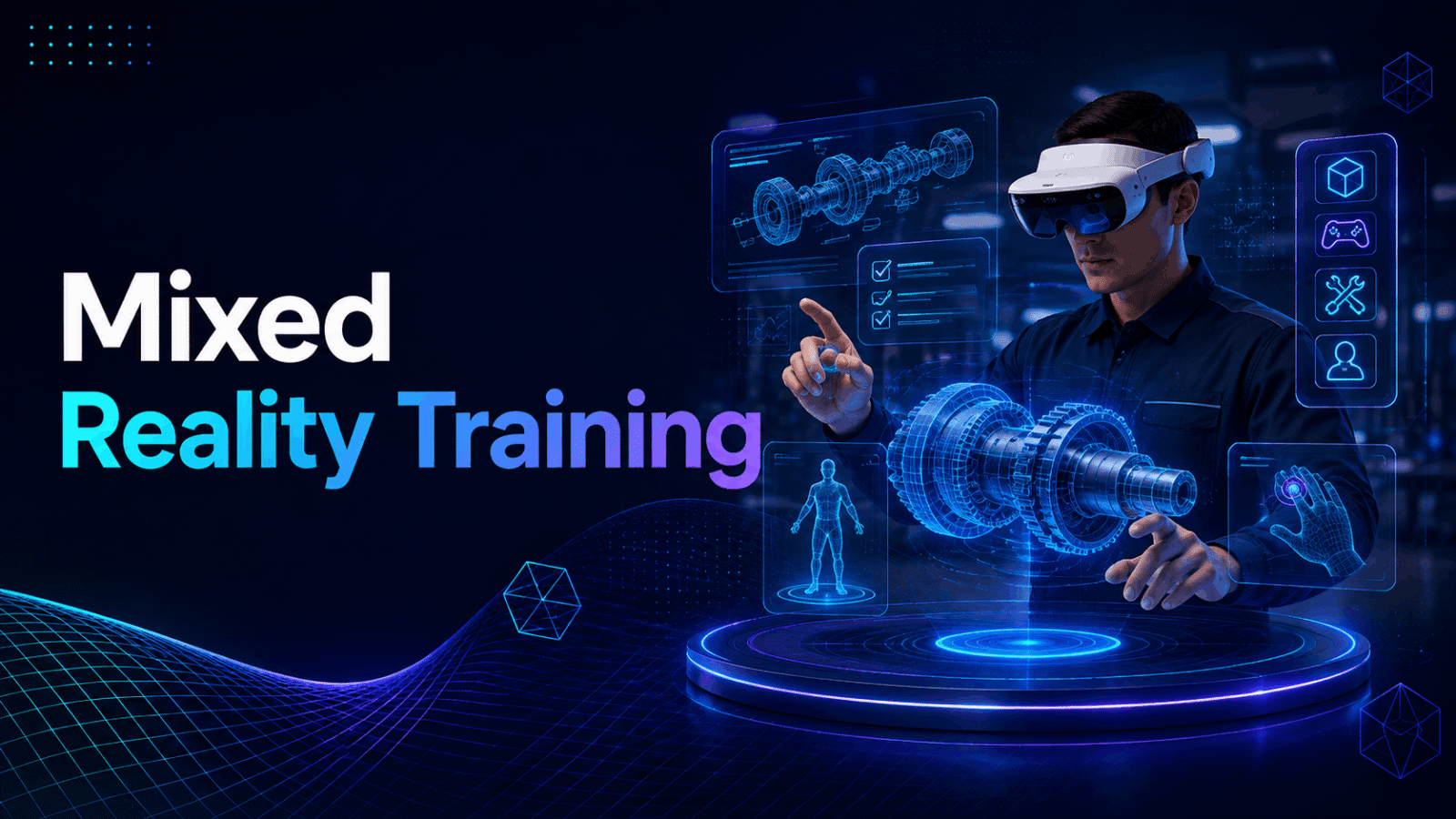
Mixed reality training uses passthrough cameras on VR headsets to blend digital objects with your physical training space, letting learners see real equipment, colleagues, and environments while interacting with virtual elements. Unlike pure VR that blocks out the room or AR glasses that only add light overlays, mixed reality training runs on headsets like Quest 3, Pico 4 Ultra, and Varjo Aero that can switch between full immersion and passthrough modes.
This hardware-based approach creates unique training opportunities. Technicians can see their actual tools while virtual instructions float beside them. Medical students manipulate real instruments while viewing digital anatomy overlaid on physical mannequins. Sales teams practice with virtual customers appearing in their actual retail environment.
Passthrough Mode vs. Full Immersion
Modern mixed reality headsets use dual RGB cameras paired with depth sensors to capture your environment in real-time. The Quest 3 delivers 4K passthrough resolution with 18 pixels per degree, while the Pico 4 Ultra offers comparable quality with its dual 32MP sensors. These cameras feed video directly to the displays inside the headset, creating a digital window to your surroundings.
Passthrough mode excels when learners need spatial awareness of their actual environment. Equipment maintenance training benefits from seeing real machinery while virtual annotations highlight components. Collaborative exercises work better when participants can see each other’s body language and gestures. Medical procedures require awareness of actual instruments and patient positioning.
Full VR immersion remains superior for scenarios requiring complete environmental control. Hazardous environment simulations, historical recreations, and impossible physics demonstrations demand the total immersion that passthrough cannot provide. The key advantage of mixed reality headsets lies in switching between modes mid-session—starting with passthrough for equipment familiarization, then transitioning to full VR for failure scenario simulations.
Color passthrough quality varies significantly between models. Quest 3’s passthrough appears slightly grainy but maintains accurate color reproduction and minimal latency. Pico 4 Ultra delivers similar visual quality with slightly better low-light performance. Professional headsets like Varjo Aero provide near-photorealistic passthrough but require PC tethering and cost 10x more than standalone options.
Mixed Reality Training Use Cases That Actually Deploy
Equipment maintenance training represents the most common mixed reality deployment. Technicians see their actual equipment while virtual overlays provide step-by-step repair instructions, component identification, and safety warnings. Boeing reduced training time by 30% using mixed reality for wire harness assembly, with virtual instructions appearing directly on physical aircraft components.
Medical procedure training combines physical mannequins with digital anatomy visualization. Surgeons practice on real instruments while mixed reality overlays show blood flow, nerve pathways, and organ systems. Case Western Reserve University’s HoloAnatomy program reduced learning time by 50% compared to traditional textbook methods.
Retail training places virtual customers in real store environments. Employees practice product demonstrations, point-of-sale operations, and customer service scenarios without disrupting actual business. Walmart deployed 17,000 Quest headsets for mixed reality training, reporting 30% higher employee confidence scores.
Manufacturing assembly training overlays digital work instructions onto physical workstations. New employees learn complex assembly sequences with virtual guides showing exact component placement, torque specifications, and quality checkpoints. Lockheed Martin reduced manufacturing errors by 42% using mixed reality training for spacecraft assembly.
Safety training highlights real-world hazards with digital markers and simulated consequences. Workers identify actual workplace dangers while mixed reality demonstrates potential accidents, proper PPE usage, and emergency procedures. Construction companies report 23% reduction in safety incidents after implementing mixed reality hazard recognition training.
Mixed Reality Headset Options for Enterprise Training
Only specific headsets support quality mixed reality training through color passthrough and hand tracking. Your choice depends on whether you need standalone deployment, PC-tethered power, or specialized enterprise features. Most companies start with Quest 3 or Pico 4 Ultra rentals to test mixed reality training before investing in hardware.
The passthrough quality threshold for effective training requires minimum 2K per eye resolution, color reproduction, and under 20ms latency. Older headsets with grayscale passthrough like Quest 2 or Vive Pro create disorientation and limit training effectiveness. Hand tracking accuracy also proves critical—learners need natural interaction with both virtual and physical objects without controllers.
Standalone Mixed Reality Headsets
Meta Quest 3 dominates enterprise mixed reality training with its $500 price point and extensive content ecosystem. The dual 4MP RGB cameras deliver 10x better passthrough than Quest 2, with machine learning algorithms reducing distortion and improving depth perception. Hand tracking operates at 60Hz, enabling controller-free interaction for most training scenarios. The Snapdragon XR2 Gen 2 processor handles complex mixed reality rendering without PC connection.
Quest Pro offers enhanced passthrough with 37% more pixels per degree than Quest 3, plus eye tracking for attention analytics. Despite discontinuation, refurbished units remain available around $700, making it viable for organizations needing face and eye tracking capabilities. The open-periphery design allows better peripheral awareness during mixed reality sessions.
Pico 4 Ultra provides Quest 3-comparable specifications with enterprise-friendly features like device management, kiosk mode, and bulk deployment tools. The 32MP passthrough cameras deliver slightly sharper image quality in optimal lighting. At $600, it offers an alternative for organizations avoiding Meta’s ecosystem, particularly in regions with data sovereignty concerns.
Battery life constrains all standalone headsets to 2-3 hours of continuous mixed reality use. Training sessions exceeding this duration require battery packs or headset rotation. Most organizations purchase 10,000mAh power banks ($30 each) for all-day training events. Preloaded content eliminates WiFi dependency during sessions, critical for locations with limited connectivity.
PC-Tethered and Enterprise Mixed Reality Systems
Varjo Aero delivers photorealistic passthrough through dual 12MP cameras with 200nits passthrough brightness—4x brighter than Quest 3. The $1,990 headset requires a RTX 3070+ graphics card but provides unmatched visual fidelity for precision training applications. Industrial clients use Aero for microscopic assembly training and surgical simulations requiring exact color reproduction.
HoloLens 2 operates differently as a true AR device with transparent displays rather than video passthrough. The 47-degree field of view limits immersion compared to passthrough headsets, but the see-through design eliminates video latency entirely. At $3,500, it serves specialized use cases like field service and hands-free work instructions rather than general training.
Magic Leap 2 follows HoloLens’s transparent AR approach with a wider 70-degree field of view and lighter 260g weight. The $3,299 device excels at precise overlay alignment for medical and manufacturing training but lacks the full immersion capability of passthrough headsets. Organizations typically reserve Magic Leap for specialized applications requiring extended wear comfort.
Lynx R-1 represents the only dedicated mixed reality headset designed specifically for passthrough use. The unique catadioptric lenses provide 90-degree field of view with minimal distortion. At $1,500, it occupies a middle ground between consumer and professional options, though limited software support restricts adoption.
Infrastructure requirements escalate with tethered systems. Each training station needs a VR-ready PC ($2,000+), dedicated play space (minimum 2×2 meters), and cable management systems. Wireless adapters add $300 per headset but eliminate trip hazards during training.
Renting vs. Buying Mixed Reality Headsets for Training Programs
Mixed reality training typically starts with rental pilots before hardware purchases. Rental packages include preloaded content, support, and the flexibility to test different headset models. The rental vs. buy decision depends on training frequency, number of learners, and whether you need the latest passthrough technology as it evolves.
Enterprise headset rental has matured into a comprehensive service model. Providers handle logistics, technical support, content licensing, and hardware refresh—eliminating IT burden during pilot phases. This approach proves particularly valuable for mixed reality training, where passthrough technology improves annually.
When to Rent Mixed Reality Training Headsets
Pilot programs benefit from rental flexibility when testing mixed reality effectiveness against pure VR or traditional training. A typical 8-week pilot with 10 Quest 3 headsets costs $8,000-12,000 including content, support, and shipping. This investment validates training outcomes before committing $5,000+ to hardware purchases.
Quarterly training events with 20+ simultaneous users create rental economics. Purchasing 50 headsets for quarterly use means 75% idle time, plus storage and maintenance overhead. Rental costs of $200 per headset per week become economical compared to $25,000 capital investment sitting unused.
Multi-location deployments leverage rental logistics networks. Providers ship pre-configured headsets directly to training sites, eliminating IT travel and setup time. Global companies save thousands in shipping and customs fees by renting locally rather than moving owned equipment internationally.
Technology refresh keeps training on current-generation passthrough capabilities. Quest 3’s passthrough significantly outperforms Quest 2, but organizations owning older headsets face upgrade resistance. Rental agreements include automatic hardware updates as new models launch.
Typical rental pricing ranges from $150-300 per headset per week, scaling down for longer terms. Month-long rentals average $400-600, while quarterly agreements reach $900-1,200. These rates include damage protection, technical support, and preloaded content licenses—costs that would be additional with owned hardware.
Building an Owned Mixed Reality Training Lab
Break-even analysis typically shows ownership advantage after 10-15 rental periods. A Quest 3 at $500 breaks even after 3-4 weekly rentals at $150/week. However, this calculation must include hidden ownership costs: IT labor ($50/hour), MDM software ($10/headset/month), content licenses ($500-5,000/app), and eventual replacement.
IT requirements expand significantly with owned fleets. Each headset needs initial configuration (2 hours), regular updates (30 minutes monthly), troubleshooting (1 hour per issue), and eventual replacement (every 2-3 years). A 50-headset fleet requires roughly 0.5 FTE for management—$40,000 annual labor cost often overlooked in purchase decisions.
Content licensing separates from hardware ownership. Enterprise licenses for mixed reality training apps range from $50/headset/year for basic content to $500/headset/year for specialized simulations. Some providers require annual minimums regardless of actual usage, creating ongoing costs beyond hardware investment.
Upgrade cycles accelerate with passthrough technology evolution. Quest 2’s grayscale passthrough became obsolete when Quest 3 launched color passthrough. Organizations that purchased Quest 2 fleets in 2022 faced immediate obsolescence for mixed reality use cases. The 18-24 month major upgrade cycle means hardware investments depreciate faster than traditional IT equipment.
The optimal approach combines owned core units with rental surge capacity. Organizations might own 10-20 headsets for regular training while renting additional units for large events. This hybrid model provides baseline capability while maintaining flexibility for scaling and technology updates.
Mixed Reality Content Development and Deployment
Mixed reality training content requires different development approaches than pure VR. You need to account for varying physical spaces, occlusion handling, and seamless transitions between passthrough and immersive modes. Most organizations start with off-the-shelf mixed reality training apps before custom development.
Content must adapt to diverse physical environments—a conference room differs vastly from a warehouse floor. Mixed reality applications need robust plane detection, spatial mapping, and dynamic content scaling. Unlike VR’s controlled virtual spaces, mixed reality training must function across unpredictable real-world conditions.
Off-the-Shelf Mixed Reality Training Applications
Immerse specializes in soft skills training with avatar overlays in real meeting rooms. Learners practice presentations, negotiations, and difficult conversations with virtual characters appearing in their actual workspace. The platform includes AI-driven responses and branching scenarios, with analytics tracking eye contact, speaking pace, and emotional responses. Annual licenses start at $15,000 for 50 users.
PTC Vuforia Expert Capture enables subject matter experts to record mixed reality work instructions without programming knowledge. Technicians capture procedures using headset cameras, add annotations, and publish guided experiences. The resulting training modules overlay instructions directly onto equipment. Pricing begins at $2,040/year per author with unlimited viewing licenses.
Microsoft Dynamics 365 Guides provides step-by-step mixed reality procedures integrated with enterprise systems. Holographic instructions appear anchored to real equipment, with IoT data integration showing live equipment status. The platform connects to Power BI for training analytics and compliance tracking. Licenses cost $65/user/month with volume discounts available.
Scope AR delivers remote assistance with AR annotations for real-time training support. Experts guide on-site technicians through complex procedures using mixed reality markup tools. The platform includes session recording for training documentation and knowledge capture. Enterprise pricing starts at $30,000/year for unlimited users.
Platform compatibility varies across ecosystems. Immerse supports Quest and Pico devices, while Dynamics 365 Guides requires HoloLens or mobile devices. Vuforia Expert Capture works across all major headsets but requires separate publishing for each platform. Organizations must verify compatibility before committing to specific hardware or software combinations.
Custom Mixed Reality Training Development
Unity with AR Foundation provides the most flexible framework for cross-platform mixed reality development. The engine handles spatial mapping, plane detection, and occlusion across Quest, Pico, and HoloLens from a single codebase. Development costs average $150,000-500,000 for enterprise training applications, with 6-12 month timelines.
Unreal Engine 5 excels at high-fidelity mixed reality experiences requiring photorealistic rendering. The Lumen lighting system creates realistic shadows and reflections between virtual and real objects. However, Unreal’s mobile VR performance requires careful optimization for standalone headsets. Development costs run 20-30% higher than Unity due to specialized expertise requirements.
WebXR enables browser-based mixed reality without app installation, critical for BYOD scenarios or restricted IT environments. Frameworks like A-Frame and Three.js support passthrough rendering on compatible browsers. While performance lags native applications, WebXR eliminates deployment friction for simple training scenarios. Development costs range from $50,000-150,000 for basic applications.
Spatial mapping requirements add complexity beyond traditional VR development. Applications must detect floors, walls, and surfaces reliably across different room configurations. Lighting variations—from bright warehouses to dim mechanical rooms—affect computer vision algorithms. Developers typically budget 30% additional time for environmental testing compared to pure VR projects.
Testing demands access to diverse physical spaces. A mixed reality forklift training app must function in actual warehouses with varying ceiling heights, lighting conditions, and floor surfaces. Developer teams need 5-10 different test environments to ensure robust deployment. This requirement often extends development timelines by 2-3 months.
Implementing Your Mixed Reality Training Pilot
A successful mixed reality training pilot runs 4-8 weeks with a specific learning objective, controlled user group, and clear success metrics. Start with one use case that leverages mixed reality’s unique capabilities rather than trying to replace all VR or classroom training at once.
The pilot’s primary goal involves validating mixed reality’s effectiveness for your specific training needs. Rather than broad technology evaluation, focus on measurable improvements in learning outcomes, engagement, or cost reduction. This focused approach generates clearer ROI data for scaling decisions.
Pilot Program Structure
Week 1-2: Hardware setup and space configuration begins with IT integration and network testing. Install MDM profiles for device management, configure WiFi networks for 40Mbps per headset, and establish charging stations. Map training spaces using headset guardian systems, marking permanent fixtures and ensuring 2×2 meter minimum play areas. Create backup spaces for overflow or technical issues.
Week 3-4: Trainer familiarization requires dedicated preparation time. Instructors need 8-10 hours to master headset operation, troubleshooting, and mixed reality facilitation techniques. Practice sessions should include deliberate failure scenarios—tracking loss, passthrough glitches, and battery depletion—to build troubleshooting confidence. Document common issues and solutions in quick reference guides.
Week 5-6: Learner sessions run with A/B testing against traditional methods. Divide participants into control (traditional training) and test (mixed reality) groups, ensuring demographic balance. Conduct 90-minute sessions with 15-minute setup, 60-minute training, and 15-minute debrief. Collect immediate feedback through surveys while experiences remain fresh.
Week 7-8: Data analysis compares performance metrics between training methods. Analyze knowledge assessment scores, time-to-completion data, and engagement metrics. Calculate hard costs (travel, facilities, instructor time) and soft benefits (reduced errors, faster proficiency). Prepare executive presentations with specific recommendations for scaling or termination.
Typical pilot configurations use 20-50 learners with 5-10 headsets operating in rotation. This scale provides statistical significance while remaining manageable for first-time deployments. Larger pilots risk complexity overwhelming learning objectives, while smaller tests lack data validity for enterprise decisions.
Measuring Mixed Reality Training Effectiveness
Knowledge retention testing at 30/60/90-day intervals reveals long-term learning impact. Mixed reality training typically shows 25-40% better retention than video-based training, with the gap widening over time. Design assessments that test practical application rather than rote memorization—can technicians diagnose problems, not just recall procedures?
Time-to-competency metrics track how quickly learners reach performance standards. Manufacturing clients report 30-50% reduction in time to independent operation using mixed reality training. Measure both initial training duration and supervised practice periods before certification. Include error rates and rework frequency as competency indicators.
Engagement scores predict training completion and knowledge application. Mixed reality sessions average 85% completion rates versus 60% for e-learning modules. Track voluntary practice sessions, peer recommendations, and requests for additional mixed reality content. High engagement correlates with improved job performance and reduced turnover.
Cost savings calculations must include all variables. A distributed team eliminating quarterly travel for centralized training might save $2,000 per person per session. However, factor in headset costs, content licenses, IT support, and lost productivity during technology issues. Most organizations see positive ROI after 6-12 months, accelerating with scale.
Safety metrics provide compelling evidence for hazardous environment training. Construction companies using mixed reality hazard recognition training report 20-30% reduction in near-miss incidents. Track both leading indicators (hazard identification rates) and lagging indicators (actual incidents) to demonstrate preventive impact.
Scaling from Pilot to Enterprise Mixed Reality Training
Moving from a successful pilot to enterprise-wide mixed reality training requires infrastructure planning, content management systems, and change management strategy. Most organizations scale gradually, adding use cases and locations over 12-18 months rather than attempting immediate company-wide deployment.
Scaling introduces complexity beyond pilot parameters. Network infrastructure that supported 10 headsets may fail with 100 simultaneous connections. Content that worked in controlled pilot spaces might not function in diverse field locations. Support models that relied on dedicated IT presence must evolve to self-service capabilities.
Infrastructure for Scale
Mobile Device Management (MDM) becomes critical for fleets exceeding 20 headsets. ArborXR specializes in VR/AR device management, offering remote deployment, app distribution, and usage analytics for $15/headset/month. Microsoft Intune provides basic MDM capabilities for $8/user/month but lacks VR-specific features like kiosk mode and guardian backup.
Content Delivery Networks (CDN) prevent bandwidth bottlenecks during simultaneous downloads. A single mixed reality training app can exceed 2GB, creating 200GB of traffic for 100-headset deployment. Cloud CDN services like Cloudflare ($200/month) cache content at edge locations, reducing download times from hours to minutes. On-premise caching servers provide alternative solutions for restricted networks.
Learning Management System (LMS) integration enables training tracking across mixed reality and traditional methods. SCORM-compliant mixed reality applications integrate with existing platforms like Cornerstone or SAP SuccessFactors. Custom API development costs $20,000-50,000 but provides unified reporting across all training modalities.
WiFi 6/6E infrastructure supports dense headset deployments with 9.6Gbps theoretical throughput. Each mixed reality headset requires 40-50Mbps for cloud rendering and real-time tracking. Standard corporate WiFi designed for laptops often fails with 20+ headsets. Infrastructure upgrades cost $500-1,000 per access point plus installation.
Charging and storage solutions scale beyond simple shelves. Commercial charging carts designed for VR headsets cost $3,000-5,000 for 30-unit capacity. Include UV sanitization systems ($500) for hygiene between users. Climate-controlled storage prevents battery degradation and lens fogging—critical for reliable deployment.
Change Management and Trainer Enablement
Train-the-trainer programs create scalable expertise across the organization. Two-day certification courses cover headset operation, troubleshooting, mixed reality facilitation, and safety protocols. Include hands-on practice with common failure scenarios. Budget $5,000 per trainer for initial certification plus $1,000 annual recertification.
Troubleshooting documentation must address mixed reality-specific issues. Create visual guides for fixing tracking loss, passthrough calibration, and guardian boundary errors. Include decision trees for when to restart, recalibrate, or replace equipment. Video tutorials prove more effective than text documentation for spatial troubleshooting.
Learner onboarding sequences reduce first-time user friction. Design 10-minute comfort experiences introducing headset adjustment, passthrough mode, hand tracking, and safety boundaries. Include opt-out options for experienced users while ensuring newcomers feel confident. Poor first experiences create lasting resistance to mixed reality training.
Backup training methods ensure continuity when technology fails. Maintain traditional training materials for critical content. Design mixed reality sessions with natural breakpoints allowing transition to conventional methods if needed. Document which learning objectives require mixed reality versus nice-to-have enhancements.
Executive communication requires ongoing ROI demonstration. Create dashboards showing training hours delivered, travel costs avoided, and performance improvements. Include learner testimonials and success stories alongside quantitative metrics. Schedule quarterly business reviews to maintain stakeholder support during scaling challenges.
Frequently Asked Questions
What’s the difference between mixed reality and augmented reality training?
Mixed reality training uses VR headsets with passthrough cameras to blend digital content with video of your real environment, while augmented reality uses transparent displays or phone screens to overlay digital elements onto direct views. Mixed reality offers better immersion and content richness but requires headsets, while AR provides lighter-weight experiences through glasses or mobile devices.
Can Quest 2 do mixed reality training or do I need Quest 3?
Quest 2’s grayscale passthrough technically enables mixed reality but proves inadequate for most training applications. The low resolution, lack of color, and poor depth perception create disorientation and limit learning effectiveness. Quest 3’s color passthrough with 10x better resolution provides the minimum quality for productive mixed reality training.
How much space do I need for mixed reality training sessions?
Mixed reality training requires minimum 2×2 meter clear space per user, though 3×3 meters provides better comfort. Unlike room-scale VR, mixed reality can utilize existing furniture and equipment as part of the training environment. Mark permanent boundaries with tape and ensure 1-meter buffer zones between users in multi-person sessions.
What happens if learners get motion sick in mixed reality?
Mixed reality typically causes less motion sickness than full VR because users maintain visual connection to stable real-world references. However, passthrough latency or calibration issues can trigger discomfort. Limit initial sessions to 20 minutes, ensure proper IPD adjustment, and maintain consistent frame rates above 72Hz to minimize issues.
Can mixed reality headsets work with our existing LMS?
Most enterprise mixed reality applications support SCORM or xAPI standards for LMS integration. Platforms like Immerse and Strivr provide native connectors for major LMS systems. Custom applications require API development for grade passback and progress tracking, typically adding $10,000-25,000 to development costs.
How do I clean and sanitize headsets between training sessions?
Use UV-C sanitization boxes designed for VR headsets (5-minute cycles) or alcohol-free antibacterial wipes for quick cleaning. Replace foam facial interfaces with wipeable silicone alternatives ($25 each). Provide disposable hygiene covers ($0.50 each) for high-turnover sessions. Never use harsh chemicals that could damage lenses or sensors.
Is mixed reality training SCORM compliant?
Leading mixed reality training platforms offer SCORM 1.2, SCORM 2004, and xAPI compliance for LMS integration. However, SCORM’s linear structure doesn’t fully capture mixed reality’s branching interactions and spatial analytics. xAPI provides richer data capture for mixed reality experiences, though fewer LMS platforms fully support it.
What’s the typical ROI timeline for mixed reality training investment?
Organizations typically achieve positive ROI within 6-12 months for high-frequency training use cases. Travel reduction provides immediate returns—eliminating two $2,000 training trips pays for one headset. Reduced training time, improved retention, and fewer safety incidents generate additional returns over 12-24 month periods.
Conclusion
Mixed reality training represents a practical evolution in enterprise learning, bridging the gap between fully virtual simulations and real-world practice. The technology has matured beyond experimental phases, with proven deployments reducing training time by 30-50% while improving knowledge retention and engagement.
Success requires thoughtful implementation rather than wholesale training transformation. Start with focused pilots targeting specific use cases where mixed reality’s unique capabilities—overlaying digital content on real equipment, combining virtual and physical elements, or enabling remote collaboration in actual workspaces—provide clear advantages over traditional methods.
The rental versus purchase decision depends on your training frequency and scale. Most organizations benefit from starting with rentals to validate effectiveness and understand operational requirements before investing in hardware. As you scale, consider hybrid approaches that balance owned core capacity with rental flexibility for surge needs and technology updates.
Looking ahead, passthrough technology continues rapid improvement. Each generation delivers better resolution, color accuracy, and field of view. This evolution makes mixed reality increasingly viable for precision training applications previously requiring expensive specialized equipment.
Ready to explore mixed reality training for your organization? Start with a focused 8-week pilot targeting one high-value use case. Rent 5-10 Quest 3 or Pico 4 Ultra headsets with preloaded content relevant to your industry. Measure specific outcomes—knowledge retention, time-to-competency, or error reduction—against current training methods. Use these results to build your business case for broader deployment.
The question isn’t whether mixed reality training will transform enterprise learning, but how quickly organizations will adopt it to maintain competitive advantage. Those starting pilots today will lead tomorrow’s training transformation.