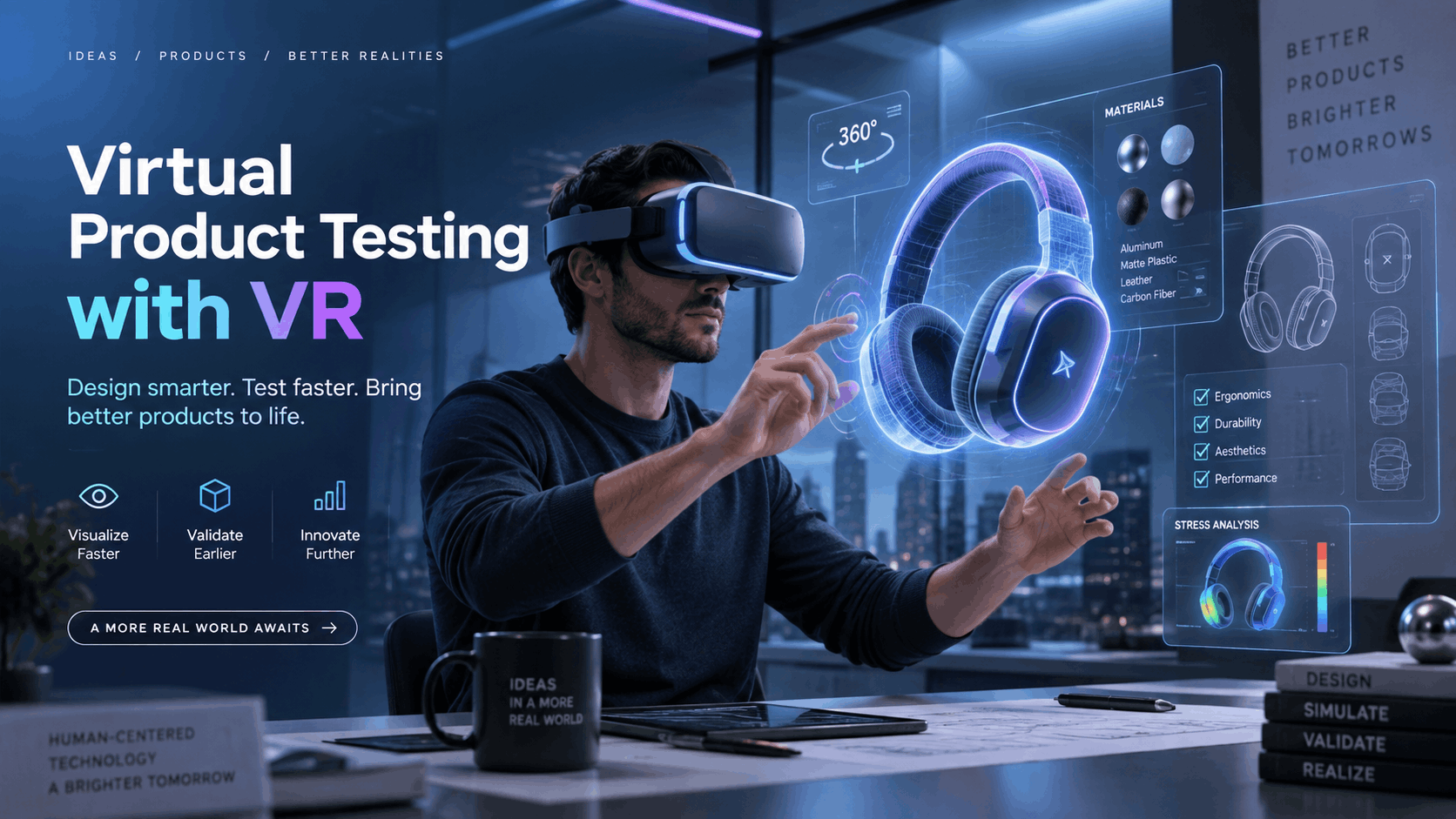
In an increasingly digital world, giving buyers a chance to truly experience a product before it exists physically is no longer a futuristic concept—it’s a competitive advantage. For marketing, sales, and event teams, virtual reality (VR) has emerged as a powerful tool to bridge the gap between product development and market feedback. This guide serves as a practical blueprint for deploying virtual product testing at your next trade show, product launch, or high-stakes sales meeting. It cuts through the hype to provide a clear framework for planning, executing, and measuring the ROI of your VR activation.
What Virtual Product Testing Actually Means for Corporate Teams
In a corporate go-to-market context, “virtual product testing” is a specific, strategic tool. It’s not about consumer-facing augmented reality (AR) filters for trying on sunglasses, nor is it the complex, data-heavy digital twin simulations used by engineering teams for R&D. Instead, it means creating a fully immersive VR environment where buyers, press, and stakeholders can see, interact with, and understand a product in a controlled setting—long before it’s available at scale.
The Go-to-Market Definition: Letting Buyers Experience What Doesn’t Exist Yet
For sales and events, virtual product testing is about creating an interactive VR experience that replicates the look, feel, and core functionality of a product. This allows stakeholders to evaluate it before physical production is complete or before a public unveiling. It provides a hands-on experience without needing a physical product on site.
This stands in sharp contrast to other technologies:
- Consumer AR Try-On: These are typically phone-based, single-user experiences focused on retail, like seeing how a couch looks in your living room.
- Industrial Digital Twins: These are highly complex simulations used by engineers to test performance under extreme conditions, not for buyer-facing demos.
- Static 3D Renders: While useful for websites and brochures, these are non-interactive and lack the sense of presence and scale that VR delivers.
The business case is compelling: compress the time between development and market feedback, generate significant buzz at launch events, and accelerate sales cycles by allowing prospects to “use” a product months before it ships. Product marketing teams use it for pre-launch press briefings, sales engineers use it to demo large or complex equipment, and event teams build entire trade show activations around unreleased products.
Where Virtual Product Testing Fits in the Product Launch and Sales Cycle
VR product testing can be deployed at several key stages to maximize impact:
- Pre-Launch Events: For media and press events where a physical product is under embargo or not yet manufactured at scale, a VR demo can provide an exclusive, hands-on preview.
- Trade Show Floors: Instead of shipping one expensive, heavy prototype, you can deploy multiple VR stations to let hundreds of attendees experience the product simultaneously. This transforms a booth from a passive display into an interactive destination.
- Sales Demos: For large, complex, or highly customizable products, shipping a physical unit for every sales meeting is impractical. A VR demo allows enterprise buyers to walk through features and configurations in an immersive, one-on-one session.
- Internal Stakeholder Alignment: Before committing to a costly production run, use a VR prototype to get buy-in from leadership, retail partners, or global teams. This ensures everyone shares the same spatial understanding of the final product.
When VR Is the Right Tool for Product Testing (and When It Isn’t)
Virtual reality is a powerful tool, but it’s not the right solution for every scenario. The decision to use VR for product testing should be based on a practical assessment of your product, your audience, and your goals. This framework helps marketing and product teams decide when VR is the best fit.
Products That Benefit Most from VR Testing Experiences
VR delivers the most significant impact when the experience of the product is hard to convey through other means.
- Large-Format or Heavy Products: Industrial machinery, vehicles, architectural installations, and large appliances that are expensive or impossible to ship to events are perfect candidates for VR.
- Products That Don’t Exist Physically: VR allows you to showcase pre-production prototypes, unreleased models, and configurable products with thousands of variations without needing a physical version.
- Products with Complex Functionality: For medical devices, enterprise software, or safety equipment, a guided VR experience can demonstrate functionality more effectively than a video or manual.
- Products Where Physical Context Matters: Real estate, interior design, and infrastructure projects are all evaluated within their environment. VR can place a user inside a virtual building or on a factory floor to understand how a product fits into its surroundings.
When Physical Samples or Other Digital Tools Are a Better Fit
VR is not always the answer. In some cases, other methods are more practical and effective.
- Small, Tactile Consumer Goods: If the primary evaluation criteria are touch, texture, and weight, VR cannot currently replicate that sensory feedback at a typical rental price point.
- Audience or Venue Constraints: If your target audience is uncomfortable with headsets or the event format doesn’t allow for a 3-5 minute dwell time per person, a VR activation may struggle.
- Simple Product Comparisons: If a 3D configurator on a tablet can achieve the same goal of showing different colors or features, it may be a more cost-effective and less complex solution.
- Regulatory and Compliance Testing: In contexts that require official documentation from physical testing, a VR interaction cannot serve as a substitute.
VR vs. AR for Product Testing: Choosing the Right Immersive Format
The terms “AR” and “VR” are often used together, but they serve different purposes in product testing.
- Virtual Reality (VR): Using a fully immersive headset, VR replaces the user’s world with a digital one. It’s best for products that require the user to be “inside” the experience, such as exploring a vehicle’s interior, walking through a building, or operating large equipment.
- Augmented Reality (AR): Using glasses or a smartphone, AR overlays digital information onto the user’s real-world view. It’s ideal for visualizing how a product like furniture, a fixture, or a piece of machinery will fit into the user’s actual physical space.
- Hybrid Approaches: Some events successfully use both. An attendee might use AR on a tablet to place a machine on the trade show floor to check its footprint, then put on a VR headset for a deeper, interactive demo of its features.
IGIVU supports both formats, providing standalone VR headsets for full immersion and AR glasses for field and operational contexts where seeing the real world is critical.
Hardware Requirements for a Virtual Product Testing Deployment
The hardware you choose for your event directly impacts throughput, setup complexity, and staffing needs. For corporate deployments, practical constraints like unreliable venue Wi-Fi, limited setup time, and staff availability are just as important as the technical specifications of the headset.
Standalone Wireless Headsets: Why They’re the Default for Events
For trade shows, product launches, and sales demos, standalone wireless headsets like the Meta Quest series have become the industry standard. They run the entire VR experience without being tethered to an external PC, which eliminates a major point of failure at busy events.
Key advantages for events include:
- Freedom of Movement: Wireless operation allows participants to walk around, duck, and interact with the virtual product naturally, which is crucial for spatial understanding.
- High Throughput: Multiple headsets can be deployed from a single rental package, allowing you to serve more attendees per hour and keep queues moving.
- Reliability: With the content preloaded, the experience doesn’t depend on fickle venue Wi-Fi to run.
- Simple Setup: IGIVU configures and preloads your product experience onto the headsets before shipping, so no on-site software installation is required. This means your team can be up and running in minutes.
How Many Headsets Do You Need for Your Event Format?
To determine the right number of headsets, you need to calculate your target throughput.
- Calculate Your Throughput: A typical guided VR product demo lasts about 4 minutes. Including time for putting on and taking off the headset, one station can serve approximately 10-12 participants per hour. For a 6-hour event, a single headset can accommodate around 70 participants.
- Trade Show Booths: Most booths deploy 3-6 headsets to manage a steady flow of traffic without creating long waits that deter visitors.
- Product Launch Press Events: If you have scheduled appointments, you can operate with fewer headsets, but the schedule must be managed tightly.
- Multi-Location Activations: For simultaneous events in different cities, each location will need its own rental package. Nationwide delivery services make this logistically straightforward.
Content Requirements: What Needs to Be Built Before You Rent Hardware
The most critical point to understand is that the VR experience itself—the interactive 3D product environment—is separate from the hardware rental. This content must be developed and finalized before the hardware is shipped for your event.
- Development is a Separate Workstream: Your team will need to work with a VR development agency or an in-house team to build the virtual product demo. This process is distinct from hardware logistics.
- File Format and Compatibility: Your development partner will need to deliver the experience in a file format compatible with the chosen standalone headsets (typically an APK file for Meta Quest devices).
- Content Preloading: IGIVU preloads your finalized content onto every headset before shipping. You must coordinate your content delivery timeline with the rental logistics schedule to ensure everything is ready for your event.
- Finding a Content Partner: For companies new to VR, IGIVU can provide guidance and connect you with trusted content development partners who specialize in creating high-fidelity product visualization experiences.
Designing the Virtual Product Testing Experience for Your Audience
The most advanced hardware is useless without a compelling experience. The design of your virtual product test—what users see, what they can do, and how you guide them—is what determines whether the activation achieves your marketing and sales goals. A well-designed experience leaves a lasting impression; a poorly designed one leads to confusion and frustration.
Session Length and Interaction Depth: Matching the Experience to the Event Context
One size does not fit all. The length and complexity of the VR demo should be tailored to your audience and venue.
- Trade Show Floor (3-5 minutes): Experiences should be short, impactful, and guided. The goal is to highlight 2-3 key value propositions quickly to maximize throughput and hold attention in a distracting environment.
- Press and Media Events (8-12 minutes): This audience is there specifically to evaluate the product, so you can offer a more in-depth, exploratory experience. Allow them more freedom to interact and discover features on their own.
- Sales Demos (15-20 minutes): In a one-on-one or small group setting, the VR session can be much longer. A sales representative should guide the prospect through the experience, pausing to answer questions, discuss features, and gather real-time feedback.
No matter the length, every experience should have a clear beginning, middle, and end. Avoid open-ended “sandboxes” that can leave users feeling lost. The goal is to guide them to a specific conclusion about your product’s value.
Facilitator vs. Self-Guided Experiences: What Works at Scale
- Facilitated Experiences: A trained staff member guides each participant through the VR demo. This approach yields higher-quality conversations and more detailed feedback but limits the number of people who can participate at once.
- Self-Guided Experiences: The experience is designed with in-headset tutorials and prompts, allowing users to navigate it on their own. This model scales much better for high-traffic events like trade shows.
- Hybrid Approach: A common strategy is to use a facilitated approach for VIPs and press on the first day of an event, then switch to a self-guided mode for general attendees on subsequent days.
IGIVU’s optional event support includes on-site technicians who can act as facilitators. They handle headset fitting, guide users, and manage troubleshooting, freeing up your sales and marketing team to focus on conversations.
Collecting Feedback During and After the VR Session
A key advantage of virtual product testing is the ability to gather rich data.
- In-Experience Interaction Data: Analytics like gaze tracking (what users look at) and controller input can reveal which product features capture the most attention. This is invaluable feedback for product and marketing teams.
- Post-Session Surveys: Immediately after the VR session, present a simple 2-3 question survey on a tablet to capture purchase intent, feature preference, and lead information while the experience is fresh.
- CRM Integration: By scanning an attendee’s badge before the session, you can connect their contact information to their in-VR behavior and survey responses, building a highly qualified lead list segmented by demonstrated interest.
- Internal Stakeholder Feedback: For internal reviews, use the sessions to document specific feedback points on design, usability, and messaging to inform the final product and go-to-market strategy.
Logistics: Renting VR Equipment for a Virtual Product Testing Activation
For most teams running a VR activation for the first time, the biggest challenges are logistical, not technological. Planning the rental and deployment workflow in advance is the key to a smooth, stress-free event.
The Rental Timeline: What to Book and When
Proper timing is crucial to avoid last-minute emergencies.
- Ideal Booking Window (4-6 weeks out): Book your rental package at least a month before your event. This provides ample time for content loading, comprehensive testing, and shipping.
- Content Delivery Deadline (2 weeks out): Your final, tested VR experience file should be delivered to IGIVU at least two weeks before the event date. This allows for preloading the content onto the headsets and performing a final quality check.
- Shipping Timeline (3-5 business days): Standard nationwide delivery takes 3-5 business days. Ensure you factor in a buffer for potential shipping delays, especially for major events or international locations.
- Equipment Return: Rental packages typically include prepaid return shipping labels. Plan to have the equipment packed and shipped back from the venue within 24-48 hours after the event concludes.
What’s Included in a VR Product Testing Rental Package
A professional rental package from IGIVU is a turnkey solution designed for events. It typically includes:
- Standalone Wireless Headsets: Preloaded with your custom VR product experience and fully charged.
- Controllers and Charging Equipment: Everything needed to keep the headsets running for multi-day events.
- Durable Carrying Cases: To protect the equipment during shipping and on-site.
- Optional Sanitization Supplies: Wipes and other solutions to ensure hygiene between participants.
- Optional On-Site Event Support: Trained staff to manage the activation, assist attendees, and handle any technical troubleshooting.
- End-to-End Logistics: Nationwide delivery to your venue and prepaid return shipping are handled by IGIVU.
Venue and Setup Considerations
Standalone VR headsets simplify setup, but there are still a few venue requirements to confirm.
- Wi-Fi: The VR experience itself runs from the preloaded content and does not require Wi-Fi. However, Wi-Fi may be needed if you are using fleet management software to monitor multiple headsets from a central device.
- Space Requirements: Plan for approximately a 6×6 foot clear floor space for each VR station to allow participants to move safely.
- Power: For multi-day events, you will need access to power outlets to charge the headsets overnight. A dedicated charging station within or near your booth is recommended.
- Lighting: Extremely bright spotlights or very dark environments can sometimes interfere with headset tracking. It’s wise to flag any unusual lighting conditions with your rental provider beforehand.
Measuring the ROI of Virtual Product Testing at Events
Virtual product testing is a strategic marketing investment, not just a gimmick. Like any investment, its success should be measured against clear, predefined outcomes. The right metrics depend on whether your primary goal is generating leads, securing press coverage, accelerating sales, or validating a product internally.
Metrics That Matter for Each Use Case
- Trade Show Lead Generation:
- Number of VR demos completed.
- Lead conversion rate from post-session surveys.
- Cost-per-qualified-lead generated via VR.
- Product Launch Press Events:
- Volume and quality of media coverage generated.
- Recall of key product features in press articles.
- Social media mentions and content created by attendees.
- Sales Demo Acceleration:
- Deal velocity: Measure the time from the VR demo to the next stage in the sales cycle.
- Win rate: Compare the win rate for opportunities that included a VR demo versus those that did not.
- Internal Stakeholder Alignment:
- Number of key stakeholders who completed the VR session.
- Qualitative feedback captured and documented.
- Key decisions made or approvals secured as a direct result of the VR test.
Benchmarks to Set Before the Event
To accurately measure ROI, you need to establish your benchmarks before the event begins.
- Set a Throughput Target: Based on your rental cost and event attendance, determine how many participants you need to engage to justify the investment.
- Define a ‘Qualified’ Participant: Not everyone who tries VR is a potential buyer. Define the criteria for a qualified lead (e.g., title, company, survey response) to focus your measurement.
- Compare Against Existing Programs: Calculate the cost-per-lead from your VR activation and compare it to your company’s average cost-per-lead from other channels to build a business case for future events. Some brands have reported a 29-33% increase in leads from trade shows when using VR.
- Track Downstream Conversion: For multi-event campaigns, track whether leads who participated in a VR demo have higher long-term conversion rates than leads from other event activities.
Conclusion: Your Next Product Launch, Reimagined
Virtual product testing is no longer an experimental luxury; it is a practical, deployable, and measurable tool for modern go-to-market teams. It allows you to demonstrate products that are too big, too new, or too complex to show physically, creating memorable experiences that capture attention and accelerate business goals. By placing your customers directly inside your product’s story, you can gather invaluable feedback, generate qualified leads, and close the gap between vision and reality.
Ready to plan your own virtual product testing activation? Contact IGIVU today for a consultation and discover how a VR rental solution can transform your next event, product launch, or sales meeting.
Frequently Asked Questions (FAQs)
What is virtual product testing in VR and how is it different from a standard product demo?
Virtual product testing in VR uses an immersive headset to let a user interact with a full-scale, 3D version of a product in a simulated environment. It differs from a standard demo by allowing users to experience products that may not physically exist yet or are too large to bring to a venue, offering a hands-on, interactive experience rather than passive observation.
Can I use VR to test a product that hasn’t been manufactured yet?
Yes, this is one of the most powerful use cases for VR. Companies can use 3D CAD designs to create a virtual prototype, allowing press, buyers, and internal stakeholders to test and provide feedback on a product long before committing to manufacturing.
How many VR headsets do I need for a trade show virtual product testing activation?
A common deployment for a trade show booth is 3-6 headsets. A single headset can typically accommodate 10-12 demos per hour for a 4-minute experience. The final number depends on your booth traffic, event duration, and throughput goals.
Do I need to build the VR experience myself before renting headsets?
Yes, the virtual reality application (the content) must be created before you rent the hardware. This is typically done by a specialized VR development agency or an in-house team. Rental companies like IGIVU then preload this finished application onto the headsets for you.
How far in advance do I need to book VR rental equipment for a product launch event?
It is best to book your VR rental 4-6 weeks before your event. This allows sufficient time for your VR content to be finalized, loaded onto the headsets, tested, and shipped to your venue.
What’s the difference between VR and AR for virtual product testing?
VR (Virtual Reality) creates a fully immersive digital environment, ideal for experiences where the user needs to feel “inside” a product or space, like a car or a virtual building. AR (Augmented Reality) overlays digital objects onto the real world, which is better for visualizing how a product like furniture will look in a person’s actual room.
Can virtual product testing replace physical product samples at events?
In many cases, yes. For large, complex, or pre-production items, VR is an excellent replacement that can reduce shipping costs and logistical complexity. However, for products where tactile feel is the primary selling point (e.g., fabrics, small consumer goods), physical samples are still superior.
How do I collect buyer feedback during a VR product testing session?
Feedback can be collected by tracking user behavior within the VR experience (e.g., where they look and interact), followed by a short digital survey on a tablet immediately after the session to capture lead data and qualitative opinions. A facilitator can also ask questions during a guided demo.
Does IGIVU provide on-site support for virtual product testing activations?
Yes, IGIVU offers optional on-site event support. A trained technician can be present to manage the hardware, assist attendees with using the headsets, and perform any necessary troubleshooting, allowing your team to focus on engaging with customers.
What types of products are best suited for virtual product testing in VR?
Products that are large, heavy, or difficult to transport (industrial machinery, vehicles), not yet physically manufactured (prototypes), complex to operate (medical devices, software), or dependent on their environment (architecture, real estate) are best suited for VR product testing.