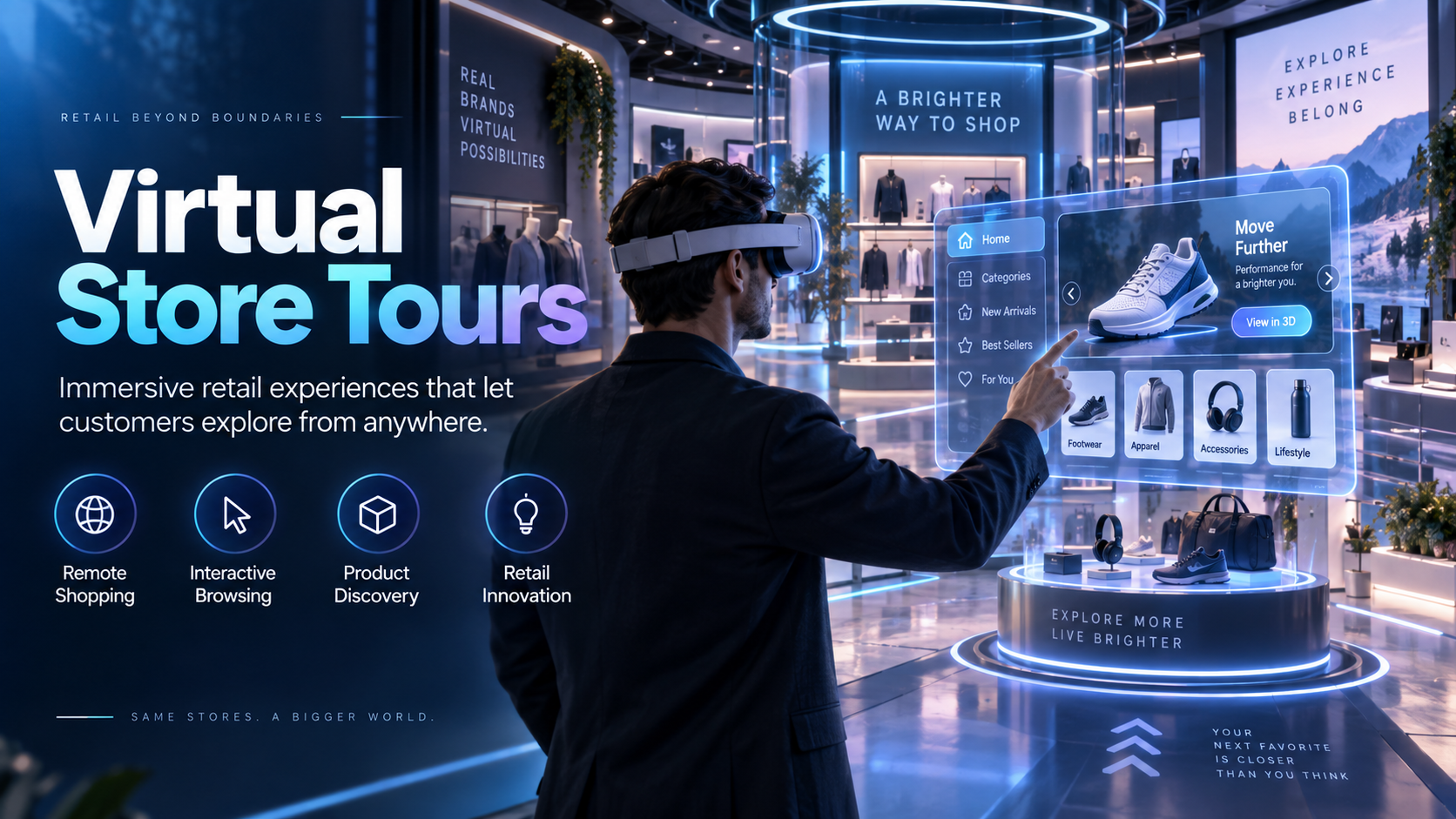
In the competitive landscape of retail marketing, showing is always better than telling. But how do you show a complete, compelling in-store experience when you’re miles away from the store itself, standing in a 10×10 trade show booth? This is the challenge driving retail and CPG brands to adopt one of the most powerful tools in experiential marketing: the headset-based virtual store tour.
This guide is a blueprint for retail marketers, CPG brand teams, and experiential agencies who need to execute immersive retail experiences at live events. We’ll cover what a virtual store tour for events actually is, why it’s so effective, and how to plan, deploy, and measure one all without needing to own a single piece of hardware.
What a Virtual Store Tour Actually Is (and What It Isn’t)
The term ‘virtual store tour’ gets used to describe two very different things: a 360-degree video embedded on a retail website for online shoppers, and a headset-based immersive walkthrough deployed at a live event for buyers, press, or partners. This guide is about the second one the kind that runs on standalone wireless VR headsets at a trade show booth, a brand summit, or a product launch because that’s where the real business case lives for retail and CPG brands.
The Website Widget vs. the Live Activation
The first type, a web-based virtual tour, is essentially a marketing asset for consumers. It allows online shoppers to get a feel for a store’s layout from their desktop or mobile device, often using stitched-together panoramic photos. While useful for driving foot traffic and increasing online engagement, these experiences are passive.
The live activation is a different beast entirely. It uses VR headsets to transport a user directly into a simulated retail environment. This format is active, immersive, and designed for a specific business purpose at a live event. It commands higher engagement, delivers longer dwell times, and allows for measurable interactions that are impossible with a web embed. For B2B use cases like trade shows and buyer meetings, the headset-based activation is the only format that delivers a true sense of presence and spatial understanding.
What a Virtual Store Tour Experience Includes
At its core, a headset-based virtual store tour is a navigable, three-dimensional recreation of a retail environment. This can be:
- Photorealistic: A 360-degree video capture of an actual flagship store, giving viewers a true-to-life look at the space.
- Designed: A computer-generated 3D environment of a concept store, a future retail format, or an ideal planogram that doesn’t exist yet.
This experience is loaded onto standalone wireless VR headsets, making it completely portable and ready for any event venue without needing PCs, cables, or complex setups. To guide the user’s journey, brands can layer in audio narration, interactive “hotspots” that reveal product information, and guided pathways that direct attention to key brand stories or merchandising displays.
Why Retail and CPG Brands Are Using Virtual Store Tours at Events
Retail brands have a specific problem at trade shows, buyer summits, and product launches: they need to show a store experience—a planogram, a seasonal concept, a new format—without being able to bring the actual store. Virtual store tours solve that problem by putting buyers, press, or retail partners inside a fully realized store environment in under two minutes, on a headset, at any venue.
The Trade Show and Buyer Summit Use Case
For brands attending major industry events, the challenge is to communicate complex in-store concepts to retail buyers and partners who may never visit the physical location. A printed sell sheet or a PowerPoint presentation can’t convey the scale and impact of a new planogram or seasonal display.
A virtual store tour, however, allows a brand manager to walk a key account through a full store layout in a controlled, immersive environment. This is far more effective and memorable. Because modern VR headsets are wireless and self-contained, the experience can run effectively even in a small 10×10 booth. With multiple headsets, a brand can demo to several buyers at once, maximizing opportunities during peak traffic hours.
Product Launch and Concept Store Previews
CPG brands launching a new product can use a virtual store tour to show retail partners exactly how it will look on the shelf, in a custom display, or within a fully branded environment—months before the physical rollout. This helps secure buy-in and distribution commitments.
For retailers, a VR tour can preview concept stores and future formats to investors, franchise partners, or the media before a single dollar is spent on construction. This “first look” creates a powerful PR moment that generates media coverage and shareable social content, especially when tied to a live press day or launch event.
Retail Partner and Franchise Training
Beyond marketing, virtual store tours are a powerful training tool. They can be used to train franchise operators or retail partners on brand standards, planogram compliance, and visual merchandising without the cost and logistics of flying everyone to a central flagship location.
The immersive format has been shown to improve knowledge retention compared to traditional video or slide-based training. This use case bridges the gap between a marketing activation and operational training, making the investment in content and hardware rental a multi-purpose one that delivers value across the organization.
How to Plan a Virtual Store Tour Deployment
The planning process for a virtual store tour activation has three distinct phases: content readiness, hardware configuration, and event logistics. Most brands underestimate the first phase and overestimate the complexity of the other two. Here is how to approach each one.
Content Readiness: What You Need Before You Can Deploy
A virtual store tour can’t be deployed until the core content asset exists in a VR-compatible file format. This is the most critical prerequisite. Your options are:
- 360-degree video capture: Filming an existing, physical store. This is faster to produce but offers less interactivity.
- 3D-rendered environment: Building a virtual store from scratch using design files (like CAD models or architectural plans). This takes longer but allows for full interactivity and the creation of conceptual spaces.
If your brand already has a virtual store asset from a design agency or tech vendor, it can likely be formatted for headset deployment. If not, content creation is step one, and you should plan for a 4-8 week production timeline. It’s crucial to confirm the final file format with your hardware rental provider to ensure compatibility. For Meta Quest headsets, this is typically an APK file (a standalone application) or a high-resolution MP4 video file for 360-degree tours.
Hardware Selection: Standalone Headsets for Event Deployment
For any event-based activation, standalone wireless VR headsets like the Meta Quest 3 or Meta Quest 3S are the industry standard. They are the right tool for the job because they require no external PC, no tracking sensors, and no cables, making them incredibly portable and easy to manage.
- Quantity: For a standard trade show booth, plan for a minimum of 2-4 headsets to handle concurrent demos. For larger press events or buyer summits, 6-10 headsets may be needed for scheduled sessions.
- Configuration: Headsets should arrive pre-configured. This means your virtual store tour is already loaded and set to launch automatically when the headset is put on. This “kiosk mode” is essential for a seamless user experience, getting attendees into the tour in seconds.
- Battery Life: This is a real-world constraint. Standalone headsets offer 2-3 hours of continuous use per charge. For all-day events, you must plan for a rotation system, keeping spare headsets on chargers so you can swap them out as batteries run low.
- Rental vs. Purchase: Renting pre-configured headsets eliminates the significant burdens of asset management, depreciation, and technical setup. A rental provider can ensure all hardware arrives event-ready with your specific content loaded.
Event Logistics: Delivery, Setup, and Staffing
One of the biggest advantages of renting is simplified logistics.
- Delivery and Return: Rental providers can ship a case of pre-configured headsets directly to your event venue, hotel, or office. Post-event, you simply pack them back into the provided case and return them using a prepaid shipping label.
- Setup: Setup time for a standalone headset deployment is minimal. You just need to unbox the headsets, ensure they are charged, and arrange your demo station. No complex IT infrastructure is required.
- Staffing: A good rule of thumb is one trained facilitator for every 3-4 headsets in a busy environment. This person is not a technical expert but a host. Their job is to welcome attendees, help them put on and adjust the headset, offer brief instructions, and then collect the headset when the tour is over.
- On-site Support: For large-scale activations or teams without dedicated AV staff, many rental providers offer optional on-site technical support for peace of mind.
Matching the Virtual Store Tour Format to Your Event Type
Not every event calls for the same virtual store tour configuration. The format, session length, and headset count should be calibrated to the event type, audience size, and business objective. Here is how to match the deployment to the context.
Trade Show Booth Deployment
- Objective: Maximize the number of qualified buyers who experience the store concept during a 2-3 day show.
- Recommended Setup: 3-4 headsets, 3-5 minute guided experience, facilitator-led sessions, and a clear lead capture process at the exit.
- Content Strategy: The experience should be concise and commercially focused. Instead of a full store walkthrough, edit the tour to highlight the most critical sections: new product placements, innovative category layouts, or key seasonal displays.
- Pro Tip: Pair the VR experience with a physical leave-behind, like a printed planogram or a QR code linking to a digital lookbook, to reinforce the concept after the headset comes off.
Press Day and Media Event
- Objective: Generate compelling media coverage of a new store concept, product line, or retail format before its public launch.
- Recommended Setup: 6-10 headsets, 5-8 minute experience, with sessions scheduled in advance for individual journalists, editors, and influencers.
- Content Strategy: This experience must be polished and narrative-driven. Invest in high-quality visuals, a professional voiceover, and ambient sound design. The media will be describing the experience itself, so it needs to feel premium.
- Pro Tip: Designate an area to film or photograph attendees while they are in the headsets. This “behind-the-scenes” content is perfect for your brand’s social media channels.
Buyer Summit or Partner Conference
- Objective: Align retail partners, franchisees, or internal teams on store standards, new formats, or seasonal execution.
- Recommended Setup: Deploy headsets in a dedicated breakout room or learning station. The experience can be longer, around 10-15 minutes, and followed by a facilitated Q&A or workshop.
- Content Strategy: This is where interactive hotspots are most valuable. Use them to call out specific planogram requirements, visual merchandising standards, or operational details. The tour becomes a visual checklist for compliance.
- Pro Tip: Use the virtual tour as a “meeting before the meeting.” Have partners experience the new store concept immersively before you begin the sales presentation or strategic discussion.
Pop-up Activation and Experiential Retail
- Objective: Drive consumer and press engagement at a brand-owned pop-up or experiential event.
- Recommended Setup: 4-6 headsets running a short, high-energy 3-5 minute experience. Manage this with an open queue system led by brand ambassadors.
- Content Strategy: The tour can act as a “teaser” or “first access” moment, previewing an upcoming flagship store, a limited-edition collection, or a digital-only concept.
- Pro Tip: Directly connect the virtual experience to a commercial action. Position a product sampling station or a retail checkout counter immediately at the exit of the VR demo area to convert immersion into a transaction.
What to Measure After a Virtual Store Tour Activation
A virtual store tour activation is only as valuable as the outcomes it produces. The metrics that matter depend on the event type and business objective, but there are consistent data points that every brand team should capture to evaluate performance and justify future investment.
Engagement Metrics from the Headset Experience
The first layer of measurement comes directly from the VR experience itself. To capture this data, the virtual tour application must be built with analytics tracking. This is a critical requirement to discuss with your content developer. Key in-headset metrics include:
- Session Count: The total number of people who completed the experience. This is your baseline reach.
- Average Session Duration: How long did attendees stay in the experience? Short sessions may indicate the content is too long, not compelling enough, or that there are comfort issues.
- Hotspot Interaction Rate: If your tour includes interactive elements, which ones did attendees engage with most? This data is invaluable for understanding what parts of your store concept are most compelling and should be prioritized in future content.
- Gaze Tracking / Heatmaps: Advanced analytics can show where users are looking within the virtual environment, revealing what naturally draws their attention.
Business Outcomes to Track Post-Event
In-headset metrics show engagement, but business outcomes prove ROI. These require connecting the VR activation to your broader sales and marketing efforts.
- Lead Quality: This is the most important metric for trade shows and buyer summits. Did the partners who experienced the virtual store tour convert to a sale or a new distribution agreement at a higher rate than those who didn’t? This requires tagging leads from the VR demo in your CRM and tracking their journey post-event.
- Media Coverage: For press events, track the number of articles, social media posts, and broadcast segments that specifically mention the virtual store tour. This measures the PR impact of the activation.
- Partner Alignment: For training-focused events, use pre- and post-event surveys to measure attendees’ understanding of store standards or new formats. A significant lift in comprehension demonstrates the tour’s effectiveness as a training tool.
- Repeat Booking: A strong indicator of success is internal demand. If the activation performed well, other teams will want to use the same headset configuration at their next event. The flexibility of renting means you have no sunk hardware costs if the format or content needs to change.
How to Get Started with a Virtual Store Tour Rental
The fastest path to deploying a virtual store tour at your next event is to separate the content question from the hardware question. If you already have a virtual store asset, the hardware can be configured and delivered in days. If you need to build the experience first, the timeline is longer—but the hardware rental can be scoped and reserved in parallel.
Step 1: Confirm Your Content Asset
First, identify if you have an existing virtual store experience in a VR-compatible format (like an APK or MP4 file). If you do, confirm the technical specifications with your rental provider to ensure it will run on their headsets.
If you don’t have an asset, you’ll need to engage a VR content studio or retail visualization agency to build one. Provide them with your event date and the target headset platform (e.g., Meta Quest 3) so they can build to the correct specifications from the start.
Step 2: Scope the Headset Rental
Next, contact a VR rental provider with your event details: date, venue city, expected number of attendees, and desired session length. Based on this, they can recommend a quantity of headsets.
Request a quote for a pre-configured rental package. This should include:
- The VR headsets and controllers.
- Your virtual store experience pre-loaded and set to launch in kiosk mode.
- All necessary charging cables and protective carrying cases.
- Nationwide delivery to your event location.
Confirm the lead time required. For most events, 5-7 business days is sufficient, but it’s wise to book further in advance for major trade show seasons. Also, inquire about optional on-site support if your team needs extra help with facilitation.
Step 3: Plan the Event Logistics
Finally, plan the on-site execution.
- Designate a Demo Area: Set aside a safe, clear space. A 6×6 foot area per user is a good minimum to allow them to turn around without bumping into anything or anyone.
- Brief Your Staff: Train your booth or event staff on the simple process of helping an attendee into and out of the headset, what key messages to deliver, and how to manage the queue.
- Set Up Lead Capture: Position a lead capture station at the exit of the VR experience. Use a tablet with a form, a QR code, or have staff scan badges to ensure every immersive demo is connected to a lead in your CRM.
Conclusion: Your Store, Anywhere
For retail and CPG brands, the challenge of demonstrating a physical space at a remote event is persistent and costly. Virtual store tours delivered on rented, pre-configured headsets solve this problem elegantly. They offer a scalable, portable, and high-impact way to put buyers, partners, and press directly inside your most important brand environments.
By separating the content creation from the hardware logistics, any brand team can deploy a sophisticated immersive experience without the burden of owning and managing equipment. The result is a more engaging activation, a more memorable brand story, and a more measurable return on your event marketing investment.
Frequently Asked Questions (FAQs)
Do I need to own VR headsets to run a virtual store tour at a trade show?
No. Renting VR headsets is the most common and cost-effective approach for event activations. Rental providers can deliver hardware pre-configured with your content directly to the event, eliminating the need for purchase, setup, and asset management.
What file format does my virtual store experience need to be in for headset deployment?
For standalone headsets like the Meta Quest 3, the experience typically needs to be either a self-contained application file (an APK) or a high-resolution 360-degree video file (e.g., MP4 in equirectangular format). Always confirm format compatibility with your hardware rental provider.
How many headsets do I need for a trade show booth with 500 expected visitors?
For a typical trade show booth, 3-4 headsets are recommended. This allows you to run multiple demos simultaneously during peak hours. The goal is attendee throughput; it’s more about the number of quality interactions than trying to get every visitor into a headset.
Can I run a virtual store tour at multiple events with the same content?
Yes. This is a major advantage. Once your virtual store content is created, it can be loaded onto rental headsets and deployed at any number of events, from trade shows to buyer meetings to internal summits, maximizing the return on your content investment.
How far in advance do I need to book VR headset rentals for a trade show?
While some providers can accommodate last-minute requests, it is best to book 2-4 weeks in advance, especially during busy trade show seasons. A lead time of 5-7 business days is often sufficient for smaller events.
What is the difference between a virtual store tour and a VR product demo?
A virtual store tour focuses on the environment: the store layout, planograms, and merchandising. A VR product demo focuses on a single item, often allowing the user to manipulate, customize, or see the inner workings of the product in 3D. They can be combined, but a store tour’s primary goal is to showcase the retail context.
Can virtual store tours be used for franchise training as well as marketing events?
Absolutely. The same virtual store tour created for a marketing launch can be repurposed as a powerful training tool for franchisees and retail partners to teach visual merchandising standards and planogram compliance, making the initial investment multi-purpose.
What happens if a headset has a technical issue during the event?
Most rental packages include a backup headset for this reason. Additionally, many providers offer phone support or optional on-site technicians who can troubleshoot any issues immediately, ensuring your activation runs smoothly.