What AR Filters Actually Mean in a Business Context
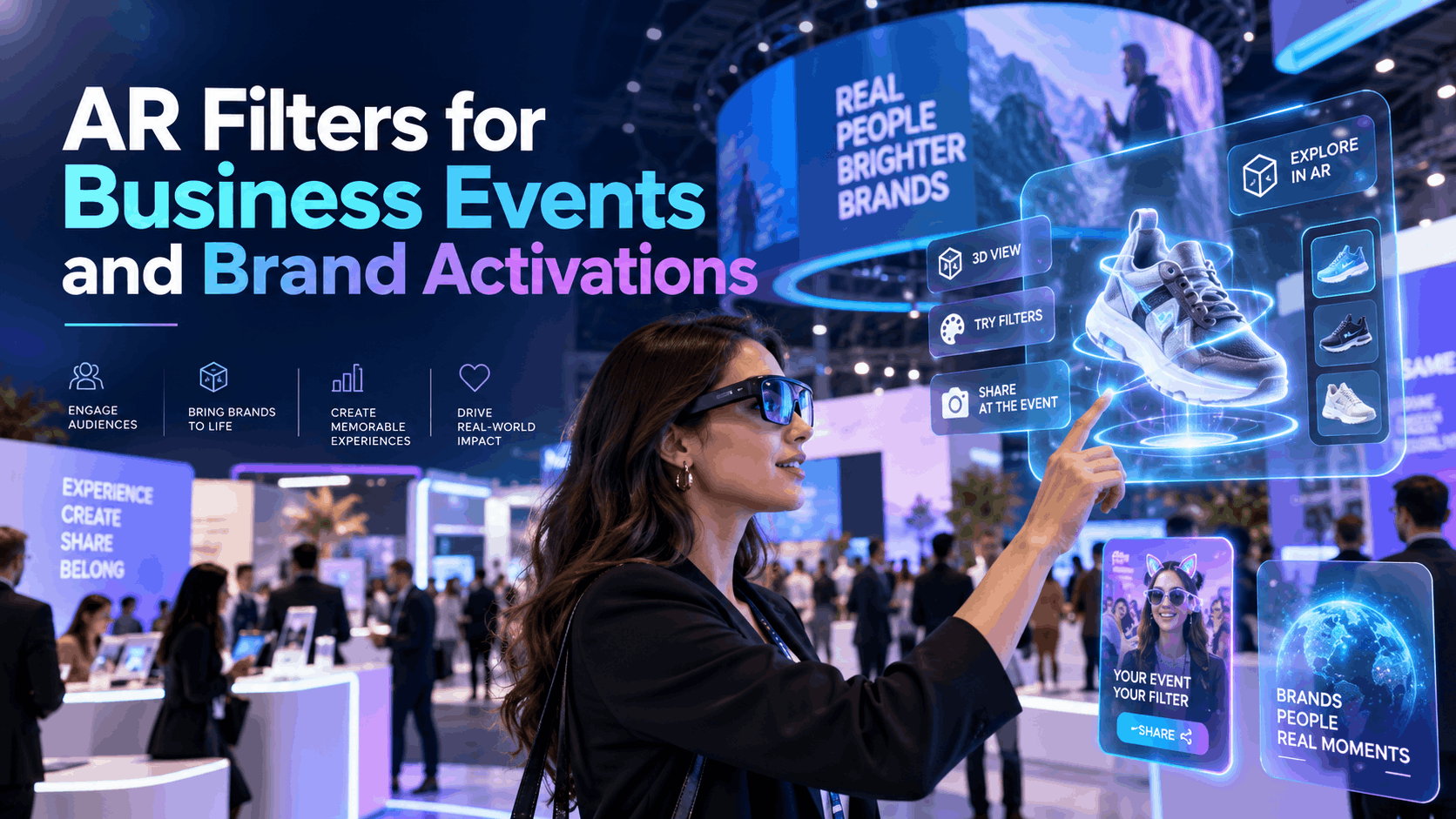
The term ‘AR filters’ means something very different depending on who’s using it. For a social media team, it’s a Snapchat lens or an Instagram effect designed to be shared by millions. [41] For an event marketer or brand activation lead, it’s something more specific: a real-time augmented reality overlay that is branded, interactive, and deployed on physical hardware at a live event or in a corporate environment.
This guide focuses entirely on the second definition. We’ll explore how curated, hardware-based AR experiences create measurable business value at trade shows, product launches, and corporate events—and provide a blueprint for deploying them successfully.
Consumer AR Filters vs. Enterprise AR Overlays
The AR filters that go viral on social media and the AR overlays used at business events are built on similar technology, but their purpose and deployment are fundamentally different.
- Consumer AR filters run on personal smartphones via social media apps like Instagram, TikTok, or Snapchat. [1] They are platform-dependent, often discovered through algorithms, and designed for individual entertainment and mass sharing. Their success is measured in impressions and user-generated content. [31]
- Enterprise AR overlays are curated experiences deployed on specific, managed hardware (like standalone headsets, AR glasses, or tablets) for a defined audience in a controlled environment.
- The business version is not about going viral—it is about creating a repeatable, branded, and measurable interaction at a specific touchpoint. The goal is to deepen engagement with a captive audience at a trade show booth, product launch station, or internal corporate event. [3, 9]
IGIVU operates in the enterprise AR space, providing curated, hardware-paired, and deployment-ready experiences rather than filters meant for the app store.
Why Marketers and Event Planners Are Searching for AR Filters
The search for ‘AR filters’ for events signals a need for more effective engagement tools that bridge the digital and physical worlds.
- Brand teams are looking for ways to make activations more interactive and memorable without the high cost and long timeline of building custom apps from scratch. [4]
- Event planners want technology that works reliably on-site, in real-time, without forcing attendees to download an app or use their own devices—a common point of friction. [5, 30]
- Product teams want AR overlays that let prospects visualize a product in context. This allows them to demonstrate size, scale, and configuration during a sales demo or at a trade show without shipping large, expensive physical units. [2, 8]
Ultimately, the search for ‘AR filters’ often signals an early-stage evaluation. The buyer understands the concept of augmented reality and is now looking for a practical deployment blueprint.
Business Use Cases Where AR Filters Deliver Real Value
When deployed correctly, AR filter experiences are not a novelty add-on. They create measurable engagement at specific moments in the buyer or employee journey. [9] Immersive AR overlays consistently outperform static displays, printed materials, and standard screen-based demos in the following use cases.
Brand Activations and Experiential Marketing
Experiential marketing is about creating memorable interactions. AR overlays allow brands to do this in a scalable and digitally integrated way.
- AR overlays let attendees interact with a brand’s visual identity—logos, product renders, campaign visuals—in three-dimensional space, without requiring them to download an app. [14]
- Photo and video capture moments with branded AR overlays drive organic social sharing, extending the activation’s reach far beyond the physical event. [5, 11]
- Activation teams can configure AR experiences to match campaign themes, product colors, or seasonal messaging without rebuilding physical installations.
- IGIVU’s rental packages for brand activations include preconfigured hardware and optional on-site support, reducing the setup burden on the marketing team.
Trade Shows and Product Launch Stations
At trade shows, the primary goals are to attract foot traffic, engage visitors, and capture qualified leads. AR experiences are proven to deliver on all three fronts.
- Booths using AR filter experiences report longer dwell times and higher lead capture rates than those relying on video loops or printed collateral. [6, 35]
- AR product overlays allow prospects to see a product at full scale or explore complex machinery in a virtual environment, eliminating the need to ship large or numerous physical units to the show floor. [8, 12]
- Multiple AR stations can run simultaneously from a single rental package, allowing for parallel engagement across a large booth footprint.
- Preloaded, self-guiding scenarios mean booth staff do not need technical expertise to manage the experience, freeing them to focus on conversations with prospects.
Sales Demos and Client Presentations
AR transforms abstract product specifications into tangible, interactive demonstrations that prospects can explore rather than just observe.
- AR overlays turn complex data or product features into spatial, interactive 3D models, making it easier for clients to understand value. [13]
- Sales teams can deploy AR demo hardware in a client’s own environment—be it an office, warehouse, or retail floor—making the experience contextually relevant and impactful.
- Rental hardware eliminates the need for sales teams to own, manage, and maintain expensive demo equipment, reducing both cost and logistical overhead.
- Consistent, preloaded content ensures every demo delivers the same high-quality experience, regardless of which sales representative is presenting.
Corporate Events and Team Experiences
For internal events like town halls, offsites, and team-building programs, AR offers a new way to create shared, interactive moments.
- AR filter experiences create a focal point for engagement that standard audiovisual setups cannot replicate, fostering a sense of shared discovery.
- Branded AR overlays can be configured to reflect internal campaign themes, celebrate company milestones, or announce new products in a dynamic, memorable way. [14]
- Modern standalone headsets are wireless, eliminating the cable management and space constraints that make traditional VR and AR setups impractical in hotel ballrooms or conference venues. [18]
- With event support from IGIVU, the internal events team doesn’t need to worry about managing hardware logistics, setup, or troubleshooting on the day of the event.
Hardware Options for Deploying AR Filter Experiences at Events
The hardware you choose determines the kind of AR filter experience you can offer and how your attendees will engage with it. There is no single “best” option; the right choice depends on your venue, audience, experience complexity, and available staff support.
Standalone Wireless VR and AR Headsets
Standalone headsets, which require no tethered PC or gaming console, are the most practical and immersive option for most event environments. [24]
- Because they are wireless, these headsets eliminate the trip hazards and cable management issues that are major liabilities at a busy event. [18]
- They support fully immersive AR overlays that can surround the user, making them ideal for high-impact product visualizations, spatial demos, and engaging brand moments. [21]
- Battery life and the number of available headsets are the two main planning constraints. IGIVU’s rental packages are designed to account for both, including multi-unit charging solutions and strategic headset rotation plans.
- Best for: Trade show booths, brand activation stations, product launch demos, and any controlled environment where you want to deliver a high-impact, focused experience. Popular models include the Meta Quest 3 and Pico 4 Enterprise. [21, 27]
AR Glasses for Hands-Free Overlay Experiences
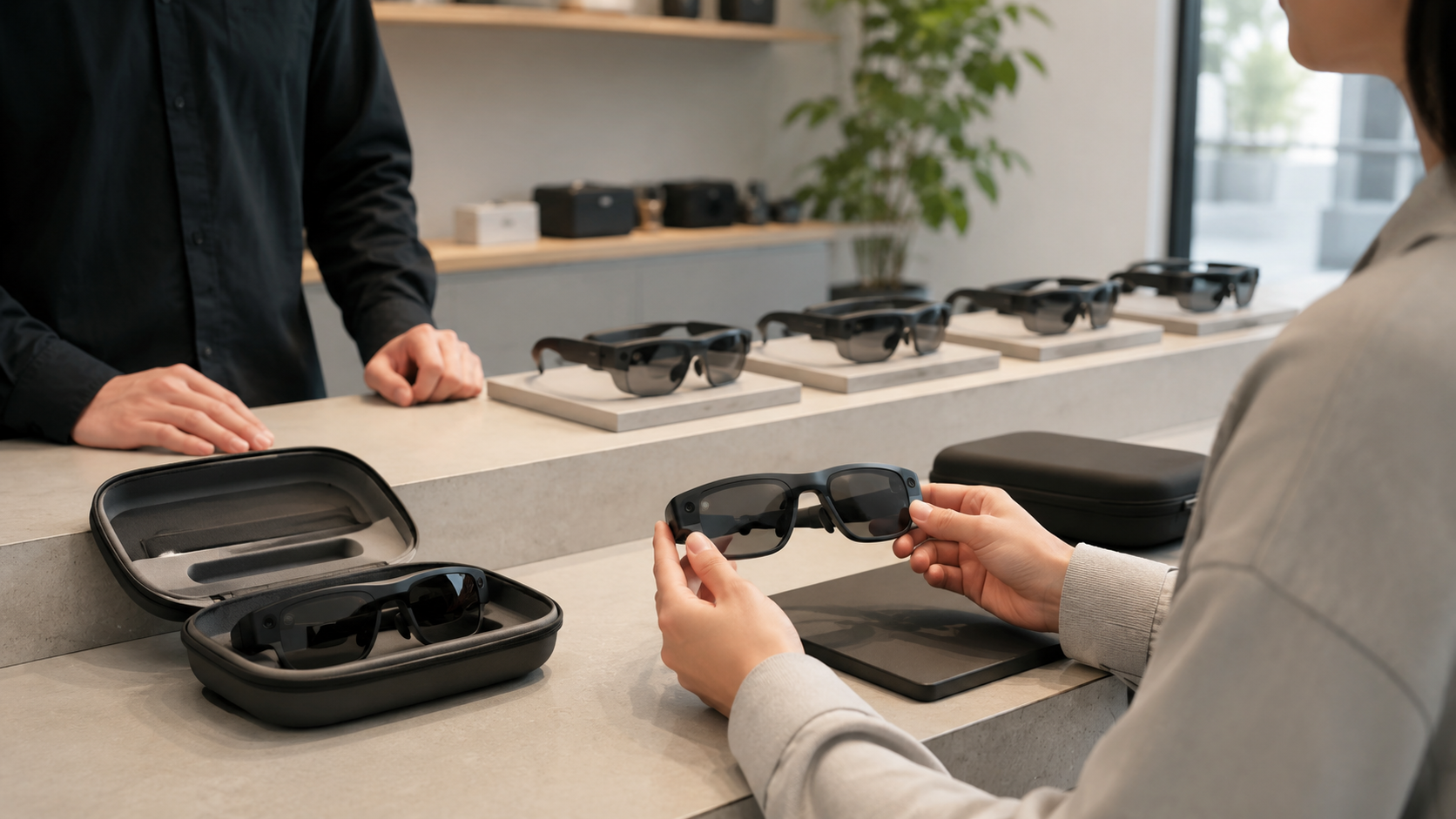
Unlike immersive headsets, AR glasses layer digital content over the user’s real-world view without completely blocking their vision.
- This makes them better suited for operational use cases like field service or training, where the user needs to see their surroundings.
- For events, AR glasses work well when the experience should feel ambient rather than all-encompassing—for example, displaying wayfinding information, product data overlays, or guided tours. [15]
- They are also a strong choice for sales demos where the prospect needs to see both the AR content and the physical environment or product simultaneously.
- IGIVU includes AR glasses like the Magic Leap 2 in its rental portfolio, with configurations optimized for both event and enterprise operational use cases. [28]
Managed Mobile Devices for Accessible AR Experiences
Using tablets or managed smartphones for AR lowers the barrier to entry for attendees who may be hesitant to wear a headset.
- Mobile AR is best for large-audience events where headset capacity is a concern, as mobile AR stations can serve more users concurrently.
- The trade-off is a less immersive experience compared to a headset. However, mobile AR is often more intuitive for a general audience and faster to deploy.
- Crucially, using managed devices with preloaded apps eliminates the engagement-killing friction that occurs when attendees are asked to use their own phones and download an application. [16, 30]
How to Plan an AR Filter Experience for a Live Event
Deploying AR at a corporate event is as much a logistics and content problem as it is a technology problem. The most successful AR activations are planned with the same rigor as AV, catering, or any other critical event component—with ample lead time, clear ownership, and built-in contingencies.
Define the Experience Objective Before Choosing Hardware
Before you look at a single headset model, define what a successful outcome looks like for your event. [9]
- Start with the objective: Are you trying to drive lead capture, increase booth dwell time, create a shareable social media moment, or explain a complex product? [3]
- The objective determines the type of experience (e.g., a passive overlay vs. an interactive demo vs. a gamified challenge) and, consequently, the hardware that can best support it.
- Avoid the common trap of choosing hardware first and then trying to fit an experience to it. This approach often leads to mismatched deployments that underperform.
- IGIVU’s implementation guides are structured around use-case objectives, not just hardware specs, to ensure the technology serves the business goal.
Estimate Headset Count and Station Layout
Your hardware needs should be based on anticipated peak traffic, not total event attendance.
- For most activations, plan for peak traffic windows, which are often only 15-30 minutes long during a trade show or event.
- Each AR station requires adequate physical space, a dedicated staff member or brand ambassador (for hygiene, user guidance, and resetting the experience), and a charging plan for multi-day events.
- As a rule of thumb, a standard 10×10 foot trade show booth can comfortably support 2-4 headset stations without feeling crowded. Larger footprints can scale this number proportionally.
- IGIVU’s rental packages include detailed guidance on station layout, power requirements, and attendant briefing as part of our standard deployment support.
Content Configuration and Preloading
On-site content loading and configuration introduce unnecessary risk. All content should be loaded, configured, and thoroughly tested on the exact hardware well before the event begins.
- IGIVU ships all rental headsets preloaded with the client-approved experience, reducing on-site setup time from hours to mere minutes.
- Content should be designed to be looped and self-resetting. This ensures that each new attendee starts the experience from the beginning without requiring manual intervention from booth staff.
- Ensure all brand assets (logos, color palettes, 3D product models) are submitted to the configuration team with adequate lead time—typically 2-3 weeks before the event date—to allow for proper integration and testing.
Logistics: Delivery, Setup, and Post-Event Return
Flawless logistics are the backbone of any successful event technology deployment.
- Delivery: Your rental hardware should arrive at the venue, hotel, or office with a confirmed delivery window at least one day before the event team needs it.
- Setup: IGIVU shipments include clear setup instructions. For larger or more complex deployments, optional on-site technical support is available to manage the entire process.
- Return: Post-event logistics should be simple. IGIVU provides pre-paid return shipping labels and instructions; the client simply packs the hardware in the original ruggedized shipping cases and schedules a pickup.
- Build delivery and return windows into your core event timeline. Shipping delays are a common and entirely avoidable cause of AR deployment failures.
Measuring the Impact of AR Filter Experiences at Events
One of the first questions executives ask about AR is: how do you know it worked? The answer lies in tying metrics back to the objectives you defined during the planning phase. [3] Here are the key metrics that event marketers and brand activation leads use to measure the ROI of AR experiences.
Engagement Metrics
These metrics help you understand how attendees interacted with the experience itself.
- Dwell Time: The average time an attendee spends at the AR station versus adjacent non-AR displays. This can be measured by staff observation or with sensor data. [3]
- Number of Sessions: The total number of experiences completed per headset, per hour. This serves as a proxy for throughput and efficiency. [33]
- Repeat Engagement: The rate at which attendees return to the AR station or bring colleagues with them, signaling high perceived value.
- Shareable Moments: If the experience includes a photo or video capture feature, track how many attendees create and share this content. [11]
Lead and Pipeline Metrics
These metrics connect the AR activation directly to business development goals.
- Lead Capture Rate: Compare the lead capture rate at AR-equipped stations to non-AR stations at the same event. This provides a direct comparison to justify the investment. [35]
- Lead Quality: AR experiences tend to attract higher-intent prospects, as they require active participation rather than passive observation. Note the titles and companies of leads from the AR station. [36]
- Post-Event Conversion: Track whether leads captured via the AR station convert to meetings or opportunities at a higher rate than the event average.
- Sales Cycle Impact: For product demo use cases, measure whether prospects who engaged with the AR demo move through the sales pipeline faster than those who did not.
Brand and Awareness Metrics
These metrics quantify the activation’s impact on brand perception and reach.
- Social Reach: If the experience generates shareable content, track the impressions, shares, and engagement on posts featuring your branded AR filter. [12]
- Brand Recall: Post-event surveys consistently show that attendees who interact with an AR experience report higher brand recall than those who do not. [3]
- Attendee Satisfaction: Use post-event surveys to gather Net Promoter Score (NPS) or satisfaction data specifically from attendees who engaged with the AR station.
- Media Coverage: Innovative AR activations at trade shows and product launches frequently generate press mentions and media coverage that standard booth setups fail to attract.
How to Evaluate an AR Filter Rental and Implementation Partner
Not all AR rental providers are created equal. The difference between a smooth deployment and a chaotic one often comes down to hardware configuration, use-case expertise, and logistical reliability. Here’s what to look for when evaluating a partner.
Preconfigured Hardware vs. DIY Setup
A professional AR rental partner delivers a solution, not just a box of equipment.
- Look for a partner that ships hardware fully preconfigured, tested, and loaded with your specific content. Avoid providers that send you factory-reset headsets with a setup guide.
- A DIY setup at a busy venue introduces significant risk, including technical failures, content errors, and valuable time lost that should be spent engaging attendees.
- Ask specifically: “Who loads our content? When is it tested on the hardware? And what is the replacement process if a headset fails during our event?”
- IGIVU’s process is built on pre-deployment configuration. We ship preloaded, tested hardware with clear instructions, and we offer optional on-site support for high-stakes events.
Use-Case Expertise vs. Generic Hardware Rental
An experienced partner understands that a trade show demo has different requirements than a brand activation.
- A hardware-only rental provider gives you headsets. A use-case-focused partner provides headsets configured for your specific event type, audience, and business objective.
- Seek out a provider with documented experience in your specific use case—brand activations, trade shows, product launches, or corporate training—not just a catalog of available devices.
- IGIVU structures its rental packages around proven business use cases, with preloaded scenarios and implementation guidance built in.
- Always ask for case studies or deployment examples that match your event type before committing to a provider.
Nationwide Delivery and Logistics Reliability
Logistics can make or break an event activation. Your partner must have a proven and reliable process.
- Confirm that the provider can deliver to your event location with a guaranteed delivery window, not just an estimated range.
- Ask about their standard operating procedures for handling shipping delays, hardware damaged in transit, and urgent replacement units.
- Post-event return logistics should be clearly defined and managed by the provider, including providing shipping cases and pre-paid labels, not left for your on-site team to figure out.
- IGIVU manages nationwide delivery with defined, reliable processes for both delivery and returns, significantly reducing the operational burden on your event team.
Frequently Asked Questions (FAQs)
What is the difference between AR filters and VR experiences for events?
Augmented Reality (AR) overlays digital content onto the real world, often viewed through a headset’s passthrough cameras or a mobile device. [20] Attendees remain aware of their physical surroundings. Virtual Reality (VR) completely replaces the user’s environment with a fully digital one, making it more immersive but also more isolating. For most event use cases like trade shows and brand activations, AR is preferred because it allows for more social interaction and awareness.
How many AR headsets do I need for a trade show booth?
This depends on your booth size and expected foot traffic. A standard 10×10 foot booth can typically accommodate 2-4 stations. For a larger footprint, plan for one station per dedicated staff member who will manage it. It’s better to have fewer, well-managed stations than too many, which can lead to crowding and a poor user experience.
Can AR filter experiences run without an internet connection at the event venue?
Yes. For maximum reliability, all content for a professional AR experience should be preloaded onto the headsets. This ensures the activation runs smoothly without depending on often-unreliable venue Wi-Fi. [32] An internet connection is only needed for features that require real-time data, such as social sharing or remote analytics tracking.
How far in advance do I need to book AR rental equipment for an event?
We recommend booking at least 4-6 weeks in advance. This provides sufficient time for consultation, content configuration, asset delivery (your logos and 3D models), hardware testing, and shipping. For large or highly custom deployments, 8-12 weeks is preferred.
What types of content can be preloaded onto AR headsets for a brand activation?
A wide range of content can be used, including interactive 3D models of your products, animated brand logos, gamified experiences, 360-degree videos, and virtual “portals” that users can step into. [10] The key is to ensure the content is optimized for the hardware and designed for a self-guided user experience.
Do attendees need to download an app to use AR filter experiences at events?
No. When using managed hardware (rental headsets or tablets), the experience is preloaded, so no app download is required for the attendee. [30] This removes a major point of friction and significantly increases participation rates compared to asking users to download something to their personal phones. [5]
What is the typical cost range for renting AR equipment for a corporate event?
Costs vary based on the number of headsets, rental duration, and level of support. A small, self-managed rental of 2-3 headsets for a single-day event might range from $800 to $2,500. A fully supported, multi-day deployment for a large trade show with 10+ headsets and on-site staff could range from $6,000 to $20,000+. [26, 38, 40] It’s best to get a custom quote based on your specific needs.
Can AR filter experiences be customized with our brand’s logo and visual identity?
Absolutely. Professional AR experiences for events are designed to be fully branded. [14] This includes integrating your company’s logos, color palette, specific fonts, and even 3D models of your products directly into the augmented reality overlay.
What happens if a headset fails during the event—is there a replacement process?
A reliable rental partner will have a clear contingency plan. This typically includes shipping one or more backup headsets with the main order. In the rare event of a failure, you can quickly swap in the backup unit. For larger events, on-site technical support from the rental partner ensures immediate troubleshooting and resolution.
Are AR glasses or AR headsets better for trade show product demos?
It depends on the product. For demonstrating a large-scale product that isn’t physically present (like a piece of industrial machinery or a vehicle), an immersive AR headset (like a Meta Quest 3) is better because it can create a full-scale visualization. [23] For demonstrating software on a screen or showing digital overlays on a physical product that is at the booth, hands-free AR glasses are often a better choice as they allow the user to see both the real product and the digital information simultaneously.
Conclusion: Your Blueprint for Success
Deploying augmented reality at your next event is more than a technological novelty; it’s a strategic decision that can drive measurable results in engagement, lead generation, and brand recall. As we’ve outlined, the key to success isn’t just in the hardware—it’s in the planning.
By defining your objectives first, choosing the right hardware for the use case, and partnering with an implementation expert who manages the complex logistics of content preloading and delivery, you can transform the concept of ‘AR filters’ from a social media trend into a powerful business tool.
Ready to move from evaluation to implementation? Contact the deployment experts at IGIVU for a consultation on your next event, trade show, or brand activation.