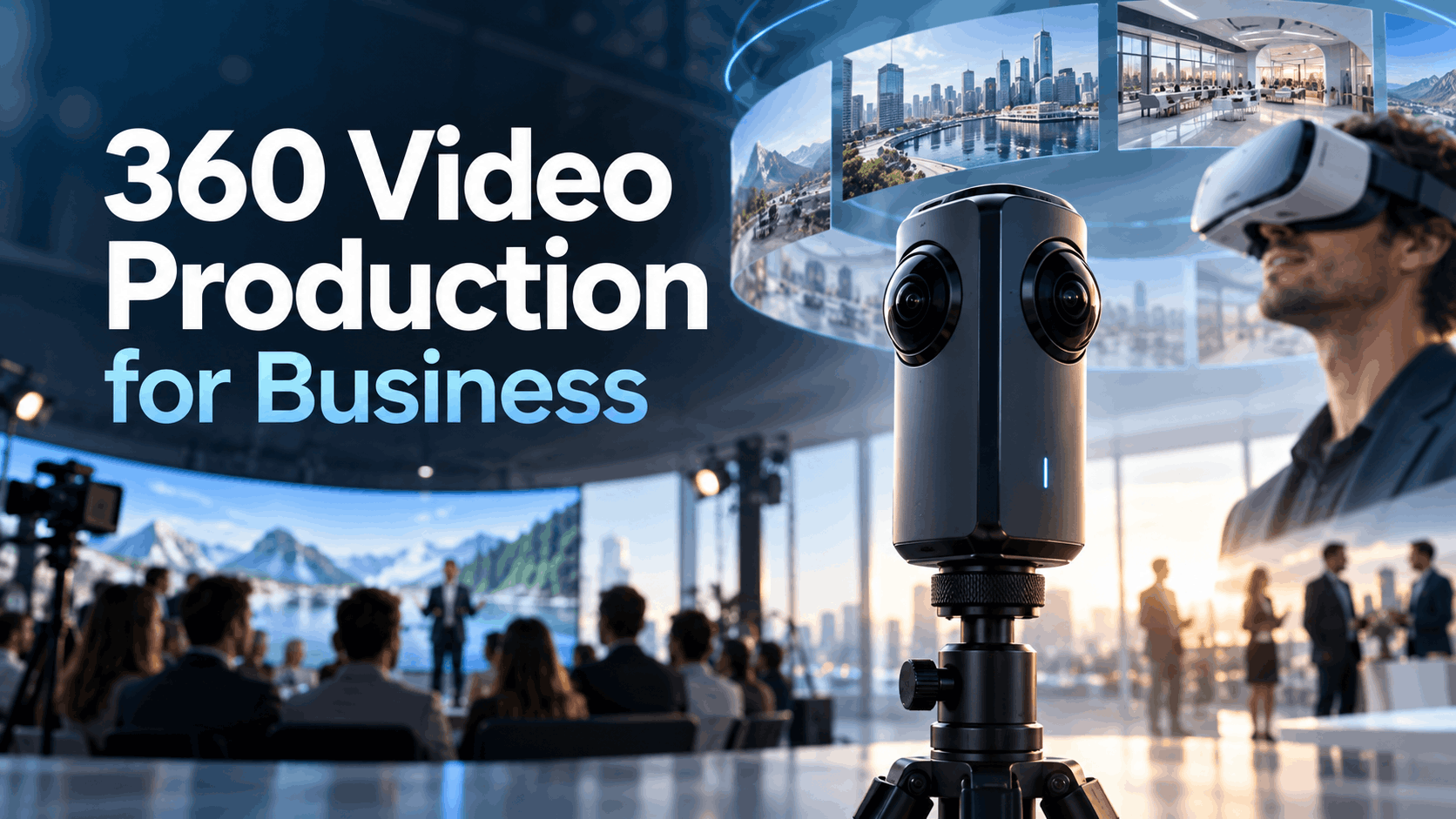
For a corporate team, 360 video production is not about filmmaking; it’s about engineering an experience. For business use cases events, training, product launches, and trade shows—the production decisions that matter most are the ones that affect how the video performs inside a VR headset in front of a real audience. The camera is just the starting point. The real challenge is deployment: getting a flawless, immersive video onto dozens or hundreds of headsets and ensuring it just works.
This guide is structured around a deployment-first approach. We’ll start with the end goal—flawless playback on VR hardware at scale—and work backward, showing how every decision in pre-production, shooting, and post-production impacts that final experience. This is not just about how 360 cameras work; it’s about how to make 360 video work for your business.
What 360 Video Production Actually Means for Business Teams
In a business context, 360 video production is a tool to solve a specific problem: creating an immersive sense of presence for an audience that can’t be physically in a location. It’s a practical medium that balances the “wow” factor of virtual reality with the speed and budget of traditional video production.
360 Video vs. Standard Video vs. Interactive VR: The Practical Difference
Understanding where 360 video fits is key to deciding if it’s right for your project.
- Standard Video: You control a fixed frame. The viewer sees only what you decide to show them. It’s a powerful storytelling tool but lacks the sense of agency and immersion that defines virtual experiences.
- 360 Video: This format captures a full spherical field of view using an omnidirectional camera. The viewer controls where they look within the scene, but not what happens in it. This creates a powerful sense of being physically present in the recorded environment. It is ideal for showcasing real-world locations, processes, or environments.
- Interactive VR: Built in game engines like Unity or Unreal, this is a fully computer-generated experience. Viewers can move freely, interact with objects, and influence events. This offers the deepest level of immersion but comes with significantly higher production costs and longer development timelines, often more akin to software development than video production.
For most corporate use cases—like safety training walkthroughs, product environment demos, or event activations—360 video delivers the necessary immersive effect without the development overhead of full, interactive VR.
Why 360 Video Is Gaining Ground in Corporate Settings
The rise of 360 video in business isn’t just about novelty; it’s driven by practical, operational advantages.
- Standalone Wireless Headsets: Modern VR headsets like the Meta Quest 3 are self-contained and don’t require a PC or external sensors. This makes deploying VR experiences at events, trade shows, and training sessions operationally feasible.
- Rapid Production Cycles: A typical 360 video project can be completed in days or weeks, not months. This timeline aligns with standard corporate campaign and event planning cycles, making it a practical choice for time-sensitive projects.
- Scalable Deployment: Content can be preloaded onto rental headsets and replicated across dozens of devices, making it scalable for large audiences. Rental partners can handle the logistics of preloading content, ensuring every headset is ready for the event.
- Effective for Learning & Development: L&D teams use 360 video for scenario-based training because it creates situational context that flat video cannot. For example, OSHA-aligned safety scenarios are more impactful when a trainee can look around a virtual worksite to identify potential hazards.
How Production Decisions Affect Deployment on VR Rental Hardware
Most 360 video guides focus on cameras and stitching. For business teams, the most critical decisions happen before the camera even starts rolling. These choices directly determine whether your video will play smoothly on rented VR headsets at your event or training. Get them wrong, and you’re left with stuttering video, failed playback, and on-site technical emergencies.
Resolution and Bitrate: What Actually Plays on Standalone Headsets
Standalone headsets like the Meta Quest 3 have powerful processors, but they still have limits. Pushing resolution and bitrate too high can cause playback to fail.
- Practical Resolution Ceilings: While cameras can shoot at 8K and beyond, the decoding capabilities of current standalone headsets are the real benchmark. For smooth 60fps playback, 5.7K (5760×2880) is a reliable target. Pushing to 8K (e.g., 8192×4096) is possible, but often requires dropping to 30fps and careful encoding to avoid stuttering. John Carmack, former CTO of Oculus, has recommended 5120×2560 (5K) as a strong target for quality and performance on Quest headsets.
- Bitrate for Local Playback: Content preloaded onto a headset (sideloaded) is not streaming, so you can use a higher bitrate for better quality. While streaming bitrates for 4K are often in the 25-60 Mbps range, you can push to 80-120 Mbps for 5.7K local playback and even higher for 8K, provided the headset’s decoder can keep up.
- Encoding Codecs (H.264 vs. H.265/HEVC): H.265 (also known as HEVC) is the modern standard, offering better compression and higher quality at a lower bitrate than the older H.264. Most modern headsets, including the Quest series, have hardware decoding support for H.265, making it the preferred choice. The newest Meta Quest 3 also supports the AV1 codec, which is even more efficient than HEVC.
File Format and Sideloading: Getting Content Onto Rental Headsets
“Sideloading” is the process of manually transferring your video file onto the headset’s internal storage. This is how rental providers preload content for events.
- Standard Container: The universal format is an MP4 file container. This file must contain the video stream, the audio stream, and crucial metadata that tells the player it’s a 360-degree video.
- Equirectangular Projection: This is the standard mapping format for 360 video, where the spherical image is unwrapped into a flat, rectangular frame. Your final video must have this projection metadata injected for a VR headset to display it correctly.
- Spatial Audio: To create a truly immersive experience, you can use spatial audio (ambisonics), which makes the sound appear to come from specific directions. However, this requires specialized microphones during production and specific encoding in post-production. Always confirm the headset’s native player supports your chosen audio format.
- Coordination with Rental Providers: Preloading 50 or 100 headsets with a large video file takes time. You must deliver the final, tested video file to your rental partner well in advance of your event. A five-business-day lead time is a safe minimum.
Monoscopic vs. Stereoscopic 360 Video: Which to Choose for Business Use
This is one of the most important pre-production decisions, as it impacts the entire workflow and budget.
- Monoscopic 360 Video: This format presents a single, flat spherical image to both eyes. It’s simpler and cheaper to produce, results in smaller file sizes, and is less prone to stitching errors. The immersive feeling comes from the 360-degree field of view, which is more than enough for many business applications like virtual tours or brand stories.
- Stereoscopic (3D) 360 Video: This format captures a separate video for each eye, creating true depth perception (stereopsis). This makes the experience more immersive, especially for product demos where scale and spatial presence are important. However, it doubles the amount of data, significantly increases file size, and makes post-production (especially stitching) far more complex.
For most corporate event activations and training scenarios, monoscopic is the right default choice. The added complexity and cost of stereoscopic are often not justified unless the core purpose of the video is to showcase the spatial dimensions of a product or environment, such as in an architectural walkthrough or a large-scale industrial equipment demo.
360 Video Production Planning for Corporate Use Cases
Shooting 360 video in a corporate environment presents unique challenges. You’re not on a closed film set; you’re in active offices, factories, or retail spaces. Planning must account for business constraints, not just creative ones.
Location Scouting for 360 Shoots: What to Look For
The golden rule of 360 video is: the camera sees everything. There is no “off-camera” space to hide crew or equipment.
- Lighting is Everything: The camera captures a full sphere, so lighting must be ambient or part of the natural environment. Hard, directional lights will create visible hotspots and shadows that are difficult to remove. Using practical lights (lamps and fixtures that are part of the scene) is a common professional technique. In industrial settings with mixed lighting, you must set a consistent white balance in-camera, as fixing it in post-production is challenging.
- Hiding the Crew: The crew and all equipment must be hidden from the camera’s view. This often means placing the camera and leaving the room during the take, monitoring the shot remotely.
- Access and Compliance: When shooting in manufacturing, healthcare, or secure facilities, you must get clearance for camera placement and ensure no proprietary or sensitive information is captured. This needs to be planned and approved long before the shoot day.
Camera Selection for Business 360 Video Production
The right camera depends on your deployment needs, timeline, and budget.
- Consumer 360 Cameras (e.g., Insta360 X-series, Ricoh Theta): These single-body cameras are perfect for internal training, rapid prototyping, and many event activations. They perform in-camera stitching, which creates a ready-to-edit file and dramatically speeds up the post-production workflow. The quality is more than sufficient for most business use cases where speed and cost are priorities.
- Professional 360 Rigs (e.g., Insta360 Pro 2, Kandao Obsidian): These multi-lens cameras deliver higher resolution, better low-light performance, and the option for stereoscopic 3D. They are justified for high-stakes brand activations and product launches where premium visual quality is a key objective. However, they require a more complex post-production process using dedicated stitching software.
Talent, Scripting, and Direction in a 360 Environment
Directing talent in a 360-degree space requires a different approach.
- Blocking and Gaze Direction: There is no single “camera” to face. Talent must be directed to move and act naturally within the environment. Blocking should be planned to guide the viewer’s attention to key moments or information. Audio cues and on-screen graphics can also help direct the viewer’s gaze.
- Scripting for Immersion: For training content, a clear narrative voice-over works well to guide the learner through a scenario. For brand activations, it’s often more powerful to let the environment tell the story, with minimal or no dialogue, allowing the viewer to discover things on their own.
- Talent Releases: Standard video release forms may not be sufficient. Ensure your talent releases specifically cover distribution in immersive and virtual reality formats for commercial use.
Matching 360 Video Format to Your Business Use Case
The right 360 video format for standalone VR headsets depends entirely on the goal of the experience. A trade show activation has different needs than a detailed safety training module.
Trade Shows and Brand Activations
The goal here is to attract attention, create a memorable brand moment, and maximize throughput.
- Keep it Short: Experiences should be 90 seconds to 3 minutes long. Attention spans are short, and you want to get as many attendees through the experience as possible.
- Prioritize Visual Impact: The experience should be cinematic and create a “wow” moment. High-quality visuals and a simple, powerful concept are more important than complex information.
- Technical Setup: Use monoscopic 360 video at 5.7K resolution, encoded for fast loading on standalone headsets. Preload the content on rental headsets with a simple, one-button launch interface (kiosk mode) so booth staff don’t have to navigate menus. Consider a looping format for hands-free operation.
Safety Training and L&D Programs
Here, the objective is knowledge retention and situational awareness.
- Longer Durations are Fine: Learners are in a captive, structured environment, so experiences can last from 5 to 15 minutes.
- Scenario-Based Learning: The most effective training places the viewer in a realistic work environment and asks them to observe and identify issues. For example, a 360 video can simulate a hazardous worksite, allowing trainees to practice spotting OSHA violations from a safe perspective.
- Facilitated Debrief: The 360 video is the catalyst, not the entire lesson. Use the immersive experience to create a shared context, then have a facilitator lead a discussion to reinforce the learning objectives.
Product Launches and Sales Demos
360 video is exceptionally powerful for products that are large, complex, or best understood by being inside them.
- Showcase the Environment: Use 360 video to place a potential customer inside a vehicle, on the factory floor where a machine operates, or within a new retail store design. This provides a sense of scale and context that standard video can’t match.
- Reliability is Key: For a high-stakes sales demo, playback must be flawless. Test your content on the exact model of headset you’ll be using for the demo.
- Coordinate with Rental Providers: If you’re using preloaded rental headsets for a launch event, deliver your final content files to the provider with ample time for loading and quality assurance.
Internal Events and Team Experiences
For distributed companies, 360 video can be a powerful tool for building culture and connection.
- Create Shared Experiences: Give remote employees a virtual tour of a new office or manufacturing facility. Capture milestone events or leadership messages in 360 to make distributed team members feel like they were in the room.
- Lower Production Value is Acceptable: The goal is authenticity and connection, not cinematic perfection. A well-shot tour from a consumer 360 camera can be highly effective for internal use.
Post-Production and Content Delivery for Business Deployments
The post-production process for corporate 360 video is where you bridge the gap between the raw footage and a deployment-ready file. This is more than just editing; it’s a technical workflow focused on compatibility and performance.
Stitching and Color Correction Workflow
- Stitching: This is the process of combining the footage from multiple lenses into a single, seamless spherical video. For consumer cameras, this is often done automatically in-camera or with simple desktop software. For professional rigs, it requires dedicated software like Mistika VR or Autopano Video, which offer precise control over seams and parallax.
- Color Correction: Grading 360 video requires a specialized approach. Adjustments must be consistent across the entire sphere to avoid visible seams or color shifts as the viewer looks around.
- Metadata Injection: The final exported video must be “injected” with metadata that identifies it as a 360-degree equirectangular video. Tools like Google’s Spatial Media Metadata Injector can do this, though most modern editing software includes this option on export.
Encoding for Standalone Headset Playback
This is the final, crucial step before delivery.
- Export Settings: Export your video as an MP4 file using the H.265 (HEVC) codec for the best balance of quality and file size.
- Target Bitrate: For preloaded content on a rental headset, aim for a bitrate of 80-120 Mbps for 5.7K/60fps video. This is significantly higher than streaming targets and will yield better visual quality.
- Test on Target Hardware: Do not skip this step. You must test your final encoded file on the actual headset model you will be using at your event (e.g., a Meta Quest 3). Playback performance can vary between headset generations and even firmware versions.
- Delivery to Rental Partner: Deliver the final, tested MP4 file to your rental provider at least 5 business days before the event. This gives them the necessary time to load the content onto all headsets, perform their own QA checks, and ship the hardware to your venue.
Working With a VR Rental Partner on 360 Video Deployments
Unless you have an in-house team dedicated to immersive technology, partnering with a VR rental specialist is the surest path to a successful deployment. They provide more than just hardware; they provide operational peace of mind.
What a VR Rental Partner Should Handle Beyond Hardware
A good rental partner acts as your deployment team.
- Content Preloading and QA: They should load your video onto every single headset and test it to ensure it launches and plays correctly.
- Format and Encoding Guidance: They can provide you with the exact resolution, bitrate, and codec specifications that work best for their specific fleet of headsets.
- Simplified User Interface: Many providers can configure the headsets to launch directly into your video (kiosk mode), so event staff or attendees don’t need to navigate complex menus.
- On-Site Support: For large or critical events, having a trained technician on-site to manage battery swaps, sanitation, and troubleshooting is invaluable.
Content Delivery Timeline and Coordination
Clear communication with your rental partner is essential.
- Set a Content Deadline Early: Establish the final content delivery date when you book your rental, not as an afterthought.
- Plan for a Test Round: Send a short, watermarked version of your video to the rental partner for a hardware test early in the post-production process. This allows you to catch any encoding or format issues before you render the final, full-length file.
- Contingency Planning: Discuss options for last-minute content updates. While not ideal, some partners may be able to support remote content pushes or have staff on-site who can re-load headsets if necessary.
Decision Framework & FAQs
What resolution should I produce 360 video at for standalone VR headsets?
For a balance of quality and smooth playback on current headsets like the Meta Quest 3, target 5.7K (5760×2880) at 60fps. While 8K is possible, it often requires dropping to 30fps and very careful encoding.
Can I use 360 video on rented VR headsets without an internet connection at the event?
Yes. This is the standard and recommended method. The video files are preloaded (sideloaded) directly onto the headsets’ internal storage, so no internet connection is required for playback at the venue.
How long does it take to produce a 360 video for a corporate event or training program?
Timelines vary, but a typical corporate 360 video project can range from two to six weeks, from initial concept to final delivery. This is significantly faster than fully interactive VR development.
What is the difference between 360 video and interactive VR, and which is right for my use case?
360 video is a live-action recording of a real environment where the viewer can look around. Interactive VR is a computer-generated environment where the viewer can move and interact with objects. For showcasing real places, processes, or telling linear stories, 360 video is faster and more cost-effective. For complex simulations requiring user action and branching narratives, interactive VR is necessary.
How do I get my 360 video content preloaded onto rental headsets before my event?
You will need to provide the final, tested MP4 video file to your VR rental partner. They will then handle the process of sideloading the content onto each headset, testing it, and ensuring all devices are ready for your event upon arrival.
Do I need a professional production crew to create 360 video for internal training?
Not necessarily. For many internal use cases, like facility tours or simple scenario demonstrations, modern consumer 360 cameras like the Insta360 X-series are easy to use and produce sufficient quality. The priority is clear communication, not cinematic production value.
Can the same 360 video content be used across multiple events and headset deployments?
Absolutely. Once you have the final MP4 file, it can be loaded onto any compatible standalone VR headset. This makes it a reusable asset for future trade shows, training sessions, or sales demonstrations.
Conclusion: From Production to Deployment
Successful 360 video production for business hinges on a deployment-first mindset. By planning your project around the technical constraints and logistical realities of the final viewing environment—a fleet of standalone VR headsets—you mitigate risk and ensure a seamless experience for your audience. The magic of 360 video isn’t just in the immersive capture; it’s in the flawless execution that allows your audience to forget the technology and simply be present in the world you’ve created.
Ready to plan your 360 video deployment? Our specialists can help you match the right hardware, content strategy, and logistical support to make your next event or training program an unforgettable immersive experience.