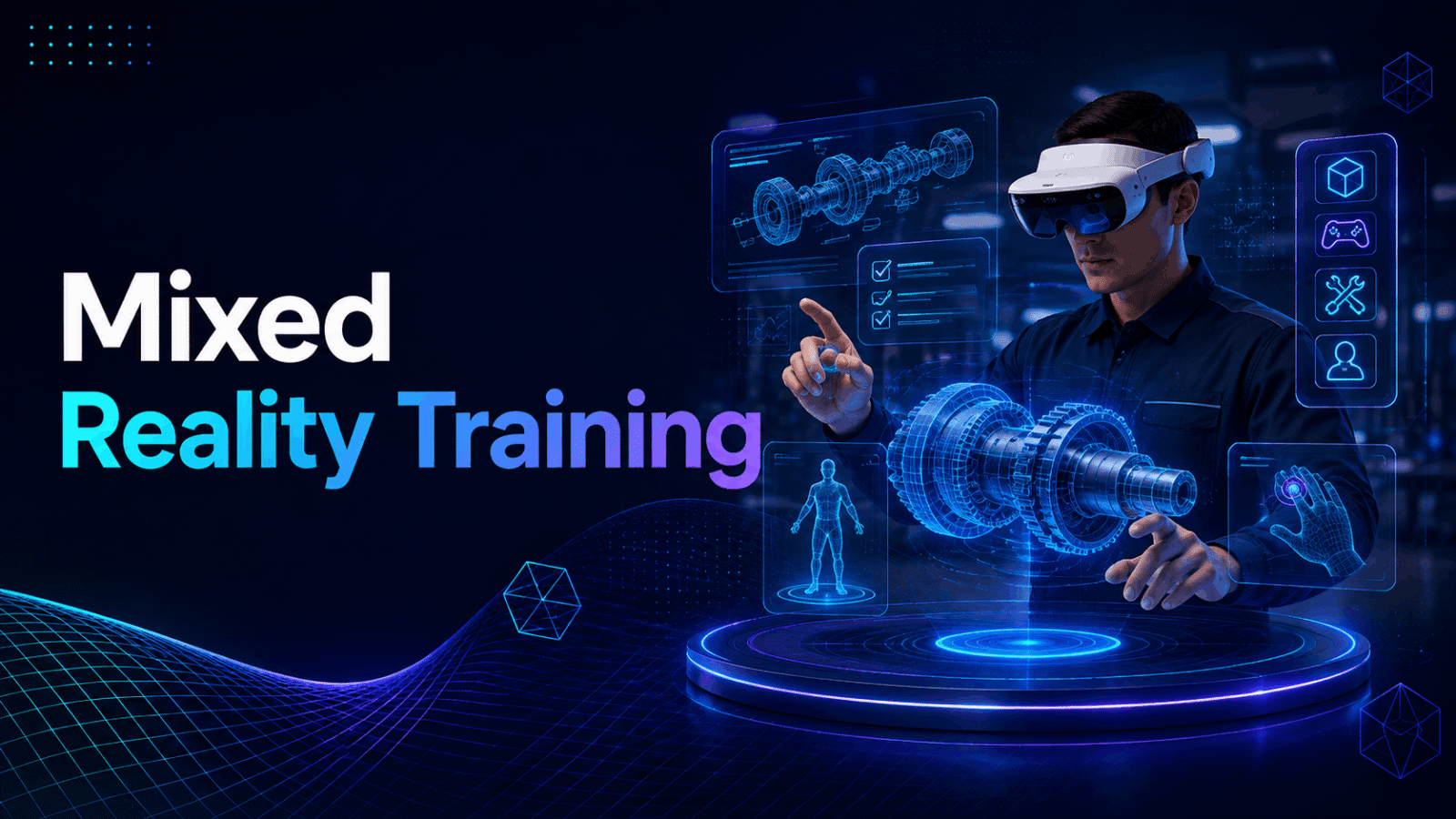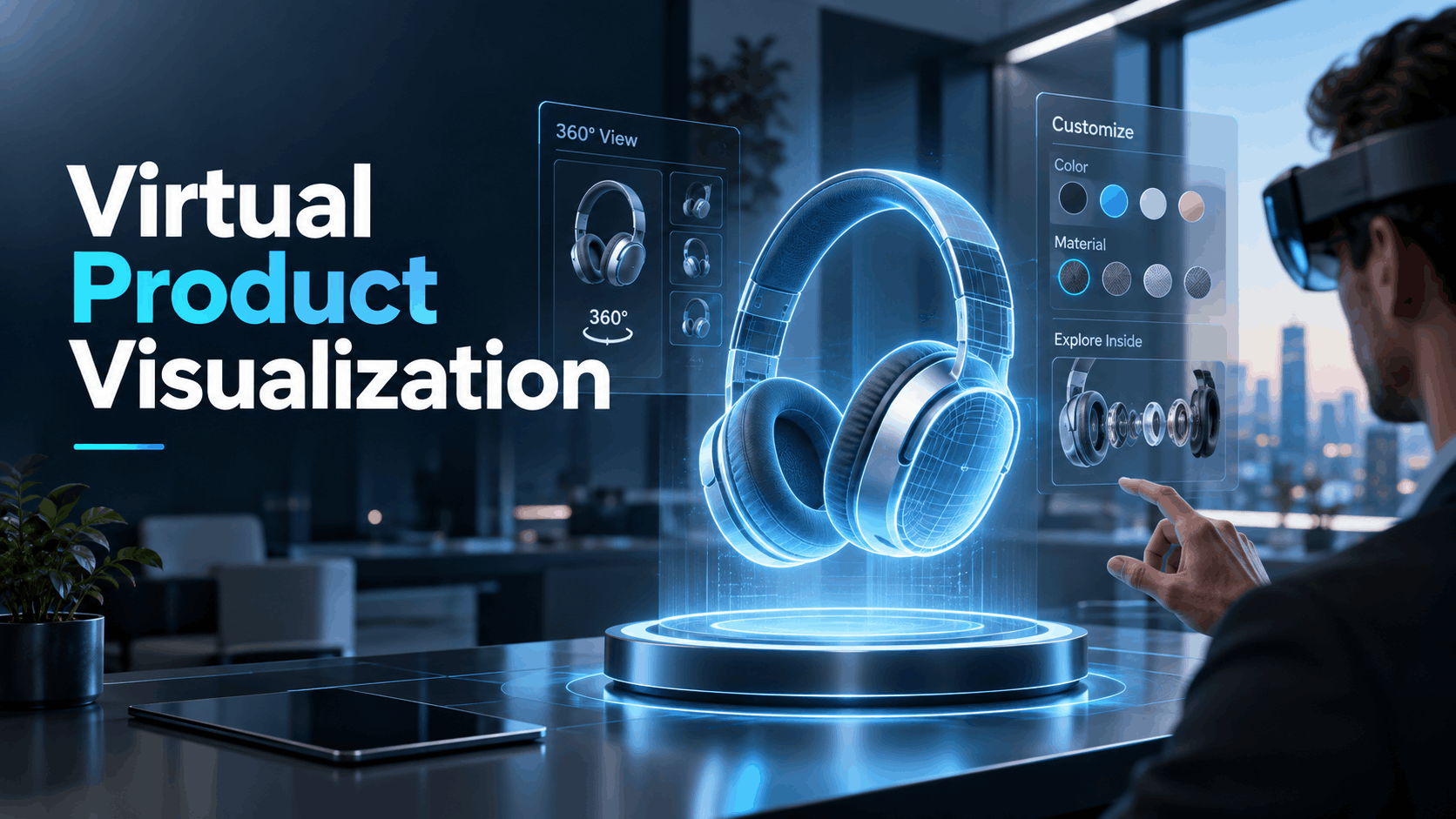
Virtual product visualization is not a single technology it is a category of tools that let buyers, prospects, or attendees interact with a product before it physically exists or before it can be practically transported to a venue.
For business teams, the relevant question is not which rendering engine produces the best CGI, but which format delivers the right experience for the specific moment: a trade show booth, a sales meeting, a product launch event, or a field demo.
This guide defines the category in deployment terms, not software terms, to help you make the right investment for your next in-person event.
What Virtual Product Visualization Actually Means for Business Teams
For marketing and sales leaders, virtual product visualization is a tool to solve physical-world problems.
It’s a way to put a full-scale, interactive version of your product — be it a new vehicle, a piece of heavy machinery, or a complex medical device — in front of a customer, without the cost and logistical headache of shipping the real thing.
It allows potential buyers to explore, customize, and understand a product in a way that static images or videos cannot replicate.
The Three Formats That Matter for Corporate Deployment
Choosing the right visualization format depends entirely on your deployment context. The best choice for a high-traffic trade show is different from what’s needed for a high-stakes sales meeting.
Web-Based 3D Configurators
These are browser-accessible 3D models of a product that users can rotate, zoom, and customize on a screen.
They require no special hardware and are excellent for e-commerce or asynchronous buyer journeys where a customer is exploring on their own time.
However, the experience is screen-bound and less immersive, making it more passive than other formats.
Augmented Reality (AR) Overlays
Using a smartphone, tablet, or AR glasses, this format places a virtual product into a real physical space.
This is highly effective for visualizing how a product like furniture or large equipment will fit and look in the customer’s own environment.
It’s a powerful tool for showrooms and field sales but can be less effective in crowded or uncontrolled settings like a busy trade show floor.
VR Headset Experiences
Fully immersive and distraction-free, standalone wireless headsets place the user inside a completely virtual environment with the product.
This format offers the highest level of engagement and emotional impact, making it ideal for creating memorable moments at live events and in critical sales demos.
An experience that might take 3–8 minutes can create a lasting impression that drives significant brand recall.
The right format hinges on the business moment.
For a 90-second interaction at a bustling trade show, a high-impact VR experience is often superior.
For a 30-minute consultative sales meeting, a combination of AR on a tablet and a VR headset could be used to cover different aspects of the product.
Why “Virtual” Does Not Mean “Remote” in This Context
A common misconception is that “virtual” implies a remote-only experience.
In the context of product visualization for events and sales, the opposite is often true. The technology is frequently deployed in live, in-person settings to enhance a physical interaction, not replace it.
A VR headset at a trade show booth is a prime example: a virtual product experience delivered in a physical space to a physically present buyer.
This distinction is critical for planning.
The technology must be portable, battery-powered, and pre-configured to be operated by non-technical event staff.
Modern standalone wireless headsets, such as the Meta Quest series, are the practical solution for these contexts, as they require no tethered PC, complex IT setup, or reliance on venue Wi-Fi for the core experience to function.
Matching Virtual Product Visualization Format to Your Business Use Case
The decision on which format to use should always follow the use case.
Every business scenario has unique constraints regarding time per user, staffing, content complexity, and audience goals.
Trade Shows and Exhibitions
The Challenge
High foot traffic, intense competition for attention, and short interaction times, often just 60–180 seconds.
The goal is to make a memorable impact quickly and capture qualified leads.
The Solution
VR headsets are most effective here when the product is large, complex, or impossible to transport, such as heavy machinery, architectural products, or vehicles.
The immersive nature of VR cuts through the noise of the show floor, creating a focused, memorable product interaction.
Deployment Keys
Success hinges on logistics.
Plan for efficient headset sanitization between users, have dedicated staff to help attendees put on and take off the headsets, and ensure the content delivers its core message in under three minutes.
AR on tablets can be a lower-friction alternative if the main goal is visualizing scale and placement.
The Rental Advantage
Renting a set of 4–8 pre-configured headsets for a trade show eliminates the need for on-site IT setup and ensures you have reliable, event-ready hardware delivered directly to the venue.
Product Launch Events and Media Experiences
The Challenge
A more controlled environment with an influential audience of press, partners, or key customers.
Dwell times are longer, and the goal is to create a narrative and generate buzz.
The Solution
VR experiences can be longer, around 3–8 minutes, and more story-driven.
You can offer:
- A guided tour of a product’s key features
- A virtual factory tour showing the manufacturing process
- A simulation of the product in its intended environment
Deployment Keys
For multi-location launches, the same VR content can be deployed on rented headsets across different cities simultaneously.
This ensures a consistent and high-impact brand message without the expense of shipping the physical product everywhere.
All content should be preloaded and rigorously tested before the event.
Internal Link Opportunity
For more detailed planning, see our complete guide to VR product launch events.
Sales Demos and Executive Briefings
The Challenge
A small, high-stakes audience where the goal is to deepen understanding and move a commercial deal forward.
The Solution
In a sales context, virtual product visualization replaces or enhances traditional slide decks and printed spec sheets.
It is exceptionally powerful for products that are:
- Too large to transport
- Fragile
- Expensive to ship
- Not yet manufactured
A sales representative can bring one or two preloaded headsets to a client’s office, providing a “wow” factor that differentiates them from competitors.
Deployment Keys
The headset becomes a portable, powerful sales tool.
The experience should allow for both:
- A guided walkthrough led by the sales representative
- Self-exploration by the prospect
The Rental Advantage
For sales teams that demo infrequently or across wide geographic territories, renting headsets per engagement is far more cost-effective than owning, managing, and maintaining the hardware internally.
Brand Activations and Experiential Marketing
The Challenge
The primary goal is emotional engagement, brand recall, and creating shareable social media moments rather than deep product education.
The Solution
Here, the product is the experience.
VR is used to place the user inside a compelling branded world that features the product.
Examples include:
- A virtual test drive of a new car model
- A narrative experience that tells the product’s origin story
Travel company Thomas Cook saw a 190% increase in revenue for New York excursions after letting customers experience a VR “taster” of the destination in-store.
Deployment Keys
The metrics for success shift from lead generation to:
- Brand sentiment
- Social media amplification
- Post-activation survey scores
- Brand recall
The experience must be visually stunning and emotionally resonant to achieve these goals.
Internal Link Opportunity
For more on this topic, explore our guide to VR experiential marketing.
VR vs. AR vs. Web 3D: A Deployment-First Comparison
For business teams, the most important technology comparison isn’t about rendering pipelines or polygon counts.
It’s about:
- What each format demands for successful deployment
- How it performs under real-world event conditions
- The associated costs
What Each Format Requires to Deploy at an Event
Web 3D Configurator
Requires only a reliable internet connection and a screen, such as a tablet or large monitor.
There are zero hardware logistics, but the experience is the least immersive. The user clicks and watches rather than participating.
AR — Smartphone or Glasses
Requires charged devices and staff to guide users.
Some AR experiences may need a printed marker or a clear, flat surface to function correctly.
This format works well in controlled environments like showrooms but can be less reliable in brightly lit outdoor spaces or on crowded event floors.
VR Headsets — Standalone Wireless
Requires charged headsets with content preloaded before the event.
This format demands the most operational planning, including a dedicated staff member to guide users and manage hygiene.
However, it offers the highest degree of immersion and engagement.
Crucially, the core experience does not depend on venue Wi-Fi.
For any event expecting more than 100 interactions per day, the logistics of managing VR headsets — charging, sanitizing, and rotating them — must be a core part of the operational plan.
This is where rental packages that include pre-configured hardware can dramatically reduce the on-site burden.
Content Complexity and Lead Time
The investment in content creation varies significantly across formats and should align with your intended use.
Web 3D Configurators
Often the fastest and most affordable to produce, sometimes in just a few weeks, especially if existing CAD files are available.
AR Experiences
These have moderate complexity, as they may require marker design or spatial mapping to ensure the virtual object interacts correctly with the real world.
VR Experiences
This format requires the most significant production investment.
Creating a complete 3D environment, designing user interactions, and incorporating spatial audio can take 6–12 weeks or more for a custom build.
The cost for simple VR apps can start around $20,000–$50,000 and go up significantly for more complex, interactive simulations.
For companies needing a VR solution on a tighter timeline, rental partners with libraries of pre-existing, industry-specific content can provide a faster path to deployment.
The decision to invest heavily in custom content should be based on whether the experience is for a one-time event or a recurring sales or marketing activity.
How to Deploy Virtual Product Visualization Without Buying Hardware
For most companies, owning a fleet of VR or AR headsets is not a practical or financially sound decision.
The hardware depreciates quickly, requires ongoing maintenance and software updates, and often sits unused between events.
The rental model — where pre-configured headsets are shipped to your venue and returned after the event — is the operationally and financially superior choice for most corporate use cases.
What a Rental Package for Virtual Product Visualization Includes
A comprehensive rental package is a turnkey solution designed for event deployment.
Hardware
Standalone wireless VR headsets, typically Meta Quest 3 or equivalent, delivered in protective carrying cases with all necessary charging cables.
Pre-Configuration
The client’s custom VR application or a selected pre-built experience is loaded and tested on every headset before shipment.
They arrive ready to use out of the box.
Logistics
Nationwide delivery directly to the event venue, hotel, or office, with prepaid return shipping labels included.
Supplies
Sanitization supplies suitable for multi-user public events are included.
Support
Optional on-site technical staff or brand ambassadors can be provided to manage the VR station, assist users, and handle any troubleshooting.
Planning Timeline for a Virtual Product Visualization Deployment
A smooth deployment follows a clear timeline.
8–12 Weeks Before the Event
- Finalize the VR content strategy
- Decide between custom-built and pre-existing content
- Confirm the number of headsets needed based on expected attendance
4–6 Weeks Before the Event
- Confirm delivery addresses
- Confirm the venue point of contact
- Finalize the on-site staffing plan
- Designate a space with power access for a charging station
2 Weeks Before the Event
- Load content onto the rental headsets
- Conduct final testing
- Confirm shipping
Event Day
- Headsets arrive fully charged and ready for use
- Staff are briefed on assisting users
- Sanitization procedures are implemented
Post-Event
- Pack the headsets into their cases
- Attach the prepaid return labels
- Ship the equipment back
How Many Headsets Do You Need?
To determine the right number of headsets, use this formula:
Minimum Headsets = Total Target Interactions ÷ [Event Hours × (60 ÷ Session Minutes)]
Always add a 20–30% buffer for:
- Charging rotations
- Sanitization time
- Unforeseen issues
Example
You want to provide 200 demos during an 8-hour trade show day, with each experience lasting 3 minutes.
200 interactions ÷ [8 hours × (60 ÷ 3)]
= 200 ÷ (8 × 20)
= 200 ÷ 160
= 1.25
This means you need at least 2 headsets running continuously.
To manage the experience safely and efficiently, a rental of 4–6 headsets would be appropriate.
For high-traffic booths, 6–10 headsets is a common starting point.
For smaller sales briefings, 2–4 units are typically sufficient.
Measuring the Business Impact of Virtual Product Visualization
The success of an immersive experience should not be measured by vanity metrics such as “number of demos given.”
Instead, focus on metrics that connect directly to business outcomes.
Metrics That Map to Business Outcomes
Trade Show Context
Measure the number of qualified leads generated from headset users versus other booth visitors.
Track the post-show conversion rate for each group to prove the impact on lead quality.
Sales Demo Context
Tag opportunities in your CRM where a VR demo was used.
Track:
- Deal velocity
- Deal size
- Close rate
Compare these opportunities with those that used a standard presentation.
Product Launch Context
Use post-event surveys to measure:
- Aided brand recall
- Unaided brand recall
Also track how many media articles and social media posts specifically mention the VR experience.
Brand Activation Context
Focus on:
- Social shares using a specific hashtag
- Total time spent at the activation
- Post-experience Net Promoter Score surveys
What to Track During the Event
Session Count and Duration
Track how many sessions are completed and the average duration.
A significant drop-off rate may indicate the content is too long or not engaging enough.
Lead Capture Rate
Measure the percentage of people who used a headset and then provided their contact information.
This is a direct measure of engagement translating into a lead.
Staff Observations
Your on-site team can provide valuable qualitative feedback on:
- User reactions
- Questions asked
- Overall sentiment
- Common objections
- Product features generating the most interest
Common Mistakes When Deploying Virtual Product Visualization at Events
Most failed VR deployments are not due to technology failure but to poor planning.
Avoiding these common pitfalls is key to success.
Content and Experience Design Mistakes
Content Is Too Long
A 10-minute VR experience is a disaster for throughput at a busy trade show.
A good rule of thumb for these environments is to keep the experience around three minutes.
No Clear Call to Action
The experience ends, and the user takes off the headset with no idea what to do next.
Design the post-VR moment as carefully as the in-VR experience, with staff ready to engage the user and guide them to the next step.
Spectacle Over Substance
The user remembers the cool experience but not the product or its benefits.
Every moment in the visualization should reinforce a key product message or differentiator.
Ignoring Audio
An immersive experience is incomplete without high-quality spatial audio.
It’s a critical component for making the virtual world feel real, not an optional add-on.
Logistics and Operational Mistakes
No Pre-Event Configuration
Arriving at your event with headsets that still need software installed or configured for Wi-Fi is a recipe for failure.
Always use a solution where hardware arrives pre-loaded and tested.
Underestimating Sanitization Time
Wiping down a headset between each user takes time.
In a high-traffic booth, this time adds up and can become a major bottleneck if it is not factored into your staffing and headset rotation plan.
No Dedicated Staff
VR is not a self-service technology at a public event.
You need dedicated staff to:
- Manage the queue
- Assist users with the hardware
- Ensure a positive and safe experience
Insufficient Charging
Standalone headsets have a battery life of about 2–3 hours under continuous use.
You must have a planned charging station and a rotation strategy to keep the experiences running all day.
No Contingency Plan
Technology can sometimes fail.
Have a backup plan, such as:
- A tablet loaded with a 3D product configurator
- A high-quality product video
- Backup headsets
Conclusion: The Smart Path to Immersive Experiences
Virtual product visualization offers a powerful way to engage customers, accelerate sales cycles, and make a memorable impact at live events.
By choosing the right format for your specific use case and focusing on flawless execution, you can let customers experience your products in ways that were never before possible.
For the vast majority of businesses, the path to deploying these experiences doesn’t run through purchasing and managing hardware.
The logistical complexities of maintenance, storage, and pre-event configuration make ownership impractical.
A hardware rental model provides a flexible, cost-effective, and operationally sound solution, allowing you to focus on delivering a world-class experience while an expert partner handles the technology logistics.
Ready to bring your product to life at your next event? Contact us to learn more about our nationwide VR headset rental packages and find the perfect solution for your business.
Frequently Asked Questions
What is virtual product visualization and how is it different from a product video?
Virtual product visualization allows a user to interactively explore a product in 3D, often in an immersive environment like a VR headset.
Unlike a passive product video, the user controls their viewpoint and can often interact with or customize the product, leading to deeper engagement and understanding.
Do I need to own VR headsets to deploy virtual product visualization at an event?
No.
Owning hardware is often impractical due to maintenance, depreciation, and pre-event configuration challenges.
Renting pre-configured headsets that are shipped to your venue is the most common and cost-effective solution for event-based deployments.
How long does it take to create VR content for a product visualization experience?
The timeline depends on complexity.
A simple 360-degree video experience can be quick, but a fully interactive, custom-built VR environment typically takes 6–12 weeks and can cost anywhere from $20,000 to more than $150,000 depending on scope.
How many VR headsets do I need for a trade show booth?
This depends on your expected traffic and session length.
A common starting point for a busy booth is 6–10 headsets to ensure smooth rotation for charging and sanitization.
For smaller meetings, 2–4 is often enough.
Can virtual product visualization work for products that don’t exist yet?
Yes.
This is one of its most powerful use cases.
Companies can use VR to demonstrate and sell products based on 3D CAD designs long before a physical prototype is built, accelerating time-to-market and gathering early customer feedback.
What is the difference between VR product visualization and AR product visualization?
VR replaces your surroundings with a completely digital world, offering full immersion.
AR overlays digital information or objects onto your real-world view, which is useful for seeing how a product might fit in your physical space.
How do I measure ROI from a virtual product visualization deployment?
Measure business-focused metrics rather than vanity metrics.
Track:
- Qualified leads generated from VR users
- Influence on deal velocity
- Close rates in your CRM
- Post-event brand recall
- Lead capture rates
- Conversion rates
Can the same VR content be deployed at multiple events or locations?
Yes.
A key benefit is creating a single, high-quality VR application that can be loaded onto rental headsets and shipped to multiple locations simultaneously.
This ensures a consistent brand and product message everywhere.
What happens if a headset fails during an event?
While hardware is generally reliable, failures can happen.
This is why rental packages often include a buffer of extra headsets.
Having an on-site technician or a simple backup plan, such as a video on a tablet, is also a best practice.
Is virtual product visualization appropriate for B2B sales demos or only for consumer events?
It is highly effective in B2B sales.
It allows sales teams to demonstrate large, complex, or unbuilt products directly in a client’s office, creating a powerful and memorable impression that can significantly influence a purchasing decision.