

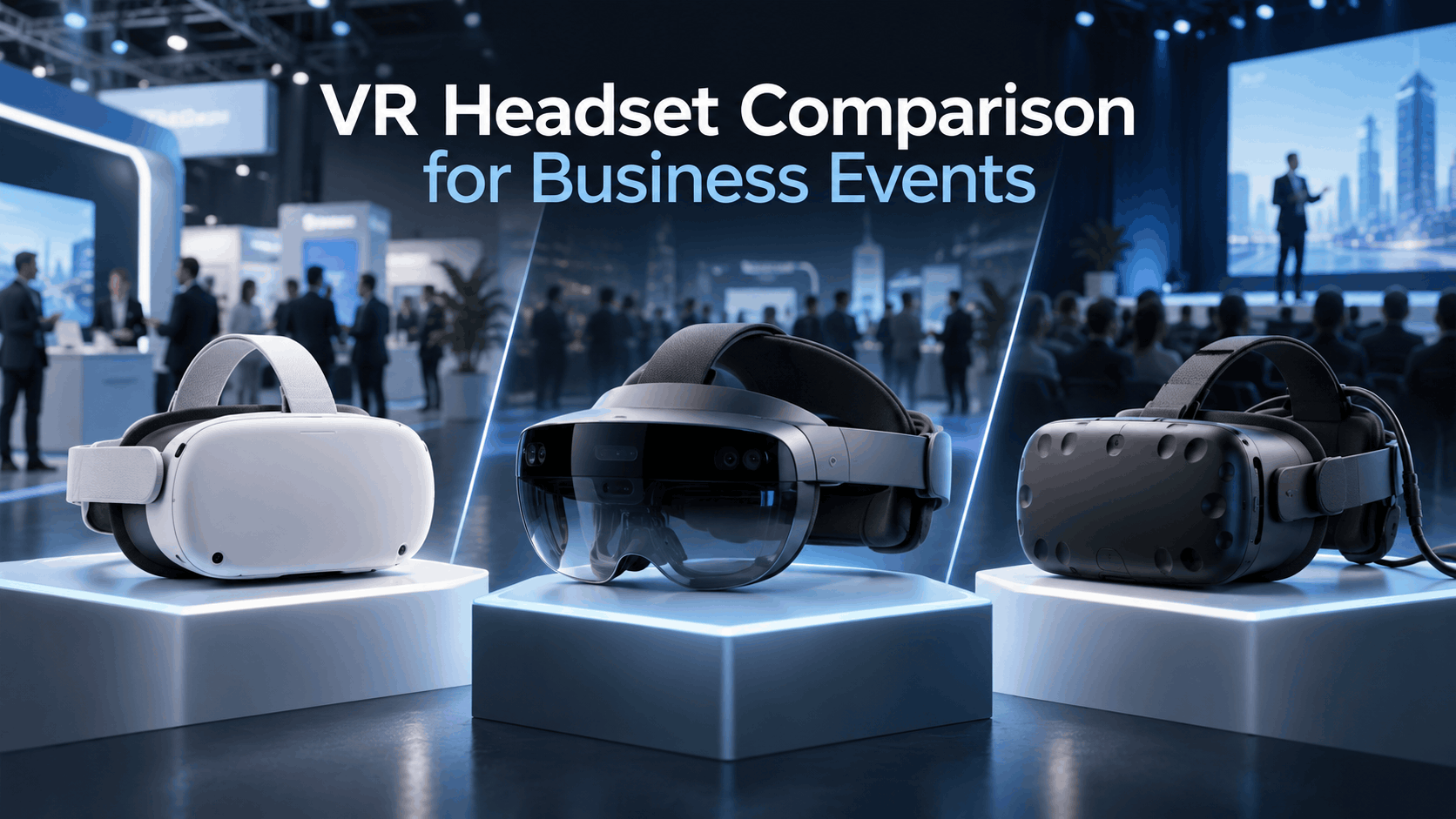
Most VR headset comparison guides are written for gamers. They rank headsets on display resolution, refresh rate, and controller ergonomics—metrics that matter when you’re sitting in a living room for hours. They don’t tell you whether a headset can be reset between 200 booth visitors, whether it needs a dedicated PC that creates a cable hazard on a trade show floor, or whether the content format your vendor built will actually run on the hardware you rented.
This guide compares VR headsets the way event teams and enterprise training managers need to compare them: by deployment conditions, not by gaming benchmarks. For marketing leaders, event managers, and enterprise stakeholders, choosing the right hardware is an operational decision that impacts budget, staffing, and the success of the activation itself.
The Six Criteria That Actually Matter for Event VR Deployment
When evaluating VR hardware for a fleet deployment, a rental order, or a vendor conversation, the following six criteria are what truly determine success.
- Setup and Reset Time: For high-traffic trade show booths or brand activations where user dwell time is under five minutes, the speed of resetting a headset for the next guest is critical. This includes cleaning, launching the experience, and ensuring the device is ready.
- Fleet Management Capability: Deploying VR at scale means managing multiple devices. True fleet management allows a single operator to monitor battery levels, push content updates, and reboot a fleet of 10 or 20 headsets from a central interface without handling each device individually.
- Content Compatibility: Your hardware choice is limited by your content. The headset must support the file formats and platforms your content vendor uses, whether that’s a native Android application package (APK), a web-based experience (WebXR), or a high-fidelity build from a game engine like Unreal Engine.
- Tether vs. Standalone Tradeoff: PC-tethered headsets connect to a powerful computer, offering superior visual quality. However, this introduces significant operational complexity, including cable management, PC placement, and more technical failure points. Standalone headsets are self-contained, offering portability and ease of use at the cost of some processing power.
- Hygiene and Durability: In a post-pandemic event landscape, hygiene is non-negotiable. Headsets must be compatible with sanitary wipes and feature replaceable foam inserts or PU leather face covers that can be quickly cleaned between users. Durability is also key to surviving a multi-day event with hundreds of users.
- Rental Availability and Support: Most event teams rent, not buy. The best headset on paper is useless if it’s not available in the required quantity from event rental providers. Furthermore, the provider’s ability to pre-load content and offer on-site technical support is a crucial part of the hardware decision.
Meta Quest 3 and Quest 3S: The Event Default and Why
In 2024 and 2025, the Meta Quest 3 established itself as the most commonly deployed headset for event VR activations. This dominance is due to operational advantages, not just marketing. Its standalone design eliminates the need for a tethered PC, its content ecosystem is the most mature among rental-ready headsets, and its fleet management tools are built for scale. For most trade shows, brand activations, and corporate training events, the Quest 3 is the baseline against which all other headsets should be measured.
What the Quest 3 Does Well in Event Conditions
- Standalone Operation: The Quest 3 is a self-contained device, which means no external PC, no trip-hazard cables, and no need for a dedicated technical operator for each unit. This significantly reduces staffing overhead and simplifies booth design.
- Fleet Management: Meta Horizon Device Manager provides a centralized dashboard for deploying content, locking devices into a single app (kiosk mode), and remotely monitoring the status of a large fleet of headsets. This is essential for any multi-unit activation.
- Wide Rental Availability: The Quest 3 and its predecessor, the Quest 2, have the widest rental availability in North America and Europe. Most major VR rental providers stock them as their primary fleet and offer services like pre-loading content.
- Content Flexibility: The headset’s Android-based operating system supports both native APKs built with engines like Unity and Unreal, as well as browser-based WebXR experiences. This gives content developers broad flexibility.
- Hygiene and Battery Life: The design accommodates replaceable foam inserts and is compatible with sanitary wipes, supporting fast hygiene protocols. Battery life is approximately 2 to 2.5 hours of continuous use, which requires a charging and rotation plan for full-day events.
Where the Quest 3 Falls Short
- Visual Fidelity: While excellent for a standalone device, the Quest 3’s display resolution and processing power cannot match that of a high-end PC-tethered headset. It may not be suitable for ultra-high-fidelity product visualizations where fine surface details are critical.
- Processing Power Limits: Complex scenes, particularly those built in Unreal Engine, must be heavily optimized to run smoothly on the Quest 3’s mobile GPU. Content not specifically designed for these constraints will not perform well.
- Enterprise Licensing: Accessing advanced device management features through Meta Horizon Device Manager requires a paid “Meta Quest for Business” subscription, which adds a per-device cost.
- Mixed Reality Passthrough: While the Quest 3 features full-color passthrough for mixed reality, it’s not the primary use case for most event activations, which typically focus on fully immersive virtual reality.
Apple Vision Pro: When to Deploy It and When to Leave It Out
The Apple Vision Pro generates significant interest from marketing teams, and it can be a powerful event tool—but only under specific conditions. Its operational profile is fundamentally different from the Quest 3. Deploying it in a high-volume setting without understanding these differences is a common and expensive mistake.
The Deployment Conditions Where Apple Vision Pro Works
- High-Touch, Low-Volume Activations: The Vision Pro excels in curated settings like executive briefings, VIP product reveals, or premium sales demos. These are scenarios where one or two units serve a small, select audience over a full day.
- Spatial Video and Photo Content: For showcasing immersive video or spatial photos, the Vision Pro’s micro-OLED display system, which packs 23 million pixels, and integrated spatial audio provide an unparalleled viewing experience. It is the best available device for experiences that do not require real-time 3D rendering.
- Brand Prestige Signaling: In certain contexts, the hardware itself is a marketing statement. Using the Apple Vision Pro signals premium positioning and technological leadership in a way that a Quest 3 does not.
- Controlled Environments: The device is best suited for quiet, controlled indoor settings where users can be comfortably seated and guided through the experience. It is not designed for the chaos of a high-traffic trade show floor.
Why Apple Vision Pro Fails in High-Volume Event Conditions
- No Scalable Fleet Management: As of late 2026, Apple does not offer a fleet management tool comparable to Meta’s. While visionOS supports Mobile Device Management (MDM) for enterprise settings, the tools for rapid, event-style deployment and monitoring are immature. Each device must largely be managed individually, which is operationally impossible at scale.
- Separate Content Ecosystem: Content developed for Quest or PC VR will not run on visionOS without a complete, and often costly, redevelopment process.
- Operational Hurdles: The external battery pack, connected by a cable, provides about 2 hours of use and presents a physical management challenge in a booth setting. The process for resetting the device and ensuring hygiene between users is also slower and more involved than with a Quest 3.
- Cost and Risk: The high purchase price translates to significantly higher rental costs per unit. The risk of damage in a high-traffic environment is a major operational and financial concern for event managers.
PC-Tethered Headsets: Valve Index, HP Reverb G2, and When Fidelity Justifies the Complexity
PC-tethered headsets, such as the Valve Index and HP Reverb G2, deliver the highest visual fidelity possible in a deployable VR setup. They are the correct choice when the content’s visual quality is paramount and cannot be compromised. This includes ultra-detailed 3D product models, complex architectural visualizations, or cinematic Unreal Engine scenes that cannot be optimized for mobile hardware. However, this fidelity comes at the cost of significant operational complexity.
The Operational Overhead of PC-Tethered Deployment
- Dedicated PC per Headset: Each headset requires a powerful, gaming-grade PC. This adds a major piece of hardware that must be placed, powered, and managed, increasing the activation’s physical footprint and setup time.
- Cable Management: The tether cable connecting the headset to the PC is a primary point of failure and a tripping hazard. It requires active management by a dedicated staff member or a specialized cable rig, adding to both cost and complexity.
- Increased Technical Failure Points: The number of things that can go wrong multiplies. GPU driver conflicts, SteamVR software crashes, cable disconnects, and PC overheating are all real risks during a live event that standalone headsets completely avoid.
- Requires On-Site Technical Staff: A PC-tethered deployment is not a “set it and forget it” solution. It requires at least one technically proficient operator on-site at all times to troubleshoot issues and manage the systems.
When PC-Tethered Headsets Are the Right Call
- Critical Product Visualization: For industries like automotive, architecture, luxury goods, and industrial equipment, where showing accurate surface materials, finish details, or true-to-life scale is commercially vital, the visual quality of PC VR is often necessary.
- Unoptimizable High-Fidelity Content: If an experience, particularly one built in Unreal Engine, loses its impact when visually downgraded for a mobile GPU, a PC-tethered setup is justified.
- Controlled, Staffed Environments: These headsets work best in controlled demos where a technical operator is already budgeted and the booth layout can safely accommodate PCs and cable management.
- Small-Scale, High-Impact Activations: When the goal is to run only 2 to 4 stations, the per-station investment in setup and staffing can be justified by the superior quality of the experience.
Pico 4 Enterprise and Other Standalone Alternatives: Niche Cases
The Pico 4 Enterprise is the main standalone competitor to the Meta Quest 3 in business and event contexts. Because it runs on an Android-based OS, content developed for the Quest can often be adapted to run on Pico hardware. Its primary relevance for event deployments is often geographic or policy-driven. In markets with restrictions on Meta hardware or for companies whose procurement policies exclude Meta, the Pico 4 Enterprise serves as an operationally similar alternative.
Pico 4 Enterprise vs. Meta Quest 3 for Event Deployment
- Similar Architecture: Both are standalone headsets with a similar Android-based content pipeline. While content can be ported between them, it is not an automatic process and requires dedicated testing and adaptation.
- Enterprise Management: Pico offers its own device management suite (Pico Business Suite), which is functional but generally considered less mature than Meta’s Horizon Device Manager as of 2025.
- Rental Availability: In North American and European event markets, the rental availability of Pico headsets is significantly lower than that of the Quest 3. Sourcing a large fleet for a trade show can be more challenging.
- Policy and Governance: Pico is the go-to alternative for organizations that have restrictions on using Meta hardware due to data governance, security policies, or geopolitical factors.
- Hardware Specs: For most event use cases, the display quality and processing power of the Pico 4 Enterprise are comparable to the Quest 3.
Headset Decision Matrix: Matching Hardware to Event Type
The right headset for your event is not the one with the best consumer specs—it’s the one whose operational profile matches your activation format, content, staffing, and audience volume. This matrix maps the four primary headset categories to the event scenarios where each is most likely to succeed.
| Event Type / Use Case | Recommended Headset Category | Key Considerations |
|---|---|---|
| High-Volume Trade Show Booth (50+ users per day per station) | Meta Quest 3 / 3S | Standalone operation, fast reset times, and robust fleet management are essential. Wide rental availability makes sourcing easy. |
| Executive Briefing / VIP Demo (<20 users, high-touch) | Apple Vision Pro or PC-Tethered | For premium brand signaling and spatial video, Vision Pro excels. For critical 3D model fidelity, PC-tethered is superior. |
| Corporate Training Rollout (Multi-location, fleet deployment) | Meta Quest 3 | Horizon Device Manager is built for this scale. Content must be optimized for mobile hardware. Pico 4 Enterprise is a viable alternative if Meta is restricted. |
| Product Launch (High-Fidelity 3D) (e.g., Automotive, Architecture) | PC-Tethered (Valve Index, etc.) | When surface detail and scale accuracy are commercially critical, the visual fidelity justifies the operational overhead. |
Rental vs. Purchase: How the Comparison Changes When You Don’t Own the Hardware
Most event teams rent VR headsets for trade shows or product launches, which fundamentally changes the evaluation criteria. Rental availability, pre-configuration services, and on-site support from the provider become as important as the headset’s native specifications.
What to Ask Your VR Rental Provider Before Committing to a Headset
Before signing a rental agreement, get clear answers to these operational questions:
- Inventory and Lead Time: Which models do you stock in the quantity I need? What is the lead time for a fleet of that size?
- Content Pre-loading: Can you pre-load our content before shipping? What file formats (.apk, WebXR links) and platforms do you support?
- On-Site Support: Do you offer on-site technical support? What is the service level agreement if a unit fails during the event?
- Hygiene Kits: What is included in your hygiene kit? Do you provide disposable face masks, replacement foam, or sanitizing supplies?
- Damage and Liability: What is the damage liability policy? How does it impact the total rental cost, and is insurance available?
- Device Management: Will I have access to a device management dashboard, or will each unit need to be managed individually on-site?
Headset Models with the Strongest Rental Market Support
- Meta Quest 3 and Quest 2: These models have the widest and deepest rental inventory in North America and Europe. They are the standard offering from most event VR rental companies.
- PC-Tethered Headsets (Valve Index, HP Reverb G2): Available from specialized AV and VR rental vendors, but they often require more lead time and have a higher per-unit rental cost.
- Apple Vision Pro: Rental availability is growing but remains limited. Fewer providers stock it, and support for pre-configuring custom enterprise content is less standardized than for Quest.
- Pico 4 Enterprise: Rental stock is limited outside of specific enterprise-focused providers and certain geographic regions.
Frequently Asked Questions (FAQs)
What is the best VR headset for a trade show booth with high foot traffic?
The Meta Quest 3 is the best choice for high-traffic trade show booths. Its standalone design, fast reset time between users, and mature fleet management tools make it the most operationally efficient option for serving a large number of guests.
Can I use Apple Vision Pro at a corporate event or trade show?
Yes, but only in specific, low-volume scenarios. It is ideal for high-touch VIP demos or executive briefings where brand prestige and premium visual quality for a small audience are the goals. It is not suitable for high-throughput activations due to its lack of fleet management, higher cost, and more complex user handoff process.
What is the difference between standalone and PC-tethered VR headsets for events?
Standalone headsets (like Meta Quest 3) are all-in-one devices that are wireless and easy to deploy at scale. PC-tethered headsets (like Valve Index) connect to a powerful computer, offering higher visual fidelity but introducing significant operational complexity with cables, external PCs, and the need for technical staff.
How many VR headsets do I need for a trade show activation?
This depends on your expected foot traffic, the length of your VR experience, and your goals. A common approach is to calculate throughput: a 3-minute experience with a 2-minute reset time means one station can serve 12 users per hour. For a full-day event, factor in battery life and have extra headsets rotating on chargers.
Can I rent VR headsets with my content already loaded?
Yes, most reputable VR rental providers offer content pre-loading services. You will need to provide your application file (typically an .apk for Quest) or WebXR URL to the rental company ahead of time. Always confirm file format compatibility with your provider.
Do I need a technical operator on-site for a VR event activation?
For a standalone headset deployment (e.g., Meta Quest 3), a well-trained brand ambassador can often handle basic operations. For any PC-tethered VR deployment, a dedicated technical operator is essential to manage the hardware, software, and troubleshoot inevitable issues.
What VR headset works best for enterprise training programs?
For large-scale, multi-location training rollouts, the Meta Quest 3 is the standard choice due to its combination of capable hardware and the powerful fleet management capabilities of Meta Horizon Device Manager. Walmart, for example, has used VR for extensive staff training.
How long does it take to reset a VR headset between users at an event?
With a streamlined process, a standalone headset like the Quest 3 can be reset in 1-2 minutes. This includes wiping down the headset and controllers with a sanitary wipe, replacing a disposable face mask, and launching the experience for the next user.
Is Meta Quest 3 or Pico 4 Enterprise better for corporate VR deployment?
For most companies in North America and Europe, the Meta Quest 3 is the better choice due to its mature ecosystem and wider support network. The Pico 4 Enterprise is the superior option for companies with policies restricting the use of Meta hardware or operating in regions where Meta’s services are limited.
What file formats do event VR rental providers support for content loading?
The most common format for standalone headsets like the Meta Quest 3 is the Android Application Package (.apk). Many providers also support WebXR experiences, which are accessed via a URL in the headset’s browser. For PC-tethered headsets, you will typically provide a Windows executable build of your application. Always confirm with your provider.

