

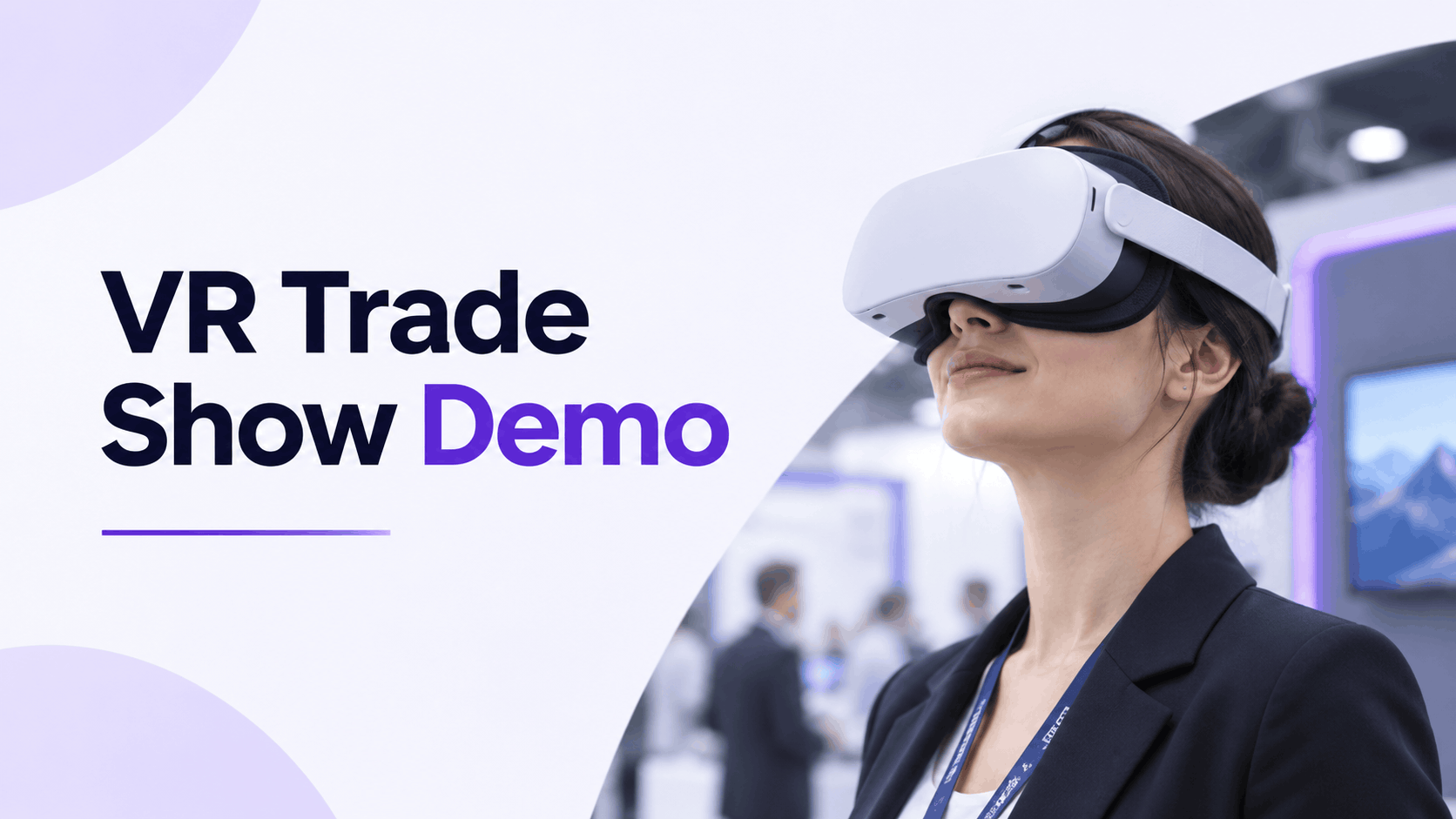
A VR trade show demo can be one of the most effective tools in a booth—or one of the most expensive mistakes. The difference comes down to planning, hardware selection, content design, and operational discipline. This guide covers every decision point, from whether VR is the right format for your show to what happens when a headset fails mid-demo on day two.
What a VR Trade Show Demo Is and When It Makes Sense
A VR trade show demo is a booth experience that lets attendees see, explore, or interact with a product, process, or environment in an immersive format—when a physical display, printed panel, or looping video cannot do the job. The headset becomes the medium. The demo becomes the pitch.
The decision to use VR should start with business goals, not novelty. Questions worth asking before anything else: What do you need attendees to understand that they cannot understand from a brochure? How many conversations per day does your booth team need to have? What is the sales motion after the demo ends?
If those questions have clear answers, VR may be the right tool. If the answers are vague, the format is probably wrong.
Best-Fit Use Cases
Product launches that need a memorable reveal. When a product is new and you need attendees to remember your booth three days after the show closes, an immersive reveal creates a stronger memory anchor than a video wall. VR gives you control over exactly what the user sees and in what order.
Complex products that are easier to understand in 3D. Industrial equipment, architectural systems, medical devices, and engineered components are difficult to explain on a flat screen. A VR environment lets users walk around the product at full scale, see internal mechanisms, and understand spatial relationships that a diagram cannot convey.
Sales demos for large, expensive, or hard-to-ship products. If your product weighs 4,000 pounds or costs $2 million, you are not bringing it to the show floor. VR closes that gap. It puts the buyer inside the product experience without requiring physical presence of the asset.
Training or simulation experiences that support enterprise conversations. For companies selling workforce training platforms, safety systems, or simulation tools, a live VR demo is proof of concept. It moves the conversation from “here is what our software does” to “here is what your team would experience.”
When VR Is the Wrong Choice
When the booth needs very high throughput and no queue management is possible. A VR demo takes time. If your booth goal is to badge-scan 500 people per day, a headset experience will create a bottleneck that frustrates attendees and exhausts your staff.
When the product can be explained faster with a live sample or video. If a 60-second product video or a physical sample communicates the value proposition clearly, adding a headset adds friction without adding value.
When the team cannot support setup, staffing, or headset hygiene. A VR demo requires dedicated operators. If your booth team is two people managing multiple responsibilities, the demo will degrade quickly without someone assigned to it full-time.
When the event environment cannot support stable power, space, or supervision. Outdoor events, small tabletop spaces, and venues with unreliable power are hostile environments for VR hardware. If the physical conditions are not right, the demo will fail in ways that reflect poorly on your brand.
The Hardware and Format Decisions That Affect Booth Reliability
The hardware choices you make before the event determine whether the demo runs smoothly or becomes a liability. The most important criteria are not visual fidelity or feature count—they are reliability, ease of operation, and how quickly a non-technical staff member can reset the experience between users.
Standalone Headset Versus PC-Tethered Setup
Standalone headsets (such as the Meta Quest series) run the demo entirely on-device. There are no cables connecting to a PC, no external tracking hardware to set up, and no risk of a laptop failure taking down the experience. Setup is faster, the footprint is smaller, and the operator does not need technical expertise to restart a session.
The tradeoff is visual fidelity and processing power. Standalone hardware cannot render the same level of detail as a high-end PC-tethered system. For most trade show applications—product walkthroughs, environment tours, interactive sales demos—the visual quality of current standalone headsets is more than sufficient.
PC-tethered setups (such as systems running on a dedicated VR-ready workstation) offer higher graphical output and are appropriate when the demo involves highly detailed 3D models, real-time simulation, or content that genuinely requires that level of rendering. The tradeoffs are real: cables create trip hazards, the PC requires its own power and space, setup takes longer, and a single hardware failure can take the entire demo offline.
Booth conditions often favor simpler hardware. Crowded floors, limited booth space, and staff who are focused on sales conversations rather than technical support all push toward standalone deployment. Unless the visual quality difference is commercially significant for your specific demo, simpler is more reliable.
Apple Vision Pro and Premium Mixed Reality Demos
Apple Vision Pro occupies a specific position in the trade show context: it is a premium device suited for high-value, one-on-one sales conversations rather than high-volume booth demos.
The device’s passthrough mixed reality capability makes it useful for overlaying product information, architectural visualizations, or interactive 3D models onto the real world—which can be compelling in an executive briefing or a private meeting room adjacent to the main booth.
Operationally, Vision Pro requires careful handling. The device is expensive, the fit varies significantly between users, and the experience degrades if the headset is not properly adjusted. It is not well-suited for rapid user turnover. Cleaning and reset between users takes longer than with standalone VR headsets designed for high-volume deployment.
The cost is justified when the demo is part of a targeted, pre-scheduled conversation with a high-value prospect. It is not justified as a general-admission booth attraction where dozens of attendees cycle through per day.
Rental-Based Versus Custom-Built Demo Setups
Rental is often the faster and lower-risk path for events. A VR rental package typically includes pre-configured hardware, content loaded and tested before delivery, and support for on-site setup. For a company running one or two trade shows per year, rental eliminates the capital cost of hardware, the risk of owning equipment that becomes outdated, and the operational burden of storage and maintenance between events.
Timeline differences are significant. A rental deployment can be ready in two to four weeks if the content already exists or if the vendor offers off-the-shelf demo environments. Custom development—building a proprietary VR application from scratch—typically requires three to six months minimum, depending on content complexity, asset availability, and revision cycles.
Budget implications favor rental for one-off or infrequent shows. Custom VR development costs range from $25,000 to $150,000 or more depending on scope. Hardware rental for a three-day show typically runs $1,500 to $5,000 per headset depending on the device and support level. For companies testing VR at trade shows for the first time, rental provides a proof of concept without a six-figure commitment.
Custom development is worth the investment when the demo will be used across multiple events over multiple years, when the content requires proprietary product data or branded environments that cannot be approximated with existing assets, or when the VR experience is a core part of the sales process rather than a booth attraction.
What Content the Demo Needs to Actually Sell
Hardware is the delivery mechanism. Content is the demo. A VR trade show demo fails when the experience is technically functional but commercially useless—when it impresses attendees without advancing a sales conversation.
The content brief for a trade show VR demo should be written by the sales team, not the creative team. The creative team executes it. The sales team defines what the user needs to understand and feel by the time the headset comes off.
Demo Length and Interaction Design
Keep the experience short enough for booth traffic. The target session length for a trade show VR demo is 90 seconds to three minutes. Longer experiences reduce throughput, increase queue length, and often lose the attendee’s attention before the key message lands. If the content cannot be structured to fit that window, the demo needs to be redesigned, not extended.
Design for immediate comprehension in the first 30 seconds. Attendees at trade shows are cognitively loaded. They have been walking for hours, talking to dozens of vendors, and processing a constant stream of information. The VR demo needs to orient the user immediately—where they are, what they are looking at, and why it matters—within the first half-minute.
Use guided interactions instead of open-ended exploration. Open-ended VR environments work well in controlled settings with time and a facilitator. They do not work well in trade show booths. Guided demos—where the user is directed through a specific sequence of interactions—are easier to operate, easier to reset, and more likely to deliver a consistent message.
Build a clear ending that hands off to a salesperson. The demo should conclude with a moment that naturally transitions to a conversation. This can be a branded end screen, a voiceover prompt, or a visual cue that signals the experience is complete. The operator removes the headset, and the sales rep steps in. That handoff needs to be choreographed before the show opens.
3D Assets, Product Scenes, and Messaging
Use product models, environments, or simulations that support the pitch. The 3D content should be selected based on what the buyer needs to understand, not on what is technically impressive. A photorealistic environment that does not communicate product value is a waste of development budget.
Avoid overloading the user with too many features. The most common content mistake in trade show VR demos is trying to show everything. A demo that covers eight product features in three minutes communicates none of them effectively. Choose the one or two things that most directly support the sales conversation and build the experience around those.
Match the demo to the specific sales or launch message. If the show is a product launch, the demo should feel like a reveal. If the show is a sales event targeting existing customers, the demo should feel like a proof of concept or an upgrade path. The content brief should be show-specific, not generic.
Make sure the content works without requiring explanation from the headset user. If the demo only makes sense when a staff member is narrating alongside it, the content has failed. The experience should be self-explanatory. Audio narration, on-screen text, and visual cues should carry the message independently.
How VR Compares With AR Filters and 3D Product Models
Not every booth needs a headset. Understanding where VR fits relative to other immersive formats helps avoid over-engineering the solution.
VR is the best fit for immersion. When the goal is to put the user inside an environment—inside a building, inside a machine, inside a simulation—VR is the appropriate format. The headset removes the outside world and creates a controlled perceptual experience that no other format replicates.
AR filters are better for fast booth engagement. Augmented reality experiences delivered through a tablet or phone—product overlays, 3D model viewers, interactive labels—are faster to deploy, require no headset, and can be used by multiple attendees simultaneously. For high-traffic booths where throughput matters more than depth of immersion, AR is often the better choice.
3D product models on screens are enough in many cases. A well-rendered, interactive 3D model displayed on a large touchscreen can communicate product geometry, scale, and features effectively without any wearable hardware. This format has no queue, no hygiene concern, no headset fitting, and no operator requirement. For products where spatial understanding is the goal but full immersion is not necessary, this is a practical and underused option.
Choose the format based on traffic, budget, and sales goal. The decision matrix is straightforward: high immersion need plus manageable throughput equals VR; high throughput plus moderate immersion need equals AR or touchscreen; low budget plus simple product communication equals video or physical sample.
How to Staff and Run the Demo on the Show Floor
A VR demo that is technically excellent but operationally chaotic will damage your brand. The show floor is a high-stress, high-noise environment. The demo needs to run like a process, not an experiment.
Staffing Roles
Greeter or queue manager. This person stands at the front of the demo area, qualifies attendees, explains what the experience involves, and manages wait time expectations. They keep the line organized and prevent crowding around the demo station. In smaller booths, this role can be combined with the sales rep role, but only if traffic is light.
Demo guide or headset operator. This is the most critical operational role. The headset operator fits the device on each user, starts the experience, monitors the session, removes the headset at the end, and resets the system for the next user. This person should not be doing anything else during the demo. They need to be focused entirely on the hardware and the user.
Sales rep who handles the handoff. The sales rep is positioned to receive the attendee the moment the headset comes off. The transition from demo to conversation should feel seamless. The rep should know exactly what the attendee just experienced and have a prepared opening question that connects the demo to the sales conversation.
Technical support role if the setup is complex. For PC-tethered systems, custom applications, or multi-headset deployments, a dedicated technical support person on the show floor is not optional. This person monitors system performance, handles restarts, manages software issues, and is the first responder when something breaks. For standalone headset deployments with a simple app, this role can be handled by the headset operator with proper pre-event training.
Queue Management and Hygiene
Keep the line moving. Session time should be fixed and enforced. If the demo is designed for two minutes, it runs for two minutes. The operator ends the session at the time limit regardless of where the user is in the experience. Allowing sessions to run long because an attendee is engaged is a common mistake that compounds throughout the day.
Cleaning and headset hygiene between users. Headset hygiene is both a health requirement and a brand perception issue. Disposable face gasket covers are the most practical solution for high-volume demos. Alcohol wipes for the headset body and lens cloth for the lenses should be part of every reset procedure. The reset sequence—remove headset, wipe, replace cover, restart experience, fit on next user—should take no more than 60 to 90 seconds.
Session timing and reset procedures. Write the reset procedure as a checklist and post it at the demo station. Operators should not be relying on memory during a busy show. The checklist should cover: end session, remove headset, clean, replace cover, restart app, confirm experience is at the start screen, signal greeter that the station is ready.
How to avoid a demo that slows down the booth. The demo station should never become the reason your booth team cannot have sales conversations. If the demo is consistently creating a queue that the team cannot manage, reduce session length, add a second headset station, or replace the VR demo with a higher-throughput format.
Failure Prevention on the Show Floor
Power, Wi-Fi, and cable management checks. Confirm power outlet locations and amperage requirements with the venue before the show. If the demo requires Wi-Fi, test the connection at the booth location—not in the hotel room, not at the office. Trade show Wi-Fi is notoriously unreliable. Design the demo to run offline whenever possible.
Backup content and offline operation planning. Every VR demo should have an offline fallback. If the app requires a cloud connection and the connection drops, the demo goes dark. Build the experience to run entirely on-device. If that is not possible, have a secondary content option—a video, a tablet demo, a physical sample—that the sales rep can use while the technical issue is resolved.
Spare hardware and contingency procedures. For any deployment of more than one day, bring a spare headset. Hardware failures at trade shows are not rare. A headset that fails on day one of a three-day show with no backup means two lost days of demos. The cost of a spare headset rental is trivial compared to the cost of a non-functional booth.
Why live event support matters more than demo quality alone. A technically sophisticated demo that fails on the show floor is worse than a simple demo that runs reliably. Prioritize operational resilience over visual complexity. The attendee who experienced a broken demo will remember the failure, not the ambition.
Budget, Timeline, and Planning Checklist
Trade show VR demos fail in planning as often as they fail on the floor. Underestimating lead time, misunderstanding cost drivers, or failing to test before shipping are the most common pre-event mistakes.
Main Cost Drivers
Hardware rental or purchase. Standalone headset rental for a three-day show typically ranges from $1,500 to $3,500 per unit, including delivery, configuration, and return logistics. PC-tethered setups with workstations and accessories run higher. Purchasing hardware outright makes sense only if the device will be used frequently enough to justify the capital cost and the operational overhead of ownership.
Content production and 3D asset creation. This is often the largest cost variable. If 3D models of your product already exist in a usable format, content production costs are lower. If assets need to be built from scratch, budget accordingly. A simple guided VR experience built on existing assets may cost $10,000 to $30,000. A fully custom application with proprietary environments and interactions can exceed $100,000.
Staffing and on-site support. Dedicated headset operators and technical support staff are a real cost. If your existing booth team cannot absorb the demo operation role, budget for additional staff. Experienced VR demo operators from an event technology vendor typically run $500 to $1,200 per day depending on market and expertise level.
Shipping, setup, and contingency costs. VR hardware requires careful packing and shipping. Budget for protective cases, insurance, and expedited shipping if the timeline is tight. On-site setup time should be factored into your booth build schedule. Contingency budget—typically 10 to 15 percent of total project cost—should be reserved for last-minute hardware replacements, content revisions, or unexpected venue requirements.
Typical Planning Timeline
Early scoping and use case definition (10 to 12 weeks before the show). Define the business goal, the target attendee, the sales motion, and the demo format. Decide between rental and custom development. Get vendor quotes.
Content and hardware selection (8 to 10 weeks before the show). Lock the content brief, select the headset platform, and confirm the vendor. Begin content development or asset preparation. Confirm booth space dimensions and power requirements with the venue.
Testing before the event (2 to 4 weeks before the show). Run a full simulation of the demo in a space that approximates booth conditions. Test the reset procedure, the session timing, and the handoff to the sales rep. Identify any content or hardware issues and resolve them before shipping.
On-site deployment and post-event review. Arrive early enough to set up and test before the show floor opens. Run a staff briefing that covers the demo script, the reset procedure, and the failure contingency plan. After the event, document what worked, what failed, and what should change for the next show.
Pre-Event Checklist
-
Confirm booth space dimensions and power outlet locations
-
Verify that the demo runs fully offline
-
Choose and confirm the headset format and quantity
-
Lock the demo script and maximum session length
-
Assign staffing roles and brief each person on their responsibilities
-
Complete a full dress rehearsal of the demo and reset procedure
-
Pack spare headsets, charging cables, face covers, and cleaning supplies
-
Confirm shipping timeline and on-site delivery window
-
Prepare the sales rep handoff script and opening question
-
Test the demo on the actual hardware that will be shipped to the show
Common Mistakes That Make VR Trade Show Demos Fail
Most VR demo failures at trade shows are predictable and preventable. They fall into two categories: hardware decisions made without operational context, and content and staffing decisions made without sales context.
Mistakes in Hardware Selection
Choosing a setup that is too complex for the booth team. A PC-tethered system with room-scale tracking, external sensors, and a custom controller setup requires a technically capable operator. If the booth team is not that person, the setup will degrade throughout the day as small issues go unresolved.
Using hardware that is not suited to the event environment. Headsets that require a large clear space, precise lighting conditions, or a stable internet connection are poorly matched to most trade show floors. The environment should drive the hardware decision, not the other way around.
Ignoring comfort, fit, or user turnover. A headset that takes three minutes to fit properly on each user is not viable for a high-traffic booth. Comfort and quick-fit capability should be evaluation criteria when selecting hardware for trade show deployment.
Mistakes in Content and Staffing
Building a demo that takes too long to explain. If the headset operator needs to spend two minutes briefing the user before the experience starts, the demo is too complex. The experience should be self-orienting. The operator’s pre-demo briefing should take 15 to 20 seconds.
Failing to assign a dedicated operator. The most common operational failure in VR trade show demos is asking a sales rep or a general booth staffer to manage the headset while also doing their primary job. The demo degrades, hygiene lapses, reset times increase, and the queue becomes unmanageable. The headset operator role must be dedicated and exclusive.
Not preparing a fallback if the headset fails. Every demo deployment should have a plan for what happens when the hardware stops working. That plan should be written down, communicated to the team, and practiced before the show. “We’ll figure it out” is not a contingency plan.
Frequently Asked Questions
How long should a VR trade show demo be?
The target session length for a trade show VR demo is 90 seconds to three minutes. Shorter experiences allow for higher throughput, reduce queue length, and are easier to reset between users. If the content cannot communicate the core message within that window, the demo needs to be restructured rather than extended.
Is a standalone headset or PC-tethered headset better for a trade show booth?
For most trade show applications, standalone headsets are the better choice. They require no external PC, have no cables that create trip hazards, are faster to set up, and are easier for non-technical staff to operate and reset. PC-tethered systems are appropriate when the demo requires a level of visual fidelity or processing power that standalone hardware cannot deliver—which is less common than vendors often suggest.
Should I rent or buy hardware for a VR trade show demo?
Rental is the better option for companies running one to three trade shows per year or testing VR at events for the first time. It eliminates capital cost, removes the burden of hardware maintenance and storage, and typically includes configuration and support. Purchasing makes sense when the hardware will be used frequently across multiple events and when the internal team has the capability to manage and maintain it.
What staff do I need to run a VR demo at a trade show?
At minimum, a VR trade show demo requires a dedicated headset operator and a sales rep positioned to handle the post-demo conversation. For higher-traffic deployments, add a greeter or queue manager at the front of the demo area. For complex technical setups, add a dedicated technical support person. Do not assign the headset operator role to someone who also has other booth responsibilities.
How do I keep a VR demo from breaking down on the show floor?
Design the demo to run fully offline so that Wi-Fi instability cannot take it down. Bring a spare headset for any deployment longer than one day. Write and post a reset checklist at the demo station. Test the full setup—including the reset procedure—before shipping to the show. Confirm power requirements with the venue in advance. Have a secondary content option ready if the headset fails.
Can a VR trade show demo work without a custom app?
Yes. Several VR content platforms offer configurable templates, off-the-shelf environments, and product visualization tools that do not require custom application development. These options are appropriate when the demo goal is product visualization, environment touring, or brand storytelling that does not require proprietary interactions. Custom development is necessary when the experience requires unique functionality, proprietary product data, or a level of brand specificity that existing platforms cannot accommodate.
Conclusion
A VR trade show demo is a serious operational commitment, not a plug-and-play booth attraction. When it is planned correctly—with the right hardware for the environment, content designed around the sales conversation, dedicated staff, and a tested contingency plan—it is one of the most effective tools available for communicating complex products and generating qualified conversations on a crowded show floor.
When it is planned poorly, it becomes a queue of frustrated attendees, a headset that no one knows how to reset, and a demo that the sales team eventually stops using by day two.
The difference is execution. Start with the business goal. Choose the simplest hardware that meets the requirement. Build content that fits within three minutes and hands off cleanly to a salesperson. Assign dedicated staff. Test everything before it ships.
Ready to plan your next VR trade show demo? Work with a vendor who understands both the technology and the operational demands of live event deployment one who can help you select the right format, configure the hardware, and support the experience on the show floor. The demo is only as good as the team behind it.

