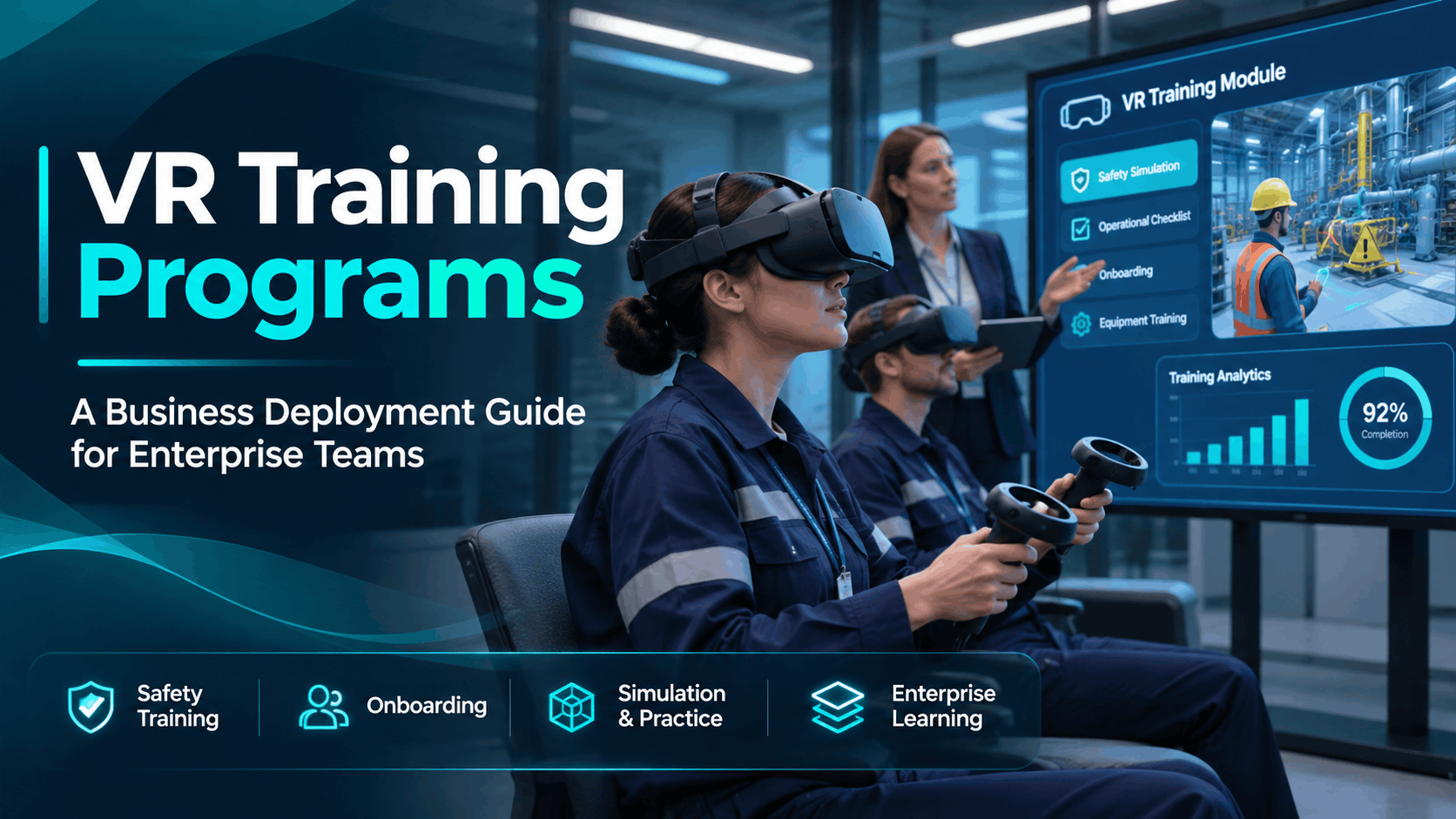
Virtual reality training programs are moving from innovation budgets into operational learning and development plans and the procurement decisions that come with that shift are genuinely complex. This guide is structured around the four decisions every enterprise buyer actually faces: whether VR fits your use case, which hardware and delivery model makes operational sense, what the real costs are, and how to execute deployment without the program stalling after the pilot.
If you are early in evaluation, start at the top. If you are already past the use case question and need cost or vendor guidance, jump to the relevant section. Every section is designed to narrow a decision, not just describe a technology.
What VR Training Programs Actually Are (and What They Are Not)
VR training programs use head-mounted displays to place employees inside simulated environments where they practice procedures, respond to hazards, or learn equipment operation without physical risk or resource cost. The term covers a wide range of deployments from a single headset used in a conference room to a multi-station rollout across regional facilities and the gap between those scenarios is enormous in cost, complexity, and operational demand.
Before evaluating vendors or budgets, enterprise teams need to understand what category of VR training they are actually buying. The two most important distinctions are the type of simulation and the type of hardware.
Simulation-Based Training vs. Video-Based VR
These are not the same product, and they are not interchangeable for most enterprise use cases.
Simulation-based VR, built in Unreal Engine or Unity, allows interactive decision-making and branching scenarios. The learner makes choices, triggers consequences, and practices procedures in a responsive environment. This is the format required for OSHA-style procedural training — forklift operation, lockout/tagout, confined space entry — because the learning outcome depends on the learner doing something, not watching something. It is higher cost and higher fidelity, and it requires either custom development or licensed content from a vendor who has already built the scenario for your industry.
360-degree video VR is lower cost and faster to produce, but it is fundamentally passive. The learner watches a recorded environment from a fixed perspective. There is no interactivity, no branching, and no consequence for inaction. It is appropriate for awareness programs, facility orientation, and culture immersion — not for procedural compliance training where the learner needs to demonstrate a skill.
The distinction matters for procurement because the two formats have completely different cost structures, development timelines, and vendor ecosystems. Most vendor demos show simulation. Many budget-level deployments end up delivering 360 video. Clarify which format you are actually buying before signing a contract, and make sure the format matches your learning objective.
Standalone Headsets vs. PC-Tethered Headsets for Training
Hardware choice affects operational complexity as much as it affects cost.
Standalone headsets the Meta Quest series being the current enterprise standard run content on-device with no external PC required. They are easier to deploy across locations, support mobile and traveling programs, and carry a lower per-station cost. For the majority of enterprise training use cases, standalone is the operational default.
PC-tethered headsets such as the Valve Index or HP Reverb deliver higher graphical fidelity and are required for complex simulation environments where standalone processing cannot handle the rendering demands. Heavy machinery simulation, surgical procedure training, and detailed industrial environments may require tethered hardware. Each station also requires a VR-capable PC, which adds $1,500 to $3,000 per station in infrastructure cost and significantly limits portability.
Apple Vision Pro is an emerging option for high-stakes, single-user training scenarios, but it is not yet practical for multi-station enterprise rollouts due to cost and a limited content ecosystem for training applications.
For most enterprise training programs safety, onboarding, soft skills, equipment orientation standalone headsets are the right starting point. Tethered hardware belongs in permanent training labs with dedicated technical support, not in distributed or high-volume deployment scenarios.
Which Use Cases Actually Justify VR Training Investment
VR training is not universally the right tool. It earns its cost when the training scenario involves physical risk, expensive equipment, rare but critical procedures, or environments that are difficult to replicate in a classroom. Enterprise teams that deploy VR training successfully tend to cluster around a predictable set of use cases — and the ones that fail tend to apply VR to problems that a video or a checklist would have solved more cheaply.
High-ROI Use Cases: Safety, Equipment Operation, and Emergency Response
These use cases share a common characteristic: the real-world alternative to VR practice is either dangerous, expensive, or logistically impossible to stage.
OSHA-relevant safety training is the strongest ROI category in enterprise VR. Forklift operation, fire extinguisher use, lockout/tagout procedures, and confined space entry all involve physical hazards that make live practice risky and expensive. VR allows employees to practice the full procedure including failure states and emergency responses without risk to people or equipment. Programs in this category also satisfy documented compliance requirements, which gives VR a floor value equal to the cost of non-compliance. Our VR forklift training and VR fire extinguisher training pages cover the OSHA context and documentation requirements for these specific scenarios.
Equipment operation training for machinery that is expensive to run, hard to access, or dangerous to practice on in real conditions is the second strongest category. Manufacturing, logistics, and construction operations routinely face the problem of training workers on equipment before they can safely operate it VR breaks that circular dependency.
Emergency response scenarios fire evacuation, active threat response, chemical spill procedures are nearly impossible to stage realistically in a live environment. VR allows employees to practice decision-making under simulated stress without the cost or disruption of a live drill.
Moderate-ROI Use Cases: Onboarding, Soft Skills, and Sales Training
These use cases have real value, but the ROI calculation is less direct and the content requirements are more demanding.
Employee onboarding in VR works well for facility familiarization, culture immersion, and role-specific orientation particularly for distributed workforces where in-person onboarding is expensive and inconsistent. A new hire in a remote location can walk through a virtual version of headquarters, meet team members through immersive video, and complete facility safety orientation before their first day on-site. The format is well-suited to 360 video content, which keeps development costs manageable.
Soft skills training difficult conversations, customer service scenarios, conflict resolution has a growing evidence base but requires high-quality branching simulation content to be effective. A passive 360 video of a difficult conversation does not develop the skill. An interactive scenario where the learner’s responses change the outcome does. The content development cost for effective soft skills VR is comparable to safety simulation, so the ROI calculation needs to account for that.
Sales demo training using 3D product models in VR is useful for complex products where sales reps need to understand spatial relationships, configuration options, and installation requirements. It is not a replacement for product knowledge training, but it accelerates the development of spatial intuition that is otherwise built through years of field experience.
For moderate-ROI use cases, rental-based or licensed content models are generally more appropriate than custom development. The per-learner economics work better when you are not amortizing a $75,000 development cost across a soft skills module.
Low-ROI Traps: Awareness Campaigns and Novelty Deployments
These are the deployments that generate impressive pilot photos and stall within six months.
Using VR for general awareness content brand values, company history, culture videos rarely justifies the cost over well-produced video or interactive web content. The immersive format does not add enough learning value to offset the hardware and deployment overhead.
One-time event activations that repurpose training hardware without a reuse plan inflate per-learner cost significantly. A $50,000 content development investment used at a single annual conference and then shelved is not a training program it is an expensive marketing activation.
If the primary goal is demonstrating innovation to leadership rather than improving a measurable training outcome, VR training is the wrong investment. The content will not be maintained, the operational infrastructure will not be built, and the program will stall after the pilot. The organizations that scale VR training successfully are solving a specific training problem, not making a statement about technological sophistication.
VR Training Program Costs: What Enterprise Teams Actually Pay
Cost is the most frequently misunderstood dimension of VR training procurement. Vendor quotes vary by an order of magnitude depending on whether you are buying custom simulation development, licensing existing content, or renting hardware for a short-term deployment. The following cost structure reflects what enterprise teams at mid-market to large companies actually encounter not the figures vendors use in pitch decks.
Custom Development vs. Licensed Content vs. Rental
Custom simulation development (Unreal Engine or Unity): $25,000 to $150,000 or more per module, depending on complexity, interactivity level, and revision cycles. This range is wide because the variables are significant — a stationary, single-path safety orientation costs far less than a branching, multi-environment equipment operation simulation with realistic physics. Custom development is appropriate when no off-the-shelf content exists for your specific equipment, procedure, or regulatory context. It is not appropriate as a starting point for organizations that have not yet validated their deployment model.
Licensed content libraries: $500 to $5,000 per user per year for platforms with pre-built safety or compliance modules. This is the fastest path to deployment and works well for generic scenarios — general safety awareness, OSHA 10 orientation, fire safety basics. The limitation is that licensed content is built for broad applicability, not your specific equipment, facility layout, or procedural requirements. For compliance training where the procedure matters, generic content may not satisfy documentation requirements.
Hardware rental for short-term or pilot programs: $150 to $400 per headset per day, often bundled with content licensing and on-site technical support. This is the lowest-risk entry point for organizations that have not committed to a permanent program. Rental transfers hardware maintenance, obsolescence risk, and technical support burden to the vendor. For a 90-day pilot or an annual compliance training cycle, rental economics frequently outperform purchase even when the per-day rate looks high. See our VR safety training cost breakdown for a detailed comparison across these three models.
Per-Learner Cost and How to Calculate Program ROI
Per-learner cost is the metric that makes VR training economics legible for budget conversations. The calculation requires amortizing total program cost development, hardware, support, and maintenance across total learners trained over the content lifecycle.
A $50,000 custom module trained to 500 employees over two years costs $100 per learner. That figure is comparable to instructor-led alternatives when you factor in instructor time, facility cost, and lost productivity from travel. At 1,000 learners, the per-learner cost drops to $50. The economics improve significantly with volume and content longevity, which is why use case selection and content maintenance planning matter so much at the procurement stage.
ROI calculation for enterprise VR training should include:
-
Reduction in incident-related costs: workers’ compensation, equipment damage, regulatory fines, and investigation time
-
Reduction in equipment damage during training: particularly relevant for heavy machinery and high-value equipment
-
Reduction in instructor time: VR-facilitated training typically requires less instructor involvement than live procedural training
-
Improvement in certification pass rates: faster time-to-competency reduces the cost of remediation and re-training cycles
For OSHA-regulated training, document the compliance value separately. VR that satisfies a regulatory requirement has a floor value equal to the cost of non-compliance fines, citations, and liability exposure. That floor value belongs in the ROI calculation even if it is difficult to quantify precisely.
One consistent omission from initial vendor quotes: hardware maintenance, content updates, and LMS integration are ongoing costs that add 15 to 25 percent to the first-year program cost annually. Build those into your total cost of ownership model before comparing vendor proposals.
Hardware Selection for Enterprise VR Training Programs
Hardware choice is not a technical decision — it is an operational one. The right headset for a VR training program is determined by where training happens, how many learners go through per day, who manages the devices between sessions, and whether the content requires high-fidelity rendering. Getting this wrong means either overspending on capability you cannot use or deploying hardware that fails in the field.
Standalone Headsets for Distributed and High-Volume Training
The Meta Quest 3 and Quest 3S are the current enterprise default for standalone deployment. They are MDM-compatible, supported by a large content ecosystem, and carry a manageable per-unit cost relative to the training value they deliver. Meta’s enterprise management tools allow remote content deployment and device monitoring across locations a critical capability for any program running across more than one site.
Battery life is the primary operational constraint for high-throughput training stations. At two to three hours per charge, a standalone headset running back-to-back 20-minute training sessions will need to be rotated for charging mid-day. Plan for charging rotations or budget for spare units at high-volume stations this is an operational detail that frequently gets overlooked in hardware procurement and creates throughput problems on training days.
Standalone headsets are appropriate for safety training, onboarding, soft skills, and any scenario where content runs at medium graphical fidelity. For the majority of enterprise training programs, they are the right choice.
PC-Tethered Headsets for High-Fidelity Simulation
Tethered headsets are required when the training simulation demands rendering complexity that exceeds standalone processing capacity — detailed machinery with realistic physics, high-resolution industrial environments, or surgical procedure simulation. If your content vendor specifies a minimum hardware requirement that standalone cannot meet, tethered hardware is not optional.
Each tethered station requires a VR-capable PC, typically $1,500 to $3,000, adding significant infrastructure cost per station. Tethered setups are also harder to deploy in non-dedicated spaces — the cable and PC requirement limits portability and increases setup time. A traveling program or a multi-site deployment with tethered hardware requires significantly more logistical planning than the same program with standalone headsets.
Tethered hardware belongs in permanent training labs with dedicated technical support, not in distributed or mobile deployment scenarios. If you are evaluating tethered hardware for a program that will run across multiple locations, reconsider whether the content fidelity requirement actually justifies the operational complexity.
Rental vs. Purchase: The Operational Trade-Off
The decision to rent or purchase hardware is a function of training volume, content stability, and internal IT capacity not a function of which option looks better in a budget presentation.
Purchase makes sense when: training volume is high (50 or more learners per month per location), content is stable and will be reused across multiple training cycles, and internal IT has the capacity to manage device maintenance, content updates, and hardware replacement.
Rental makes sense for: pilots, annual compliance training cycles, programs where content will change frequently, and organizations that do not have internal IT capacity to manage a device fleet. Rental transfers maintenance and obsolescence risk to the vendor when the Meta Quest 4 ships and your content needs to be re-certified, that is the vendor’s problem, not yours.
Hybrid models are common and often optimal: rent hardware for the pilot, purchase if the program scales. This approach avoids committing capital before validating learner throughput and content effectiveness in your specific operational environment. See our VR setup requirements and deployment checklist for detailed guidance on configuring training stations for both rental and purchased hardware scenarios.
Deploying a VR Training Program: Staffing, Setup, and Failure Prevention
The most common reason VR training programs fail is not bad content it is poor operational execution. Headsets that are not charged, content that is not loaded, learners who cannot put on a headset without assistance, and technical failures with no on-site support are the real killers of enterprise VR training programs. Deployment planning deserves as much attention as content development.
Staffing Requirements for Live VR Training Sessions
Plan for one trained facilitator per four to six headsets for any live training session. Learners particularly first-time VR users need help with headset fit, interpupillary distance adjustment, content navigation, and motion sickness management. A facilitator who is managing more than six headsets simultaneously will not be able to provide adequate support, and learner experience will degrade.
Facilitators do not need to be technical experts, but they must be trained on the specific headset model and content flow before the session. A facilitator who is figuring out the headset in front of learners creates a credibility problem that undermines the training experience. Build facilitator training into your program launch timeline it is not a one-hour orientation.
For traveling programs or multi-site deployments, the staffing question becomes more complex. Understand whether your vendor provides on-site support as part of the contract or whether internal staff need to be trained as local operators at each location. The latter requires a train-the-trainer program and ongoing support infrastructure. Our VR headset setup for events and operational deployment guide covers staffing frameworks for both vendor-supported and internally-managed programs.
Pre-Session Setup Checklist for Training Stations
Operational failures during training sessions are almost always preventable with a consistent pre-session protocol. The following checklist reflects the most common failure points in enterprise VR training deployments:
-
Charge all headsets to 100% before sessions begin never start a training day with headsets below 80%. Battery failure mid-session disrupts learner throughput and creates a negative first impression of the program.
-
Pre-load and cache all content on-device before learners arrive do not rely on streaming or downloading content during a session. WiFi congestion in training environments is unpredictable, and a content loading failure in front of a group of learners is difficult to recover from.
-
Test every headset in the actual training environment not just in the office. WiFi interference, lighting conditions, and room geometry affect tracking performance. A headset that works perfectly in a conference room may have tracking issues in a warehouse or manufacturing floor.
-
Have at least one spare headset per four stations to cover hardware failures without disrupting throughput. Hardware failures are not common, but they are not rare enough to ignore.
See our VR setup requirements and deployment checklist for a complete operational checklist including network configuration, content management, and post-session device reset procedures.
Motion Sickness and Learner Comfort Protocols
Motion sickness affects approximately 10 to 20 percent of first-time VR users. Plan for it explicitly do not assume your learner population will be unaffected, and do not design a training schedule that has no accommodation for learners who experience discomfort.
Limit first sessions to 10 to 15 minutes for learners with no prior VR experience. Experienced users can typically handle 20 to 30 minute modules without discomfort. If your training content runs longer than 20 minutes, build in a break that allows learners to remove the headset and reorient before continuing.
Locomotion method significantly affects comfort. Teleportation-based movement and stationary experiences are strongly preferred for training programs. Smooth locomotion where the learner’s virtual position moves continuously through the environment — is the primary trigger for motion sickness in VR. Unless the training scenario specifically requires smooth movement, design or select content that uses teleportation or keeps the learner stationary.
Establish a clear protocol for learners who experience discomfort: remove the headset immediately, seat them in a stable position, and do not pressure them to continue. Pushing a learner through discomfort creates a negative association with the training program and, in some cases, a genuine health risk. The protocol should be communicated to facilitators before the session and to learners at the start of orientation.
How to Evaluate VR Training Vendors Without Getting Burned by the Demo
VR training vendor demos are almost always impressive. The demo environment is controlled, the content is polished, and the hardware is fully charged and pre-configured. The question is not whether the demo works it is whether the vendor can deliver that experience at your locations, at your volume, on your timeline, with your existing IT infrastructure. Evaluating vendors on deployment reliability rather than demo quality is the discipline that separates successful programs from expensive pilots that never scale.
The Five Questions That Reveal Operational Capability
These questions are designed to surface operational gaps that vendor proposals routinely obscure. Ask them before the contract stage, and evaluate the specificity of the answers — vague responses to operational questions are a reliable signal of operational immaturity.
1. How do you deploy content updates to headsets in the field — and how long does it take?
A vendor without a clear MDM or over-the-air update process will create operational bottlenecks at scale. Content updates are not a one-time event — regulatory changes, equipment updates, and procedure revisions will require content changes throughout the program lifecycle. Understand the update mechanism before you commit.
2. What is your on-site support model for live training sessions?
Understand whether support is remote, on-site, or learner-managed. Remote support is appropriate for technically sophisticated internal teams with trained facilitators. On-site support is appropriate for high-stakes launches, large-volume sessions, and organizations without internal VR expertise. Learner-managed support is appropriate for almost no enterprise training scenario.
3. Can you provide references from clients running programs at similar volume and location count — not just pilot customers?
Pilot references tell you the vendor can execute a controlled deployment. Multi-site, high-volume references tell you the vendor can operate at scale. These are different capabilities, and many vendors have only demonstrated the former.
4. What is your content update and maintenance policy — and what does it cost?
Training content becomes outdated. OSHA regulations change, equipment is updated, and procedures evolve. Understand the revision cycle, the cost of updates, and the turnaround time before signing a multi-year contract. A vendor with no clear maintenance policy is a vendor whose content will be stale within 18 months.
5. What LMS integrations do you support, and how is completion data captured and reported for compliance purposes?
For regulated training, completion data is not optional — it is the documentation that demonstrates compliance. Understand exactly how completion records are generated, where they are stored, and how they integrate with your existing LMS before deployment. See our VR safety training companies vendor evaluation page for a complete evaluation framework including scoring criteria and contract review guidance.
Red Flags in Vendor Proposals
Proposals that lead with headset specifications rather than content and deployment methodology. Hardware is a commodity. Execution is not. A vendor who opens with GPU benchmarks and display resolution is selling you the wrong thing.
No clear answer on how content is loaded and managed at scale. This is the most common operational failure point in enterprise VR training. If the vendor cannot describe their content management process in specific, operational terms, they have not solved it.
Pricing that bundles hardware, content, and support without itemizing. You cannot evaluate value or renegotiate without line-item visibility. Bundled pricing also makes it impossible to identify which component is driving cost overruns when the program scales.
References that are all from pilot programs or single-site deployments when you need multi-site scale. A vendor who has only run pilots is not a vendor who has solved the operational problems of scale. Treat pilot-only references as a yellow flag, not a green one.
How to Start a VR Training Program: The Pilot-First Framework
The organizations that successfully scale VR training programs almost universally start with a constrained, measurable pilot rather than a full rollout. A pilot is not a proof of concept for the technology VR works. It is a proof of concept for your organization’s ability to deploy, manage, and sustain the program at scale. The pilot should be designed to answer operational questions, not just validate learner engagement.
Defining a Pilot That Generates Actionable Data
A well-designed pilot produces data that directly informs the scale decision. A poorly designed pilot produces testimonials and enthusiasm — neither of which tells you whether the program will work at 10 times the volume.
Select one use case with a clear compliance or performance baseline. Safety certification pass rates, incident frequency in a specific job category, or onboarding time-to-competency are all measurable baselines that give the pilot a defined success criterion. Avoid use cases where the outcome is subjective or where baseline data does not exist.
Run the pilot at one or two locations with 30 to 100 learners over 60 to 90 days. This volume is enough to surface operational problems battery management, facilitator capacity, content loading failures, learner throughput constraints without committing to full-scale infrastructure. A pilot with fewer than 30 learners does not generate enough data to identify systemic issues. A pilot that runs for fewer than 60 days does not capture the operational variability of a real training cycle.
Measure operational metrics alongside learning outcomes. Learner throughput per station per day, facilitator time per session, technical failure rate per session, and learner completion rate are the operational metrics that determine whether the program is scalable. Learning outcome metrics certification pass rates, knowledge retention scores, behavioral observation results — determine whether the content is effective. You need both sets of data to make a sound scale decision.
Use rental hardware for the pilot. This avoids capital commitment before validating throughput assumptions and transfers operational risk to the vendor during the period when operational problems are most likely to surface.
See our VR training piloting guide for a detailed pilot design framework including measurement templates and decision criteria.
Scaling from Pilot to Program: The Decision Criteria
The scale decision should be binary and criteria-based, not political. Define the criteria before the pilot begins, and apply them without adjustment when the data comes in.
Scale if:
-
Learner throughput meets volume requirements — you can train the required number of employees per month with the planned number of stations and facilitators
-
Technical failure rate is below 5 percent per session — hardware and content reliability is sufficient for operational deployment
-
Facilitator burden is manageable with existing staff or a defined staffing plan
-
Learning outcomes meet or exceed the baseline established before the pilot
Do not scale if:
-
Content requires frequent updates that the vendor cannot deliver efficiently this problem compounds at scale
-
IT integration (LMS, MDM) is unresolved compliance documentation gaps are not acceptable in regulated training environments
-
Per-learner cost at full scale exceeds the ROI threshold established in the business case
On hardware transition: move from rental to purchased hardware only when monthly learner volume justifies the capital cost — typically 50 or more learners per month per location. Below that threshold, rental economics are generally more favorable when you account for maintenance, obsolescence, and IT management overhead.
On content maintenance: build a content refresh schedule into the program budget from day one. Content that is not maintained will be abandoned. Regulatory changes, equipment updates, and procedural revisions are predictable budget for them as a line item, not as an exception.
Frequently Asked Questions
What is the difference between VR training and traditional e-learning?
Traditional e-learning is screen-based and passive — the learner reads, watches, or clicks through content on a monitor. VR training places the learner inside a simulated environment where they perform actions, make decisions, and experience consequences. The key difference is embodied practice: VR builds procedural memory through doing, not observing. For compliance training where the learner must demonstrate a skill — not just recall information — VR produces measurably better retention and transfer outcomes than screen-based e-learning.
Do VR training programs satisfy OSHA compliance requirements?
VR training can satisfy OSHA compliance requirements when the content accurately represents the required procedure, the training is documented with completion records, and the simulation meets the specificity requirements of the relevant standard. OSHA does not mandate a delivery format — it mandates that employees be trained to perform specific tasks safely. VR that accurately simulates the procedure and generates verifiable completion records satisfies that requirement. Generic 360-degree video content that does not demonstrate the specific procedure typically does not. Consult your compliance officer and review the specific OSHA standard before deploying VR as a compliance training solution.
How many employees can go through a VR training station per day?
A single VR training station running a 15-minute module can typically process 12 to 16 learners per day in a structured training environment with a dedicated facilitator. Longer modules, first-time VR users, and sessions without a dedicated facilitator reduce throughput significantly. For planning purposes, assume 8 to 10 learners per station per day as a conservative baseline for a new program, and adjust based on pilot data.
Can we run a VR training program without buying headsets?
Yes. Hardware rental is a standard delivery model for enterprise VR training programs, particularly for pilots, annual compliance training cycles, and programs where training volume does not justify capital purchase. Rental programs typically include headsets, content licensing, and on-site technical support. The per-day cost is higher than amortized purchase cost at high volume, but rental eliminates maintenance burden, obsolescence risk, and capital commitment — making it the right model for most organizations at the evaluation and pilot stage.
What content formats work on standalone VR headsets for training?
Standalone headsets support both simulation-based content (built in Unity or Unreal Engine and packaged as a standalone application) and 360-degree video content. The limiting factor is processing power — complex, high-fidelity simulations may require optimization to run smoothly on standalone hardware. Most enterprise training content built in the last two years is optimized for Meta Quest hardware. Confirm hardware compatibility with your content vendor before procurement.
How long does it take to develop custom VR training content?
Custom simulation development typically takes four to nine months from kickoff to deployment, depending on complexity, revision cycles, and the vendor’s production capacity. Simple, single-path simulations with limited interactivity can be completed in three to four months. Complex, branching simulations with realistic physics and multiple environment states take six to twelve months. 360-degree video content can be produced in four to eight weeks. If your deployment timeline requires content in fewer than three months, licensed or rental content is the only realistic option.
What LMS platforms integrate with enterprise VR training programs?
Most enterprise VR training platforms support xAPI (Tin Can) and SCORM data standards, which are compatible with major LMS platforms including Cornerstone, SAP SuccessFactors, Workday Learning, and Docebo. xAPI is the preferred standard for VR training because it captures richer behavioral data — not just completion, but specific actions taken within the simulation. Confirm xAPI support with your VR vendor and verify that your LMS can ingest and report on xAPI data before deployment.
Is VR training effective for remote or distributed workforces?
VR training is well-suited for distributed workforces when the hardware delivery model is designed for it. Standalone headsets can be shipped to remote locations with pre-loaded content, allowing employees to complete training without traveling to a central facility. The operational requirement is a trained local facilitator at each location — remote learners cannot be expected to manage headset setup and content navigation without support. For organizations with distributed workforces and no local IT support, a vendor-managed rental model with on-site support is typically the most reliable delivery approach.
What is the minimum viable budget to pilot a VR training program?
A 90-day pilot with 50 to 100 learners, rented hardware, and licensed content can be executed for $15,000 to $40,000 depending on the number of headsets required, the content licensing model, and whether on-site vendor support is included. Custom content development is not necessary for a pilot — use licensed or existing content to validate the operational model before committing to development costs. The pilot budget should include facilitator training, hardware rental, content licensing, and a measurement framework. It should not include custom development, purchased hardware, or LMS integration work — those investments belong in the scale phase, not the pilot.
Conclusion: Start Narrow, Measure Operationally, Scale on Evidence
VR training programs are a legitimate operational investment for enterprise teams with the right use cases, the right deployment model, and the organizational discipline to execute beyond the pilot. They are not a universal solution, and they are not a low-effort one.
The organizations that get the most value from VR training share a common approach: they start with a specific problem, not a technology mandate. They select a use case where VR’s advantages immersive practice, scalable delivery, documented outcomes — directly address a training gap that existing methods have not solved. They design a pilot that generates operational data, not just enthusiasm. And they make the scale decision based on throughput, reliability, and per-learner cost not on how good the demo looked.
If you are at the evaluation stage, the next step is use case selection. If you are past that, the next step is a pilot design that will give you the data to make a defensible scale decision.
Ready to scope a pilot program for your team? IgivU works with enterprise teams to design, staff, and execute VR training deployments from single-site pilots to multi-location rollouts. Contact us to discuss your use case and get a deployment estimate tailored to your volume, timeline, and compliance requirements.