Augmented reality has moved past the proof-of-concept phase. Manufacturers are using it to cut training time. Trade show teams are using it to stop booth traffic without shipping a single piece of equipment. Sales reps are using it to place a full-size industrial machine in a client’s conference room using a tablet. The technology is commercially mature enough to justify a budget line, but only for the right use cases, deployed in the right format, with realistic expectations about cost and operational complexity.
This guide is written for business buyers and project owners who are past the “what is AR” stage and need to know whether a specific application fits their situation, what it will cost, and how to deploy it without surprises. It covers every major commercial AR use case, the hardware and staffing requirements for each, the limitations vendors rarely mention, and a direct decision framework for choosing between AR, VR, or neither.
What Augmented Reality Actually Does in a Business Context
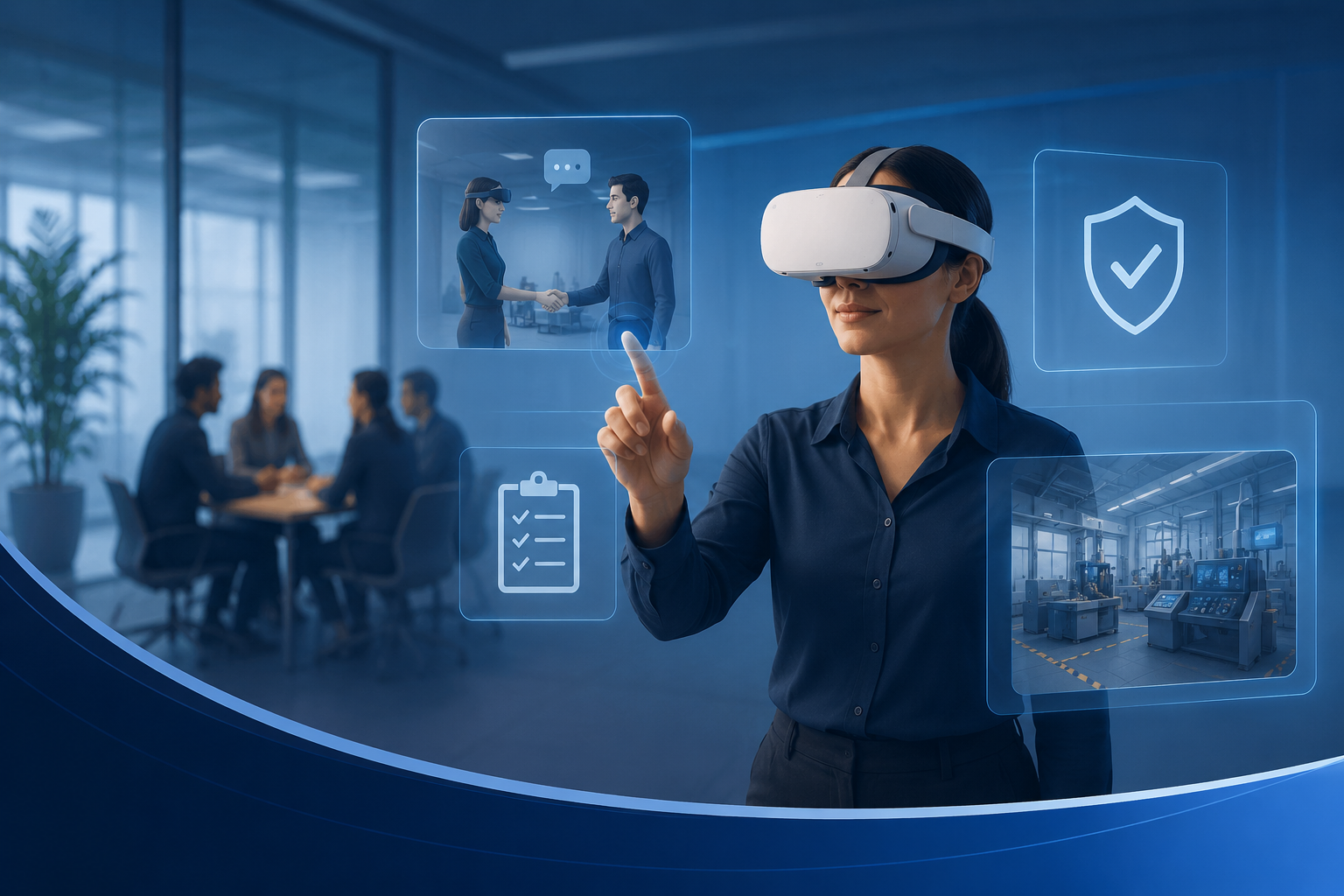
Augmented reality overlays digital content (step-by-step instructions, 3D models, safety labels, animations, product visualizations) onto the real physical environment. The delivery mechanism is a headset, smart glasses, or a smartphone camera. The user never leaves the real world. That distinction separates AR from VR and it matters enormously for deployment planning.
A worker on a live assembly line can follow AR-guided instructions without stepping away from the task. A trade show attendee can see a full-size 3D model of a product in the booth without putting on a full VR headset. A sales rep can place a virtual version of a product in a client’s actual office during a meeting. None of these scenarios require the user to be isolated from their environment, which is precisely why AR fits operational and customer-facing contexts that VR cannot serve.
AR vs. VR: The Practical Difference for Buyers
The operational distinction between AR and VR determines which tool belongs in a given use case. Confusing the two is the most common planning mistake business buyers make.
AR keeps users in their real environment and layers digital content on top of it. VR replaces the environment entirely with a rendered simulation. That difference has direct consequences for where and how each technology can be deployed.
- AR is better suited for tasks where situational awareness matters, including assembly guidance, live event interaction, customer-facing demos, and field service support. The user can see their hands, their coworkers, and their actual workspace while receiving digital guidance.
- VR is better suited for full immersion, including safety simulations, high-stakes scenario training, and virtual walkthroughs of spaces that do not yet exist. The user is deliberately removed from the real world to focus entirely on the simulated environment.
- Many enterprise deployments use both in sequence. A safety training program might use VR for the immersive hazard simulation, where a trainee experiences a chemical spill scenario without real-world risk, and AR for the on-the-job reference layer after training is complete, surfacing lockout/tagout procedures on the actual equipment.
Hardware differs significantly between the two formats. AR runs on smart glasses (Microsoft HoloLens 2, RealWear Navigator), smartphones and tablets (WebAR or app-based), or mixed-reality headsets with color passthrough (Meta Quest 3). Each hardware category carries different cost, setup complexity, and use-case fit. VR runs on dedicated headsets (Meta Quest, Varjo, Pico) with no camera passthrough required.
The Three Delivery Formats That Determine Your Use Case
Before evaluating any specific AR application, project owners need to understand the three delivery formats because the format determines the cost, the content development timeline, the hardware logistics, and whether the experience requires rented equipment or runs on devices attendees already own.
WebAR is browser-based augmented reality that runs on any modern smartphone without requiring an app download. The user scans a QR code, the browser opens, and the AR experience launches immediately. WebAR has the lowest deployment barrier of any AR format and is the right choice for marketing activations, trade show booth experiences, product placement demos, and any context where you cannot require the audience to download an app. The trade-off is graphical complexity. WebAR experiences are less visually rich and less interactive than app-based or headset AR.
App-based AR requires a downloaded application and supports significantly richer interactions, including persistent user data, integration with enterprise systems, complex 3D model rendering, and multi-step procedural guidance. This format is used for enterprise training overlays, field service guidance, and sales enablement tools that sales reps use repeatedly across multiple client meetings. The trade-off is the app download requirement and the ongoing maintenance burden of app store submissions and version updates.
Headset and smart glasses AR delivers hands-free, high-fidelity augmented reality. This format is used for manufacturing assembly guidance, warehouse operations, surgical and technical training, and any context where the user’s hands must remain free throughout the task. It carries the highest hardware cost and the most complex deployment logistics, but it is the only format that is operationally viable for hands-on industrial work.
The format decision should be made before content development begins. Changing formats mid-project typically means rebuilding the experience from scratch. IgivU can advise on format selection for a specific use case and provide a scoped quote in under 24 hours.
AR Use Cases for Training and Workforce Development
Training is where AR delivers the clearest measurable ROI for mid-market and enterprise buyers. The core value proposition is direct. AR can surface step-by-step instructions, safety warnings, or procedural overlays in the worker’s field of view while they perform a real task, reducing errors without pulling them away from the work environment. Unlike classroom training or e-learning modules, AR guidance exists at the point of need, in the actual workspace, at the moment the task is being performed.
On-the-Job Procedural Guidance in Manufacturing and Warehousing
AR overlays assembly instructions, torque specifications, quality checkpoints, and part identification directly onto the physical workstation or component. Workers follow steps without looking away at a paper manual, a wall-mounted screen, or a separate device. The guidance appears in their field of view, anchored to the actual part they are working on.
The documented operational impact is significant. Manufacturing case studies consistently show 30% to 50% reductions in time-to-competency for new hires on complex assembly lines when AR guidance replaces traditional documentation. Error rates drop because the system can enforce step sequencing. A worker cannot advance to step four until step three is confirmed complete.
Operational requirements: Smart glasses or a tablet mount are required for hands-on manufacturing tasks. Smartphone-held AR is not viable when both hands are engaged with the work. Content development for simple procedural overlays (sequential steps with 2D annotations) can be completed in a few weeks. Complex integrations involving 3D CAD model overlays, real-time sensor data, or ERP system connections require longer timelines and higher development investment. Get a scoped quote before building a budget.
What AR cannot replace here: Physical muscle memory still requires real repetition. AR guides the process and reduces errors, but it does not simulate the tactile experience of performing the task. New hires still need supervised hands-on practice. AR reduces the number of supervised repetitions required.
Safety Training Overlays and Hazard Identification
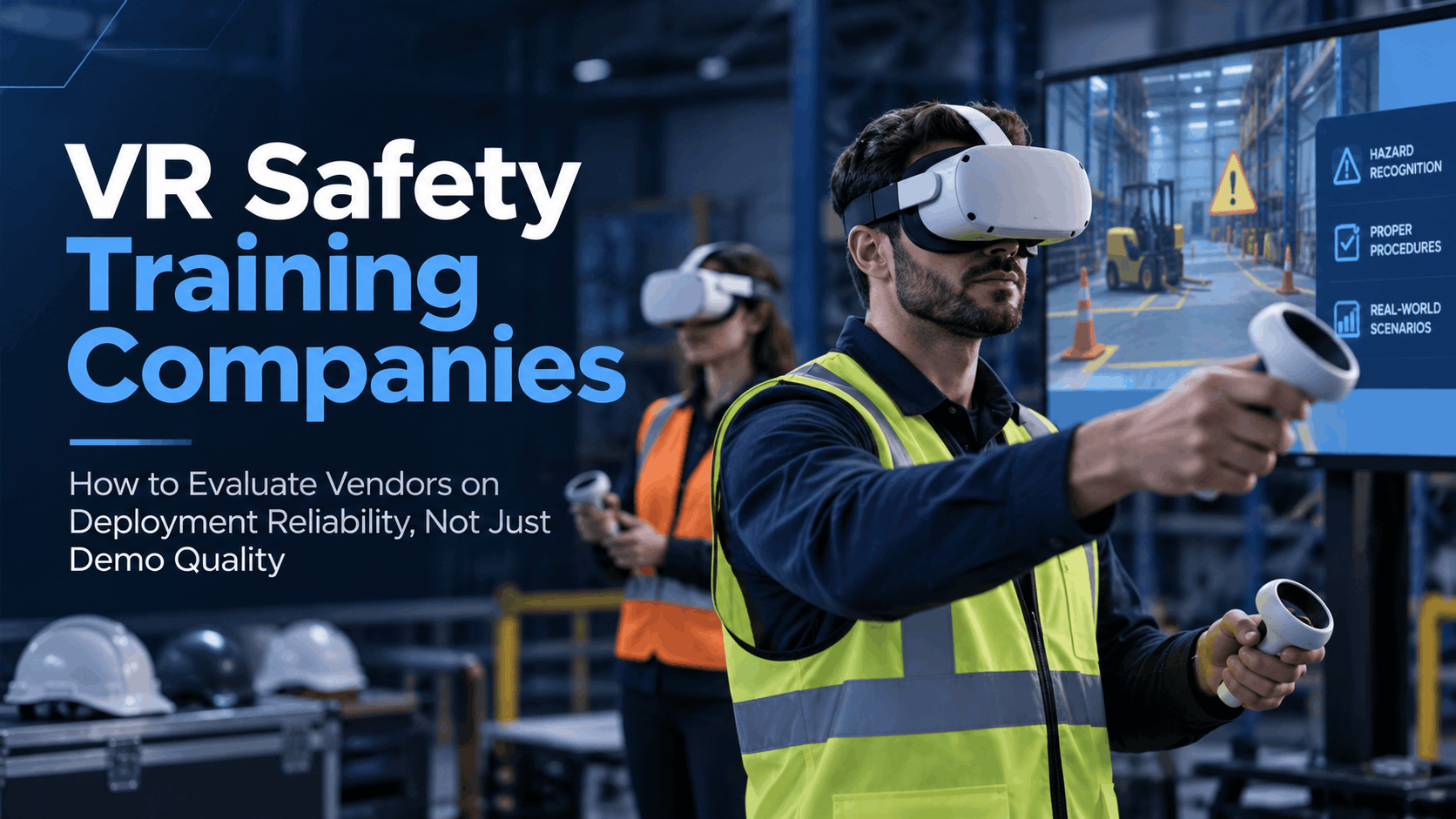
AR can highlight hazard zones, label dangerous equipment, display lockout/tagout procedures, and surface PPE requirements directly in the actual workspace, reinforcing safety training in the environment where the risk exists rather than in a classroom.
The most effective safety AR deployments complement VR-based training rather than replacing it. VR handles the immersive hazard scenario. The trainee experiences a simulated chemical exposure or equipment failure without real-world consequences. AR handles the on-the-job reference layer after training is complete, making safety information available at the point of need without requiring the worker to consult a separate document or system.
A critical compliance note: OSHA does not currently certify AR or VR as standalone replacements for hands-on safety training in most regulated categories. AR is a reinforcement and reference tool. It can improve retention and reduce the time between training and competent performance, but it does not satisfy the hands-on demonstration requirements in OSHA standards for categories like lockout/tagout, confined space entry, or powered industrial truck operation. Verify compliance requirements with your safety officer before positioning AR as a training replacement.
Best deployment format: Smart glasses or tablet-based AR in the actual facility, not a simulated environment. The value of safety AR is that it exists in the real space where the hazard exists.
Remote Expert Assistance and Field Service
A field technician wearing smart glasses shares their live first-person view with a remote expert. The expert annotates the scene in real time by drawing arrows, highlighting components, and placing labels. The technician sees those annotations overlaid on the actual equipment they are looking at. The expert guides the repair without being physically present.
This use case has a clear and quantifiable ROI. It reduces truck rolls, eliminates expert travel costs, and compresses repair timelines. It is particularly valuable for equipment maintenance, IT infrastructure servicing, and medical device support, or any context where expert knowledge is scarce and the cost of downtime is high.
Platforms enabling this capability include TeamViewer Frontline, Scope AR WorkLink, and PTC Vuforia Chalk. IgivU can advise on hardware selection and deployment logistics for pilot programs.
Operational constraint that buyers frequently underestimate: This use case requires reliable, high-bandwidth connectivity at the field location. A warehouse with dead Wi-Fi zones, a remote job site with poor cellular coverage, or a basement mechanical room with no signal will break the experience entirely. Connectivity assessment is a prerequisite for scoping, not an afterthought.
Staffing requirement: A remote expert must be available, trained on the annotation interface, and scheduled to support field calls. This is not a fully autonomous AR deployment. It requires a human expert on the other end of the connection.
Employee Onboarding and Facility Orientation
AR wayfinding and facility orientation applications let new employees navigate a large campus, warehouse, or manufacturing plant using their smartphone. Digital directional overlays, department labels, and points of interest appear on the camera view as the employee walks through the space.
This application has a lower development cost than full VR onboarding and can be delivered via WebAR or a lightweight app without requiring headset hardware. Once built, the experience scales to any number of new hires with no per-use hardware cost, a meaningful advantage for organizations with high onboarding volume.
Realistic scope of value: AR facility orientation works well as a complement to a broader onboarding program. It reduces the time managers spend giving building tours and helps new hires become independently mobile faster. It does not replace manager-led orientation, culture immersion, or the relationship-building that happens in the first weeks of employment.
AR Use Cases for Events, Trade Shows, and Brand Activations
Events represent the highest-volume AR deployment category in the commercial market. The appeal is operationally straightforward. AR creates a visually striking, shareable experience that draws booth traffic, extends dwell time, and generates lead capture opportunities without requiring attendees to put on a full VR headset, wait in a long queue, or engage with a complex interface. This section covers the event AR use cases with proven commercial traction, the hardware and staffing requirements for each, and the venue constraints that buyers routinely overlook until it is too late.
WebAR Product Demos and Brand Experiences at Trade Shows
WebAR is the most operationally efficient AR format for trade show environments. Attendees scan a QR code at the booth (on a banner, a table card, or a rep’s badge), and the AR experience launches immediately in their smartphone browser. No app download. No headset rental. No sanitization between users.
Best applications for WebAR at trade shows
- 3D product visualization, where attendees place a scaled 3D model of a product in their physical space using their phone camera
- Branded AR filters and animated logo reveals that drive social sharing
- Gamified booth interactions (AR scavenger hunts, interactive product quizzes)
- Product configurators where attendees select options and see the result in 3D
The hardware logistics advantage is significant. Eliminating headsets removes the staffing burden of equipment management, the sanitization protocol between users, and the risk of hardware failure during peak booth hours.
Limitation to communicate clearly: WebAR experiences are less immersive and graphically complex than headset-based AR. They are appropriate for marketing impact, brand awareness, and initial product visualization. Detailed technical product exploration and high-fidelity engineering demonstrations exceed their scope.
Development cost range: A simple branded WebAR filter or product placement experience typically runs $2,000 to $8,000 for development. A custom 3D product configurator with complex interaction design can reach $15,000 to $40,000 or more, depending on 3D model complexity. IgivU can deliver a scoped quote in under 24 hours.
Headset-Based AR for High-Impact Booth Experiences
Mixed-reality headsets, such as Meta Quest 3 with color passthrough and Microsoft HoloLens 2, deliver a significantly more immersive AR experience than smartphones. Attendees see large-scale 3D content anchored to the real booth environment. Examples include a full-size machine occupying the booth floor, an architectural visualization filling the space above the attendee’s head, or an interactive product configurator that responds to hand gestures.
Best applications for headset AR at trade shows
- Large equipment demos that show a full-size industrial machine, vehicle, or architectural structure in the booth without the cost and logistics of shipping the physical asset
- Architectural and interior design visualization at scale
- Interactive product configurators where the attendee manipulates the 3D model directly
Rental logistics buyers must plan in advance: The number of headsets required depends on expected booth traffic and the duration of each experience. A five-minute headset experience at a busy trade show with 200 qualified visitors per day typically requires four to six headsets to avoid queuing that discourages engagement. Under-provisioning headsets is one of the most common event AR planning failures.
Staffing requirement: Plan for at least one trained operator per two to three headsets. The operator manages sanitization between users, assists with headset fitting, resets the experience, and handles any technical issues. This is not optional. Unmanaged headset stations at trade shows result in confused attendees, unsanitized equipment, and experiences that drift out of calibration.
Venue compliance: Some convention centers restrict certain hardware categories, require advance approval for powered equipment, or have rules about floor space usage that affect headset station layout. Check venue requirements before finalizing the deployment plan, while there is still time to adjust the content.
AR at Corporate Events, Sales Kickoffs, and Holiday Activations
Corporate events present a different set of AR use cases than trade shows. The audience is internal, the goal is engagement and memorability rather than lead generation, and the tolerance for friction is lower because attendance is not optional.
AR photo experiences and branded filters are the lowest-friction, highest-participation option for internal corporate events. Attendees use their own phones, the experience requires no hardware management, and the social sharing that follows extends the event’s reach beyond the room.
Sales kickoff AR applications have a specific and underutilized value. AR product demos let the sales team experience new products in 3D before they go to market. A sales rep who has placed a virtual version of a new product in their own space and explored its features interactively will present it more confidently than one who has only seen a slide deck. This is sales enablement, not entertainment.
Holiday and celebration activations, including branded AR games, interactive photo ops with animated overlays, and virtual product reveals, drive social sharing and create memorable brand moments that generic event entertainment does not.
Space planning for headset-based AR at corporate events: Each headset station requires approximately six to eight square feet of clear floor space. Passthrough AR (where the user sees the real room through the headset cameras) requires less clearance than room-scale VR, but attendees still need enough space to move without colliding with furniture or other guests.
Privacy disclosure requirement: Any WebAR experience that accesses the smartphone camera must clearly disclose camera use in the experience interface. This applies to corporate events as much as public activations. Do not assume internal audiences waive privacy expectations.
AR Use Cases in Marketing, Sales, and Customer Experience
Beyond events, AR has established durable commercial traction in always-on marketing and sales enablement contexts. These experiences live on a website, in a retail environment, or in a sales rep’s toolkit rather than at a one-time activation. These use cases often carry lower per-deployment costs because the content is built once and used repeatedly across many interactions. The trade-off is that they require more careful UX design and ongoing content maintenance to remain effective.
AR Product Visualization for E-Commerce and Retail
Shoppers use their smartphone camera to place a 3D model of a product in their real space before purchasing. They see the actual product at accurate scale, in their actual room, under their actual lighting conditions, before committing to a purchase.
Furniture, appliances, home decor, and consumer electronics are the highest-adoption categories. The operational impact on return rates is well-documented. Major retailers deploying AR try-before-you-buy experiences have reported 20% to 40% reductions in returns in furniture and apparel categories. For categories where returns are operationally expensive, such as large furniture, appliances, and flooring, the ROI case is direct and measurable.
Delivery format: WebAR is the preferred deployment for e-commerce because it requires no app download and can be embedded directly on a product page. A “View in Your Space” button that launches an AR experience in the browser converts better than a button that requires an app download.
Primary cost driver: 3D model quality. A photorealistic model of a complex product, such as a piece of industrial equipment or a detailed piece of furniture with accurate material rendering, costs significantly more to produce than a simple consumer product model. Budget for 3D model production as a separate line item from the AR platform development.
Ongoing maintenance requirement: 3D models must be updated when products change. A product line refresh that changes dimensions, materials, or configurations requires corresponding 3D model updates. Factor ongoing content maintenance (typically 15% to 25% of original development cost per year) into the total cost of ownership before committing to a large product catalog AR deployment.
AR for Sales Enablement and B2B Product Demos
Sales reps use a tablet or smartphone to show a client a 3D model of a product, building, or system in the client’s actual space during a sales meeting. The client sees the product at accurate scale, in their own environment, without the sales team shipping a demo unit or scheduling a facility visit.
This use case is particularly valuable for capital equipment, industrial machinery, architectural products, and any product category where the physical demo unit is expensive to ship, difficult to transport, or does not yet exist as a manufactured product.
Product configurator integration extends the value significantly. The client selects options such as color, size, configuration, and finish and sees the changes reflected in the AR model in real time. A client who has configured a product to their specifications and seen it in their own space is meaningfully further along the purchase decision than one who has reviewed a spec sheet.
Critical UX requirement: The AR sales tool must be simple enough for field sales reps to operate confidently without technical support. A tool that requires a technical specialist to operate is not a sales enablement tool. It is a demo that can only happen under controlled conditions. Invest in UX simplicity and rep training before deploying to the field.
AR Wayfinding and In-Venue Navigation
Large venues, including hospitals, airports, convention centers, corporate campuses, and university facilities, use AR wayfinding applications to guide visitors through complex spaces using smartphone camera overlays. Directional arrows, department labels, and points of interest appear anchored to the real environment as the visitor walks.
Operational value: Reduces staff time spent giving directions, improves visitor experience at scale, and can surface contextual information (visiting hours, wait times, amenity locations) at the relevant physical point.
Technical dependency that determines feasibility: AR wayfinding requires indoor positioning infrastructure (Bluetooth beacons, Wi-Fi triangulation, or visual positioning systems, also called VPS) to determine the user’s location and orientation inside the building. GPS does not work reliably indoors. This infrastructure requirement is a significant cost and complexity factor that must be assessed before scoping the project.
Deployment context: AR wayfinding is best suited for organizations with a large, permanent facility and a recurring visitor flow, such as a hospital system, a major airport, or a university campus. It is not cost-effective for a one-time event in a venue without existing positioning infrastructure.
AR Use Cases in Operations, Maintenance, and Real Estate
Operational AR, deployed in facilities, on job sites, or in property contexts, represents the enterprise end of the AR market. These deployments have longer implementation timelines and higher development costs than event or marketing AR, but they also carry the clearest long-term ROI case because they reduce errors, downtime, and expert labor costs at scale across many users and many interactions.
AR for Facility Management and Maintenance
Maintenance technicians use AR to overlay equipment schematics, maintenance histories, calibration records, and repair instructions onto physical assets. They access this information by scanning a QR code on the equipment or using image recognition to identify the asset automatically.
Operational impact: AR surfaces the right information at the point of need, in the hands of the technician who needs it, at the moment they need it. This reduces mean time to repair (MTTR) by eliminating the time spent locating the correct manual, navigating a maintenance management system, or waiting for a more experienced colleague to provide guidance.
Enterprise integration requirement: Most mature facility management AR deployments require integration with a Computerized Maintenance Management System (CMMS), the system of record for maintenance histories, work orders, and asset documentation. This integration adds to implementation scope and cost but is what makes the AR overlay genuinely useful rather than a static document overlay. Assess the integration requirement early in the scoping process.
Hardware: Smart glasses are preferred for hands-free access during maintenance tasks. Tablet-based AR is a viable lower-cost alternative for tasks where the technician has a hand free to hold the device.
AR in Real Estate: Staging, Renovation Visualization, and Property Tours
Real estate represents a distinct AR sub-category where the technology overlaps significantly with VR and where choosing the right format depends on whether the buyer needs to see the real space or a fully rendered version of it.
AR virtual staging lets buyers see furnished versions of empty properties using a smartphone. The buyer stands in the real empty room and sees digital furniture placed in the actual space. This is lower cost than physical staging, instantly updatable when the staging concept changes, and accessible remotely via a WebAR link without requiring a site visit.
Renovation visualization uses AR to preview planned changes (wall removals, new flooring, kitchen remodels, window additions) overlaid on the actual existing space. Buyers and architects see the proposed change in the real context of the room, not in a rendered environment that may not accurately represent the existing conditions.
The distinction from VR property tours: AR keeps the buyer in the real physical space and layers digital content on top. VR replaces the space entirely with a rendered version, an approach appropriate for properties that do not yet exist or for showcasing a space that is not accessible. For real estate developers and agents, AR staging is typically delivered via a WebAR link or a branded app requiring no headset.
How to Choose the Right AR Format for Your Business Need
The most common planning mistake business buyers make is selecting an AR format based on what looks impressive in a vendor demo rather than what fits the use case, the budget, and the operational context. The following decision framework is designed to help project owners match the right delivery format to their specific situation before requesting a quote.
Decision Criteria: WebAR vs. App-Based AR vs. Headset AR
Choose WebAR when
- The audience is large and diverse, and you cannot require an app download.
- The experience is marketing-focused, with goals such as brand awareness, product visualization, or event engagement.
- Budget is constrained and speed to deployment is a priority.
- The experience will be accessed once or a small number of times per user.
Trade-off: Less graphical fidelity, limited interaction complexity, no persistent user data.
Choose app-based AR when
- You need richer interactions, multi-step procedural guidance, or persistent user data.
- The experience integrates with an existing enterprise system (ERP, CMMS, CRM).
- The same users will access the experience repeatedly over time.
- You have the resources to manage app store submissions and version updates.
Trade-off: Requires app download, ongoing app maintenance, and a longer initial development timeline.
Choose headset or smart glasses AR when
- Hands-free operation is required because the user’s hands are engaged with the physical task.
- Graphical fidelity and large-scale 3D content are critical to the use case.
- The deployment is in a controlled environment (factory floor, warehouse, training facility) where hardware management is feasible.
- The use case justifies the hardware investment through measurable operational improvement.
Trade-off: Highest hardware cost, most complex deployment logistics, requires trained operators and a hardware management protocol.
Budget signals by format
- WebAR experiences start at $2,000 to $8,000 for standard marketing applications and scale with content complexity.
- App-based AR enterprise deployments typically start at $15,000 and scale significantly with integration requirements.
- Headset-based AR trade show activations range from $8,000 to $30,000+ including content development, hardware rental, and staffing.
- Smart glasses enterprise deployments (pilot programs) typically range from $15,000 to $60,000+ including hardware, content, and integration.
Timeline signals by format
- WebAR: 2 to 6 weeks for a standard experience, longer for complex 3D content.
- App-based AR: 8 to 16 weeks for a full enterprise deployment with system integration.
- Custom headset AR content: 6 to 16 weeks depending on 3D content complexity and interaction design.
What AR Cannot Replace and When to Use VR Instead
AR is the right tool for a specific set of use cases. It is the wrong tool for others. Deploying AR in a context where VR is more appropriate wastes budget and produces a worse outcome.
Use VR instead of AR when
- The goal is to place a trainee inside a hazardous scenario without real-world risk, such as a chemical spill, a structural collapse, or a high-voltage electrical fault. AR cannot simulate full immersion.
- The use case requires the user to be fully disconnected from their physical environment, as in a high-stress emergency response simulation where ambient distractions would undermine the training objective.
- You need to showcase a space, building, or product that does not yet physically exist. AR overlays on a real space cannot substitute for a fully rendered VR environment when the real space is not the right reference point.
- Outdoor environments with high ambient light are the deployment context. Optical see-through headsets wash out in direct sunlight, making headset-based AR ineffective outdoors during daylight hours.
AR cannot replace physical hands-on practice for tasks that require tactile feedback. It can guide the task, reduce errors, and compress the time to competency, but it does not simulate the physical sensation of performing the work. A surgical trainee using AR guidance still needs to perform the physical procedure under supervision. An assembly line worker using AR step guidance still needs to develop the physical dexterity the task requires.
Many enterprise deployments use both formats in sequence. VR handles the immersive training simulation. AR handles the on-the-job reference layer after training is complete. IgivU can scope a combined AR and VR deployment that uses each format where it performs best.
What an AR Deployment Actually Costs: Pricing Ranges by Use Case
Most AR vendors require a discovery call before sharing any pricing, a practice that wastes time for buyers who need to qualify the investment before committing to a sales process. The ranges below reflect realistic market pricing for the use cases covered in this guide. Actual quotes depend on content complexity, headset count, event duration, integration requirements, and 3D model production needs.
| Deployment Type | Typical Cost Range | Notes |
|---|---|---|
| WebAR branded filter or simple product placement | $2,000 to $8,000 | Development only, with no ongoing hardware cost |
| WebAR product configurator or complex 3D interaction | $10,000 to $40,000+ | 3D model complexity is the primary cost driver |
| Headset AR trade show activation (2-day event) | $8,000 to $30,000 | Includes content development, hardware rental, and staffing |
| Smart glasses enterprise training pilot | $15,000 to $60,000+ | Includes hardware, content, and system integration |
| AR sales enablement tool (app-based) | $12,000 to $35,000 | Scales with product catalog size and configurator complexity |
| AR facility management deployment | $20,000 to $80,000+ | CMMS integration adds significant scope |
| Ongoing content maintenance (annual) | 15% to 25% of original development cost | Required for enterprise deployments with changing products or procedures |
These ranges are starting points, not fixed prices. A simple WebAR experience for a single trade show can be scoped and delivered at the low end of the range. A multi-product AR sales enablement platform with real-time configurator functionality and CRM integration will land at the high end or above it.
Frequently Asked Questions
What is the most common AR use case for businesses in 2025?
The highest-volume commercial AR use cases in 2025 are trade show and event activations (WebAR and headset-based booth experiences), e-commerce product visualization (AR try-before-you-buy on retail websites), and manufacturing procedural guidance (smart glasses overlays for assembly and maintenance). Training and field service AR are growing rapidly in mid-market and enterprise segments as smart glasses hardware costs have declined.
Can AR be used for OSHA-required safety training?
AR can reinforce and complement OSHA-required safety training by surfacing hazard labels, lockout/tagout procedures, and PPE requirements in the actual workspace. However, OSHA does not currently certify AR as a standalone replacement for hands-on safety training in most regulated categories. AR functions as a reference and reinforcement layer. It does not substitute for compliance. Verify specific requirements with your safety officer and legal counsel before positioning AR as a training replacement.
What is the difference between WebAR and app-based augmented reality?
WebAR runs in a smartphone browser without requiring an app download. The user scans a QR code and the experience launches immediately. App-based AR requires a downloaded application and supports more complex interactions, persistent user data, and enterprise system integrations. WebAR is better for marketing, events, and one-time consumer interactions. App-based AR is better for enterprise training, field service, and sales enablement tools that the same users access repeatedly.
How many staff members do I need to run an AR activation at a trade show?
For WebAR activations (smartphone-based), minimal dedicated staffing is required. A booth rep who can direct attendees to the QR code and answer questions is sufficient. For headset-based AR activations, plan for at least one trained operator per two to three headsets. The operator manages sanitization between users, assists with headset fitting, resets the experience, and handles technical issues. Under-staffing a headset AR activation is one of the most common event planning failures.
What does an AR experience cost to develop?
Development costs range from $2,000 to $8,000 for a simple WebAR marketing experience to $40,000 to $80,000+ for a complex enterprise AR deployment with system integration. The primary cost drivers are 3D model complexity, interaction design depth, platform integration requirements, and whether the experience requires custom content creation or can use existing 3D assets. IgivU provides scoped quotes in under 24 hours. Describe your use case using the contact form to get a realistic estimate without a lengthy discovery process.
Can AR replace VR for employee training?
No. AR and VR serve different training functions. AR is the right tool for on-the-job procedural guidance, safety reference overlays, and field service support in the real work environment. VR is the right tool for immersive hazard simulations, high-stakes scenario training, and any training objective that requires the trainee to be fully removed from their real environment. Many effective enterprise training programs use both, with VR for the simulation and AR for the on-the-job reference layer after training is complete.
What hardware is required to run augmented reality at a corporate event?
It depends on the AR format. WebAR requires no dedicated hardware because attendees use their own smartphones. App-based AR requires smartphones or tablets with the app installed, which can be provided by the organizer or accessed on attendees’ personal devices. Headset-based AR requires mixed-reality headsets (Meta Quest 3, HoloLens 2) that are typically rented for the event, along with charging stations, sanitization supplies, and a hardware management protocol.
How long does it take to develop a custom AR experience?
WebAR experiences with standard interactions typically take 2 to 6 weeks from brief to deployment. App-based AR with custom interactions and enterprise integrations typically takes 8 to 16 weeks. Custom headset AR content with complex 3D models and multi-step interaction design typically takes 6 to 16 weeks. Timeline depends heavily on whether production-ready 3D assets already exist. Creating 3D models from scratch adds time and cost to any AR project.
Is AR or VR better for product demos at trade shows?
AR is generally better for trade show product demos because it does not require the attendee to be fully isolated from the booth environment. Attendees can interact with booth staff, ask questions, and engage with other materials while experiencing an AR demo. VR requires the attendee to put on a headset and be fully immersed. This is appropriate for high-impact, longer-form experiences but creates a queue management challenge at busy trade shows. WebAR is the most operationally efficient format for high-traffic trade show demos. Headset AR is appropriate when graphical fidelity and scale are critical to the demo’s impact.
What are the venue restrictions I need to check before deploying AR at an event?
Check the following with the venue before finalizing your AR deployment plan:
- Restrictions on powered equipment or specific hardware categories
- Floor space rules that affect headset station layout
- Wi-Fi infrastructure and bandwidth availability (critical for app-based and headset AR)
- Advance approval requirements for technology activations
- Any restrictions on QR codes or promotional materials that direct attendees to external URLs
Convention centers and hotel event spaces vary significantly in their technology policies. Confirm requirements at least four to six weeks before the event.
The Decision You Actually Need to Make
Augmented reality is not a universal solution. It is a specific tool that performs exceptionally well in a defined set of operational contexts and performs poorly, or not at all, in others. The business buyers who get the most value from AR are the ones who start with a specific problem (training time is too long, trade show booth traffic is declining, sales reps cannot demo large equipment in the field) and evaluate AR as one possible solution rather than starting with the technology and searching for a use case to justify it.
If you have a specific operational problem that fits the use cases covered in this guide (training, events, sales enablement, field service, product visualization), AR is worth a serious evaluation. The technology is commercially mature, the hardware is accessible, and the content development ecosystem is established enough to deliver production-quality experiences on reasonable timelines and budgets.