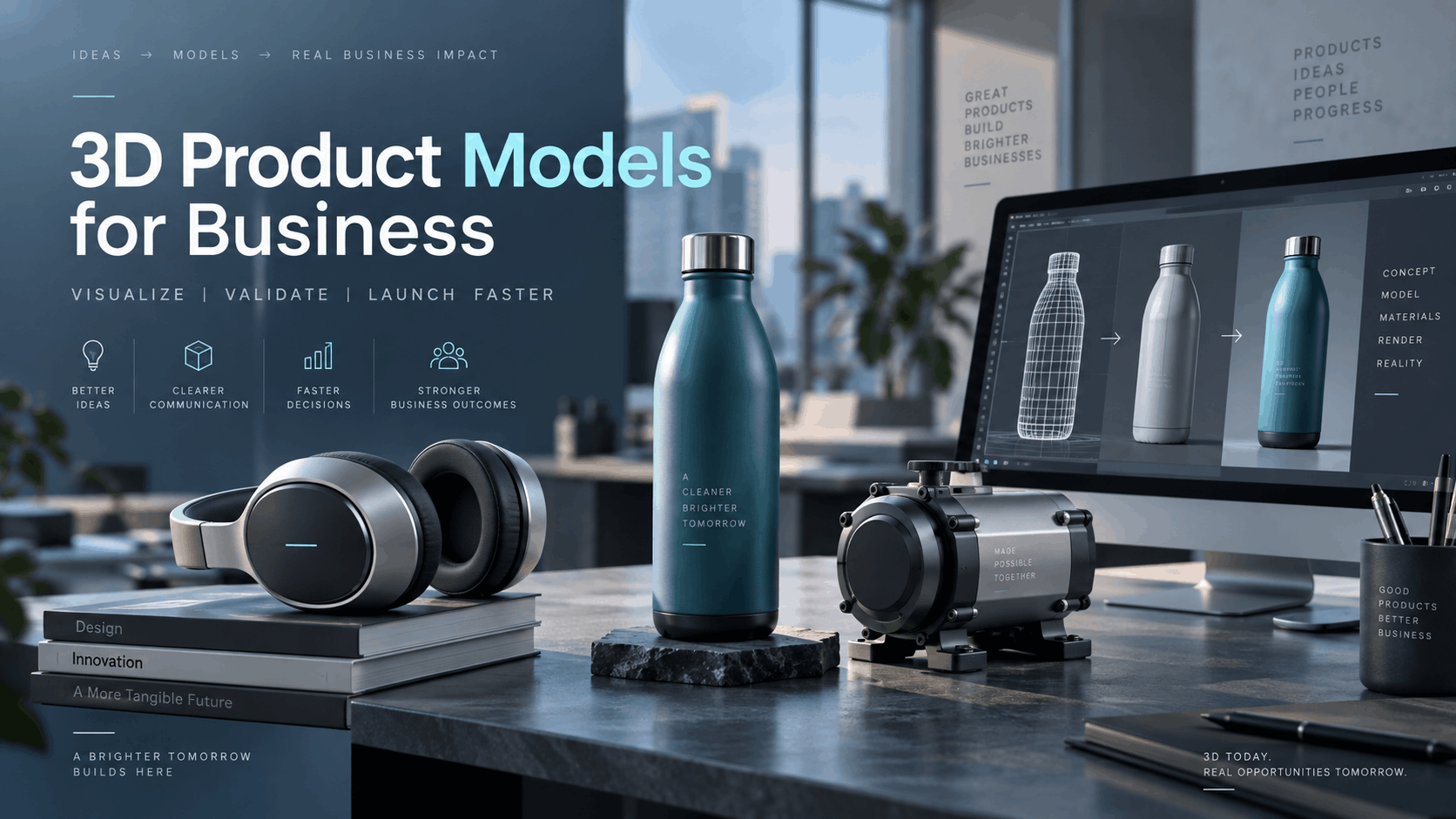
When designers talk about 3D product models, they mean geometry, textures, and render pipelines. When a marketing leader or product team asks about 3D product models, they usually mean something more practical: a digital version of their product that a prospect can see, rotate, and interact with without the product being physically present.
This guide is written for the second group. It covers how 3D product models are used in VR and AR business applications, what it takes to deploy them in real event and sales settings, and how companies without in-house 3D teams are doing it today.
What 3D Product Models Actually Mean for Business Teams
For business teams, a 3D product model is not just a technical file; it’s a powerful sales and marketing asset. It is a digital twin of a physical product, designed to be explored interactively in virtual or augmented reality. This allows potential customers to experience a product’s features, scale, and functionality in a deeply engaging way, moving far beyond static images or videos.
The Business Case: Why 3D Models Are Replacing Physical Product Samples
The shift from physical prototypes to virtual models is an operational and financial decision. Physical samples are expensive to create, costly to ship, easily damaged in transit, and impossible to scale across multiple simultaneous events or sales territories.
3D product models for business eliminate these logistical hurdles. They enable prospects to interact with a product at full scale, in a contextual environment, or in configurations that may not even exist in physical form yet. This delivers significant advantages in specific use cases:
- Capital Equipment & Complex Machinery: Demonstrating the scale and internal workings of a large machine is difficult. A VR model allows a user to walk around it, look inside, and see animated processes that are invisible on a static unit.
- Configurable Products: For products with thousands of SKU variants (like furniture, vehicles, or modular systems), creating physical samples for each is impossible. A 3D product model allows customers to see every color, material, and feature combination instantly.
- Large-Format Products: Items too large or heavy to transport to a trade show can be easily displayed at a 1:1 scale in VR.
- Products in Development: Launch a product to the market using a high-fidelity 3D model before the first physical unit has been manufactured, compressing timelines and accelerating sales cycles.
Ultimately, the decision to use a 3D model is about whether the asset serves a business outcome—like accelerating the sales cycle or reducing marketing costs—not just about whether the technology is impressive.
The Difference Between a 3D Model for Web and a 3D Model for VR
A common pitfall for teams new to immersive tech is assuming any 3D model will work in a VR headset. A model that looks great in a web-based product configurator may perform poorly inside a Meta Quest headset without significant optimization. The technical requirements are fundamentally different.
- Web-based 3D Models: These are optimized for fast loading in a browser. They prioritize low file sizes over high visual fidelity, often using lower-resolution textures and simplified geometry.
- VR-Ready 3D Models: These must be optimized for real-time rendering performance on the specialized processors of standalone headsets. The goal is to maintain a high, stable frame rate (typically 72 FPS or higher on Meta Quest devices) to ensure a comfortable user experience.
Here are a few key terms that define a VR-ready model:
- Polygon Count: This refers to the number of triangles that form the 3D model’s surface. A complex CAD model might have millions of polygons, but for smooth performance on a standalone headset like a Meta Quest, a model often needs to be optimized to under 500,000 polygons. Some developers recommend a target closer to 100,000 triangles for optimal performance.
- Level of Detail (LOD): This technique involves creating multiple versions of a model at varying levels of complexity. The system renders a simpler, low-polygon version when the object is far away and swaps in a high-detail version as the user gets closer, saving processing power.
- GLB/GLTF Format: GLB is the binary version of the glTF (Graphics Language Transmission Format), which has become the industry standard for transmitting and loading 3D scenes and models efficiently. It packages the model’s geometry, materials, and textures into a single file, making it ideal for web and VR applications.
- Draw Calls: A draw call is a command from the CPU to the GPU to render an object. Too many draw calls can create a performance bottleneck. Techniques like texture atlasing (combining multiple smaller textures into one larger one) help reduce draw calls.
How 3D Product Models Are Used in VR and AR Business Applications
The headset is the delivery vehicle, but the 3D product model is the content your prospect actually interacts with. Understanding how these models are used across different business contexts helps teams define the kind of asset they need and how it should be presented.
Trade Shows and Brand Activations
At trade shows, booth space is limited and expensive. 3D product models for trade shows solve this by allowing you to showcase an entire product line—including large, heavy, or pre-production items—within a small footprint.
- How it works: Attendees put on a VR headset and can walk around a life-size model of a product, inspect internal components through cutaway views, trigger animations showing a process, or switch between different configurations.
- The business value: This creates a memorable, hands-on interaction that increases booth dwell time and generates qualified leads tied to specific product interests.
- Deployment reality: For a successful 3D product models trade show activation, the models must be preloaded onto headsets, tested for performance, and configured to run without an internet connection, as venue WiFi is often unreliable.
Sales Demos and Product Presentations
Sales teams can use VR headsets to place a prospect inside a virtual environment with their product. This is especially powerful for 3D product models for sales demos when the product is difficult to demonstrate in a typical meeting room.
- How it works: A sales representative can show a prospect how a piece of industrial equipment would fit on their factory floor, how a medical device functions in a simulated operating room, or how a large vehicle operates.
- Remote sales demos: For high-value prospects, companies can ship a headset with the 3D model preloaded directly to their location. The prospect can experience the product immersively without the sales rep needing to be physically present, reducing travel costs and accelerating the sales cycle.
- Deployment Path: Using a service for VR rentals for remote product demonstrations simplifies the logistics of shipping configured hardware to multiple locations.
Product Launches and Media Events
For product launches, 3D product models VR experiences can create a powerful “reveal” moment. Attendees can see and interact with a product in virtual reality before it’s physically available, or experience it in a context that would be impossible to stage at a physical venue.
- How it works: At a launch event, guests use VR headsets to see a new car driving through a stunning landscape or explore a new piece of technology in a futuristic setting.
- Multi-location launches: The same 3D model and VR experience can be deployed simultaneously across events in multiple cities using a fleet of rented headsets shipped to each location.
- Deployment Framework: A comprehensive VR product launch events guide can provide a full framework for planning and executing these kinds of events.
AR Glasses and Field-Based Product Visualization
Unlike VR, which creates a fully immersive digital world, augmented reality (AR) overlays digital information onto the user’s real-world view. This makes 3D product models AR glasses a powerful tool for field service, installation guidance, and on-site visualization.
- How it works: A field technician wearing AR glasses can see a 3D model of a machine overlaid on its real-world location, with step-by-step repair instructions appearing in their field of view. An architect could use them to show a client how a new structure will look on an empty plot of land.
- The business value: AR provides hands-free access to information, which is critical in industrial or operational settings where safety and efficiency are paramount. It helps reduce errors, improve training, and increase first-time fix rates for service teams.
- Deployment Path: The same 3D models created for VR can often be adapted for AR, and hardware rental services can provide both VR headsets and AR glasses, offering a complementary deployment path for your assets.
The Asset Pipeline: How 3D Product Models Get from Your Team onto a Headset
This is the part of the process that often feels like a black box for business teams. They understand the “what” and “why” of a VR demo but not the “how.” How do existing engineering files or marketing assets become a functioning experience on a standalone headset? The path depends on the assets you already have.
Starting Point: What Asset Formats Companies Usually Have
Most companies already possess some form of 3D data, though it’s rarely ready for VR out of the box. An asset audit is the critical first step.
- CAD Files (STEP, IGES, SolidWorks, CATIA): These are the most common starting point for manufacturing and engineering firms. CAD files are built for precision engineering, not real-time visualization. They are extremely dense and must be converted and heavily optimized for VR use.
- 3D Renders (OBJ, FBX, Cinema 4D): Marketing departments often have models used for creating photorealistic images or animations. These are closer to being VR-ready but still typically require polygon reduction, material conversion, and texture optimization.
- No Existing 3D Assets: If you have no 3D files, the model must be created from scratch. This can be done through photogrammetry (creating a 3D model from a series of photographs of a physical object) or by a 3D artist building the model based on reference images and dimensions.
The key takeaway is that converting an existing CAD file is often a more direct path to a VR-ready asset than starting from zero.
Optimization for Standalone Headsets: What Changes and Why
Standalone headsets like the Meta Quest series use mobile-class processors, which have significant performance constraints compared to PC-powered VR systems. An unoptimized model will cause the frame rate to drop, leading to a choppy, uncomfortable experience for the user.
The optimization process involves several standard steps:
- Polygon Reduction (or Decimation): This is the process of reducing the number of polygons in a model’s mesh to meet the performance targets of the headset. For example, a CAD model with 50 million polygons might need to be reduced to under 500,000 for a standalone headset.
- Texture Atlasing: Combining multiple texture maps into a single, larger map (an atlas). This reduces the number of draw calls the GPU has to make, improving performance.
- Level of Detail (LOD) Generation: Creating several versions of the model at different complexities. The system automatically displays a simpler version when the model is far away and a more detailed one up close.
- Baked Lighting: For static scenes, lighting and shadow information can be pre-calculated and “baked” into the textures. This creates realistic-looking shadows without the performance cost of calculating them in real-time.
Loading Models onto Rented Headsets: How IGIVU Handles This
For teams without a dedicated 3D or IT department, the technical step of loading and configuring content on a fleet of headsets can be a major barrier. This is a core problem that a rental model solves.
- Preloaded Content: IGIVU’s rental packages can ship with custom 3D product models already loaded and tested. This removes the entire technical burden from the client’s event or sales team.
- The Workflow: The process is straightforward. The client provides their optimized 3D assets (typically in a GLB format) by an agreed-upon deadline. IGIVU then loads the experience onto the headset fleet, tests it thoroughly, and ships the hardware to the event location, fully configured and ready to run.
- Offline Operation: A critical feature for events is that once the content is loaded, the experience runs locally on the headset. This means it does not require an internet connection, bypassing the common issue of unreliable or non-existent WiFi on trade show floors.
This service abstracts away the complex technical layer, allowing marketing and sales teams to focus on the experience itself, not the technology behind it.
Choosing the Right Deployment Format for Your 3D Product Model
Not every use case requires the same hardware. The choice between a standalone VR headset, AR glasses, or a multi-headset deployment depends on the business goal, the audience, and the environment.
Standalone VR Headsets: Best for Immersive, Controlled Experiences
- Best Fit: Trade shows, product launches, one-on-one sales demos, and any situation where the goal is full immersion in a controlled space.
- Advantages: No external PC or cables are required, making them easy to set up in any venue. They are highly scalable for events requiring many simultaneous users.
- Constraints: The user is completely blocked off from the real world, which requires a facilitator to ensure safety and guide first-time users.
- Rental Consideration: As the most common 3d product model rental option, standalone headsets offer the lowest-friction path to deployment for event teams.
AR Glasses: Best for Contextual, Hands-Free Product Visualization
- Best Fit: Field service, installation guidance, manufacturing operations, and showroom environments where the user needs to see both the 3D model and their real surroundings.
- Advantages: The user remains aware of their environment, which is crucial for safety on a factory floor or job site. The hands-free operation allows technicians to perform tasks while viewing instructions.
- Constraints: The field of view in most current AR glasses is narrower than in VR headsets, and outdoor performance can be affected by bright sunlight.
- Use Case Example: A facilities team uses AR glasses to see exactly where a new piece of HVAC equipment will fit in a crowded mechanical room before it arrives on site.
Multi-Headset Deployments: Scaling 3D Product Experiences Across Events
For large-scale activations—like a major trade show booth, a multi-city product tour, or a sales enablement program for a national team you need to deploy 3d product models on VR headsets at scale.
- How it works: A rental model like IGIVU’s supports this by replicating the exact same configured experience across a large fleet of headsets.
- Logistics: Headsets are shipped directly to each event location, used for the duration, and then returned. The client avoids the capital expense and logistical burden of owning, storing, updating, and maintaining a large inventory of hardware.
- Framework: For detailed logistics, a VR product visualization for trade shows rental guide can outline the entire process for fleet deployment.
What to Expect When Planning a 3D Product Model Deployment
Teams embarking on their first VR or AR project often underestimate the lead time for asset creation and overestimate the difficulty of on-site execution. Setting realistic expectations is key.
Lead Time: Asset Preparation Is the Long Pole
This is the most critical planning factor. While hardware rental can often be arranged in 2-4 weeks, the asset preparation process takes significantly longer.
- Typical Timeline: For a first-time deployment starting from a complex CAD file, expect the conversion, optimization, and testing of the 3D product model to take 4 to 8 weeks. Some complex projects can take several months.
- Compressed Timeline: Teams that already have optimized 3D assets (e.g., a low-polygon FBX or GLB file) can shorten this timeline dramatically.
- Practical Recommendation: Start the conversation about asset creation and optimization 8 to 12 weeks before your event, not two weeks before. This provides a buffer for revisions and testing.
- Expert Guidance: IGIVU can provide initial guidance on asset readiness as part of the rental inquiry process, helping you scope the project realistically from the start.
On-Site Execution: What the Event Team Actually Does
With pre-configured headsets, the on-site team’s role shifts from technical troubleshooting to experience facilitation.
- The Job: The team is responsible for the physical setup (charging stations, signage), guiding attendees into and out of the experience, and ensuring headsets are cleaned between uses.
- No Technical Work: Because the content is preloaded and tested, no software installation or content management is needed on the event floor.
- Optional Support: For large events, IGIVU offers on-site event staff who can manage the entire headset fleet, from battery management to user facilitation. This frees up the client’s sales team to focus exclusively on conversations with prospects.
- Operational Realities: Planning for hygiene (headset covers, cleaning wipes) and battery charging cycles is a practical part of any multi-user VR deployment.
Getting Started: How to Bring Your 3D Product Model into a VR or AR Rental
The path from concept to a live VR activation at your next trade show is more direct than many teams believe. It hinges on a clear, step-by-step process.
Step 1: Audit Your Existing 3D Assets
First, figure out what you already have.
- Identify Files: Work with your engineering, product design, or marketing teams to locate any existing 3D files. Determine if they are CAD files (like STEP, SolidWorks), marketing renders (like FBX, OBJ), or something else.
- Gather Specs: If possible, find out the polygon count and format of these assets. Your 3D team or an external partner can help with this analysis.
- Plan for Creation: If no assets exist, decide whether photogrammetry (scanning a physical product) or purpose-built 3D modeling is the right path based on your product, budget, and timeline.
Step 2: Define the Experience You Want to Create
Next, decide what the user should be able to do.
- Define Interactions: Should the user simply view the model at scale? Or do they need to rotate it, trigger animations, explode it to see internal parts, or switch between custom configurations?
- Match Complexity to Context: The interaction design dictates the complexity of the VR application. A simple “viewer” is much faster to develop than a full-featured product configurator. A 3-minute trade show experience should be simple and intuitive, while a 20-minute guided sales demo can support more complexity.
Step 3: Contact IGIVU to Scope the Rental and Content Loading
Once you have a handle on your assets and goals, it’s time to plan the deployment.
- Share Your Plan: Provide your asset information, event date(s), estimated number of headsets, and a description of the desired user experience.
- Get a Quote: IGIVU will provide a comprehensive proposal covering hardware selection (VR or AR), content loading logistics, shipping, and any optional on-site support.
- Lock it In: The rental package covers all the hardware logistics. Your team’s main responsibility is to deliver the final, optimized 3D assets by the agreed-upon content deadline.
Conclusion: Making Immersive Demos an Operational Reality
Deploying 3D product models in VR and AR is no longer a futuristic concept reserved for companies with massive R&D budgets. It has become a practical and powerful tool for sales, marketing, and events. By eliminating the costs and logistical constraints of physical products, immersive experiences allow you to tell a more compelling product story, engage buyers on a deeper level, and accelerate sales cycles.
The primary barrier for most companies has not been the vision, but the execution specifically, the technical hurdles of asset optimization and hardware management. A 3d product model rental service like IGIVU removes this barrier, handling the configuration, logistics, and deployment so your team can focus on what matters most: connecting with your customers.
Ready to see your product in VR at your next event? Contact IGIVU today to discuss your project and get a quote for a fully configured hardware rental package.
Frequently Asked Questions (FAQs)
Can I use my existing CAD files directly in a VR headset?
No. CAD files from programs like SolidWorks, CATIA, or STEP files are built for engineering precision and are far too complex for real-time rendering on a VR headset. They must be converted and heavily optimized (e.g., polygon reduction, material conversion) into a format like GLB before they can be used.
How long does it take to prepare a 3D product model for VR deployment?
The timeline varies greatly depending on the starting asset. Converting and optimizing a complex CAD model for the first time can take 4 to 8 weeks. If you already have a low-polygon model in a format like FBX or GLB, the process can be much faster.
Do I need an internet connection at the event to run a 3D product model in VR?
No. For professionally managed deployments, the VR experience and 3D models are preloaded directly onto the headsets. This allows them to run completely offline, which is critical for trade shows and other venues where WiFi is often unreliable or unavailable.
What file formats does IGIVU accept for custom 3D product model loading?
The ideal format is GLB (.glb), as it is the standard for real-time and VR applications and contains all necessary data in a single file. Optimized FBX (.fbx) files with separate textures are also commonly used.
Can the same 3D model be used on both VR headsets and AR glasses?
Yes, in most cases. The core optimized 3D model (e.g., a GLB file) can be used in both VR and AR applications. However, the application itself will be different, as VR replaces the user’s world while AR overlays content onto it, requiring different interaction designs.
How many headsets can I rent for a single trade show or event?
Rental services can typically provide anywhere from a handful of headsets for a small sales meeting to fleets of 50, 100, or more for a large trade show, conference, or multi-city product launch.
What happens if my 3D model is too complex for a standalone headset?
If a model cannot be optimized sufficiently to run smoothly on a standalone headset (like a Meta Quest), the alternative is to use a PC-powered VR headset. This involves connecting the headset to a powerful gaming laptop, which handles the processing. While less portable, this setup can handle much more complex and graphically intense experiences.
Does IGIVU provide 3D modeling or asset optimization services, or do I need to bring my own assets?
IGIVU’s primary service is hardware rental, logistics, and pre-configuration. While we do not offer in-house 3D modeling, we work with a network of trusted 3D optimization partners and can connect you with the right experts to prepare your assets for a VR or AR deployment.