Virtual reality transforms corporate training, trade shows, and marketing events but purchasing equipment for occasional use rarely makes financial sense. This guide walks you through every aspect of VR rental for business applications, from understanding basic components to executing successful deployments.
What VR Rental Actually Means for Business Events
VR rental provides temporary access to headsets, content, and support services without purchasing equipment. For corporate teams planning training sessions, trade shows, or brand activations, rental packages include the hardware, preloaded experiences, and setup guidance needed for successful deployment.
Unlike consumer rentals focused on gaming, business VR rentals address professional requirements: bulk quantities, enterprise content, technical support, and logistics coordination. Rental periods typically range from single-day events to multi-month training programs.
Core Components of Business VR Rentals
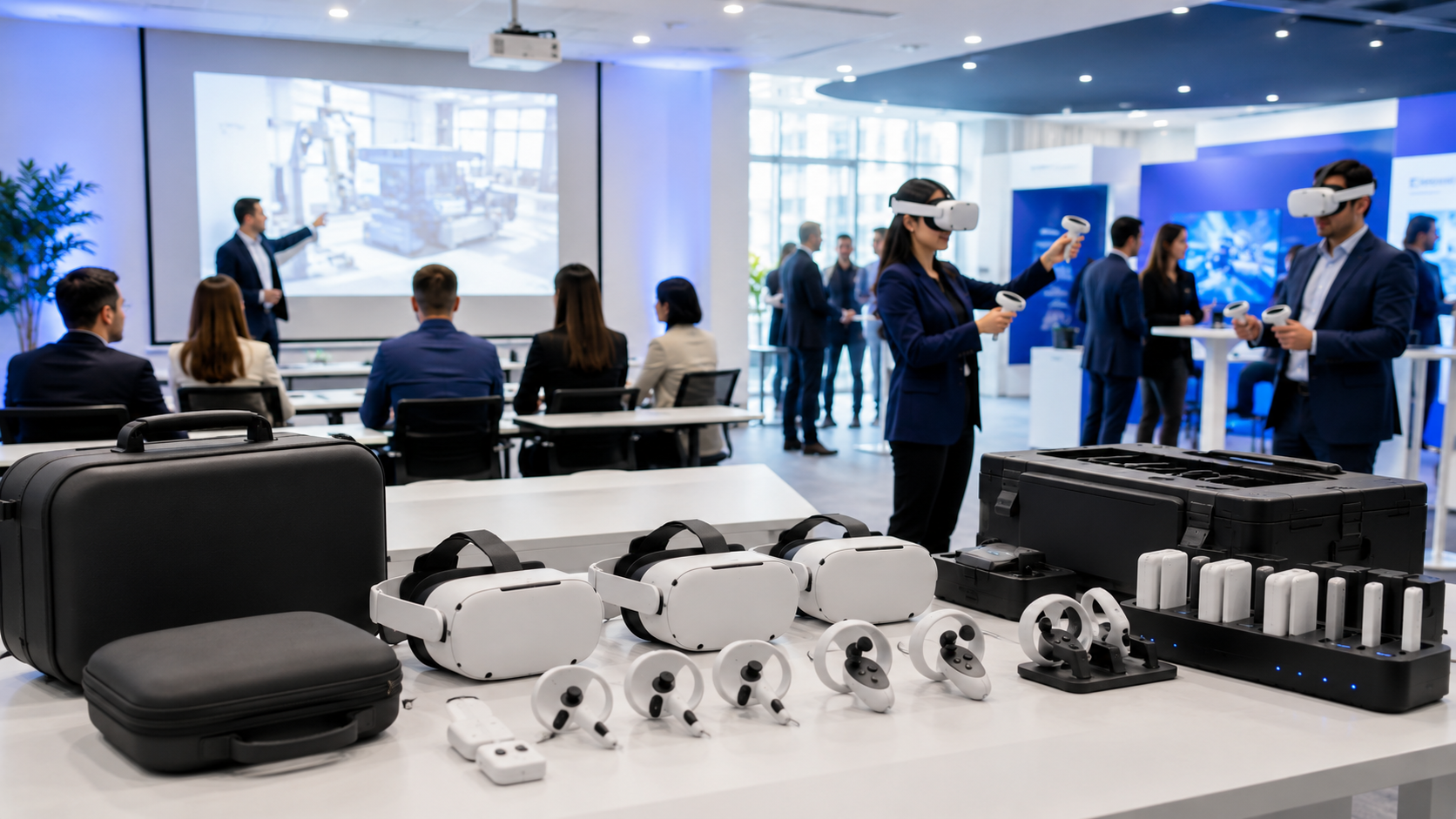
Hardware package elements form the foundation of any rental. Standard packages include VR headsets, hand controllers, charging stations with multi-port hubs, and hygiene supplies like disposable face masks and antibacterial wipes. Professional packages add carrying cases, replacement straps, and backup batteries to minimize downtime during events.
Content licensing operates differently in rental scenarios than permanent installations. Most rental providers offer libraries of pre-licensed business applications covering safety training, soft skills development, and product demonstrations. Custom content deployment requires advance coordination—providers need 2-3 weeks to test and preload proprietary applications onto rental units.
Support services distinguish professional rental providers from equipment-only suppliers. Standard support includes pre-event configuration based on your requirements, detailed setup guides with venue-specific instructions, and remote troubleshooting during your event. Premium packages add on-site technicians who handle all technical aspects, allowing your team to focus on participant engagement.
Why Companies Choose Rental Over Purchase
Cost comparison reveals rental advantages for most corporate use cases. Purchasing 10 Meta Quest 3 headsets costs approximately $5,000-7,000, plus ongoing storage, maintenance, and content licensing. Renting the same equipment for a three-day event costs $1,500-2,500 including support and preloaded content. Companies need 8-10 events annually to justify purchase over rental.
Technology refresh cycles create obsolescence risks for purchased equipment. VR hardware advances rapidly—headsets become outdated within 18-24 months. Rental ensures access to current technology without depreciation concerns or disposal logistics when upgrading.
Storage and maintenance requirements often surprise first-time buyers. Ten VR headsets require climate-controlled storage, regular charging cycles to maintain battery health, firmware updates, and lens cleaning. IT departments must manage device provisioning, content updates, and security protocols. Rental eliminates these ongoing operational burdens.
Essential VR Rental Decisions for First-Time Users
Before contacting rental providers, corporate teams need clarity on four fundamental choices that determine equipment selection, pricing, and logistics. These decisions shape every aspect of your VR deployment.
Tethered vs. Standalone Headsets
Standalone advantages make these headsets ideal for most business events. Devices like Meta Quest 3 and Pico 4 Enterprise contain all processing power internally, eliminating computer requirements. Setup takes 5-10 minutes per headset. Participants can move freely without cable management concerns. Battery life of 2-3 hours suits most corporate sessions.
Tethered benefits justify complexity for specific applications. PC-connected headsets like HTC Vive Pro or Varjo Aero deliver photorealistic graphics essential for architectural visualization or engineering reviews. Unlimited power supply enables all-day trade show demonstrations. Advanced haptic gloves and motion capture integrate only with tethered systems.
Space and infrastructure requirements differ dramatically between approaches. Standalone headsets need 6×6 feet per participant plus charging stations. Tethered setups require 10×10 feet minimum, dedicated gaming laptops or workstations, cable management systems, and reliable power distribution. Venues must support the electrical load—each tethered station draws 500-800 watts continuously.
Number of Simultaneous Users
Station-based rotations maximize headset utilization for large groups. With 5 headsets and 15-minute sessions, you can accommodate 20 participants per hour. This approach works well for trade show demonstrations or optional training modules where participants cycle through individually.
Simultaneous group experiences require one headset per participant but create powerful shared moments. Team building exercises, collaborative training scenarios, and product launches benefit from everyone participating together. Budget 20-30% more headsets than expected attendance to handle last-minute additions and technical failures.
Facilitator ratios determine operational smoothness. First-time VR users need 1 facilitator per 3-4 participants. Experienced groups manage with 1 facilitator per 8-10 headsets. Technical complexity increases support requirements—simple 360 videos need minimal assistance while interactive training simulations require constant guidance.
Content Selection Strategy
Preloaded generic experiences provide immediate value without customization costs. Standard libraries include team building activities, mindfulness sessions, public speaking practice, and diversity training scenarios. These applications work across industries and require no company-specific configuration.
Industry-specific applications address specialized training needs. Medical VR rentals include surgical simulations and anatomy exploration. Manufacturing packages feature equipment operation and safety protocols. Retail-focused content covers customer service scenarios and product knowledge training.
Custom content development timelines affect rental planning. Simple 360-degree video experiences need 2-3 weeks from filming to deployment. Interactive training modules require 8-12 weeks of development. Existing custom content needs 5-7 business days for testing and deployment on rental hardware.
VR Rental Package Types and What’s Included
Rental providers structure packages around common business use cases. Understanding these standard configurations helps you identify which aligns with your event goals and avoid unnecessary add-ons.
Training and Workshop Packages
Typical configurations for classroom settings include 8-12 standalone headsets, allowing full-class participation with a few spares. Packages include charging cases that double as transport solutions, preset content playlists organized by learning objectives, and printed quick-reference guides for common troubleshooting.
Learning management system integration tracks individual progress through training modules. Enterprise packages capture completion rates, assessment scores, and time-in-experience metrics. Data exports in CSV format integrate with existing HR systems for compliance documentation.
Assessment tools measure knowledge retention and skill development. Built-in quiz modules appear within VR experiences. Eye-tracking analytics in premium headsets reveal attention patterns. Post-experience surveys capture participant feedback automatically.
Trade Show and Exhibition Packages
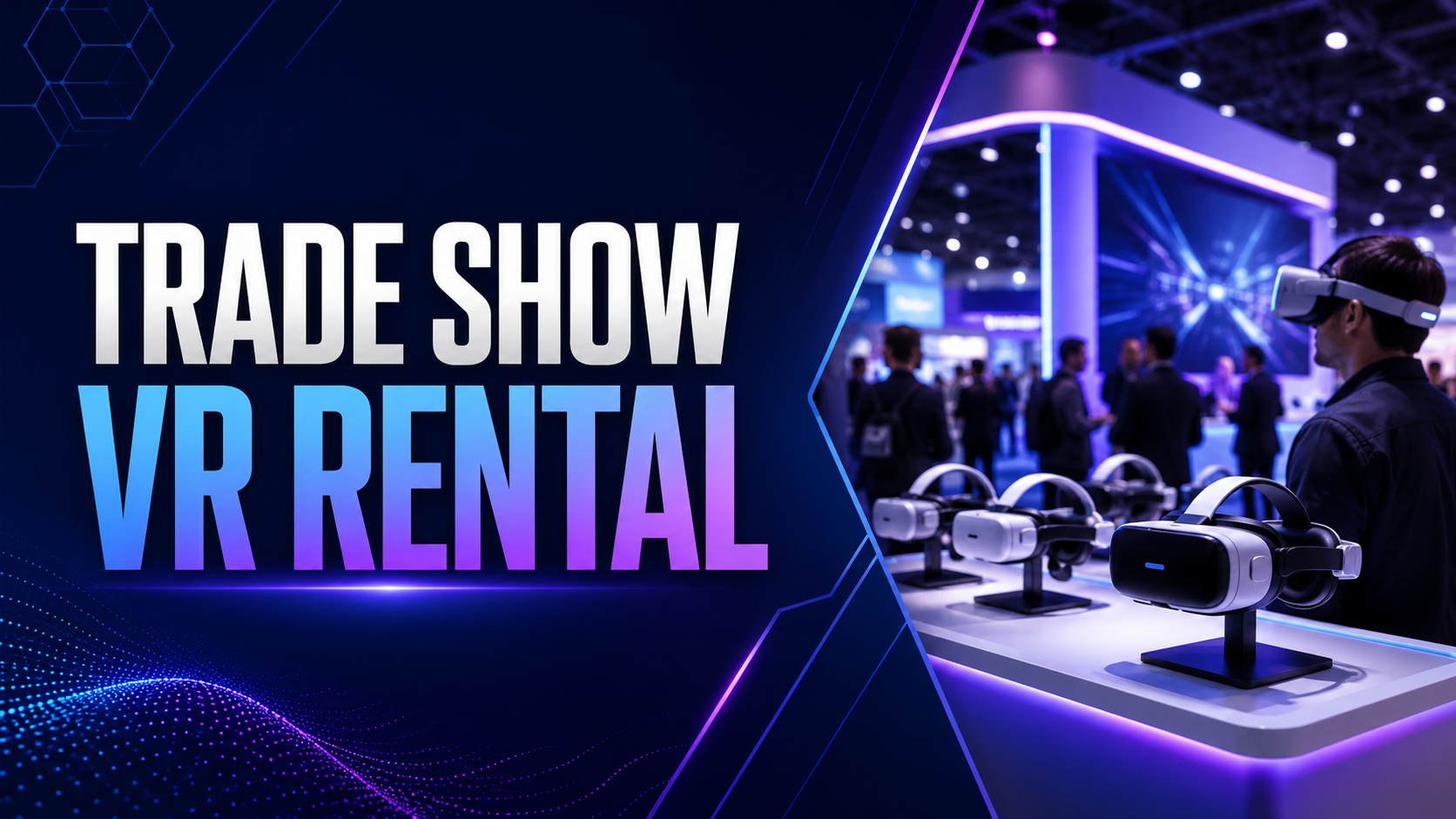
High-throughput configurations prioritize quick turnover between users. Packages include 3-5 minute experience loops, auto-reset functions between sessions, and standing-only setups that eliminate chair logistics. Swivel stools optional for longer demonstrations.
Branded kiosks create professional presentation environments. Standard packages include headset display stands with company logos, LED accent lighting to attract attention, and mounted tablets for registration and queue management. Premium options add enclosed booths for noise isolation.
Quick-reset procedures maintain hygiene and efficiency. Attendant training covers 30-second headset sanitization protocols, IPD (interpupillary distance) adjustment techniques, and experience restart sequences. Backup headsets rotate through charging while others remain in use.
Brand Activation and Marketing Packages
Consumer-friendly headset models reduce intimidation for public events. Lightweight designs like Meta Quest 3 appeal to broader audiences than industrial-looking equipment. Packages include simplified controllers or hand-tracking-only experiences that eliminate complexity.
Data capture integrations convert experiences into leads. Registration kiosks collect contact information before VR sessions. In-experience choices and preferences feed CRM systems. Social sharing stations let participants post branded VR selfies immediately.
Video output capabilities extend impact beyond headset users. Packages include external displays showing the VR user’s perspective, green screen setups for mixed reality capture, and professional recording equipment for testimonial videos. Live streaming options available for hybrid events.
Planning Your First VR Rental Deployment
Successful VR rental execution requires coordination across venue logistics, staff training, and participant communication. This planning framework prevents common first-timer mistakes.
Venue and Space Requirements
Minimum space calculations start with 6×6 feet per standalone VR station. Add 3-foot safety buffers between stations. A 10-person simultaneous experience needs approximately 400 square feet of clear floor space. Include additional area for registration, briefing, and equipment storage.
Power outlet mapping prevents setup day surprises. Each standalone headset charging station needs one outlet. Plan for laptop charging, display monitors, and registration tablets. Tethered setups require dedicated 20-amp circuits. Create outlet diagrams showing equipment placement relative to power sources.
Guardian boundary setup defines safe play areas within VR. Mark physical boundaries with tape or rope that participants can feel if they wander. Position stations away from windows, mirrors, and breakable objects. Ceiling height minimum of 8 feet prevents controller strikes during overhead movements.
Staff Preparation and Roles
VR facilitator training takes 60-90 minutes for basic competency. Staff learn headset adjustment for different head sizes, controller pairing procedures, and comfort settings for reducing motion sickness. Practice sessions should include deliberately creating and solving common problems.
Troubleshooting protocols address predictable issues. Document solutions for tracking problems, controller disconnections, and application crashes. Create laminated reference cards for quick consultation. Establish escalation procedures for issues requiring rental provider support.
Hygiene procedures protect participants and equipment. Train staff on proper lens cleaning without scratching, facial interface replacement between users, and controller sanitization. Schedule cleaning breaks every 2 hours for thorough equipment maintenance.
Participant Communication
Pre-event instructions reduce day-of complications. Email participants 48 hours before with recommendations to avoid alcohol and heavy meals beforehand, wear contacts instead of glasses if possible, and bring hair ties for long hair. Include parking information and arrival instructions.
Accessibility planning ensures inclusive experiences. Survey participants for mobility limitations, vision impairments, or vestibular disorders. Prepare alternative activities for those unable to use VR. Ensure wheelchair-accessible paths to VR stations.
Consent and safety briefings address liability concerns. Prepare forms covering motion sickness warnings, seizure disclosures, and equipment damage responsibilities. Conduct 5-minute safety briefings before each session covering boundary awareness and emergency stop procedures.
Rental Pricing Models and Budget Planning
VR rental costs vary based on equipment tier, rental duration, content licensing, and support level. Understanding pricing structures helps you negotiate effectively and avoid surprise charges.
Base Rental Rate Components
Daily pricing for standalone headsets ranges from $75-150 per unit depending on model and quantity. Weekly rates typically offer 20-30% discounts versus daily pricing. Monthly rentals reduce per-day costs by 50-60%, making them economical for extended training programs.
Volume discounts apply at different thresholds. 5-9 headsets might receive 10% off list prices. 10-19 units could qualify for 15-20% discounts. Orders exceeding 20 headsets often trigger custom pricing negotiations.
Premium timing affects availability and cost. Last-minute bookings within 7 days incur 25-50% rush fees. Peak seasons like January (CES), March (SXSW), and September (conference season) command 15-20% premiums. Book 30-45 days ahead for standard pricing.
Additional Service Fees
Shipping costs both directions typically add $30-50 per headset for ground delivery. Express shipping doubles these rates. Some providers offer free shipping on orders exceeding $5,000 or pickup from local warehouses.
On-site technician support costs $800-1,500 per day plus travel expenses. Half-day rates available for setup-only assistance. Remote support included in base pricing saves significant costs if your team handles operations.
Insurance options protect against damage liability. Standard coverage costs 10-15% of rental value and covers accidental damage. Comprehensive protection including theft and loss adds 20-25% to base rental costs. Corporate liability insurance might already cover rental equipment—verify before purchasing additional protection.
Selecting Your VR Rental Provider
Not all VR rental companies serve business needs equally. Evaluate providers based on their corporate experience, support capabilities, and equipment quality rather than price alone.
Provider Evaluation Criteria
Business-specific experience indicates operational understanding. Request case studies from similar industries and event types. Check references from companies of comparable size. Verify experience with your specific use case—trade show providers might struggle with training deployments.
Equipment standards affect experience quality. Confirm headset models and manufacture dates—avoid providers renting hardware over 2 years old. Ask about maintenance schedules and quality control processes. Request photos of actual inventory, not stock images.
Geographic coverage determines logistics complexity. Local providers offer pickup options and faster support response. National companies provide consistency across multiple locations. International events require providers with customs expertise and voltage adaptation equipment.
Questions to Ask Before Signing
Cancellation policies vary significantly between providers. Understand refund schedules, rescheduling options, and force majeure clauses. Some require 50% non-refundable deposits while others offer full refunds until 48 hours before delivery.
Support response times affect event-day problem resolution. Clarify whether support means email, phone, or video assistance. Confirm coverage hours across time zones. Establish maximum response times for critical issues.
Content flexibility determines customization options. Verify processes for loading proprietary content, timelines for testing custom applications, and policies on content removal after rental periods. Understand who maintains content licenses and usage rights.
Common Beginner Mistakes and How to Avoid Them
First-time VR renters consistently encounter the same operational challenges. Learning from these patterns ensures your initial deployment runs smoothly.
Equipment and Technical Mistakes
Setup time underestimation causes event delays. Allocate 15 minutes per headset for initial configuration, even with pre-loaded content. Account for firmware updates, WiFi connections, and guardian boundary setup. Schedule setup sessions the day before when possible.
Charging infrastructure failures strand headsets mid-event. Standard power strips overload with multiple chargers. Calculate total amperage draw and distribute across circuits. Rent professional power distribution units for events exceeding 10 headsets.
Network configuration issues prevent multi-user experiences and updates. Corporate firewalls block VR services by default. Work with IT departments 2 weeks before events to whitelist required ports and domains. Consider dedicated mobile hotspots as backup connectivity.
Experience Design Mistakes
Session length errors cause participant discomfort. First-time users tolerate 15-20 minutes maximum before fatigue. Experienced users manage 30-45 minutes. Build in mandatory breaks every hour for all-day events. Watch for sweating, imbalance, or complaints as early warning signs.
Content difficulty mismatches frustrate participants. Executive audiences prefer simple, guided experiences over complex interactions. Technical teams engage with challenging simulations. Test content with representative users before finalizing selections.
Motion sensitivity planning prevents negative experiences. 20-30% of participants experience some VR discomfort. Provide stationary experience options. Stock ginger candies and water. Designate quiet recovery areas away from main event spaces.
Conclusion
VR rental transforms corporate events from passive presentations into memorable experiences. Success requires thoughtful planning across equipment selection, content curation, logistics coordination, and staff preparation. Start with clear objectives, choose appropriate hardware and experiences, and partner with providers who understand business requirements.
Your first VR rental deployment sets expectations for future initiatives. invest time in proper planning, allocate sufficient budget for quality equipment and support, and maintain realistic expectations about participant comfort levels. Document lessons learned for continuous improvement.
Ready to implement VR at your next corporate event? Begin by defining your objectives and audience, then use this guide’s frameworks to evaluate providers and plan logistics. Contact multiple rental companies for quotes, comparing not just prices but support levels and business experience. Schedule equipment tests when possible, and always include contingency plans for technical challenges.
FAQs
How far in advance should I book VR rentals for a corporate event?
Book 30-45 days ahead for best selection and standard pricing. Popular models during peak seasons require 60-day advance reservations. Last-minute rentals within 7 days remain possible but incur rush fees and limit equipment choices.
What happens if rental equipment arrives damaged or doesn’t work?
Reputable providers include 10-20% spare equipment in shipments. Document damage immediately with photos and contact support for replacement authorization. Most companies overnight replacement units at no charge for documented failures.
Can I test VR equipment before my event date?
Many providers offer demo sessions at their facilities or ship single units for testing 1-2 weeks before events. Testing fees typically apply toward rental costs if you proceed. Virtual demonstrations via video call provide basic familiarization without physical equipment.
Do VR rental packages include content or just hardware?
Standard packages include basic content libraries with business applications. Premium content, custom experiences, and specialized training modules incur additional licensing fees. Clarify content inclusion during quote requests to avoid surprise charges.
What’s the minimum rental period for business VR equipment?
Most providers set 1-day minimums with pickup/return on consecutive business days. Some offer half-day rates for local events. Weekly minimums apply during peak seasons or for specialized equipment.
How many backup headsets should I include in my rental order?
Include 20% spare headsets for critical events where every participant must experience VR. 10% suffices for optional activities. Single spare units work for demonstration purposes where participants rotate through stations.
Can rental VR headsets connect to our corporate network?
Most standalone headsets support WPA2 Enterprise authentication with IT coordination. Provide network requirements to rental companies 2 weeks before events. Consider dedicated networks or mobile hotspots to avoid security complications.
What training does my team need to operate rental VR equipment?
Basic operation requires 60-90 minutes of training covering headset adjustment, application launching, and troubleshooting. Providers typically include video tutorials and printed guides. On-site training sessions available for additional fees but prove valuable for first-time deployments