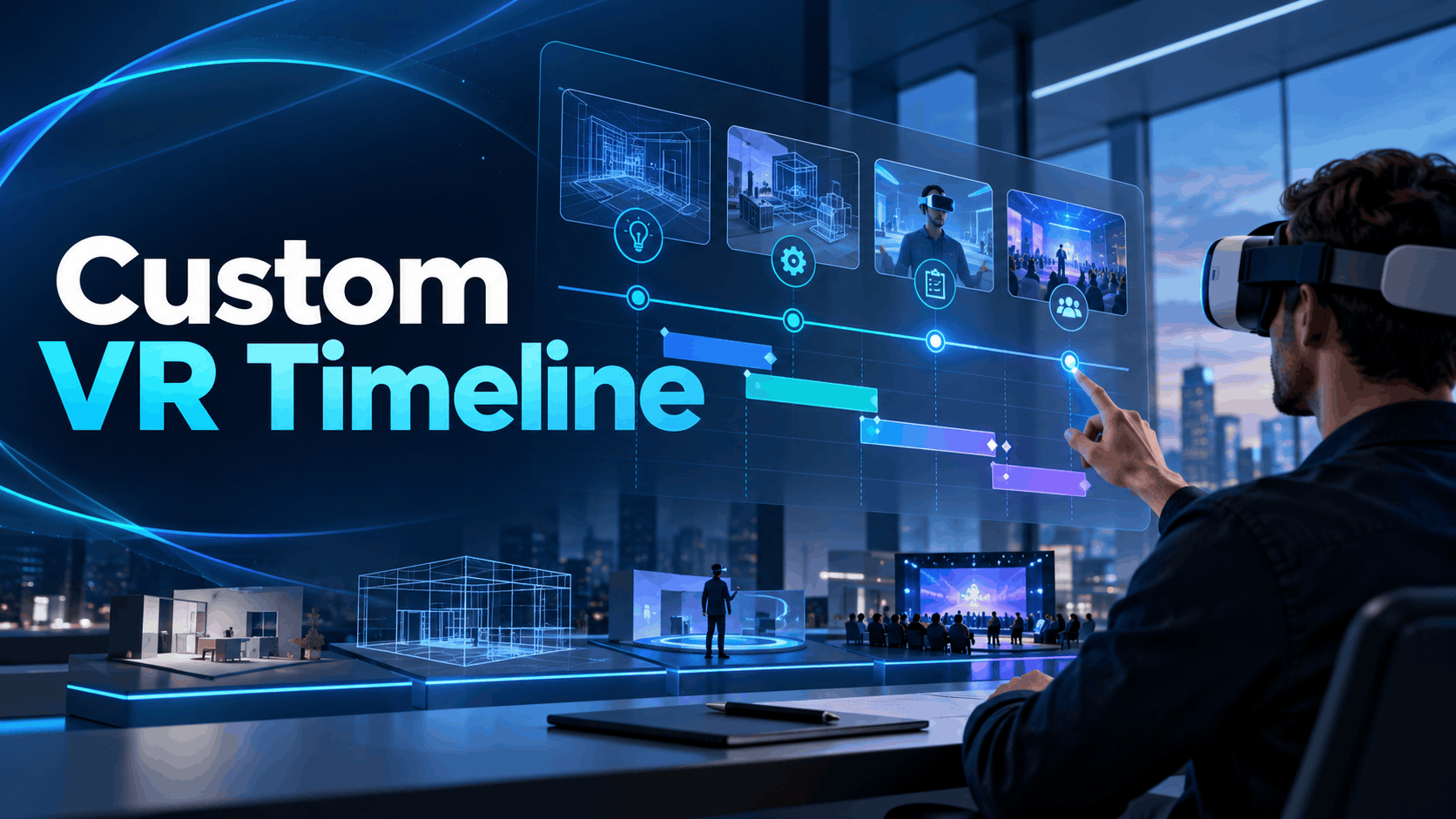
When event teams ask vendors how long custom VR takes, they get a number — six weeks, twelve weeks, three months — without the conditions attached. That number is almost always optimistic, and it almost always assumes a scope that hasn’t been defined yet. Before you can evaluate a timeline, you need to understand what drives it: asset complexity, hardware dependencies, testing cycles, and the gap between ‘content complete’ and ‘event ready.’ This guide breaks down each phase with honest ranges, not sales-cycle estimates.
The difference between development complete and deployment ready
A custom VR project can finish content development on time but fail to account for hardware configuration, on-site testing, and staff training — all of which add weeks to the timeline. Event-ready VR is not the same as demo-ready VR. The former must survive repeated use by untrained attendees, variable lighting conditions, and no on-site IT support. The latter just has to work once.
Most delays happen in the gap between these two definitions. A project is only truly ‘done’ when it’s ready for deployment in the real-world environment where it will be used. Defining ‘done’ before you define the timeline is the most critical step in accurate project planning.
The scope variables that make every custom VR timeline different
No two custom VR projects have the same timeline because no two have the same scope. The final schedule is a product of four key variables:
- Number and complexity of 3D assets: Converting existing CAD models to VR is a different task than creating a custom-branded environment from scratch. Photogrammetry scans, which create 3D models from photographs, introduce their own unique production timelines for capture and processing.
- Interactivity level: A passive 360-degree video is the simplest form of VR. A branching, interactive experience requires more complex development. A physics-based product configurator that allows users to assemble or customize an object represents a significant increase in development load.
- Hardware target: The choice of headset directly impacts the build, test, and certification process. Standalone headsets like the Meta Quest have a different development pipeline than PC-tethered headsets like Varjo or Pimax, which rely on powerful external computers. Developing for Apple Vision Pro introduces further specificity due to its unique visionOS and maturing developer tools.
- Number of simultaneous users: A single-headset demo has minimal logistical complexity. An activation with six, twelve, or more simultaneous users multiplies the quality assurance (QA) and hardware management workload exponentially.
Phase 1: Discovery and Scoping (Weeks 1–3)
The scoping phase is where most custom VR timelines are either saved or destroyed. Teams that rush discovery to meet a locked-in event date consistently underestimate what they’re building and run out of runway before deployment. A realistic scoping phase cannot be compressed below two weeks without accepting significant downstream risk.
What happens in discovery
This initial phase is about creating a detailed blueprint for the entire project.
- Defining the use case precisely: Is this a product demo, a training simulation, a brand experience, or a configurator? Each use case has different requirements for content, hardware, and user interaction that must be defined upfront.
- Auditing existing assets: A critical step is to inventory all available 3D models, CAD files, product photography, and brand guidelines. Determining if these assets can be adapted for VR or if everything must be built from scratch is a major factor in the overall timeline.
- Hardware selection: The headset choice must be locked in during discovery. This decision determines the rendering pipeline, performance targets, and testing environment for the rest of the project.
- Establishing the event-ready definition: This is where you define success in concrete terms. How many headsets will be deployed? What are the venue conditions (lighting, Wi-Fi, space)? What level of self-service is expected from attendees? And, crucially, what is the protocol when something breaks on-site?
What compresses or extends this phase
- Timeline Compressor: Having existing 3D assets in usable formats like GLTF, FBX, or optimized CAD files can significantly reduce scoping time.
- Timeline Extender: Stakeholder alignment delays are the most common cause of scoping overruns. Legal review of brand assets, multiple approval chains for interactive scripts, and executive feedback loops can turn a two-week phase into a four-week bottleneck.
- Red Flag: Vendors who skip a formal scoping phase and want to jump straight into production are building to an assumed scope. This approach almost guarantees expensive and time-consuming revisions later when the delivered product doesn’t match stakeholder expectations.
Phase 2: Asset Production and Content Development (Weeks 3–10)
This is the longest and most variable phase of any custom VR project. A simple 360-degree video tour might be ready in a few weeks, while a complex, interactive simulation can take several months. The ranges below reflect real project conditions, not optimistic marketing estimates.
3D asset creation timelines by type
The timeline for this phase is driven primarily by the type and complexity of the 3D assets being created.
- CAD-to-VR Conversion: 1–3 weeks. Taking an existing engineering or design CAD model of a single product and optimizing it for VR. The timeline depends on the complexity of the model and the required level of material fidelity.
- Photogrammetry Capture: 2–4 weeks. This process involves capturing hundreds or even thousands of photographs of a real-world object or environment and processing them into a 3D model. It typically requires 1-2 weeks for on-site capture and another 1-2 weeks for data processing, cleanup, and integration.
- Custom Environment Modeling: 3–6 weeks. Building a virtual space—like a trade show booth, a training facility, or an abstract branded world—from scratch. The duration depends heavily on the size, detail, and number of revision cycles.
- 360-Degree Video Production: 2–3 weeks. This includes approximately 1-2 weeks for the video shoot and an additional week for stitching the footage and post-processing.
Interactive development timelines by platform
The choice of game engine and hardware platform directly influences the development schedule.
- Unity (Meta Quest): 3–5 weeks. For a single-interaction demo on a standalone headset like the Meta Quest, a competent team with existing assets can often complete development in this timeframe. Unity is often favored for its faster iteration times and robust support for mobile VR.
- Unreal Engine (Photorealistic): 6–12 weeks minimum. For a photorealistic product configurator or simulation, especially one requiring advanced physics or multi-user networking, Unreal Engine is a common choice. Its advanced rendering features like Nanite and Lumen produce stunning visual fidelity but come with a steeper development curve.
- Apple Vision Pro: Add 2–4 weeks. Developing for visionOS requires specific expertise and adaptation. While the hardware is powerful, the development ecosystem is still maturing, which can add time for testing and platform-specific optimizations.
- Revision Cycles: These are the hidden timeline killers. A wise plan explicitly schedules at least two formal revision rounds. Assuming you’ll get it right on the first try is unrealistic.
What compresses or extends this phase
- Timeline Compressor: The single biggest accelerator is a library of pre-existing, optimized 3D assets. If your artists and developers can start with high-quality materials, they can focus on building the experience rather than creating assets from zero.
- Timeline Extender: Scope creep is the number one cause of blown timelines and budgets. Adding “just one more” interaction, product variant, or environmental feature mid-production has a cascading effect, requiring rework and re-testing.
- Strategic Compression: Running workstreams in parallel—such as producing 3D assets while the core environment is being developed—can cut the overall calendar time by 30-40%. However, this requires a larger, well-coordinated team and expert project management.
Phase 3: Hardware Configuration and Integration Testing (Weeks 9–12)
Many teams mistakenly believe a VR project is over once the software is “complete.” This thinking consistently leads to a last-minute scramble. The phase of configuring hardware and testing under real-world conditions is not a formality; it’s a critical part of ensuring the experience is deployment-ready.
Hardware configuration tasks that eat timeline
Preparing a fleet of headsets for a public event is a detailed, time-consuming process.
- MDM (Mobile Device Management) Enrollment: For any deployment of six or more headsets, an MDM solution is essential. These platforms allow for remote content updates, security lockdowns, and fleet monitoring. Enrolling a batch of headsets can take 1-3 days, depending on the software and network environment.
- Content Sideloading and Version Management: Each headset must be individually loaded with the correct version of the VR application and then verified. Any subsequent updates, even minor ones, require this process to be repeated across the entire fleet.
- PC-Tethered Setups: High-end headsets from Varjo, Pimax, or HP Reverb that connect to a PC introduce another layer of complexity. Cable management, GPU driver compatibility, DisplayPort configurations, and PC performance tuning add significant setup and testing time.
- Apple Vision Pro Configuration: Enterprise deployment tools for Apple Vision Pro are still evolving. Provisioning devices and delivering content can be more time-consuming than on more established platforms, so it’s wise to allow an extra buffer.
What event-condition testing actually requires
Testing must go beyond a simple developer check. It needs to simulate the chaos of a live event.
- Simulate the Venue: Test the activation in a space with similar lighting, background noise, and floor surfaces as the final event location. Bright overhead lights or reflective floors can interfere with headset tracking.
- Stress Test with Real Users: Have non-technical team members, friends, or family try to use—and break—the experience. They will inevitably discover failure modes that developers, with their expert knowledge, would never encounter.
- Test the Failure Recovery Workflow: What happens when a headset crashes, a controller dies, or a user gets stuck? The on-site staff must have a clear, practiced procedure to restart the experience in under 60 seconds.
- Battery Life Validation: Don’t trust the manufacturer’s specs. Run the headsets continuously with your specific application to confirm the real-world battery life. Ensure your runtime per headset matches your planned session length, with a healthy margin for charging logistics.
Phase 4: Staff Training and On-Site Readiness (Weeks 11–13)
A perfect custom VR experience can fail spectacularly at a trade show if the brand ambassadors running it are not properly trained. Staff readiness is not a “soft” skill; it is a technical deployment requirement that demands dedicated time in the project schedule.
What staff training for a custom VR activation covers
Effective training goes far beyond just showing someone how to turn on the headset.
- Hardware Orientation: Staff must be experts in fitting headsets on attendees of all head sizes, adjusting the interpupillary distance (IPD) for a clear image, and quickly recognizing the signs of a malfunctioning device.
- Experience Facilitation: The goal is to guide an attendee through the VR content, not to rush them. Training should cover how to provide gentle instructions and how to respond to signs of motion sickness or discomfort.
- Troubleshooting Protocol: A laminated, easy-to-read decision tree for the five most likely failure modes is essential. This guide should provide simple resolution steps that do not require a developer to be on-site.
- Content Restart Procedures: Between each attendee, staff must be able to clean the headset and reset the experience to its starting state in under 90 seconds to keep lines moving.
Logistics that must be resolved before the event date
The final weeks are about locking down all physical and operational details.
- Charging Infrastructure: Calculate the power requirements for your charging station. How many headsets will be in rotation versus charging at any given time? Ensure the venue can provide the necessary power outlets and amperage.
- Shipping and Transport: VR hardware is sensitive. It must be packed in custom-fitted, protective cases (like Pelicans). All content should be pre-loaded and verified before shipping—do not plan on making major software updates on the chaotic trade show floor.
- Backup Hardware: For any activation with more than two headsets, having at least one fully configured spare unit is a non-negotiable operational requirement. This is your insurance policy against an unexpected hardware failure during peak hours.
Realistic Custom VR Timeline Ranges by Project Type
The table below consolidates the phases into realistic, end-to-end timelines for common project types. These ranges assume a competent development partner, existing brand assets, and a single event target. If you are creating all assets from scratch or have slow internal approval cycles, add 20–30% to these estimates.
360-Degree Video Experience (Passive, Single Headset)
- Total Timeline: 4–7 weeks from brief to event-ready.
- Primary Variables: Scheduling the video shoot, complexity of post-production, and headset configuration time.
- Minimum Viable Runway: 6 weeks before the event date.
Interactive Product Demo (Unity/Unreal, Standalone Headset, 1–4 Stations)
- Total Timeline: 8–14 weeks from brief to event-ready.
- Primary Variables: Availability and quality of 3D assets, complexity of user interactions, and the number of revision cycles.
- Minimum Viable Runway: 12 weeks before the event date.
Multi-User VR Configurator or Simulation (PC-Tethered or Apple Vision Pro, 4+ Stations)
- Total Timeline: 14–24 weeks from brief to event-ready.
- Primary Variables: Networking architecture for multi-user synchronization, hardware procurement lead times, and extensive integration testing.
- Minimum Viable Runway: 18 weeks before the event date.
VR Training Simulation (Branching Scenarios, LMS Integration)
- Total Timeline: 16–28 weeks from brief to deployment-ready.
- Primary Variables: Scripting the branching scenarios, review cycles with subject matter experts (SMEs), LMS integration testing, and potential regulatory review (e.g., for safety compliance).
- Minimum Viable Runway: 20 weeks before deployment.
When Your Timeline Is Too Short for Custom: The Rental-Ready Alternative
If your event is less than eight weeks away and you don’t have a library of VR-ready 3D assets, custom development is almost certainly not a viable path. This isn’t a failure of planning; it’s a common scope-reality mismatch. Rental-based solutions with pre-built content libraries exist for this exact scenario. Knowing when to opt for a rental is as strategically important as knowing how to manage a custom build.
What rental-ready VR can deliver in 2–4 weeks
- Pre-configured Headset Fleets: Rental providers can ship fleets of headsets with event-tested content already loaded, eliminating the development cycle entirely.
- Light Branding and Customization: Your logo, brand colors, and a custom intro screen can typically be applied to existing rental experiences in a matter of days.
- On-Site Technical Support: Many rental agreements include on-site technicians, which removes the burden of training your own staff and provides expert troubleshooting.
- Simplified Logistics: The rental provider handles shipping, protective casing, and post-event hardware returns, removing a significant logistical headache.
The decision framework: custom versus rental
Use this framework to make an operationally sound decision based on your runway and asset readiness.
- Runway > 12 Weeks + Existing 3D Assets: Custom development is a viable path and will deliver the highest degree of brand differentiation and specific functionality.
- Runway 6–12 Weeks + Existing Assets: A hybrid approach could work. This might involve using rental hardware but loading it with your own custom-developed content.
- Runway < 8 Weeks or No Assets: Rental-ready solutions are the operationally sound choice. Attempting a custom build on this timeline introduces a high risk of not being event-ready by the deadline.
- The Cost Factor: While custom development has a higher upfront cost, the price of a rental can be very competitive when you factor in the risk and potential hidden costs of a rushed custom project that fails to launch.
A successful VR activation depends on a realistic timeline. By understanding these phases and variables, you can accurately assess whether a custom build is feasible for your next event or if a rental solution is the smarter strategic choice.
Frequently Asked Questions (FAQs)
How long does it take to build a custom VR experience for a trade show?
An interactive product demo for a trade show typically takes 8-14 weeks. A simpler 360-degree video experience can be done in 4-7 weeks. Timelines can extend to 14-24 weeks for complex, multi-user experiences. The final timeline depends heavily on asset complexity and hardware choice.
What is the minimum timeline for custom VR development before an event?
For an interactive experience, the minimum viable runway is about 12 weeks. For a simple 360-degree video, you might succeed with 6 weeks. Anything less than 8 weeks for an interactive project carries significant risk, and a rental solution is often a safer choice.
What causes custom VR projects to run over schedule?
The most common causes are scope creep (adding features mid-project), delays in stakeholder approvals, and underestimating the time needed for hardware configuration, testing, and staff training. Administrative delays are often more impactful than technical challenges.
Can I get a custom VR experience ready in 6 weeks?
It’s possible only for the simplest projects, like a passive 360-degree video tour where you have all assets ready. For an interactive experience, 6 weeks is not a realistic timeline for a quality, event-ready build.
How does hardware choice affect custom VR development timeline?
Hardware choice is critical. Standalone headsets (Meta Quest) have a more streamlined development path. PC-tethered headsets (Varjo, Pimax) require more time for PC configuration and performance tuning. Developing for Apple Vision Pro can add 2-4 weeks due to the specificity of its visionOS platform.
What is the difference between a custom VR timeline for events versus training programs?
VR training programs often have longer timelines (16-28+ weeks) because they involve detailed instructional design, collaboration with subject matter experts (SMEs), branching learning paths, and potential integration with a Learning Management System (LMS). Event timelines are typically shorter and focused on a single, high-impact experience.
When should I use rental VR instead of custom development for an event?
You should opt for rental VR if your event is less than 8 weeks away or if you do not have existing 3D assets. Rental solutions provide pre-configured hardware and tested content, eliminating development risk on a short timeline.