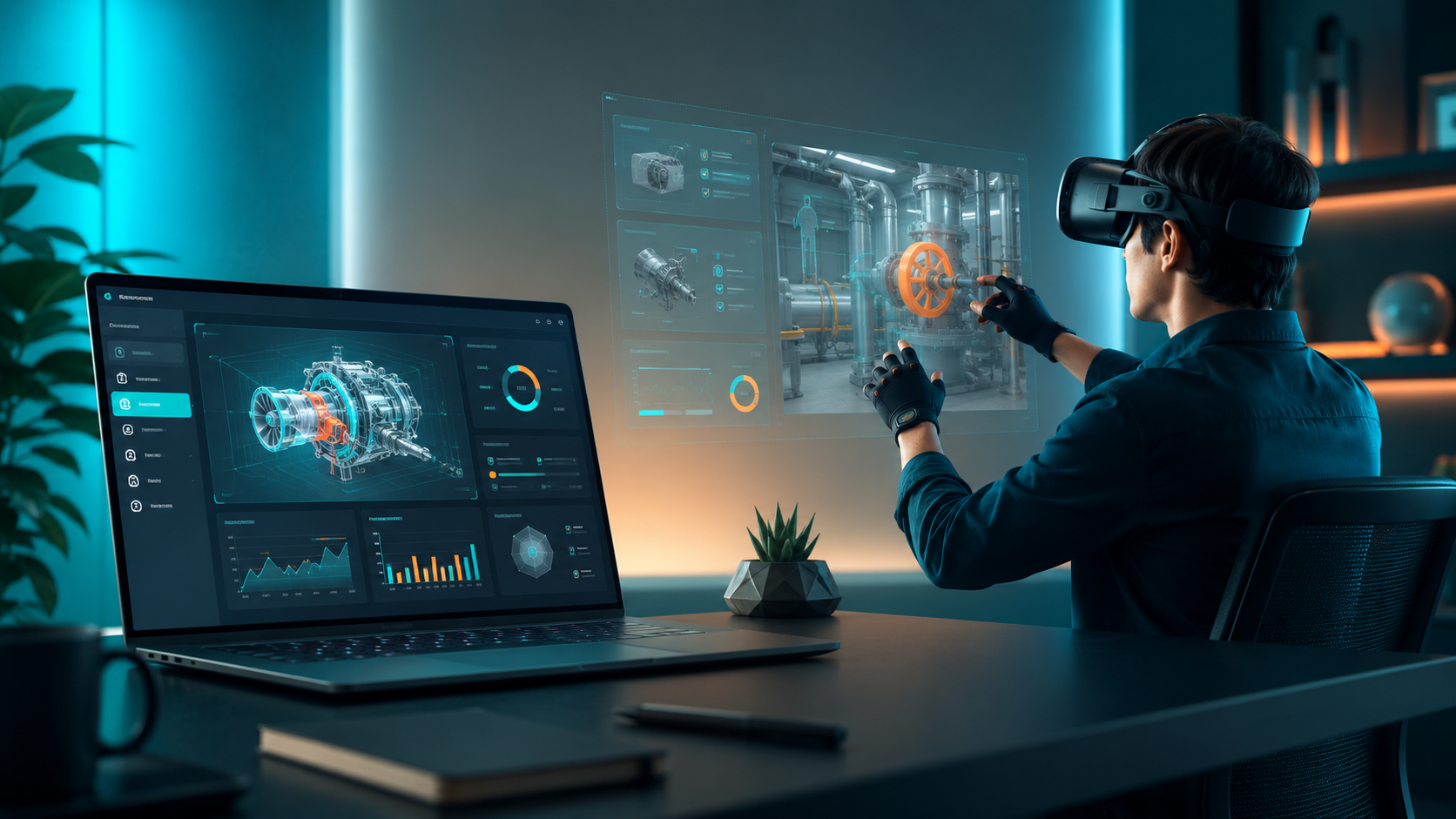
Immersive VR goes beyond basic 360-degree video by creating presence – the psychological state where users feel physically transported into the virtual environment. This comprehensive guide breaks down the technical and experiential components that separate true immersion from passive viewing, helping you navigate the decision between renting and purchasing equipment while providing practical implementation strategies for successful VR activations.
What Makes VR Experiences Truly Immersive
The difference between watching a screen and feeling genuinely transported lies in the convergence of multiple technologies working in harmony. True immersive virtual reality experiences engage multiple senses simultaneously, creating a coherent alternate reality that your brain accepts as temporarily real.
The Technology Stack Behind Immersion
6DOF Tracking vs 3DOF: The Foundation of Presence
Six degrees of freedom (6DOF) tracking allows users to move naturally through virtual space – walking, crouching, and leaning to explore their environment. This contrasts sharply with 3DOF systems that only track head rotation, leaving users feeling anchored in place. For event activations, 6DOF creates memorable experiences that generate social sharing and extended engagement times.
Modern 6DOF systems use either inside-out tracking (cameras on the headset) or outside-in tracking (external sensors). Inside-out tracking simplifies setup for events, requiring no external sensors, while outside-in tracking provides superior accuracy for precision applications like training simulations.
Display Requirements for Visual Immersion
Resolution thresholds directly impact the believability of virtual environments. Current standards require:
- Minimum 2K resolution per eye (2880×1700 combined)
- 90Hz refresh rate to prevent motion sickness
- Field of view between 90-120 degrees
- Low persistence displays to reduce motion blur
The Meta Quest 3 delivers 2064×2208 per eye, while enterprise headsets like the Varjo Aero push 2880×2720 per eye, approaching retinal resolution in the center of vision.
Spatial Audio and Haptic Feedback
Spatial audio processing places sounds in 3D space around users, with volume and direction changing naturally as they move. This audio positioning proves critical for training scenarios where situational awareness matters. Haptic feedback through controllers and haptic vests adds the sense of touch, particularly valuable for product demonstrations where texture and resistance enhance understanding.
Room-Scale vs Stationary Configurations
Room-scale experiences require 6×6 feet minimum per user, allowing natural movement within the virtual space. These work best for:
- Trade show activations with controlled flow
- Training facilities with dedicated space
- Premium brand experiences
Stationary experiences work in 3×3 foot spaces, suitable for:
- Conference breakout sessions
- Seated simulations
- High-volume activations with limited space
Content Types That Drive Engagement
Interactive Simulations vs Passive 360 Content
Interactive simulations generate 3.2x longer engagement times than passive 360 videos. Users making choices and manipulating objects create personal investment in the experience. A virtual car configurator where users can change colors, open doors, and sit in the driver’s seat outperforms a pre-rendered showroom tour for both engagement and purchase intent metrics.
Multi-User Experiences for Collaboration
Synchronized multi-user VR enables teams to share virtual spaces regardless of physical location. Popular formats include:
- Virtual escape rooms (15-30 minutes, 2-6 players)
- Collaborative design sessions (30-60 minutes, 2-12 participants)
- Team challenges requiring communication and coordination
- Shared training scenarios with role assignments
These experiences report 89% participant satisfaction rates and measurably improve team cohesion scores.
Branded Environments and Product Demonstrations
Custom branded VR environments place products in aspirational contexts impossible to recreate physically. A construction equipment manufacturer can transport customers to an active job site, while a travel company can provide test drives of vacation destinations. These demonstrations increase purchase consideration by 27% compared to traditional media.
Training Simulations with Measurable Outcomes
VR training simulations provide consistent, repeatable scenarios with built-in assessment. Key advantages include:
- Dangerous situation training with zero risk
- Rare event preparation (emergency procedures)
- Immediate performance feedback
- Progress tracking across multiple sessions
Immersive VR Use Cases by Industry and Event Type
Different industries leverage immersive VR for distinct objectives, from lead generation at trade shows to skills training in corporate settings. Understanding these applications helps determine the right hardware, content, and support level for your activation.
Corporate Events and Team Building
Virtual Escape Rooms and Collaborative Challenges
Virtual escape rooms accommodate 2-6 players simultaneously, with sessions lasting 15-45 minutes. Popular themes include space stations, ancient temples, and mystery mansions. These experiences generate immediate team bonding through shared problem-solving and create lasting talking points that extend beyond the event.
Setup requires one headset per participant plus a facilitator station for monitoring progress and providing hints. Most providers offer 10-15 different room themes to prevent repeat participants from spoiling puzzles.
Remote Team Experiences Using Synchronized Headsets
Distributed teams connect through VR for meetings that feel more personal than video calls. Platforms like Spatial and Mozilla Hubs support:
- 3D presentations with manipulable models
- Whiteboarding sessions with spatial persistence
- Avatar-based presence reducing video fatigue
- Screen sharing within virtual environments
Companies report 40% higher engagement in VR meetings compared to traditional video conferences.
Leadership Simulations and Soft Skills Training
VR simulations place managers in challenging scenarios – difficult conversations, crisis management, public speaking – with AI-driven characters responding to their choices. These safe practice environments accelerate leadership development while providing objective performance metrics.
Sessions typically run 20-30 minutes with immediate feedback and coaching. Organizations using VR leadership training report 4x faster skill development compared to traditional role-playing exercises.
Typical Group Sizes and Session Logistics
Corporate VR experiences scale efficiently with proper planning:
- Small groups (5-10): Single facilitator, minimal setup
- Medium groups (10-30): 2 facilitators, staggered sessions
- Large groups (30-100): Multiple stations, reservation system
- Very large (100+): Tournament format, spectator displays
Trade Shows and Brand Activations
Booth Traffic Patterns and Queue Management
VR experiences create natural gathering points that draw attendees. Typical patterns show:
- Peak traffic during session breaks (10-15 minute windows)
- 3-5 person queues maintain interest without deterring participation
- External displays showing user perspective increase wait tolerance
- Appointment scheduling reduces perceived wait times by 60%
2-5 Minute Experiences Optimized for Throughput
Trade show VR must balance engagement with volume. Optimal experiences include:
- 30-second onboarding
- 2-3 minutes core experience
- 30-second off-boarding with lead capture
- Automatic reset for next user
This formula processes 12-15 users per hour per headset while maintaining quality interactions.
Lead Capture Integration
Modern VR platforms integrate lead capture through:
- Pre-experience registration via QR codes
- In-VR business card drops
- Post-experience email triggers
- Analytics showing interaction hotspots
VR-engaged leads convert at 2.7x the rate of standard booth visitors.
Brand Recall Metrics from Immersive Activations
Studies demonstrate significant brand impact:
- 74% recall rate one week post-experience
- 34% higher purchase intent
- 83% social media sharing rate
- 5.5x longer booth dwell time
Training and Learning Applications
Safety Training with Zero Real-World Risk
VR safety training eliminates exposure to actual hazards while maintaining psychological impact. Common applications include:
- Height work and fall protection
- Hazardous material handling
- Emergency evacuation procedures
- Equipment operation in dangerous conditions
Trainees experiencing virtual accidents show 43% better hazard recognition in subsequent real-world assessments.
Medical and Technical Procedure Simulations
Medical VR training provides unlimited practice without patient risk. Surgeons using VR simulation make 40% fewer errors and complete procedures 29% faster. Technical training benefits similarly, with maintenance technicians trained in VR showing 76% first-time fix rates versus 58% for traditional training.
Onboarding Programs with Consistent Delivery
VR onboarding ensures every employee receives identical high-quality training regardless of location or trainer availability. Programs typically include:
- Virtual facility tours
- Company culture immersion
- Role-specific task training
- Compliance and safety modules
Companies report 60% reduction in time-to-productivity for VR-onboarded employees.
Assessment and Progress Tracking
VR training platforms capture granular performance data:
- Time to complete tasks
- Error rates and types
- Eye tracking for attention analysis
- Decision trees showing thought processes
- Stress responses via biometric integration
Renting vs Buying VR Equipment for Immersive Experiences
The decision to rent or purchase VR hardware depends on frequency of use, technical support needs, and content refresh requirements. Most organizations find rental more cost-effective for anything less than weekly use.
Total Cost Analysis
Hardware Depreciation Curves
VR hardware depreciates rapidly due to constant innovation:
- 50% value loss within 18 months
- 75% value loss within 36 months
- Obsolescence risk from platform changes
- Warranty expiration typically at 12 months
A $4,000 headset purchased today holds approximately $2,000 value after 18 months, assuming normal wear and no major technology shifts.
Rental Rates vs Purchase Prices
Current market rates for enterprise VR equipment:
- Daily rental: $150-400 per headset
- Weekly rental: $600-1,500 per headset
- Monthly rental: $1,500-3,500 per headset
- Purchase price: $3,000-6,000 per headset
Additional purchase costs often overlooked:
- Protective cases: $200-500 per headset
- Spare parts inventory: $500-1,000
- Software licenses: $20-100 per month per headset
- Insurance: $50-100 per month per headset
Hidden Ownership Costs
Beyond initial purchase, ownership incurs:
- Storage climate control and security
- Quarterly maintenance and updates
- Battery replacement ($50-100 annually)
- Hygiene supplies ($30-50 per event)
- Staff training on troubleshooting
- Inventory management systems
Break-Even Calculations by Use Frequency
For a $4,000 headset with $200 monthly carrying costs:
- Daily use: Purchase pays off in 10-15 days
- Weekly use: Purchase pays off in 6-8 months
- Monthly use: Rental remains cheaper indefinitely
- Quarterly use: Rental costs 75% less annually
Most organizations using VR less than weekly benefit from rental economics.
Support and Logistics Considerations
On-Site Setup Assistance
Rental packages typically include:
- Professional delivery and setup
- Network configuration for multi-user experiences
- Content installation and testing
- User training for internal facilitators
- Standby technical support during events
This support eliminates 4-6 hours of internal IT time per event.
Content Curation and Pre-Loading Services
Rental providers maintain libraries of proven content, offering:
- Recommendations based on audience and objectives
- Pre-loading of selected experiences
- Custom content integration
- Multi-language configuration
- Age-appropriate content filtering
Hygiene Supplies and Cleaning Protocols
Professional rental services provide:
- Disposable face masks (100-pack)
- Antibacterial wipes rated for electronics
- UV-C sanitization between events
- Replacement foam interfaces
- Cleaning protocol documentation for compliance
Backup Equipment and Technical Troubleshooting
Rental agreements include:
- 10-20% spare equipment on-site
- Hot-swap replacement procedures
- Remote diagnostic capabilities
- 24/7 technical support hotlines
- Next-day replacement guarantees
Planning Your Immersive VR Experience
Successful VR activations require careful planning around space requirements, audience flow, and content selection. This implementation framework covers the critical decisions from 8 weeks before your event through day-of execution.
Space and Setup Requirements
Minimum Space Allocations
Each VR station requires:
- Room-scale experiences: 6×6 feet play area + 2-foot safety buffer
- Stationary experiences: 3×3 feet + 1-foot safety buffer
- Seated experiences: Standard chair space + arm movement clearance
- Spectator areas: Additional 4×8 feet for viewing screens
Multi-station setups need 3-foot corridors between play areas to prevent collisions.
Power Access Requirements
VR stations consume significant power:
- 2 standard outlets (15A) per standalone headset
- 3 outlets for PC-powered headsets
- Dedicated circuits for 4+ station installations
- UPS backup recommended for critical demonstrations
- Extension cords rated for 1875W continuous load
Lighting Considerations for Tracking Systems
Optimal tracking requires:
- Consistent ambient lighting (no strobes or color changes)
- Minimal direct sunlight on play areas
- No reflective surfaces (mirrors, glass) in tracking zones
- 200-500 lux illumination for inside-out tracking
- Blackout capability for outside-in IR tracking
Safety Zones and Guardian Boundaries
Safety setup includes:
- Physical barriers (stanchions, tape) matching virtual boundaries
- Padded flooring for active experiences
- Overhead clearance verification (8 feet minimum)
- Cable management systems preventing trips
- Emergency stop procedures posted visibly
Audience Management and Throughput
Average Session Times by Experience Type
Plan capacity based on typical durations:
- Product demonstrations: 3-5 minutes
- Interactive experiences: 5-10 minutes
- Training modules: 10-20 minutes
- Team building activities: 15-30 minutes
- Full simulations: 30-60 minutes
Add 2-3 minutes per session for transitions and sanitization.
Queuing Systems and Reservation Platforms
Effective queue management options:
- Physical numbering system for small events
- Digital check-in via QR codes
- Timed reservation slots (15-minute blocks)
- Virtual queue with SMS notifications
- Standby lists for no-shows (15-20% typical)
First-Time User Onboarding
New VR users require:
- Comfort adjustment (IPD, head strap): 1 minute
- Controller introduction: 1 minute
- Movement and interaction tutorial: 2 minutes
- Motion sickness screening questions
- Consent forms for recording/photos
Build 3-minute onboarding buffer for 70% of participants.
Hygiene Protocols Between Users
Standard cleaning requires:
- 30-second wipe down of headset surfaces
- Face mask replacement (disposable)
- Controller sanitization
- Optional UV-C treatment (2 minutes)
- Hand sanitizer station at entry/exit
Content Selection and Customization
Matching Experiences to Audience Demographics
Content selection criteria by audience:
- Executives: Strategic simulations, data visualization
- Technical staff: Detailed product explorations, training
- General public: Accessible, visually impressive experiences
- Youth audiences: Gamified, social experiences
- Senior audiences: Seated, slower-paced content
Custom Branding Opportunities
Branding integration levels:
- Basic: Logo placement in loading screens
- Intermediate: Branded virtual environments
- Advanced: Custom character models and narratives
- Full custom: Purpose-built experiences
Development timelines range from 1 week (basic) to 3 months (full custom).
Multi-Language Support Requirements
Language considerations:
- Text localization in menus and instructions
- Voiceover dubbing or subtitles
- Cultural adaptation of scenarios
- Right-to-left text support
- Character set compatibility (Asian languages)
Age-Appropriate Content Filtering
Age guidelines for VR experiences:
- Under 7: Not recommended (IPD limitations)
- 7-12: Supervised, limited duration (10 minutes)
- 13+: Full experiences with comfort breaks
- Content ratings matching film standards
- Parental consent forms for minors
Measuring ROI from Immersive VR Activations
Immersive VR experiences generate measurable outcomes beyond traditional engagement metrics. From dwell time increases at trade show booths to knowledge retention in training scenarios, the data supports continued investment.
Event and Marketing Metrics
Dwell Time Increases
VR experiences extend engagement dramatically:
- Average booth visit without VR: 2.3 minutes
- Average booth visit with VR: 12.7 minutes
- 5.5x increase in meaningful interactions
- 73% of visitors wait in queue for VR
- 91% complete entire experience once started
Social Sharing Rates
VR drives organic social amplification:
- 73% of users post about VR experience
- 2.3 average shares per participant
- 156% increase in event hashtag usage
- User-generated content quality improves
- Mixed reality captures showing users in virtual worlds
Lead Quality Scores
VR-engaged prospects show superior metrics:
- 67% provide complete contact information
- 2.7x higher email open rates
- 45% request follow-up meetings
- 23% conversion rate vs 8% baseline
- 34% shorter sales cycles
Brand Recall Improvements
Memory formation in VR surpasses traditional media:
- 74% brand recall after one week
- 52% recall after one month
- 34% higher purchase intent scores
- 89% positive sentiment association
- 4.2x word-of-mouth recommendations
Training and Learning Outcomes
Knowledge Retention Rates
VR training demonstrates superior retention:
- VR training: 75% retention after one year
- Video training: 20% retention
- Reading materials: 10% retention
- Classroom lecture: 5% retention
- 4x improvement in applied skills testing
Time to Competency Reduction
Accelerated skill development through VR:
- 40% faster time to competency
- 70% reduction in training hours required
- 250% improvement in confidence scores
- 60% fewer errors in real-world application
- 90% first-attempt pass rates on certifications
Error Rate Decreases
Procedure-based training shows dramatic improvement:
- 32% reduction in workplace accidents
- 47% decrease in equipment damage
- 65% fewer compliance violations
- 80% reduction in critical errors
- 95% procedural accuracy in assessments
Engagement Scores and Completion Rates
VR training maintains attention:
- 95% voluntary completion rate
- 87% request additional VR modules
- 92% satisfaction scores
- 78% prefer VR to traditional training
- 3.4x voluntary practice sessions
Getting Started with Your First Immersive VR Experience
Moving from concept to execution requires selecting the right rental partner, defining clear objectives, and building internal buy-in. This roadmap provides the practical steps to launch your first VR activation.
Vendor Selection Criteria
Equipment Inventory and Availability
Evaluate potential vendors on:
- Headset variety (Quest 3, PICO 4, HTC Vive)
- Minimum 20% spare equipment policy
- Recent hardware (less than 18 months old)
- Accessories inventory (haptic vests, trackers)
- Scalability for future larger events
Setup Support and Technical Expertise
Essential support services:
- On-site setup included in base pricing
- Certified technicians for troubleshooting
- Experience with your venue type
- Multi-event coordination capabilities
- Emergency response guarantees (2-hour maximum)
Content Library and Curation
Content capabilities to verify:
- 50+ experience minimum library
- Industry-specific content availability
- Custom content development partnerships
- Regular content updates and additions
- Content preview options before events
Geographic Coverage and Logistics
Logistical considerations:
- Service coverage in your event locations
- International shipping capabilities
- Customs and carnet handling
- Local warehouse proximity
- White-glove delivery options
Building Your Business Case
Comparable Costs to Traditional Methods
VR investment context:
- Trade show booth design: $10,000-50,000
- Traditional team building: $100-300 per person
- Classroom training delivery: $1,000-2,000 per day
- Video production: $5,000-25,000
- VR rental for 20 people: $3,000-6,000
Expected Outcomes Based on Benchmarks
Realistic projections for proposals:
- 70% participant satisfaction minimum
- 3x engagement time increase
- 25% lead quality improvement
- 40% training time reduction
- 90% completion rates
Risk Mitigation Through Rental
Rental advantages for risk management:
- No capital expenditure requirement
- Vendor assumes technical risk
- Guaranteed working equipment
- Included insurance coverage
- Scalability without commitment
Pilot Program Approach
Recommended pilot structure:
- Single department or event initially
- 10-20 participants for statistical relevance
- 3-month evaluation period
- Defined success metrics upfront
- Expansion plan based on results
Frequently Asked Questions
How many VR headsets do I need for a 100-person event?
For a 100-person event over 4 hours, plan for 8-10 headsets to ensure everyone gets a 10-minute experience without excessive queuing. This assumes 5 minutes of actual VR time plus 5 minutes for onboarding and transitions. Add 2-3 spare headsets for technical issues or simultaneous team experiences.
What’s the minimum space required for an immersive VR setup?
A single stationary VR station requires minimum 3×3 feet of clear space, while room-scale experiences need 6×6 feet plus safety buffers. For events, allocate 100 square feet per room-scale station or 25 square feet per stationary station, including queue areas and equipment storage.
Can immersive VR experiences be customized with our branding?
Yes, most VR experiences offer branding options ranging from simple logo placement (1-week turnaround) to fully custom environments (6-12 weeks). Common customizations include branded loading screens, virtual environment decorations, custom avatars, and narrative modifications incorporating company messaging.
How long does it take to set up VR equipment for an event?
Professional setup typically requires 30-45 minutes per station, including equipment unpacking, boundary configuration, content loading, and testing. For a 10-headset activation, allocate 4-6 hours for complete setup. Breakdown takes approximately half the setup time.
What happens if VR equipment fails during our event?
Professional rental services include 10-20% spare equipment on-site and trained technicians for immediate replacement. Most failures involve simple fixes (cable connections, software restarts) resolved in under 5 minutes. Critical failures trigger hot-swap procedures, replacing entire headsets in 2-3 minutes.
Are immersive VR experiences suitable for all age groups?
VR manufacturers recommend ages 13+ for extended use, though supervised experiences for ages 7-12 are common with parental consent. Adults over 65 may need additional assistance with equipment adjustment. Motion-intensive experiences should include comfort ratings and alternative options for sensitive users.
How do you handle hygiene between VR users?
Standard hygiene protocols include disposable face masks for each user, antibacterial wipe-downs between sessions, and UV-C sanitization during breaks. Rental services provide all hygiene supplies and train staff on proper cleaning procedures, typically adding 30-60 seconds between users.
What’s the typical rental period for VR equipment?
Most rentals operate on daily, weekly, or monthly terms. Single-day events typically rent for 1-3 days to allow setup and breakdown. Multi-day conferences often choose weekly rates for cost efficiency. Long-term projects exceeding 3 months should evaluate lease-to-own options.
Can we preview VR experiences before our event?
Most rental providers offer preview sessions at their facilities or via shipped demo units. Schedule previews 4-6 weeks before your event to allow time for content adjustments. Some providers offer virtual previews via screen recordings, though these don’t convey the full immersive impact.
Immersive VR experiences represent a transformative technology for events, training, and marketing activations. The combination of presence-inducing hardware, engaging content, and professional support services creates memorable experiences that drive measurable business outcomes.
The data clearly supports VR’s effectiveness: 5.5x longer engagement times, 75% knowledge retention rates, and 2.7x lead conversion improvements justify the investment. For most organizations, rental provides the optimal path to implementation, eliminating capital risk while ensuring access to the latest technology and professional support.
Success with immersive VR requires thoughtful planning around space, audience flow, and content selection, but the frameworks provided in this guide simplify these decisions. Whether you’re planning a trade show activation, corporate training program, or team building event, VR offers unique capabilities to achieve your objectives.
Take the Next Step
Ready to implement immersive VR experiences for your organization? Start with these actions:
- Define Your Objectives: Identify specific, measurable goals for your VR activation
- Calculate Your ROI: Use the metrics in this guide to project expected returns
- Request Vendor Quotes: Contact 3-4 rental providers for pricing and availability
- Schedule Previews: Experience potential content options firsthand
- Plan Your Pilot: Design a small-scale test to prove value before scaling
The immersive VR revolution is here. The question isn’t whether to adopt this technology, but how quickly you can leverage it for competitive advantage. Begin your journey today by requesting a consultation with a qualified VR rental provider who can translate your vision into virtual reality.vr