Does VR Training Satisfy OSHA Requirements?
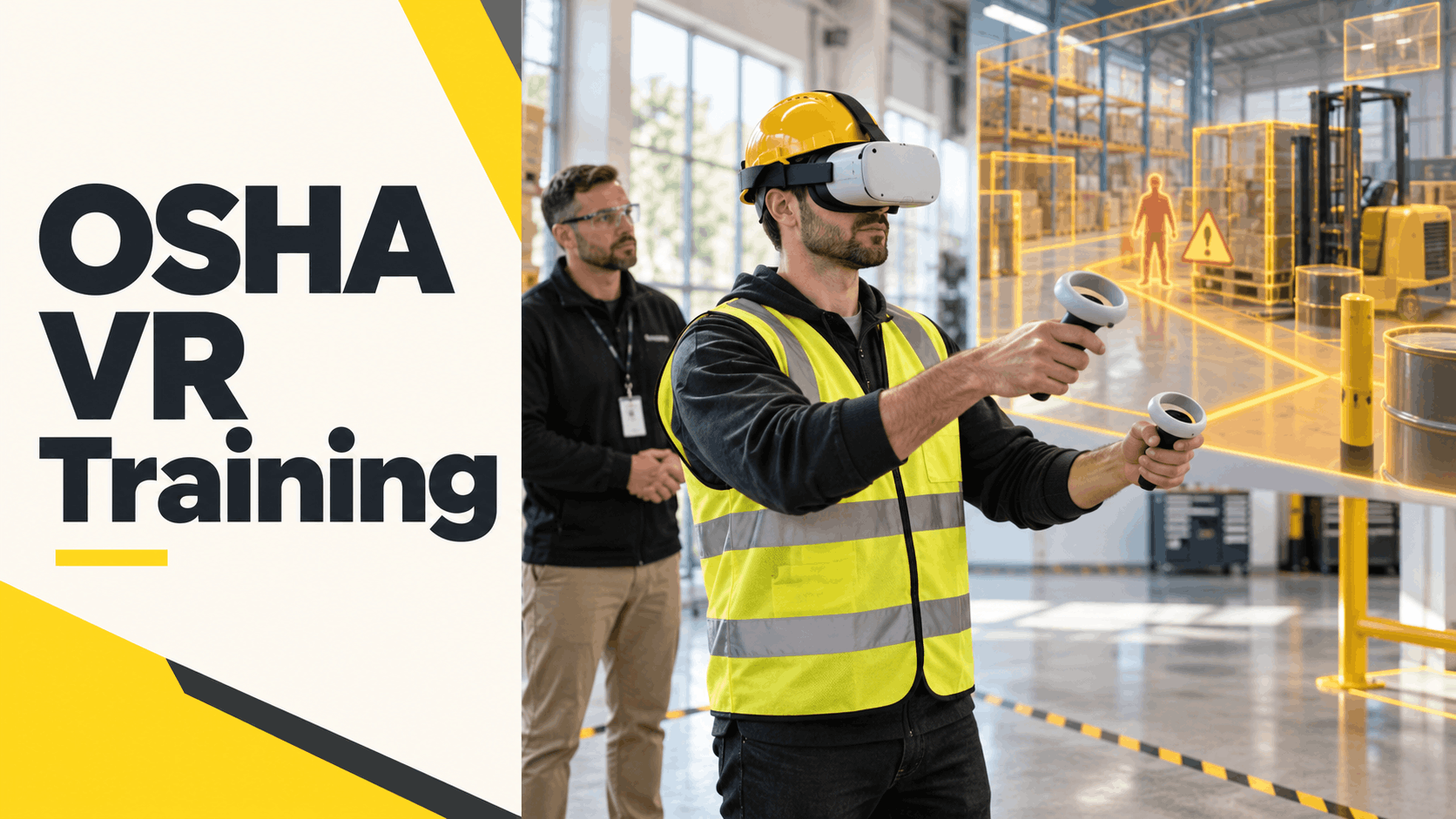
This is the first question safety managers and Learning & Development (L&D) teams ask—and the answer is nuanced. The Occupational Safety and Health Administration (OSHA) does not approve or certify specific training products or delivery formats. Instead, it specifies what an employee must learn and be able to do. This means Virtual Reality (VR) can be a powerful and compliant tool for OSHA training, especially when used for hazard recognition and procedural tasks, provided it is paired with proper recordkeeping and, where necessary, a hands-on demonstration of skills.
What OSHA Standards Say About Training Format
OSHA’s standards are largely performance-based, meaning they define the required outcomes and competencies, not the specific method of delivery. This provides the legal basis for using innovative technologies like VR.
- Performance-Based Standards: Many OSHA regulations, such as those for Personal Protective Equipment (29 CFR 1910.132) and Fall Protection (29 CFR 1926.503), require that employers provide training so each employee can recognize hazards and know the procedures to minimize them. These standards do not mandate a classroom lecture or video; they require that the employee understands the material and can apply it. VR, as a method that allows for active participation and decision-making, fits well within this framework.
- “Hands-On” Requirements: Some standards require a physical, hands-on demonstration of a skill. For instance, while VR can simulate the steps of a respirator fit test, the test itself must be physically performed. Similarly, demonstrating the ability to don and doff specific PPE is a physical task. In these cases, VR is best used as a preparatory tool to teach the procedure, which is then verified with a physical demonstration.
- Where VR Excels: VR’s strength is in providing the “why” and the “what if” that slides cannot. It is an ideal mechanism for hazard recognition, scenario-based decision-making, and procedural walkthroughs. It allows workers to experience and learn from simulated events that would be impossible or dangerous to replicate in reality.
- Documentation Is Key: Regardless of the format, OSHA requires employers to maintain training records. For VR training, this means logging user identification, completion dates and times, scenario scores, and session data. This digital trail can often provide a more detailed record of competency than a simple sign-in sheet.
Where VR Strengthens Compliance, Not Just Engagement
The argument for VR in safety training goes beyond just being more engaging than a PowerPoint presentation. It strengthens compliance by creating more effective, memorable, and measurable learning experiences.
- Improved Knowledge Retention: Immersive, experiential learning leads to significant improvements in knowledge retention compared to passive methods. Research shows that learners in a VR environment can have retention rates as high as 75%, vastly outperforming lectures (5%) and reading (10%). A 2024 meta-analysis in Safety Science confirmed that VR training resulted in learners acquiring more knowledge and retaining it for longer than with traditional methods. This is because VR engages the brain by creating mental maps of an environment, making the experience feel real and memorable.
- Safe Exposure to High-Risk Scenarios: The core compliance argument for VR is its ability to let workers practice for low-frequency, high-consequence events without any real-world risk. A worker can experience a simulated fall, a confined space emergency, or a chemical spill, and learn from the consequences in a controlled environment. This is particularly valuable for training on hazards that are too dangerous or costly to replicate physically.
- A Granular Audit Trail: Modern VR training platforms automatically generate a detailed audit trail for each learner. This includes which scenarios were completed, performance scores, time spent, and specific decisions made within the simulation. This data provides a more robust and defensible record of training and competency assessment than traditional methods, satisfying OSHA’s recordkeeping requirements.
Ultimately, VR should be positioned as a compliance-strengthening layer that replaces passive, ineffective training methods, not as a shortcut to bypass fundamental safety requirements.
OSHA Standards Best Suited to VR Simulation
Not every OSHA standard is an equal candidate for VR. The highest-value applications are those where the core learning objective involves hazard recognition, complex procedures, or emergency response in an environment that is dangerous, expensive, or logistically challenging to replicate physically.
Fall Protection (29 CFR 1926.503 and 1910.28)
Falls are consistently the leading cause of fatalities in construction, and fall protection violations are OSHA’s most-cited standard. VR is a uniquely powerful tool for addressing this.
- Scenario Focus: VR can place a worker on a simulated rooftop, scaffold, or leading edge, allowing them to practice identifying fall hazards like unprotected edges, improper ladder setup, or missing guardrails in a realistic context. This moves training from a static presentation to an active, first-person experience.
- Training Objective: The goal is to train a worker’s eyes to spot hazards before they become a threat. Under 29 CFR 1926.503, employers must provide a training program that enables each employee to recognize fall hazards and know the procedures to minimize them. VR directly addresses this by creating a space for hazard recognition practice.
- Blended Approach: To ensure full compliance, VR hazard identification training should be paired with a hands-on session where workers physically inspect and demonstrate the proper use of fall arrest systems.
Lockout/Tagout (29 CFR 1910.147)
Lockout/Tagout (LOTO) is another of OSHA’s top 10 most-cited violations, and failures often result in severe injury or death. VR allows workers to practice the full, multi-step LOTO procedure without taking critical machinery offline.
- Scenario Focus: A robust LOTO simulation should guide a worker through the entire process: identifying all energy sources, applying locks and tags, verifying a zero-energy state, and safely restoring equipment to service.
- Training Objective: The standard requires employers to provide training so that employees understand the purpose and function of the energy control program. VR allows “authorized employees” to practice these procedures repeatedly until they are second nature, and it helps “affected employees” understand why they must never attempt to restart locked-out equipment.
- Blended Approach: While VR is ideal for practicing the procedure, the standard’s competency verification is best met when the virtual practice is followed by a physical demonstration on actual plant equipment, overseen by a competent person.
Confined Space Entry (29 CFR 1910.146)
Permit-required confined space training is logistically complex, expensive, and inherently risky to conduct physically. VR removes these barriers by replicating the hazards and procedures in a completely safe virtual environment.
- Scenario Focus: VR simulations can cover the entire entry process: conducting atmospheric testing, completing the entry permit, understanding the roles of the entrant and attendant, practicing communication protocols, and responding to simulated emergencies like a sudden change in atmosphere.
- Training Objective: The standard requires training for all employees involved in permit-required confined space operations, covering hazard recognition, procedures, and specific duties. VR is especially effective for training attendants and entry supervisors, who must manage the process and respond to emergencies but may not physically enter the space often.
- Blended Approach: VR provides the critical decision-making practice, which should be supplemented with hands-on training for using specific atmospheric monitors, harnesses, and rescue equipment.
Hazard Communication / GHS (29 CFR 1910.1200)
Often treated as “checkbox” training, Hazard Communication (HazCom) is another perennial top-cited OSHA violation. VR can transform this topic from a passive review of Safety Data Sheets (SDS) into an engaging, context-based exercise.
- Scenario Focus: A typical VR scenario might place a worker in a chemical storage area where they encounter an unlabeled container. The worker would then need to identify the potential hazard, locate the correct SDS on a virtual tablet, interpret the GHS pictograms, and select the appropriate PPE before being allowed to proceed.
- Training Objective: The HazCom standard requires that employees receive “effective information and training” on the hazardous chemicals in their work area. This includes how to detect a release, understand the physical and health hazards, and know the protective measures. VR scenarios can test all these competencies in a practical way.
Emergency Action Plans and Fire Safety (29 CFR 1910.38)
An Emergency Action Plan (EAP) is only effective if employees can execute it under pressure. VR drills offer a way to build this familiarity without disrupting operations or causing unnecessary alarm.
- Scenario Focus: VR is ideal for familiarizing employees with evacuation routes, muster points, and the location of emergency equipment like fire extinguishers and first aid kits. It can also be used to practice the proper use of a fire extinguisher (P.A.S.S. technique) in a simulated fire.
- Training Objective: The standard requires employers to train designated employees to assist in a safe and orderly evacuation and to review the plan with every employee. VR allows for scalable, repeatable drills that are practical for large facilities or companies with multiple shifts.
How to Deploy OSHA VR Training Without Owning Hardware
The biggest hurdle to adopting VR for OSHA training is often the hardware and IT logistics, not the content. Purchasing, configuring, and managing a fleet of headsets is a capital expense and an IT burden that many safety and L&D departments are not equipped to handle. A rental-based deployment model eliminates these barriers. Fully configured headsets, preloaded with relevant OSHA training scenarios, arrive on-site ready for immediate use.
Choosing the Right Headset for Safety Training Environments
For industrial, manufacturing, and construction environments, standalone wireless headsets are the only practical choice. They eliminate the trip hazards and IT dependencies associated with PC-tethered systems.
- Key Hardware: Standalone headsets like the Meta Quest 3 are the industry standard for enterprise training. They offer high-resolution, full-color passthrough, which allows users to see their real-world surroundings, significantly improving safety and spatial awareness during training.
- Evaluation Criteria: When selecting a headset, prioritize battery life (at least 2 hours per session), ease of cleaning and sanitization between users, and a durable design. A wide field-of-view is also critical for scenarios that require a high degree of situational awareness, such as fall protection and confined space entry.
- Management at Scale: For training larger groups, ensure the rental package includes a Mobile Device Management (MDM) solution. This allows a facilitator to launch scenarios, monitor progress, and manage multiple headsets from a single tablet, streamlining the training session.
What Preloaded OSHA Scenario Packages Include
A key advantage of a rental model is access to a library of ready-made, OSHA-relevant training content. This allows you to deploy training immediately without the time and expense of custom development.
- Operational Readiness: “Preloaded” means the headsets arrive fully configured and ready to run. The scenarios are loaded directly onto the devices, eliminating the need for Wi-Fi access or app store downloads on the plant floor. The content is typically matched to your industry, such as manufacturing, construction, or logistics.
- Included Content: Rental packages from a provider like IGIVU include a suite of scenarios covering high-priority OSHA topics like Fall Protection, Lockout/Tagout, Confined Space Entry, and Hazard Communication.
- Setting Expectations: It’s important to understand that preloaded packages cover general industry and construction standards. Training on proprietary machinery or facility-specific procedures would require a separate custom content development project.
- The Training Flow: A typical session involves a facilitator briefing the group, distributing the sanitized headsets, running the learners through the VR scenarios, and then leading a debrief to reinforce the learning objectives and log completion data.
Planning a Multi-Site or High-Volume OSHA Training Rollout
For companies with a large workforce or multiple locations, a rental model offers scalability that purchasing hardware cannot match.
- Flexible Logistics: You can order the exact number of headsets needed for each site’s training cycle and simply return them when finished. Headsets can be shipped nationwide, arriving configured and ready to use without requiring on-site IT support.
- Scheduling: Plan your rollout by considering session length (a comprehensive set of OSHA scenarios typically takes 20-45 minutes per learner), the number of headsets you can run concurrently, and the ideal facilitator-to-learner ratio (e.g., 1:10).
- Documentation Workflow: After the training sessions, completion and performance data is exported from the VR platform. This data can then be uploaded to your Learning Management System (LMS) or entered into your official OSHA training logs, ensuring your records are complete and compliant with the relevant standard’s retention period.
Combining VR with Existing OSHA Training Programs
VR is not a wholesale replacement for your entire OSHA training program. It is a strategic upgrade for the weakest part of it: the passive delivery of critical information via video or slides.
- The Blended Model: The most effective approach is a blended model. Use VR for the cognitive and procedural parts of the training—hazard recognition, decision-making, and procedural walkthroughs. Follow the VR session with any required physical demonstration, such as physically inspecting a harness or applying a lock to a piece of machinery.
- Effective Refresher Training: VR is particularly powerful for annual refresher training. It re-engages workers who have become numb to the same old slide decks, and studies show it leads to better knowledge retention on re-tests.
- Centralized Documentation: Integrate the VR completion records directly into your existing OSHA training matrix. This ensures that all your compliance documentation remains centralized and that VR is treated as an integral, documented part of your overall safety program.
Measuring Compliance and Training Effectiveness
Completing VR training is not the end of the compliance journey; it’s the start of the documentation trail. Safety managers must be able to prove that training occurred, that learners demonstrated understanding, and that records are maintained according to OSHA requirements.
What VR Training Data Satisfies OSHA Recordkeeping
VR platforms generate the precise data OSHA expects for training documentation.
- Core Requirements: OSHA training records typically require the employee’s name, the date of training, and the subject matter covered. VR platforms capture all of this automatically for each user session.
- Granular Competency Data: Beyond simple completion, scenario pass/fail rates and performance scores provide a much more detailed record of competency than a checkmark on a sign-in sheet. This data allows you to document not just that training happened, but that it was effective.
- Record Retention: Align your VR data storage workflow with the requirements of the specific OSHA standards you are training for. Export the data and store it in your central recordkeeping system for the required retention period.
Leading Indicators: What to Track Beyond Completion
Completion rates tell you who finished the training. Performance data tells you if it’s actually working to reduce risk.
- Knowledge Gaps: Analyze data points like first-attempt pass rates, common failure points in a scenario, or time-to-completion. This can reveal which hazards or procedures your team struggles with, allowing you to provide targeted follow-up training.
- Behavioral Impact: The ultimate goal of training is to change behavior and reduce incidents. Compare pre- and post-training incident rates (including near-misses) for the specific hazards covered in the VR scenarios. This provides the hard data needed to build a business case for expanding the program.
- Benchmarking: For multi-site rollouts, compare performance data across facilities. This can help identify best practices at high-performing sites and highlight locations that may need additional support or facilitator coaching.
Getting Started: What to Request from a VR Training Rental Partner
If you’re evaluating VR for OSHA training, the most efficient path forward is a scoped pilot program. A rental-based pilot allows you to test the hardware, run live training sessions with a small group of employees, and evaluate the entire process before committing to a full-scale deployment.
What to Specify in Your Rental Request
To ensure you receive a turnkey solution, be specific in your request to a VR rental partner.
- Headset Quantity: Specify the number of headsets you need to run at the same time, based on your planned training group size.
- Content Needs: List the OSHA standards or hazard categories you need to cover (e.g., Fall Protection, LOTO). This determines the preloaded scenario package.
- Logistics: Provide the delivery location(s) and your target training dates. Plan for a lead time of at least 5-7 business days for configured packages.
- Support: Indicate whether you need optional on-site technical support. For a first-time deployment, having a technician on hand to manage the hardware can be invaluable.
- Data Requirements: Specify the format you need for completion data to ensure it can be easily integrated into your LMS or OSHA logs.
Pilot Scope Recommendation for First-Time Deployments
A well-designed pilot will give you all the data and feedback you need to make an informed decision about a broader rollout.
- Start Small and Focused: A typical pilot involves 5-10 headsets for a single topic (like LOTO) with a group of 20-40 employees.
- Mix Your Audience: Include both new hires and experienced workers. New hires will demonstrate the onboarding value, while veteran workers can provide valuable feedback on the realism and difficulty of the scenarios.
- Collect Full-Spectrum Feedback: After the pilot, debrief both the learners and the facilitators. Combine their qualitative feedback with the quantitative performance data from the VR platform to get a complete picture of the training’s effectiveness.
Frequently Asked Questions (FAQs)
Is VR training legally accepted by OSHA as a compliant training method?
OSHA does not “accept” or “approve” specific training methods. OSHA’s standards are primarily performance-based, meaning they require employers to ensure employees have the knowledge and skills to work safely. VR is a valid and effective delivery method for meeting these performance requirements, especially for hazard recognition and procedural training, as long as it is documented correctly and paired with hands-on skill verification where required.
Which OSHA standards are best suited to virtual reality simulation?
The best applications for VR are standards where recreating the environment is dangerous, expensive, or impractical. This includes Fall Protection (29 CFR 1926.503), Lockout/Tagout (29 CFR 1910.147), Confined Space Entry (29 CFR 1910.146), Hazard Communication (29 CFR 1910.1200), and Emergency Action Plans (29 CFR 1910.38).
Can we rent VR headsets preloaded with OSHA training scenarios without building custom content?
Yes. VR rental providers offer packages with headsets that arrive fully configured and preloaded with a library of OSHA-relevant scenarios for industries like manufacturing and construction, allowing for immediate deployment.
How many VR headsets do we need to run an OSHA training session for a group of 50 workers?
This depends on your schedule and facilitator capacity. With 10 headsets, you could train a group of 50 in five 20-30 minute sessions. The key is to determine the number of learners you can effectively manage and debrief at one time.
Does VR training generate documentation that satisfies OSHA recordkeeping requirements?
Yes. VR training platforms automatically generate detailed logs for each user, including their name, the date of training, the topics covered, completion status, and performance scores. This digital record is often more granular than traditional sign-in sheets and fully satisfies OSHA’s documentation requirements.
Can VR replace hands-on OSHA training requirements, or does it need to be combined with physical demonstration?
VR is a component of a blended learning approach. It excels at teaching hazard recognition and procedures but cannot replace tasks that require physical skill verification, such as demonstrating the proper fit of a respirator or the application of a physical lock on a machine.
How long does a typical OSHA VR training session take per learner?
A single, focused VR training scenario (e.g., LOTO) typically takes 10-15 minutes. A comprehensive session covering multiple hazard types might take 20-45 minutes per learner.
What industries are IGIVU’s preloaded OSHA training scenarios designed for?
The preloaded scenarios are primarily designed for general industry, manufacturing, construction, and warehouse/logistics environments, covering the most common and high-risk hazards found in those sectors.
How do we integrate VR training completion records into our existing OSHA training matrix or LMS?
VR training platforms allow you to export completion and performance data as a standard file (e.g., CSV). This file can then be uploaded directly into your Learning Management System (LMS) or used to update your centralized OSHA training compliance matrix.
What is the lead time for renting configured VR headsets for an OSHA training program?
It is best to plan for a lead time of at least 5-7 business days before your scheduled training date. This allows for configuration, content loading, and shipping to your facility.