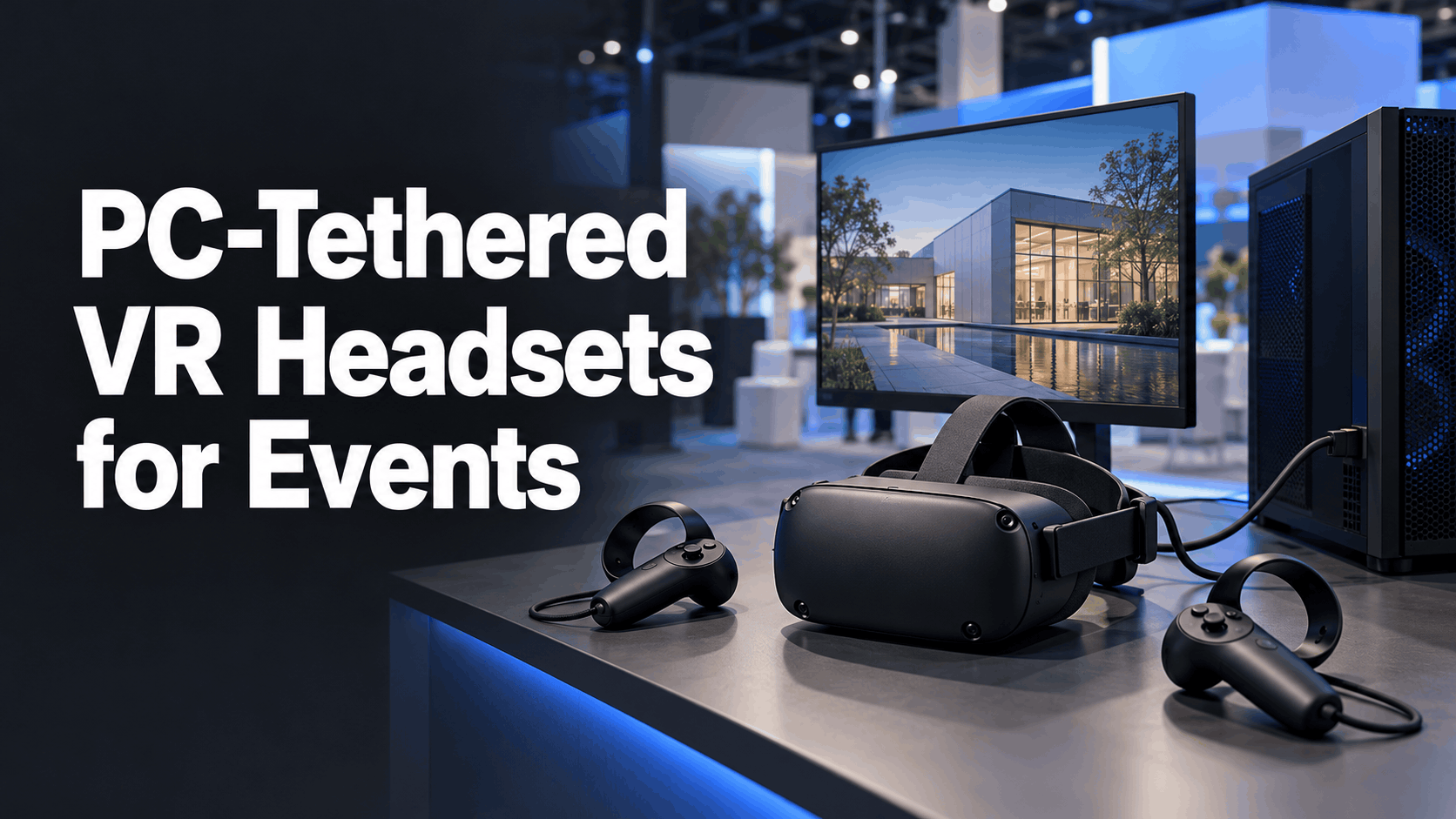
Standalone VR headsets are the default choice for many event activations, and for good reason—they offer unmatched ease of use, faster setup, and simpler staffing. But a class of virtual reality experience exists that this hardware simply cannot run: photorealistic Unreal Engine environments, real-time 3D product configurators, and high-polygon industrial simulations that demand the raw power of a dedicated graphics card.
When the VR experience itself requires more computational horsepower than a mobile chip can provide, a PC-tethered headset is not a legacy choice—it is the only viable one. This guide breaks down the technical and operational realities of deploying high-fidelity, PC-powered VR at your next trade show, product launch, or training program.
Why PC-Tethered VR Still Exists at Live Events
The decision to use a tethered VR setup is almost always driven by the content. While standalone headsets have become remarkably powerful, they operate within the thermal and power constraints of a mobile device. PC-tethered rigs offload all the heavy lifting to a full-size computer, unlocking a level of visual fidelity that remains out of reach for their untethered counterparts.
The Processing Gap Between Standalone and Tethered
The performance difference between a standalone headset and a PC-powered one is not incremental; it’s a categorical leap. Understanding this gap is key to deciding which platform is right for your event.
- Standalone Headsets: Devices like the Meta Quest 3 and Pico 4 are powered by a mobile System-on-a-Chip (SoC). The Quest 3, for instance, uses the Qualcomm Snapdragon XR2 Gen 2, which integrates a CPU and an Adreno 740 GPU. While this chip is a powerhouse for a mobile device, delivering more than double the GPU performance of its predecessor, its overall graphical capability is often compared to entry-level or older desktop graphics cards like the NVIDIA GTX 1650 (Mobile) or the AMD Radeon R9 290 from 2013.
- PC-Tethered Headsets: These devices act primarily as displays, offloading all rendering tasks to a connected desktop or laptop. This allows them to leverage the full power of high-end GPUs, such as an NVIDIA GeForce RTX 3080, 4080, or even an RTX 4090. The performance differential is massive, enabling higher resolutions, smoother frame rates, and graphical effects that are impossible on a mobile SoC.
- The Practical Threshold: The line in the sand is often drawn by the game engine and its most demanding features. If your VR content was built in Unreal Engine 5 and relies on its signature features like Lumen for real-time global illumination or Nanite for micro-polygon geometry, it will not run on standalone hardware without a significant, and often costly, downgrade. These features are designed for high-end GPUs and are considered “out of the question for standalone” development. For product visualizations in architecture, automotive, or industrial equipment, the visual fidelity gap between a standalone and a tethered experience is immediately apparent to end-users and can undermine the very purpose of the demo.
Use Cases Where Tethered Is the Right Default
Choosing a tethered setup is a deliberate decision to prioritize visual and computational fidelity above all else. This approach is the default for several key business applications:
- High-Fidelity Product Configurators: When the goal is to let a customer interact with a photorealistic 3D model in real time—customizing colors on a car, exploring the interior of a private jet, or swapping components on a piece of industrial machinery—tethered VR is essential. The quality of the rendering directly reflects the perceived quality of the product.
- Maximum-Impact Unreal Engine Experiences: For flagship trade show booths where the goal is to create a “wow” moment, a visually stunning Unreal Engine 5 experience is a powerful tool. These demos, often featuring complex lighting, particle effects, and massive environments, require PC-grade performance.
- Complex Industrial and Safety Training: Simulating complex physics, hazardous environments, or multi-user training scenarios often requires more processing power than a standalone headset can offer. VR training for manufacturing or healthcare can achieve greater realism and effectiveness when powered by a PC.
- Executive Briefing Center Demos: In a controlled environment like an executive briefing center or corporate showroom, visual quality is a direct reflection of brand positioning. For high-stakes presentations, the superior graphical output of a PC VR setup justifies the fixed infrastructure.
- Pre-Existing PC-Native Content: If a company has already invested in developing a high-end VR application for internal use on PCs, adapting it for a standalone headset can be a significant undertaking. In many cases, it is more cost-effective and faster to deploy the existing PC version at an event than to re-optimize it for mobile hardware.
PC-Tethered VR Headset Options: What’s Available for Business Deployments
The tethered headset market has consolidated around a handful of devices that are viable for the demands of event and enterprise use. While many early PCVR headsets are now obsolete for professional deployments, today’s leading options focus on display quality, tracking reliability, and ease of setup. Here’s a look at the current hardware landscape with a focus on event-readiness.
Valve Index
Even years after its release, the Valve Index remains a benchmark for comfortable, high-performance PCVR. While its production has ceased, it is still available through some rental channels and on the second-hand market.
- Key Strengths: Its 144Hz refresh rate and wide field of view make it a top choice for visual comfort, especially in extended demo sessions where reducing motion sickness is critical. The per-finger tracking on its “Knuckle” controllers is a significant differentiator for demos that require nuanced product interaction. The built-in audio is also considered among the best in its class.
- Setup Considerations: The Index requires SteamVR base stations for its outside-in tracking system. This adds a layer of complexity to booth setup, as the base stations need to be mounted securely and have a clear line of sight to the play area. This can be a constraint in a crowded trade show environment.
- Best Fit: The Index is ideal for flagship product demo booths where setup time is not a major constraint and the priority is a premium, comfortable user experience with detailed hand interactions.
HP Reverb G2
Developed in partnership with Valve and Microsoft, the HP Reverb G2 is laser-focused on providing the highest visual clarity in the mainstream tethered category.
- Key Strengths: The Reverb G2’s standout feature is its class-leading display resolution of 2160×2160 pixels per eye. This makes it the preferred choice for use cases where fine detail is paramount, such as product visualization, design review, and simulation. Its inside-out tracking, which uses four cameras on the headset, eliminates the need for external base stations, greatly simplifying booth setup.
- Setup Considerations: As a Windows Mixed Reality headset, it has native plug-and-play support within the Windows ecosystem. While its software compatibility is generally broad through SteamVR, it’s most at home in a Windows environment.
- Best Fit: The Reverb G2 excels at events where visual fidelity is the absolute primary requirement and the booth footprint is limited, making external sensor setup impractical. It’s a workhorse for detailed architectural walkthroughs and product demos.
Meta Quest 3 in PC Link Mode (Hybrid Consideration)
The Meta Quest 3 is a standalone device, but its ability to function as a PC-tethered headset via a USB-C cable (Meta Link) or wirelessly (Air Link) makes it a versatile and highly relevant option for events.
- Key Strengths: The primary advantage is flexibility. Many rental fleets are already stocked with Quest 3 units, making sourcing easy. An event team can use the same headset for a high-fidelity tethered experience and then switch to standalone mode for simpler content or to manage larger crowds. For many applications, the performance is nearly on par with native PCVR headsets.
- Setup Considerations: For the highest quality, a wired Link connection is preferable. While wireless streaming via Air Link or Virtual Desktop is convenient, it relies on a robust Wi-Fi network and introduces video compression and potential latency that can be noticeable in high-contrast visualisations. The process involves encoding video on the PC and decoding it on the headset, which can impact performance, especially on PCs with weaker GPUs.
- Practical Implication: If your content’s performance demands are moderate, or if you’re already working with a rental vendor who primarily stocks Quest 3s, using PC Link mode can be a cost-effective and logistically simple way to get PC-powered VR without sourcing dedicated tethered hardware.
Pimax Crystal and High-FOV Alternatives
Pimax has carved out a niche for itself by prioritizing an ultra-wide field of view (FOV) and extremely high resolution, targeting the enthusiast and simulation market.
- Key Strengths: The Pimax Crystal offers one of the widest fields of view available, which is highly beneficial for immersive experiences like architectural walkthroughs or flight simulations where peripheral vision is key. With a resolution of 2880 x 2880 pixels per eye, its clarity is exceptional. Advanced features like eye-tracking for dynamic foveated rendering can improve performance on high-end PCs.
- Setup Considerations: These headsets are specialist tools. They have higher GPU demands—even a top-tier RTX 4090 may require settings adjustments to maintain a smooth frame rate at native resolution. The driver ecosystem is less mature than that of mainstream headsets, making it a choice for teams with technical expertise.
- Best Fit: A Pimax headset should only be considered if the VR experience specifically demands an ultra-wide FOV and you have the high-end PC hardware and technical support to back it up. It is not a general-purpose rental option but a powerful tool for specific, high-impact demonstrations.
The Operational Reality of Running Tethered VR at a Live Event
Choosing a tethered headset is only the first step. The real challenge lies in deploying it reliably within the chaotic environment of a trade show booth or live event. Cable management, PC placement, attendee flow, and technical failures all demand careful planning. This section covers the critical execution layer that hardware guides often overlook.
Cable Management in a Booth Environment
The cable is the central operational constraint of any tethered VR setup. Managing it effectively is crucial for safety, equipment longevity, and the quality of the user experience.
- Define Your Radius: Standard tethered cables are typically 3-5 meters long, which dictates the maximum radius for the demo area. Before you confirm a headset, map this radius onto your booth floor plan to ensure you have adequate space. We recommend a clear area of at least 2×2 meters (about 6.5×6.5 feet) for interactive experiences.
- Overhead Systems are Non-Negotiable: Running a cable across the floor is a significant trip hazard and a liability at any public event. Professional event deployments use overhead cable management systems. These typically involve a boom arm or, more commonly, a ceiling-mounted pulley system. These systems use retractable carabiners to suspend the cable from above, keeping it off the floor and providing just enough slack for the user to move freely. This setup not only prevents tripping but also reduces the tug on the user’s head, making for a more immersive experience.
- Budget for Spares: The cable itself is a common point of failure. Constant twisting, bending, and pulling during demos can degrade its internal wiring over time. For any multi-day event, it is essential to have at least one spare tether cable for each VR station. This small investment can prevent significant downtime.
PC Station Placement and Thermal Management
The high-performance PCs required for tethered VR are powerful machines that generate significant heat and have specific power needs.
- Plan for Airflow: A gaming-class PC running a demanding VR application will generate a lot of heat. Booth designs must account for adequate ventilation, especially if the PC is placed inside a cabinet or in a carpeted area with poor airflow. Overheating can cause performance throttling or system crashes mid-demo.
- Desktop vs. Laptop vs. Backpack:
- Desktops: Offer the best performance for the cost but require a stable surface, dedicated power, and more space.
- VR-Ready Laptops: High-end laptops with an RTX 4080-class GPU offer more placement flexibility and a smaller footprint but come at a premium cost and still have significant thermal and power considerations.
- GPU Backpack Rigs: Wearable PCs like the HP Z VR Backpack or Zotac VR GO eliminate the tether cable entirely, offering a “free-roam” experience powered by a PC. These are excellent for large-scale, walk-around demos but add considerable weight and heat for the user. They are powered by hot-swappable batteries, typically providing around 1.5 hours of use before needing a change. This makes them less suitable for stationary product demos where a user might be seated or standing in one place for an extended period.
- Power Requirements: A VR-ready PC equipped with a GPU like an NVIDIA RTX 4080 SUPER has a rated power draw of 320W for the card alone. A complete high-performance system under heavy load can easily draw 400-600W. It is crucial to confirm your booth’s power allocation with the event venue before finalizing your hardware. We recommend a 750W power supply unit for a PC with an RTX 4080.
- Use an Uninterruptible Power Supply (UPS): For high-stakes demos, plugging the PC and headset into a UPS is a wise precaution. A minor power fluctuation or brief outage at a busy venue could reset the entire system, leading to a lengthy reboot process and a poor attendee experience. A UPS provides battery backup to ride out these small interruptions.
Tracking Reliability in Event Lighting Conditions
The tracking system is what allows the user to move naturally in the virtual world. Its failure is a highly visible and immersion-breaking problem. Different systems have different vulnerabilities in a typical event environment.
- Inside-Out Tracking (HP Reverb G2, Quest 3): This method uses cameras on the headset to track its position in the environment. It can be susceptible to interference from very bright, direct lighting (like spotlights), large reflective surfaces (windows, mirrors), or inconsistent, low-light conditions. Event halls are notoriously challenging for this, so it’s vital to test tracking performance in an environment that mimics the final lighting conditions.
- Outside-In Tracking (Valve Index): This system uses external base stations that emit infrared light to track the headset and controllers. It is generally immune to ambient lighting conditions, making it more robust in challenging event spaces. However, it requires stable placement for the base stations, which should be positioned above head height (at least 2 meters), angled down, and have an unobstructed view of the play area. This can be difficult to achieve in a high-traffic booth where they could be bumped or blocked.
- Monitoring and Mitigation: Regardless of the system, have a staff member monitor a mirrored display of the VR experience. This allows them to spot tracking loss or other glitches before the attendee becomes disoriented. If tracking issues persist, simple solutions like covering a reflective sign or adjusting a spotlight can often resolve the problem.
Staffing a Tethered VR Activation
A tethered VR station is not a self-service kiosk. It requires dedicated, trained staff to ensure safety, manage throughput, and deliver a positive experience.
- Dedicated Staff is a Must: The presence of a physical cable creates a safety responsibility. At a minimum, you need one dedicated staff member per headset station. Their primary role is to manage the cable, ensuring it doesn’t tangle or become a trip hazard for the user or passersby.
- Recommended Staffing Model: For a smooth operation, especially with high traffic, a three-person team for every two VR stations is ideal:
- The Guide: One person per station to onboard the attendee, assist with putting on the headset, and actively manage the cable during the experience.
- The Operator: One person to manage the PCs, reset the experience between sessions, and troubleshoot any technical issues.
- The Host: One person to manage the queue, set expectations on wait times, and engage with people watching the mirrored screen.
- Training is Crucial: Staff must be briefed on the entire process, from cleaning the headset between uses to handling common hardware failures. They need to know how to restart a frozen application without rebooting the entire PC, what to do if tracking is lost, and how to calmly untangle a cable mid-demo without disrupting the user’s immersion. A well-trained team is the difference between a seamless activation and a technical disaster.
Renting PC-Tethered VR Rigs: What the Package Actually Includes
Renting a PC-tethered VR setup is fundamentally different from renting a few standalone headsets. You aren’t just renting a headset; you are renting an integrated system. The package should include the headset, cable, a powerful PC, display outputs for mirroring, and potentially the cable management hardware. Understanding what is and is not included in a rental package is crucial for preventing budget surprises and on-site setup failures.
What a Complete Tethered Rental Package Should Include
When you request a quote for a PC-powered VR rental, ensure the package is truly “event-ready.” A comprehensive rental package should consist of:
- VR Headset: The headset itself, along with its controllers and necessary charging cables or spare batteries.
- VR-Ready PC or Laptop: This is the core of the system. You must specify the minimum GPU tier required to run your content smoothly. For high-fidelity experiences, an NVIDIA GeForce RTX 3080 or equivalent should be the baseline. This should be explicitly stated in the rental agreement.
- Tether Cable and Spares: The package must include a tether cable of at least 5 meters for practical event use, plus at least one spare cable per station to mitigate the risk of downtime.
- Cable Management Hardware: A professional rental provider should offer a cable management solution, such as a retractable pulley system or a boom arm, appropriate for your booth design.
- External Monitor for Mirroring: A monitor or TV is essential for bystander engagement and for staff to monitor the experience. The rental should include the necessary HDMI or DisplayPort cable to connect it.
- Content Pre-loading and Testing: The rental vendor should install and test your specific VR application on the exact hardware being shipped to you. Receiving a “show-ready” kit is non-negotiable to avoid on-site configuration issues.
- On-Site Technical Support: For multi-day or high-stakes events, having an on-site technician from the rental company is invaluable. If not, ensure the rental includes a clear contact for remote technical support.
Standalone vs. Tethered Rental Cost Comparison
The cost premium for a tethered setup is significant, but it must be weighed against the value of the experience and the potential cost of re-developing content.
- Standalone Headset Rental: A standalone headset like the Meta Quest 3 typically rents for $75 to $150 per headset per day for event packages.
- Tethered Rig Rental: A complete tethered station, including the headset and a VR-ready PC, generally costs between $300 and $600 per station per day. The price varies based on the PC’s specifications (GPU tier) and the inclusion of cable management hardware and on-site support.
While the daily rate for a tethered rig is 3-4 times higher, this cost must be evaluated strategically. If your VR content was built for PC and would require 40+ hours of developer time to re-optimize for standalone hardware, the rental cost difference is often the more economical choice. For a single-day flagship event where maximum visual impact is the goal, the higher rental cost is easily justified. For a multi-city roadshow where logistics are complex, standalone may become more cost-efficient unless the content is strictly PC-native.
Shipping and Logistics for Tethered Kits
The logistical effort required for tethered VR kits is greater than for standalone headsets due to their weight, fragility, and complexity.
- Shipping and Handling: Tethered rental kits are heavy and fragile. Desktop PCs require custom, foam-lined shipping cases and are often sent via freight rather than a standard courier service. Always insist that rental hardware ships in hard-sided Pelican cases or similar.
- Technician Delivery: For major events, it’s preferable to have the equipment delivered and set up by a technician from the rental company. This minimizes the risk of damage in transit and ensures a correct initial setup.
- Allow for Setup Time: Do not schedule your VR setup for the morning the event opens. Build in a full day for on-site setup, configuration, and extensive testing. Tethered rigs have more potential points of failure—from software drivers to cable connections—and require more time to get right.
- Return Logistics: Clarify the return process with the vendor beforehand. Confirm who is responsible for packing the equipment for return and whether the rental fee includes pre-paid return shipping labels.
Decision Framework: Tethered vs. Standalone for Your Specific Event
The choice between tethered and standalone VR is not a matter of hardware preference; it’s a strategic deployment decision. This choice is driven by your content’s requirements, booth logistics, staffing budget, and the nature of the event itself. Use this framework to make a structured call before you commit to a rental package or a content development path.
Choose Tethered When:
- Content is King: Your VR content was built in Unreal Engine 5 or another high-demand engine and requires real-time rendering capabilities that exceed what a mobile GPU can deliver.
- Fidelity is the Message: The experience revolves around high-resolution 3D product models, where visual fidelity is a direct proxy for product quality in the attendee’s mind (e.g., automotive design, luxury real estate, complex engineering).
- You Have a Fixed Base: You have a dedicated booth location with stable power, sufficient floor space (at least 2x2m per station) for safe cable management, and the budget for dedicated staff for each station.
- It’s a Flagship Moment: The event is a major trade show, a critical product launch, or an executive briefing where the negative impact of a subpar visual experience far outweighs the operational complexity and cost of a tethered setup.
Choose Standalone When:
- Content is Flexible: Your VR content can be (or already is) optimized for standalone hardware without a significant loss in quality or effectiveness.
- Scale and Staffing are Constraints: You need to deploy multiple headsets simultaneously with a small staff. Standalone headsets remove the per-station staffing requirement for cable management, allowing one or two staff members to manage a larger number of users.
- Mobility is Key: The event experience involves users moving through a large space, or if you’re deploying in multiple locations where a cable would be a logistical and safety liability.
- Simplicity and Speed are Priorities: You are running a multi-city roadshow or a series of training programs where shipping simplicity, rapid setup, and minimal technical overhead are more important than achieving maximum visual fidelity.
Hybrid Deployments: When to Run Both
For some large-scale activations, a hybrid approach offers the best of both worlds.
- The Hero and the Volume: A flagship trade show booth might feature one or two premier tethered VR stations for a “hero” experience (e.g., a deep, high-fidelity product demo for qualified leads) alongside four to six standalone headsets running a more accessible secondary experience (like a brand story or a simple interactive game) for general attendees.
- Maximizing Throughput and Impact: This strategy uses the standalone headsets to handle high-volume traffic and generate buzz, while reserving the premium tethered experience for high-value prospects, scheduled appointments, or executive guests.
- Requires Clear Staffing and Flow: A hybrid model requires a well-briefed team that can quickly qualify attendees and route them to the appropriate experience, managing two different hardware platforms and user flows simultaneously.
Conclusion: Matching the Technology to the Mission
The debate between PC-tethered and standalone VR isn’t about which technology is “better” it’s about which tool is right for the job. Standalone headsets have rightfully claimed the majority of the event market with their unparalleled convenience and scalability. However, for experiences where visual fidelity is not just a feature but the entire point, PC-tethered VR remains the undisputed champion.
When your brand’s reputation is reflected in the realism of a virtual product, or when your training simulation demands complex, true-to-life physics, the processing power of a dedicated PC is not a luxury; it’s a requirement. The operational hurdles of cables, power, and staffing are real, but they are manageable with proper planning and a professional rental partner.
By using the framework above to analyze your content, venue, and goals, you can make an informed decision, ensuring your investment in VR delivers the maximum possible impact, leaving attendees with a powerful and memorable impression of your brand.
Frequently Asked Questions (FAQs)
What is a PC-tethered VR headset and how is it different from a standalone headset?
A PC-tethered VR headset connects via a cable to a powerful computer, which handles all the graphics processing. This allows for much higher visual fidelity and more complex applications. A standalone headset, like the Meta Quest 3, has all the necessary processors, battery, and storage built-in, offering a wireless experience but with less processing power.
Which PC-tethered VR headsets are best for trade show and event use?
For high-resolution product visualization where detail is key, the HP Reverb G2 is a top choice due to its 2160×2160 per-eye display and simple inside-out tracking. The Valve Index is a benchmark for user comfort and controller interaction, though it requires external base stations. The Meta Quest 3, used in PC Link mode, offers a flexible hybrid solution that is widely available from rental companies.
Can I rent a PC-tethered VR setup for a single event or trade show?
Yes, numerous event technology rental companies offer complete PC-tethered VR packages. These typically include the headset, a VR-ready PC, cables, and sometimes on-site technical support.
How much does it cost to rent a tethered VR rig for a corporate event?
A complete tethered VR station, including the headset and a VR-ready PC, typically rents for $300 to $600 per day. In contrast, a standalone headset like a Meta Quest 3 often rents for $75 to $150 per day. The higher cost for tethered setups reflects the inclusion of the high-performance computer.
How many staff do I need to run a tethered VR activation at a trade show?
Plan for at least one dedicated staff member per tethered VR station to manage the cable and assist the user. For a high-traffic booth with two stations, a team of three to four people is recommended: two to guide users and manage cables, one to operate the PCs and queue sessions, and one to manage the line.
Can a Meta Quest 3 work as a PC-tethered headset?
Yes. The Meta Quest 3 can connect to a PC via a USB-C cable (Meta Link) or wirelessly (Air Link), allowing it to run PC VR content. For event use where visual quality is critical, a wired Link connection is recommended to avoid potential compression artifacts and latency from wireless streaming.
What are the cable management options for tethered VR at a live event?
The standard professional solution is an overhead cable management system. This typically involves ceiling-mounted, retractable pulleys that suspend the cable from above, keeping it off the floor to eliminate trip hazards and reducing cable tug on the user.
When should I use a tethered VR headset instead of a standalone headset for a product demo?
Use a tethered VR headset when the product demo requires photorealistic visuals, high-polygon 3D models, or real-time rendering effects (like those in Unreal Engine 5) that a standalone headset’s mobile processor cannot handle. If visual fidelity is a direct reflection of your product’s quality, the investment in a tethered setup is justified.