What Makes Scenario-Based Training Different from Traditional Learning
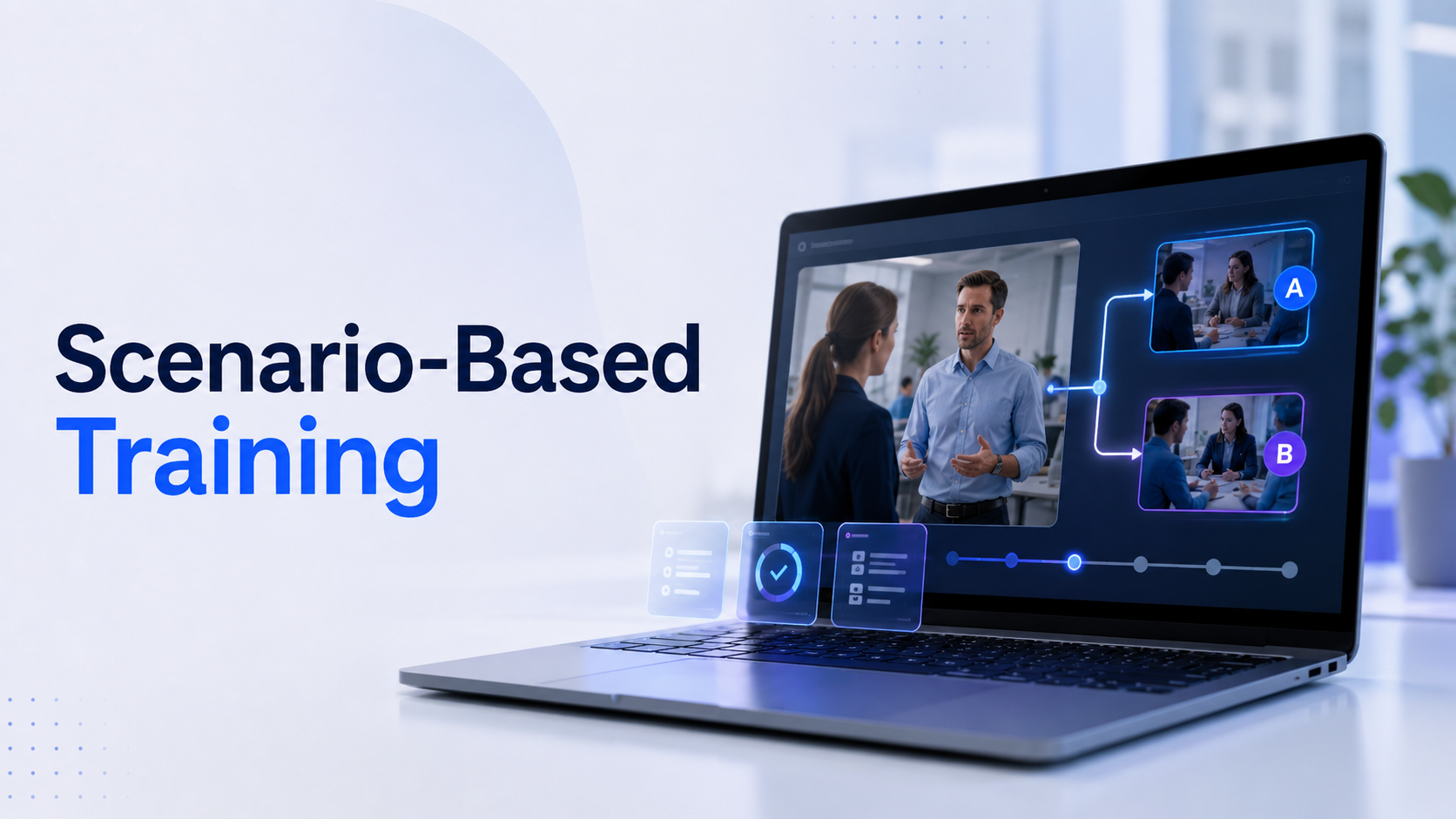
Scenario-based training places learners in realistic situations where they make decisions and see immediate consequences. Unlike lecture-based or video training, scenarios require active participation and critical thinking, leading to 75% better retention rates according to recent enterprise learning studies.
Traditional training methods rely on information transfer instructors present content, learners absorb it passively, then attempt to apply it later. Scenario-based training flips this model. Learners encounter problems first, make decisions under pressure, and learn through the consequences of their choices. This approach mirrors how expertise actually develops in the workplace: through experience, reflection, and gradual improvement.
The psychological foundation is simple but powerful. When learners navigate scenarios, they activate the same neural pathways they’ll use on the job. Their brains don’t distinguish between high-quality simulations and real experiences, creating genuine emotional responses and memorable learning moments.
Core Components of Effective Scenarios
Realistic context that mirrors actual work situations
Effective scenarios recreate the sensory details, time pressures, and ambiguity of real work environments. A customer service scenario includes background noise, interruptions, and incomplete information just like an actual call center. Medical scenarios replicate the beeping monitors, concerned family members, and competing priorities of emergency rooms.
Decision points with meaningful consequences
Every scenario needs 3-7 critical decision points where learners must choose between plausible options. These aren’t simple right-or-wrong choices. Good scenarios present trade-offs: speed versus accuracy, policy compliance versus customer satisfaction, individual needs versus team goals. Each decision branches to different outcomes, showing learners how their choices cascade through complex systems.
Safe-to-fail environment for experimentation
Scenarios remove the real-world costs of mistakes. A nurse can administer the wrong medication and watch a virtual patient deteriorate. A manager can botch a termination conversation and face a simulated lawsuit. These failures become powerful teaching moments without endangering actual patients, employees, or company resources.
Immediate feedback loops
Unlike real work where consequences might unfold over weeks, scenarios compress time to show immediate results. Learners see how their customer service approach affects satisfaction scores instantly. They watch safety violations lead to accidents within minutes. This rapid feedback accelerates the learning cycle from months to hours.
When Scenario-Based Training Delivers ROI
High-stakes decisions (medical, safety, compliance)
Industries where mistakes cost lives or millions of dollars see immediate returns from scenario training. Surgical teams practicing rare complications reduce actual operating room errors by 40%. Chemical plant operators running emergency shutdown scenarios prevent real disasters. Financial compliance officers navigating insider trading scenarios avoid regulatory penalties.
Soft skills development (leadership, customer service)
Interpersonal skills that traditionally required years of experience now develop in weeks through scenarios. New managers practice difficult conversations with virtual employees exhibiting realistic emotional responses. Sales representatives handle objections from AI-powered prospects with varying personality types. Customer service agents de-escalate conflicts with increasingly challenging virtual customers.
Complex procedures with multiple variables
When procedures involve numerous steps with environmental variables, scenarios outperform traditional training. Aircraft maintenance technicians troubleshoot systems where multiple failures interact. IT administrators respond to cascading network outages. Manufacturing operators adjust production lines with fluctuating quality parameters.
Onboarding for role-specific situations
New employees typically take 6-12 months to reach full productivity. Scenario-based onboarding cuts this time by 40% by exposing new hires to common situations before they encounter them live. Retail associates handle returns, complaints, and special requests in virtual stores. Account managers navigate client escalations with simulated stakeholders. Engineers debug code in replicated development environments.
Building Your First Scenario: The 5-Stage Design Process
Creating effective scenarios starts with mapping real workplace challenges, not theoretical situations. This framework helps non-technical teams design scenarios that drive behavior change.
The biggest mistake organizations make is starting with technology rather than learning objectives. They purchase VR headsets or authoring tools, then struggle to create meaningful content. This framework reverses that approach, beginning with authentic workplace challenges and building technology solutions around proven learning needs.
Stage 1: Identify Critical Incidents
Interview top performers about challenging situations
Schedule 60-minute interviews with your highest-performing employees. Ask them to describe specific situations where average performers struggle. Document the exact words customers use, the environmental factors present, and the subtle cues experts notice. A top nurse might mention watching for slight changes in skin color that indicate deterioration hours before vital signs change.
Analyze common mistakes and their root causes
Review incident reports, customer complaints, and quality audits from the past year. Look for patterns in errors. Map each mistake to its root cause: knowledge gaps, skill deficiencies, or environmental factors. If customer service errors spike during system updates, your scenario should include technical glitches as a stressor.
Document decision trees from actual cases
Take 5-10 real cases and map every decision point. What information was available at each moment? What options did people consider? What factors influenced their choices? This mapping reveals the hidden complexity in seemingly simple tasks and ensures scenarios reflect authentic decision-making challenges.
Prioritize scenarios by business impact
Calculate the cost of errors for each potential scenario. Include direct costs (rework, penalties, lawsuits) and indirect costs (reputation damage, employee turnover, lost productivity). Rank scenarios by total impact and start with the top three. A single prevented safety incident can justify an entire training program’s investment.
Stage 2: Define Learning Objectives and Success Metrics
Map scenarios to specific competencies
Each scenario should target 2-3 specific competencies from your competency framework. Link every decision point to a measurable skill. If developing negotiation skills, one decision point might test value articulation, another tests objection handling, and a third tests closing techniques.
Set measurable performance indicators
Define what success looks like in observable, measurable terms. Instead of “demonstrates empathy,” specify “acknowledges customer emotions within 30 seconds” or “uses reflective listening at least three times per interaction.” These concrete indicators enable consistent assessment across learners and scenarios.
Establish baseline metrics before training
Measure current performance using the same metrics you’ll track post-training. Time how long current employees take to complete procedures. Count errors in existing processes. Survey customer satisfaction with current service levels. Without baselines, you can’t prove training impact.
Create assessment rubrics for complex skills
Develop 5-point rubrics for skills that resist simple measurement. For leadership scenarios, create behavioral anchors for each level: Level 1 might be “gives orders without explanation,” while Level 5 is “involves team in decision-making while maintaining accountability.” Share rubrics with learners so they understand expectations.
Stage 3: Script Realistic Branching Paths
Write dialogue that matches workplace language
Capture the actual phrases, jargon, and communication styles of your workplace. If technicians say “box is throwing codes” instead of “the system is displaying error messages,” use their language. Record real conversations if possible. Authenticity in language creates immediate credibility with learners.
Create 3-5 decision points per scenario
Each scenario needs enough decisions to feel substantial but not so many that learners lose focus. Space decision points 2-3 minutes apart in VR scenarios, closer in text-based scenarios. Each decision should meaningfully affect the story’s direction, not just change minor details.
Design consequences that mirror real outcomes
Map each decision path to consequences learners would actually face. If they skip safety checks, don’t just display “incorrect”—show equipment failing, colleagues getting injured, or supervisors issuing warnings. Make consequences proportional to the severity of the error.
Include both optimal and suboptimal paths
Resist creating single correct paths. Real work involves trade-offs and acceptable variations. Design 2-3 successful paths that achieve objectives differently. Include common suboptimal paths that still work but with reduced efficiency or satisfaction. This reflects workplace reality where multiple approaches can succeed.
Immersive Scenarios: Why VR Changes the Training Game
Virtual reality transforms scenario-based training from screen-based clicking to full-body engagement. Learners don’t just select options—they physically interact with environments, read body language, and experience spatial awareness.
The shift from 2D to immersive scenarios fundamentally changes how our brains process training. In VR, learners develop spatial memory of environments, muscle memory for procedures, and emotional connections to virtual characters. These multi-sensory experiences create stronger neural pathways than traditional training methods.
Engagement Metrics: VR vs Traditional Scenarios
95% completion rates for VR scenarios vs 60% for e-learning
VR’s novelty and immersion drive exceptional completion rates. Learners actively request VR training sessions, often completing them outside required training hours. The physical nature of VR—standing, moving, gesturing—maintains engagement levels that seated, screen-based training can’t match.
4x faster skill acquisition in spatial tasks
Tasks involving spatial reasoning or physical procedures show dramatic improvement in VR. Warehouse workers learning equipment operation master controls in 2 hours versus 8 hours with traditional training. Surgeons practicing procedures in VR reach proficiency in 50% fewer attempts than those using video training.
Emotional engagement measured through biometrics
VR scenarios trigger genuine stress responses measurable through heart rate variability and galvanic skin response. This emotional activation enhances memory formation and decision-making under pressure. Learners practicing emergency procedures in VR show similar stress patterns to real emergencies, better preparing them for actual crisis situations.
Muscle memory development for physical procedures
Hand tracking and haptic feedback in VR create genuine muscle memory. Maintenance technicians practicing component replacement in VR transfer those motor patterns directly to real equipment. This physical practice reduces errors by 60% compared to video-based training alone.
Testing VR Scenarios with Rental Packages
Run 2-week pilots with 10-20 learners
Start with focused pilots using rental equipment to validate VR’s impact for your specific use cases. Select a diverse group representing different experience levels, learning styles, and technical comfort. Run each learner through 3-5 sessions over two weeks, allowing time for reflection between sessions.
Compare VR scenarios against existing training
Create control groups using your current training methods. Measure time to competency, error rates, and confidence levels for both groups. Document qualitative feedback about engagement, stress levels, and perceived readiness. This comparison data justifies broader investment or reveals where traditional methods remain superior.
Measure time-to-competency improvements
Track how quickly VR-trained employees reach performance standards versus traditionally trained peers. Monitor their first week of real work performance. VR-trained employees typically reach full productivity 30-50% faster, with fewer errors during the learning curve.
Calculate ROI before hardware investment
Use pilot data to project returns at scale. Factor in reduced training time, fewer errors, improved retention, and decreased instructor costs. Compare these savings against rental costs extrapolated to full deployment. Most organizations see positive ROI within 6 months when training more than 50 employees annually.
Implementation Roadmap: From Pilot to Scale
Most organizations fail at scenario-based training by trying to build everything at once. This phased approach starts with high-impact scenarios and expands based on proven results.
Success comes from treating scenario-based training as an iterative process, not a one-time project. Each phase builds on lessons from the previous one, reducing risk while maintaining momentum. Organizations that follow this roadmap report 80% higher adoption rates than those attempting immediate enterprise-wide rollouts.
Phase 1: Prototype with Rental Equipment (Weeks 1-4)
Select one critical scenario for proof of concept
Choose a scenario that addresses a pressing business need with measurable impact. Ideal candidates include high-frequency tasks with consistent errors, expensive mistakes that occur monthly, or procedures where current training takes excessive time. Keep the scenario under 10 minutes to enable rapid iteration.
Rent 5-10 VR headsets for controlled testing
Partner with VR rental companies that provide technical support and pre-loaded content platforms. Request standalone headsets that don’t require gaming computers or complex setup. Budget $2,000-4,000 for a month-long rental including support. This investment is minimal compared to purchasing equipment that might not meet your needs.
Gather feedback from pilot group
Conduct structured debriefs after each VR session. Ask specific questions about scenario realism, decision difficulty, and technical issues. Record sessions when possible to analyze where learners struggle or disengage. Create feedback forms that separate content quality from technology experience.
Refine scenario based on learner behavior
Analyze where learners consistently make errors or report confusion. Adjust dialogue that feels unnatural, rebalance decision difficulties, and clarify unclear instructions. Most scenarios require 3-4 iterations before achieving optimal learning outcomes. Each iteration should take no more than a week to implement.
Phase 2: Expand to Department Level (Months 2-3)
Develop 3-5 scenarios for core competencies
Build a scenario library covering the most critical skills for a single department. Create scenarios of varying difficulty to support progression from novice to expert. Include scenarios for common situations (daily practice), challenging situations (weekly preparation), and crisis situations (quarterly readiness).
Train facilitators on scenario debriefing
Effective debriefing doubles the learning value of scenarios. Train facilitators to guide reflection without lecturing. Teach them to ask “what were you thinking when…” questions that reveal decision-making processes. Provide debriefing guides with key learning points and common learner mistakes.
Establish regular training schedules
Integrate scenario training into existing workflows rather than treating it as separate events. Schedule 30-minute weekly sessions for skill maintenance, 60-minute monthly sessions for new scenarios, and quarterly assessments using comprehensive scenarios. Consistency matters more than intensity.
Track performance improvements
Monitor KPIs weekly to identify trends early. Compare error rates, completion times, and quality scores between scenario-trained and traditionally-trained employees. Document unexpected benefits like improved team communication or increased confidence. Share success stories to build organizational buy-in.
Phase 3: Enterprise Rollout (Months 4-6)
Standardize scenario development process
Create templates for scenario design documents, branching logic, and assessment rubrics. Establish review committees with subject matter experts, instructional designers, and end users. Define approval workflows that balance quality control with development speed. Most organizations can produce one new scenario weekly once processes are standardized.
Create scenario library for different roles
Build role-specific collections that employees can access on-demand. Organize scenarios by competency, difficulty, and estimated completion time. Create prerequisite chains where basic scenarios unlock advanced ones. Enable managers to assign specific scenarios based on individual development needs.
Integrate with LMS for tracking
Connect VR platforms to your learning management system for centralized reporting. Configure automatic data transfer for completion rates, scores, and time spent. Create dashboards showing individual progress and team comparisons. Use xAPI standards to capture detailed interaction data for analysis.
Decide on rental vs purchase based on usage data
Calculate total cost of ownership for both models using actual usage data. Include hidden costs like storage, maintenance, hygiene supplies, and replacement units. Consider hybrid models where you purchase equipment for high-use locations and rent for occasional needs. Most organizations break even on purchases after 8-12 months of regular use.
Measuring Success: KPIs That Matter for Scenario Training
Scenario-based training success isn’t measured by completion rates alone. These metrics connect training activities to business outcomes.
Traditional training metrics like satisfaction scores and completion rates tell you about the training experience, not its impact. Scenario-based training enables deeper measurement because you can track decision quality, response times, and behavioral patterns that predict real-world performance.
Performance Metrics
Time to first correct decision
Measure how quickly learners identify critical issues and take appropriate action. Expert performers typically recognize patterns and respond 50-70% faster than novices. Track improvement curves across multiple scenario attempts. Sudden improvements often indicate “aha moments” where concepts click.
Error reduction in real work situations
Compare error rates before and after scenario training for specific tasks. Document error types to identify which scenarios most effectively prevent mistakes. A 30% reduction in customer service errors or 50% reduction in safety violations justifies entire training programs.
Speed of task completion post-training
Time employees completing real work tasks after scenario training versus traditional training. Scenario-trained employees typically perform complex tasks 25-40% faster while maintaining quality. This efficiency gain compounds over thousands of task repetitions annually.
Confidence scores in decision-making
Survey learners about their confidence handling specific situations before and after scenario training. Confident employees make faster decisions and require less supervisor support. Track correlation between confidence scores and actual performance to validate self-assessments.
Business Impact Metrics
Customer satisfaction improvements
Link scenario training completion to customer satisfaction scores by employee. Organizations report 15-20 point improvements in NPS scores after implementing customer service scenarios. Track both immediate post-interaction surveys and follow-up satisfaction measures.
Safety incident reduction
Monitor injury rates, near-misses, and safety violations for scenario-trained versus untrained employees. Manufacturing and construction companies report 40-60% fewer incidents among VR-trained workers. Calculate saved costs from reduced workers’ compensation claims and operational disruptions.
Compliance audit scores
Track audit performance for employees who completed compliance scenarios versus those who didn’t. Financial services firms report 90%+ first-time audit pass rates after implementing scenario-based compliance training, compared to 70% with traditional methods.
Employee retention in trained roles
Measure turnover rates for employees who received scenario-based onboarding versus traditional training. Better-prepared employees report higher job satisfaction and stay 25% longer on average. Calculate saved recruitment and training costs from improved retention.
Common Pitfalls and How to Avoid Them
Even well-designed scenarios fail when implementation ignores practical realities. These solutions address the most frequent challenges.
Overly Complex Scenarios
Start with 5-minute scenarios, not 30-minute epics
New designers often create elaborate scenarios with dozens of branches and multiple subplots. These overwhelm learners and become impossible to maintain. Begin with focused 5-7 minute scenarios targeting single objectives. Add complexity only after mastering simple scenario design.
Focus on single learning objectives initially
Resist cramming multiple learning objectives into one scenario. Each scenario should teach one primary skill with 2-3 supporting concepts maximum. Create scenario series where each installment builds on previous learning rather than trying to teach everything at once.
Add complexity only after basics are mastered
Use adaptive difficulty based on learner performance. Start with clear-cut decisions and obvious consequences. Gradually introduce ambiguity, time pressure, and conflicting priorities as learners demonstrate competence. This scaffolding approach prevents cognitive overload while maintaining challenge.
Technology Barriers
Use rental packages to eliminate IT delays
IT departments often require months to approve new software and hardware. Rental packages bypass these delays by providing pre-configured, security-cleared devices. Many rental companies offer enterprise agreements that satisfy IT requirements while maintaining deployment flexibility.
Choose standalone headsets over PC-tethered systems
Standalone VR headsets eliminate gaming computer requirements, complex setup procedures, and cable management issues. Devices like Meta Quest or Pico units work anywhere with WiFi. This portability enables training in actual work environments rather than dedicated training rooms.
Provide on-site support for initial sessions
Technology anxiety prevents many learners from engaging with VR training. Provide dedicated support staff for first sessions to handle technical issues immediately. Create quick reference guides with screenshots for common tasks. Most learners become self-sufficient after 2-3 supported sessions.
Lack of Facilitator Training
Train facilitators before learners
Facilitators need deeper scenario knowledge than learners to guide effective debriefs. Run facilitators through scenarios multiple times, exploring different paths and outcomes. Teach them to recognize common learner mistakes and misconceptions. Confident facilitators create confident learners.
Create debriefing guides for each scenario
Develop structured debriefing guides listing key decision points, common errors, and discussion prompts. Include time allocations for each debriefing section. Provide sample questions that encourage reflection without giving away answers. Good debriefing guides ensure consistent learning outcomes across facilitators.
Record sessions for coaching purposes
With permission, record training sessions to review facilitator performance and identify coaching opportunities. Analyze how facilitators handle struggling learners, manage time, and guide discussions. Share best practices from exceptional facilitators with the broader team.
Frequently Asked Questions
How long should a scenario-based training module be?
Optimal scenario length depends on complexity and delivery method. VR scenarios should run 5-15 minutes to prevent fatigue and motion sickness. Desktop scenarios can extend to 20-30 minutes since learners can pause easily. Mobile scenarios work best at 3-5 minutes for completion during work breaks. Series of short scenarios often outperform single long scenarios for skill development.
What’s the minimum number of scenarios needed for effective training?
Start with 3-5 scenarios per critical skill area. This provides enough variety to prevent memorization while maintaining focus. Add scenarios based on performance data—if learners consistently struggle with specific decisions, create targeted scenarios for those areas. Most successful programs eventually build libraries of 20-30 scenarios per role.
Can scenario-based training work without VR technology?
Absolutely. Text-based branching scenarios, video scenarios, and role-play simulations all deliver value without VR. Choose technology based on learning objectives: VR excels for spatial and procedural training, video works for emotional intelligence, and text-based scenarios handle complex decision trees efficiently. Many organizations use mixed approaches.
How do you create scenarios for soft skills vs technical skills?
Soft skill scenarios emphasize emotional responses, dialogue choices, and relationship consequences. Include non-verbal cues, tone variations, and cumulative relationship effects. Technical scenarios focus on procedural accuracy, troubleshooting logic, and measurable outcomes. Both benefit from realistic contexts, but soft skill scenarios require more nuanced feedback about approach quality versus just correct/incorrect outcomes.
What’s the typical cost per learner for VR scenario training?
Costs vary significantly based on scale and approach. Rental programs run $50-100 per learner for week-long programs. Purchased equipment amortizes to $20-40 per learner over two years with regular use. Custom scenario development adds $5,000-25,000 per scenario, but off-the-shelf content costs $10-50 per learner. Most organizations achieve positive ROI at 50+ learners annually.
How do you handle learners who get motion sick in VR?
Start with stationary scenarios that minimize movement. Use teleportation instead of smooth locomotion. Keep initial sessions under 10 minutes and gradually increase duration. Provide ginger candies or anti-nausea wristbands. Ensure proper headset fit and interpupillary distance adjustment. About 15% of users experience initial discomfort, but most adapt within 3-4 sessions.
Should scenarios always have a ‘correct’ answer?
Not always. Some scenarios should explore trade-offs where multiple approaches have merit. Leadership scenarios might present situations where either empathy or accountability could work, depending on context. However, safety and compliance scenarios need clear correct answers. Document acceptable variations while maintaining core learning objectives.
How often should scenario content be updated?
Review scenarios quarterly for accuracy and relevance. Update immediately when procedures, regulations, or systems change. Refresh dialogue and situations annually to maintain realism. Add new scenarios based on emerging challenges or incident patterns. Retire scenarios that no longer reflect workplace reality or when performance data shows consistent mastery.
Scenario-based training represents a fundamental shift in how organizations develop employee capabilities. By placing learners in realistic situations where decisions have consequences, this approach accelerates skill development while improving retention and engagement. The addition of immersive technologies like VR amplifies these benefits, creating experiences that traditional training simply cannot match.
Success with scenario-based training requires thoughtful design, phased implementation, and continuous refinement based on performance data. Organizations that start small, measure impact carefully, and scale based on proven results consistently achieve superior outcomes compared to those attempting massive initial deployments.
The framework presented here provides a roadmap from initial concept through enterprise deployment. By following these guidelines, avoiding common pitfalls, and maintaining focus on business outcomes rather than technology features, your organization can build a scenario-based training program that delivers measurable ROI while preparing employees for real-world challenges.
Ready to transform your training with immersive scenarios? Start with a two-week VR rental pilot targeting your highest-impact training challenge. Measure the results against your current methods, gather learner feedback, and use that data to build your business case for expanded implementation. The future of workplace learning isn’t about consuming content it’s about practicing performance in safe, controlled, endlessly repeatable scenarios that prepare employees for whatever challenges they’ll face.