What Are Virtual Conferences and How Does VR Transform Them
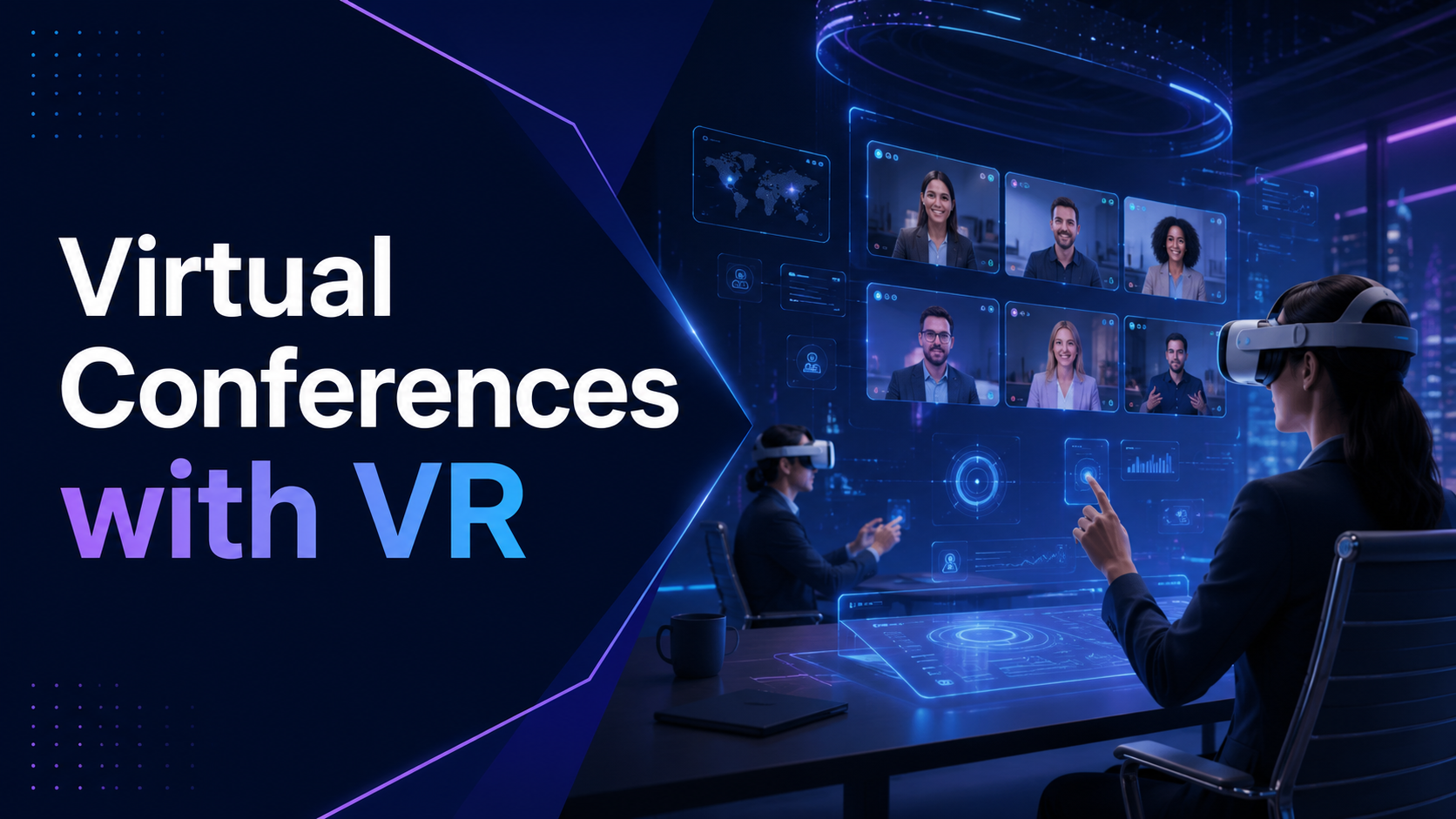
Virtual conferences evolved from basic video calls to sophisticated online events with networking lounges, expo halls, and breakout sessions. VR takes this further by placing attendees in shared 3D spaces where they can move around, approach other avatars for conversation, and interact with virtual booths and presentations as if physically present.
The transformation from flat screens to spatial computing represents a fundamental shift in how remote participants experience events. Instead of staring at a grid of video tiles, attendees navigate virtual conference centers, walk up to interesting conversations, and examine products from every angle. This spatial presence recreates the serendipitous encounters and informal networking that make in-person conferences valuable.
Traditional Virtual Conferences vs. VR-Enhanced Events
Traditional video conferences suffer from well-documented limitations that reduce engagement and networking effectiveness. Zoom fatigue sets in after 30-40 minutes as participants struggle to maintain focus on static screens. Networking becomes forced through awkward breakout rooms where conversations lack the natural flow of in-person interactions. Attendees multitask during presentations, checking email while half-listening to speakers.
VR conferences address these limitations through spatial computing features that mirror physical presence. Spatial audio creates natural conversation dynamics where voices grow louder as avatars approach each other, enabling organic group formation. Attendees can raise their hands, point at presentation materials, and use body language through avatar movements. Persistent virtual venues allow participants to return to the same conference space throughout multi-day events, building familiarity with the environment.
Hybrid approaches balance immersion with accessibility by using VR selectively. Companies might stream keynotes through traditional video to maximize reach, then shift high-value attendees into VR breakout sessions for deeper engagement. Sales teams could meet prospects in virtual demo rooms while keeping large presentations on standard platforms. This selective deployment reduces costs while delivering immersive experiences where they matter most.
Types of VR Conference Experiences
Full VR conferences require every attendee to wear a headset throughout the entire event. These work best for smaller groups of 20-50 participants where equipment distribution remains manageable. Companies use full VR conferences for executive strategy sessions, design reviews requiring 3D visualization, and intensive training programs where hands-on practice drives learning outcomes.
VR networking lounges augment traditional video conferences with optional immersive sessions. After watching a keynote on Zoom, interested attendees can put on headsets to join virtual cocktail hours where they mingle with speakers and peers. This model works well for conferences where only 10-20% of participants have access to VR equipment but organizers want to offer premium experiences.
Virtual expo halls transform product demonstrations from static web pages into interactive 3D showcases. Attendees walk through virtual convention centers, approaching booths that interest them. Exhibitors demonstrate products at actual scale, letting visitors examine equipment from every angle. Automotive companies show full-size vehicle models, medical device manufacturers display surgical tools in operating room contexts, and software vendors create interactive demos visitors can manipulate.
Immersive training workshops embedded within larger virtual events provide hands-on learning impossible through video. Participants practice procedures on virtual equipment, collaborate on 3D design challenges, or role-play customer interactions in simulated environments. These workshops often generate the highest satisfaction scores within broader conference programs.
VR Conference Platforms and Software Requirements
Choosing the right VR conference platform determines attendee experience, technical requirements, and deployment complexity. Enterprise platforms offer different combinations of presentation tools, networking features, and technical specifications that align with various event goals. Platform selection impacts everything from maximum attendance to content sharing capabilities.
Leading VR Conference Platforms Compared
Spatial emerged as the leading cross-platform solution for professional VR conferences. The platform supports 50 concurrent users per room with overflow capabilities into parallel spaces. Spatial runs on Meta Quest, HTC Vive, and Microsoft HoloLens, with a web browser fallback for attendees without headsets. The platform excels at presentation scenarios with robust screen sharing, 3D model imports, and sticky note collaboration. Pricing starts at $20 per user per month with custom enterprise packages for large events.
Engage targets educational and training conferences with specialized features for instruction. Sessions support up to 70 participants with advanced recording capabilities that capture both presentations and audience interactions. The platform includes built-in assessment tools, breakout room management, and a library of educational 3D models. Engage requires more powerful hardware but delivers superior graphics quality. Event licenses run $500-2000 depending on duration and features.
VRChat offers massive scale for consumer-oriented events but lacks enterprise security features. The platform can host thousands of concurrent users across custom-built worlds. While free to use, VRChat requires significant development resources to create professional conference environments. Companies use VRChat for public product launches and community events where security requirements are minimal.
Mozilla Hubs provides an open-source option that runs entirely in web browsers. The 25-person room limit restricts use to smaller meetings, but zero-installation access simplifies deployment. Organizations can self-host Hubs on private servers for complete data control. The platform works well for quick VR meetings without extensive setup requirements.
Platform selection depends on specific event requirements. High-security corporate meetings need enterprise platforms with encryption and access controls. Public conferences prioritize scale and ease of access. Training events require specialized tools for instruction and assessment. Multi-day conferences benefit from persistent environments that maintain state between sessions.
Content Formats and Presentation Tools
VR conferences support diverse content formats beyond traditional slides. Presenters upload PowerPoint decks that display on virtual screens, maintaining familiar presentation flows while adding spatial context. Videos play on massive virtual displays with synchronized viewing for all attendees. 3D models import directly into conference spaces where presenters can manipulate them during talks.
Screen sharing from desktop computers streams directly into VR environments, enabling live software demonstrations. Presenters show spreadsheets, run simulations, or navigate websites while attendees watch on virtual monitors. This hybrid approach lets speakers use familiar desktop tools while audiences experience content in immersive settings.
Interactive whiteboards enable real-time collaboration during workshops. Multiple attendees can simultaneously draw diagrams, add sticky notes, and annotate shared documents. These collaborative surfaces persist throughout events, creating working documents teams can reference across sessions.
Preloading conference content on rental headsets before shipping ensures smooth presentations regardless of venue internet speeds. Technical teams upload presentations, videos, and 3D models directly to headset storage. This approach eliminates streaming delays and provides backup access if network connections fail during events.
VR Headset Requirements and Rental Logistics for Virtual Conferences
The biggest challenge for VR conferences is getting headsets to attendees. Organizations must evaluate equipment options based on technical specifications, user comfort, and deployment logistics. The choice between shipping rental units to remote participants, establishing VR stations at hub locations, or requiring personal devices shapes the entire event strategy.
Recommended Headsets for Virtual Conferences
Meta Quest 3 dominates enterprise VR conferences through its combination of standalone operation and reasonable pricing. The headset requires no external computer, simplifying deployment to non-technical attendees. The 2-hour battery life covers most conference sessions, though extended events require charging breaks. The 2064×2208 per-eye resolution delivers clear text for presentations while the Snapdragon XR2 Gen 2 processor handles multi-user environments smoothly. Organizations budget $499 per unit for purchases or $150-200 weekly rentals.
Pico 4 Enterprise offers business-specific features including kiosk mode that locks devices to conference applications. Remote management tools let IT teams configure headsets, push updates, and monitor usage from central dashboards. The 2160×2160 per-eye resolution slightly exceeds Quest 3, providing marginally sharper text. The 5300mAh battery extends sessions to 2.5 hours. Enterprise pricing starts at $899 with volume discounts for fleet purchases.
HTC Vive Focus 3 targets premium conference experiences with superior comfort for all-day events. The balanced design reduces neck strain during extended sessions while the quick-release face gasket simplifies cleaning between users. Hot-swappable batteries eliminate charging downtime. The 2448×2448 per-eye resolution delivers the sharpest visuals among standalone headsets. The $1,300 price point limits deployment to executive events or showcase demonstrations.
Network infrastructure must support 50 Mbps per headset for smooth multi-user sessions. Conference venues need enterprise-grade WiFi 6 access points positioned to avoid interference. Remote attendees require stable home internet with consistent bandwidth. IT teams should test network capacity with the expected number of concurrent VR users before events.
Rental Packages and Shipping Logistics
Turnkey rental packages streamline VR conference deployment by bundling hardware, software, and support. Providers like XR Rental, VR Direct, and MeetingRoom configure headsets with conference applications, test functionality, and ship directly to attendees. Standard packages include headsets, controllers, charging cables, cleaning supplies, and protective cases.
Shipping timelines require careful coordination to ensure equipment arrives before events. Domestic shipments need 2-day delivery windows to reach remote attendees. International shipping extends to 5-7 days with customs clearance. Rental companies typically ship units 3-5 days before events, allowing time for delivery delays and setup assistance.
Return logistics use prepaid shipping labels included in rental packages. Attendees repack equipment in provided protective cases and schedule pickups through carrier websites. Some rental companies offer on-site collection for large events. Late return fees range from $25-50 per day, incentivizing prompt equipment return.
On-site support options include technicians who assist with setup, troubleshooting, and collection. For high-value events, companies station VR specialists in conference rooms to manage equipment and guide attendees. Support packages cost $2,000-5,000 per day depending on event size and technician expertise.
Cost comparisons show weekly headset rentals ranging from $150-300 including shipping. Month-long rentals drop to $400-600 per unit. Purchase becomes cost-effective for organizations running quarterly VR conferences, reaching break-even after 4-5 events.
Deployment Models by Audience Type
Executive meetings with 5-15 participants benefit from white-glove service where technicians hand-deliver headsets and provide personal setup assistance. This high-touch approach ensures C-suite attendees have flawless experiences without technical frustrations. Companies budget $500-1000 per executive for premium deployment including dedicated support.
Department training sessions with 20-50 participants work best through hub locations where regional teams gather. Organizations rent conference rooms equipped with high-speed internet and position IT support staff on-site. This model reduces shipping costs while providing immediate technical assistance. Hub deployments cost $100-200 per attendee including venue and support.
Large conferences exceeding 100 participants often adopt bring-your-own-device (BYOD) approaches. Organizers publish compatibility lists specifying supported headsets and minimum specifications. This model eliminates equipment logistics but requires robust platform testing across diverse hardware. BYOD conferences must offer traditional video alternatives for attendees without compatible devices.
Hybrid approaches optimize cost and experience by segmenting audiences. Speakers and VIP attendees receive rental headsets with premium support. General attendees join through video with optional VR if they own compatible equipment. This tiered model delivers immersive experiences to key participants while maintaining broad accessibility.
Planning and Executing Your First VR Conference
Launching a VR conference requires different planning than traditional virtual events. Technical complexity increases exponentially compared to video conferences, demanding longer preparation timelines and more robust contingency planning. Success depends on methodical preparation, comprehensive testing, and proactive support throughout the event.
Pre-Event Setup and Testing
The 8-week timeline for first-time VR conferences allows adequate time for platform evaluation, content development, and attendee preparation. Weeks 1-2 focus on platform selection through trials with core stakeholder groups. Decision makers experience different platforms firsthand, evaluating ease of use, feature sets, and technical requirements.
Weeks 3-4 involve environment customization and content upload. Design teams create or modify virtual venues to match brand guidelines. Presenters upload slides, videos, and 3D models while technical teams verify format compatibility. Custom avatar options let attendees personalize their appearance within professional constraints.
Weeks 5-6 center on headset procurement and configuration. Rental orders ship to a central location for preprocessing. Technical teams install conference applications, configure network settings, and test each unit. Preloading content directly onto headsets provides backup if streaming fails during events.
Week 7 requires mandatory technical checks with all participants. Every attendee joins a test session to verify hardware functionality, network connectivity, and platform familiarity. Support teams document issues and ship replacement equipment if needed. These rehearsals identify problems before they impact actual events.
Week 8 includes final preparations and contingency planning. Support teams review troubleshooting procedures and establish communication channels. Backup equipment ships to event locations. Platform providers position additional server capacity for expected attendance.
Attendee Onboarding and Support
Shipping headsets 5 days before events gives attendees time to familiarize themselves with equipment. Packages include quick-start guides with QR codes linking to setup videos. First-time VR users need 30-60 minutes to adjust to spatial interfaces and practice basic navigation.
Tutorial videos specific to conference platforms reduce support requests during events. These 5-10 minute guides demonstrate login procedures, avatar customization, movement controls, and interaction methods. Platform-specific tutorials prove more effective than generic VR instructions.
Practice lobby sessions the day before events let attendees test their setup in the actual conference environment. Support staff guide participants through common tasks like approaching other avatars, using virtual tools, and adjusting audio settings. These sessions reduce day-of technical issues by 60-70%.
Live technical support during events requires dedicated staff separate from event moderators. Support teams monitor chat channels, respond to help requests, and guide struggling attendees through troubleshooting steps. One support specialist per 20 attendees provides adequate coverage for most events.
Fallback options preserve attendance when technical issues arise. Platforms with browser-based access let attendees switch from VR to desktop viewing. Dial-in audio bridges provide audio-only participation if video fails. Recording key sessions ensures attendees can access content despite technical difficulties.
Day-of Execution and Troubleshooting
Staggered entry times prevent server overload when hundreds of attendees connect simultaneously. Opening virtual doors 30 minutes early lets eager participants enter gradually. Scheduled entry windows spread load across 10-15 minute intervals. VIP attendees often receive early access for exclusive networking.
Moderator controls maintain order in virtual environments. Event staff can mute disruptive attendees, restrict movement during presentations, and remove problematic participants. Moderators need training on platform-specific controls and clear escalation procedures for handling incidents.
Recording capabilities vary significantly across platforms. Some capture full 3D experiences viewable in VR, while others record flat video perspectives. Privacy regulations require clear consent notices and may prohibit recording in certain jurisdictions. Organizations must balance documentation needs with privacy requirements.
Common technical issues follow predictable patterns. WiFi dropouts affect 10-15% of remote attendees, requiring backup connectivity through mobile hotspots. Battery depletion impacts sessions exceeding 2 hours, necessitating scheduled charging breaks. Motion sickness affects 20-25% of first-time users, improving with experience and comfort settings adjustments.
Post-event surveys focusing on technical experience guide future improvements. Questions address equipment comfort, platform usability, support effectiveness, and technical difficulties. Response rates exceed 60% for VR conferences compared to 20-30% for traditional virtual events, indicating higher engagement levels.
Cost Analysis: VR Conferences vs. Traditional Virtual Events
VR conferences cost more than Zoom webinars but can deliver higher engagement and memorable experiences that justify the investment. Total cost calculations must include both direct expenses like equipment rental and indirect costs such as extended planning timelines and technical support requirements.
Total Cost Breakdown for VR Conferences
Platform licensing varies dramatically based on scale and features. Basic packages supporting 50 attendees cost $500-1500 per event. Enterprise licenses for 500+ participants with custom branding reach $5000-10000. Annual subscriptions reduce per-event costs by 40-50% for organizations running quarterly conferences.
Headset rentals represent the largest variable cost, ranging from $150-300 per unit weekly. A 100-person conference requires $15,000-30,000 in rental fees. Shipping adds $50-100 per headset for domestic delivery, doubling for international attendees. Insurance coverage costs 10% of rental value, protecting against damage or loss.
Technical support staff costs scale with event complexity. Single-room conferences need one moderator at $500-1000 per day. Multi-track events require 3-5 support specialists costing $2000-5000 total. White-glove executive support adds $500-1000 per VIP attendee.
Custom environment development represents a significant one-time investment. Basic venue customization with logos and brand colors costs $5000-10000. Complex environments with interactive elements and custom architecture reach $25000-50000. These environments become reusable assets for future events.
Compared to in-person conferences, VR events deliver 40-60% cost savings. A 3-day in-person conference for 100 attendees typically costs $150,000-200,000 including travel, accommodation, and venue. The equivalent VR conference costs $50,000-75,000 with superior content delivery capabilities.
ROI Metrics and Success Measurement
Engagement metrics demonstrate VR’s superiority over traditional video conferences. VR attendees maintain active participation for 2-3 hours versus 30-45 minutes for video conferences. Session completion rates reach 85% in VR compared to 60% for webinars. Attendees visit 3x more expo booths and engage in 5x more peer conversations in spatial environments.
Content retention studies show 75% better information recall from VR presentations compared to video. Participants remember specific details about products demonstrated in 3D and can accurately describe spatial relationships from virtual tours. Training programs delivered through VR achieve 40% faster skill acquisition than video-based instruction.
Networking effectiveness increases dramatically in VR environments. Attendees make average of 12 meaningful connections in VR conferences versus 3-4 in video events. Follow-up meeting requests increase 250% after VR conferences. Sales teams report 60% higher lead quality from VR expo interactions.
Lead generation from virtual expo booths exceeds traditional virtual events by 300%. The ability to demonstrate products at actual scale and allow hands-on interaction drives deeper engagement. Visitors spend average of 8 minutes at VR booths compared to 90 seconds on virtual event platforms.
Year-over-year costs decrease as VR technology matures. Headset prices dropped 30% over the past two years while performance improved 50%. Platform licensing costs decreased 20% as competition increased. Organizations report 25% lower per-event costs in year two as teams gain experience and reuse virtual environments.
Use Cases: When VR Conferences Make Strategic Sense
Not every virtual event benefits from VR. The technology excels in specific scenarios where immersion, interactivity, or spatial presence directly supports business objectives. Understanding these high-value applications helps organizations deploy VR strategically rather than universally.
High-Value VR Conference Applications
Product launches requiring 3D demonstration benefit enormously from VR’s spatial capabilities. Automotive manufacturers reveal new vehicles at actual scale, letting attendees walk around exteriors and sit in virtual cockpits. Consumer electronics companies demonstrate product ecosystems with interactive features attendees can test. Fashion brands create virtual runways where buyers examine garments from every angle.
Technical training programs achieve superior outcomes through hands-on practice in risk-free virtual environments. Medical device companies train surgeons on new equipment without requiring physical devices. Manufacturing teams practice assembly procedures on virtual production lines. IT professionals troubleshoot network configurations in simulated data centers.
Global sales kickoffs use VR to build team cohesion across distributed workforces. Sales representatives practice pitches in virtual customer environments. Teams collaborate on account strategies using spatial planning tools. Award ceremonies in virtual ballrooms create memorable recognition moments that screenshot poorly but feel authentic in VR.
Medical conferences leverage VR for unprecedented anatomical visualization. Surgeons explore 3D organ models at room scale, walking through cardiovascular systems or examining tumor locations from inside virtual patients. Pharmaceutical companies demonstrate drug mechanisms through molecular-level journeys. Medical students attend virtual surgeries with 360-degree viewing angles.
Architecture and design reviews transform from flat renderings to walkable spaces. Clients tour buildings before construction begins, experiencing scale and spatial relationships impossible to convey through drawings. Design teams collaborate in real-time, moving walls and adjusting layouts while standing inside virtual rooms. Stakeholders identify issues early when changes cost least.
When to Stick with Traditional Video
Large-scale events exceeding 500 attendees strain current VR infrastructure. Platform limitations, equipment logistics, and support requirements make massive VR conferences impractical. Traditional streaming platforms handle thousands of concurrent viewers without specialized hardware. Hybrid approaches work better, offering VR experiences to smaller VIP groups.
Single-speaker webinars without interaction gain little from VR deployment. Passive content consumption works adequately through video, especially for sub-30-minute presentations. The overhead of VR setup exceeds benefits for one-way information transfer. Traditional webinars remain cost-effective for company announcements and educational lectures.
Compliance training often requires specific platforms certified for regulatory requirements. Financial services, healthcare, and government sectors must use approved systems that track completion and maintain audit trails. VR platforms rarely meet these specialized compliance needs. Organizations must verify regulatory acceptance before planning VR training.
Audiences with limited technical capability struggle with VR adoption. Senior executives, non-technical staff, and populations with limited internet access face barriers to VR participation. Traditional video conferences ensure inclusive access without technical prerequisites. Organizations should survey audience capabilities before committing to VR-only events.
Quick internal meetings under 30 minutes don’t justify VR overhead. The time required to put on headsets, launch applications, and adjust settings exceeds meeting duration. Traditional video calls remain efficient for status updates, quick decisions, and routine check-ins. VR makes sense for longer collaborative sessions where immersion adds value.
Frequently Asked Questions
How many attendees can join a VR conference simultaneously?
Platform capacity ranges from 25 users in Mozilla Hubs to 70 in Engage, with enterprise solutions supporting 50-100 per room. Larger events use multiple parallel rooms with overflow capabilities. Some platforms like VRChat support thousands through instanced spaces, though performance degrades with excessive attendance.
Do attendees need gaming PCs for VR conferences?
Modern standalone headsets like Meta Quest 3 and Pico 4 Enterprise require no external computers. These devices handle VR conferences independently using built-in processors. PC-based headsets offer superior graphics but add complexity and cost. Most business conferences choose standalone headsets for simplified deployment.
What happens if someone gets motion sick during the event?
Motion sickness affects 20-25% of first-time VR users but decreases with experience. Comfort settings reduce movement speed and add peripheral blinders. Teleportation replaces smooth locomotion for sensitive users. Event organizers should schedule breaks every 45 minutes and provide desktop viewing alternatives for affected attendees.
Can we record VR conferences for later viewing?
Most platforms offer recording capabilities with varying quality. Spatial and Engage capture presentations with audience audio. Some platforms record full 3D experiences viewable in VR, while others produce flat video exports. Privacy laws may restrict recording in certain jurisdictions, requiring explicit consent from all participants.
How do we handle attendees in different time zones?
VR conferences typically run shorter than all-day physical events, making global scheduling easier. Organizations often run duplicate sessions for major time zones or record key presentations for asynchronous viewing. The immersive nature of VR makes attendees more willing to join outside normal hours for important sessions.
What’s the minimum internet speed for VR conferences?
Stable 50 Mbps connections support smooth VR conferencing for individual users. Shared venue connections need 50 Mbps per concurrent headset plus overhead. Upload speeds matter for presenters sharing screens or streaming content. 5GHz WiFi or ethernet connections provide more stable performance than 2.4GHz networks.
Can attendees join from smartphones if they don’t have headsets?
Several platforms offer mobile apps with limited functionality. Mozilla Hubs and Spatial support smartphone browsers for basic participation. Mobile users see simplified graphics and have restricted interaction capabilities. This fallback ensures inclusive access though the experience differs significantly from VR attendance.
How do we protect confidential information in VR environments?
Enterprise platforms include security features like end-to-end encryption, access controls, and private servers. Organizations can disable recording, restrict screen capture, and watermark shared content. Self-hosted solutions provide complete data control. NDAs and platform terms of service provide legal protection for sensitive discussions.
What’s the learning curve for first-time VR conference attendees?
Most attendees achieve basic proficiency within 30-45 minutes of first use. Navigation and interaction become intuitive after initial orientation. Providing tutorial videos and practice sessions reduces day-of confusion. Support staff report 70% fewer help requests from attendees who complete pre-event training.
Should we buy headsets or rent for quarterly virtual events?
Purchase becomes cost-effective after 4-5 events based on current rental prices. Ownership eliminates shipping costs and provides equipment familiarity. However, rental ensures latest hardware and transfers maintenance responsibility. Organizations running monthly VR sessions should purchase, while those hosting 2-3 annual events benefit from rentals.
Conclusion
Virtual reality transforms remote conferences from passive viewing experiences into active participation in shared digital spaces. The technology solves fundamental limitations of video conferences through spatial presence, natural networking, and immersive content presentation. While VR conferences require greater investment in equipment and planning than traditional virtual events, they deliver measurably superior engagement, retention, and networking outcomes.
Organizations considering VR conferences should start with focused pilot programs targeting high-value use cases. Product demonstrations, technical training, and executive strategy sessions provide ideal testing grounds where VR’s unique capabilities directly support business objectives. These initial deployments build internal expertise while demonstrating ROI to stakeholders.
The choice between rental and purchase depends on event frequency and audience stability. Companies running quarterly or monthly VR sessions should invest in headset fleets, while organizations hosting occasional conferences benefit from turnkey rental packages. Hybrid approaches that combine VR experiences for key participants with traditional video for broader audiences optimize both cost and impact.
As VR technology continues maturing, barriers to adoption steadily decrease. Headset costs decline while performance improves. Platforms add enterprise features addressing security and scale requirements. Support ecosystems expand with specialized service providers handling logistics and technical assistance. Organizations that begin building VR conference capabilities now will hold competitive advantages as spatial computing becomes standard for remote collaboration.
Ready to transform your next virtual event with VR? Start by identifying one high-value conference where immersive technology could dramatically improve outcomes. Contact platform providers for pilot program options, explore headset rental packages for your expected attendance, and survey your audience about their interest in VR experiences. The future of virtual conferences exists in three dimensions – take the first step into spatial computing today.