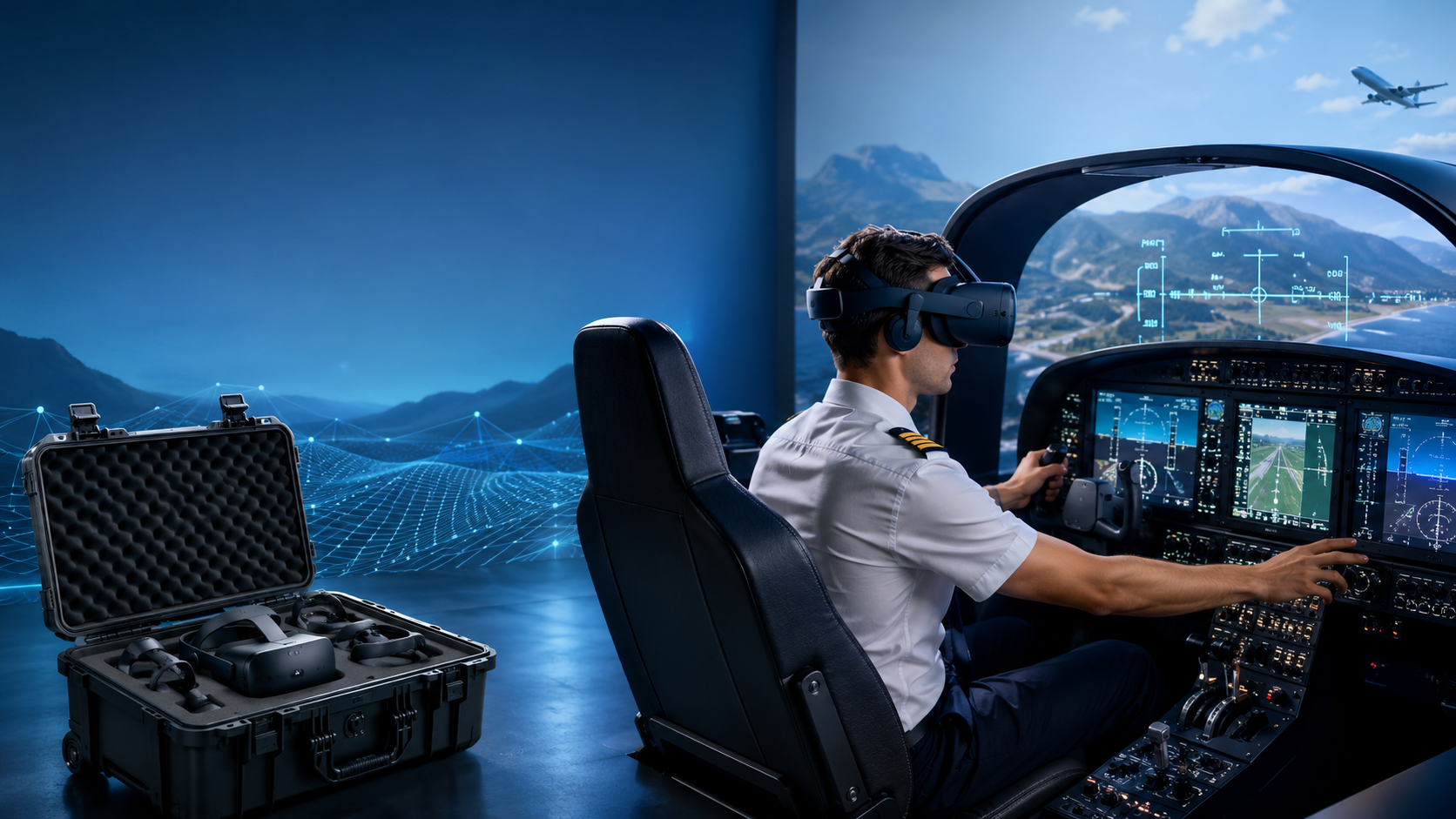
Modern aviation training faces a critical challenge: providing sufficient cockpit time while managing escalating operational costs. VR flight training simulators have emerged as a practical solution, enabling flight schools to triple student practice hours without proportional budget increases. This guide examines rental options, implementation requirements, and training effectiveness data to help aviation programs make informed decisions about VR simulation integration.
How VR Flight Simulators Complement Traditional Flight Training
VR flight training simulators offer flight schools and aviation programs a cost-effective way to increase student cockpit time without aircraft operating costs. Here’s how leading programs integrate VR simulation alongside traditional instruction.
Training Hours That Don’t Require Aircraft
The economics of flight training have shifted dramatically with VR simulation. Traditional aircraft rental costs average $150 per hour for a Cessna 172, while VR simulator time runs approximately $50 per hour when factoring in equipment rental and facility overhead. This 3:1 cost ratio enables schools to provide students with critical repetition during the muscle-memory building phase of training.
Weather cancellations cost the average flight school 15-20% of scheduled training hours annually. VR simulators eliminate weather dependencies, allowing students to maintain training momentum during adverse conditions. Schools report a 25% reduction in overall program completion time when VR supplements weather-affected schedules.
Emergency procedure training presents unique advantages in VR. Students can practice engine failures, electrical malfunctions, and instrument failures repeatedly without fuel costs or safety concerns. Flight schools using VR report students requiring 30% fewer aircraft hours to achieve emergency procedure proficiency compared to traditional training alone.
FAA-Approved Training Device Categories
The FAA recognizes specific VR configurations as approved training devices, allowing logged hours to count toward certificates and ratings. Understanding these categories determines which rental packages qualify for official training credit.
Basic Aviation Training Device (BATD) Requirements:
- Representative aircraft controls (yoke/stick, throttle, rudder pedals)
- Virtual cockpit displaying primary flight instruments
- Instructor station for scenario control
- FAA Letter of Authorization from manufacturer
BATD-qualified VR systems can log up to 2.5 hours toward private pilot certificates and 10 hours toward instrument ratings. Popular BATD-approved VR platforms include the Redbird TD2 and Frasca RTD systems, available through rental programs starting at $1,500 monthly.
Advanced Aviation Training Device (AATD) Specifications:
- Aircraft-specific flight dynamics modeling
- GPS and autopilot functionality
- Environmental systems simulation
- Performance data matching specific aircraft models
AATD certification allows up to 20 hours credit toward instrument ratings and 25 hours toward commercial certificates. These systems typically require higher-end VR hardware and specialized software, with rental costs ranging from $3,000-5,000 monthly.
Schools must maintain training device logbooks and ensure instructor authorization for credited hours. The FAA requires quarterly quality assurance checks for approved devices, typically included in professional rental agreements.
VR Flight Simulator Rental Packages and Pricing
Professional flight training VR systems range from $15,000 to $75,000 to purchase. Here’s how rental packages make advanced simulation accessible without capital investment.
Entry-Level Training Packages
Entry-level VR flight training configurations balance affordability with training effectiveness. These packages suit schools introducing VR supplementation or serving private pilot students.
Basic Configuration ($800-1,200/month):
- Meta Quest 3 headset with 2K per eye resolution
- X-Plane 12 or Microsoft Flight Simulator 2024
- Logitech G Pro Flight Yoke System
- Thrustmaster TPR rudder pedals
- Gaming PC with RTX 4070 graphics
This configuration supports fundamental flight training including pattern work, navigation basics, and VFR procedures. Schools typically allocate one system per 15-20 active students, scheduling 6-8 hours daily usage.
Enhanced Student Package ($1,500-2,000/month):
- Pico 4 Enterprise or HTC Vive Pro 2
- Professional flight simulation software with lesson recording
- Honeycomb Alpha yoke and Bravo throttle quadrant
- MFG Crosswind rudder pedals
- Workstation with RTX 4080 and instructor display
Enhanced packages include instructor station software for real-time monitoring and scenario control. Multi-student licensing allows simultaneous training on multiple devices, improving scheduling efficiency.
Professional Training Configurations
Professional-tier VR systems match traditional simulator capabilities while maintaining cost advantages. These configurations serve advanced training requirements and high-volume programs.
Instrument Training Configuration ($2,500-3,500/month):
- Varjo Aero headset with human-eye resolution
- Brunner CLS-E force feedback yoke
- RealSimGear G1000 or G3X panel
- Professional rudder pedals with toe brakes
- High-performance workstation with RTX 4090
The Varjo Aero’s 35 pixels per degree clarity enables accurate instrument reading without leaning forward. Force feedback controls provide realistic control loading, essential for teaching proper technique. Schools report 40% improvement in initial IFR checkride pass rates after implementing professional VR systems.
Full-Motion Integration Package ($4,000-6,000/month):
- Professional VR headset with eye tracking
- 3-DOF or 6-DOF motion platform
- Complete cockpit panel replication
- Dual instructor stations
- Network infrastructure for multi-crew training
Motion platforms add physical sensation to visual training, improving spatial disorientation and unusual attitude recovery training. These systems bridge the gap between static VR and full flight simulators at 20% of traditional simulator rental costs.
Rental agreements typically include quarterly hardware updates, technical support, and software licensing. Most providers offer 12-month minimum terms with options to purchase equipment at depreciated values.
Hardware Requirements for Flight Training VR
Flight simulation demands specific hardware beyond standard VR headsets. Your rental package needs to match your training objectives and student volume.
Essential Flight Controls
Professional flight training requires tactile controls that mirror aircraft systems. Consumer gaming peripherals lack the precision and durability for intensive training use.
Primary Control Requirements:
Yoke or stick systems must provide smooth, linear response across the full range of motion. Professional training yokes feature 180-degree rotation for realistic control feel. Hall effect sensors eliminate the potentiometer wear common in consumer products, maintaining calibration through thousands of training hours.
Throttle quadrants need individual lever control for multi-engine training. Detents for idle, flight idle, and reverse thrust teach proper power management. Vernier controls for propeller and mixture allow precise engine management training.
Rudder pedals with differential toe brakes are non-negotiable for proper coordination training. Professional pedals feature adjustable tension and travel distance to match various aircraft types. Anti-slip surfaces and heel guides maintain consistent foot position during extended sessions.
Supplementary Controls for IFR Training:
Radio panels enable realistic communication practice. Students learn frequency management and proper phraseology using physical knobs and buttons. Touch-screen interfaces cannot replicate the muscle memory developed through physical control manipulation.
Switch panels for lights, flaps, and gear teach proper flow patterns. Physical switches with authentic resistance prepare students for actual aircraft operations. Magnetic mounts allow reconfiguration for different aircraft types.
Trim wheels and controls often determine the difference between adequate and excellent training devices. Electric trim switches alone don’t teach the physical effort required in actual aircraft. Mechanical trim wheels with adjustable resistance provide crucial feedback.
Computing Requirements
VR flight simulation pushes hardware limits beyond typical VR applications. Maintaining 90 frames per second prevents motion sickness while rendering complex weather and terrain.
Minimum Specifications for Training Use:
- CPU: Intel i7-12700K or AMD Ryzen 7 5800X
- GPU: NVIDIA RTX 4070 Ti or AMD RX 7900 XT
- RAM: 32GB DDR5
- Storage: 1TB NVMe SSD for simulator and scenery
These specifications support single-student stations with moderate graphics settings. Weather effects and traffic density may require reduction during complex scenarios.
Recommended Professional Configuration:
- CPU: Intel i9-13900K or AMD Ryzen 9 7950X
- GPU: NVIDIA RTX 4090
- RAM: 64GB DDR5
- Storage: 2TB NVMe SSD primary, 4TB secondary for scenery
Professional configurations maintain maximum settings while recording sessions and running instructor station software. Multiple monitor outputs support instructor viewing without performance impact.
Network infrastructure requires gigabit ethernet for multi-pilot scenarios. Wireless VR streaming introduces latency unacceptable for precision training. Dedicated VR spaces need multiple ethernet drops for flexible station placement.
Implementation Timeline for Flight Schools
Most flight schools can integrate VR simulation within 2-3 weeks. Here’s the typical rollout process from initial setup through instructor training.
Week 1: Equipment Setup and Configuration
Day 1-2: Space Preparation
VR training stations require 8×8 foot minimum clear areas for seated simulation with emergency egress space. Motion platforms need 10×10 feet with reinforced flooring supporting 500 pounds dynamic load. Ceiling height of 8 feet accommodates standing VR calibration procedures.
Electrical requirements include dedicated 20-amp circuits per station. Motion platforms may require 240V connections. Surge protection and uninterruptible power supplies prevent training interruption and equipment damage.
Day 3-4: Hardware Installation
Professional rental providers typically handle initial setup. Control mounting requires solid desk surfaces rated for 50 pounds clamping force. Monitor arms position instructor displays at ergonomic viewing angles. Cable management systems prevent tripping hazards and connection stress.
VR headset setup includes interpupillary distance measurement for each user. Student profiles store individual settings, reducing setup time between sessions. Hygiene protocols establish cleaning procedures between users, typically using UV sanitization and replaceable face cushions.
Day 5-7: Software Configuration
Aircraft model selection matches school fleet for maximum training transfer. Weight and balance configurations reflect actual training aircraft. Weather presets create standardized training conditions for consistent evaluation.
Scenario creation tools build lesson-specific situations. Instructors program equipment failures, weather changes, and traffic conflicts. Automated scoring systems track student performance across multiple attempts.
Learning management system integration logs training hours automatically. Student progress reports generate without manual entry. Automated scheduling prevents double-booking and optimizes equipment utilization.
Week 2-3: Instructor Certification
Instructor Familiarization (Days 8-10):
Certified flight instructors require 8-10 hours to master VR training tools. Scenario control interfaces differ from traditional simulators. Real-time parameter adjustment allows dynamic difficulty scaling during sessions.
Performance monitoring tools highlight student errors immediately. Instructors learn to identify VR-specific issues like incorrect headset fit affecting performance. Recording features enable post-flight review with synchronized playback of controls and instruments.
Curriculum Integration (Days 11-14):
Existing syllabi require modification for VR integration. Each traditional lesson identifies VR-compatible elements. Pre-flight VR sessions introduce maneuvers before aircraft practice. Post-flight VR reviews reinforce correct procedures while errors remain fresh.
Stage checks incorporate VR evaluation components. Standardized VR scenarios ensure consistent evaluation across instructors. Pass/fail criteria adapt to VR’s capabilities and limitations.
Student Introduction Procedures:
Orientation sessions prevent motion sickness through gradual exposure. Initial sessions limit duration to 20-30 minutes. Comfort settings adjust field of view and motion smoothing individually.
Training agreements clarify VR’s role in the overall program. Students understand which hours count toward certificates. Expectations set realistic goals for VR versus aircraft performance.
Training Effectiveness: VR vs Traditional Simulators
Research from Embry-Riddle and University of North Dakota demonstrates VR’s effectiveness for specific training objectives. Here’s where VR excels and where traditional sims maintain advantages.
VR Advantages for Flight Training
360-Degree Spatial Awareness
VR’s unlimited field of view transforms traffic pattern training. Students develop proper scan techniques checking for traffic in all directions. Traditional monitors restrict peripheral vision, creating artificial blind spots.
Pattern entry procedures benefit from natural head movement. Students physically look for traffic before turning, building habits that transfer directly to aircraft. Schools report 35% reduction in traffic pattern errors during initial solo flights after VR preparation.
Unlimited Scenario Repetition
Emergency procedures that occur rarely in actual training become routine in VR. Engine failures at various altitudes train decision-making without fuel costs. Students practice forced landings dozens of times, building confidence and muscle memory.
Instrument failures in IMC conditions prepare students for real emergencies. Partial panel approaches repeated in VR reduce actual aircraft training time by 25%. Students arrive at aircraft training with established scan patterns and control techniques.
Cost-Effective Proficiency Building
The low operating cost of VR enables practice sessions between official lessons. Students schedule 30-minute refresher sessions before flights, arriving prepared and current. This self-directed practice reduces the review time required during expensive aircraft hours.
Cross-country planning in VR familiarizes students with airports before arrival. Virtual flights to planned destinations reveal landmarks and runway orientations. Students report increased confidence approaching unfamiliar airports after VR reconnaissance.
When Traditional Simulators Remain Superior
Full-Motion Platform Requirements
Upset recovery training requires physical sensation to be effective. VR alone cannot replicate the disorientation of unusual attitudes. Traditional simulators with motion platforms provide the vestibular inputs necessary for realistic training.
Stall recovery training benefits from buffet and break sensations. While VR provides visual cues, the physical warnings preceding stalls require motion simulation. Schools maintain traditional simulators for critical phase-of-flight training requiring physical feedback.
Multi-Crew Coordination
Airline-oriented programs require two-pilot cockpit procedures. Physical proximity enables non-verbal communication and peripheral awareness of crew actions. VR isolation prevents the subtle coordination cues essential for crew resource management.
Traditional simulators allow instructors to observe body language and physical interaction. Reaching for controls, pointing at instruments, and shoulder-to-shoulder communication build crew dynamics. These interpersonal elements remain outside VR’s current capabilities.
Regulatory Checkride Requirements
Many practical tests require FAA-approved simulators meeting specific certification standards. While VR devices may qualify as training devices, full flight simulators remain necessary for certain evaluations. Schools balance VR training benefits with regulatory requirements for official testing.
Maximizing ROI from VR Flight Simulator Rentals
Successful VR integration requires strategic planning beyond equipment selection. Schools maximizing their investment follow specific utilization patterns and maintenance protocols.
Scheduling Optimization:
Block scheduling allocates VR time in 2-hour segments, allowing setup, training, and debrief within single sessions. Schools report 85% utilization rates using online booking systems with 24-hour advance requirements. Cancellation policies requiring 4-hour notice maintain schedule integrity.
Maintenance Protocols:
Daily inspection checklists identify issues before they impact training. Control calibration verification takes 5 minutes but prevents frustrating mid-session adjustments. Monthly deep cleaning maintains equipment hygiene and extends hardware lifespan.
Performance Tracking:
Learning analytics identify students requiring additional support early. Automated reports flag consistent errors across multiple attempts. Instructors intervene before bad habits become ingrained, reducing overall training time.
Regulatory Compliance and Documentation
Maintaining FAA compliance requires specific documentation and procedures for VR training devices.
Required Documentation:
- Letter of Authorization from device manufacturer
- Training device logbook with daily entries
- Instructor endorsements for each training session
- Quarterly quality assurance reports
- Student training records with device hours clearly marked
Compliance Audits:
FAA inspectors may request demonstration of training device capabilities. Schools must show correlation between VR training and approved syllabus. Documentation proving instructor qualifications for device instruction prevents violations.
Frequently Asked Questions
Can VR flight simulator hours count toward FAA certificates?
Yes, FAA-approved VR simulators qualifying as Basic Aviation Training Devices (BATD) can log up to 2.5 hours toward private pilot certificates and 10 hours toward instrument ratings. Advanced Aviation Training Devices (AATD) allow up to 20 hours toward instrument ratings and 25 hours toward commercial certificates. The device must have current FAA authorization, and training must be conducted by authorized instructors.
What’s the minimum space needed for a VR flight training setup?
A single VR flight training station requires minimum 8×8 feet of clear floor space for seated simulation with room for emergency egress. The area needs 8-foot ceiling clearance for standing calibration procedures. Motion platform installations require 10×10 feet with reinforced flooring supporting 500-pound dynamic loads. Additional space for instructor stations adds 4×6 feet per training position.
How many students can use one VR flight simulator per day?
Operating 10 hours daily, one VR simulator accommodates 5-6 students in 2-hour training blocks including setup and debrief time. Schools scheduling 1-hour sessions can serve 8-10 students daily. Maintenance and cleaning between sessions reduces maximum capacity by 15-20%. Most schools find one VR system adequately serves 15-20 active students with advance scheduling.
Do VR flight simulators work with ForeFlight and other EFB apps?
Yes, most professional VR flight simulators support Electronic Flight Bag integration. ForeFlight, Garmin Pilot, and SkyDemon connect via network protocols, displaying aircraft position and flight data in real-time. Students practice EFB workflows including flight planning, weather briefing, and approach chart usage. Some limitations exist for touch-based interactions while wearing VR headsets.
What’s the typical rental period for flight school VR equipment?
Most VR flight simulator rental agreements require 12-month minimum commitments with monthly payment structures. Six-month terms are available at 10-15% premium rates. Month-to-month rentals cost 25-30% more than annual agreements. Lease-to-own options typically span 24-36 months with equipment ownership transferring at term completion.
Conclusion
VR flight training simulators represent a paradigm shift in aviation education economics. The 3:1 cost advantage over aircraft operations, combined with weather independence and unlimited emergency procedure practice, makes VR integration increasingly essential for competitive flight schools.
The rental model eliminates capital investment barriers while providing access to continuously updated technology. Schools can test VR effectiveness without long-term commitments, scaling programs based on demonstrated results. Professional rental packages from $800 to $6,000 monthly match any program size and training requirement.
Implementation requires just 2-3 weeks from equipment delivery to full instructor proficiency. Proven training effectiveness, particularly for spatial awareness and emergency procedures, justifies the modest space and infrastructure requirements. While traditional simulators maintain advantages for motion-critical training, VR excels at building proficiency during the crucial early stages of pilot development.
Flight schools ready to reduce training costs while improving student preparedness should request rental package consultations from qualified VR training system providers. Schedule a needs assessment to determine optimal configuration for your program size, training objectives, and budget parameters. The future of flight training balances actual flight experience with unlimited VR practice opportunities—positioning your school at this intersection ensures competitive advantages in student outcomes and operational efficiency.