Why Skilled Trades Training Has a Simulation Problem
Skilled trades instruction hinges on hands-on repetition in conditions that are often expensive, dangerous, or impossible to replicate in a standard classroom. A welding trainee needs to practice hundreds of passes before touching live equipment. An HVAC apprentice must learn to diagnose a refrigerant leak in a cramped mechanical room. An electrical worker needs to rehearse lockout/tagout (LOTO) procedures on energized panels without facing actual electrocution risk.
Traditionally, apprenticeship programs and corporate training have addressed this with physical mock-ups, job-site shadowing, and instructor-led labs. However, these methods are costly to staff, difficult to scale, and can be inconsistent across different groups of trainees. This creates a significant training gap. Virtual Reality (VR) is uniquely positioned to fill this gap, not as a generic tool for “engagement,” but as a targeted solution for the procedural and safety-critical nature of trade skills.
The Repetitive Practice Problem in Procedural Trades
Mastering a skilled trade requires developing muscle memory and intuitive responses, which can only be built through extensive repetition. Each practice attempt strengthens the neural pathways in the brain, improving skill retention and making complex actions feel automatic. However, physical training labs have inherent limitations. There might be only one welding booth, one piece of diagnostic equipment, or one instructor available, creating a bottleneck that limits the volume of practice each trainee can get.
VR simulation breaks through this barrier. It allows multiple trainees to practice the same procedure simultaneously on identical virtual equipment. While classroom lectures and videos can impart knowledge, they cannot teach the hands-on execution of a task. VR bridges the gap between knowing what to do and having the repeated practice needed to do it proficiently and safely.
Safety Exposure Before Job-Site Access
Many trades require workers to prove their competence in high-risk scenarios before they are ever allowed on a live job site. VR provides a controlled, zero-risk environment to build this essential baseline of experience. It allows trainees to make mistakes—and see the consequences—without any danger of injury or equipment damage.
VR simulation is particularly well-suited for practicing procedures in high-hazard situations, including:
- Confined Space Entry: Trainees can practice atmospheric monitoring, permit procedures, and emergency response in simulated tanks, vaults, or sewers without exposure to hazardous gases.
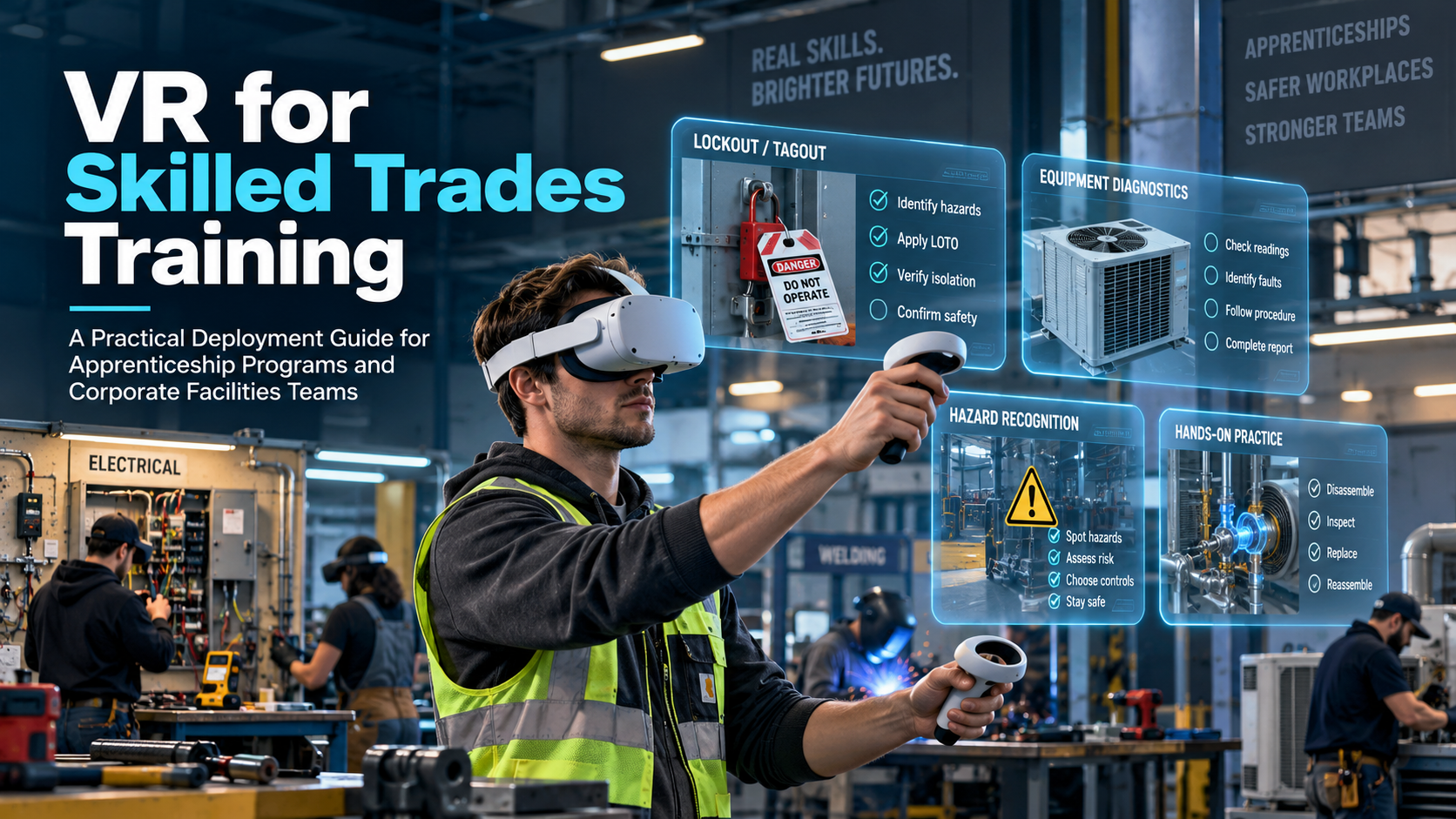
- Electrical Safety: Lockout/tagout (LOTO) procedures are a primary use case, with LOTO violations being a consistent top-10 OSHA citation. VR allows workers to walk through energy source identification, lock placement, and verification on virtual machinery.
- Fall Protection: VR lets workers practice harness inspection and anchor point selection at virtual heights, a critical skill given that falls are a leading cause of construction fatalities.
- Hazardous Material Handling: Simulation can safely replicate scenarios involving chemical spills or other hazardous materials, training workers on proper PPE use and emergency response.
Crucially, a growing library of off-the-shelf VR content is aligned with OSHA standards, making it a viable option for compliance-focused training without the need for custom software development.
What VR Can and Cannot Simulate for Trades Training
VR is not a universal replacement for hands-on trades instruction. Understanding where it adds value—and where it falls short—is essential before committing to a deployment. VR excels at simulating procedural decision-making, hazard recognition, and the rehearsal of safety protocols. However, it cannot currently replicate the physical resistance of a torque wrench, the intense heat of a welding arc, or the tactile feedback of pulling wire through a conduit.
A well-designed VR trades training program embraces a hybrid model. It uses simulation for the cognitive and procedural layers of a skill, reserving precious physical lab time for the final, tactile execution layer.
High-Value Use Cases for Trades VR Simulation
- Lockout/Tagout (LOTO) Rehearsal: Practicing the multi-step process of de-energizing and securing equipment for electrical and mechanical trades.
- Confined Space Operations: Training entry, work, and rescue procedures in environments that are too dangerous to replicate physically for training purposes.
- HVAC System Diagnostics: Identifying faults and troubleshooting issues in complex virtual mechanical rooms.
- Construction Site Hazard Recognition: Allowing trainees to walk through a virtual job site to spot and flag potential safety issues like fall risks or unprotected machinery.
- Emergency Response: Practicing fire suppression, first aid, and evacuation procedures in realistic scenarios.
- Equipment Pre-Operation Checklists: Guiding trainees through standardized inspection routines on virtual models of heavy machinery or industrial equipment.
Where Physical Instruction Remains Necessary
VR is a powerful preparatory tool, not a complete substitute for hands-on work. The development of fine motor skills and an understanding of material properties still requires physical interaction.
- Tactile Skill Development: Activities like welding, pipefitting, soldering, and conduit bending require a feel for the tools and materials that current consumer VR hardware cannot replicate.
- Force and Torque Application: Learning how much force to apply when tightening a bolt or fitting a component is a physical skill learned through hands-on experience.
- Complex Material Handling: The nuances of handling heavy, awkward, or delicate materials are best learned in a physical lab or on the job.
The most effective and operationally honest approach is a hybrid model: use VR to build cognitive and procedural fluency, then use physical labs to master the tactile aspects of the trade. This maximizes the value of both training methods, ensuring trainees are better prepared and more confident when they finally engage with real equipment.
Hardware Options for Trades Training Deployments
The hardware decision for a trades training deployment isn’t about choosing the headset with the highest resolution display. It’s about what will work reliably and practically in the environments where trades training happens: vocational school labs, union training centers, corporate facilities, and even job-site trailers. The key variables are standalone versus PC-tethered operation, content compatibility, and whether the training will occur in a space with reliable Wi-Fi or in a field environment with limited connectivity.
Standalone Headsets: The Case for Portability
Standalone headsets are self-contained computers, with the processor, battery, and storage all built-in. This makes them the dominant choice for most training deployments due to their portability and ease of use.
- Leading Options: The Meta Quest 3 and Pico 4 series are the primary standalone headsets used in enterprise and training settings. They require no PC and are powered by internal batteries, making them highly portable.
- Best Use Cases: These headsets are well-suited for the majority of procedural simulation content, including safety walkthroughs, hazard recognition, and equipment inspection tasks.
- Limitations: The on-board processors, while powerful, cannot match the graphical fidelity of a high-end PC. Some extremely detailed simulations may not be available for standalone devices.
- Rental-Ready: Standalone headsets are the most common option available from VR rental providers, offering the lowest-friction path for a pilot program.
- Fleet Management: Managing a group of 10 or 20 headsets requires a device management strategy for sideloading content, syncing updates, and monitoring battery levels.
PC-Tethered Headsets: When Higher Fidelity Matters
PC-tethered headsets connect to a powerful computer that handles the graphics rendering, enabling a higher level of visual detail.
- Leading Options: Devices like the Varjo series, Valve Index, and HP Reverb G2 deliver superior graphical fidelity and are required for certain high-end enterprise simulation platforms.
- Best Use Cases: These are relevant for trades programs where the simulation demands extreme detail, such as reading fine print on complex electrical panels or inspecting high-resolution equipment models.
- Operational Tradeoff: This option is more complex and costly. Each headset requires a dedicated, powerful PC, extensive cable management, and more setup time. This makes them more appropriate for a fixed training center rather than mobile or field deployments.
Renting vs. Buying Hardware for a Trades Training Program
For most trades training programs, renting hardware is the most operationally and financially sound starting point.
- Renting: This approach avoids a large capital expenditure on equipment that evolves rapidly. It allows programs to scale the number of headsets up or down based on cohort size, preventing investment in idle inventory. Renting is the ideal path for a pilot program.
- Buying: Purchasing a fleet of headsets only makes sense when a program runs continuously at high volume—for example, training 20 or more trainees every week, year-round.
A simple cost comparison illustrates the point: renting 10 Meta Quest 3 headsets for a two-day training session might cost between $800 and $1,500, whereas purchasing and maintaining that same fleet would represent a capital cost of over $5,000.
Content Options: Off-the-Shelf Simulation Libraries vs. Custom Development
The content decision is where most trades training programs either overspend or underdeliver. The default assumption is often that a custom VR simulation is required, but this is rarely the right place to start. A custom VR module for a specific trade can cost anywhere from $50,000 to $200,000 and take six to twelve months to develop. Fortunately, a growing library of off-the-shelf trades simulation content covers the most common training scenarios at a fraction of the cost.
Off-the-Shelf Trades Simulation Content: What Exists Today
Several companies offer subscription-based libraries of VR training modules specifically for the skilled trades.
- Key Platforms: Providers like Interplay Learning, Transfr, VictoryXR, and others have extensive catalogs for HVAC, electrical, plumbing, welding, and construction safety.
- Typical Content: This content is usually designed for standalone headsets and focuses on procedural tasks (e.g., HVAC diagnostics), safety protocols (e.g., LOTO, confined space entry), and basic equipment operation.
- Licensing Models: Costs vary, with platforms offering per-user annual subscriptions, cohort-based licenses, or full enterprise packages. Understanding the cost structure relative to trainee volume is critical.
- Limitations: The primary limitation is that off-the-shelf content is generalized. It may not perfectly match a specific employer’s proprietary equipment or unique internal procedures. However, for OSHA-aligned safety training and foundational trade skills, it is often more than sufficient and can be deployed almost immediately.
When Custom Development Is Justified
Building a custom simulation is a major investment and is only warranted in specific circumstances.
- Proprietary Scenarios: Custom development is the right choice when the training scenario is highly specific to a company’s unique equipment, a one-of-a-kind facility layout, or a procedure not covered by any existing content.
- Examples: A utility company might commission a simulation to train lineworkers on a specific transformer configuration. A manufacturer might need to train maintenance technicians on a proprietary production line.
- Cost and Timeline: A basic custom training app can start around $50,000, with most enterprise projects falling in the $100,000 to $200,000 range. The development timeline for a single-scenario simulation is realistically 3 to 6 months, with full curriculum development taking 9 to 18 months.
Running a Skilled Trades VR Training Session: Operational Logistics
The difference between a successful VR training program and a failed one often comes down to operational logistics, not the technology itself. Headsets must be charged, content loaded, and trainees properly oriented. Someone needs to be on hand to manage the session in real time.
Session Setup and Trainee Orientation
Never assume trainees know how to use a VR headset. Skipping orientation leads to frustration, motion discomfort, and a poor learning experience.
- Orientation Time: Budget 10 to 15 minutes at the beginning of each session for a first-time user orientation. This should cover headset fitting, controller functions, and a brief comfort check before launching the main simulation.
- Facilitator Role: Designate a session facilitator whose primary job is technical support, not subject matter instruction. This person is responsible for managing hardware, troubleshooting issues, and ensuring the session runs smoothly.
- Room Setup: Ensure a minimum clear space of 6×6 feet per user for standing or room-scale simulations. For most procedural training, a seated configuration is sufficient and reduces space requirements.
Fleet Management for Multi-Headset Training Sessions
Managing a fleet of 10, 20, or more headsets requires a systematic approach.
- Device Management (MDM): For enterprise deployments, using a Mobile Device Management (MDM) solution like ArborXR or ManageXR is essential. These platforms allow an administrator to remotely install and update content, monitor device status, and lock headsets into a specific application (kiosk mode).
- Content Pre-loading: All training content must be pre-loaded and tested on the headsets before the session begins. Relying on facility Wi-Fi to download content on-site is a common point of failure.
- Battery Management: Standalone headsets offer 2 to 3 hours of active use. For longer training days, plan for charging rotations or have spare headsets ready.
- Labeling: Clearly label each headset and its corresponding controllers to simplify tracking and inventory management.
Staffing a Trades VR Training Program
- Recommended Ratio: A good rule of thumb is to have one technical facilitator for every 8 to 10 trainees.
- Facilitator vs. Instructor: The facilitator’s role is technical support. The skilled trades instructor remains the subject matter expert, responsible for leading debriefs, answering trade-specific questions, and connecting the VR experience to real-world applications.
- Rental Support: Many VR rental providers offer on-site technical support as part of their packages. This can be a cost-effective alternative to training internal staff to manage the hardware.
Cost Model: What a Skilled Trades VR Training Program Actually Costs
The cost of a VR training program is determined by three main factors: hardware (rented vs. owned), content (off-the-shelf vs. custom), and operations (internal staff vs. a managed service). Many programs stall at the pilot stage because they model the high cost of custom development before exploring more affordable options.
Scenario 1: Pilot Program with Rental Hardware and Off-the-Shelf Content
This is the most common and effective way to start. It’s designed to provide a proof-of-concept before making a significant investment.
- Hardware: 10 headsets rented for a 2-day training session will cost approximately $800 to $1,500.
- Content: A short-term or cohort-based license for an off-the-shelf simulation platform can range from $500 to $2,000.
- Operations: Two days of an internal staff member’s time, or $500 to $1,000 for a managed rental that includes on-site support.
- Total Pilot Cost: $1,500 to $4,500. This provides a tangible way to evaluate VR for a specific training need with a cohort of 10-15 trainees.
Scenario 2: Ongoing Program with Purchased Hardware and Licensed Content
This model makes sense for organizations with a consistent and high volume of trainees.
- Hardware: Purchasing 10 Meta Quest 3 headsets costs approximately $5,000 to $6,000.
- Content: An annual subscription to a trades training platform can range from $5,000 to $20,000, depending on the number of users and content library.
- Operations: Annual costs for device management software and IT overhead can be $1,000 to $3,000.
- Total First-Year Cost: $11,000 to $29,000. This model becomes cost-effective when training over 100 trainees per year, especially when compared to the costs of physical lab materials, instructor time, and travel.
Scenario 3: Custom Simulation Development
This is the most expensive option, justified only when a specific, proprietary training need cannot be met by off-the-shelf content.
- Content Development: A custom single-scenario simulation typically costs between $50,000 and $150,000.
- Timeline: Expect a minimum of 6 to 12 months for development.
- Total Cost of Ownership: Over three years, including hardware, content updates, and support, the total investment can easily range from $100,000 to over $300,000.
How to Start: Running a Skilled Trades VR Training Pilot
The fastest path to a successful VR training program is a tightly scoped pilot. The goal is to test a single training scenario with one cohort of trainees using rented hardware and off-the-shelf content. This allows you to evaluate the effectiveness against a clear learning objective before committing to a larger investment.
1. Define the Training Objective Before Selecting Technology
Start with the problem, not the solution.
- Be Specific: Don’t aim for “VR training for electricians.” Instead, define a precise goal, such as “Lockout/tagout procedure rehearsal for first-year apprentice electricians to improve safety compliance before their first job-site access.”
- Map to Content: Before committing to a pilot, confirm that an off-the-shelf simulation exists that addresses your specific objective.
- Set Success Metrics: Establish a measurable success criterion. This could be an improvement in pre/post assessment scores, a reduction in the time needed in a physical lab, or an increase in trainee confidence scores.
2. Source Hardware and Content for the Pilot
- Contact a Rental Provider: Work with a VR rental company experienced in training deployments. Confirm that they can pre-load your chosen content onto the headsets before delivery.
- License Content: Secure a trial or single-cohort license from an off-the-shelf trades simulation platform.
- Plan the Session: A 1- to 2-day pilot with 8 to 15 trainees is ideal—large enough for meaningful feedback but small enough to manage operationally.
3. Evaluate and Decide
A pilot is successful if it provides clear data for the next decision, even if that data reveals problems.
- Collect Feedback: Survey trainees on their experience. It’s crucial to distinguish between hardware feedback (“the headset was uncomfortable”) and content feedback (“the simulation didn’t cover the correct procedure”).
- Compare Results: Analyze your pre/post assessment data and compare it to the baseline performance from your traditional training methods.
- Make the Next Decision: Use the pilot data to make an informed decision about a full program rollout. This data will help you choose between the “build, buy, or license” content models and the “rent vs. buy” hardware models.
A pilot that uncovers operational challenges like Wi-Fi dead spots, content gaps, or trainee discomfort has done its job. It has prevented a much larger, more expensive, and failed deployment.
Frequently Asked Questions (FAQs)
What trades are best suited for VR simulation training?
Trades that involve high-risk scenarios, complex procedural tasks, or expensive equipment are excellent candidates. This includes electricians (lockout/tagout, electrical safety), HVAC technicians (diagnostics, refrigerant handling), welders (safety procedures, basic technique practice), and general construction (confined space entry, fall protection, hazard recognition).
Can VR training replace hands-on lab time for apprenticeship programs?
No, it should not be a total replacement. VR is best used in a hybrid model where it serves as a preparatory tool. It excels at teaching procedural steps, safety protocols, and diagnostic decision-making in a safe environment. This allows apprentices to build confidence and competence before moving to physical labs to develop tactile skills and muscle memory with real tools and materials.
How much does it cost to run a VR training session for 10 trainees?
For a pilot program using rented hardware and licensed off-the-shelf content, a 2-day session for 10 trainees typically costs between $1,500 and $4,500. This includes headset rental, a short-term content license, and facilitation support.
Do I need to buy VR headsets to run a trades training program, or can I rent them?
Renting is the recommended starting point for almost all programs. It avoids capital expenditure, provides access to the latest hardware, and allows you to scale your hardware needs to your cohort size. Buying only becomes cost-effective for programs running at very high, continuous volume.
What off-the-shelf VR simulation content exists for skilled trades training?
A robust market of off-the-shelf content exists. Companies like Interplay Learning, Transfr, and VictoryXR offer extensive subscription-based libraries covering trades like HVAC, electrical, plumbing, welding, construction safety, and more.
How long does it take to set up a VR training session at a vocational school or union training center?
For a well-planned session with pre-loaded content, setup is quick. You should budget 10-15 minutes per cohort for trainee orientation, which includes headset fitting and controller basics. The physical setup of the space can be done in under an hour.
Is VR training for skilled trades OSHA-compliant?
VR training can be a powerful tool for supporting OSHA compliance. Many off-the-shelf safety modules for topics like lockout/tagout, confined space, and fall protection are designed to align with specific OSHA standards. However, OSHA itself states that the effectiveness of VR training must be determined on a case-by-case basis and that it should supplement, not necessarily replace, hands-on training and opportunities for live Q&A.
How many trainees can participate in a VR training session at the same time?
This depends on the number of headsets, the physical space available, and the number of facilitators. A common and manageable ratio is one facilitator for every 8-10 trainees. This allows the facilitator to provide adequate technical support without being overwhelmed.