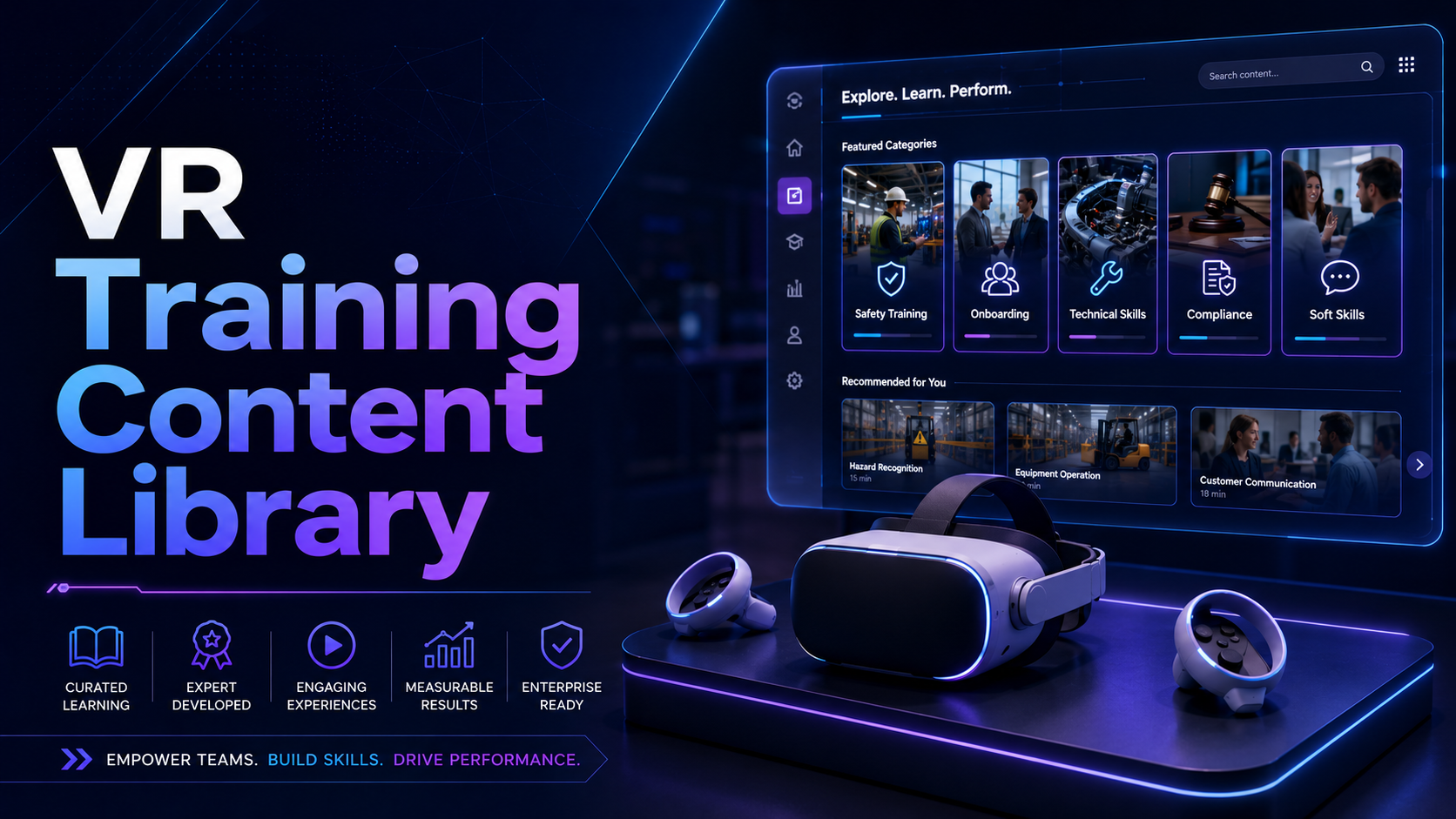
Virtual reality training has evolved from experimental technology to a proven corporate learning solution, with over 50 enterprise-ready content libraries now available for rental deployment. Learning and development teams can access comprehensive VR training programs across safety, soft skills, technical training, and industry-specific scenarios without the commitment of purchasing hardware or annual content licenses.
This guide maps the complete landscape of VR training content available for corporate teams in 2024, with specific guidance on rental-friendly licensing models, hardware compatibility, and pilot program implementation strategies.
VR Training Content Categories and Leading Providers
The VR training content ecosystem spans four primary categories, each with specialized providers offering libraries ranging from 20 to over 200 modules. Understanding these categories helps L&D teams match content to specific learning objectives while maximizing rental investment value.
Safety and Compliance Training Content
Safety training represents the largest segment of VR content, with PIXO VR offering 85+ OSHA-aligned modules covering construction, manufacturing, and general industry hazards. Their library includes fall protection scenarios where workers navigate scaffolding and roof edges, experiencing consequences without real-world risks. Immerse provides 60+ safety modules with particular strength in confined space entry and chemical handling procedures.
Construction-specific content addresses the industry’s highest-risk activities. Equipment operation modules from SimSpray include crane operation, forklift certification prep, and aerial lift training. Hazard recognition scenarios place workers in active job sites to identify and mitigate risks across electrical, fall, struck-by, and caught-between hazards. These modules typically run 15-20 minutes each, allowing multiple employees to complete training within a single rental day.
Manufacturing safety content focuses on machine-specific procedures. Lockout/tagout modules from STRIVR walk technicians through proper energy isolation steps for various equipment types. Machine guarding simulations demonstrate pinch points and amputation risks. Chemical handling modules include spill response, proper PPE selection, and SDS interpretation exercises.
Content licensing for safety modules varies significantly between providers. PIXO offers monthly per-headset licensing at $299/month with no minimum commitment, ideal for short-term rentals. Immerse requires 3-month minimum commitments at $199/headset/month but includes unlimited user switching. STRIVR bundles content with hardware rentals through approved partners, typically adding $150-200/month per headset to base rental costs.
Soft Skills and Leadership Development
Soft skills VR training addresses interpersonal challenges through immersive role-play and AI-driven conversations. Strivr’s enterprise library contains 30+ modules covering diversity, equity, and inclusion (DEI) scenarios, customer service interactions, and management conversations. Their “Inclusive Leadership” series places managers in situations requiring bias recognition and intervention, with branching narratives based on user responses.
VirtualSpeech specializes in presentation and public speaking anxiety, offering 15 practice environments from boardrooms to conference stages. Users can upload their own slides, practice with AI-generated audience questions, and receive automated feedback on pace, filler words, and eye contact. Their modules support both standalone practice and instructor-facilitated sessions.
Mursion takes a different approach with live actor-facilitated simulations. Rather than pre-programmed scenarios, trained actors control avatars in real-time, creating dynamic conversations for performance reviews, termination discussions, and conflict resolution. Sessions run 10-30 minutes with scheduling coordinated through Mursion’s platform.
Session lengths for soft skills content vary by complexity. Basic customer service modules run 8-12 minutes, while leadership scenarios extend to 25-30 minutes. For rental deployments, companies typically schedule 45-minute blocks per employee, allowing for headset transitions, briefing, and debrief discussions. A single headset can train 8-10 employees per day with this rotation strategy.
Technical and Trade Skills Training
Technical skills VR content provides hands-on practice without equipment costs or safety risks. Interplay Learning leads the trades training space with 600+ modules across HVAC, plumbing, electrical, and solar installation. Their HVAC library includes system diagnostics, refrigerant handling, and component replacement procedures using realistic tool interactions and haptic feedback through supported controllers.
Transfr focuses on career exploration and entry-level vocational training with 250+ job simulations. Their warehouse logistics series covers order picking, pallet jack operation, and inventory management. Manufacturing modules include CNC machine operation, welding fundamentals, and quality inspection procedures. Each career path includes 4-8 progressive modules building from basic to advanced skills.
Medical training requires specialized content with precise hand tracking. VIVEPORT’s medical library includes 40+ procedures from basic vitals collection to complex surgical techniques. FundamentalVR offers 20 orthopedic and general surgery procedures with haptic feedback devices, though these require additional hardware beyond standard VR headsets.
Hardware requirements vary significantly across technical content. Basic modules work with standard controllers, while advanced simulations require hand tracking capabilities found in Meta Quest Pro or VIVE Focus 3. Medical procedures often need specialized haptic controllers adding $2,000-5,000 to rental costs. Interplay Learning’s content adapts to available hardware, degrading gracefully from full hand tracking to controller-based interaction.
Content Compatibility and Hardware Requirements
Matching training content to rental hardware prevents compatibility issues that derail pilot programs. Each VR platform maintains distinct content ecosystems with varying degrees of cross-platform support.
Platform-Specific Content Libraries
Meta Quest for Business dominates enterprise deployments with the largest content ecosystem. The Quest Store for Business features 200+ training applications with centralized deployment and management tools. Key advantages include wireless operation, inside-out tracking eliminating external sensors, and hand tracking support on Quest 2 and newer models. Content highlights include STRIVR’s full library, Immerse safety modules, and VirtualSpeech presentation training.
VIVE Focus 3 targets premium enterprise deployments with higher resolution displays and improved comfort for extended sessions. VIVEPORT Enterprise provides access to 150+ training titles with strengths in medical simulation and technical training. The Focus 3’s higher processing power enables more detailed environments and complex interactions, particularly valuable for surgical simulations and engineering visualizations.
Pico 4 Enterprise offers competitive hardware at lower rental costs, though with a smaller content library of 80+ training applications. Pico’s strength lies in Asian market content and manufacturing-specific modules. Their enterprise management platform rivals Meta’s with remote deployment and monitoring capabilities. However, some major content providers like STRIVR don’t yet support Pico devices.
Cross-platform WebXR solutions provide maximum flexibility for rental deployments. Providers like Uptale and Warp VR deliver training through web browsers, working across Quest, VIVE, and Pico devices. While graphics quality may be lower than native applications, WebXR eliminates platform lock-in and simplifies content deployment. These solutions work particularly well for scenario-based soft skills training where photorealism isn’t critical.
Multi-User and Instructor-Led Requirements
Synchronized multi-user training enhances engagement and enables collaborative learning, but requires specific technical infrastructure. Engage VR supports up to 50 simultaneous users in shared virtual classrooms, though practical limits for interactive training hover around 8-12 participants. Network requirements include 50 Mbps dedicated bandwidth per headset for smooth multi-user experiences.
Instructor dashboards provide essential oversight for group training sessions. STRIVR’s Immersive Learning Platform shows real-time participant progress, gaze tracking heat maps, and completion status across all active headsets. Instructors can pause sessions, highlight specific areas, and push notifications to guide learners. VirtualSpeech includes presenter tools allowing trainers to adjust difficulty, trigger specific scenarios, and provide live feedback through avatar interactions.
Casting and spectator views enable group debriefs and peer learning. Meta Quest headsets support native casting to smartphones, tablets, or smart TVs via Chromecast. VIVE Focus 3 offers wireless streaming to Windows PCs with the VIVE Business Streaming application. For training rooms, companies typically set up large displays showing rotating views from active headsets, allowing waiting participants to observe and learn.
Network infrastructure proves critical for multi-user deployments. Each headset requires dedicated 5GHz WiFi access with minimal interference. Enterprise-grade access points supporting 802.11ac Wave 2 or WiFi 6 handle multiple headsets more effectively than consumer routers. For 10-headset deployments, plan for dedicated access points and potential network segregation to maintain performance.
Content Licensing Models for Rental Scenarios
Traditional annual enterprise licenses don’t align with short-term rental needs. Understanding flexible licensing options ensures access to premium content without overcommitting budget.
Rental-Friendly Licensing Options
Per-seat, per-month licensing has become standard for pilot programs. PIXO VR offers monthly subscriptions starting at $299/headset with no minimum commitment. Immerse requires 3-month commitments but reduces pricing to $199/month. VirtualSpeech provides even more flexibility with weekly licenses at $99/headset for specific modules.
Content providers increasingly recognize the pilot program opportunity. Talespin offers 30-day pilot packages including 10 soft skills modules for $1,500 covering up to 5 headsets. STRIVR partners with rental companies to bundle content with hardware, typically adding $150-250/month per device. These bundles simplify procurement and ensure compatibility.
Hardware rental partners often negotiate volume content deals. VR rental companies like Rentacomputer.com and HartleyAV maintain partnerships with major content providers, offering discounted bundles. A typical package includes Meta Quest 2 headsets at $200/month with access to 20-30 training modules for an additional $150/month per device.
White-label and custom content development remains expensive but valuable for unique training needs. Development costs range from $25,000 for simple scenarios to $250,000+ for complex, branching simulations. Development timelines span 3-6 months, making custom content impractical for short-term rentals unless planning future deployment. Some providers like Immerse offer template-based customization for $5,000-10,000, delivering semi-custom content in 4-6 weeks.
Content Access During Rental Periods
Pre-loaded content eliminates deployment complexity but limits flexibility. Rental companies can pre-install specific training modules before shipping, ensuring immediate usability without IT involvement. However, pre-loading prevents content changes during the rental period and may violate some licensing agreements requiring user authentication.
Cloud streaming provides maximum flexibility but depends on network reliability. Platforms like ENGAGE and Mozilla Hubs stream content in real-time, allowing instant content switching and updates. Streaming requires consistent 25 Mbps per headset and introduces potential latency issues. For critical training sessions, download content locally when possible.
Account management for temporary users requires planning. Most enterprise platforms support guest accounts or temporary licenses tied to device serial numbers rather than individual emails. STRIVR’s platform allows “kiosk mode” where multiple users share devices without separate accounts. Document the process for adding/removing users to avoid licensing violations.
Data privacy considerations affect content selection and deployment strategies. Healthcare organizations must ensure HIPAA compliance when tracking medical training progress. European companies need GDPR-compliant platforms with data residency options. Clarify data retention policies with content providers, especially regarding post-rental data deletion. Request data export capabilities to preserve training records after rental periods end.
Industry-Specific VR Training Content Libraries
Specialized industries benefit from targeted VR content addressing unique training challenges, compliance requirements, and skill development needs.
Healthcare and Medical Training
Oxford Medical Simulation leads healthcare VR training with 90+ clinical scenarios covering nursing, medical, and allied health education. Their scenarios include patient assessment, clinical decision-making, and emergency response situations. Each scenario adapts to user actions, providing personalized feedback on clinical reasoning and patient communication. Healthcare organizations report 80% reduction in training time compared to traditional mannequin-based simulation.
FundamentalVR specializes in surgical training with 20 procedures spanning orthopedics, general surgery, and ophthalmology. Their HapticVR system combines visual immersion with force feedback, allowing surgeons to feel tissue resistance and bone density. While requiring specialized haptic hardware ($3,000-5,000 rental addition), surgical residents using FundamentalVR show 300% improvement in precision compared to traditional training methods.
Health Scholars provides emergency medicine and code team training through 15 high-acuity scenarios. Their ACLS, PALS, and trauma modules place healthcare providers in critical situations requiring rapid assessment and intervention. Multi-user support enables code team training with realistic role distribution and communication challenges. Hospitals using Health Scholars report 40% improvement in code blue response times.
VR CPR focuses on basic life support training with AHA-compliant modules. Their system uses hand tracking to evaluate compression depth, rate, and recoil without physical mannequins. The platform includes infant, child, and adult CPR scenarios, plus AED training and choking response. Organizations save $500-1,000 per training session by eliminating mannequin rental and replacement costs.
Retail and Hospitality Training
Walmart’s partnership with STRIVR created the benchmark for retail VR training, though their custom content isn’t publicly available. However, similar modules from providers like Immerse and VirtualSpeech address common retail scenarios. Customer service modules cover difficult customer interactions, complaint resolution, and upselling techniques. New hire onboarding simulations reduce time-to-productivity by 50%.
Honeygrow’s approach to VR training, developed with Klip Collective, demonstrates hospitality-specific applications. While their custom content is proprietary, similar solutions from Uptale and Warp VR provide restaurant scenario training. Modules cover order taking, food safety protocols, and rush period management. Virtual restaurants allow practice without disrupting actual service or wasting ingredients.
Loss prevention modules from providers like PIXO VR train employees on theft identification and safe intervention techniques. Scenarios include suspicious behavior recognition, proper confrontation procedures, and de-escalation tactics. Employees practice observing shoplifting attempts, following company protocols, and maintaining personal safety. Retailers report 25% reduction in shrinkage after implementing VR loss prevention training.
Point-of-sale training eliminates the need for practice registers and test transactions. VR modules from Interplay Learning and others simulate various POS systems, allowing cashiers to practice complex transactions, returns, and troubleshooting. Inventory management simulations teach proper receiving procedures, cycle counting, and stockroom organization. These modules reduce new employee training time from 2 weeks to 4 days.
Measuring Training Effectiveness and ROI
Quantifying VR training impact justifies rental investments and guides program expansion decisions. Modern VR platforms provide detailed analytics rivaling traditional learning management systems.
Built-In Analytics and Reporting
Enterprise VR platforms include comprehensive analytics dashboards tracking learner progress and performance. STRIVR’s platform measures attention through gaze tracking, identifying where learners look during critical moments. Performance metrics include decision accuracy, time to completion, and error rates. Advanced analytics correlate VR performance with real-world outcomes, proving training transfer.
Key metrics tracked across platforms include completion rates (typically 95%+ for VR vs. 60% for e-learning), engagement time (average 18 minutes per session), and skill demonstration accuracy. Immerse’s platform generates heat maps showing movement patterns and interaction points. VirtualSpeech analyzes speech patterns, measuring pace, volume, and filler word usage with AI-powered assessment.
SCORM compliance enables integration with existing learning management systems. Platforms like Uptale and Warp VR generate SCORM 1.2 and 2004 packages, allowing VR training data to flow into Cornerstone, Workday Learning, or similar systems. xAPI (Tin Can) support provides even richer data capture, tracking micro-interactions and environmental context beyond simple pass/fail metrics.
Report generation for pilot evaluation should focus on business-relevant metrics. Standard reports include individual progress tracking, cohort comparisons, and pre/post assessment improvements. Custom reports might analyze time-to-proficiency, comparing VR-trained employees against traditional training cohorts. Export capabilities in CSV or PDF formats facilitate stakeholder presentations and ROI calculations.
ROI Calculation Framework
Training time reduction provides immediate, measurable value. Enterprise case studies consistently show 40-60% reduction in training duration. Walmart reduced training time from 8 hours to 15 minutes for new technology rollouts. Verizon cut new hire onboarding from 5 days to 3 days using VR. Calculate savings by multiplying reduced hours by average hourly wage plus overhead costs.
Retention rates improve dramatically with VR training. Studies show 75% retention after VR training versus 10% for reading and 20% for traditional classroom instruction. PwC’s 2020 study found VR learners were 275% more confident applying skills post-training. Calculate retention value through reduced retraining costs and fewer performance errors.
Cost-per-learner comparisons must include all associated expenses. Traditional classroom training costs include instructor time ($500-2,000/day), materials ($50-100/person), and facility rental ($500-1,500/day). VR rental costs average $200/headset/month plus $150/month for content licensing. For a 50-person pilot over one month, VR costs $3,500 versus $8,000-15,000 for traditional training.
Safety improvements provide substantial but harder-to-quantify returns. Companies using VR safety training report 20-40% reduction in incidents. Calculate potential savings from avoided injuries using OSHA’s $afety Pays estimator. A single prevented serious injury saves $50,000-150,000 in direct and indirect costs, easily justifying entire VR pilot programs.
Implementation Timeline for VR Training Content Pilots
Successful VR training pilots follow predictable timelines with clear milestones and success criteria. This framework ensures smooth deployment within typical 4-6 week rental periods.
Pre-Launch Planning (Weeks 1-2)
Week 1 focuses on stakeholder alignment and success metrics definition. Schedule a kickoff meeting with L&D, IT, operations, and finance representatives. Define 3-5 specific, measurable success criteria such as “reduce safety incident rate by 20%” or “decrease new hire time-to-productivity by 30%.” Document current training metrics for baseline comparison.
Content selection requires matching learning objectives to available modules. Review 10-15 relevant modules from 2-3 providers, requesting demo access when possible. Consider content freshness, update frequency, and cultural relevance. Prioritize content with built-in assessments and analytics over passive experiences. Create a content matrix comparing features, pricing, and hardware requirements.
Hardware rental coordination involves selecting appropriate devices and quantities. Calculate headset needs based on training schedule and throughput requirements. For 100 employees training over 4 weeks, 5-6 headsets typically suffice with proper rotation. Specify accessories like hygiene barriers, charging stations, and casting equipment. Schedule delivery for 2-3 days before training begins, allowing setup and testing time.
IT requirement checks prevent launch-day surprises. Verify WiFi coverage in training areas with speed tests showing 25+ Mbps per headset. Confirm firewall exceptions for VR platform URLs and ports. Test power outlet availability for charging stations. Create IT support tickets for any network modifications needed. Document escalation paths for technical issues during training.
Pilot Execution (Weeks 3-6)
Week 3 begins with train-the-trainer sessions ensuring facilitators feel confident with technology and content. Schedule 2-hour sessions covering headset operation, content navigation, troubleshooting, and safety protocols. Practice common scenarios like learner motion sickness, technical glitches, and content questions. Create quick reference guides for facilitators including password lists and support contacts.
Participant scheduling requires balancing operational needs with training availability. Create 45-minute time slots allowing 30 minutes of VR time plus transitions. Schedule 8-10 participants per headset per day maximum to prevent equipment stress. Build in 15-minute buffers between sessions for sanitization and charging. Use scheduling software to manage bookings and send reminders.
Technical support escalation paths ensure rapid issue resolution. Document three support tiers: facilitator-resolved (restart headset, check WiFi), IT support (network issues, account access), and vendor support (content bugs, licensing). Create a shared troubleshooting log tracking issues and resolutions. Maintain vendor support contacts with expected response times.
Mid-pilot adjustments optimize remaining training sessions. After week 1, survey participants and facilitators for feedback. Common adjustments include modifying session length, switching content modules, or adjusting difficulty levels. Track completion rates and identify bottlenecks. If certain modules prove ineffective, most providers allow content swaps within the same pricing tier.
Conclusion
VR training content has matured into a comprehensive ecosystem offering proven solutions for corporate learning challenges. With over 50 content providers offering specialized libraries across safety, soft skills, technical, and industry-specific training, L&D teams can access world-class immersive training without long-term commitments.
The rental model eliminates traditional barriers to VR training adoption. Monthly licensing options from $199-299 per headset, combined with hardware rentals at $200-300 per device, enable pilot programs for under $10,000. This investment typically returns value within the first training cohort through reduced training time, improved retention, and measurable performance improvements.
Success depends on matching content to learning objectives, ensuring hardware compatibility, and following structured implementation timelines. The 6-week pilot framework outlined here provides a proven path from stakeholder alignment through program evaluation, with clear milestones and success metrics.
For L&D teams ready to explore VR training, the next step involves requesting demos from 2-3 content providers aligned with your priority training needs. Schedule these demos alongside hardware rental consultations to ensure compatibility and optimal bundling options. Most providers offer free consultation calls to discuss pilot program structure and expected ROI based on your specific training challenges.
Frequently Asked Questions
Can we use our own custom training content on rented VR headsets?
Yes, most rental headsets support custom content deployment through enterprise management platforms. Meta Quest for Business, VIVE Focus 3, and Pico 4 Enterprise all allow sideloading custom applications. However, verify with your rental provider as some agreements restrict software installation. Consider WebXR development for maximum compatibility across rental devices.
What’s the minimum rental period for accessing premium training content libraries?
Minimum rental periods vary by provider. PIXO VR and VirtualSpeech offer true month-to-month licensing with no minimums. Immerse requires 3-month commitments. STRIVR typically bundles with 3-month hardware rentals. For shorter pilots, consider providers offering weekly licenses or partnering with rental companies that include content bundles.
How many employees can use the same VR training content license simultaneously?
Most licenses are per-headset, not per-user, allowing unlimited employee rotation on licensed devices. A single headset with appropriate content licensing can train 8-10 employees daily. Some platforms like STRIVR’s kiosk mode explicitly support multi-user scenarios. Cloud-based platforms may have concurrent user limits, typically 1 user per licensed seat at any given time.
Do VR training content providers offer free trials before committing to rental packages?
Many providers offer limited free trials or demo periods. VirtualSpeech provides 7-day free trials for individual modules. PIXO VR offers guided demos with sales representatives. Immerse provides 2-week pilot programs at reduced rates. Request “pilot pricing” rather than free trials for better terms and extended evaluation periods.
Can VR training progress be tracked if employees use different headsets each session?
Yes, enterprise VR platforms track progress by user account, not device. Employees log into their profiles regardless of which headset they use. Platforms like STRIVR, Immerse, and VirtualSpeech maintain cloud-based progress tracking. Ensure your rental includes enterprise management features enabling multi-device user authentication.
What happens to training data after the rental period ends?
Training data typically remains accessible through cloud platforms even after returning rental hardware. Most providers maintain data for 90 days post-contract. Request data exports in CSV or PDF format before rental end. Some platforms offer extended data retention for a fee. Clarify data ownership and deletion policies in rental agreements.
Which VR training content works offline without internet connectivity?
Many safety and technical training modules support offline mode after initial download. PIXO VR’s safety library, Interplay Learning’s trade skills content, and VirtualSpeech presentation modules cache locally. However, analytics sync and multi-user features require internet connectivity. Download priority content before deploying to areas with poor connectivity.