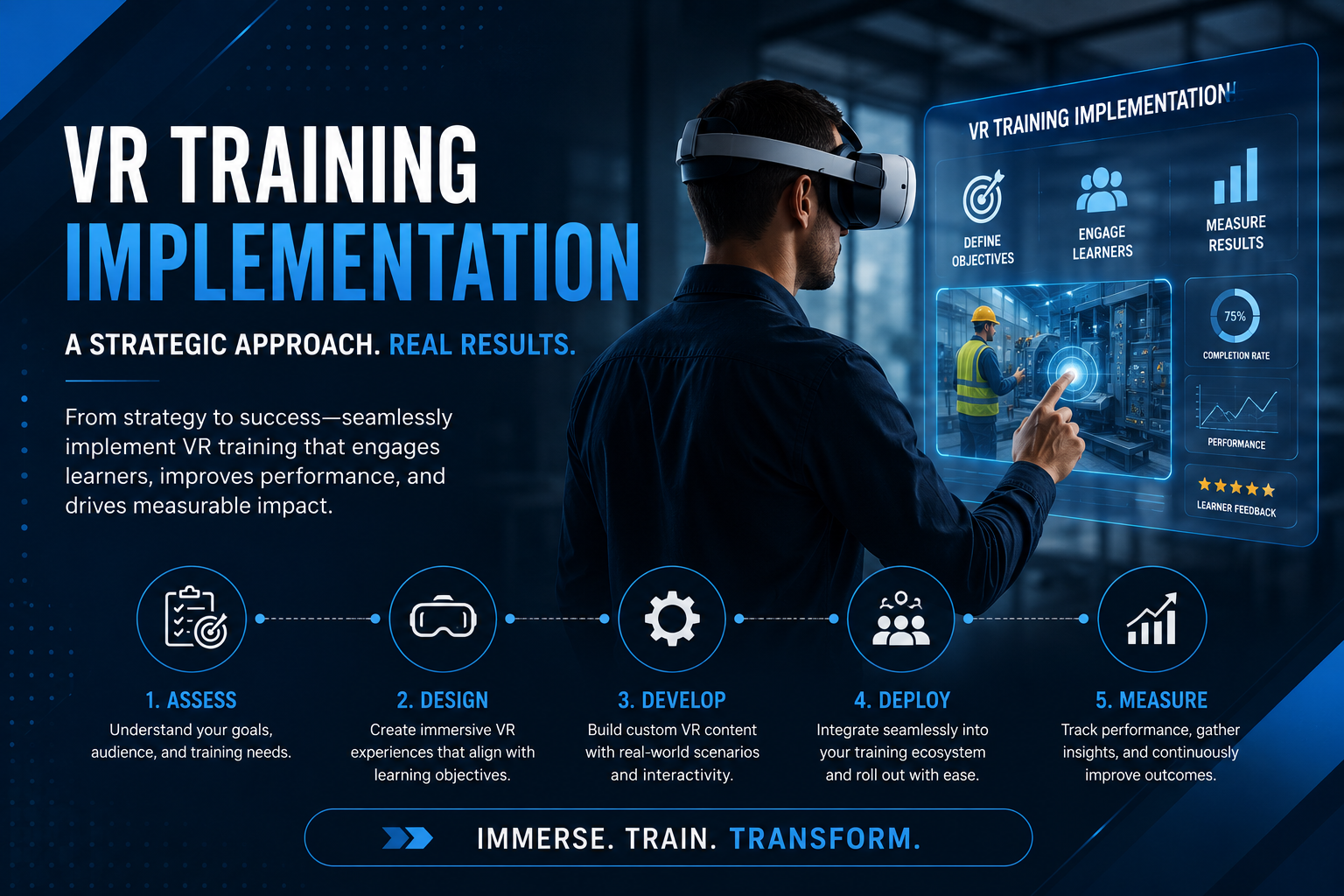
Virtual reality training has moved from experimental technology to proven learning solution, with enterprises reporting 40% faster training completion and 75% higher retention rates compared to traditional methods. Yet many organizations struggle with the practical aspects of VR training implementation—from selecting hardware and managing content to designing pilots and scaling successful programs.
This comprehensive roadmap provides L&D leaders and training managers with actionable guidance for implementing VR training programs. Whether you’re evaluating your first pilot or planning enterprise-wide deployment, you’ll find specific strategies for hardware selection, content deployment, success measurement, and scaling operations.
VR Training Implementation Framework: From Business Case to Full Deployment
Implementing VR training requires coordinating hardware procurement, content development, IT infrastructure, and change management across multiple stakeholders. This section maps the complete implementation journey, from initial feasibility assessment through pilot programs to enterprise-wide rollout, with specific focus on rental-based deployment models that reduce upfront investment and technical complexity.
Pre-Implementation Assessment and Stakeholder Alignment
Start your VR training implementation by identifying use cases where immersive learning delivers measurable advantages over traditional methods. High-impact applications include:
Safety simulations where real-world practice carries risk—electrical work, confined space entry, or emergency response procedures. VR enables unlimited repetitions without safety concerns or equipment damage.
Soft skills training requiring realistic interpersonal interactions—customer service scenarios, leadership conversations, or diversity and inclusion workshops. VR provides consistent, scalable role-play experiences with immediate feedback.
Technical procedures demanding spatial understanding—equipment assembly, maintenance sequences, or surgical techniques. VR allows learners to manipulate 3D objects and practice procedures from multiple angles.
Build your business case using concrete metrics from similar implementations. Manufacturing companies typically report 30-50% reduction in training time and 25% decrease in safety incidents after VR training deployment. Calculate ROI projections based on:
- Reduced travel costs for centralized training
- Decreased equipment downtime for hands-on practice
- Lower instructor costs through self-paced learning
- Reduced workplace accidents and associated costs
Map stakeholders across departments to ensure comprehensive buy-in:
L&D teams focus on learning outcomes and content quality. Address their concerns about instructional design and assessment integration.
IT departments evaluate security, network requirements, and device management. Provide clear technical specifications and support requirements.
Procurement assesses vendor relationships and contract terms. Present rental options that minimize capital expenditure and reduce procurement complexity.
Line managers care about operational impact and employee productivity. Demonstrate how VR training minimizes time away from work while improving performance.
Budget allocation models should compare rental pilots against capital investment. A 90-day pilot with 30 rented headsets costs approximately $15,000-$20,000, including preloaded content and technical support. This approach validates ROI before committing $60,000-$90,000 for equipment purchase.
Implementation Timeline and Phasing Strategy
Structure your VR training rollout using a phased approach with clear milestones and decision gates:
Days 1-30: Foundation Phase
- Finalize use case selection and learning objectives
- Complete vendor evaluation and hardware selection
- Develop or source initial content modules
- Establish pilot success metrics and data collection methods
- Configure IT infrastructure and security protocols
Days 31-60: Pilot Preparation
- Train facilitators and support staff
- Recruit and brief pilot participants
- Conduct technology readiness assessments
- Test content delivery and device management systems
- Create feedback collection mechanisms
Days 61-90: Pilot Execution
- Launch pilot with initial participant cohort
- Monitor daily usage and technical issues
- Collect performance data and learner feedback
- Iterate content and processes based on early results
- Prepare pilot report and scaling recommendations
Days 91+: Scaling Decision and Rollout
- Analyze pilot results against success criteria
- Present findings to executive stakeholders
- Develop scaling roadmap and resource plan
- Initiate procurement for expanded deployment
- Begin phased rollout to additional departments
Start with a single department or location to maintain manageable scope. Choose a group with strong technology adoption history and engaged leadership support. Scale triggers should include:
- Achievement of predetermined ROI thresholds (typically 2:1 or better)
- Positive learner satisfaction scores (>80% recommendation rate)
- Demonstrated performance improvements in target metrics
- Successful resolution of technical and operational challenges
Resource requirements increase at each phase. Initial pilots need 0.5 FTE for program management and technical support. Full deployment requires 1-2 dedicated staff per 500 active learners, plus vendor support agreements.
Hardware Selection and Deployment Models for VR Training
Choosing the right VR hardware and deployment model determines both the user experience and operational complexity of your training program. This section compares standalone wireless headsets, PC-tethered systems, and all-in-one solutions, with specific guidance on when to rent vs. buy based on training frequency, learner volume, and content requirements.
Standalone vs. Tethered VR Systems for Training
Standalone wireless headsets offer maximum deployment flexibility and minimal technical complexity. Leading options include:
Meta Quest 3 ($499-$649 per unit) delivers high-resolution displays, hand tracking, and extensive content ecosystem. The 128GB model supports 20-30 training applications. Enterprise features include device management tools and bulk deployment options.
Pico 4 Enterprise ($899 per unit) provides business-focused features including kiosk mode, remote management, and enterprise support. The platform offers stronger data privacy controls for organizations with strict security requirements.
Standalone systems excel for:
- Distributed training locations without IT support
- Scenarios requiring movement and room-scale interaction
- Rapid deployment without infrastructure investment
- Organizations prioritizing ease of use over visual fidelity
PC-tethered VR systems deliver superior graphics and processing power for complex simulations. Options include HTC Vive Pro 2 ($1,399) and Varjo Aero ($1,990) for ultra-high resolution training.
Tethered systems suit:
- High-fidelity technical training requiring precise visual detail
- Centralized training facilities with dedicated VR spaces
- Simulations with complex physics or multiple user interactions
- Organizations with existing high-performance computing infrastructure
Network requirements vary significantly. Standalone headsets need 25-50 Mbps per device for cloud content streaming. Create dedicated VR network segments to ensure consistent performance. Physical space requirements range from 6×6 feet for standing experiences to 10×10 feet for room-scale training.
Management overhead differs dramatically between platforms. Standalone systems require 2-4 hours weekly for charging, updates, and maintenance per 10 devices. Tethered systems need 6-8 hours due to PC maintenance, cable management, and troubleshooting.
Rental Packages vs. Purchase Decision Framework
The rent-versus-buy decision depends on usage patterns, budget constraints, and organizational readiness:
Rental advantages for pilots and seasonal training:
- No capital expenditure or depreciation concerns
- Includes technical support and device replacement
- Preloaded content reduces setup complexity
- Easy scaling for temporary training surges
- Latest hardware without upgrade costs
Calculate rental value using this framework:
- Rental cost-effective for <50 sessions monthly per headset
- Purchase justified at >100 sessions monthly per headset
- Hybrid model optimal for 50-100 sessions monthly
Rental packages from providers like ArborXR or ManageXR typically include:
- Sanitized, configured headsets with carrying cases
- Preloaded training content matched to your requirements
- Remote device management and technical support
- Next-day replacement for defective units
- Usage analytics and reporting dashboards
Monthly rental costs range from $150-$300 per headset depending on model, content, and support level. Annual contracts reduce costs by 20-30%.
Purchase considerations for sustained programs:
- Lower total cost for continuous use over 18+ months
- Complete control over device configuration and content
- Ability to customize hardware for specific needs
- Asset ownership for accounting purposes
- No dependency on rental vendor availability
Factor in hidden costs of ownership:
- IT staff time for setup and maintenance (10-15 hours monthly per 10 devices)
- Replacement units for repairs (10% spare inventory recommended)
- Storage and charging infrastructure ($2,000-$5,000 initial investment)
- Insurance and warranty extensions ($50-$100 per device annually)
- Software licenses and content subscriptions (varies by provider)
Infrastructure and IT Requirements
Successful VR training deployment requires robust technical infrastructure:
Network specifications:
- Dedicated WiFi 6 access points for VR traffic
- 25-50 Mbps bandwidth per concurrent headset
- Sub-20ms latency for cloud-rendered content
- Network segmentation for security isolation
- Quality of Service (QoS) prioritization for VR traffic
Device management platforms streamline deployment and maintenance:
- ArborXR provides cloud-based management for $12-$20 per device monthly
- ManageXR offers similar features with focus on education and training
- Native platforms (Meta for Business, Pico Enterprise) included with hardware
Content distribution methods impact operational efficiency:
Sideloading works for static content libraries but requires manual updates. Best for stable content used repeatedly.
Streaming enables dynamic content delivery but demands robust networking. Ideal for frequently updated training modules.
Cloud delivery through platforms like ENGAGE or Immerse provides instant access to content libraries with centralized management.
Security considerations require careful planning:
- Implement Mobile Device Management (MDM) for enterprise control
- Configure private app stores to restrict unauthorized content
- Enable single sign-on (SSO) integration with corporate identity providers
- Establish data retention policies for training analytics
- Create network isolation for VR devices using VLANs
Content Strategy and Learning Design for VR Training
Effective VR training content balances immersion with instructional design principles, requiring different approaches for skills training, safety simulations, and soft skills development. This section covers content sourcing options, customization requirements, and integration with existing LMS platforms.
Off-the-Shelf vs. Custom VR Training Content
Off-the-shelf content libraries provide immediate deployment with proven effectiveness:
Immerse offers soft skills training including leadership, diversity, and customer service modules. Pricing starts at $50 per user monthly with volume discounts. Content includes branching scenarios with AI-driven avatars for realistic conversations.
Strivr specializes in enterprise training for retail, hospitality, and manufacturing. Their library includes operational procedures, safety protocols, and customer interaction scenarios. Annual licenses range from $50,000-$200,000 based on user count and content scope.
Pixo VR focuses on industrial training with modules for construction, manufacturing, and energy sectors. Their catalog includes 100+ safety scenarios with multilingual support. Per-seat pricing ranges from $500-$1,500 annually.
Off-the-shelf content advantages:
- Immediate availability without development time
- Proven instructional design and user experience
- Regular updates and content expansion
- Lower total cost than custom development
- Vendor support and best practices guidance
Custom content development provides exact alignment with organizational needs:
Development costs vary by complexity:
- Simple 360-video scenarios: $10,000-$25,000 per module
- Interactive branching scenarios: $25,000-$75,000 per module
- Complex simulations with physics: $75,000-$200,000 per module
Development timelines typically span:
- 4-6 weeks for 360-video content
- 8-12 weeks for interactive scenarios
- 16-24 weeks for complex simulations
Hybrid approaches balance customization with cost efficiency:
- License base content library and add custom modules for unique procedures
- Modify existing content with company branding and specific scenarios
- Create custom assessments within off-the-shelf training frameworks
- Develop organization-specific scenarios using vendor authoring tools
Learning Design Principles for VR
Structure VR training content using proven instructional design principles adapted for immersive environments:
Scenario-based learning leverages VR’s strength in contextual training. Design scenarios that:
- Present realistic workplace challenges requiring decision-making
- Include consequences that demonstrate impact of choices
- Provide multiple solution paths reflecting real-world complexity
- Incorporate environmental stressors (time pressure, distractions)
Branching narratives create personalized learning experiences:
- Start with common scenarios before diverging based on learner choices
- Include 3-5 decision points per 15-minute module
- Provide immediate feedback on critical decisions
- Allow replay with different choices to explore outcomes
Assessment integration measures learning effectiveness:
- Embed performance checkpoints within scenarios
- Track behavioral indicators (gaze patterns, response time)
- Capture qualitative data through in-VR surveys
- Generate detailed analytics for competency mapping
Session length optimization prevents fatigue and maintains engagement:
- Limit continuous VR sessions to 15-20 minutes
- Design natural break points between modules
- Include comfort breaks in longer training sequences
- Provide session summaries for reflection and retention
Accessibility considerations ensure inclusive training:
- Offer seated alternatives for standing experiences
- Include subtitle options for audio content
- Provide comfort settings for motion sensitivity
- Design colorblind-friendly visual indicators
- Create keyboard/controller alternatives to hand tracking
Pilot Program Design and Execution
A well-structured pilot program validates VR training effectiveness while building organizational buy-in for broader deployment. This section provides a complete pilot framework including participant selection, success metrics, data collection methods, and go/no-go decision criteria.
Pilot Scope and Participant Selection
Design pilots with sufficient scale for statistical validity while maintaining manageable scope:
Optimal pilot size ranges from 20-50 learners, providing:
- Statistical significance for performance comparisons
- Diverse feedback across user types
- Manageable support requirements
- Sufficient data for ROI calculations
Control group design enables meaningful comparison:
- Randomly assign participants to VR and traditional training groups
- Match groups for experience level, demographics, and role
- Ensure both groups receive equal training time
- Use identical assessments for performance measurement
Representative sampling ensures pilot results predict broader success:
- Include participants across age ranges (digital natives to late-career)
- Balance technical proficiency levels
- Incorporate multiple job roles if training applies broadly
- Consider geographic distribution for remote deployment testing
Technical readiness screening prevents capability issues from skewing results:
- Survey participants about prior VR experience
- Assess basic computer skills and comfort with technology
- Screen for motion sickness susceptibility
- Verify physical requirements (vision, mobility)
Success Metrics and Data Collection
Define clear, measurable success criteria before pilot launch:
Knowledge retention measurements:
- Pre-training baseline assessment
- Immediate post-training evaluation
- 30-day retention test
- 60-day application assessment
- 90-day competency verification
Compare VR group retention rates against control group, targeting 25-40% improvement.
Time-to-competency tracking:
- Document current training duration for specific skills
- Measure time required to achieve proficiency in VR
- Track progression through skill levels
- Calculate productivity gains from accelerated training
Organizations typically see 30-50% reduction in time-to-competency with VR training.
Engagement metrics indicate learner acceptance:
- Completion rates (target >90% for VR vs. 60-70% for e-learning)
- Voluntary replay rates for practice
- Self-reported confidence levels
- Net Promoter Score for training experience
Cost analysis validates business case:
- Calculate cost per training hour (VR vs. traditional)
- Include instructor time, travel, and materials
- Factor in productivity loss during training
- Measure reduction in errors or accidents post-training
Document all metrics in standardized dashboards for stakeholder reporting.
Pilot Operations and Support Structure
Establish robust operational procedures for smooth pilot execution:
Facilitator training ensures consistent delivery:
- Provide 4-6 hours of hands-on VR familiarization
- Train on troubleshooting common technical issues
- Practice learner onboarding and comfort coaching
- Review safety protocols and hygiene procedures
Create quick reference guides covering:
- Device startup and shutdown sequences
- Content loading and navigation
- Common error messages and solutions
- Emergency procedures for motion sickness
Technical troubleshooting protocols minimize disruption:
- Establish tier 1 support for basic issues (restart, reconnection)
- Define escalation path to vendor support
- Maintain spare equipment (10-20% of active inventory)
- Document all issues for pattern identification
Hygiene and maintenance procedures ensure safe, comfortable experience:
- Clean headsets between users with antibacterial wipes
- Replace facial interfaces weekly or use disposable covers
- Charge devices overnight using multi-unit charging stations
- Inspect equipment daily for damage or wear
Feedback collection methods capture comprehensive insights:
- In-VR surveys immediately post-experience
- Focus groups at pilot midpoint and conclusion
- One-on-one interviews with struggling participants
- Manager feedback on performance improvements
- Technical issue logs from support staff
Change Management and User Adoption Strategies
Successful VR training implementation requires addressing both technical and cultural barriers to adoption. This section covers change management approaches, communication strategies, and tactics for overcoming common resistance points from learners and managers.
Stakeholder Communication and Engagement
Build momentum through strategic communication and visible support:
Executive sponsorship drives organizational commitment:
- Secure C-suite champion to communicate strategic importance
- Include VR training in town halls and company communications
- Have executives participate in and endorse the training
- Link VR initiatives to broader digital transformation goals
Manager briefings ensure front-line support:
- Conduct hands-on demonstrations for people managers
- Share specific benefits relevant to their teams
- Provide talking points for team communications
- Address concerns about implementation logistics
Key messages for managers:
- VR training reduces time away from productive work
- Immersive practice improves first-time performance
- Consistent training delivery ensures uniform standards
- Analytics provide visibility into skill development
Learner communications build excitement while addressing concerns:
- Share success stories from pilot participants
- Address motion sickness fears with prevention strategies
- Emphasize career development benefits
- Highlight engaging, game-like elements
Success story documentation creates internal advocates:
- Capture video testimonials from enthusiastic early adopters
- Document specific performance improvements
- Create before/after case studies
- Share metrics on confidence and competency gains
Overcoming Adoption Barriers
Proactively address common resistance points:
Technology anxiety affects 30-40% of learners:
- Start with simple, comfortable experiences
- Pair anxious learners with confident peers
- Provide extended onboarding time
- Celebrate small victories and progress
Motion sickness concerns can be mitigated through:
- Comfort settings calibration during onboarding
- Gradual exposure starting with stationary experiences
- Teleportation movement instead of smooth locomotion
- Ginger supplements or anti-nausea wristbands
- Clear communication that most users adapt within 2-3 sessions
Workflow integration challenges require careful planning:
- Schedule VR training during existing training blocks
- Create booking systems for equipment access
- Integrate with LMS for seamless record keeping
- Provide mobile apps for scheduling and progress tracking
Incentive programs accelerate adoption:
- Offer certificates or badges for completion
- Create leaderboards for competitive elements
- Provide early access to new content for engaged users
- Link VR training completion to performance reviews
- Recognize VR training champions publicly
Scaling from Pilot to Enterprise Deployment
Moving from successful pilot to enterprise-wide implementation requires systematic planning for equipment procurement, content management, support infrastructure, and governance. This section outlines the scaling roadmap with specific guidance on resource planning, vendor management, and operational excellence.
Scaling Decision Framework
Establish clear criteria for expansion decisions:
ROI thresholds justify broader investment:
- Minimum 2:1 return within 12 months for initial scaling
- 3:1 or better for full enterprise deployment
- Include soft benefits (engagement, retention) in calculations
- Account for decreasing per-unit costs at scale
Expansion strategies depend on organizational structure:
Geographic rollout works for distributed organizations:
- Start with regions showing highest readiness
- Leverage successful sites as regional champions
- Account for timezone differences in support planning
- Consider local language and cultural adaptations
Use case expansion suits centralized operations:
- Begin with highest-impact training scenarios
- Add complementary modules building on initial success
- Expand from technical to soft skills training
- Integrate VR into complete learning pathways
Equipment procurement planning requires strategic approach:
- Negotiate volume discounts (typically 15-25% at 100+ units)
- Stagger purchases to benefit from technology improvements
- Maintain 10-15% spare inventory for replacements
- Consider lease options for financial flexibility
Staffing models scale with deployment size:
- 1 FTE per 100 active headsets for technical support
- 0.5 FTE per 200 users for program management
- 1 FTE per 500 users for content curation and updates
- Vendor support agreements for overflow capacity
Enterprise Operations and Governance
Establish robust operational framework for sustained success:
Equipment management models:
Centralized management provides consistency:
- Single team manages all VR assets
- Standardized procedures across organization
- Economies of scale in support and maintenance
- Simplified vendor relationships
Distributed management offers local flexibility:
- Regional or departmental ownership
- Faster response to local needs
- Reduced shipping and logistics
- Greater buy-in from local stakeholders
Hybrid approaches balance both benefits:
- Central procurement and standards
- Local deployment and support
- Shared content libraries
- Coordinated updates and maintenance
Content governance ensures quality and relevance:
- Establish content review board with L&D and subject matter experts
- Create approval workflows for new content
- Schedule quarterly content audits
- Define sunset policies for outdated modules
- Maintain version control and change logs
Performance monitoring drives continuous improvement:
- Deploy analytics dashboards for real-time visibility
- Track usage patterns and identify underutilized content
- Monitor technical issues and resolution times
- Measure learning outcomes against objectives
- Conduct quarterly business reviews with stakeholders
Vendor management requires structured approach:
- Define clear SLAs for support response times
- Establish escalation procedures for critical issues
- Schedule regular business reviews
- Negotiate enterprise agreements with volume commitments
- Maintain competitive tension with multiple vendors
Frequently Asked Questions
How long does VR training implementation typically take from start to finish?
Initial pilot programs typically require 90-120 days from planning to results. This includes 30 days for preparation, 30-60 days for pilot execution, and 30 days for analysis and reporting. Full enterprise deployment following successful pilot usually takes 6-12 months, depending on organization size and rollout strategy.
What’s the minimum budget needed to pilot VR training?
A meaningful pilot program requires $15,000-$25,000 minimum investment. This covers 10-15 rental headsets for 90 days ($5,000-$8,000), content licensing ($5,000-$10,000), and program management support ($5,000-$7,000). Organizations can reduce costs by starting with smaller groups or shorter pilot periods.
How many VR headsets do I need for a training program?
Calculate headset requirements based on concurrent usage rather than total learners. For typical corporate training, plan for 1 headset per 10-15 active learners, assuming 2-hour training sessions and 6 hours daily availability. High-frequency training programs may require 1 headset per 5-8 learners.
Can VR training integrate with our existing LMS?
Most enterprise VR platforms support LMS integration through SCORM, xAPI, or direct API connections. Popular integrations include Cornerstone, SAP SuccessFactors, and Workday Learning. Integration enables automated enrollment, progress tracking, and completion reporting within existing learning workflows.
What IT infrastructure is required for VR training deployment?
Minimum requirements include WiFi 6 access points supporting 25-50 Mbps per headset, dedicated network segments for VR traffic, and cloud storage for content distribution. Standalone headsets require minimal infrastructure, while PC-tethered systems need high-performance workstations with dedicated graphics cards.
How do you measure ROI on VR training programs?
Calculate ROI using multiple metrics: training time reduction (typically 30-50%), improved retention rates (40-75% higher), decreased error rates (20-30% reduction), and reduced travel costs. Include soft benefits like increased engagement and improved safety records. Most organizations achieve positive ROI within 6-12 months.
What are the most common reasons VR training pilots fail?
Common failure points include inadequate change management (40% of failures), poor content quality or relevance (25%), technical issues without proper support (20%), and lack of executive sponsorship (15%). Prevent failure through thorough planning, stakeholder engagement, and robust support structures.
Conclusion
VR training implementation represents a significant opportunity to transform organizational learning, delivering measurable improvements in engagement, retention, and performance. Success requires more than just technology deployment—it demands careful orchestration of content strategy, change management, and operational excellence.
Start with focused pilots targeting high-impact use cases where VR’s unique capabilities provide clear advantages. Use rental deployments to minimize risk while validating ROI. Build stakeholder support through visible quick wins and compelling success metrics. Scale thoughtfully based on proven results rather than enthusiasm alone.
The organizations achieving greatest success with VR training share common characteristics: strong executive sponsorship, dedicated program management, robust support structures, and commitment to continuous improvement. They view VR not as a replacement for all training, but as a powerful tool for specific learning objectives where immersion and practice drive superior outcomes.
Ready to Launch Your VR Training Pilot?
Take the first step toward transforming your organization’s learning experience. Contact us to assess your readiness and identify next steps. For personalized guidance on pilot program design and hardware selection, schedule a consultation with our VR training specialists.
The future of corporate training is immersive, engaging, and measurably effective. With proper planning and execution, your organization can harness VR’s potential to develop skilled, confident, and engaged employees ready for tomorrow’s challenges.