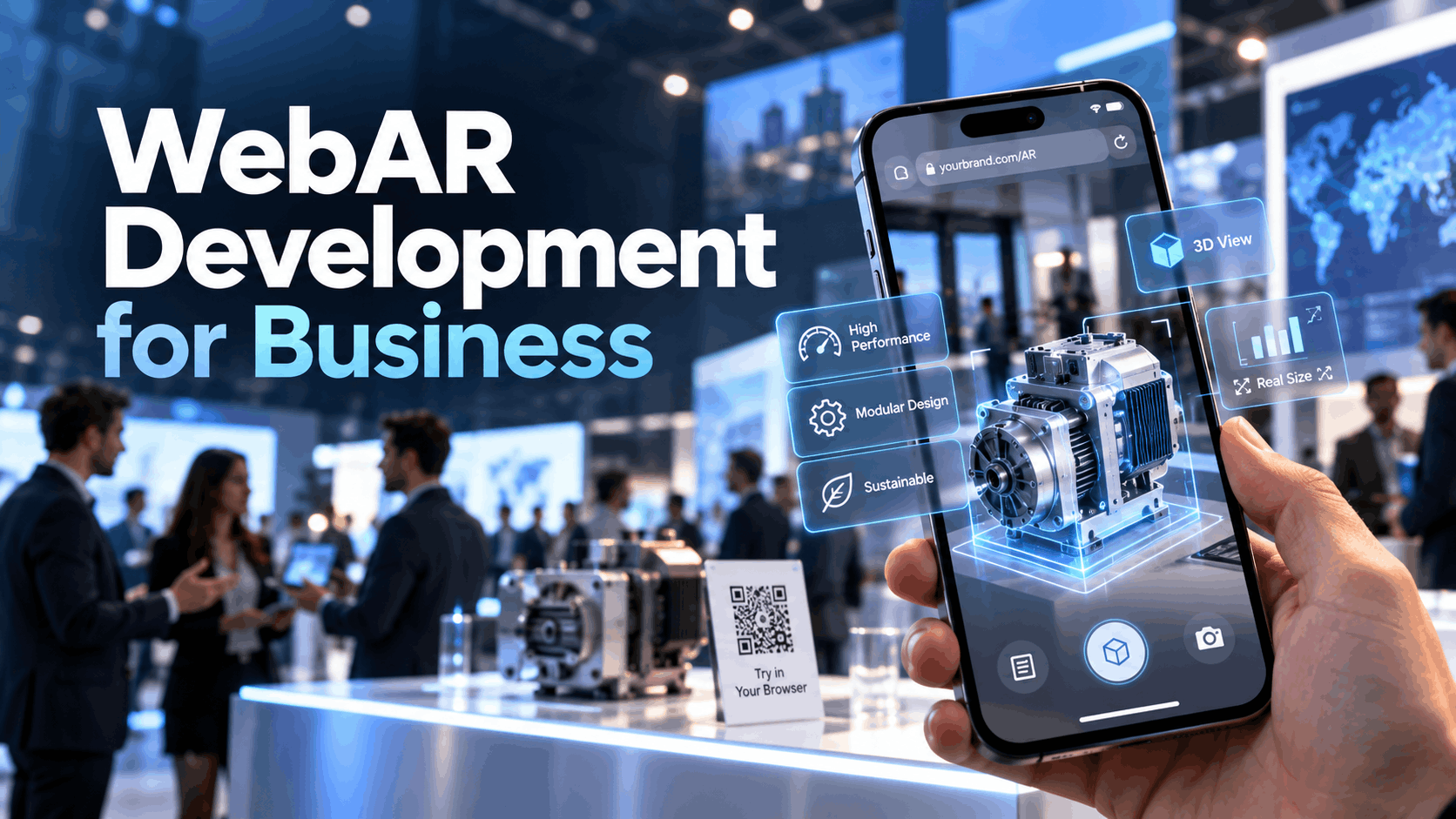
Browser-based augmented reality removes the single biggest barrier to AR adoption in business settings: the app download. WebAR lets users point a smartphone camera at a product, a printed marker, or a physical space and launch an augmented experience directly from a browser link or QR code no installation, no app store approval, no device management overhead.
For business teams running events, managing sales conversations, or deploying training at scale, that distinction matters. It changes who can access an experience, how quickly it can go live, and how much friction stands between your audience and the content you built. This guide explains what WebAR development actually involves, where it performs well, where it falls short, and how to make a sound deployment decision before committing budget or timeline.
What WebAR Development Means for Business Teams
WebAR development is the process of building augmented reality experiences that run inside a mobile or desktop web browser rather than inside a dedicated native application. The experience is delivered through a URL. Users access it the same way they access any website by tapping a link, scanning a QR code, or typing an address and the AR layer renders on top of their camera feed without requiring anything to be installed.
From a business perspective, that architecture solves a distribution problem. Native AR apps require users to find, download, and open an application before the experience begins. At a trade show, during a sales call, or in a field training scenario, that sequence creates drop-off. WebAR collapses those steps into a single action.
How WebAR Differs from Native AR and App-Based Experiences
The core difference is access. Native AR applications are installed on a device and have full access to the device’s hardware camera, sensors, processing power, and persistent storage. That access enables more complex tracking, richer 3D rendering, and experiences that can run offline or maintain state across sessions. The tradeoff is friction: users must find the app, download it, grant permissions, and open it before anything happens.
WebAR runs inside a sandboxed browser environment. It accesses the camera and motion sensors through browser APIs, which means it works across devices without installation but also means it operates within tighter performance and capability boundaries. Complex physics simulations, high-polygon 3D models, and persistent spatial anchoring are harder to achieve reliably in a browser context.
The choice between the two formats comes down to audience access and deployment speed. If your audience is controlled employees using company-managed devices, for example—an installed app may be practical. If your audience is public, mixed-device, or time-constrained, WebAR’s frictionless access usually wins.
Why IGIVU Treats WebAR as a Deployment Decision, Not a Novelty
WebAR is not a technology trend to experiment with. It is a deployment format with specific strengths and specific limits, and the decision to use it should be driven by business outcomes rather than novelty.
IGIVU evaluates WebAR as one option inside a broader immersive deployment plan. For some projects—a product reveal at a trade show, a remote sales demo, a lightweight onboarding module—WebAR is the right tool because it delivers fast access, low setup complexity, and measurable engagement. For others—deep simulation training, guided VR experiences, or multi-user collaborative environments—other formats perform better.
The question is never “should we use WebAR?” The question is “does WebAR serve the audience, the timeline, and the outcome for this specific deployment?”
When WebAR Is the Right Fit
WebAR performs best when the audience needs instant access, the experience must be easy to distribute, and the interaction can be completed in a short session on a personal device. Three business contexts consistently meet those criteria.
Events, Trade Shows, and Brand Activations
Live events are the strongest use case for WebAR. Attendees arrive with their own smartphones, they are not going to install an app for a booth interaction, and the experience window is measured in minutes rather than hours.
A QR code on a booth display, a printed card, or a badge insert gives attendees immediate access to a product reveal, an interactive 3D model, a brand activation, or a lead capture experience. The setup requires no hardware distribution, no device pairing, and no staff intervention to launch. That reduction in operational complexity matters when you are managing a booth with limited staff across a multi-day event.
WebAR also supports post-event distribution. The same URL that powered the booth experience can be sent in a follow-up email, embedded in a landing page, or shared on social media—extending the campaign beyond the event floor without rebuilding anything.
Product Demos and Sales Enablement
In a sales context, WebAR removes the dependency on pre-installed software during live conversations. A sales representative can share a link in a video call or display a QR code in a meeting, and the prospect can immediately see a product rendered at scale in their own environment—without downloading anything.
This is particularly valuable for products that are large, expensive, or difficult to transport: industrial equipment, furniture, architectural elements, medical devices, or configurable product lines. WebAR lets the prospect place and inspect the product in their own space during the conversation, which shortens the evaluation cycle and reduces the need for physical samples or showroom visits.
For remote sales teams, WebAR experiences can be embedded in digital sales decks or sent as standalone links, making them distributable without any technical coordination on the prospect’s side.
Training and Field Workflows
WebAR can support lightweight instructional experiences where the goal is task guidance, procedure reinforcement, or onboarding orientation rather than deep simulation. A technician scanning a piece of equipment to see an overlay of assembly steps, a new employee scanning a workspace to access orientation content, or a field worker pulling up a visual checklist through a QR code on a printed guide—these are practical WebAR applications that work within the format’s constraints.
The key qualifier is “lightweight.” WebAR is not the right format for training that requires extended immersion, complex branching scenarios, or high-fidelity simulation. Those use cases benefit from native applications or VR environments where performance headroom and session depth are greater. WebAR works for training when the goal is quick reference and reinforcement, not full simulation.
WebAR Development Constraints You Need to Plan For
Every WebAR deployment has practical limits that affect what you can build, how it will perform, and what it will take to launch successfully. Understanding these constraints before starting development prevents scope creep, missed timelines, and underperforming experiences.
Device, Browser, and Performance Considerations
WebAR compatibility is not universal. Performance and feature support vary across device models, operating system versions, and browsers. Safari on iOS and Chrome on Android are the primary targets for most WebAR deployments, but behavior differences between them—particularly around camera access, AR tracking APIs, and WebGL rendering—require explicit testing on both platforms.
Older devices with limited GPU capability will struggle with high-polygon 3D models and real-time AR tracking. An experience that runs smoothly on a current flagship phone may lag or fail on a two-year-old mid-range device. If your audience is using a mix of devices—which is almost always true at public events—you need to design and test for the lower end of that range, not the top.
Browser-based AR also does not support all tracking methods that native apps can use. Markerless surface detection, face tracking, and image recognition are available through WebAR frameworks, but the precision and reliability of spatial anchoring in browser environments is lower than what a native ARKit or ARCore application can achieve.
Testing requirements are non-negotiable. A WebAR experience must be tested on multiple real devices across both major platforms before any live deployment. Emulator testing is insufficient.
Content Scope, Interactivity, and User Experience Limits
WebAR sessions are short. Users accessing an experience through a browser link are not going to spend ten minutes in a complex interactive environment. Attention windows at events are shorter still. Designing for a two-to-three-minute session with a clear, single interaction goal produces better outcomes than building a multi-step experience that assumes sustained engagement.
Simpler interactions also perform more reliably. A 3D product model that users can rotate and inspect, an animated overlay triggered by an image marker, or a short AR video experience will load faster, run more smoothly, and complete more often than a multi-scene interactive environment with branching logic.
Interactivity in WebAR is possible—users can tap to trigger animations, switch between product configurations, or navigate between content states—but each layer of complexity adds load time, increases the risk of device-specific issues, and lengthens the QA cycle. Scope decisions should be made with session length and device range in mind.
Deployment, Hosting, and Support Requirements
A WebAR experience is a web application. It requires reliable hosting, a valid SSL certificate, fast asset delivery, and a stable URL that does not change between distribution and launch. If the experience is tied to a QR code printed on physical materials, the URL must be locked before those materials go to print.
Event-day support is a real consideration. If a WebAR experience is the centerpiece of a booth or activation, you need a plan for what happens when it does not load on a specific device, when the QR code is damaged, or when connectivity is limited. That plan should include a backup access method, a staff member who can troubleshoot basic issues, and a tested fallback.
Hosting performance matters under load. If hundreds of event attendees are attempting to access the same experience simultaneously, the hosting infrastructure needs to handle that traffic. Shared hosting or underpowered servers will create slow load times that kill engagement before the experience even starts.
How WebAR Fits Into IGIVU’s Rental and Implementation Model
WebAR is most effective when it is planned as part of a broader immersive deployment rather than as a standalone project. IGIVU’s approach positions browser-based AR alongside VR rental hardware, curated experience packages, and on-site event support so that each format contributes to the same business outcome.
When WebAR Complements VR Rentals
WebAR and VR serve different moments in the same audience journey. WebAR is well-suited to pre-event engagement—sending a teaser experience to registered attendees before they arrive—and post-event follow-up, where the same content can be reshared as a digital leave-behind. VR rentals, delivered on managed headsets with guided facilitation, provide the depth of immersion that drives stronger recall and emotional engagement during the event itself.
A campaign that uses WebAR for pre-event awareness and post-event distribution, and VR for the on-site centerpiece experience, gets the distribution advantages of browser-based access and the impact advantages of headset-based immersion—without asking either format to do something it is not built for.
How Curated Packages Reduce Deployment Risk
Custom WebAR development from scratch carries engineering overhead that is not always justified by the business outcome. Curated experience packages—preconfigured templates and deployment frameworks built for specific use cases like product visualization, event activations, or training modules—reduce that overhead by starting from a tested foundation rather than a blank slate.
For business teams that need to move quickly, curated packages compress the timeline between decision and deployment. They also reduce the risk of scope creep, because the interaction model and content structure are defined before the project starts. IGIVU’s implementation guidance helps teams select the right package for their use case, configure it for their content and branding, and deploy it with the QA and support infrastructure already in place.
Planning a WebAR Project: A Practical Checklist
Before engaging a vendor or approving a project budget, business teams should be able to answer the following questions clearly. Gaps in any of these areas will create problems during development or at launch.
Audience, Device Access, and Distribution Plan
Who will use the experience, and on what devices? If the audience is employees on company-managed devices, you have more control over the device range and can test against a known baseline. If the audience is public event attendees, you need to design for a wide range of devices and operating systems.
How will users discover and launch the experience? QR codes on printed materials, links in email or SMS, embedded URLs on a landing page, and NFC tags are all viable distribution methods. Each has different implications for tracking, analytics, and fallback planning. The distribution method should be decided before content is finalized.
Is the audience controlled or public? Controlled audiences allow for pre-launch communication, device testing, and user preparation. Public audiences require the experience to be self-explanatory, fast-loading, and functional without any instruction.
Success Metrics and Business Outcomes
Define what success looks like before the project starts. For marketing and events, success metrics might include number of unique sessions, average session duration, social shares, or lead capture completions. For sales enablement, the metric might be demo-to-meeting conversion or time spent with product visualization. For training, it might be task completion rate or assessment scores.
WebAR platforms and hosting environments can capture session data, interaction events, and completion rates. Plan for analytics instrumentation from the beginning, not as an afterthought. Experiences that cannot be measured cannot be optimized or justified for future investment.
Timeline, Budget, and Support Model
WebAR projects require more planning time than most business teams expect. Content creation—3D modeling, animation, copy, and UX design—typically takes longer than the technical build. QA across multiple devices and browsers requires dedicated time and real hardware. Event-day support, if needed, requires a staffing plan.
A realistic timeline for a well-scoped WebAR project is four to eight weeks from brief to launch, depending on content complexity and revision cycles. Projects with custom 3D assets, complex interactions, or tight brand requirements sit at the longer end of that range.
Budget should account for content creation, development, hosting, QA, and support separately. Underestimating any of these categories is the most common cause of cost overruns and missed launch dates.
WebAR vs. Other Immersive Options
Choosing the right format requires understanding what each option is actually good at. The following comparisons are strategic rather than technical—they are designed to help business decision-makers choose the right deployment path, not to resolve engineering debates.
WebAR versus App-Based AR
App-based AR offers better performance, more reliable tracking, and access to advanced device capabilities. It is the right choice when the audience is known and willing to install software, when the experience requires extended sessions or persistent state, or when the interaction complexity exceeds what a browser environment can support reliably.
WebAR wins on access friction and launch speed. For any scenario where asking users to install an app creates a meaningful drop-off risk—events, public activations, cold sales outreach—browser-based access is the stronger choice. The performance tradeoff is real but manageable if the experience is scoped appropriately.
WebAR versus VR Experiences
VR and WebAR are not competing formats—they serve fundamentally different purposes. VR delivers deep immersion, spatial presence, and guided experiences that are not possible on a flat screen. It requires a headset, which means it requires either a managed device environment or a rental deployment with facilitation.
WebAR delivers lightweight, accessible AR on personal devices with no hardware overhead. It is not a substitute for VR when the goal is immersive training, emotional impact, or spatial simulation. It is the right choice when the goal is broad distribution, quick access, and short-session engagement.
The decision between them is not about which is better—it is about which serves the specific audience, context, and outcome.
WebAR versus WebXR
WebXR is the browser API standard that underlies both WebAR and browser-based VR experiences. WebAR is a subset of what WebXR enables, specifically the AR modes that overlay digital content on a real-world camera feed. WebXR also supports immersive VR experiences delivered through a browser to a headset.
For most business teams, the distinction is not operationally significant. WebAR experiences are built on WebXR infrastructure, and the deployment considerations are the same. The term “WebXR” becomes relevant when a project involves browser-based VR or when a team is evaluating whether a single browser-based framework can support both AR and VR delivery across different devices.
For a broader look at browser-based immersive strategy including WebXR for VR delivery see IGIVU’s WebXR content.
FAQ: WebAR Development for Business
What is WebAR development?
WebAR development is the process of building augmented reality experiences that run inside a web browser on a mobile or desktop device. Users access the experience through a URL or QR code without installing any application. The AR content—3D models, animations, overlays—renders on top of the device’s camera feed in real time. Development involves 3D content creation, browser-based AR framework integration, UX design, hosting setup, and multi-device QA.
Is WebAR better than app-based AR for business events?
For most business events, yes. The primary advantage is access. Event attendees will not install an app to interact with a booth or activation, but they will scan a QR code. WebAR eliminates the installation barrier and lets any attendee with a compatible smartphone engage immediately. App-based AR offers better performance and more advanced capabilities, but those advantages are outweighed by the access friction in a live event context where the interaction window is short and the audience is using personal devices.
What devices support WebAR?
Most modern smartphones running iOS 14.3 or later (Safari) and Android 8.0 or later (Chrome) support WebAR. Specific feature support—such as surface detection, image tracking, and face tracking—varies by device and browser version. Older devices and less common browsers may have limited or no support. Any WebAR deployment intended for a public audience should be tested on a representative range of devices before launch, including mid-range and older models that may represent a significant portion of the audience.
How much does a WebAR project cost?
WebAR project costs vary significantly based on content complexity, 3D asset requirements, interaction design, and support needs. A simple image-tracked product visualization with existing 3D assets can be developed and deployed for a few thousand dollars. A custom multi-scene interactive experience with original 3D modeling, branded UX, and event-day support can cost significantly more. The largest cost drivers are 3D content creation and revision cycles, not the technical build itself. Curated packages and preconfigured templates reduce cost and timeline by starting from a tested foundation.
Can WebAR be used for training or field workflows?
Yes, within specific constraints. WebAR is effective for lightweight instructional content—step-by-step visual overlays, equipment identification, spatial orientation, and quick-reference guides accessed through QR codes in a physical environment. It is not well-suited for extended simulation training, complex branching scenarios, or experiences that require high-fidelity 3D rendering and sustained engagement. For those use cases, native AR applications or VR environments are more appropriate. The decision should be based on the complexity of the learning objective and the session length required to achieve it.
When should a company choose VR instead of WebAR?
Choose VR when the business outcome requires deep immersion, spatial presence, or extended guided experience that a flat-screen AR overlay cannot deliver. VR is the stronger format for high-stakes simulation training, emotional impact experiences, complex spatial walkthroughs, and scenarios where the user needs to feel present in a virtual environment. WebAR is the stronger format when the priority is broad distribution, instant access, and short-session engagement on personal devices. The two formats are complementary rather than competitive—many effective campaigns use both.
Making the Right Deployment Decision
WebAR development is a practical business tool when it is matched to the right use case. It reduces access friction, accelerates distribution, and enables AR engagement without hardware overhead or app installation requirements. Those advantages are real and significant in event, sales, and lightweight training contexts.
They come with real constraints: performance limits on lower-end devices, shorter effective session lengths, tighter interactivity scope, and hosting and QA requirements that must be planned for, not discovered at launch. Teams that understand those constraints before starting a project make better scope decisions, set realistic timelines, and build experiences that actually perform.
The strongest WebAR deployments are planned as part of a broader immersive strategy—paired with VR where depth is needed, supported by curated packages where speed matters, and measured against defined business outcomes from the start.
Ready to evaluate WebAR for your next event, demo, or training program? IGIVU’s team can help you assess whether browser-based AR is the right fit, scope the project against your timeline and budget, and deploy with the QA and support infrastructure your launch requires. Contact IGIVU to start the conversation.