

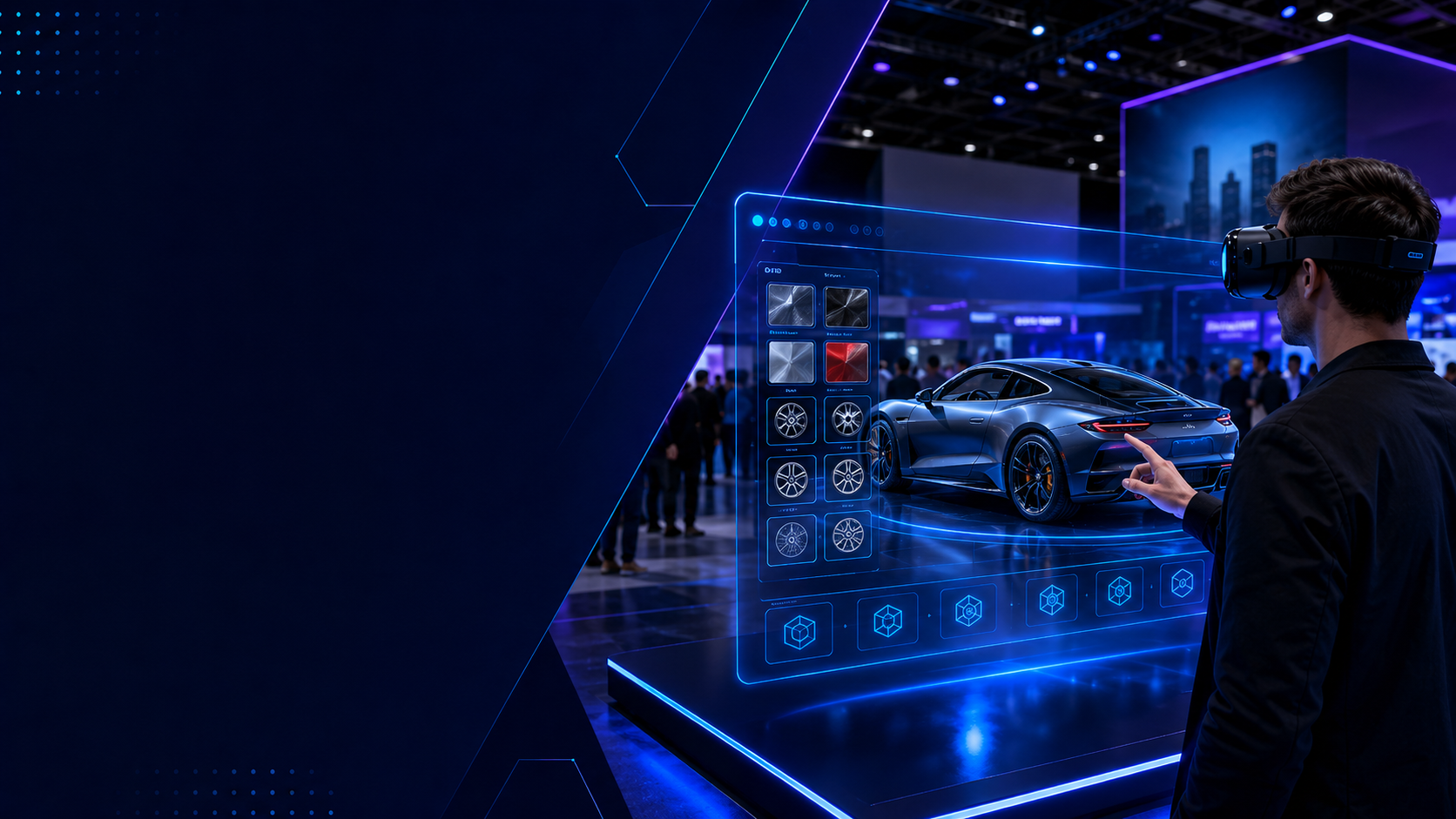
Trade show floors are battlegrounds for attention. While your competitors crowd around tablets showing flat product renders, forward-thinking brands are handing visitors VR headsets to step inside their customized products. The shift from screen-based configurators to immersive VR experiences isn’t just about technology, it’s about creating memorable moments that convert browsers into buyers.
Why Screen-Based Configurators Fall Short at Live Events
Traditional web-based product configurators work well online but create passive experiences at trade shows. Attendees queue to use tablets or touchscreens, watching flat representations of products they could be experiencing in immersive 3D. This section establishes the problem space before introducing VR as the solution.
The Trade Show Engagement Problem
The numbers tell a stark story about engagement at trade shows. Booths using traditional screen-based configurators see average dwell times of 45-90 seconds per visitor. Compare this to VR-equipped booths, where visitors spend 8-12 minutes actively engaged with products. The difference isn’t just duration it’s depth of interaction.
Screen-based configurators create bottlenecks. A single touchscreen or tablet station can handle perhaps 20-30 meaningful interactions per hour, assuming 2-3 minutes per person. This leaves prospects standing in queues or, worse, walking away when they see others monopolizing the screen. Each person waiting represents lost opportunity for engagement and potential revenue.
The passive nature of watching someone else configure a product on a screen fails to create personal connection. Research from the Event Marketing Institute shows that 74% of trade show attendees form stronger brand connections through hands-on experiences versus passive demonstrations. When prospects see another visitor’s configuration choices on a screen, they’re not emotionally invested in the outcome.
Configuration vs Experience Gap
The fundamental limitation of screen-based configurators lies in their inability to convey scale, presence, and emotional impact. Consider a luxury car configurator: on a screen, selecting leather seats and ambient lighting options feels transactional. In VR, sitting in that custom interior, reaching out to touch virtual controls, and looking around the cabin you’ve designed creates an emotional ownership that screens cannot replicate.
Memory retention data reinforces this gap. Studies by the University of Maryland found that people recall information presented in VR with 8.8% better accuracy compared to desktop displays. For complex product configurations involving multiple options and price points, this improved retention translates directly to better post-event follow-up conversations.
The social sharing potential amplifies exponentially with VR experiences. Attendees actively photograph and video their colleagues wearing VR headsets, creating organic social media content. A visitor configuring a product on a tablet rarely generates the same visual interest or sharing behavior. Events using VR configurators report 3-4x higher social media mentions compared to traditional digital displays.
VR Configuration Experiences: From Passive Viewing to Active Participation
VR transforms product configuration from clicking options on a screen to physically exploring customized products in virtual showrooms. Here’s how brands are using VR headset rentals to create memorable configuration experiences at events.
Automotive Virtual Showrooms
Automotive brands lead the charge in VR configuration experiences at trade shows. Instead of static displays or limited physical models, visitors wear VR headsets to sit inside their dream vehicles before they’re built. They turn their heads to examine interior details, reach out to adjust virtual mirrors, and experience the view from the driver’s seat with their chosen interior colors and materials surrounding them.
Multiple VR stations eliminate the bottleneck problem entirely. While one visitor explores a sporty coupe configuration, another experiences a family SUV setup, and a third customizes a commercial vehicle. Each person gets undivided attention from the technology, with brand ambassadors available to guide the experience rather than manage queues.
The configuration process becomes intuitive in VR. Instead of selecting “Premium Audio Package” from a dropdown menu, visitors see speakers emerge in the door panels and dashboard. They hear sample audio playing from the virtual system. Color changes happen instantly around them—metallic blue paint gleams under virtual showroom lighting, interior mood lighting shifts from amber to ice blue at their command.
Home Design and Furniture Configuration
Kitchen and bathroom brands transform trade show booths into virtual showrooms where visitors walk through life-sized spaces they’ve configured. A 10×10 booth footprint becomes unlimited virtual square footage. Visitors open virtual cabinet doors, examine countertop textures up close, and stand in the exact spot where they’d prepare meals in their configured kitchen.
Real-time configuration changes demonstrate product versatility instantly. Visitors point at cabinets to change finishes, gesture to swap appliance packages, or speak commands to adjust layouts. The visceral experience of standing in a space with chosen configurations creates emotional investment that flat renderings cannot achieve.
Scale perception, impossible on screens, becomes natural in VR. Visitors understand immediately whether that 36-inch range fits their cooking style or if the island provides adequate workspace. They experience traffic flow around configured furniture arrangements, identifying potential bottlenecks before purchase.
Industrial and B2B Product Customization
B2B brands leverage VR configurators to demonstrate complex machinery and workspace solutions without shipping massive equipment to events. A manufacturing equipment company can show 20 different machine configurations in a single booth, each optimized for specific production needs.
Visitors configure production lines, then virtually operate them to understand workflow implications. They adjust conveyor heights, reposition quality control stations, and modify automation levels while standing on the virtual factory floor. This combination of configuration and operation demonstrates ROI more effectively than any specification sheet.
Training integration adds another dimension. After configuring industrial equipment, prospects immediately learn basic operation in the same VR environment. They leave the booth not just having seen a product, but having configured and operated their specific solution. This hands-on experience accelerates the sales cycle by addressing technical questions during the initial interaction.
Implementation: Renting VR Configurator Setups for Your Event
Converting your existing product configurator into a VR experience for events requires the right hardware, content preparation, and booth setup. Here’s the practical implementation path.
Hardware Requirements and Rental Packages
Calculating headset quantity starts with expected booth traffic and desired experience duration. For a typical 10×20 booth expecting 300 qualified visitors over three days, plan for 100 VR sessions daily. With 8-minute average experiences plus 2-minute transitions, each headset handles 6 sessions per hour or 48 per 8-hour day. Three headsets would provide adequate capacity with buffer time for peak periods.
Standalone headsets like Meta Quest 3 or Pico 4 Enterprise work well for most configurator applications, eliminating cable management and reducing setup complexity. These devices handle room-scale tracking internally, requiring only 6×6 feet of clear space per station. PC-powered headsets become necessary only for ultra-high-fidelity visualizations or complex real-time rendering requirements.
Support staff requirements depend on audience VR familiarity. Plan one assistant per two VR stations for mainstream audiences, or one-to-one support for executive briefing centers. Staff responsibilities include headset hygiene between users, basic troubleshooting, and guiding first-time users through initial interactions.
Content Development Timeline
Converting existing 3D configurator assets to VR typically requires 4-8 weeks, depending on model complexity and interaction requirements. Existing CAD models need optimization for real-time rendering—reducing polygon counts while maintaining visual quality. Materials and textures require adjustment for VR viewing distances and lighting conditions.
Configuration logic translation involves mapping existing options to VR-appropriate interactions. Dropdown menus become spatial selection interfaces. Color swatches transform into room-scale color galleries. Price calculations integrate with virtual displays positioned naturally within the configured environment.
Testing phases cannot be compressed. Allow two weeks for internal testing with target hardware, one week for adjustments based on feedback, and one week for final optimization and backup preparation. Build contingency time for platform updates or unexpected compatibility issues.
Booth Layout for VR Configuration Stations
Each VR station requires approximately 8×8 feet including user space and safety buffer. Mark boundaries with subtle floor tape or low-profile mats that users can feel through shoes. Position stations to prevent users from accidentally entering adjacent spaces while immersed.
Queue management improves with appointment scheduling systems. Use QR codes for visitors to book 15-minute slots, receiving text notifications when their turn approaches. This eliminates physical lines while maintaining steady station utilization. Walk-ins fill gaps between scheduled sessions.
Spectator screens multiply engagement beyond headset users. Mount large displays showing the configurator’s output above each station. Waiting visitors see configurations in progress, building anticipation. Completed configurations can cycle on screens throughout the booth, showcasing variety and drawing additional interest.
ROI Comparison: VR vs Traditional Configurators at Events
The investment in VR rental for product configuration experiences delivers measurable returns through increased engagement, lead quality, and conversion rates.
Lead Capture and Quality Metrics
VR configuration sessions generate superior lead intelligence compared to screen-based interactions. Average session times of 8-12 minutes provide behavioral data about preference patterns, price sensitivity, and feature priorities. Screen-based configurators averaging 2-3 minutes capture only basic interest indicators.
Contact information capture rates reach 94% for VR experiences versus 67% for traditional configurators. The extended engagement creates natural conversation opportunities for sales staff to gather qualifying information. Visitors willingly share contact details to receive their custom configurations via email.
Post-event follow-up engagement shows dramatic differences. Emails referencing specific VR configurations achieve 47% open rates and 18% response rates. Standard follow-ups from screen-based interactions average 22% opens and 6% responses. The memorable experience creates stronger recall and continued interest.
Cost Analysis
VR rental packages for three-day events range from $3,000-$8,000 including headsets, setup support, and basic troubleshooting. Custom touchscreen kiosk development typically costs $15,000-$30,000 with additional rental fees of $2,000-$5,000 per event. The VR approach offers lower initial investment with comparable or superior engagement metrics.
Setup and teardown efficiency favors VR solutions. Modern standalone headsets require 30 minutes total setup time versus 2-3 hours for custom kiosk installations. Shipping costs reduce significantly—a pelican case of VR headsets versus crated touchscreen displays. This efficiency enables last-minute event additions and reduces overall logistics complexity.
Reusability across events maximizes ROI. The same VR configurator application works at trade shows, showrooms, and corporate briefing centers. Updates happen through software downloads rather than hardware modifications. One VR experience investment serves multiple touchpoints throughout the customer journey.
FAQs
Can existing web configurators be converted to VR experiences?
Yes, most web-based configurators can be adapted for VR within 4-8 weeks. The process involves optimizing 3D models for real-time rendering, adapting user interfaces for spatial interaction, and adding VR-specific features like room-scale movement and hand tracking. Existing configuration logic and pricing engines typically transfer directly.
How many VR headsets do I need for a trade show booth?
Calculate based on expected qualified visitors divided by available booth hours, factoring 10-minute total time per session. A 10×20 booth expecting 300 visitors over three days needs 3-4 headsets for comfortable capacity. Add one backup headset for redundancy. Consider peak traffic patterns—lunch hours often see reduced traffic while morning and afternoon sessions spike.
What happens if attendees haven’t used VR before?
First-time VR users typically need 30-60 seconds of orientation. Staff guides them through putting on the headset, adjusting fit, and basic controller functions. Most configurator experiences use simple, intuitive interactions—pointing, grabbing, and selecting—that feel natural even to VR newcomers. Design experiences with progressive complexity, starting with simple choices before advancing to detailed configuration.
How do we capture leads from VR configuration sessions?
Integrate lead capture directly into the VR experience. Users input information using virtual keyboards or voice recognition at the session’s end. Alternatively, staff can gather information during natural conversation points in the experience. QR codes on handouts link to forms pre-populated with configuration choices. Most VR rental providers include lead capture tools in their event packages.
Can configured products be saved and sent to prospects after the event?
Yes, VR configurators can export configurations in multiple formats. Send 3D models viewable on phones, PDF summaries with pricing, or web links to review configurations online. Some systems generate AR experiences, letting prospects visualize configured products in their actual spaces using smartphones. This post-event engagement extends the trade show interaction into the sales cycle.
Conclusion
The evolution from screen-based configurators to VR experiences represents more than technological advancement—it’s a fundamental shift in how brands engage with prospects at trade shows. While competitors manage queues at tablet stations, VR-equipped booths create memorable, shareable moments that convert interest into investment.
The practical benefits are immediate and measurable: 4x longer engagement times, 94% lead capture rates, and dramatically improved post-event follow-up success. The implementation path, from content development through event deployment, is well-established with proven ROI across industries.
Ready to transform your trade show presence? Start by auditing your existing configurator assets for VR compatibility. Contact VR rental providers 8-10 weeks before your next event to ensure adequate development and testing time. Your prospects are ready for experiences that go beyond screens—the question is whether you’ll be the brand that delivers them.

