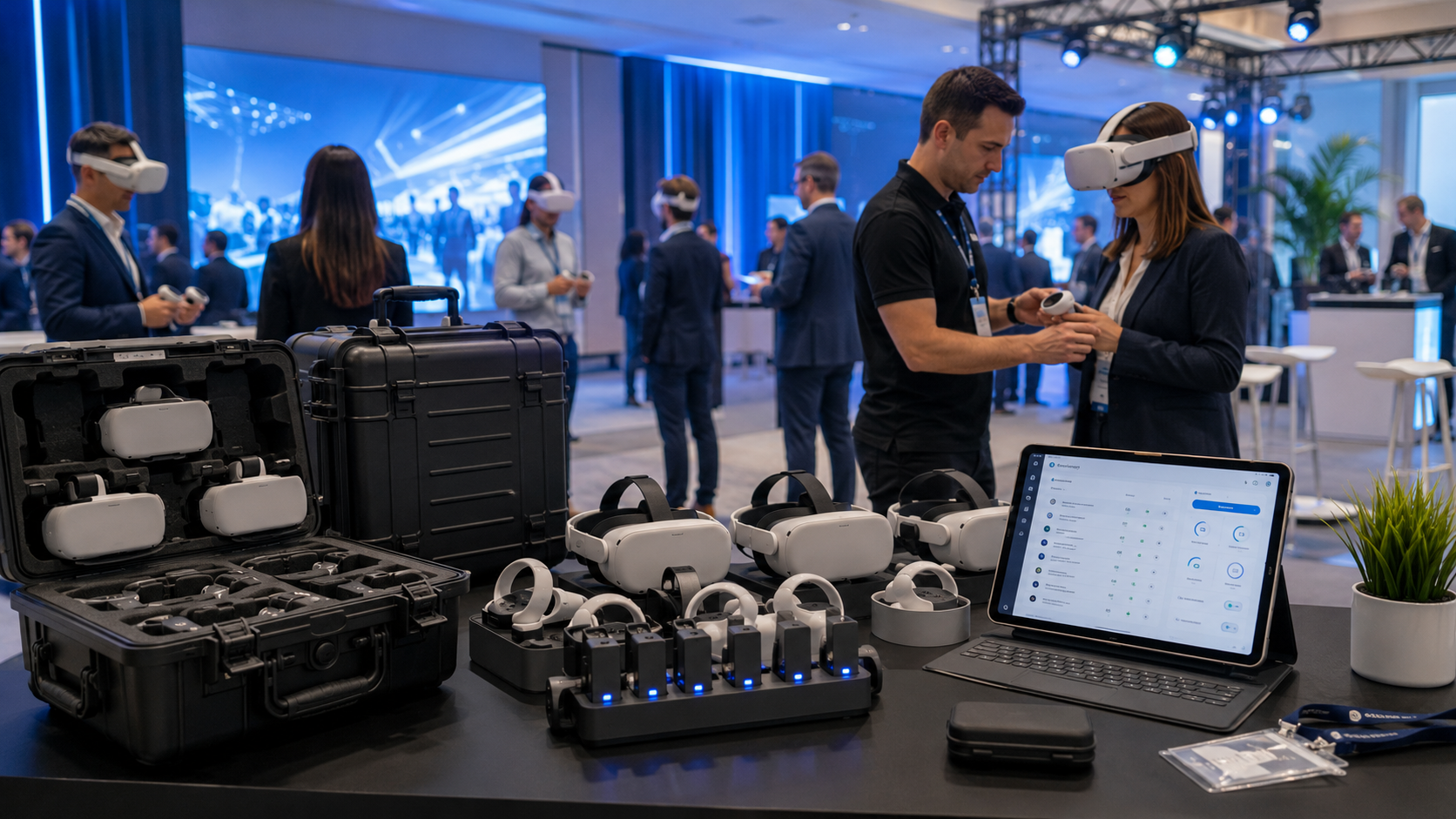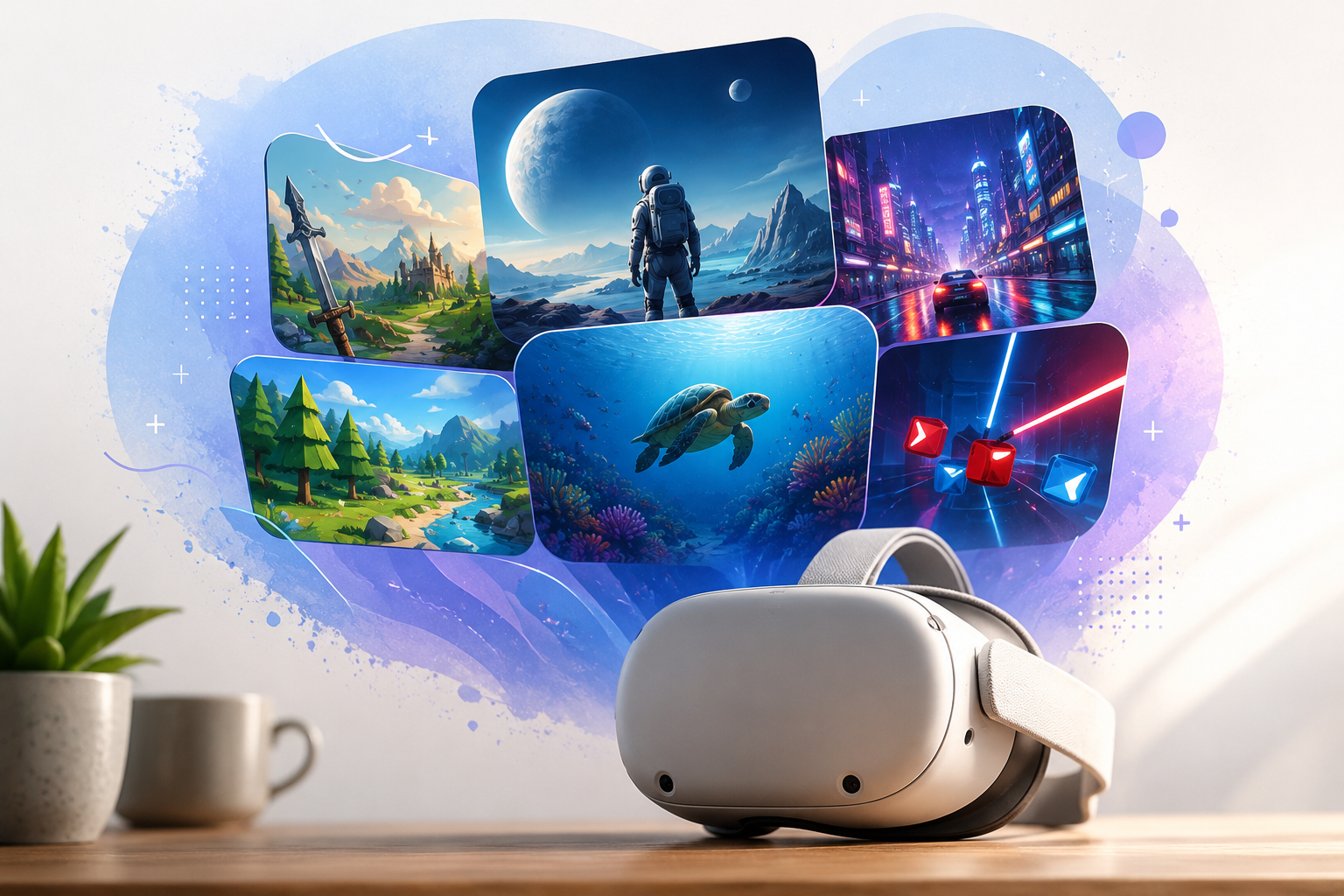
Unlike consumer VR headsets that require app downloads and account setup, rental VR equipment arrives with curated experiences already installed and configured. This preloaded approach eliminates technical barriers for event hosts while ensuring all content works reliably during your activation.
What Preloaded VR Content Means for Rental Headsets
Professional VR rental services deliver headsets with carefully selected experiences pre-installed, tested, and ready for immediate use. This turnkey approach transforms complex VR technology into plug-and-play solutions for events, eliminating the friction points that typically frustrate first-time users and event organizers.
The Difference Between Preloaded and Downloaded Content
Rental headsets operate fundamentally differently from consumer models. While personal VR headsets require users to browse app stores, create accounts, and manage downloads, rental units arrive with 15-30 experiences already installed and optimized. Each application undergoes compatibility testing with the specific headset model, ensuring stable performance throughout your event.
The preloaded model eliminates common event-day disasters. No scrambling for WiFi passwords when the venue’s network fails. No waiting for 4GB downloads while attendees form queues. No discovering that a critical app requires a software update minutes before doors open. Every experience loads instantly from local storage, maintaining consistent performance regardless of internet connectivity.
Commercial licensing represents another crucial distinction. Consumer app stores sell personal licenses that prohibit public exhibition or commercial use. Rental companies secure enterprise licenses that explicitly permit public demonstrations, corporate training sessions, and commercial activations. This legal framework protects event hosts from copyright violations while ensuring creators receive appropriate compensation for commercial usage.
Why Rental Companies Curate Content Libraries
Content curation serves multiple strategic purposes beyond simple convenience. Rental providers invest thousands of hours testing experiences across different audience segments, identifying which applications consistently deliver positive first impressions for VR newcomers. This empirical approach filters out experiences with steep learning curves, motion sickness triggers, or technical instabilities.
Quality control extends to content appropriateness. Every preloaded experience undergoes review for language, violence, and thematic elements. Family-friendly events receive headsets without mature content, while corporate deployments exclude games with cartoon violence or competitive elements that might seem unprofessional. This vetting process prevents embarrassing situations where inappropriate content appears during important presentations or public demonstrations.
The curation process also considers technical optimization. Rental companies configure graphics settings for each experience, balancing visual quality against battery life and thermal management. They disable social features that might expose user data, remove achievement notifications that interrupt gameplay, and configure comfort settings to minimize motion sickness for sensitive users. These optimizations happen invisibly, creating smooth experiences without requiring technical knowledge from event staff.
Standard Preloaded Content Categories on VR Rentals
Most VR rental packages include 15-30 preloaded experiences spanning entertainment, education, and brand activation categories. Here’s what typically comes ready to use on rental headsets for different event types.
Entertainment and Party Experiences
Entertainment content dominates most rental libraries, providing crowd-pleasing experiences that generate excitement and social sharing. Beat Saber remains the most requested title, combining intuitive lightsaber mechanics with popular music tracks that spectators enjoy watching. The game’s instant accessibility—slash blocks matching the beat—requires no explanation while delivering satisfying gameplay depth for extended sessions.
Richie’s Plank Experience leverages primal fear responses to create memorable moments. Participants walk a virtual plank extending from a skyscraper, with realistic height simulation triggering genuine vertigo responses. The experience generates powerful reactions that draw crowds and create viral social media content, making it invaluable for activation events seeking organic reach.
Multiplayer experiences enable group participation beyond single-player rotations. Keep Talking and Nobody Explodes splits gameplay between the VR user defusing a bomb and external participants reading disposal instructions, creating collaborative tension perfect for team building. Virtual escape rooms like “I Expect You To Die” offer similar cooperative puzzles where spectators contribute solutions while the VR player executes actions.
Party game collections provide variety for longer events. Titles like VR Party Pack include mini-games designed for quick rotation, allowing multiple participants to compete within limited timeframes. These experiences feature leaderboards for tournament structures, spectator modes for audience engagement, and difficulty adjustments accommodating various skill levels.
Corporate Training and Simulation Content
Professional development applications transform VR from entertainment into serious business tools. Public speaking simulators place users before virtual audiences that react to presentation quality, providing safe environments for practice without real-world consequences. These applications track metrics like eye contact distribution, speaking pace, and filler word usage, generating improvement reports for training programs.
Safety training modules recreate hazardous scenarios impossible to simulate physically. Construction workers practice identifying worksite dangers, healthcare staff rehearse emergency protocols, and manufacturing employees learn equipment procedures without production disruption. These simulations include assessment features measuring response accuracy and decision timing, providing quantifiable training outcomes for compliance documentation.
Virtual meeting spaces extend beyond video conferencing limitations. Applications like Spatial and MeetinVR create shared 3D environments where remote participants manipulate 3D models, annotate virtual whiteboards, and maintain spatial awareness of colleague positions. These platforms include presentation tools, screen sharing capabilities, and recording functions for session documentation.
Wellness programs increasingly incorporate VR meditation and mindfulness applications. Guided meditation experiences transport users to calming environments while teaching breathing techniques and stress reduction methods. These applications support corporate wellness initiatives, providing measurable stress reduction tools that employees can access during workday breaks.
Trade Show and Brand Activation Apps
Product visualization tools transform complex technical products into interactive 3D experiences. Automotive companies showcase vehicle interiors at scale-constrained venues, allowing visitors to explore cabin features impossible to demonstrate with physical displays. Industrial equipment manufacturers demonstrate machinery operation without transporting multi-ton equipment to convention centers.
Virtual showroom applications extend physical booth limitations. Retailers display entire product catalogs within compact footprints, enabling visitors to browse collections, customize configurations, and visualize products in simulated environments. These experiences integrate with CRM systems, capturing visitor preferences and contact information for follow-up marketing.
360-degree video players deliver immersive brand storytelling beyond flat screen limitations. Companies showcase manufacturing facilities, destination experiences, or social impact initiatives through presence-creating narratives. These players support various formats including stereoscopic 3D, spatial audio, and interactive hotspots that reveal additional information.
Interactive brand experiences merge gaming mechanics with marketing messages. Branded puzzle games, virtual treasure hunts, and competitive challenges create memorable interactions while communicating product benefits. These applications include analytics dashboards tracking engagement metrics, completion rates, and user pathways through content.
Matching Preloaded Content to Your Event Goals
The right preloaded content depends on your audience, event duration, and activation objectives. Use these selection criteria to evaluate whether a rental company’s content library fits your needs.
Content for Short Booth Interactions (2-5 minutes)
Trade show environments demand immediate impact without learning curves. TheBlu’s whale encounter delivers this perfectly—users simply look around an underwater environment as a massive blue whale approaches, creating awe without requiring controller mastery. The experience’s two-minute duration fits booth traffic flow while leaving participants wanting more engagement with your brand.
Google Earth VR’s curated tours provide similar accessibility. Pre-programmed flights over famous landmarks or company locations require only head movement to control viewing angle. The familiar context of real-world locations reduces cognitive load while demonstrating VR’s transportation capabilities. Custom location pins can highlight company offices, project sites, or customer locations relevant to your business narrative.
First Contact by Oculus Studios introduces hand tracking through playful interaction with a cartoon robot. The experience teaches gesture controls organically through mimicry and play, preparing users for more complex interactions while maintaining entertainment value. Its three-minute chapters allow flexible session management based on queue lengths.
Tilt Brush demonstrations showcase creative potential without artistic skill requirements. Pre-made artistic scenes allow users to walk through 3D paintings, understanding spatial creation without needing to master drawing tools. Staff can quickly reset to fresh canvases or showcase previous participants’ creations, building community engagement throughout event duration.
Content for Extended Sessions (10-30 minutes)
Workshop environments support deeper engagement through progressive experiences. Job Simulator’s comedic workplace scenarios teach VR interaction patterns while maintaining entertainment value across 20-minute sessions. Participants master object manipulation, two-handed coordination, and spatial navigation through humorous tasks that mask learning complexity.
Tilt Brush workshops enable creative expression without artistic prerequisites. Thirty-minute sessions provide sufficient time for participants to progress from simple brushstrokes to complex 3D sculptures. The application’s intuitive tools—selecting colors from a palette, choosing brush types, scaling creations—mirror familiar creative software while leveraging VR’s unique spatial capabilities.
Training simulations require extended durations for meaningful skill development. Medical procedure simulations need 15-20 minutes for students to complete multi-step protocols. Manufacturing training modules require similar timeframes for workers to practice assembly sequences or quality inspection procedures. These extended sessions generate performance data measuring improvement across repeated attempts.
Puzzle games like “I Expect You To Die” offer 20-30 minute challenge sequences perfect for team-building exercises. Groups collaborate solving escape room scenarios, with VR players executing solutions while teammates analyze clues and coordinate strategies. The experience’s chapter structure allows natural break points for participant rotation or difficulty adjustment.
Multi-User and Competitive Content
Tournament structures demand consistent, measurable experiences with clear scoring mechanisms. Space Pirate Trainer’s wave-based shooting provides perfect competitive framework—identical enemy patterns ensure fair competition while difficulty progression separates skill levels. The game’s automatic leaderboard tracking eliminates manual scorekeeping while displaying rankings that motivate continued participation.
Pass-and-play experiences maximize headset utilization across large groups. Fruit Ninja VR’s 60-second rounds enable rapid rotation while maintaining engagement through score competition. The game’s simple slice-fruit mechanic requires no explanation, allowing immediate participation regardless of gaming experience. Spectator mode displays the player’s view on external screens, maintaining audience engagement during others’ turns.
Networked multiplayer experiences create shared virtual spaces for team building. Rec Room’s collaborative quests require communication and coordination between 2-4 players simultaneously. Teams navigate dungeons, solve puzzles, and combat enemies together, building camaraderie through shared virtual adventures. The platform’s private room features ensure groups remain together without interference from public players.
Arizona Sunshine’s cooperative zombie survival mode delivers intense shared experiences for corporate team building. Two-player campaigns require strategic resource sharing, coordinated defensive positions, and mutual support during combat encounters. The game’s adjustable difficulty accommodates varying skill levels while maintaining challenge appropriate for team dynamics.
Technical Considerations for Preloaded VR Content
Understanding the technical aspects of preloaded content helps you plan setup requirements and troubleshoot potential issues during your event.
Storage and Performance Requirements
Modern rental headsets typically include 128GB or 256GB storage configurations, accommodating 20-40 high-quality experiences depending on file sizes. Premium games like Half-Life: Alyx consume 8-10GB, while simpler experiences like Fruit Ninja VR require only 500MB. Rental companies balance storage allocation between variety and quality, ensuring sufficient content diversity without compromising individual experience fidelity.
Performance optimization involves more than simple installation. Each application requires specific render resolution, refresh rate, and graphics quality settings optimized for the headset model. Meta Quest 2 units run different configurations than Quest Pro or Pico 4 headsets, with rental companies pre-configuring these settings to maintain stable 72-90fps framerates that prevent motion sickness.
Battery consumption varies dramatically between experiences. Graphically intensive games drain batteries within 90 minutes, while simple meditation apps extend runtime beyond three hours. Rental companies provide battery life estimates for each preloaded experience, helping event planners schedule charging rotations or allocate backup batteries appropriately. Some providers include battery packs that double operational time without interrupting user experiences.
Thermal management affects performance sustainability during extended events. VR headsets generate significant heat during operation, potentially triggering thermal throttling that degrades performance. Rental companies pre-test content under event conditions, identifying experiences that maintain stable temperatures across multi-hour deployments. They may recommend rotation schedules alternating intensive and lightweight content to prevent overheating.
Content Updates and Version Management
Professional rental companies implement strict version control protocols ensuring content stability. Applications undergo testing with specific firmware versions, preventing compatibility issues from automatic updates. Companies typically freeze updates 48 hours before shipment, ensuring last-minute patches don’t introduce instabilities during your event.
Offline functionality remains critical for venue independence. Most preloaded experiences operate entirely offline after initial installation, eliminating venue WiFi dependencies. However, some applications require periodic license verification or feature online leaderboards. Rental companies identify network-dependent features, providing offline alternatives or workarounds for connection-limited venues.
Cross-platform compatibility affects content availability across different headset models. While most experiences support multiple platforms, exclusive titles or platform-specific features may limit options. Rental companies maintain compatibility matrices showing which experiences function on each headset model, ensuring content consistency when renting mixed hardware fleets.
Backup and recovery procedures protect against content corruption or accidental deletion. Professional rental services include backup headsets with identical content configurations, enabling quick swaps if technical issues arise. Some providers include USB drives containing installation files, allowing on-site reinstallation without internet connectivity if necessary.
Customizing Preloaded Content for Your Brand
While standard preloaded libraries cover most use cases, many rental companies offer content customization services for brand-specific activations.
Adding Custom Branded Experiences
Proprietary VR applications require specialized deployment procedures for rental hardware. Companies provide their custom-built experiences to rental providers 5-7 business days before events, allowing thorough testing across the headset fleet. This lead time enables troubleshooting of compatibility issues, performance optimization, and creation of backup installation packages.
360-degree video content offers cost-effective customization without application development. Companies supply spherical video files showcasing products, facilities, or brand stories, which rental providers integrate into specialized players. These players include interactive hotspots, chapter selection, and branded menu interfaces that maintain professional presentation standards.
Custom menu systems transform generic interfaces into branded experiences. Rental companies can replace standard VR menus with company-branded launchers featuring corporate colors, logos, and curated content selections. These custom interfaces hide irrelevant applications while highlighting specific experiences aligned with event objectives.
Testing timelines vary based on customization complexity. Simple 360 video integration requires 2-3 days for encoding and player configuration. Custom application deployment needs 5-7 days for compatibility testing and optimization. Complete menu customization with multiple branded elements demands 10-14 days including design approval cycles and technical implementation.
Content Curation for Specific Industries
Healthcare organizations require specialized medical training and patient education modules. Surgical simulation platforms like Osso VR provide procedure training for orthopedic operations, while patient education tools explain complex treatments through immersive visualization. Rental companies maintain HIPAA-compliant configurations ensuring patient privacy during medical demonstrations.
Real estate professionals leverage virtual property tours and architectural visualization tools. Applications like IrisVR enable walkthrough experiences of unbuilt properties, while Matterport integration displays existing properties captured through 3D scanning. These tools include measurement features, material swapping capabilities, and annotation systems for client collaboration.
Automotive manufacturers deploy vehicle configurators and virtual test drive simulations. Customers explore interior options, visualize color combinations, and experience driving dynamics without physical inventory. Advanced haptic feedback systems simulate steering resistance and acceleration forces, creating realistic driving sensations that influence purchase decisions.
Retail environments utilize virtual shopping platforms and product interaction experiences. Customers browse virtual stores, examine products at full scale, and visualize items within simulated home environments. These platforms integrate with e-commerce systems, enabling direct purchasing from within VR experiences while capturing behavioral analytics for merchandising optimization.
Evaluating Rental Companies by Their Content Libraries
Not all VR rental companies offer the same preloaded content quality or variety. Here’s how to assess whether a vendor’s content library meets your activation needs.
Questions to Ask About Preloaded Content
Request comprehensive content catalogs with detailed descriptions, duration estimates, and audience appropriateness ratings. Professional providers maintain updated databases showing each experience’s genre, control complexity, motion intensity, and recommended use cases. This transparency enables informed selection aligned with your event objectives.
Verify commercial licensing for every preloaded experience. Legitimate rental companies provide documentation confirming enterprise licenses permitting public exhibition. Ask specifically about restrictions—some licenses limit geographic regions, prohibit recording, or exclude certain commercial contexts. Ensure licensing covers your event’s specific requirements including location, audience size, and commercial purpose.
Investigate content rating systems and age-appropriateness filters. Professional providers categorize experiences using ESRB-style ratings, identifying content suitable for different age groups. They should offer family-friendly packages excluding violence, horror elements, or mature themes while maintaining separate collections for adult-oriented corporate events.
Understand backup content strategies for audience mismatch situations. Experienced providers include alternative experiences addressing different engagement levels, physical capabilities, and interest areas. They should explain contingency plans when primary content doesn’t resonate, including on-site content switching procedures and staff training for recommendation alternatives.
Confirm content switching capabilities during events. Professional rental services enable staff to change experiences without technical expertise, providing simple interfaces for loading different applications. Some providers offer remote content management, allowing real-time library adjustments based on audience response without physical headset access.
Red Flags in Content Offerings
Vague content descriptions signal inadequate curation. Statements like “various games included” or “multiple experiences available” suggest providers lacking systematic content strategies. Professional companies specify exact titles, versions, and configurations included with each rental package.
Missing commercial licensing documentation indicates legal risk. Providers unable to confirm enterprise licensing may use consumer licenses illegally, exposing your organization to copyright liability. Legitimate companies readily provide licensing certificates or agreements confirming commercial usage rights.
Outdated content lists referencing discontinued applications suggest poor library maintenance. VR applications frequently update or cease support—providers listing obsolete titles like “Oculus Rooms” or “Facebook Spaces” haven’t updated offerings recently. Current libraries should reflect actively supported applications with recent update histories.
Inflexible customization options limit event optimization. Providers refusing content additions or modifications force generic experiences that may not align with your objectives. Professional services accommodate reasonable customization requests, whether adding proprietary content or removing inappropriate experiences.
Frequently Asked Questions
Can I request specific VR apps be preloaded on my rental headsets?
Most professional rental companies accommodate specific app requests with 5-7 business days advance notice. They’ll verify commercial licensing, test compatibility with your rental headsets, and optimize performance settings. Additional fees may apply for apps requiring separate commercial licenses or extensive configuration.
Do preloaded VR experiences work without internet connection?
Yes, approximately 90% of preloaded content operates entirely offline once installed. Exceptions include multiplayer games requiring server connections, social VR platforms, and some enterprise applications with cloud-based features. Rental companies identify network-dependent experiences and provide offline alternatives for venues with limited connectivity.
How many VR experiences typically come preloaded on rental headsets?
Standard rental packages include 15-30 preloaded experiences, with premium packages offering 40-50 options. The exact number depends on storage capacity, experience file sizes, and rental duration. Week-long rentals often include larger libraries than single-day events to maintain engagement variety.
Are preloaded VR games appropriate for children at events?
Professional rental companies offer family-friendly content packages with age-appropriate experiences. These collections exclude violence, horror elements, and mature themes while emphasizing educational content, creative tools, and lighthearted games. Providers can configure parental controls preventing access to inappropriate content.
Can I remove certain preloaded content for corporate events?
Yes, rental companies routinely customize content libraries for corporate environments. They can remove games, social features, or entertainment content that might seem unprofessional, leaving only business-appropriate training simulations, productivity tools, and branded experiences.
Do rental companies update preloaded content regularly?
Established providers update their content libraries quarterly, adding new releases and removing outdated experiences. They test updates thoroughly before deployment, ensuring stability across their rental fleet. Critical security updates are applied immediately, while feature updates follow controlled testing schedules.
What happens if preloaded content crashes during an event?
Professional rental packages include troubleshooting guides and technical support hotlines for immediate assistance. Most crashes resolve through simple headset restarts, which staff can perform in under 30 seconds. Rental companies typically include backup headsets with identical content configurations for quick replacement if problems persist.
Can attendees download additional VR content during the rental period?
Standard rental configurations disable app stores and download capabilities to prevent unauthorized purchases, inappropriate content, or storage issues. This restriction protects your organization from unexpected charges while ensuring consistent experiences across all headsets. Custom arrangements for supervised downloads may be available for extended rentals.
Conclusion
Preloaded VR content transforms rental headsets from complex technology into turnkey event solutions. Understanding what comes pre-installed, how it matches your objectives, and which customization options exist ensures successful VR activations that engage audiences while achieving business goals.
The key to maximizing preloaded content value lies in matching experiences to your specific event context. Short trade show interactions demand different content than extended training workshops. Family festivals require different curation than corporate team building. By evaluating rental providers’ content libraries against your unique requirements, you’ll select partners who deliver memorable VR experiences without technical complexity.
Ready to explore VR rental options with professionally curated content for your next event? Contact established rental providers for detailed content catalogs, request demonstration sessions to preview experiences firsthand, and discuss customization options that align with your brand objectives. The right preloaded content strategy transforms VR from novelty into powerful engagement tools that leave lasting impressions on your audience.