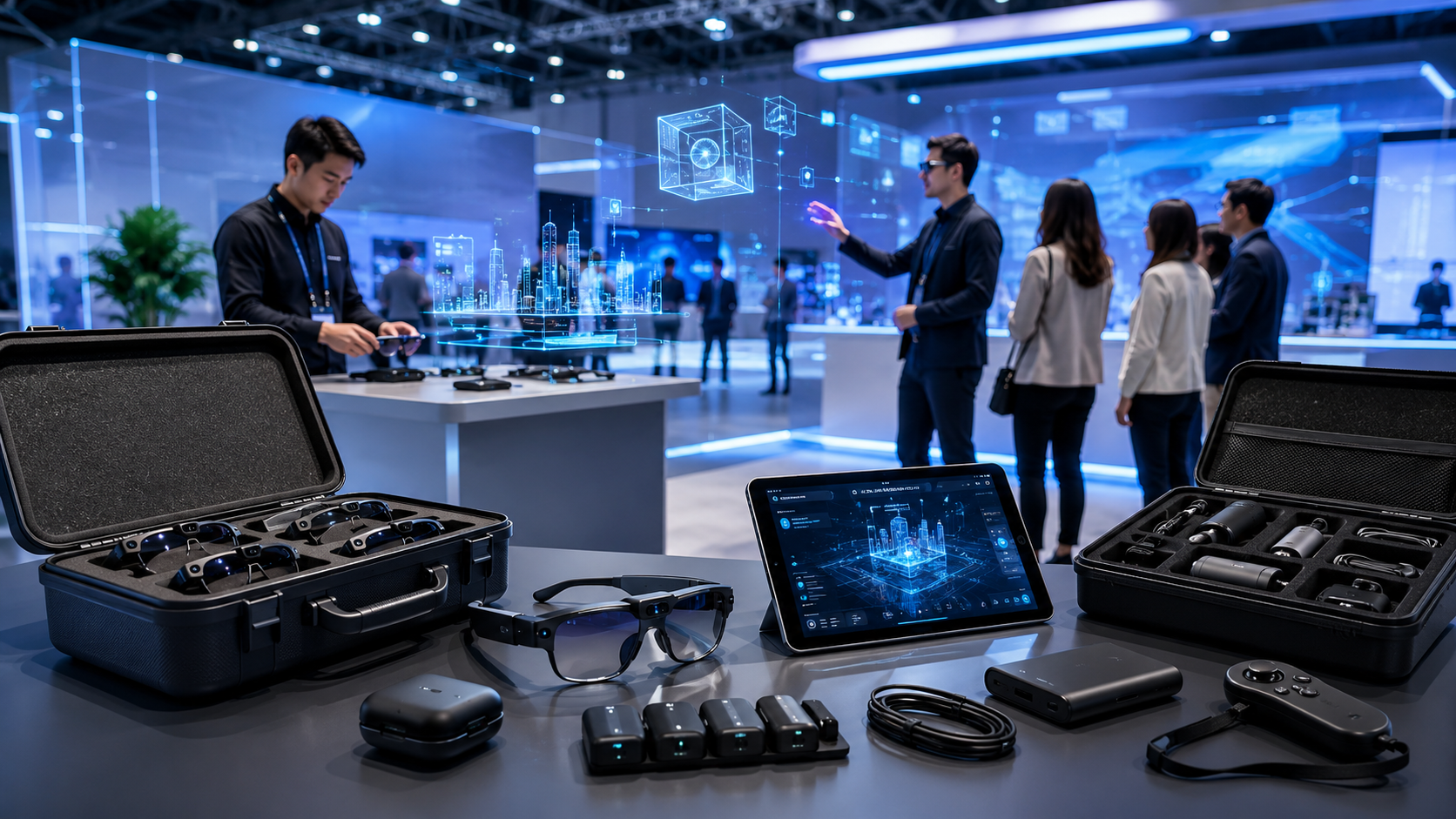
Augmented reality transforms event spaces into interactive showcases where digital content enhances rather than replaces the physical environment. For event planners evaluating AR device rental options, understanding hardware capabilities, pricing structures, and setup requirements determines whether this technology delivers meaningful ROI for your specific activation goals.
AR vs VR Rentals: Which Technology Fits Your Event Goals
While VR creates fully immersive environments that transport users elsewhere, AR overlays digital content onto the physical world – keeping attendees present and aware of their surroundings. This fundamental difference drives distinct rental decisions: AR excels when you need participants to interact with physical products, navigate real spaces, or maintain social connections during the experience.
When AR Rentals Make More Sense Than VR
Trade show exhibitors demonstrating complex machinery benefit from AR’s ability to overlay technical specifications, exploded views, and operational data directly onto physical products. Attendees can walk around equipment, examine actual materials and finishes, while AR glasses or tablets reveal internal components, maintenance procedures, or customization options impossible to show otherwise.
Retail activations leveraging AR allow customers to visualize furniture in their actual living spaces, try on virtual clothing while seeing their real body, or navigate store layouts with personalized product recommendations floating above physical aisles. These experiences require spatial awareness and movement that VR’s isolated environments cannot provide.
Corporate training scenarios involving equipment operation, safety procedures, or assembly instructions work better with AR when trainees need to manipulate real tools, navigate actual workspaces, or collaborate with colleagues. Medical device companies regularly rent AR headsets for surgical training where students practice on physical mannequins enhanced with digital anatomical overlays.
Networking events and conferences choose AR over VR to maintain social dynamics. Attendees wearing AR glasses can access speaker information, LinkedIn profiles, or conversation starters while maintaining eye contact and reading body language – impossible with VR headsets blocking facial expressions.
Hybrid Approaches: Renting Both AR and VR Equipment
Progressive engagement strategies deploy AR as an accessible entry point before offering VR deep dives. Automotive brands structure experiences where AR tablets reveal vehicle features in the main booth space, then interested prospects enter VR pods for virtual test drives. This approach maximizes foot traffic while providing immersive experiences for qualified leads.
Station-based layouts allocate AR devices for collaborative activities and VR headsets for individual experiences. Architecture firms rent iPad Pros for clients to explore building models together using AR, while VR stations let them experience photorealistic walkthroughs independently. Budget typically splits 70/30 favoring AR due to higher throughput and lower per-unit costs.
Multi-day conferences benefit from technology rotation – AR for day-one product launches when crowds peak, transitioning to VR for smaller workshop sessions. This maximizes hardware utilization while matching technology to audience size and engagement goals.
AR Device Categories and Rental Options
The AR rental market spans three distinct device categories, each with different setup requirements, content capabilities, and price points. Understanding these differences helps you match the right hardware to your event’s technical constraints and experience goals.
Enterprise AR Headsets (HoloLens 2, Magic Leap 2)
Microsoft HoloLens 2 rentals typically cost $500-800 per day per unit, with weekly rates dropping to $2,500-3,500. The device’s 52-degree field of view, hand tracking precision, and spatial mapping capabilities make it ideal for industrial demonstrations where users need both hands free. Setup requires 15-20 minutes per device for IPD (interpupillary distance) calibration and user training.
Magic Leap 2 rentals range from $600-900 daily, reflecting its newer release and limited availability. The lighter form factor (260g vs HoloLens’ 566g) enables longer wear times critical for training sessions or guided tours. Its dimming feature adapts to bright environments better than HoloLens, though both struggle in direct sunlight.
Both platforms require dedicated calibration spaces – minimum 6×6 feet of clear floor space with consistent lighting. Venues with glossy floors, mirrors, or floor-to-ceiling windows create tracking challenges requiring additional setup time and potential workarounds using tracking mats or temporary coverings.
Enterprise headsets excel at complex visualizations: architectural walkthroughs where clients explore full-scale building models, medical training with volumetric anatomical data, or manufacturing demos showing assembly sequences floating above actual components. Content development for these platforms requires specialized expertise, with most rental vendors offering pre-built experiences or partnering with development studios.
Mobile AR Solutions (iPad Pro, iPhone configurations)
iPad Pro rentals cost $75-150 per day depending on storage capacity and inclusion of accessories like stands or protective cases. ARKit’s robust tracking handles varied lighting conditions better than headset-based solutions, making iPads reliable for high-traffic trade show environments.
Rental packages often include custom-branded kiosks or handheld configurations. Kiosk setups with locked-down interfaces prevent attendees from accessing other apps, while handheld options enable brand ambassadors to guide experiences personally. Multi-device management platforms allow remote content updates and usage monitoring across entire fleets.
iPhone rental configurations support WebAR experiences accessible via QR codes, eliminating app installation friction. Typical packages include 10-20 devices at $50-75 per unit daily, with charging stations and device management software. This approach scales efficiently for consumer activations where attendees expect quick, accessible interactions.
Mobile AR handles product visualization, virtual try-ons, and marker-based experiences effectively. Furniture retailers rent iPads for customers to place virtual sofas in their living rooms. Cosmetics brands deploy iPhones for AR makeup trials. Museums create AR treasure hunts where visitors scan artifacts to unlock historical reconstructions.
Smart Glasses (Nreal, Vuzix)
The smart glasses rental market remains nascent, with limited vendor availability and $200-400 daily rates reflecting supply constraints. Nreal Light glasses, tethered to smartphones, offer consumer-friendly form factors for subtle AR overlays – navigation arrows, translation text, or identification labels that don’t dominate the visual field.
Vuzix Blade provides standalone functionality with built-in Android, though battery life limits continuous use to 2-3 hours. Rental packages include multiple units for rotation and charging cradles for quick swaps. These devices suit scenarios requiring persistent but non-intrusive information display: warehouse picking instructions, field service support, or accessibility accommodations.
Setup complexity varies by connectivity method. Tethered glasses require compatible smartphones (specific Android models for Nreal, broader compatibility for others), while standalone units need WiFi configuration and account provisioning. Content typically consists of simple 2D overlays rather than complex 3D visualizations due to processing limitations.
AR Rental Pricing Models and Package Structures
AR rental pricing varies significantly based on device tier, rental duration, content requirements, and support level. Most vendors structure packages around either per-device daily rates or comprehensive event packages that include setup, content, and on-site support.
Short-Term Event Rentals (1-3 days)
Standard pricing structures apply daily rates with 3-day minimums to cover shipping and handling overhead. HoloLens 2 three-day rentals total $1,500-2,400 per unit, while iPad Pro packages run $225-450. Volume discounts typically kick in at 5+ units, reducing per-device costs by 15-25%.
Setup and strike fees add $500-2,000 depending on complexity. Basic iPad deployments with pre-loaded apps require minimal setup, while multi-HoloLens installations with spatial anchors need specialized technicians. These fees often include pre-event venue assessments, equipment configuration, and brief staff training.
Content licensing varies dramatically between pre-built and custom options. Generic product visualization apps license for $500-1,500 per event. Industry-specific experiences (medical training modules, architectural visualization platforms) command $2,000-5,000. Custom content development starts at $10,000 for simple modifications to existing templates, reaching $50,000+ for ground-up creation.
Insurance and damage waivers protect against common accidents. Standard coverage adds 10-15% to rental costs, with $500-1,000 deductibles per device. Some vendors offer zero-deductible options at 20-25% premiums – worthwhile for high-traffic consumer events where device handling increases damage risk.
Extended Rentals for Touring and Multi-Location Events
Weekly rates typically offer 30-40% savings versus daily calculations. Month-long HoloLens rentals drop to $8,000-10,000 per unit compared to $15,000+ at daily rates. These structures benefit touring activations, extended training programs, or pilot deployments testing AR before purchase decisions.
Equipment refresh schedules maintain performance across extended rentals. Vendors swap devices every 2-3 weeks for cleaning, updates, and battery replacement. Hot-swap protocols minimize downtime – replacement units arrive pre-configured with your content, requiring only quick user calibration.
Multi-city logistics add complexity and cost. Vendors with national presence handle transfers internally, while others charge inter-city shipping ($200-500 per shipment) plus local setup fees. Consider regional vendors for specific legs to reduce transportation costs and ensure local support availability.
Backup unit provisions become critical for extended rentals. Standard packages include 10-20% spare inventory. Premium support contracts guarantee next-day replacement shipping and may position backup units on-site for immediate swaps during mission-critical deployments.
Managed Service Packages
Full-service packages range from $5,000-15,000 per event day, encompassing hardware, content, staffing, and complete technical management. These arrangements transfer operational responsibility to vendors, allowing event teams to focus on broader activation goals.
Staffing typically includes one technician per 5-10 devices for consumer-facing events, or one per 20 devices for controlled corporate environments. Technicians handle device distribution, user training, troubleshooting, and hygiene protocols between users. Premium packages add experience designers who customize interactions based on real-time attendee feedback.
Custom content development within managed services follows accelerated timelines. Vendors maintain development teams familiar with their hardware inventory, reducing typical 8-week development cycles to 3-4 weeks. Iterative review processes, testing on actual devices, and on-site adjustments ensure content performs optimally in your specific environment.
Analytics and ROI reporting justify investment through quantified engagement metrics. Platforms track session duration, interaction patterns, heat maps of most-viewed content, and conversion metrics when integrated with CRM systems. Post-event reports correlate AR engagement with lead quality, sales pipeline impact, or training effectiveness scores.
Technical Setup Requirements for AR Rentals
Unlike VR’s controlled environments, AR experiences must account for varying lighting conditions, spatial constraints, and tracking surfaces at your venue. Planning for these technical requirements during the rental process prevents day-of complications and ensures smooth attendee experiences.
Venue Assessment and Pre-Event Planning
Lighting conditions dramatically impact AR tracking performance. Natural light from windows creates variable conditions as sun angle changes throughout the day. Overhead fluorescents cause fewer issues than spotlights or colored LED washes that interfere with computer vision algorithms. Document lighting conditions at your event’s actual run times, not just during setup.
Spatial mapping requirements vary by device and experience type. HoloLens 2 needs minimum 6×6 foot areas with visual texture for tracking – blank white walls or uniform carpeting cause drift. Magic Leap 2 handles larger spaces better but requires initial mapping passes. iPad AR works in tighter spaces but needs flat surfaces for plane detection when placing virtual objects.
Network infrastructure supports cloud-anchored multi-user experiences and remote content updates. Enterprise AR headsets require 5GHz WiFi with dedicated bandwidth (10-20 Mbps per device) for streaming experiences. Consumer devices can leverage cellular connections as backup, though latency impacts multi-user synchronization. Request dedicated network segments or bring portable 5G hotspots for critical deployments.
Power access planning prevents mid-event failures. HoloLens 2 batteries last 2-3 hours of active use, requiring charging rotations or external battery packs ($150-200 rental add-ons). iPad-based experiences need charging stations positioned discretely but accessibly. Calculate power requirements: 10 iPads cycling through 8-hour events need 2-3 charging stations minimum.
Content Preparation and Testing Protocols
Marker placement strategies determine tracking reliability for image-based AR. Print markers on matte materials to prevent glare, size them appropriately for viewing distance (minimum 8 inches for 6-foot viewing), and position them at eye level with adequate surrounding contrast. Create placement guides for consistent positioning across multiple setup/strike cycles.
QR code deployment balances accessibility with aesthetic integration. Generate codes at 21×21 module minimum for reliable scanning from 3 feet. Include clear calls-to-action and position codes where natural gathering occurs rather than forcing traffic pattern changes. Track individual code performance to identify placement optimization opportunities.
Pre-event calibration timelines allocate sufficient setup buffer. Arrive 3-4 hours early for enterprise headset deployments requiring spatial mapping and multi-user alignment. iPad setups need 1-2 hours for app installation, device management configuration, and content verification. Build contingency time for venue-specific adjustments discovered during initial testing.
Fallback protocols address tracking failures gracefully. Prepare marker-based alternatives for markerless experiences, offline content for network-dependent features, and guided mode options when hand tracking fails. Train staff on troubleshooting sequences: restart apps, clean cameras, adjust lighting, or switch to backup devices following documented escalation procedures.
AR Content Options for Rental Packages
Most AR rental vendors offer three content paths: pre-built experiences from their library, customizable templates, or fully custom development. Your choice impacts both timeline and budget, with pre-built options deployable immediately and custom content requiring 4-8 week lead times.
Pre-Built AR Experiences Available for Rental
Product visualization libraries cover common categories with immediate deployment. Furniture visualization apps include 50-100 SKUs from major manufacturers, allowing customers to place sofas, tables, and décor in real spaces. Automotive packages feature 10-20 vehicle models with color customization, interior exploration, and feature callouts. Fashion applications offer virtual try-on for eyewear, watches, and jewelry using facial tracking.
Interactive training modules address recurring enterprise needs. Equipment operation simulations for forklifts, manufacturing tools, or medical devices include step-by-step procedures with progress tracking. Safety training experiences overlay hazard identification, PPE requirements, and emergency procedures onto physical environments. Soft skills modules use AR avatars for customer service, sales, or leadership scenarios.
Gamified engagement templates drive booth traffic and lead capture. Scavenger hunts guide attendees through exhibit spaces, revealing clues via AR markers. Product assembly challenges time participants reconstructing virtual models. Quiz games overlay questions onto physical products, rewarding correct answers with discount codes or prize entries.
Licensing costs reflect content complexity and exclusivity. Basic templates license for $500-1,500 per event with unlimited users. Specialized training modules command $2,000-5,000 based on certification requirements. Exclusive territorial rights preventing competitor usage at the same event add 50-100% premiums.
Customizing AR Content for Brand Activations
Brand integration into existing templates offers middle-ground customization. Logo placement, color scheme updates, and messaging modifications typically complete within 1-2 weeks for $2,500-7,500. This approach maintains proven UX patterns while achieving brand consistency.
3D model requirements determine custom content feasibility and cost. CAD files need optimization for real-time rendering – reducing polygon counts from millions to thousands while maintaining visual quality. Photogrammetry captures physical products lacking digital models, though processing adds $500-2,000 per object. Animation complexity impacts performance: simple rotations work universally, while complex physics simulations require high-end devices.
Content management systems enable real-time updates without app redeployment. Cloud-based platforms let marketing teams swap products, update pricing, or modify messaging through web interfaces. Multi-language support, A/B testing capabilities, and scheduled content changes maximize flexibility across event lifecycles. CMS integration adds $5,000-10,000 to development costs but proves essential for touring events or frequently updated catalogs.
Development timelines stretch from 4-8 weeks depending on scope. Simple template modifications complete in 2-3 weeks. Ground-up custom experiences require 6-8 weeks minimum: 2 weeks for concept and UX design, 3-4 weeks for development and testing, 1-2 weeks for deployment and training. Rush delivery (under 4 weeks) incurs 25-50% premium charges and may compromise testing thoroughness.
Selecting an AR Rental Vendor
The AR rental market includes specialized AR vendors, general AV rental companies adding AR inventory, and full-service event technology agencies. Evaluating vendors requires assessing their hardware inventory, content capabilities, support infrastructure, and experience with your specific use case.
Key Vendor Evaluation Criteria
Hardware inventory depth determines availability and backup options. Specialized AR vendors maintain 50-100 units of popular devices, ensuring availability for large deployments and providing adequate backup inventory. General AV companies might stock 10-20 units, suitable for small activations but risky for major events. Verify inventory ownership versus partner arrangements that could complicate support or introduce middleman markups.
Geographic coverage impacts logistics costs and support availability. National vendors with regional warehouses reduce shipping costs and time. Local specialists offer personalized service but may lack equipment depth. International events require vendors with customs expertise and in-country partnerships. Request references from similar geographic deployments to verify execution capabilities.
Technical support infrastructure ranges from basic phone assistance to dedicated on-site technicians. Tier 1 vendors provide 24/7 remote support with screen sharing capabilities for real-time troubleshooting. Premium packages include on-site technicians familiar with both hardware and your specific content. Evaluate escalation procedures: how quickly can replacement units arrive? Who handles content updates? What happens if experiences fail during peak attendance?
Content development capabilities separate equipment rentals from solution providers. Vendors with in-house development teams streamline communication and accountability. Partner networks offer specialized expertise but may introduce coordination complexity. Review portfolio examples matching your industry and experience type. Request direct client references, not just case studies that might omit challenges.
Insurance and liability terms protect both parties from unexpected costs. Comprehensive vendor insurance should cover equipment damage, data breaches, and general liability with minimum $2 million coverage. Understand deductible responsibilities, claim procedures, and exclusions for negligence or intentional damage. Negotiate liability caps and indemnification clauses before signing contracts.
Red Flags and Common Rental Pitfalls
Vendors lacking backup inventory create single points of failure. Any company renting their entire inventory for your event cannot handle equipment failures, damage, or last-minute scale increases. Require written confirmation of 20% backup inventory maintained throughout your rental period.
Hidden fees inflate seemingly competitive quotes. Setup/strike charges, shipping costs, technical support fees, and content licensing might not appear in initial proposals. Request comprehensive quotes including all possible charges. Common surprises: expedited shipping for forgotten cables, overtime charges for extended events, cleaning fees for devices returned with fingerprints or makeup residue.
Unclear content ownership creates post-event complications. Verify whether you own custom content outright, license it for specific uses, or merely rent it for the event duration. Understand modification rights, competitive exclusions, and usage territories. Request source files and documentation enabling future updates by other vendors.
Missing pre-event processes indicate operational immaturity. Professional vendors schedule venue assessments, content reviews, and technical rehearsals. They provide setup guides, training materials, and run-of-show documents. Companies suggesting day-of arrival without prior coordination lack experience with AR’s environmental dependencies.
Frequently Asked Questions
How much does it cost to rent AR devices for a trade show booth?
Trade show AR rentals typically cost $2,000-5,000 for a 3-day show with 3-5 devices, basic content, and setup support. iPad-based solutions run $2,000-3,000, while HoloLens deployments reach $4,000-5,000. Add $1,000-2,000 for custom content modification or on-site technical support.
What’s the minimum rental period for AR equipment?
Most vendors require 3-day minimums to cover shipping and handling logistics. Single-day rentals exist but cost 60-70% of 3-day rates due to fixed costs. Weekly rentals offer better value for extended events, typically costing 3.5-4x daily rates versus 7x for day-by-day booking.
Can AR experiences work outdoors or in bright lighting?
Outdoor AR faces significant challenges. Direct sunlight washes out displays and interferes with tracking cameras. HoloLens 2 and Magic Leap 2 become barely visible in bright conditions. iPad AR works better due to screen brightness but still struggles with glare. Consider tent coverage, evening events, or transition to marker-based tracking that handles variable lighting better.
Do AR rentals include content creation?
Basic rentals include access to pre-built content libraries but not custom development. Generic experiences (furniture placement, simple games) come bundled or license for $500-1,500. Custom content development costs $10,000-50,000 additional depending on complexity and timeline. Many vendors offer template customization for $2,500-7,500 as a middle ground.
How many AR devices do I need for a 100-person event?
Calculate based on experience duration and event flow. Five-minute experiences with 5 devices serve 60 people per hour. For 100 attendees over 3 hours, 3-4 devices suffice with moderate queuing. Add devices to reduce wait times or increase for simultaneous multi-user experiences. Consider 20-30% backup inventory for technical issues or damage.
What’s the difference between renting HoloLens vs Magic Leap?
HoloLens 2 offers superior hand tracking, wider enterprise software support, and better availability from rental vendors. Magic Leap 2 provides lighter weight (260g vs 566g), better display brightness for varied lighting, and longer battery life. HoloLens suits industrial training and complex visualizations. Magic Leap works better for extended wear comfort and consumer-facing activations.
Can attendees use their own phones for AR experiences instead of rented devices?
WebAR experiences work on modern smartphones without app installation, eliminating rental costs but introducing variability. Success depends on attendee phone capabilities, battery levels, and willingness to participate. Provide QR codes for easy access and maintain 5-10 rental devices for attendees with incompatible phones or dead batteries.
How far in advance should I book AR equipment rentals?
Book enterprise headsets (HoloLens, Magic Leap) 6-8 weeks ahead due to limited inventory. iPad rentals need 3-4 weeks for popular event dates. Custom content development requires 8-10 weeks total: 2 weeks for vendor selection, 6-8 weeks for development and testing. Rush bookings within 2 weeks incur 25-50% premiums and limit content options to pre-built experiences.
AR device rental transforms events from passive displays into interactive experiences where digital content enhances rather than replaces physical engagement. Success requires matching hardware capabilities to experience goals, understanding total cost beyond equipment fees, and planning technical requirements specific to your venue.
Start your AR rental evaluation by defining clear experience objectives: Are you visualizing products, training employees, or creating memorable brand moments? This clarity drives every subsequent decision from device selection through content development and support requirements.
Ready to explore AR rental options for your next event? Contact specialized AR vendors for detailed quotes, request demo units to test experiences in your actual environment, and allocate sufficient timeline for content customization that differentiates your activation from generic demonstrations. The right AR rental partner provides not just equipment but expertise navigating this rapidly evolving technology landscape.