Interactive VR demos are changing how brands show, explain, and sell products. Instead of asking audiences to watch a video, listen to a pitch, or handle a static display, VR places them inside a branded experience where they can explore, customize, test, and remember the product in a more immersive way.
For brand managers, event marketers, and experiential agencies, VR is no longer just a novelty. A well-designed interactive VR demo can increase dwell time, improve product understanding, generate higher-quality leads, and create a memorable moment that stands out in crowded trade show, retail, and event environments.
This guide explains how VR demos work, when they outperform traditional product demonstrations, what formats are available, what technical requirements to plan for, and how to measure ROI from a VR brand activation.
What Makes VR Demos Different from Traditional Product Demonstrations
Traditional product demonstrations are usually passive. A customer watches a representative explain a product, views a screen, scans a booth display, or interacts with a physical sample. These formats can work well, but they are often limited by time, space, product availability, and audience attention.
An interactive VR demo changes the experience from observation to participation.
With VR, a customer can:
- Walk through an unbuilt property before construction starts.
- Explore the inside of a machine that would normally be impossible to access.
- Configure a product in real time.
- Test-drive a vehicle in a simulated environment.
- Experience a brand story from a first-person perspective.
- Interact with products at full scale without requiring physical inventory.
This is especially valuable for products or services that are complex, expensive, technical, spatial, or emotionally driven. VR makes invisible features visible and turns abstract value propositions into memorable experiences.
Engagement Metrics That Matter
One of the strongest reasons brands invest in VR activations is increased engagement. In a traditional event environment, visitors may spend only a short time at a booth before moving on. A VR experience can extend that interaction significantly because the user is actively involved.
Important engagement metrics include:
- Average dwell time: Traditional demos may capture attention for around 90 seconds, while VR experiences often keep participants engaged for several minutes.
- Completion rate: The percentage of users who finish the full VR journey.
- Interaction rate: How often users click, select, explore, configure, or complete key actions inside the experience.
- Recall after the event: How well users remember the product, brand message, or campaign theme 24 to 48 hours later.
- Social sharing: Whether users photograph, film, or post about the activation.
- Earned media value: The additional exposure created when the activation attracts press, influencers, or organic social attention.
For marketers, these metrics matter because VR is not simply a visual tool. It is a measurable engagement channel.
When VR Demos Outperform Traditional Formats
VR is not necessary for every campaign. It performs best when the experience benefits from immersion, scale, simulation, or emotional storytelling.
VR demos are especially effective for:
Complex technical products
When a product has internal systems, invisible processes, or advanced engineering, VR can simplify understanding by letting users see and interact with what normally cannot be shown.
High-consideration purchases
For automotive, real estate, enterprise technology, travel, education, and luxury products, VR can help customers build emotional connection before making a decision.
Trade shows and events with space constraints
Instead of transporting large equipment, multiple product variants, or full-scale environments, brands can use VR to showcase everything inside a compact footprint.
Products not yet available physically
VR allows brands to demonstrate prototypes, future spaces, or upcoming product lines before they exist in final physical form.
Experiences that need to be memorable
In crowded event halls, a VR activation gives visitors a reason to stop, participate, and talk about the brand afterward.
Types of Interactive VR Demo Experiences
There is no single format for an interactive VR demo. The right structure depends on the audience, campaign goal, venue size, budget, and desired level of interaction.
Standalone VR Stations
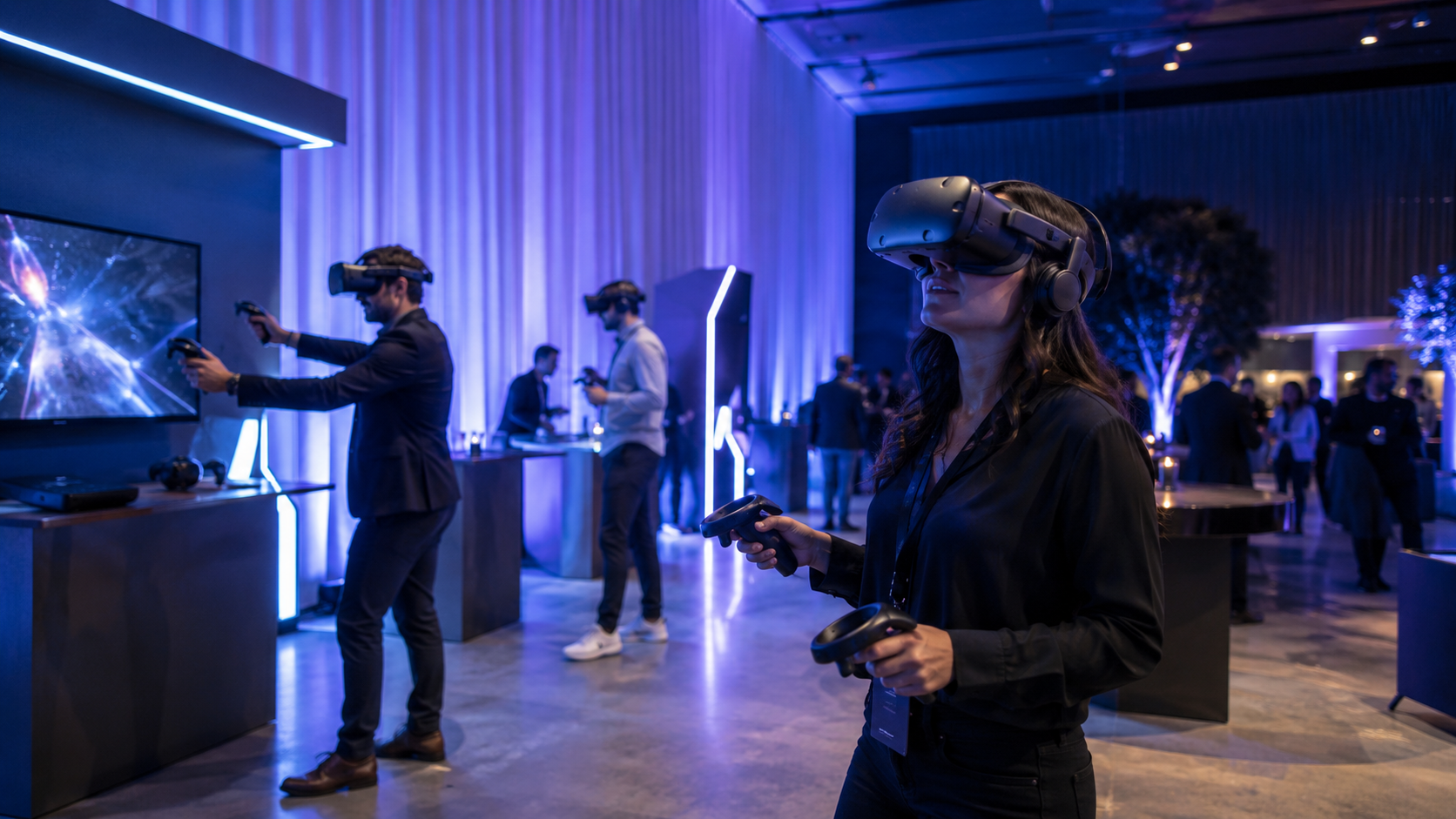
Standalone VR stations are individual headset setups where one person experiences the demo at a time. These are among the most common formats for retail activations, trade shows, pop-ups, and product launches.
A typical standalone VR station includes:
- One headset per user.
- A short experience lasting 3 to 5 minutes.
- A brand ambassador to guide onboarding and reset the experience.
- A small physical footprint, often around 6×6 feet per station.
- Optional external screens so spectators can see what the participant is experiencing.
Standalone stations work well when the goal is to maximize traffic flow. They are easy to replicate across multiple locations and can be scaled by adding more headsets.
Best use cases include:
- Retail product demos.
- Trade show booth engagement.
- Consumer brand activations.
- Shopping mall installations.
- Product education kiosks.
- Short promotional experiences.
The main challenge is throughput. If the experience is too long, queues become difficult to manage. For high-traffic venues, shorter experiences with clear start and end points are usually more effective.
Guided VR Theater Experiences
A guided VR theater is designed for groups. Instead of one person using a headset at a time, multiple participants experience the content simultaneously, often with a presenter or brand ambassador leading the session.
This format is ideal for B2B conferences, investor presentations, corporate events, training environments, and premium product launches.
A guided VR theater may include:
- 10 to 20 headsets running the same experience.
- A synchronized presentation.
- A facilitator controlling the session.
- Large screens showing a mirrored view.
- Group discussion before or after the VR segment.
The advantage of this format is consistency. Every participant receives the same message, at the same pace, with guided context. It also feels more premium than a simple booth station.
Best use cases include:
- Enterprise software demonstrations.
- Industrial product showcases.
- Real estate and architecture presentations.
- Medical technology demos.
- Corporate innovation events.
- Dealer or distributor education.
The main planning requirement is operational control. Headsets need to be charged, synchronized, cleaned, and reset between groups. Staff training is critical.
Mixed Reality Product Configurators
Mixed reality and VR product configurators allow users to customize products in real time. This can include changing colors, materials, components, layouts, features, or environments.
These experiences are particularly useful for industries where personalization influences buying decisions.
Examples include:
- Automotive buyers customizing vehicle interiors and finishes.
- Furniture customers visualizing materials and room layouts.
- Fashion brands offering virtual try-on or styling experiences.
- Real estate buyers exploring floor plans and finishes.
- Manufacturing companies showing modular product configurations.
The strongest configurators do more than create visual impact. They connect the immersive experience with business systems.
Possible integrations include:
- CRM platforms.
- Lead capture forms.
- Sales enablement tools.
- Product databases.
- Pricing engines.
- Order management systems.
- Marketing automation workflows.
For example, a visitor could configure a product in VR, save their preferences, and automatically receive a personalized follow-up email or sales quote after the event.
Technical Requirements and Venue Logistics
A successful VR brand activation depends on planning. The content may be impressive, but the experience will fail if the hardware, space, staffing, power, internet, or hygiene process is not properly managed.
Hardware and Network Requirements
The hardware setup depends on the type of experience. Some VR demos run locally on standalone headsets, while others require high-performance PCs, cloud rendering, or network synchronization.
Common hardware requirements include:
- VR headsets.
- Controllers or hand-tracking systems.
- High-performance PCs, if needed.
- Display screens for spectators.
- Charging stations.
- Backup batteries.
- Router or dedicated network hardware.
- Branded booth structures.
- Audio equipment.
- Sanitization equipment.
- Secure storage cases.
For events, backup planning is essential. A useful rule is to prepare backup equipment based on the number of active demo stations. For example, if three headsets are running continuously, having at least one backup headset can prevent downtime if a device fails.
Network requirements depend on whether the VR content is local or cloud-based. For simple standalone demos, internet may only be needed for analytics sync or CRM integration. For cloud-rendered or multiplayer experiences, stable bandwidth and low latency become more important.
Brands should also plan for:
- Power access.
- Cable safety.
- Device charging cycles.
- Secure overnight storage.
- Offline fallback modes.
- Software update lockout before event day.
- Local copies of content in case the venue network fails.
Never assume the venue Wi-Fi will be reliable. For important activations, dedicated connectivity should be arranged in advance.
Physical Space Design
VR activations require more spatial planning than traditional screen-based demos. Users need enough room to move safely, staff need space to assist them, and spectators need a place to watch without blocking traffic.
A good VR activation layout includes:
- A clearly marked demo area.
- Safety boundaries for users.
- Queue space.
- Staff access points.
- Cleaning and reset station.
- Equipment storage.
- Spectator screen placement.
- Lead capture station.
- Clear entry and exit flow.
Safety zones are especially important. Even if the VR experience is seated or mostly stationary, users may turn, reach, or step unexpectedly. Floor markings, soft barriers, and staff supervision reduce risk.
Queue management should also be built into the design. If each experience takes five minutes and there are two headsets, the activation can serve roughly 24 users per hour under ideal conditions. That number drops if onboarding, cleaning, troubleshooting, and lead capture are not optimized.
For high-traffic events, brands should design the experience around throughput from the beginning, not as an afterthought.
Hygiene and Comfort Planning
Shared headsets require a clear hygiene protocol. This is now a standard expectation for public VR activations.
Recommended hygiene measures include:
- Replaceable or wipeable face covers.
- Alcohol-free headset-safe cleaning wipes.
- Disposable hygiene masks or liners.
- Staff cleaning between users.
- Separate clean and used equipment zones.
- Hand sanitizer nearby.
- Clear signage explaining the cleaning process.
Comfort is equally important. Some users may be new to VR or concerned about motion sickness. The experience should avoid sudden movement, forced camera motion, aggressive acceleration, or confusing navigation.
For public activations, comfort-first design usually performs better than intense gaming-style movement.
Content Development Process for VR Demos
An effective interactive VR demo is not just a 3D version of a sales deck. It needs a clear narrative, intuitive interactions, optimized assets, and measurable conversion moments.
Storyboarding Interactive Moments
The first step is to define what the user should understand, feel, and do during the experience.
A strong VR storyboard should answer:
- What is the main message?
- What does the user see first?
- What actions can the user take?
- What product features need to be demonstrated?
- Where should the emotional high point happen?
- What should the user remember after removing the headset?
- What data should be captured?
- What is the desired next step?
Interactive moments should feel natural. Instead of forcing users through complicated controls, the experience should rely on simple actions such as looking, pointing, selecting, grabbing, walking, or choosing between guided options.
Common interaction structures include:
- Product exploration.
- Step-by-step guided demo.
- Branching story paths.
- Before-and-after comparisons.
- Customization workflows.
- Challenge or mission-based experiences.
- Simulated real-world scenarios.
- Interactive education sequences.
The best VR demos balance freedom with guidance. Too much freedom can confuse users, especially in a short event setting. Too much control can make the experience feel like a passive video. The ideal structure gives users meaningful agency while keeping them moving toward the brand message.
Asset Optimization for Real-Time Rendering
VR content must perform smoothly. Poor performance can cause discomfort, reduce immersion, and damage the perception of the brand.
Real-time VR experiences require careful optimization, including:
- Efficient 3D models.
- Appropriate polygon counts.
- Level-of-detail systems for complex objects.
- Optimized textures.
- Texture atlasing.
- Compression strategies.
- Lighting optimization.
- Baked lighting where appropriate.
- Reduced unnecessary visual effects.
- Stable frame rates.
This is especially important for product demos where the model needs to look accurate and premium. A highly detailed product model may look impressive in a render but perform poorly in VR if it is not optimized.
The development team should balance visual quality with performance. Smoothness and comfort are more important than excessive detail.
Designing for Different User Types
Not every visitor will be comfortable with VR. Some may be experienced gamers, while others may be trying a headset for the first time.
For public activations, the experience should be designed for first-time users.
Best practices include:
- Short onboarding.
- Minimal controller complexity.
- Clear visual prompts.
- Simple instructions.
- Comfortable movement.
- Optional seated mode.
- Staff guidance.
- A clear ending.
The goal is to make the experience impressive without making users feel overwhelmed.
Measuring ROI from VR Brand Activations
VR activations should not be measured only by how futuristic they look. The real value comes from measurable business impact.
A well-instrumented interactive VR demo can provide data that traditional demos often cannot capture.
In-Experience Analytics
Because VR is digital, every interaction can be tracked. This allows brands to understand how users behave inside the experience.
Useful in-experience analytics include:
- Number of sessions.
- Average session duration.
- Completion rate.
- Interaction completion rate.
- Product features viewed.
- Configuration choices.
- Gaze tracking and attention heatmaps.
- Drop-off points.
- Repeated interactions.
- User path through the experience.
- Time spent with specific product features.
These insights can help marketers understand what audiences care about most. For example, if users spend the most time exploring one product feature, that feature may deserve more emphasis in sales materials and follow-up campaigns.
Business Impact Metrics
The most valuable ROI metrics connect the VR experience to business outcomes.
These can include:
- Leads captured.
- Lead quality scores.
- Cost per qualified lead.
- Meetings booked.
- Demo-to-conversation rate.
- Sales pipeline influenced.
- Sales cycle acceleration.
- Post-event follow-up engagement.
- Conversion rate compared with traditional demos.
- Customer lifetime value correlation.
- Partner or distributor interest.
- Press coverage and social reach.
For B2B activations, the most important question is often not “How many people tried it?” but “Did the right people try it, and did it move them closer to purchase?”
For consumer activations, the focus may be broader: engagement, brand recall, social sharing, product education, and purchase intent.
Connecting VR Data to CRM and Marketing Automation
To prove ROI, VR activations should connect with the brand’s existing marketing and sales systems.
Possible workflows include:
- A visitor scans a badge or enters an email before the VR demo.
- Their session data is linked to their lead profile.
- Product interests are recorded based on what they viewed or configured.
- A personalized follow-up email is triggered.
- Sales teams receive notes based on the user’s choices.
- High-intent visitors are flagged for immediate follow-up.
For example, if a user spends most of their VR session configuring a premium product package, that information can be passed to the sales team. The follow-up conversation becomes more relevant because it is based on actual behavior, not a generic lead form.
Common Implementation Mistakes to Avoid
VR activations can create strong results, but poor execution can quickly turn an impressive idea into a frustrating experience. Many problems come from underestimating operational details.
Technical Failures
The most common technical mistakes include:
Underestimating setup and teardown time
VR activations need time for hardware setup, calibration, testing, network checks, and staff rehearsal. Event-day setup should not be the first full test.
Relying entirely on venue internet
Venue Wi-Fi is often unstable, especially at large events. Any critical experience should have an offline mode or dedicated connectivity.
Not preparing backup equipment
Headsets, controllers, cables, batteries, and PCs can fail. Backup devices reduce downtime and protect the activation schedule.
Skipping full-load testing
A demo that works for one headset may not work smoothly when 10 headsets run simultaneously. Multi-user and synchronized experiences need proper stress testing.
Poor cable management
Loose cables create safety risks and make the booth look unprofessional.
No technical support plan
Brand ambassadors should know how to reset the demo, clean devices, troubleshoot common issues, and escalate problems quickly.
Experience Design Errors
Even when the hardware works, the experience can fail if the design does not match the event context.
Common design mistakes include:
Making the experience too long
A 15-minute VR experience may be impressive, but it can create long queues and low throughput. For busy events, shorter experiences often perform better.
Using uncomfortable locomotion
Fast movement, artificial turning, or sudden camera motion can cause discomfort. Comfort should be designed into the experience from the beginning.
Assuming users understand VR controls
Many event attendees may be first-time VR users. Interactions should be simple and intuitive.
Overloading the user with information
VR is immersive, but too much information can be distracting. Focus on a few strong messages rather than trying to include every product detail.
Ignoring the spectator experience
Only one person may be inside the headset, but many people may be watching. External screens, staff narration, and booth design help turn individual VR sessions into group engagement.
Weak call to action
A VR demo should not end with silence. Users should know what to do next: speak to a sales representative, scan a QR code, book a meeting, receive a personalized configuration, or continue the journey online.
How to Plan an Interactive VR Demo Activation
A successful VR activation starts with strategy, not hardware.
Before development begins, brands should define:
- The campaign objective.
- The target audience.
- The venue type.
- The expected visitor volume.
- The desired session length.
- The product or message to highlight.
- The level of interactivity required.
- The data that needs to be captured.
- The CRM or marketing systems involved.
- The post-experience follow-up journey.
- The budget and timeline.
A practical planning process may include:
- Discovery and strategy
Define the business objective, audience, use case, and success metrics. - Concept development
Create the experience idea, narrative structure, interaction model, and activation format. - Technical planning
Determine hardware, software, network, analytics, CRM integration, and venue requirements. - Content production
Build 3D assets, environments, animations, UI, sound, and interactive features. - Testing and optimization
Test for comfort, performance, usability, throughput, and hardware reliability. - Staff training
Train brand ambassadors and technical staff on onboarding, hygiene, troubleshooting, and lead capture. - Event deployment
Install, test, run, monitor, and support the activation. - Post-event reporting
Analyze engagement, lead quality, conversion impact, and lessons for future campaigns.
FAQs About Interactive VR Demo Activations
How much does an interactive VR demo activation typically cost?
The cost depends on the complexity of the content, number of headsets, level of customization, venue requirements, and whether the experience is built from scratch or adapted from existing assets.
A simple VR demo with limited interactivity may cost significantly less than a custom multi-user experience with CRM integration, real-time product configuration, analytics, and event staffing.
Key cost factors include:
- Strategy and concept development.
- 3D modeling and asset creation.
- VR application development.
- Interaction design.
- Hardware rental or purchase.
- Event booth design.
- On-site staffing.
- Technical support.
- Analytics and CRM integration.
- Testing and deployment.
For accurate budgeting, brands should define the activation goal and expected usage before requesting a quote.
What is the minimum event size to justify VR demo investment?
There is no fixed minimum event size. The investment makes sense when the value of deeper engagement outweighs the production and deployment cost.
VR may be justified for smaller events if the audience is highly valuable, such as enterprise buyers, investors, distributors, or premium customers. For larger consumer events, the justification may come from reach, social sharing, brand awareness, and lead volume.
Important questions include:
- Who will experience the demo?
- How valuable is each qualified lead?
- Can the experience be reused across multiple events?
- Will the content support sales beyond the event?
- Can the activation generate press or social media impact?
- Does the product benefit from immersive explanation?
Reusable VR content often improves ROI because the same experience can be deployed at trade shows, sales meetings, retail locations, and internal presentations.
Can VR demos integrate with existing CRM and marketing automation?
Yes. VR demos can be integrated with CRM, lead capture, marketing automation, analytics dashboards, and sales enablement systems.
Common integrations include:
- Lead forms.
- Badge scanning.
- QR code registration.
- CRM profile creation.
- Product preference tracking.
- Automated email follow-ups.
- Sales team notifications.
- Custom reporting dashboards.
- Event analytics platforms.
The best approach is to plan integration early. CRM requirements should be defined before development so the VR experience captures the right data in the right format.
How do you handle hygiene concerns with shared headsets?
Shared headset hygiene should be built into the activation workflow.
Recommended practices include:
- Cleaning headsets between users.
- Using wipeable face interfaces.
- Providing disposable face liners.
- Offering hand sanitizer.
- Keeping clean and used devices separate.
- Training staff on cleaning procedures.
- Communicating hygiene steps clearly to visitors.
A visible hygiene process helps users feel more comfortable and improves trust in the activation.
What is the typical development timeline for custom VR demo content?
Timelines vary based on complexity. A simple branded VR experience may be developed faster, while a custom interactive product demo with advanced 3D assets, configurators, analytics, and integrations will require more time.
A typical timeline may include:
- Discovery and concept: 1 to 2 weeks.
- Storyboarding and UX planning: 1 to 3 weeks.
- 3D asset production: 2 to 6 weeks.
- VR development: 4 to 10 weeks.
- Testing and optimization: 1 to 3 weeks.
- Deployment preparation: 1 to 2 weeks.
For major trade shows or launch events, brands should begin planning as early as possible to allow time for testing, approvals, revisions, and venue coordination.
Final Thoughts
Interactive VR demos give brands a powerful way to turn product demonstrations into memorable experiences. They are especially effective when a product is complex, high-value, difficult to transport, not yet physically available, or better understood through immersion.
The strongest VR brand activations are not built around novelty. They are built around business goals. They combine compelling storytelling, intuitive interaction, reliable technical execution, and clear ROI measurement.
For marketers and brand teams, the opportunity is clear: VR can increase engagement, improve understanding, capture richer behavioral data, and create stronger emotional connections than traditional demo formats.
When planned correctly, an interactive VR demo becomes more than an event attraction. It becomes a measurable brand experience that supports awareness, lead generation, sales enablement, and long-term customer engagement.