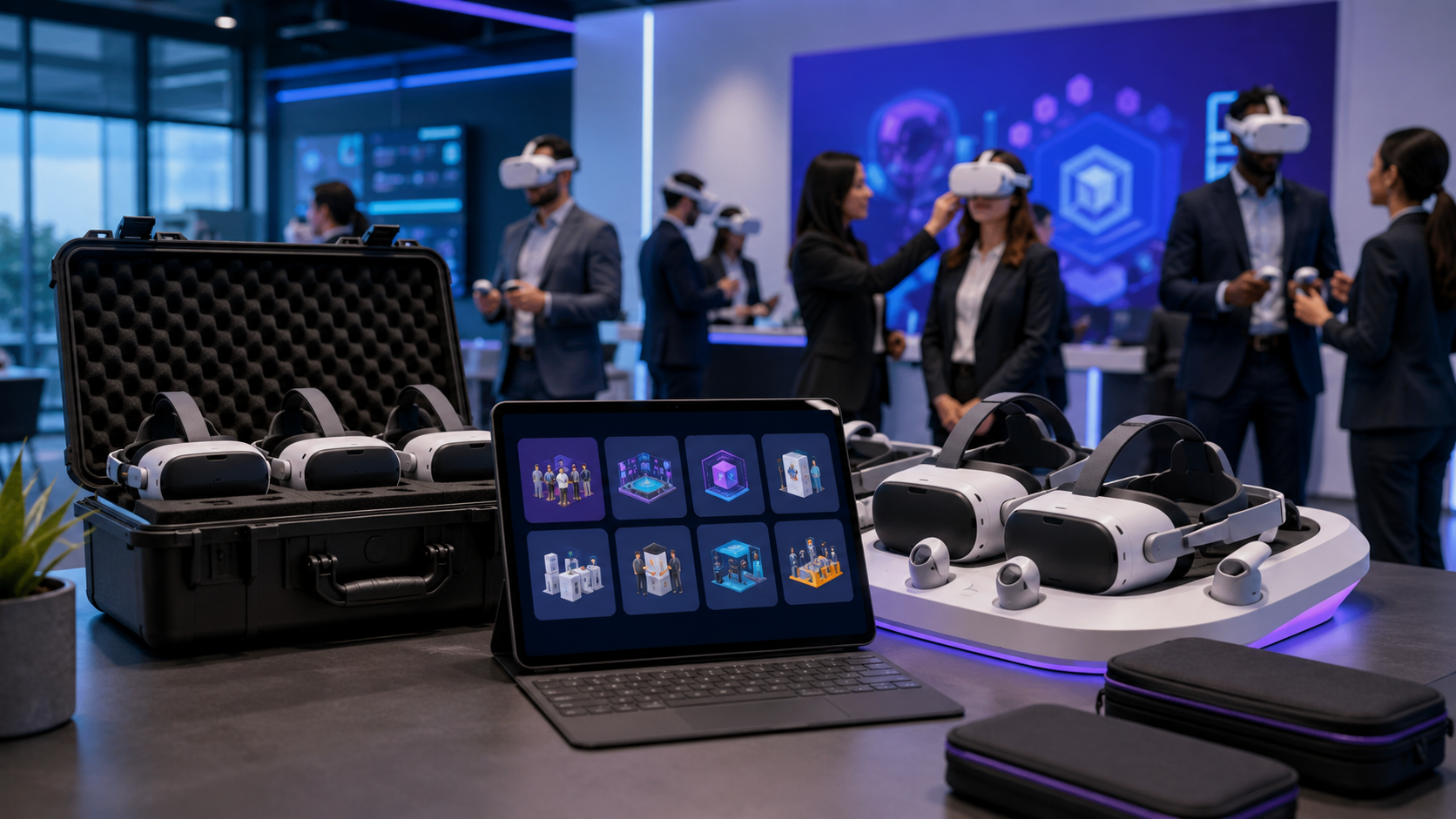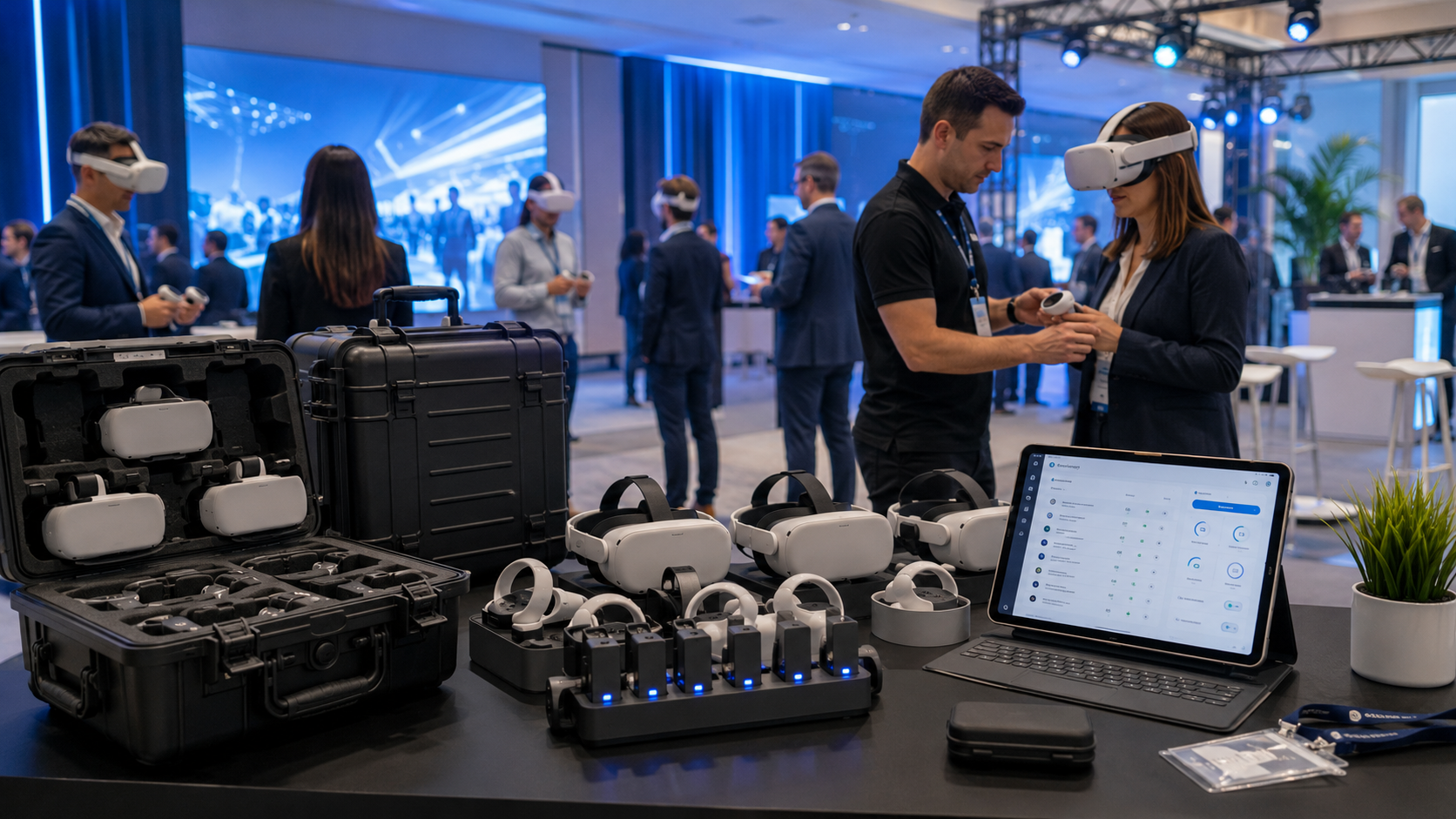
Virtual reality has moved from novelty to necessity for corporate events, training programs, and brand activations. Yet most businesses discover a critical challenge when planning their first VR deployment: the vast difference between renting equipment and delivering a complete experience. This guide provides a decision framework for evaluating VR experience rental options, from initial planning through deployment logistics.
VR Experience Rental vs. Equipment-Only Rental: What Your Event Actually Needs
Most businesses searching for VR rentals discover a critical gap between renting headsets and delivering a complete experience. Equipment-only rentals leave you responsible for content licensing, device configuration, network setup, and on-site troubleshooting. Full VR experience rentals include preloaded content, deployment support, and backup equipment. Here’s how to evaluate which model fits your event timeline and internal capabilities.
The distinction between these rental models impacts every aspect of your deployment. Equipment-only rentals typically cost 40-60% less upfront but require significant internal resources. You’ll need IT staff comfortable with mobile device management, content distribution systems, and network configuration. Most critically, you’ll need existing VR content licenses or the ability to develop custom applications.
Full-service VR experience rentals bundle hardware, software, and support into a turnkey package. While costing 50-150% more than equipment-only options, they eliminate technical complexity and reduce deployment risk. Providers handle device configuration, content licensing, and often provide on-site technicians.
When Equipment-Only Rental Works
Equipment-only rentals make financial sense in specific scenarios where internal capabilities align with deployment requirements.
Your team has existing VR content licenses or custom applications developed for previous deployments. This eliminates the largest hidden cost of equipment-only rentals: content acquisition. Companies with proprietary training modules or product demonstrations can leverage equipment rentals to scale existing programs.
Internal IT can handle device configuration and network requirements. Enterprise VR deployments require mobile device management (MDM) software, secure network configuration, and often custom firewall rules. Organizations with dedicated IT support can manage these requirements independently.
Multi-week rentals where you’ll amortize setup time across many sessions justify the initial configuration investment. A two-day trade show rarely provides enough usage to offset 8-12 hours of setup time. However, a month-long training program across multiple locations can spread setup costs across hundreds of user sessions.
When Full Experience Rental Makes Sense
Full-service rentals eliminate technical barriers and deployment risks, particularly valuable for time-sensitive or high-visibility events.
First-time VR deployment at a trade show or corporate event benefits from provider expertise. Trade shows offer no second chances—technical failures directly impact lead generation and brand perception. Full-service providers bring backup equipment, proven content, and troubleshooting experience.
Need turnkey solution with content included for training or demos removes the complexity of content licensing. Many VR training modules require per-user licenses or enterprise agreements. Full-service rentals include these licenses, eliminating procurement delays and compliance concerns.
Short-term activations where setup time exceeds event duration make equipment-only rentals impractical. A one-day executive briefing doesn’t justify two days of internal setup and testing. Full-service providers can deploy tested configurations in 2-3 hours.
No internal VR expertise for troubleshooting creates unacceptable risk for critical events. VR hardware and software present unique failure modes: tracking loss, overheating, battery management, and motion sickness. Experienced providers anticipate and prevent these issues.
VR Experience Types and Their Rental Requirements
Different VR experiences demand specific hardware configurations, content formats, and support levels. A seated training simulation needs different equipment than a room-scale brand activation. Understanding these requirements upfront prevents discovering incompatibilities during event setup.
Each experience type also implies different user flows, space requirements, and facilitator training needs. Misalignment between experience design and deployment environment creates friction that reduces engagement and increases support burden.
Training Simulations and Corporate Learning
VR training deployments prioritize consistency, tracking, and scalability over visual fidelity or entertainment value.
Standalone headsets with enterprise management tools enable centralized control and monitoring. Meta Quest for Business and Pico 4 Enterprise provide dedicated management portals for deploying content, monitoring usage, and maintaining security compliance. These platforms support single sign-on (SSO) integration and usage analytics.
Preloaded training modules or SCORM-compatible content ensure learning management system (LMS) integration. Standard modules cover soft skills (leadership, communication, diversity), safety training (OSHA compliance, equipment operation), and technical skills (assembly procedures, maintenance protocols). SCORM compatibility enables progress tracking within existing corporate learning platforms.
Multi-user synchronization for group sessions requires specific network configurations and content capabilities. Synchronized training allows instructors to guide multiple learners through scenarios simultaneously. This requires dedicated WiFi networks with quality of service (QoS) configuration and content designed for multi-user interaction.
Progress tracking and analytics requirements vary by organization but typically include completion rates, assessment scores, and time-in-experience metrics. Enterprise VR platforms provide dashboards and API access for integration with learning analytics systems.
Product Demonstrations and Sales Enablement
Product demonstrations leverage VR’s ability to showcase products impossible to transport or not yet manufactured.
High-resolution displays for detailed product visualization become critical when demonstrating precision equipment or luxury goods. Meta Quest Pro and HTC Vive Focus 3 offer 2K-per-eye resolution suitable for detailed product inspection. Consider tethered headsets like Varjo Aero for ultra-high resolution requirements.
Hand tracking or controller options for interaction depend on demonstration complexity. Simple product tours work with gaze-based selection, while complex configurators require precise hand tracking or controllers. Evaluate interaction methods based on user familiarity with VR and demonstration goals.
Custom 3D models or CAD integration needs drive content development timelines. Existing CAD models require optimization for real-time rendering—a process taking 2-4 weeks for complex products. Photogrammetry captures physical products but requires professional scanning services.
Portable setups for field sales teams necessitate ruggedized cases, simplified setup procedures, and offline content capability. All-in-one headsets with preloaded content eliminate dependency on venue infrastructure. Consider battery packs and charging cases for extended demonstration days.
Brand Activations and Marketing Events
Marketing activations prioritize throughput, memorability, and social amplification over training outcomes or product details.
Room-scale tracking for immersive experiences requires 15-25 square feet per user plus safety boundaries. Inside-out tracking on modern headsets eliminates external sensors but still requires clear floor space and adequate lighting. Consider venue constraints when designing movement-based experiences.
Branded environments and custom content differentiate your activation from competitors. Full customization requires 8-12 weeks of development, while branded overlays on existing experiences take 2-3 weeks. Balance customization depth with development timeline and budget constraints.
Throughput optimization for high-volume attendees determines hardware quantity and experience duration. Three-minute experiences can process 15-20 users per hour per headset. Five-minute experiences drop to 10-12 users. Factor in sanitization time and user onboarding when calculating capacity.
Social sharing and video capture capabilities amplify event impact beyond direct participants. Mixed reality capture systems record users within virtual environments for social media sharing. Budget $2,000-5,000 for professional capture setup and operation.
Virtual Property Tours and Real Estate Showcases
Real estate VR experiences emphasize spatial understanding and emotional connection over technical specifications.
360-degree video playback capabilities provide photorealistic property representation. While less interactive than 3D models, 360 video captures actual lighting, materials, and ambiance. Professional 360 cameras and post-production create tour-ready content in 3-5 days per property.
Wireless headsets for walkthrough flexibility allow natural movement through spaces. Tethered headsets restrict movement and create tripping hazards during property tours. Prioritize wireless solutions even if sacrificing some visual quality.
Multiple headsets for concurrent tours enable group showings and reduce wait times. Synchronized playback allows agents to guide multiple clients simultaneously. Plan for one headset per two attendees for optimal flow.
Integration with MLS and property data enhances tours with relevant information overlays. Custom development can pull listing data, neighborhood statistics, and mortgage calculators into VR experiences. Budget 4-6 weeks for MLS integration development.
Hardware Packages for Different VR Experience Scales
VR rental packages scale from single-headset demos to 50-unit training deployments. Each scale point has distinct logistics: power requirements, network bandwidth, physical space, and support staffing. Match your package to both attendee volume and venue constraints.
Infrastructure requirements scale non-linearly with headset count. Five headsets might work on venue WiFi, while twenty require dedicated access points. Understanding these breakpoints prevents day-of-event surprises.
Small Group Experiences (1-5 Headsets)
Small deployments offer maximum flexibility with minimal infrastructure requirements.
Ideal for executive demos and small training cohorts where personalized attention matters more than volume. Executive briefings, board presentations, and pilot training programs benefit from intimate settings and dedicated facilitation.
Standard power outlets and WiFi typically sufficient for small deployments. Each headset requires one charging port, though not simultaneously. Standard 802.11ac WiFi handles five headsets streaming content, assuming 25 Mbps per device.
Single facilitator can manage all devices while providing personalized guidance. This ratio enables hands-on assistance, immediate troubleshooting, and detailed feedback collection. Facilitators can also customize experiences based on participant reactions.
Meta Quest 3 or Pico 4 Enterprise configurations provide optimal balance of capability and simplicity. Both offer inside-out tracking, hand tracking, and enterprise management features. Quest 3’s broader content ecosystem suits varied use cases, while Pico 4 Enterprise offers superior enterprise support.
Medium Deployments (6-20 Headsets)
Medium deployments require dedicated infrastructure and multiple support staff.
Trade show booths and departmental training represent typical medium-scale use cases. These deployments balance reach with manageability, serving dozens of users daily without overwhelming logistics.
Dedicated WiFi network or offline content required to ensure consistent performance. Twenty headsets streaming simultaneously require 500 Mbps bandwidth with enterprise-grade access points. Alternatively, preload content to eliminate network dependencies.
Charging stations and device management software become essential at this scale. Charging carts with timed charging cycles prevent overheating while ensuring availability. MDM software enables remote monitoring, content updates, and device resets.
Mix of seated and standing experiences possible with proper space planning. Allocate 6×6 feet for seated experiences and 10×10 feet for standing. Use physical barriers or floor markings to prevent collisions between participants.
Large-Scale Activations (20+ Headsets)
Large deployments require professional event production expertise.
Conference sessions and company-wide training demand cinema-like coordination. Success requires detailed run-of-show documents, redundant systems, and experienced crews.
Professional network infrastructure required including dedicated internet circuits, enterprise WiFi controllers, and network monitoring. Plan for 1 Gbps total bandwidth with quality of service prioritization. Consider cellular backup for critical presentations.
Multiple support staff for device distribution, troubleshooting, and sanitization. Plan one support staff per 10 headsets for smooth operation. Assign specific roles: distribution, technical support, content control, and participant assistance.
Staggered session scheduling to manage throughput and maintain equipment. Build 15-minute buffers between sessions for device sanitization, charging, and reset. Create overflow areas for early arrivals and extended discussions.
Content Options: Preloaded vs. Custom VR Experiences
Content strategy determines 40% of your rental cost and 80% of deployment complexity. Preloaded experiences from rental providers work immediately but limit customization. Custom content delivers exact brand alignment but requires longer lead times and testing cycles.
Content decisions cascade through every deployment aspect: hardware requirements, facilitator training, support needs, and user expectations. Make content decisions before finalizing hardware specifications or venue requirements.
Preloaded Content Libraries
Rental providers maintain libraries of proven experiences across common use cases.
Soft skills training modules (leadership, communication, DEI) address universal corporate needs. Typical modules include difficult conversations, public speaking, unconscious bias, and conflict resolution. These experiences use branching narratives and behavioral assessment.
Safety simulations for OSHA compliance cover construction, manufacturing, and healthcare scenarios. Common modules include fall protection, lockout/tagout, hazardous materials handling, and emergency response. Simulations include assessment modes for certification requirements.
Generic product showcase templates accommodate various industries through configurable parameters. Templates support product rotation, feature callouts, and comparison modes. Import 3D models in standard formats (FBX, OBJ, glTF) with basic material properties.
Team building and icebreaker experiences facilitate group dynamics and engagement. Popular options include escape rooms, collaborative puzzles, and virtual scavenger hunts. These experiences require 15-30 minutes and accommodate various group sizes.
Typical licensing included in rental price eliminates separate content negotiations. Providers bundle content licenses with hardware rental, simplifying procurement and ensuring legal compliance. Verify usage rights for recording and streaming if planning hybrid events.
Custom Content Development Timeline
Custom content creation requires significant lead time and iterative development.
8-12 weeks for custom 3D environment creation from concept to deployment. This includes conceptual design (2 weeks), 3D modeling and texturing (4 weeks), interaction programming (3 weeks), and testing/optimization (3 weeks). Complex interactions or photorealistic graphics extend timelines.
4-6 weeks for adapting existing CAD models into VR experiences. CAD optimization removes unnecessary geometry and applies VR-appropriate materials. Add 2 weeks for interactive features like assembly/disassembly or configuration options.
2-3 weeks for branded wrapper on stock experiences provides quick customization. Add logos, color schemes, and custom introductions to existing content. This approach balances brand presence with proven functionality.
Testing and optimization phases before deployment ensure smooth operation. Allocate one week for technical testing (performance, compatibility) and one week for user testing with target audience representatives. Build buffer time for addressing discovered issues.
Hybrid Approach: Customizing Stock Experiences
Hybrid customization balances brand requirements with practical constraints.
Add company logos and colors to existing modules through scene modifications. Most professional content supports texture replacement and color adjustment. This requires 3-5 days and minimal testing.
Insert custom video segments into standard flows for executive messages or product highlights. 360-degree video segments integrate naturally into VR experiences. Plan 1-2 weeks for video production and integration.
Modify scenarios with industry-specific contexts while maintaining core mechanics. Replace generic office environments with industry-appropriate settings. Adjust terminology and examples without changing underlying interactions.
Balance customization with proven functionality to minimize deployment risk. Each customization introduces potential failure points. Prioritize modifications that enhance brand connection without altering core experience flow.
Deployment Logistics and Support Requirements
VR experience success depends on deployment execution. Even perfect hardware and content fail without proper setup, staff training, and contingency planning. Build these logistics into your rental agreement upfront rather than discovering gaps on event day.
Deployment complexity scales exponentially with experience sophistication. Simple seated experiences require minimal logistics, while room-scale activations demand professional production management.
Pre-Event Setup and Testing
Thorough preparation prevents event-day failures and ensures smooth operation.
Venue walkthrough for space and power assessment identifies potential obstacles. Measure actual available space, identify power outlet locations, and note ceiling heights. Document lighting conditions, reflective surfaces, and potential tracking interference sources.
Network testing and bandwidth allocation confirms infrastructure adequacy. Run speed tests at event times to account for network congestion. Configure dedicated SSIDs with appropriate security and quality of service settings. Test firewall rules and content delivery networks.
Content loading and device synchronization requires 30-60 minutes per 10 devices. Download content to all devices, verify version consistency, and test synchronization features. Create device naming conventions and tracking spreadsheets.
Dry run with actual facilitators reveals training gaps and process issues. Conduct full experience walkthroughs including edge cases and failure scenarios. Practice troubleshooting procedures and emergency protocols. Record common issues and solutions for reference.
On-Site Support Models
Different support models balance cost against risk tolerance.
Full-service: vendor staff manages entire experience from setup through breakdown. Vendor provides trained facilitators, technical support, and equipment management. Ideal for high-stakes events or organizations without VR experience. Costs $1,500-3,000 per day plus travel expenses.
Hybrid: vendor provides setup, client runs sessions after training. Vendor handles initial configuration and provides 2-4 hours of staff training. Client assumes responsibility for facilitation and basic troubleshooting. Reduces costs while maintaining setup quality.
Self-service: client handles everything after delivery requires significant internal capability. Vendor ships equipment with setup guides and remote support access. Suitable for organizations with existing VR experience and technical staff. Reduces costs by 60-70% compared to full-service.
Remote support options for troubleshooting provide middle ground between cost and coverage. Vendor provides phone/video support during event hours. Screen sharing and remote device management enable issue resolution. Typical cost: $500-1,000 per event day.
Contingency Planning
Robust contingency plans prevent minor issues from becoming major failures.
Backup headsets for hardware failures at 20% redundancy rate minimum. Hardware failures occur in 5-10% of devices during multi-day events. Include backup controllers, cables, and accessories. Pre-configure backups with identical content and settings.
Offline content modes for network issues eliminate external dependencies. Download all content locally even if planning streaming delivery. Test offline mode operation including any authentication requirements. Document offline activation procedures.
Alternative experiences if primary content fails provide graceful degradation. Maintain simpler backup experiences that run on reduced hardware specifications. Include non-VR alternatives like 360 video on tablets or traditional presentations.
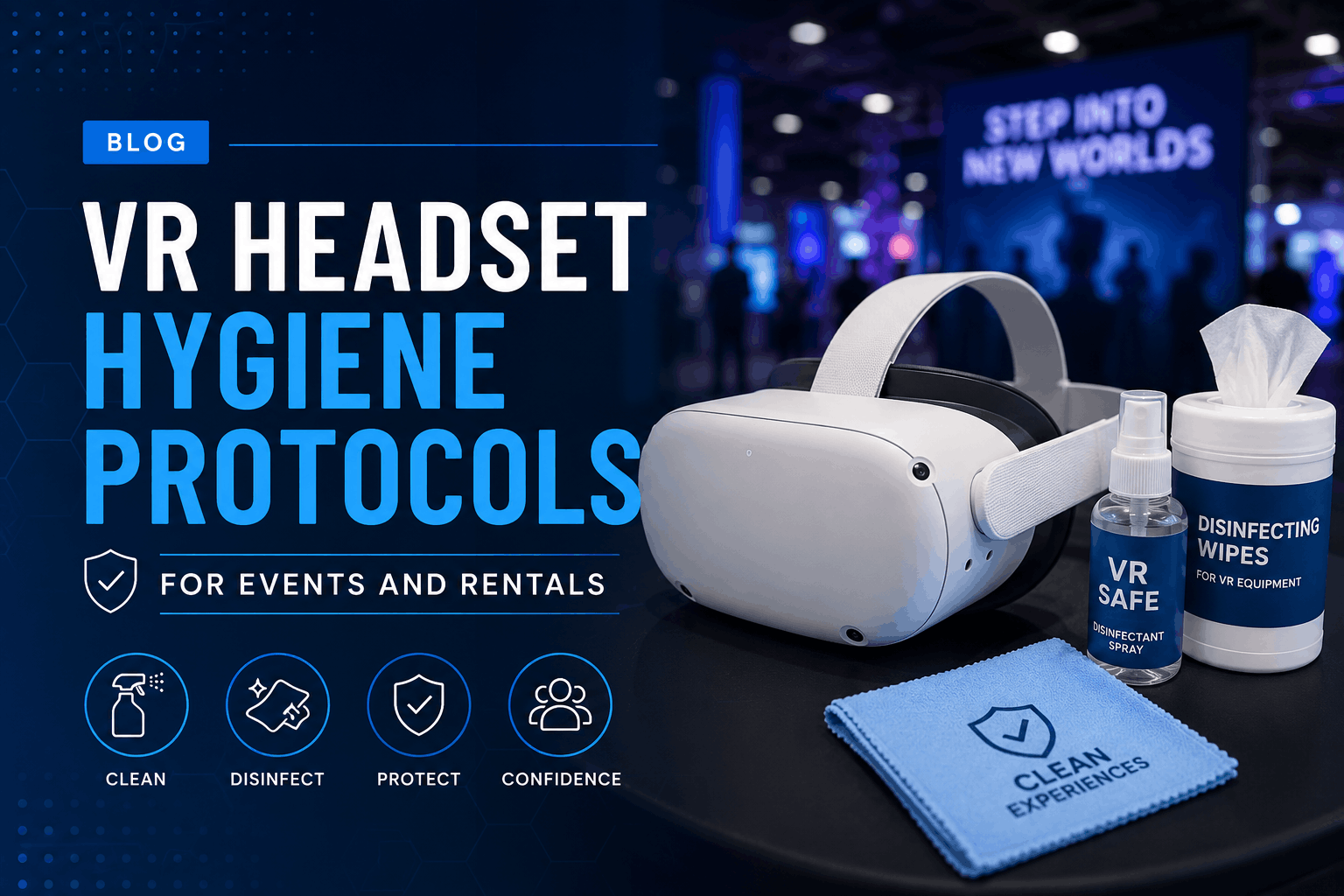
Sanitization supplies and procedures between users address hygiene concerns. Stock antibacterial wipes, disposable face masks, and lens cleaning supplies. Allocate 60-90 seconds between users for proper sanitization. Post visible cleaning protocols to build confidence.
VR Experience Rental Pricing Models
VR rental pricing varies from $150 per headset per day for basic equipment to $15,000+ for full-service activations with custom content. Understanding the cost components helps you optimize budget allocation between hardware, content, and support.
Pricing transparency remains limited in the VR rental industry, with most providers requiring consultation calls before providing quotes. This section provides baseline ranges for budget planning.
Daily and Weekly Rental Rates
Rental rates vary by equipment tier, volume, and included services.
Single headset: $150-300/day equipment only for current-generation standalone headsets. Meta Quest 3 rentals average $200/day, while enterprise-focused devices like HTC Vive Focus 3 command $250-300/day. Older generations (Quest 2) rent for $150-175/day.
Small package (5 units): $1,000-2,000/day with basic content and accessories. Volume discounts typically begin at 5 units, reducing per-headset costs by 20-30%. Packages include charging equipment, basic content library access, and remote support.
Medium deployment (20 units): $3,000-5,000/day for full-service deployment. Includes on-site setup, basic customization, and technical support. Per-unit costs drop to $150-250/day at this scale.
Weekly rates typically 3-4x daily rates, providing 40-50% discount versus daily pricing. Monthly rates offer 60-70% discounts for long-term training programs or extended activations.
Additional Cost Factors
Hidden costs can double initial rental quotes without proper planning.
Custom content development: $5,000-50,000 depending on complexity and interactivity. Simple 360 video experiences cost $5,000-10,000. Interactive training modules range $15,000-30,000. Full custom game-like experiences exceed $50,000.
On-site technical support: $500-1,500/day plus travel expenses. Senior technicians command higher rates but prevent more issues. Support packages often include setup/breakdown labor.
Shipping and logistics: $200-2,000 depending on volume and destination. Overnight shipping for 20 headsets costs $800-1,200. International shipping adds customs clearance fees and extended transit times.
Insurance and damage waivers: 10-15% of rental cost protects against damage liability. Standard rental agreements hold renters responsible for equipment damage. Waivers cap liability at deductible amounts ($500-1,000).
Cost Optimization Strategies
Strategic planning can reduce total costs by 30-40% without sacrificing quality.
Bundle multiple events for volume discounts across extended periods. Providers offer 20-30% discounts for multi-event commitments. Negotiate annual agreements if planning quarterly deployments.
Use preloaded content to avoid development costs while maintaining professional quality. Customize existing content with branding overlays rather than full development. This reduces content costs by 80-90%.
Train internal staff to reduce support fees after initial deployment. Invest in train-the-trainer programs during first rental. Document procedures and create internal expertise for future events.
Schedule during rental company’s slow seasons for better rates and availability. January-February and July-August typically offer 15-20% discounts. Avoid major conference seasons when equipment availability drops.
Selecting a VR Experience Rental Provider
VR rental providers range from AV companies adding headsets to their inventory to specialized firms focused on immersive experiences. Evaluate providers based on their experience library, deployment expertise, and support capabilities rather than just equipment availability.
Provider selection significantly impacts deployment success. Equipment quality varies less than deployment expertise and support responsiveness.
Provider Evaluation Criteria
Systematic evaluation ensures provider capabilities match your requirements.
Industry-specific experience (training, events, real estate) indicates relevant expertise. Providers specializing in corporate training understand LMS integration and assessment requirements. Event specialists excel at high-throughput activations and crowd management.
Content library depth and customization options determine experience variety. Evaluate both breadth (number of experiences) and depth (quality and sophistication). Assess customization capabilities from simple branding to full development.
Geographic coverage and logistics capabilities affect deployment feasibility. National providers offer consistent service across locations. Regional specialists may provide better local support but limited coverage.
Support model and response time guarantees define risk mitigation. Evaluate support hours, response time SLAs, and escalation procedures. On-site support availability varies significantly between providers.
Client references in similar use cases validate provider claims. Request references matching your industry, scale, and use case. Contact references directly to verify satisfaction and identify potential issues.
Red Flags to Avoid
Certain provider characteristics indicate potential problems.
No pre-event testing or venue assessment offered suggests inadequate preparation. Professional providers insist on venue assessment and testing. Skipping these steps dramatically increases failure risk.
Unclear content licensing terms create legal liability. Verify content ownership, usage rights, and geographic restrictions. Ensure licensing covers recording, streaming, and marketing use.
No backup equipment included reveals inadequate contingency planning. Professional providers include 10-20% spare equipment. Lack of backups guarantees event disruption from inevitable failures.
Shipping-only model with no setup support abandons clients at critical moments. Even experienced clients benefit from provider setup assistance. Pure shipping models work only for repeat customers with internal expertise.
Consumer-grade hardware for business use indicates misaligned priorities. Consumer devices lack enterprise management, support, and durability. Business deployments require business-grade equipment.
Frequently Asked Questions
How far in advance should I book a VR experience rental?
Book VR experience rentals 6-8 weeks before your event for optimal selection and pricing. Custom content development requires 8-12 weeks minimum. Last-minute rentals (less than 2 weeks) face limited availability and rush charges of 25-50%. Peak seasons (September-November, March-May) require earlier booking.
Can rental VR experiences work without internet connectivity?
Yes, most VR rental experiences can operate completely offline with preloaded content. Providers download content to devices before shipping, eliminating venue internet dependencies. However, offline mode disables real-time analytics, cloud saves, and multi-user synchronization. Discuss offline requirements during initial consultation.
What happens if attendees experience motion sickness?
Motion sickness affects 15-25% of first-time VR users but decreases with proper content selection and deployment practices. Choose experiences with minimal artificial locomotion, provide seated options, and limit session duration to 10-15 minutes. Keep ginger candies, water, and seating areas available. Trained facilitators can identify early symptoms and intervene.
How many attendees can cycle through VR experiences per hour?
Throughput depends on experience duration and logistics efficiency. Three-minute experiences process 15-20 users per hour per headset. Five-minute experiences handle 10-12 users. Ten-minute training sessions accommodate 5-6 users. Factor in 60-90 seconds for sanitization and onboarding between users.
Do VR rental packages include liability insurance?
Standard rental agreements typically exclude liability coverage, making renters responsible for injury claims. Purchase event insurance with VR-specific coverage or verify existing policy coverage. Some providers offer liability waivers for additional fees (5-10% of rental cost). Always require participant waivers regardless of insurance coverage.
Can we capture user data and analytics from rental VR experiences?
Enterprise VR platforms support detailed analytics including time-in-experience, interaction patterns, and assessment scores. Data capture requires advance configuration and may affect content selection. Ensure compliance with privacy regulations (GDPR, CCPA) when collecting user data. Most providers offer analytics dashboards or API access for data export.
Conclusion
VR experience rental success requires more than selecting headsets and booking delivery dates. The decision between equipment-only and full-service rentals fundamentally shapes your deployment strategy, risk profile, and resource requirements. Organizations with existing VR expertise and multi-week deployments can optimize costs through equipment-only rentals. First-time deployments, high-stakes events, and short-term activations benefit from full-service solutions despite higher costs.
Content strategy drives deployment complexity more than hardware selection. Preloaded content libraries provide immediate deployment capability with proven experiences. Custom development delivers perfect brand alignment but requires 8-12 week lead times and significant investment. The hybrid approach—customizing existing content with brand elements—balances these extremes for most business events.
Scale your hardware package to match both attendee volume and infrastructure constraints. Small deployments offer maximum flexibility with minimal logistics. Medium deployments require dedicated infrastructure and support planning. Large-scale activations demand professional event production expertise and redundant systems.
Provider selection significantly impacts deployment success. Evaluate providers based on industry experience, content libraries, and support capabilities rather than equipment specifications alone. Avoid providers offering shipping-only models, unclear licensing terms, or no backup equipment.
Take Action on Your VR Experience Rental
Start your VR rental planning by documenting specific objectives, audience characteristics, and success metrics. Define whether you need training outcomes, lead generation, or brand engagement. This clarity enables productive provider conversations and accurate quotes.
Request proposals from 3-4 qualified providers, ensuring each addresses your specific use case rather than generic capabilities. Compare total cost of ownership including hidden fees, not just headline rental rates. Prioritize providers offering venue assessments and testing opportunities.
Schedule demos with your top two providers to experience their content quality, deployment process, and support responsiveness. Test actual experiences your attendees will encounter, not just impressive demos. Evaluate provider expertise through their questions and recommendations, not just their answers.
Begin your VR experience rental journey today by defining clear objectives and engaging qualified providers. The right partnership transforms VR from risky experiment to reliable business tool, delivering measurable results for training, sales, and marketing initiatives.