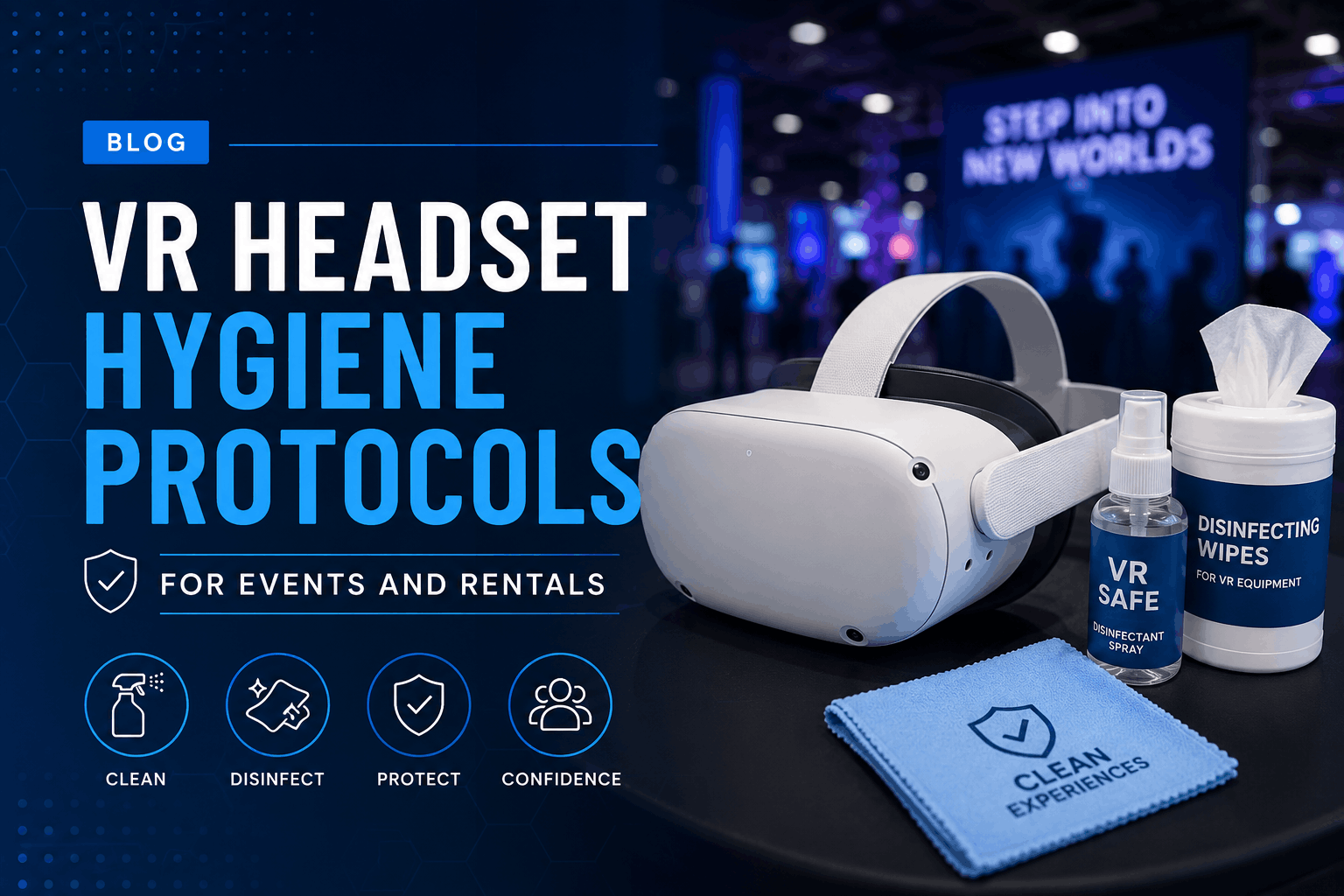
When you’re hosting 50 trade show attendees or running VR training sessions for your team, hygiene protocols aren’t just about cleanliness – they’re about maintaining professional standards and ensuring every participant feels confident stepping into the experience. Here’s how proper VR hygiene protocols protect your investment and your reputation.
Why VR Hygiene Protocols Matter for Rentals and Events
The Business Case for VR Hygiene Standards
Visible hygiene practices directly impact participation rates at VR activations. Studies from event marketing firms show that 73% of attendees cite cleanliness concerns as their primary hesitation before trying shared VR equipment. When participants see active cleaning protocols, engagement rates increase by up to 40%.
For corporate events and training sessions, inadequate hygiene protocols create liability exposure. A single reported infection traced to your VR equipment can trigger workers’ compensation claims, negative publicity, and potential litigation. Insurance providers increasingly require documented hygiene protocols for coverage of VR-related events.
Equipment longevity in rental scenarios depends heavily on cleaning methods. Proper sanitization extends headset lifespan by 30-40% compared to units subjected to harsh chemicals or improper cleaning techniques. Each Meta Quest 2 facial interface, for example, typically survives 200-300 uses with proper care versus 50-75 uses with aggressive cleaning.
Brand perception at activations correlates strongly with hygiene visibility. Companies displaying hygiene certificates, using uniformed cleaning staff, and maintaining visible sanitization stations report 25% higher brand recall scores than those without apparent hygiene protocols.
Rental vs. Ownership: Different Hygiene Requirements
Rental equipment faces 10-20 times more user turnover than owned devices, demanding more robust protocols. While an office VR headset might see 5 users weekly, a trade show unit can accommodate 50+ users daily. This intensity requires commercial-grade cleaning supplies and redundant equipment to maintain continuous operation.
Event environments present unique challenges absent from controlled office settings. Variable humidity, dust exposure, and limited cleaning facilities necessitate portable hygiene stations and weather-resistant supply storage. Trade show floors average 65-70% humidity, accelerating bacterial growth on foam interfaces.
Documentation requirements for rental hygiene compliance exceed personal use standards. Rental companies must maintain cleaning logs showing timestamps, methods used, and staff signatures for each sanitization cycle. Corporate clients increasingly request these records for their own compliance files.
Professional rental companies employ dedicated hygiene technicians and invest in commercial sanitization equipment. UV-C chambers costing $2,000-5,000 process multiple headsets simultaneously, while in-house teams typically rely on manual cleaning methods that take 3-5 times longer per unit.
Pre-Event VR Hygiene Preparation
Your hygiene protocol starts before the first headset leaves the warehouse. Whether you’re renting equipment or managing your own fleet for an activation, these pre-event steps establish your baseline for safe, professional VR experiences.
Equipment Inspection and Initial Sanitization
Full disassembly cleaning begins with removing facial interfaces, head straps, and any removable padding. Soak foam components in 70% isopropyl alcohol solution for 60 seconds, then air dry for minimum 4 hours. Silicone interfaces tolerate stronger disinfectants – use quaternary ammonium compounds at 200-400 ppm concentration.
UV-C sanitization chambers offer 99.9% pathogen reduction in 60-90 seconds without chemical residue. Position headsets with facial interfaces facing UV-C bulbs at 254nm wavelength. Chemical cleaning remains necessary for visible soil removal, as UV-C only deactivates microorganisms without removing debris.
Inspection checklists should document foam compression levels, noting areas where padding compresses below 50% original thickness. Check for cracking, peeling, or discoloration indicating chemical damage. Replace interfaces showing any degradation – compromised foam harbors bacteria and creates uncomfortable pressure points.
Rental equipment condition documentation protects both parties. Photograph each headset from multiple angles, noting serial numbers and any existing wear. Create digital inspection forms linking photos to specific units, timestamps, and inspector signatures. This baseline prevents disputes over damage responsibility.
Hygiene Supply Kit Assembly
Calculate supply quantities using these formulas:
- Disposable face covers: (expected users × 1.2) + 10% backup stock
- Cleaning wipes: 3 per user for controllers and headset exterior
- Hand sanitizer: 2ml per user interaction
- Microfiber cloths: 1 per 10 users for lens cleaning
A 100-person trade show activation requires approximately:
- 130 disposable face covers
- 300 antibacterial wipes
- 250ml hand sanitizer
- 10 microfiber cloths
- 2 spray bottles of lens cleaner
Storage requires moisture-proof containers protecting supplies from environmental contamination. Use clear, labeled bins enabling quick inventory checks. Transport cleaning stations in wheeled cases positioning supplies at comfortable working height. Include spill kits for liquid disinfectants.
Backup equipment ratios depend on event format. Trade shows need 20% spare headsets for continuous operation during cleaning. Training sessions can function with 10% reserves due to scheduled breaks. Gaming tournaments require 30% backup units to prevent competition delays.
During-Event Hygiene Protocols
Active event hygiene management determines whether your VR activation runs smoothly or gets derailed by participant concerns. These real-time protocols keep equipment clean while maintaining engagement flow at trade shows, parties, and corporate events.
Between-User Cleaning Procedures
The 60-second turnover protocol maximizes throughput without compromising safety:
- 0-15 seconds: Remove headset, place on cleaning station
- 15-30 seconds: Wipe exterior surfaces and straps with antibacterial wipe
- 30-45 seconds: Clean controllers and high-touch areas
- 45-60 seconds: Install fresh disposable barrier, perform lens check
Visible cleaning builds trust with waiting participants. Position cleaning stations where queued users can observe the process. Staff should wear branded aprons or vests identifying them as hygiene technicians. Narrate the cleaning process when appropriate, explaining each step to waiting users.
Train staff to clean lenses using single-direction strokes from center outward, never circular motions that spread oils. Use only dry microfiber cloths unless visible contamination requires lens cleaning solution. Apply solutions to cloth, never directly to lenses.
Peak traffic periods require modified protocols. Implement “express lanes” with pre-cleaned headsets ready for immediate use. Rotate dirty units to secondary cleaning stations away from main traffic. During rush periods, prioritize controller and face interface cleaning over complete exterior wipes.
Disposable Barrier Implementation
Universal disposable covers fit most consumer headsets but reduce field of view by 5-10 degrees. Custom-fit barriers for specific models maintain full FOV but cost 40% more. Budget $0.50-1.20 per barrier depending on quality and quantity ordered.
Cost analysis for 500-user event:
- Disposable barriers: $250-600
- Deep cleaning labor: $400-500
- Chemical supplies for deep cleaning: $75-100
- Equipment downtime value: $200-300
Disposables prove cost-effective for events exceeding 50 users or lasting under 4 hours.
User education prevents incorrect installation damaging equipment. Create visual guides showing proper barrier placement. Station staff should demonstrate installation for first-time users. Provide QR codes linking to installation videos for self-service scenarios.
Environmental impact requires consideration. Biodegradable barriers cost 30% more but decompose within 90 days. Establish clearly marked disposal stations preventing barriers from contaminating recycling streams. Partner with waste management companies specializing in event disposal.
High-Touch Surface Management
Controllers accumulate more bacteria than headsets due to constant hand contact. Clean grip areas, triggers, thumbsticks, and buttons between each user. Use 70% isopropyl alcohol wipes, allowing 30 seconds drying time. Avoid excess liquid near button gaps and thumbstick mechanisms.
Headstrap adjustment mechanisms harbor bacteria in crevices. Extend straps fully, wiping the entire length including velcro areas. Pay special attention to the rear cradle where head contact occurs. Replace velcro straps showing fraying or permanent soiling.
Tethered systems require cable sanitization every 2-3 users. Wipe the entire cable length, focusing on areas users grab when adjusting position. Use cable management systems keeping wires off the floor where they collect additional contamination.
Cleaning schedules vary by format:
- Trade shows: Clean after every user
- Training sessions: Deep clean during breaks, spot clean between users
- VR arcades: Full sanitization every 2 hours, quick wipes between users
- Corporate demos: Complete cleaning between departments or groups
Equipment-Specific Hygiene Protocols
Each VR headset model has unique cleaning requirements and vulnerable components. Understanding these differences prevents damage while ensuring thorough sanitization for your rental fleet or event equipment.
Meta Quest 2 and Quest 3 Cleaning
Foam facial interfaces on Quest headsets absorb liquids, requiring careful cleaning. Remove the interface completely, spray with disinfectant, and allow 2 hours minimum drying time. Keep 3-4 spare interfaces per headset for continuous operation. Silicone alternatives from VR Cover or AMVR resist moisture and clean in 30 seconds.
Lens cleaning on Quest devices requires extreme care due to the Fresnel lens design. Never use alcohol-based cleaners which cause permanent clouding. Use LensPen or Zeiss lens wipes designed for coated optics. Clean from center outward in straight lines, avoiding the lens edges where dust accumulates.
Elite straps with battery packs need special attention. Disconnect the battery before cleaning to prevent short circuits. Wipe connection points with dry cloth only. The foam padding on Elite straps doesn’t remove easily – use disposable covers or clean in place with minimal moisture.
Meta’s official guidelines recommend 60-70% isopropyl alcohol for non-fabric surfaces. However, event environments often require stronger disinfectants. EPA-registered quaternary ammonium products provide superior antimicrobial action without damaging plastics when diluted properly.
HTC Vive and Vive Pro Protocols
Removable face cushions simplify Vive sanitization. Purchase multiple cushion sets, rotating clean ones while others dry. Machine-wash fabric cushions weekly using gentle cycle and air dry. Leather cushions wipe clean but crack with alcohol exposure – use specialized leather cleaners.
Base stations and external sensors collect dust affecting tracking quality. Clean monthly using compressed air, holding cans upright to prevent liquid propellant discharge. Wipe sensor faces with microfiber cloths. Never use cleaning solutions on sensor windows.
Deluxe Audio Strap ear cushions present unique challenges. The non-removable design requires in-place cleaning using minimal moisture. Apply disinfectant to cloth rather than directly to cushions. Use disposable headphone covers for events, though they muffle audio quality by 10-15%.
Room-scale setups multiply hygiene requirements. Sanitize play area boundaries, cable pulleys, and any physical props. Provide shoe covers or sanitizing mats at play area entrances. Clean floor markers between sessions to prevent slip hazards from cleaning residue.
Pico 4 and Enterprise Headset Considerations
Enterprise headsets feature antimicrobial coatings and IPX ratings enabling aggressive cleaning. Pico 4 Enterprise withstands direct spray application of hospital-grade disinfectants. The sealed design prevents moisture ingress, though ventilation ports still require protection during cleaning.
Prescription lens adapters complicate hygiene protocols. Users’ personal adapters shouldn’t be shared. For rental scenarios, use adjustable diopter lenses or provide disposable prescription inserts. Clean adapters with lens cleaning solution, never harsh disinfectants that damage anti-reflective coatings.
All-in-one systems like Pico 4 eliminate cable hygiene concerns but concentrate heat in the front housing. This warmth accelerates bacterial growth on facial interfaces. Implement 15-minute cooling periods between extended sessions, using this time for thorough cleaning.
Warranty terms vary regarding cleaning damage. Pico honors warranties for EPA-approved disinfectant use. Meta voids coverage for liquid damage regardless of cause. Document cleaning methods and products used to support any warranty claims.
Post-Event Deep Cleaning and Storage
The work isn’t done when the event ends. Proper post-event cleaning and storage protocols ensure equipment remains rental-ready and extends the lifespan of your VR investment.
Comprehensive Decontamination Process
Begin disassembly within 2 hours of event conclusion before contaminants set. Remove all detachable components including straps, facial interfaces, and battery packs. Photograph any damage discovered during disassembly for insurance documentation.
Submerge foam components in disinfectant solution for 5 minutes, agitating gently to release embedded debris. Rinse thoroughly with clean water to remove chemical residues that cause skin irritation. Squeeze excess moisture without twisting, which damages foam structure.
Drying prevents mold growth that occurs within 24-48 hours in damp conditions. Use forced air drying at room temperature for 6-8 hours. Avoid heat guns or direct sunlight which degrades plastics and adhesives. Ensure complete dryness before storage – any moisture promotes fungal growth.
Quality control checklists verify rental-ready condition:
- Lens clarity check under bright light
- Button and thumbstick response testing
- Strap adjustment mechanism smooth operation
- Charging port functionality verification
- Tracking sensor calibration confirmation
- Audio output testing at multiple volumes
Document return conditions with timestamped photos showing all angles. Note any damage, unusual wear, or missing components. Generate condition reports within 24 hours while event details remain fresh.
Storage Protocols for Sanitized Equipment
Climate control maintains 40-50% relative humidity and 65-75°F temperature. Higher humidity promotes mold; lower causes static buildup damaging electronics. Install humidity monitors with alerts for out-of-range conditions. Use desiccant packs in individual headset cases for additional protection.
Protective covering prevents recontamination during storage. Wrap clean headsets in breathable fabric bags, never airtight plastic that traps moisture. Use acid-free tissue paper for lens protection. Store controllers in separate compartments preventing button activation during transport.
Implement FIFO (First In, First Out) inventory rotation distributing wear evenly across rental fleet. Tag each unit with last-used date and cleaning timestamp. Units unused for 30+ days require re-sanitization before deployment due to potential storage contamination.
Pre-deployment verification confirms equipment remains hygiene-compliant:
- Visual inspection for dust or storage-related contamination
- Smell test for mold or mildew odors
- Touch test confirming dry, residue-free surfaces
- Lens clarity verification
- Fresh disposable barriers installation
- Battery charge level confirmation
Industry Standards and Compliance
VR hygiene protocols increasingly fall under health and safety regulations, especially for corporate and educational deployments. Understanding these standards protects your organization and demonstrates professional operations to clients.
Health Department and OSHA Guidelines
Current regulations classify VR headsets as “shared personal protective equipment” requiring sanitization between users. OSHA standard 1910.132(a) mandates employers ensure equipment cleanliness for worker safety. Violations carry fines starting at $15,625 per instance.
State health departments impose additional requirements for public events. California requires posted hygiene protocols and available inspection logs. New York mandates hourly cleaning documentation for gatherings exceeding 50 participants. Florida requires EPA-registered disinfectants for all shared electronic equipment.
Corporate events trigger workplace safety obligations. Document training provided to staff on hygiene protocols. Maintain Safety Data Sheets (SDS) for all cleaning chemicals used. Provide personal protective equipment for cleaning staff including gloves and eye protection.
Insurance carriers increasingly require hygiene protocol documentation for event coverage. General liability policies may exclude “communicable disease transmission” without proven sanitization procedures. Event cancellation insurance requires evidence of industry-standard hygiene practices for coverage activation.
Creating Your Hygiene Protocol Documentation
Written procedures should include:
Cleaning Method Specifications
- Product names and EPA registration numbers
- Dilution ratios and contact times
- Application methods and tools required
- Safety precautions and PPE requirements
Frequency Schedules
- Between-user cleaning steps
- Hourly deep cleaning requirements
- Daily maintenance procedures
- Post-event decontamination protocols
Staff Responsibilities
- Designated hygiene coordinator role
- Cleaning staff training requirements
- Documentation responsibilities
- Quality control verification procedures
Emergency Procedures
- Contamination incident response
- Chemical spill cleanup protocols
- Equipment damage from cleaning
- User adverse reactions to cleaning products
Client-facing hygiene certificates build confidence. Include company logo, event date, protocols followed, and responsible party signature. Provide QR codes linking to detailed cleaning procedures. Display certificates prominently at VR stations.
Audit trails require consistent documentation:
- Timestamp each cleaning action
- Record staff member performing cleaning
- Note any issues or deviations from protocol
- Photograph equipment condition at shift changes
- Maintain logs for minimum 90 days post-event
Frequently Asked Questions
How often should VR headsets be cleaned during an event?
Clean after every user for public events. Corporate training sessions can extend to every 2-3 users with disposable barriers. Visible soiling or user request triggers immediate cleaning regardless of schedule.
What cleaning products are safe for VR lenses?
Use only products specifically designed for coated optics: Zeiss lens wipes, LensPen, or diluted dish soap (1:100 ratio) with microfiber cloths. Never use alcohol, ammonia, or paper products on VR lenses.
Can UV-C sanitizers damage VR equipment?
Prolonged UV-C exposure degrades plastics and adhesives. Limit exposure to 90 seconds per cycle. Position equipment 6-12 inches from bulbs. UV-C doesn’t penetrate shadows – reposition equipment for complete coverage.
How much do disposable VR face covers cost per event?
Budget $0.50-1.20 per user for quality disposable barriers. Bulk orders (1000+ units) reduce costs to $0.35-0.80. Generic universal-fit options cost less but may compromise user experience.
What’s the minimum cleaning time between users?
Sixty seconds for basic sanitization using disposable barriers and pre-moistened wipes. Full cleaning without barriers requires 3-5 minutes including drying time. High-risk environments need 5-10 minute deep cleaning protocols.
Do rental companies provide hygiene supplies?
Premium rental services include basic supplies (wipes, disposable covers) in rental fees. Budget rentals typically charge $50-150 for hygiene kits. Verify included supplies match your event’s requirements.
How do you clean VR headsets without removing the foam?
Spray disinfectant onto microfiber cloth, not directly on foam. Dab rather than wipe to minimize moisture absorption. Use 60% isopropyl alcohol for faster evaporation. Allow 10-15 minutes drying before next use.
What hygiene certifications should VR rental companies have?
Look for GBAC STAR facility accreditation, ISSA CIMS certification, or local health department permits. Equipment-specific certifications from manufacturers indicate authorized cleaning method training.
Conclusion
Professional VR hygiene protocols transform shared virtual reality from a liability into a confident, engaging experience for every participant. The investment in proper cleaning supplies, trained staff, and documented procedures pays dividends through increased participation, reduced equipment replacement costs, and protection from legal exposure.
Whether you’re managing a rental fleet or planning your next corporate VR activation, these protocols provide the framework for safe, successful events. Start by assessing your current hygiene practices against these industry standards. Identify gaps in your procedures, equipment, or documentation. Build your hygiene protocol systematically, beginning with pre-event preparation and extending through post-event storage.
Ready to elevate your VR hygiene standards? Download our free hygiene protocol template and cleaning schedule calculator. Contact our team for customized hygiene consulting tailored to your specific equipment and event requirements. Your participants deserve confidence in every VR experience – make hygiene excellence your competitive advantage.