What Is Room-Scale VR and How Does It Work
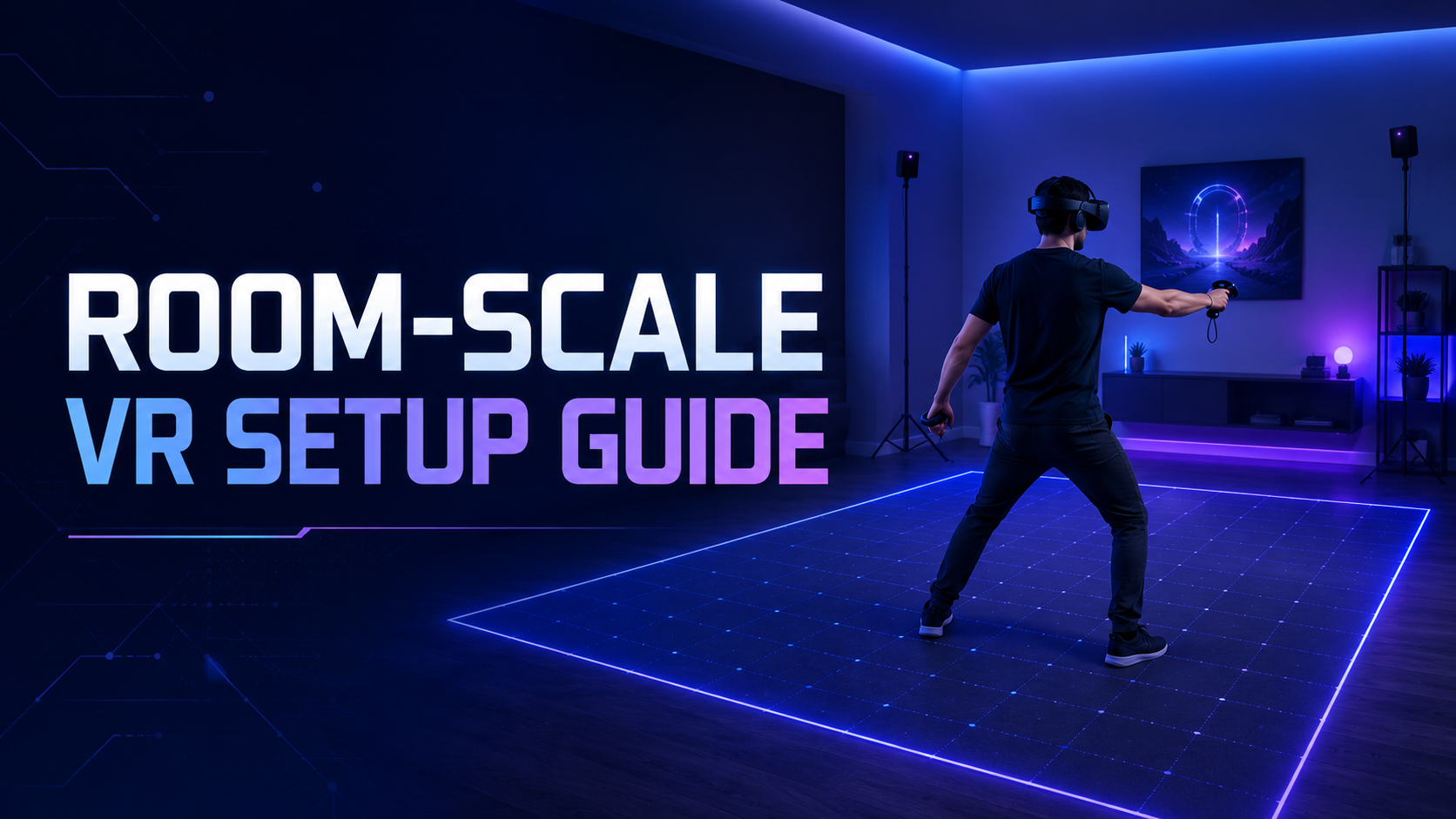
Room-scale VR lets users physically walk around and interact within a defined play space, tracked by sensors that map their movements into the virtual environment. Unlike seated or standing VR experiences, room-scale setups require dedicated floor space, tracking infrastructure, and safety boundaries to prevent collisions.
The technology transforms a physical area into a tracked volume where every step, crouch, and reach translates directly into the virtual world. Users can walk up to virtual objects, physically dodge obstacles, and interact naturally with their surroundings rather than using thumbsticks or teleportation mechanics. This physical freedom creates unprecedented immersion but demands careful planning for space, safety, and technical infrastructure.
Room-Scale vs Seated vs Standing VR
Movement freedom and physical interaction differences fundamentally separate these VR configurations. Seated VR confines users to a chair, limiting interactions to head rotation and controller movements within arm’s reach. Standing VR allows users to turn 360 degrees and reach in all directions but keeps them stationary in one spot. Room-scale VR enables users to physically walk several steps in any direction, crouch behind virtual cover, and approach objects from different angles.
Hardware requirements escalate with each configuration level. Seated VR needs minimal space—just enough for a chair and arm movement. Standing VR requires a clear radius of about 3 feet for arm swings and turning. Room-scale VR demands at least 6.5 x 6.5 feet of completely clear floor space, plus tracking infrastructure that can monitor the entire play area.
Use case alignment drives configuration selection. Seated VR works for vehicle simulations, virtual meetings, and 360-degree video viewing. Standing VR suits product demonstrations, virtual presentations, and experiences where users examine objects from a fixed position. Room-scale VR excels at safety training requiring physical movement, architectural walkthroughs, collaborative design sessions, and interactive brand experiences where physical exploration enhances engagement.
Core Components of Room-Scale VR Systems
The headset with positional tracking capabilities forms the foundation of any room-scale system. Modern headsets use either external sensors or built-in cameras to track position in 3D space with millimeter precision. The tracking system must capture not just head rotation but also translation—movement forward, backward, side-to-side, and up-and-down.
External sensors or inside-out tracking cameras define the tracked volume. Lighthouse systems use infrared laser sweeps from base stations mounted in room corners. Inside-out systems employ cameras on the headset itself to map the environment and calculate position. Both approaches require unobstructed sight lines and stable reference points to maintain tracking accuracy.
Boundary systems and guardian setup create virtual walls that appear when users approach physical limits. These safety systems use visual grids, color changes, or passthrough camera views to warn users before they hit walls or leave the tracked area. Boundary configuration happens during initial setup, with users tracing their play space using controllers while the system memorizes safe zones.
Wireless versus tethered considerations significantly impact movement freedom and setup complexity. Tethered systems provide consistent performance and unlimited battery life but introduce trip hazards and restrict natural movement. Wireless solutions—either standalone headsets or PC-connected systems with wireless adapters—eliminate cable management concerns but require battery monitoring and may introduce latency or compression artifacts.
Space Requirements and Venue Planning
Room-scale VR typically needs 6.5 x 6.5 feet minimum, though optimal experiences require 10 x 10 feet or larger. Corporate venues, conference rooms, and training facilities each present unique setup challenges that affect tracking performance and user safety.
Space planning extends beyond floor dimensions to include ceiling height, furniture placement, and traffic flow around the VR area. Event venues often lack the controlled conditions of dedicated VR spaces, requiring creative solutions for tracking system mounting, cable routing, and spectator management. Successful deployments account for setup time, breakdown logistics, and contingency plans for space conflicts.
Minimum and Recommended Play Space Dimensions
The 6.5 x 6.5 feet baseline for basic room-scale provides roughly 42 square feet of movement area—enough for users to take one or two steps in any direction from center. This minimum space works for simple interactions but feels restrictive during extended use. Users frequently trigger boundary warnings, breaking immersion and limiting natural movement patterns.
A 10 x 10 feet configuration delivers 100 square feet of comfortable movement space. Users can walk several steps before encountering boundaries, enabling more natural exploration and reducing boundary warning frequency. This size accommodates most single-user training scenarios, product demonstrations, and interactive experiences without constant space anxiety.
Spaces measuring 15 x 15 feet or larger unlock advanced capabilities. The 225 square feet allows multiple users to share the space simultaneously, supports complex training scenarios with significant movement requirements, and enables experiences designed for larger play areas. Trade show booths and training facilities often target this size for premium experiences.
Ceiling height considerations become critical above minimum requirements. Eight-foot ceilings suffice for most users, but taller individuals may hit fixtures when reaching upward. Ten-foot or higher ceilings eliminate overhead concerns and accommodate experiences with vertical interactions like climbing or basketball simulations. Low-hanging fixtures, ceiling fans, and light fixtures within the play space create hazards requiring removal or padding.
Venue Assessment Checklist
Clear floor space without furniture or obstacles forms the non-negotiable foundation. Every object within the boundary becomes a collision hazard. Temporary removal of tables, chairs, and equipment may be necessary. Carpeted floors provide better traction than polished surfaces but can interfere with boundary marking systems that use floor mats.
Wall mounting points for lighthouse sensors require structural support and appropriate height. Ideal mounting places sensors 6-8 feet high in opposite corners, angled downward at 30-45 degrees. Venues without suitable mounting points need tripod stands, adding setup time and creating additional obstacles. Adhesive mounts work for temporary installations but risk damaging walls.
Power outlet placement and cable management affect both safety and setup efficiency. Lighthouse base stations need power near mounting locations. PC-tethered systems require outlets near the computer position. Extension cords and power strips become trip hazards without proper cable covers or overhead routing systems. Wireless systems reduce but don’t eliminate power requirements.
Lighting conditions directly impact inside-out tracking performance. Extremely bright sunlight can overwhelm tracking cameras, while darkness prevents environment mapping. Ideal conditions provide consistent, diffuse lighting without dramatic shadows or direct sunlight. Venues with large windows may require scheduling around daylight hours or installing temporary window coverings.
Reflective surfaces and windows create tracking interference. Mirrors, glass walls, and polished metal surfaces can confuse lighthouse sensors by creating false laser reflections. Inside-out tracking systems may struggle with reflective floors or large uniform surfaces lacking visual features. Temporary coverings or strategic positioning minimize these issues.
Tracking Systems for Room-Scale VR
Modern room-scale VR uses either outside-in tracking with external sensors (lighthouse systems) or inside-out tracking with headset-mounted cameras. Each approach offers different setup complexity, portability, and accuracy tradeoffs that matter for event deployments.
Tracking system selection impacts every aspect of deployment logistics. Outside-in systems deliver superior accuracy and consistency but require complex setup and calibration. Inside-out systems simplify deployment but may struggle in challenging environments. Understanding these tradeoffs enables informed decisions based on specific event requirements and venue constraints.
Lighthouse Tracking (Outside-In)
SteamVR base stations 2.0 provide coverage up to 10 x 10 meters with just two units. The laser-sweep technology tracks multiple objects simultaneously with sub-millimeter precision. Each base station emits infrared laser sweeps that headsets and controllers detect, calculating position through timing differences. Four base stations can cover larger or oddly-shaped spaces.
Mounting requirements and calibration process demand precision and time. Base stations need rigid mounting 6-8 feet high, angled to overlap coverage in the play space center. Vibrations from foot traffic or building HVAC systems can shift alignment, requiring recalibration. Initial setup takes 30-45 minutes for experienced technicians, longer in challenging venues.
Tracking accuracy advantages matter for precision training applications. Lighthouse tracking maintains consistent accuracy regardless of lighting conditions or visual environment features. The system tracks through partial occlusion, maintaining position even when one base station loses sight. This reliability proves essential for safety training, medical simulations, and other high-stakes applications.
Setup time and portability limitations complicate event deployments. Each venue requires custom mounting solutions, cable routing, and calibration. Moving between rooms or venues means complete reconfiguration. Transport cases for base stations and mounting hardware add to logistics burden. These factors make lighthouse systems better suited for semi-permanent installations than traveling demonstrations.
Inside-Out Tracking Systems
Meta Quest 3 and PICO 4 camera-based tracking eliminates external sensor requirements. Onboard cameras continuously scan the environment, identifying features and calculating headset position relative to the mapped space. Advanced computer vision algorithms maintain tracking even as users move through the space, with automatic recovery if tracking momentarily fails.
No external sensor setup dramatically reduces deployment time. Users simply put on the headset, define boundaries using passthrough cameras, and begin experiencing content. Setup takes under five minutes in new venues. This simplicity makes inside-out tracking ideal for events, demonstrations, and scenarios requiring frequent venue changes.
Boundary setup using passthrough cameras provides immediate visual feedback. Users see their actual environment overlaid with virtual boundary markers, ensuring accurate space definition. The system remembers multiple boundary configurations, allowing quick switching between different room setups. Passthrough also enables mixed reality features, blending virtual content with the real environment.
Performance in different lighting conditions varies significantly. Bright, even lighting with distinct visual features provides optimal tracking. Darkness, extreme brightness, or featureless environments like empty white walls can cause tracking loss. Most systems include infrared illuminators for low-light operation, but tracking quality may degrade. Venue assessment must consider lighting throughout the event schedule.
Hybrid and Alternative Tracking
OptiTrack and Vicon systems serve professional installations requiring maximum precision. These optical motion capture systems use dozens of infrared cameras to track reflective markers with sub-millimeter accuracy. Film studios, research facilities, and high-end training centers use these systems for full-body motion capture and multi-user tracking. Setup complexity and cost limit event deployment feasibility.
Supplemental tracking pucks enable full-body capture within existing systems. Vive Trackers attach to feet, hips, and props, adding tracked points beyond headset and controllers. This enables full-body avatars, foot tracking for soccer simulations, and prop integration for training scenarios. Each tracker requires pairing and calibration, adding setup complexity.
AR markers provide enhanced positional accuracy for specific applications. Computer vision systems recognize printed markers, using them as reference points for precise positioning. This approach works for seated experiences needing exact positioning or augmenting inside-out tracking in challenging environments. Marker placement and lighting requirements add deployment considerations.
Hardware Selection for Room-Scale Deployments
Choosing room-scale VR hardware for business use requires balancing tracking quality, setup complexity, content compatibility, and rental availability. Standalone headsets now offer compelling room-scale capabilities without PC tethering.
Hardware decisions cascade through every deployment aspect. Standalone headsets simplify logistics but limit content options. PC-tethered systems access broader content libraries but require gaming computers and cable management. Enterprise-focused hardware provides management tools and support but costs significantly more. Successful deployments match hardware capabilities to specific use case requirements.
Standalone Headsets for Room-Scale
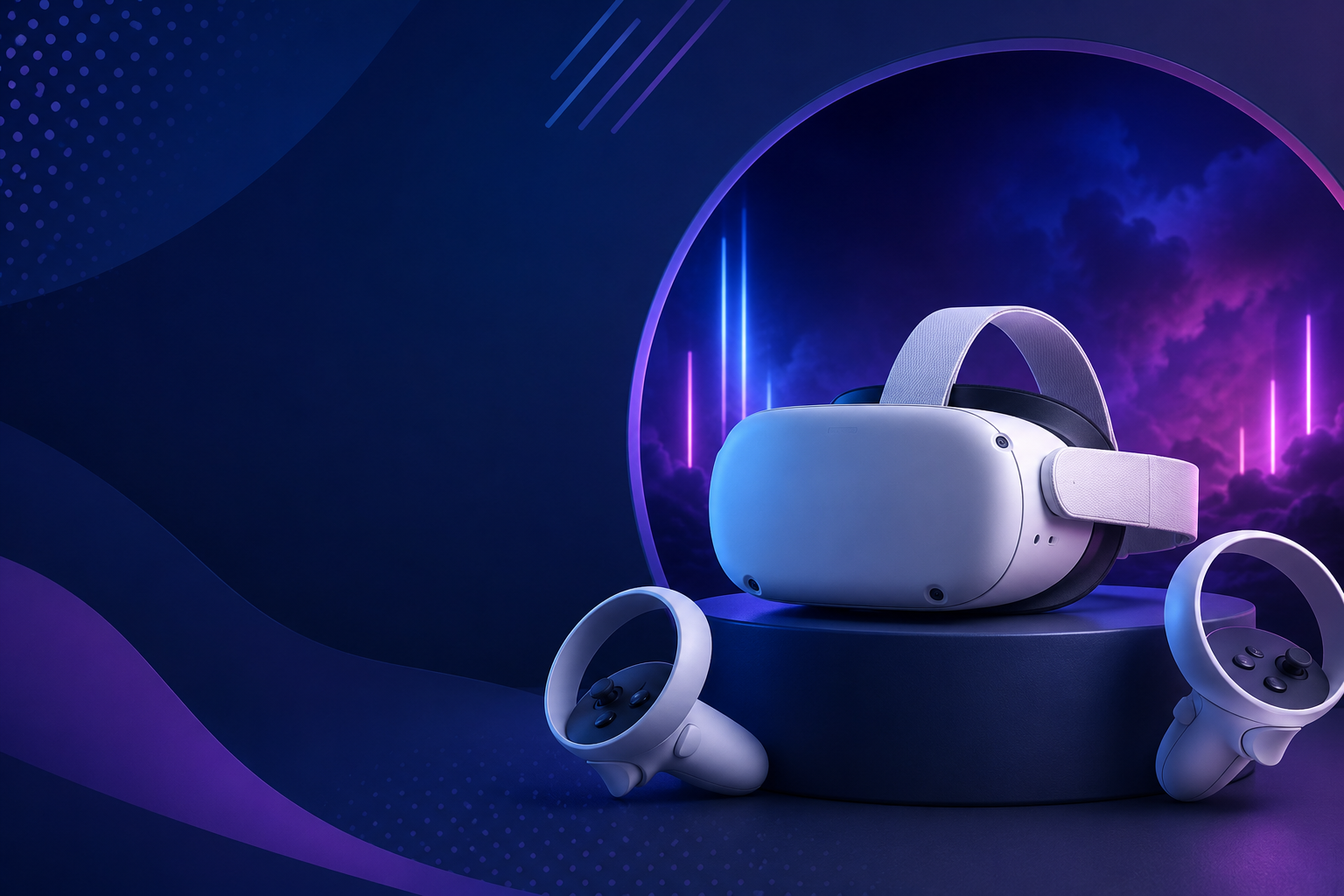
Meta Quest 3 inside-out tracking supports 10x10ft spaces without external sensors. The 4K+ resolution displays provide sharp visuals for training content and product visualization. Wireless operation eliminates cable hazards while 2-3 hour battery life covers most event sessions. Hand tracking capabilities enable controller-free interactions for intuitive experiences. At $499-649, Quest 3 offers exceptional value for room-scale deployments.
PICO 4 Enterprise brings business-focused features including kiosk mode, device management, and commercial licensing. The balanced design improves comfort during extended sessions. Boundary tools include multiple space memory and quick reset functions ideal for event use. Enterprise support and warranty coverage provide peace of mind for commercial deployments. Regional availability varies, with stronger presence in European and Asian markets.
HTC Vive Focus 3 targets enterprise deployments with comprehensive management tools. The 5K resolution and 120-degree field of view deliver premium visuals. Hot-swappable batteries enable continuous operation at events. Inside-out tracking performs well in challenging lighting conditions. ArmsRace tracking prediction maintains accuracy during rapid movements. Higher price points reflect enterprise features and support.
PC-Tethered Room-Scale Systems
HTC Vive Pro 2 with lighthouse tracking delivers maximum precision for training applications. The 5K resolution headset provides exceptional visual clarity for detailed simulations. Lighthouse 2.0 tracking maintains sub-millimeter accuracy across large spaces. Modular design allows component upgrades and repairs. Wireless adapter option eliminates tethering constraints while maintaining PC performance.
Valve Index sets the standard for tracking precision and refresh rate. Lighthouse tracking with 144Hz displays provides fluid, responsive experiences. Finger-tracking controllers enable natural hand interactions. Off-ear speakers deliver spatial audio without isolation. Limited availability and high cost restrict deployment options.
Varjo Aero brings professional-grade visuals to training applications. The mini-LED displays with automatic IPD adjustment ensure optimal viewing for every user. SteamVR tracking compatibility leverages existing lighthouse infrastructure. High system requirements demand powerful workstations. Price and complexity limit use to specialized training scenarios.
Wireless adapter options restore movement freedom to PC systems. HTC Wireless Adapter and third-party solutions transmit video and data over 60GHz wireless. Battery packs provide 2-3 hours of operation. Some compression and latency occur but remain acceptable for most applications. Added weight and heat generation affect comfort during extended use.
Room-Scale VR for Business Events and Training
Room-scale VR transforms passive demonstrations into interactive experiences where attendees physically explore products, practice procedures, or collaborate in virtual spaces. Implementation requires addressing throughput, hygiene, and supervision considerations.
Business deployments differ fundamentally from consumer use. Event environments demand rapid user turnover, consistent experiences despite varying user capabilities, and failsafe operation under pressure. Training applications require measurable outcomes, progress tracking, and integration with existing learning management systems. Success depends on matching technical capabilities to business objectives while managing operational complexities.
Trade Show and Conference Deployments
Booth space allocation and visitor flow determine experience design. A 10×10 booth might accommodate one room-scale station with spectator viewing area. Larger booths can run multiple stations simultaneously or create premium experiences with expanded play spaces. Queue management and scheduling systems prevent crowding and ensure smooth operations.
Quick boundary reset between users maintains throughput. Trained staff must efficiently transition users, reset boundaries if needed, and ensure proper headset fit. Automated kiosk modes speed transitions by eliminating menu navigation. Pre-configured experiences with fixed duration keep lines moving. Target 5-7 minutes per user for optimal throughput.
Spectator viewing via external displays engages waiting attendees. Large monitors or projection systems display the user’s view, creating shared experiences. Picture-in-picture modes can show both virtual and real views simultaneously. Interactive spectator features let audiences influence experiences. Social media integration encourages sharing and extends reach beyond direct participants.
Staffing requirements for supervision include technical operators and crowd managers. One staff member per station handles headset fitting, experience starting, and safety monitoring. Additional staff manage queues, explain experiences, and capture lead information. Technical support staff should be available for troubleshooting. Budget 2-3 staff per room-scale station for smooth operations.
Corporate Training Applications
Safety training with physical movement creates muscle memory for emergency procedures. Fire evacuation simulations let trainees physically navigate smoke-filled environments. Construction safety scenarios require proper positioning and tool handling. Chemical spill responses involve physical containment and cleanup procedures. Room-scale movement makes training more realistic and memorable than desktop simulations.
Equipment operation simulations benefit from natural movement and positioning. Forklift training includes walking around vehicles for inspection, physically entering cabins, and checking blind spots. Manufacturing equipment training involves reaching for controls, maintaining safe distances, and responding to hazards. Medical device training requires precise positioning and hand movements matching real procedures.
Soft skills practice in virtual environments reduces training anxiety. Public speaking scenarios place trainees on virtual stages with reactive audiences. Customer service training involves approaching virtual customers and reading body language. Leadership scenarios require moving through virtual offices and engaging with team members. Physical movement enhances presence and emotional engagement.
Multi-user collaborative scenarios leverage shared room-scale spaces. Team building exercises require physical coordination and communication. Emergency response training involves multiple roles working together. Design reviews let stakeholders walk through virtual prototypes together. Remote collaboration connects distributed teams in shared virtual spaces.
Brand Activation Experiences
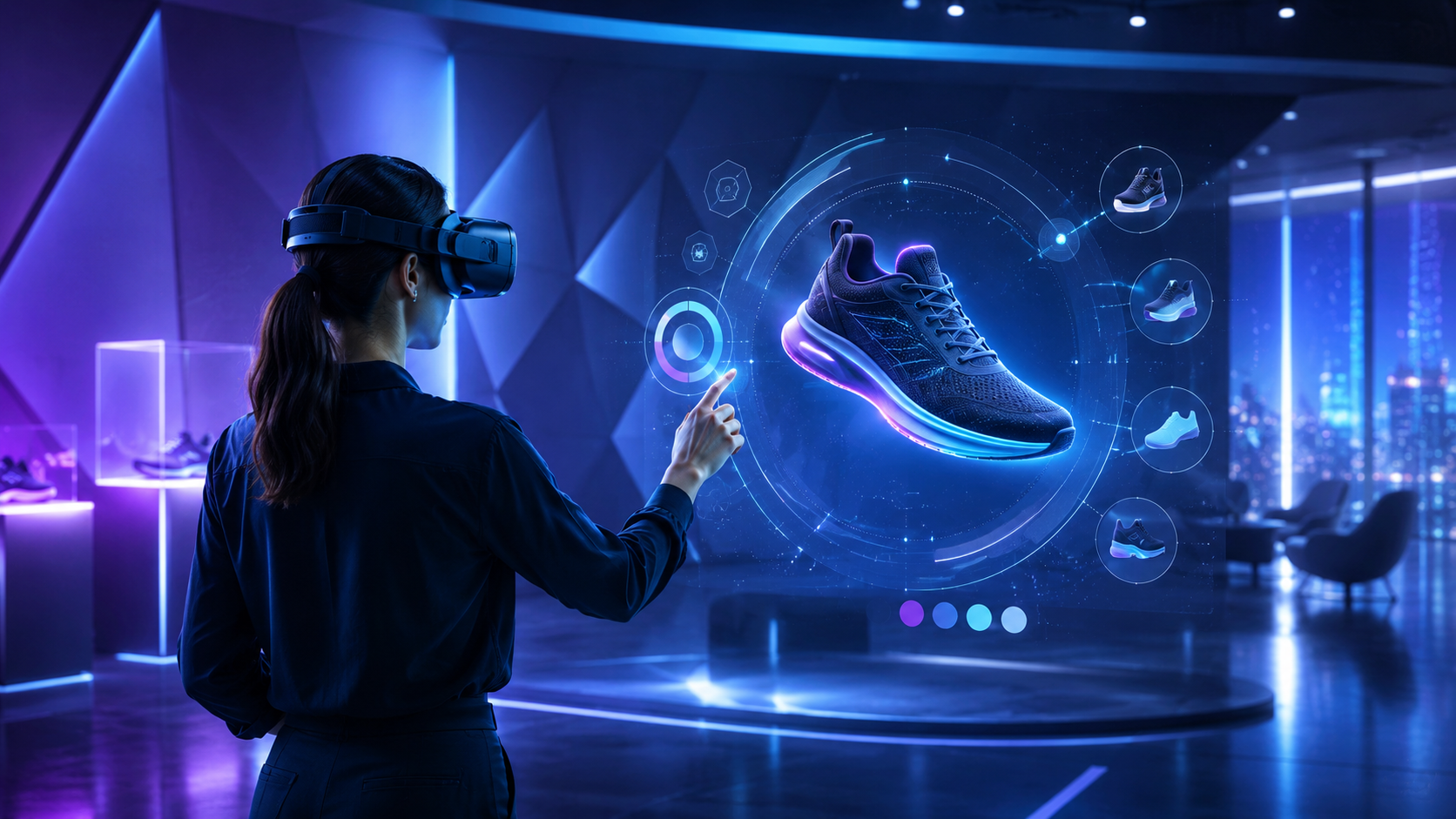
Product showrooms and virtual tours showcase scale and features impossible in physical spaces. Automotive experiences let users walk around vehicles, open doors, and explore interiors. Real estate tours enable natural exploration of properties. Furniture retailers show room configurations at actual scale. Industrial equipment demonstrations reveal internal mechanisms and operation principles.
Interactive storytelling with movement creates memorable brand connections. Adventure experiences cast users as heroes navigating branded worlds. Historical recreations let users walk through brand heritage moments. Product origin stories transport users to manufacturing facilities or source locations. Mystery experiences require physical investigation and discovery.
Gamified experiences requiring physical activity generate excitement and social sharing. Sports challenges use room-scale movement for batting, bowling, or golf simulations. Escape rooms require physical searching and puzzle solving. Competition modes let multiple users race through challenges. Leaderboards and prizes incentivize participation and return visits.
Social sharing and capture systems extend experience reach. Mixed reality capture shows users within virtual environments. Automated highlight reels capture key moments. QR codes link to personal experience videos. Social media integration enables immediate sharing. Email capture during registration builds marketing databases.
Safety and Supervision Best Practices
Room-scale VR introduces physical risks that require active management, especially in public events or unfamiliar venues. Proper boundary setup, user briefing, and supervision protocols prevent injuries and equipment damage.
Safety planning must address both immediate physical hazards and liability concerns. Insurance requirements, waiver processes, and emergency procedures need definition before deployment. Staff training ensures consistent safety protocols across all operators. Documentation of safety measures protects against liability claims.
Boundary System Configuration
Guardian and chaperone system setup requires conservative buffer zones. Virtual boundaries should appear at least one foot before physical walls, giving users time to stop forward momentum. Sensitivity settings balance safety with immersion—too sensitive causes frequent interruptions, too lenient risks collisions. Different experiences may require adjusted boundary configurations.
Physical barriers and floor mats provide tactile feedback supplementing visual warnings. Foam mats define play areas users can feel through shoes. Retractable barriers create clear spectator zones. Padded posts protect support columns within play spaces. These physical markers work even if virtual boundaries fail or users ignore warnings.
Safety buffer zones beyond virtual boundaries account for arm reach and stumbling. Users extending arms can reach 2-3 feet beyond their standing position. Sudden movements or loss of balance may carry users beyond boundaries. Minimum 3-foot clearance beyond play space edges prevents most collisions. High-energy experiences require larger buffers.
Warning systems for spectators prevent intrusions into active play spaces. Visible floor markings show danger zones. Stanchions and ropes create physical barriers. Staff positioning blocks common intrusion paths. Announcements remind spectators to maintain distance. Monitor displays show when experiences are active.
User Onboarding and Supervision
Pre-experience safety briefing requirements include movement limitations and emergency procedures. Users must understand boundary warnings and response expectations. Controller wrist straps prevent throwing accidents. Eyeglasses wearers need proper headset adjustment to prevent damage. Medical conditions affecting balance or motion sensitivity require disclosure.
Spotter positioning and intervention protocols ensure rapid response to problems. Spotters stand outside play spaces with clear sight lines to users. Hand signals communicate with users wearing headsets. Gentle physical guidance prevents imminent collisions. Emergency stop controls immediately halt experiences. Clear escalation procedures handle medical incidents.
Cable management for tethered systems prevents tripping and tangling. Overhead cable systems suspend tethers above users. Retractable cable reels maintain tension without restriction. Cable sleeves protect against wear and identification. Bright colored cables improve visibility. Regular inspection identifies damage before failure.
Emergency stop procedures require immediate accessibility and clear communication. Physical emergency stop buttons near operator positions cut power instantly. Software pause commands freeze experiences while maintaining tracking. Voice commands alert users to stop moving. Post-incident protocols document issues and prevent recurrence.
Renting vs Buying Room-Scale VR Equipment
Most businesses deploying room-scale VR for events or pilot programs benefit from rental packages that include tracking systems, setup support, and pre-configured boundaries. Purchase makes sense only for permanent installations or frequent deployments.
Total cost of ownership extends beyond hardware prices. Setup labor, transportation, storage, maintenance, and obsolescence affect long-term economics. Rental shifts these burdens to specialists with economies of scale. Purchase provides control and customization for specific requirements. Hybrid approaches may rent for events while purchasing for permanent training facilities.
When to Rent Room-Scale VR Systems
One-time events and trade shows make rental economically obvious. Purchase costs cannot be amortized over single uses. Rental companies handle transportation, setup, and breakdown. Technical support ensures smooth operation. Insurance coverage transfers risk. Post-event storage and maintenance become non-issues.
Pilot programs before full deployment benefit from rental flexibility. Testing different hardware configurations identifies optimal solutions. User feedback shapes requirements without purchase commitments. Scalability testing reveals true capacity needs. Budget validation occurs before capital expenditure requests. Rental periods from days to months accommodate various pilot structures.
Varying venue requirements favor rental adaptability. Different spaces may need different tracking systems. Event-specific content requires compatible hardware. Backup equipment ensures continuity despite failures. Technology updates happen automatically with each rental. Venue-specific mounting hardware and cables stay with rental companies.
Access to setup support and technical staff provides crucial expertise. Experienced technicians optimize configurations for each venue. On-site support handles issues during events. Remote assistance provides immediate problem resolution. Training for internal staff occurs during rental periods. Knowledge transfer prepares for eventual purchase decisions.
Room-Scale VR Rental Packages
Complete kits with headsets, tracking, and boundaries simplify procurement. Packages include all necessary components in protective cases. Pre-configured settings minimize setup time. Standardized configurations ensure consistent experiences. Replacement components ship overnight for equipment failures. All-inclusive pricing eliminates hidden costs.
Preloaded content for specific use cases accelerates deployment. Training scenarios come ready to run without installation. Brand experiences include customization within rental periods. Licensed content avoids copyright concerns. Content updates occur automatically. Custom content development services may be available.
On-site setup and calibration services ensure optimal performance. Technicians handle mounting, cable routing, and configuration. Venue-specific adjustments optimize tracking performance. Staff training covers operation and basic troubleshooting. Documentation provides reference for event staff. Remote support continues throughout rental periods.
Backup equipment and technical support provide operational insurance. Spare headsets enable continuous operation despite failures. Replacement components ship immediately when needed. 24/7 technical support resolves issues rapidly. On-site technicians available for critical events. Service level agreements guarantee response times.
Frequently Asked Questions
How much space do I need for room-scale VR?
Minimum room-scale VR requires 6.5 x 6.5 feet of clear floor space, though 10 x 10 feet provides a much better experience. Add at least 3 feet of buffer space beyond the play area for safety. Ceiling height should be at least 8 feet, preferably higher if users will reach upward.
Can I use room-scale VR without external sensors?
Yes, modern standalone headsets like Meta Quest 3 and PICO 4 use inside-out tracking that requires no external sensors. Their built-in cameras map your environment and track movement accurately in most lighting conditions. This makes them ideal for events and temporary setups.
What’s the difference between room-scale and standing VR?
Standing VR keeps users stationary in one spot, allowing them to turn and reach but not walk. Room-scale VR enables physical walking within a defined play space, typically at least 6.5 x 6.5 feet. Room-scale provides more natural movement and immersion but requires more space and safety precautions.
Which VR headsets support room-scale experiences?
Most modern VR headsets support room-scale, including Meta Quest 3, PICO 4, HTC Vive Pro 2, Valve Index, and PlayStation VR2. Standalone headsets like Quest 3 offer the simplest setup, while PC-tethered systems like Vive Pro 2 provide maximum tracking precision.
How do I set up room-scale VR for an event?
Start by measuring your available space and ensuring at least 6.5 x 6.5 feet of clear area. Choose between standalone headsets for simple setup or PC systems for premium experiences. Configure boundaries conservatively, brief users on safety, and assign trained staff for supervision. Consider renting equipment with setup support for one-time events.
Is room-scale VR safe for public demonstrations?
Room-scale VR is safe with proper precautions. Configure conservative boundaries with buffer zones, provide safety briefings, maintain constant supervision, and use physical markers like floor mats. Ensure adequate insurance coverage and have users sign waivers. Trained staff should be ready to intervene if needed.
Can multiple users share a room-scale VR space?
Multiple users can share larger spaces (15 x 15 feet or more) with appropriate content and safety measures. Each user needs distinct tracking (different colored controllers or separate tracking systems) and awareness training to avoid collisions. Collaborative training scenarios and team-building experiences work well in shared spaces.
Do I need a gaming PC for room-scale VR?
Standalone headsets like Meta Quest 3 and PICO 4 provide room-scale VR without any PC. For PC-tethered systems, you need a VR-ready computer with at least an RTX 2070 or equivalent GPU, 16GB RAM, and USB 3.0 ports. Standalone headsets offer simpler deployment for events, while PC systems access more sophisticated content.
Conclusion
Room-scale VR represents a fundamental shift in how businesses deploy immersive technology for training, events, and customer engagement. The ability to physically move through virtual spaces creates unparalleled presence and memorability, whether training employees on safety procedures or letting customers explore products at trade shows.
Success with room-scale VR deployments hinges on matching technical capabilities to specific use cases while managing operational complexities. The choice between lighthouse and inside-out tracking, standalone versus PC-tethered systems, and rental versus purchase decisions all flow from understanding your specific requirements for space, accuracy, content, and deployment frequency.
For most businesses beginning their room-scale VR journey, starting with rentals provides the flexibility to test different configurations, access expert support, and validate ROI before major capital investments. As experience grows and requirements crystallize, transitioning to purchased equipment for frequent deployments or permanent installations becomes logical.
The rapid evolution of inside-out tracking technology has democratized room-scale VR, eliminating the complex setup requirements that previously limited deployment to specialized facilities. Modern standalone headsets deliver compelling room-scale experiences with minimal setup time, making them ideal for events, demonstrations, and distributed training programs.
Ready to deploy room-scale VR for your next event or training program? Contact our VR rental specialists to discuss your space requirements, content needs, and deployment logistics. We’ll help you select the right hardware, plan your setup, and ensure successful implementation with full technical support. Transform your passive presentations into unforgettable interactive experiences that physically engage your audience in ways traditional media never could.