Why On-Site VR Staff Makes or Breaks Your Event Experience
Renting VR headsets is only half the equation. Without trained staff to manage setup, guide participants, and handle technical issues, even the best VR equipment can lead to long lines, confused guests, and underutilized technology. Here’s what dedicated VR staff actually do and why they’re essential for smooth activations.
The Hidden Complexity of VR at Events
Running VR experiences at events involves far more than simply handing out headsets. Multiple headsets need simultaneous calibration and space mapping, with each unit requiring precise boundary setup to prevent users from colliding with walls, furniture, or other participants. The tracking systems must be configured for the specific lighting conditions and spatial constraints of your venue, whether it’s a dimly lit convention center or a bright outdoor festival.
Guests need individual coaching on controls and navigation, particularly first-time users who may struggle with spatial computing concepts. Each participant requires personalized attention for headset fitting, interpupillary distance adjustment, and controller orientation. Without proper guidance, users often spend 5-10 minutes fumbling with basic controls instead of engaging with your content.
Technical issues require immediate troubleshooting to avoid downtime. From wireless interference in crowded venues to overheating headsets during extended use, problems arise constantly. Professional VR staff anticipate common issues, maintain backup equipment, and resolve problems in seconds rather than minutes.
Safety monitoring prevents collisions and equipment damage. VR users lose awareness of their physical surroundings, making them vulnerable to trips, collisions, and falls. Trained staff maintain safe perimeters, guide users away from hazards, and intervene when participants become too enthusiastic in their movements.
What Happens Without Dedicated VR Staff
Event coordinators get pulled away from other responsibilities when they attempt to manage VR stations themselves. Instead of overseeing the overall event flow, greeting VIPs, or coordinating with vendors, they’re stuck troubleshooting headset tracking issues or teaching grandmother how to use hand controllers.
Guest throughput drops to 20-30% of potential capacity without efficient staff management. Self-service VR stations create bottlenecks as users struggle with setup, while those waiting grow frustrated. Professional staff can cycle participants through experiences in 3-5 minute intervals, while unstaffed stations often see 15-20 minute sessions due to setup confusion and lack of time management.
Equipment damage rates increase significantly without proper supervision. Dropped controllers, tangled cables, and scratched lenses are common when users handle equipment without guidance. A single damaged headset can cost $500-1,500 to repair or replace, quickly exceeding the cost of professional staffing.
Negative experiences from poor onboarding or technical failures damage your brand perception. Guests remember the frustration of a crashed application or the embarrassment of not understanding controls. These negative impressions overshadow your intended message and can generate negative social media commentary that undermines your investment.
Core Responsibilities of On-Site VR Staff
Professional VR staff handle three critical layers: technical operations, guest experience, and event flow management. Understanding these roles helps you determine the right staffing level for your activation.
Technical Setup and Management
Pre-event equipment testing and configuration begins hours before guests arrive. Staff verify each headset’s battery level, update firmware, clear cache files, and test all planned experiences. They identify potential issues like dead pixels, controller drift, or audio problems before they impact guests.
Play area setup with proper boundaries and safety zones requires measuring available space, marking floor boundaries with tape or mats, and configuring guardian systems for each headset. Staff account for ceiling height, nearby obstacles, and traffic flow patterns to create safe, comfortable play spaces that maximize the available area.
Network configuration for multi-user experiences involves setting up local routers, managing IP addresses, and ensuring stable connections for synchronized experiences. Staff troubleshoot interference from other wireless devices, optimize bandwidth allocation, and maintain backup offline experiences for network failures.
Real-time troubleshooting and backup equipment management keeps experiences running smoothly. Staff maintain charged battery packs, spare controllers, and backup headsets ready for immediate deployment. They diagnose issues ranging from software crashes to hardware failures, often resolving problems before guests notice any interruption.
Guest Experience and Coaching
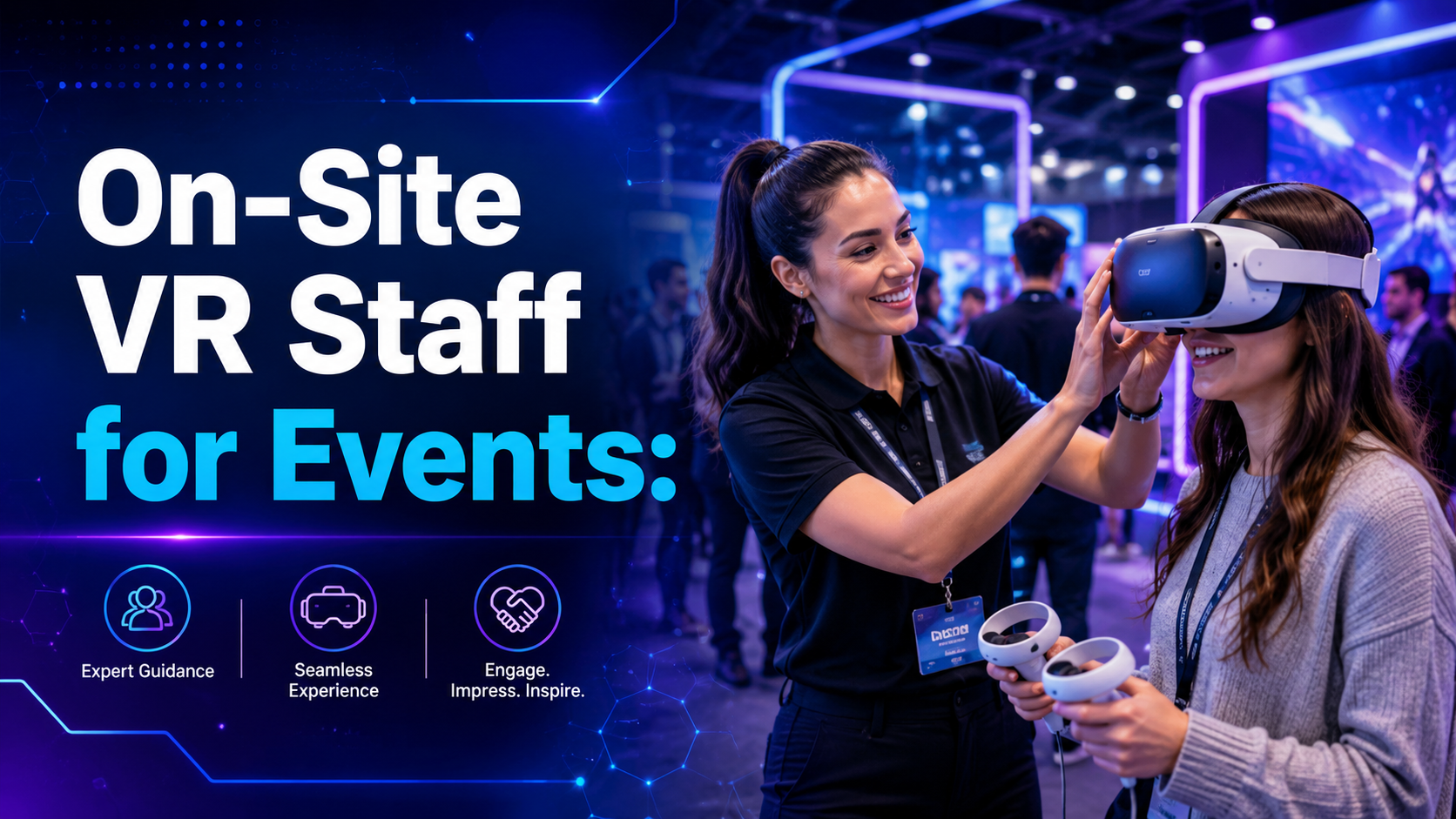
First-time user onboarding and comfort adjustment transforms nervous participants into confident users. Staff gauge each guest’s technical comfort level, adjusting their coaching approach accordingly. They ensure proper headset positioning for visual clarity, adjust straps for comfort during extended use, and address concerns about motion sickness or claustrophobia.
Controller training and gesture guidance helps users navigate virtual environments naturally. Staff demonstrate grip positions, button functions, and gesture controls while users wear the headset, providing real-time feedback on their movements. They teach spatial awareness, helping users understand their position relative to virtual objects.
Experience selection based on guest preferences and time constraints maximizes satisfaction. Staff recommend appropriate content based on age, interests, and available time, steering nervous users toward gentle experiences while offering thrill-seekers more intense options. They manage experience duration to maintain flow while ensuring each guest feels satisfied.
Hygiene protocol management between users maintains health standards and equipment longevity. Staff sanitize headsets, replace disposable face covers, and clean controllers between each use. They manage supplies of sanitizing wipes, disposable covers, and cleaning solutions while maintaining quick turnover times.
Event Flow Optimization
Queue management and time slot coordination prevents bottlenecks and maintains energy. Staff implement reservation systems, manage walk-up lists, and communicate wait times clearly. They identify peak periods, adjust staffing positions accordingly, and implement express lanes for quick demos when lines grow long.
Data collection for lead capture or analytics transforms VR engagement into measurable results. Staff gather contact information, survey responses, or behavioral data according to your requirements. They integrate with CRM systems, scan badges, or manage paper forms while maintaining experience flow.
Integration with broader event activities ensures VR complements rather than competes with other attractions. Staff coordinate with event managers, time experiences around keynote speeches or meal breaks, and guide participants to related booth activities or follow-up stations.
Peak time load balancing across stations maximizes equipment utilization. Staff dynamically adjust experience lengths, open additional stations during rushes, and redirect guests to less crowded times. They monitor equipment heat levels, battery life, and performance metrics to prevent system overloads during high-demand periods.
Staffing Ratios and Event Types
The number of VR staff you need depends on your event format, audience size, and experience complexity. These guidelines help you plan appropriate coverage.
Trade Show Booth Activations
Trade show environments demand 1 staff member per 2-3 headsets for high-throughput demos. This ratio enables simultaneous operation while maintaining quality interactions. Staff can onboard one participant while another completes their experience, creating seamless transitions that maximize booth traffic flow.
An additional floater for queue management during peak hours prevents your VR activation from overwhelming your booth space. This role manages sign-ups, answers preliminary questions, and pre-qualifies leads while others wait. They distribute marketing materials, capture contact information, and maintain organized queues that don’t block booth access.
Lead capture integration requires a dedicated data collection role separate from technical operations. This person focuses on qualifying prospects, recording detailed interaction notes, and ensuring follow-up information is accurately captured while technical staff maintain experience flow.
8-hour shifts require rotation planning to maintain staff energy and enthusiasm. Fresh staff every 4 hours ensures consistent guest experiences throughout long event days. Plan for 1.5x staffing to allow for breaks, meals, and shift overlaps that maintain continuous coverage.
Corporate Events and Team Building
Corporate settings allow for 1 staff member per 4-5 headsets for guided group experiences. The controlled environment and pre-registered participants enable more efficient operations. Staff can provide group instructions, facilitate team challenges, and manage tournament brackets with less individual hand-holding.
The facilitator role for competitive or collaborative activities adds engagement beyond basic technical support. This person manages scoreboards, announces achievements, and creates energy around team challenges. They understand group dynamics, encourage participation from reluctant team members, and ensure inclusive experiences.
Lower ratios are needed due to controlled environments with known participant counts and scheduled time slots. Pre-event communication allows staff to prepare specific experiences, customize difficulty levels, and plan session timing around agenda requirements.
Focus shifts to experience quality over quantity in corporate settings. Staff spend more time ensuring each participant has a meaningful experience rather than rushing through maximum numbers. They facilitate debriefs, connect VR experiences to business objectives, and create memorable moments that reinforce your event themes.
Large-Scale Festivals and Public Events
Public events require 1 staff member per 2 headsets plus a dedicated queue manager for crowd control. The unpredictable flow and diverse audience demand higher staffing ratios. Staff must handle everything from excited children to skeptical seniors, often with limited pre-event communication opportunities.
Security considerations require additional monitoring to prevent theft, vandalism, or misuse. Staff watch for suspicious behavior, secure equipment during breaks, and coordinate with event security for incident response. They implement check-in/check-out procedures for high-value equipment and maintain custody chains.
Higher equipment turnover needs technical backup to address increased wear and tear. Public events see 3-4x the usage of corporate events, accelerating battery drain, increasing accident risk, and stressing hardware limits. Staff rotate equipment, manage charging stations, and perform rapid repairs or replacements.
Weather and outdoor considerations affect staffing needs for festival environments. Staff protect equipment from sun, rain, and temperature extremes while maintaining safe operating conditions. They adjust play areas for changing light conditions, secure equipment against wind, and implement weather contingency plans.
Training and Expertise Requirements
Not all VR staff are created equal. Understanding the skill levels needed for different roles helps you evaluate staffing proposals and avoid understaffed activations.
Technical Specialists vs. Experience Guides
Technical specialists handle setup, networking, and troubleshooting with deep hardware and software knowledge. They understand tracking systems, graphics settings, and network protocols. These staff members diagnose complex issues, perform field repairs, and optimize performance for challenging environments.
Experience guides focus on guest interaction and coaching with strong interpersonal skills. They read participant comfort levels, adapt communication styles, and create welcoming environments for VR newcomers. These staff members excel at explanation, encouragement, and creating positive memories.
Hybrid roles work for smaller activations where single staff members handle both technical and interpersonal responsibilities. These versatile professionals switch between troubleshooting network issues and coaching nervous grandparents through their first VR experience.
Large events benefit from specialized roles that allow staff to focus on their strengths. Technical specialists maintain peak system performance while experience guides ensure every participant leaves with positive impressions. This division of labor increases both efficiency and satisfaction.
Platform-Specific Knowledge
Meta Quest ecosystem requires different expertise than PC-based VR systems. Staff must understand Oculus account management, Guardian boundary systems, and Air Link configurations. They navigate Meta’s privacy settings, content library, and enterprise deployment tools.
Enterprise platforms need specialized configuration knowledge for custom applications. Staff work with MDM systems, side-loading procedures, and kiosk modes. They understand licensing restrictions, multi-user management, and remote administration tools specific to business deployments.
Content curation skills for audience-appropriate experiences prevent uncomfortable situations. Staff recognize age-appropriate content, cultural sensitivities, and accessibility requirements. They recommend experiences that align with your brand values while avoiding content that might offend or exclude participants.
Multiplayer setup requires networking expertise beyond basic VR knowledge. Staff configure local servers, manage session codes, and troubleshoot synchronization issues. They understand bandwidth requirements, latency impacts, and cross-platform compatibility challenges.
Cost Considerations and ROI
On-site VR staff typically represents 30-40% of total VR rental costs, but the investment directly impacts activation success. Here’s how to evaluate the value proposition.
Direct Cost Factors
Hourly rates range from $35-75 depending on expertise level and market location. Entry-level experience guides command lower rates while technical specialists with enterprise platform expertise charge premium rates. Specialized skills like Unity development or custom application support increase costs further.
Minimum hour requirements and setup/breakdown time add to base costs. Most providers require 4-8 hour minimums plus 1-2 hours for setup and breakdown. Multi-day events may offer daily rates that provide better value than hourly billing.
Travel and accommodation for out-of-town events can equal or exceed staff hourly rates. Local providers eliminate these costs but may lack specialized expertise. Consider whether flying in experienced staff provides better value than training local temporary workers.
Premium rates for evenings, weekends, and holidays increase costs by 25-50%. Plan your VR activations during standard business hours when possible, or negotiate flat rates for extended events that span multiple rate periods.
ROI Metrics to Track
Participant throughput increase of 3-4x with dedicated staff justifies the investment. Staffed stations process 12-20 participants per hour versus 3-5 for self-service setups. Calculate the per-participant cost reduction and increased reach to demonstrate value.
Equipment damage prevention saves $500-2000 per incident based on repair and replacement costs. Professional staff reduce damage rates from 5-10% to under 1%, often saving more than their entire cost through damage prevention alone.
Lead quality improvement from proper experience delivery increases conversion rates. Participants who receive proper onboarding and complete full experiences are 2-3x more likely to provide contact information and engage in follow-up conversations.
Brand perception impact from smooth vs. problematic activations affects long-term value. Social media mentions, event surveys, and NPS scores consistently show 20-30 point improvements for professionally staffed VR activations versus self-service attempts.
IGIVU’s Integrated Staffing Approach
Unlike equipment-only rentals that leave you to figure out operations, IGIVU bundles trained staff with every rental package. This integrated approach ensures your VR activation delivers on its promise without the operational headaches.
What’s Included in IGIVU Packages
Pre-trained staff familiar with the specific equipment in your rental eliminates learning curves. IGIVU’s team knows every headset model, controller variation, and software quirk in their inventory. They arrive ready to deploy rather than figuring things out on-site.
Setup and breakdown labor included in base pricing removes hidden costs. You won’t face surprise invoices for the 2 hours needed to configure your activation or pack equipment post-event. All labor is transparent and included in your initial quote.
Experience curation matched to your audience and goals ensures relevant content. IGIVU staff pre-load appropriate experiences, remove unsuitable content, and customize demo flows for your specific audience. They understand which experiences work for trade shows versus team building versus public festivals.
Backup equipment and on-site troubleshooting capability prevents activation failures. Every IGIVU deployment includes spare headsets, extra batteries, and replacement parts. Staff arrive with tools, cleaning supplies, and everything needed for continuous operation.
Customization for Your Event Type
Staffing levels adjusted based on your specific needs optimize your investment. IGIVU scales staffing up for high-throughput trade shows or down for intimate executive demos. They assess your goals, expected attendance, and experience complexity to recommend appropriate coverage.
Specialized roles for lead capture or data collection align with your business objectives. IGIVU staff integrate with your CRM, implement custom surveys, or manage paper-based tracking according to your preferences. They become extensions of your team rather than generic contractors.
Brand training to align staff with your messaging ensures consistent communication. IGIVU staff learn your key talking points, understand your products, and reinforce your event themes. They wear your branded apparel and represent your organization professionally.
Flexible scheduling for multi-day or touring events provides continuity across locations. IGIVU maintains consistent staff when possible or ensures thorough handoffs between team members. They document setup configurations, participant feedback, and optimization opportunities throughout your campaign.
Frequently Asked Questions
Can we use our own staff instead of VR specialists?
While possible, internal staff typically require 8-12 hours of training per platform and lack troubleshooting experience for common issues. The learning curve often results in slower operations and increased equipment damage during your event.
How far in advance do we need to book VR staff?
Book at least 4-6 weeks ahead for standard events or 8-12 weeks for major trade shows and peak seasons. Last-minute requests may face limited availability or premium rush rates.
What happens if VR staff call in sick on event day?
Professional providers maintain backup staff rosters and on-call technicians. IGIVU guarantees replacement staff within 2 hours for local events or pre-positions backup staff for critical activations.
Do VR staff handle content licensing and selection?
Yes, experienced VR staff understand licensing requirements and can recommend appropriate content within your budget. They ensure all experiences are properly licensed for commercial use and audience-appropriate.
Can VR staff integrate with our event registration system?
Most professional VR staff can work with standard registration platforms, badge scanners, and CRM systems. Provide API documentation or training materials in advance for smooth integration.
What languages do VR staff speak for international events?
Language capabilities vary by market. IGIVU maintains multilingual staff in major markets and can arrange specific language support with advance notice.
Are VR staff covered by liability insurance?
Professional staffing providers carry general liability and equipment damage insurance. IGIVU includes $2 million coverage standard, with additional coverage available for high-value events.
How do VR staff handle accessibility needs?
Trained staff understand ADA requirements and can modify experiences for participants with mobility, vision, or hearing limitations. They provide seated experiences, adjust difficulty levels, and ensure inclusive participation.
Conclusion
Professional on-site VR staff transform virtual reality from a risky technical challenge into a reliable event attraction. The investment in trained personnel pays dividends through increased throughput, prevented equipment damage, and enhanced guest experiences that reflect positively on your brand.
Whether you’re planning a trade show booth, corporate team building event, or large-scale public activation, the right staffing strategy ensures your VR investment delivers maximum impact. Don’t let technical complexity or operational challenges diminish your event’s potential.
Ready to elevate your next event with professional VR staffing? Contact IGIVU to discuss your specific needs and receive a customized staffing proposal that ensures your VR activation runs flawlessly from setup to breakdown. Our integrated approach combines premium equipment with expert staff to deliver experiences your guests will remember long after your event ends.