In a business environment saturated with digital noise, creating a genuinely memorable brand experience is a monumental challenge. Marketing, events, and training teams are constantly searching for formats that don’t just present a message but make the audience feel it. This is the promise of a full-motion simulator: an immersive, high-impact tool designed to command attention and deliver tangible, unforgettable experiences.
But what are they, really? And more importantly, can they support your business goals with enough realism and reliability to justify the investment? This definitive guide is for any corporate team—from marketing and product to L&D and operations—evaluating immersive technology for a real-world deployment. We’ll explore what full-motion simulators are, how they compare to simpler VR/AR alternatives, and provide a practical framework for renting and implementing them successfully.
What Full-Motion Simulators Are and Why Businesses Use Them
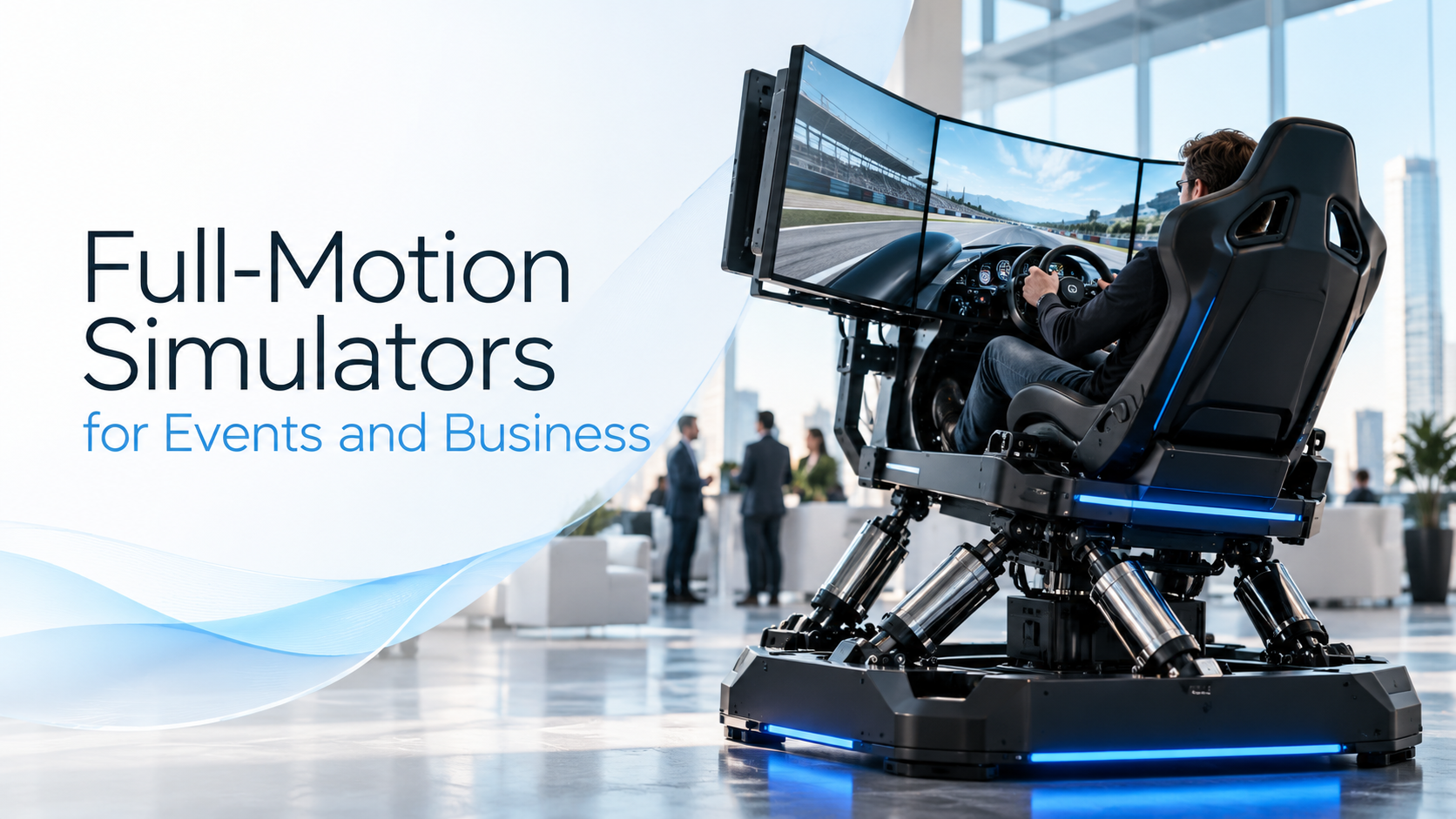
At its core, a full-motion simulator is a device that uses physical movement synchronized with audio-visual content to create a realistic, immersive experience of being in a vehicle or environment. Unlike a static display or a simple VR headset, it incorporates a motion platform—powered by electric or hydraulic actuators—that tilts, shifts, and vibrates to mimic the sensations of acceleration, turning, and environmental effects like turbulence or road texture.
For businesses, this isn’t just entertainment; it’s a powerful communication tool. The physical feedback reinforces the visual story, creating a level of immersion that is deeply engaging and memorable. This is why industries from aviation and automotive to military and heavy machinery have long used them for high-stakes training. Today, more accessible versions are transforming corporate events, trade shows, and brand activations into must-see attractions.
How Full-Motion Simulators Work
A full-motion simulator integrates several key components to trick the user’s brain and inner ear into believing the virtual experience is real.
- Motion Platform: This is the heart of the system. The platform is capable of movement across multiple axes. Systems with three degrees of freedom (3DoF) can move up-down, left-right, and forward-backward, while more advanced six-degrees-of-freedom (6DoF) platforms also add rotational movements: roll, pitch, and yaw. This allows the simulator to replicate everything from the subtle vibrations of an engine to the powerful G-forces of a tight corner.
- Synchronized Visuals: The physical motion is perfectly timed with a high-fidelity visual display. This can be a set of large, wraparound screens providing a panoramic view or a VR headset that places the user directly inside the virtual world.
- Authentic Controls and Audio: To complete the immersion, simulators feature realistic controls—like a steering wheel, flight yoke, or industrial joysticks—and a powerful sound system that reproduces engine noise, environmental sounds, and other audio cues.
The key difference between a full-motion simulator, VR, and AR in a business context lies in the level of physical immersion.
- Full-Motion Simulation combines physical movement with visuals.
- Virtual Reality (VR) immerses the user in a completely digital world, primarily through visual and auditory senses, but typically without large-scale physical motion.
- Augmented Reality (AR) overlays digital information onto the real world, enhancing rather than replacing the user’s environment.
The practical implications of choosing a full-motion simulator are significant. They require a considerable physical footprint, dedicated power circuits, and professional staff for setup, supervision, and teardown.
Where They Fit in a Business Environment
Full-motion simulators excel in scenarios where physical sensation amplifies the message and creates a spectacle. Their “stopping power” at a busy event is unmatched.
Common use cases include:
- Trade Shows and Brand Activations: A motion simulator is a natural crowd-puller. It draws attendees to a booth, holds them there for a meaningful duration, and creates a buzz that spreads across the event floor.
- Product Launches and Demos: For automotive, aerospace, or machinery companies, a simulator can make a new product’s features feel tangible. Guests don’t just see the new vehicle; they feel its acceleration and handling.
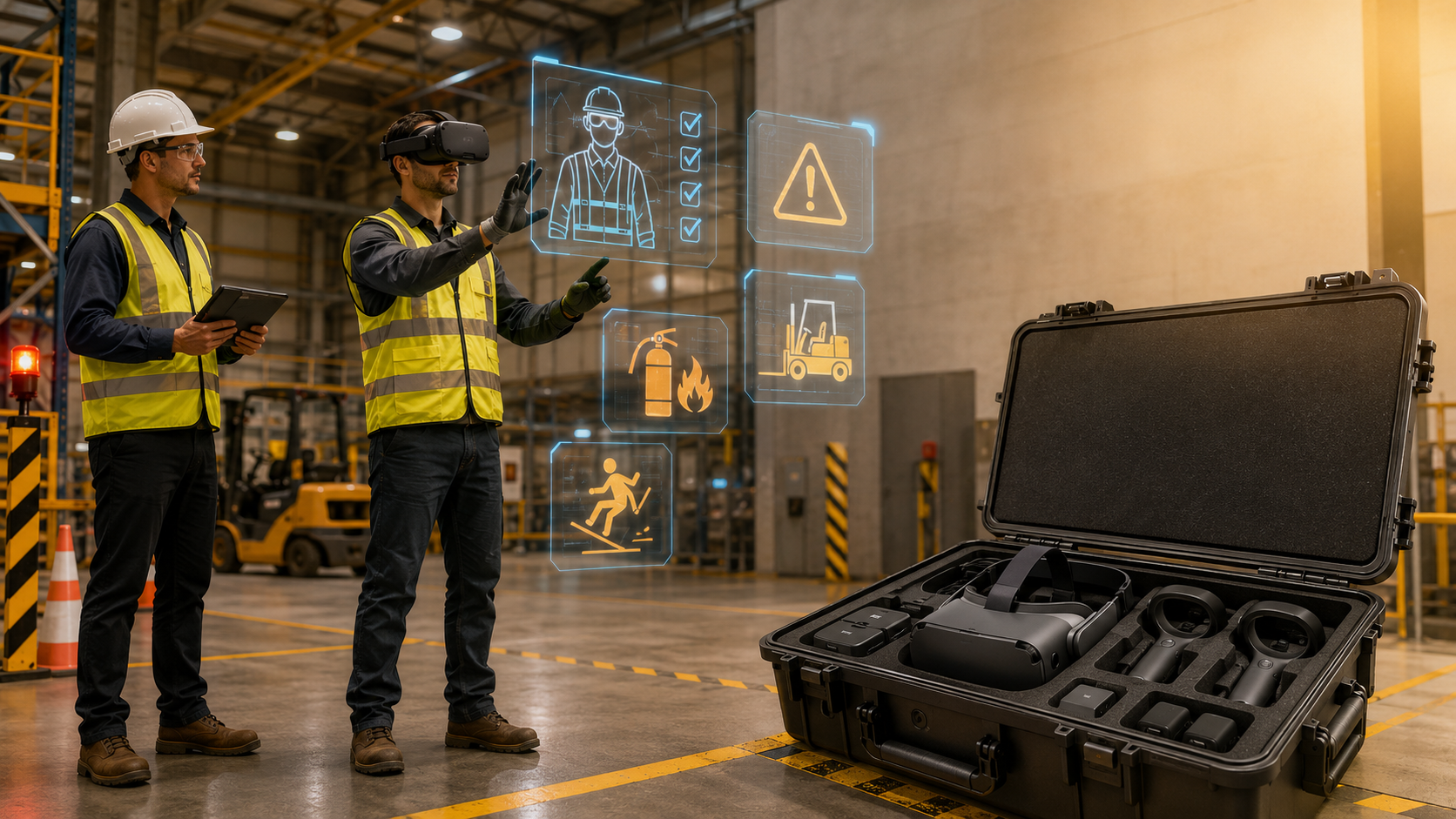
- Safety and Skills Training: In industries like construction or logistics, simulators provide a safe, controlled environment to practice operating heavy machinery or navigating hazardous situations, building muscle memory without real-world risk.
- High-Impact Team Experiences: As a top-tier incentive or team-building activity, a motion simulator offers a unique and thrilling competitive experience.
The format is ideal for creating memorable, high-value interactions. When an attendee feels the simulated G-forces of a race car or the rumble of a piece of construction equipment, the brand message becomes an unforgettable physical experience.
When a Full-Motion Simulator Is the Right Choice Versus a VR Rental
While the spectacle of a full-motion simulator is undeniable, it isn’t always the right tool for the job. The complexity, cost, and logistical footprint demand careful consideration. For many business goals, a lighter, more scalable standalone VR rental can deliver a powerful immersive experience with far less operational overhead. This section will help you decide.
Best-Fit Scenarios for Full-Motion Simulators
A full-motion simulator is the premier choice when the experience needs to be a high-impact centerpiece.
- High-Impact Demos Where Physical Movement Is Key: If you are demonstrating a vehicle or equipment where the feel is a critical part of the product’s value proposition (e.g., a luxury car’s handling, an aircraft’s flight characteristics, a crane’s responsiveness), motion is essential. It connects the user’s body to the product story.
- Experiences Benefiting from Realism and Spectacle: At a trade show, a motion simulator is an anchor attraction. Its physical presence and visible movement act as a powerful magnet, drawing in attendees from across the hall and signaling a premium, high-investment brand presence.
- Events with Sufficient Space, Budget, and Planning: These are not last-minute additions. A successful deployment requires a significant footprint (often 10×10 feet or more per unit), access for load-in, dedicated power, and a budget that accounts for specialized staff and logistics. When you have the resources to execute properly, the ROI in terms of lead quality and brand impact can be immense.
When Standalone Wireless VR Is the Better Option
For many corporate use cases, the goal is to deliver an immersive experience efficiently and at scale. This is where standalone VR headsets shine.
- Tighter Event Footprints and Faster Deployment: A dozen wireless VR headsets can be deployed in the same space a single motion simulator occupies. Setup is faster, power needs are minimal, and they can be used in virtually any venue without extensive coordination.
- Use Cases Where Portability and Scalability Matter More: If your goal is to train a large team simultaneously or engage hundreds of event guests with a product demo, VR is far more practical. You can run parallel sessions, accommodate more users per hour, and easily ship equipment to multiple locations.
- Situations Where Curated VR Rental Packages Deliver the Outcome with Less Risk: A professional VR rental partner like IGIVU can provide a turnkey solution that includes pre-loaded, business-ready scenarios on the latest standalone wireless headsets. This model eliminates the high upfront cost of hardware and the logistical complexities of motion platforms, while still delivering deeply engaging experiences for training, sales, and events. For many businesses, this is the sweet spot of impact and practicality.
Rental Considerations: What Buyers Need to Plan For
Renting a full-motion simulator is fundamentally different from a standard AV or VR headset rental. The logistical and operational requirements are more demanding and require close collaboration with both your rental partner and the venue.
Space, Power, and Venue Requirements
- Footprint and Access: A single motion simulator can require a significant footprint, often starting at 10×10 or 10×20 feet to allow for the machinery’s movement and a safe perimeter. You must confirm that the venue’s load-in doors, elevators, and hallways can accommodate the physical size and weight of the equipment.
- Power and Safety: Motion simulators are power-hungry machines, often requiring one or more dedicated 20-amp circuits per unit. This is not something you can plug into a standard wall outlet. Power drops must be coordinated with the venue and event electrician well in advance. Safety is also paramount; the area must be cordoned off to prevent guests from getting too close during operation.
- Venue Coordination: Your rental partner will need to work directly with the venue’s operations team to approve floor plans, confirm power delivery, and schedule load-in and load-out times. This process should begin weeks, if not months, before the event.
Staffing, Supervision, and Guest Flow
- Attendants and Onboarding: Full-motion simulators cannot be self-service. They require at least one trained attendant per unit to manage guest safety, provide instructions, operate the software, and assist with entry and exit. This staff is critical for ensuring a smooth, safe, and positive user experience.
- Throughput and Event ROI: The number of guests who can use the simulator per hour (throughput) is a key metric for event ROI. A trained operator who can efficiently cycle users through the experience is essential. For trade shows, this process is often integrated with a lead capture system, where attendees register before they drive.
- Reliability and Support: A professional rental package should include on-site technical support to handle any calibration or software issues immediately. The last thing you want is for your main attraction to be down during peak event hours.
Delivery, Setup, and Teardown Logistics
- Nationwide Delivery and Timelines: Experienced rental partners can deliver simulators nationwide, but this requires logistical planning. Setup is not a quick process; it can take several hours to assemble, wire, and calibrate the equipment. Teardown is similarly intensive. These timelines must be built into your event schedule and venue contract.
- Partner vs. Client Responsibilities: A turnkey rental partner should handle all aspects of delivery, setup, operation, and removal. The client’s responsibility is to facilitate communication with the venue and ensure that the necessary space and power are ordered and available.
- Preconfigured Packages: Look for partners who offer preconfigured packages tailored to corporate events. This ensures the software, branding, and operational flow are designed for business use cases, not just home entertainment.
Business Use Cases for Full-Motion Simulators
When deployed correctly, full-motion simulators translate directly into tangible business outcomes across marketing, sales, and training. They move beyond entertainment to become powerful tools for engagement and persuasion.
Events, Trade Shows, and Brand Activations
At a trade show, the primary goals are to attract attention, generate qualified leads, and create a lasting brand impression. A full-motion simulator achieves all three.
- Attract Attention and Create a Memorable Booth Experience: The physical motion and crowd of spectators it generates are a powerful draw. It turns your booth into a destination, not a pass-by. Companies can integrate custom branding on the simulator chassis, in-game content, and surrounding leaderboards to maximize brand visibility.
- Support Product Storytelling and Lead Capture: The experience itself can be a storytelling vehicle. For example, a medical device company created a “journey through the body” experience to explain a product’s mechanism of action in a highly memorable way. By requiring registration to participate, every user becomes a qualified lead, complete with contact information for post-show follow-up.
- Align with Campaign Messaging: The simulator experience should be an extension of your overall campaign. Whether the theme is speed, precision, power, or safety, the simulated activity can be designed to reinforce that core message.
Sales Demos and Product Launches
For high-value products, giving a potential buyer a sense of the physical experience can be a powerful sales accelerant.
- Make Product Features Tangible: Showing a video of a new earthmover is one thing; letting a key customer feel the machine’s responsiveness and power in a simulator is another. The physical feedback creates a deeper, more intuitive understanding of the product’s capabilities.
- Guided Demos in Enterprise Sales: In a B2B context, a simulator can be used for one-on-one guided demos with high-value prospects. A product specialist can walk the client through specific features and scenarios, creating a highly personalized and impactful sales conversation.
- Balancing “Wow Factor” with Complexity: A simulator is best used when the “wow factor” serves a strategic purpose. For simpler product demos, the logistical complexity might be overkill. The key is to reserve it for launches and sales cycles where making a massive impact on a key audience is the primary goal.
Training and Team Experiences
The principles that make full-motion simulators effective for professional pilot training also apply to corporate L&D.
- Connect Motion to Engagement and Retention: Physical interaction and sensory feedback significantly increase engagement and knowledge retention. When training involves procedural tasks or muscle memory, motion-based simulation is highly effective.
- Support Safety, Process, or Scenario-Based Learning: Industries like construction, aviation, and logistics use simulators to train employees on complex or hazardous tasks in a completely safe environment. Scenarios that are too dangerous or expensive to replicate in real life—like equipment failures or emergency procedures—can be practiced repeatedly.
- Position as Part of a Broader Toolkit: A full-motion simulator is a premium training tool. It is one powerful option within a broader immersive learning strategy that might also include desktop simulations, VR-based procedural training, and AR-guided instruction.
How to Evaluate a Full-Motion Simulator Partner
Choosing the right vendor is about more than just the hardware. For a business deployment, your partner’s implementation expertise is just as important as the simulator’s technical specifications. You are renting an outcome, not just a machine.
Questions to Ask Before You Rent
- What is included in the package? A clear quote should itemize everything: the simulator hardware, delivery, setup, on-site staffing, insurance, and teardown. Are there extra fees for branding, lead capture software, or a leaderboard display?
- Who handles delivery, setup, and support? Clarify that the partner provides their own trained, professional staff, not subcontractors. Confirm they will handle all logistical coordination with the venue.
- How is the experience configured for my specific use case? Discuss how the software will be tailored to your goals. Is it for brand awareness, lead generation, or technical training? Can they customize the experience to match your brand and message?
What Separates a Rental Partner from a Hardware Seller
- Deployment Guidance and Event Readiness: A true partner acts as a consultant. They should be able to look at your booth floor plan and advise on the optimal layout for traffic flow and engagement. They understand the nuances of corporate events and come prepared with solutions for common challenges like power, internet, and guest management.
- More Than Just Equipment: Business buyers need a turnkey solution. This includes experienced operators who can act as brand ambassadors, engage with guests, and ensure the technology runs flawlessly. It means having a partner who understands that their performance reflects directly on your brand.
- Risk Reduction and Execution Quality: The biggest value a professional partner provides is peace of mind. By managing the complex logistics, staffing, and technical requirements, they allow your team to focus on what they do best: engaging with customers and prospects. They are accountable for the successful execution of the activation from start to finish.
How IGIVU Approaches Immersive Deployments
While full-motion simulators offer unparalleled impact for specific, high-stakes scenarios, they are not always the most practical solution for every business objective. At IGIVU, we focus on delivering powerful, scalable, and operationally efficient immersive experiences through curated VR and AR rental solutions. We believe the technology should serve the goal, not the other way around.
Curated Rental Packages and Implementation Guidance
We specialize in making immersive technology easy to deploy for corporate clients. Our approach is built on providing business-ready rental packages that minimize friction and maximize results.
- Structured, Business-Ready Deployments: We provide the latest standalone wireless VR headsets (like the Meta Quest 3) pre-loaded with a curated library of scenarios tailored for business use cases, including training, wellness, team-building, and sales.
- Lower-Friction Alternatives: For the vast majority of event, training, and marketing goals, our VR rental solutions deliver the desired immersive outcome without the significant logistical, spatial, and budgetary requirements of a full-motion rig.
- End-to-End Support: From initial consultation to on-site support and post-event analytics, we guide our clients through the entire process to ensure a flawless execution that aligns with their business objectives.
Choosing the Right Immersive Format for Your Goal
The most effective immersive strategy matches the format to the objective. We help our clients navigate this decision with a simple framework:
- Budget: Full-motion simulators represent a premium investment reserved for centerpiece activations. VR rentals offer a more accessible price point, allowing for broader deployment.
- Footprint & Scalability: If space is tight or you need to engage a large number of people, the compact and scalable nature of standalone VR is a clear advantage.
- Audience & Throughput: How many people do you need to reach? Motion simulators offer a deep but low-throughput experience. VR can be scaled to accommodate much larger audiences.
- Business Outcome: Is the goal a high-impact spectacle for a select few, or broad engagement and training for many? Answering this question is the key to choosing the right tool.
Full-motion simulators are an incredibly powerful option in the immersive technology toolkit. But for many businesses, the strategic path to achieving their goals lies with more flexible, scalable, and operationally streamlined solutions.
Ready to explore how a curated VR rental package can elevate your next event, training program, or sales initiative? Contact IGIVU today for a consultation.
Frequently Asked Questions (FAQs)
What is a full-motion simulator?
A full-motion simulator is a device that combines a moving platform with visual and audio displays to realistically mimic the experience of being in a vehicle. Using hydraulic or electric actuators, it replicates physical sensations like acceleration, turning, and vibration, synchronized with on-screen action to create a deeply immersive experience.
How is a full-motion simulator different from VR?
The primary difference is physical motion. While a Virtual Reality (VR) headset immerses you in a 360-degree digital world, your body remains mostly static. A full-motion simulator adds a motion platform that physically moves your seat or the entire cockpit, engaging your inner ear and sense of touch to create a much stronger sensation of real movement.
Can you rent a full-motion simulator for a trade show or event?
Yes, many companies specialize in renting full-motion simulators for corporate events, trade shows, and brand activations. A professional rental service typically includes delivery, setup, trained on-site staff to operate the simulator, and teardown, providing a turnkey attraction for your event.
What space and staffing do full-motion simulators require?
Full-motion simulators have significant operational needs. They typically require a large, clear footprint (e.g., 10×10 or 10×20 feet), access to dedicated, high-amperage power circuits, and coordination with the venue for load-in. They are not self-service and must be operated by trained attendants who manage guest safety, onboarding, and technical supervision.
When is a VR rental a better choice than a full-motion simulator?
A VR rental is often a better choice when scalability, portability, budget, or speed of deployment are priorities. Standalone VR headsets require minimal space, can be set up quickly, and allow you to engage a much larger number of people simultaneously. If your goal is broad audience reach or large-scale training rather than a single, high-spectacle attraction, VR rentals offer a more practical and cost-effective solution.
Are full-motion simulators useful for training and product demos?
Absolutely. In training, they are highly effective for teaching skills that involve muscle memory and procedural steps, especially for operating vehicles or heavy machinery in a safe environment. For product demos, particularly in the automotive or aerospace industries, they allow customers to feel the product’s performance, making features like handling and acceleration tangible in a way that a simple video cannot.