Virtual reality can transform your corporate event from memorable to unforgettable—or from professional to problematic. The difference often comes down to one critical factor: on-site technical support. While VR technology has become more user-friendly, managing multiple headsets, troubleshooting in real-time, and ensuring hundreds of guests have seamless experiences requires expertise that goes beyond basic tech skills.
For event planners and corporate buyers evaluating VR rentals, understanding what professional technical support includes—and when it’s worth the investment—can mean the difference between a viral success story and a cautionary tale about technology gone wrong.
What On-Site VR Technical Support Actually Includes
Professional VR technical support goes beyond basic setup—it’s active event management that ensures every guest has a smooth experience while your team focuses on hosting. When you invest in on-site VR assistance, you’re not just hiring someone to plug in headsets. You’re bringing in a specialist who orchestrates the entire technical experience from load-in to breakdown.
Pre-Event Setup and Configuration
Professional VR technicians typically arrive 2-4 hours before your first guest, depending on the complexity of your activation. Their first priority is assessing your space to create optimal VR play areas that maximize both safety and engagement. This includes measuring distances, identifying potential hazards, and positioning equipment for the best tracking performance.
The hardware setup process involves more than connecting cables. Technicians calibrate each headset’s interpupillary distance settings, configure tracking sensors for your specific space, and establish guardian boundaries that keep users safe while maximizing play area. They’ll also test each piece of equipment individually and as a system, ensuring all components communicate properly.
Content loading requires particular attention when managing multiple experiences or branded activations. Your technician will pre-load all experiences, create quick-access shortcuts for rapid switching between demos, and optimize settings based on your audience demographics. For a senior executive demo, they might prioritize comfort settings and shorter experiences, while a trade show booth might need high-impact visuals optimized for quick rotations.
Network configuration becomes critical for cloud-based content or multi-player experiences. Technicians assess bandwidth availability, configure dedicated networks when necessary, and establish fallback options for connectivity issues. They’ll also set up remote monitoring systems that allow them to track all headsets’ performance from a single tablet or laptop.
Active Event Management
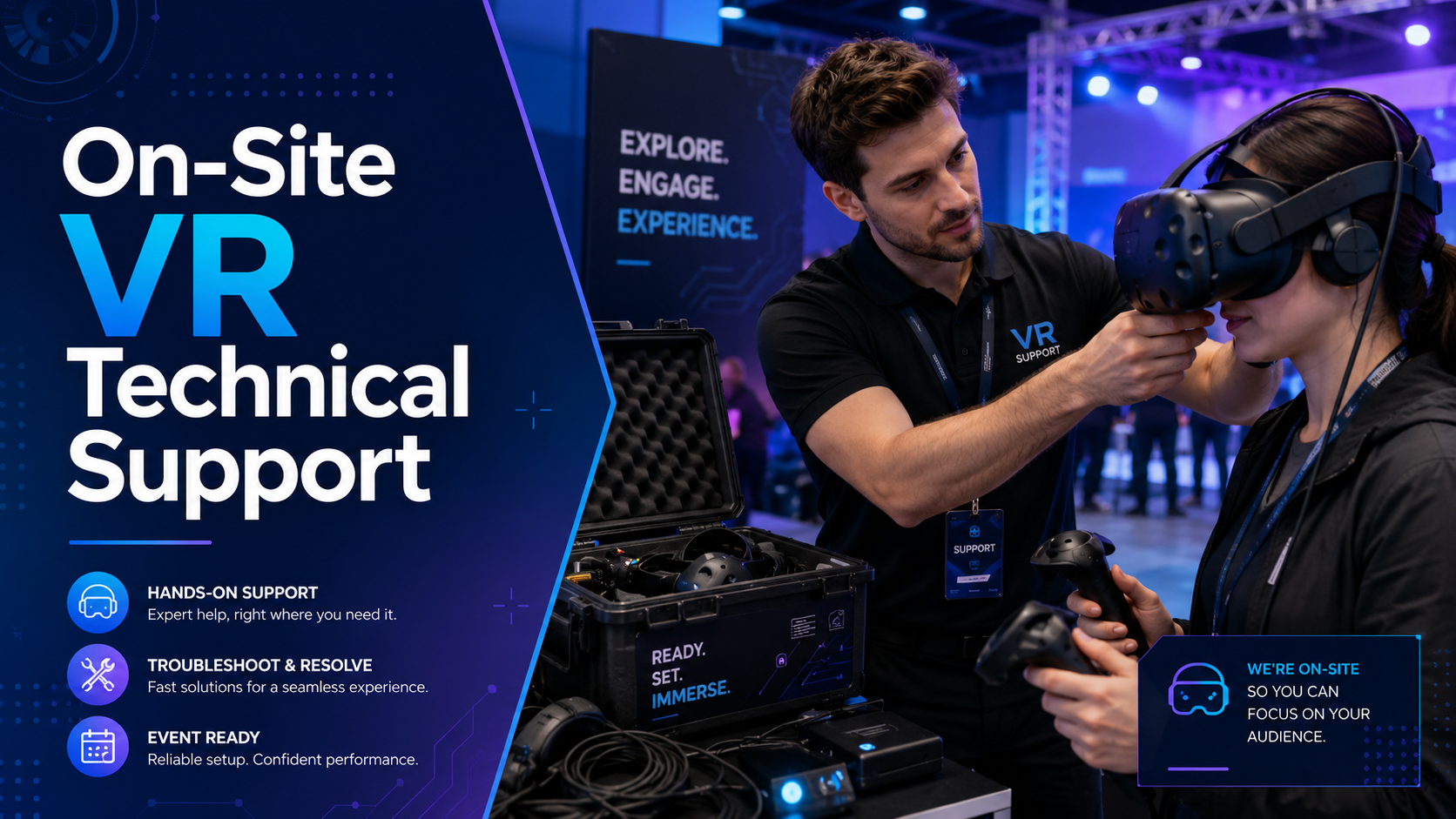
During your event, VR technicians become experience facilitators. They greet each guest, quickly assess their familiarity with VR, and provide appropriate guidance. For first-time users, this might include helping them put on the headset properly, adjusting straps for comfort, and explaining basic controls. For experienced users, they can skip straight to content selection.
Real-time troubleshooting happens constantly but invisibly. While one guest is mid-experience, your technician monitors performance metrics, watching for frame rate drops, tracking issues, or overheating warnings. They resolve most issues before users notice them, adjusting settings remotely or preparing backup equipment for seamless swaps.
Experience rotation management keeps your VR activation flowing smoothly. Technicians track session times, manage queues diplomatically, and ensure fair access during busy periods. They’ll coordinate with your event staff to prioritize VIP guests when needed while maintaining positive experiences for all attendees.
Safety monitoring extends beyond preventing physical collisions. Experienced technicians watch for signs of motion sickness, fatigue, or discomfort, intervening with breaks or alternative experiences when necessary. They also maintain awareness of the surrounding event space, ensuring VR users don’t disrupt other activities or create bottlenecks.
Equipment Management During Events
Battery management becomes crucial during extended events. Professional technicians implement rotation systems where headsets cycle through charging stations while maintaining constant availability for guests. They’ll typically bring 150-200% of the batteries needed, allowing for continuous operation even during peak usage periods.
Hygiene protocols have become non-negotiable in professional VR events. Between each user, technicians clean headsets with medical-grade wipes, replace disposable face cushions when used, and ensure controllers are sanitized. This process takes 30-60 seconds when executed efficiently, minimizing downtime while maintaining health standards.
Backup equipment deployment happens seamlessly when issues arise. Professional support packages typically include 20-30% spare equipment. If a headset develops tracking problems or a controller stops responding, technicians swap in replacements without guests noticing the interruption.
Performance monitoring across multiple headsets requires specialized software and expertise. Technicians track frame rates, temperature levels, and battery status across all devices simultaneously, making adjustments to prevent problems before they impact user experience.
When You Need Dedicated On-Site VR Support
Not every VR activation requires full technical support, but certain event types and scales make professional assistance essential for success. Understanding these scenarios helps you allocate budget appropriately and avoid costly mistakes.
High-Stakes Corporate Events
Executive demonstrations demand flawless execution. When presenting to C-suite leaders, board members, or potential investors, technical glitches aren’t just embarrassing—they can impact business outcomes. Professional technicians ensure equipment is pre-tested, experiences are cued perfectly, and any issues are resolved instantly without disrupting the presentation flow.
Product launches with media present multiply the stakes. Journalists and influencers won’t hesitate to share VR failures on social media, potentially overshadowing your actual announcement. On-site support ensures smooth demonstrations for press, manages equipment between media interviews, and provides technical expertise for reporters’ questions.
Investor showcases and stakeholder events often involve demonstrating cutting-edge capabilities or future vision through VR. Technical support here isn’t just about preventing failures—it’s about optimizing experiences to convey specific messages, adjusting content based on audience reactions, and ensuring every stakeholder leaves impressed.
The reputation risk in these scenarios far exceeds the cost of professional support. One viral video of a CEO struggling with a VR headset or an investor experiencing technical difficulties can damage brand perception for months.
Large-Scale Activations
Trade show booths with continuous traffic require industrial-grade support. Over an 8-hour show day, you might cycle through 200-300 users. Professional technicians manage this flow, maintaining equipment performance despite constant use, managing queues during rush periods, and ensuring consistent experience quality from first to last demonstration.
Multi-day conferences and conventions compound technical challenges. Equipment that performs perfectly on day one might develop issues by day three. On-site technicians perform daily maintenance, manage overnight charging logistics, update content based on attendee feedback, and maintain spare equipment reserves for the entire event duration.
Festival activations with hundreds of users push VR systems to their limits. Outdoor events add environmental challenges like temperature fluctuations and dust. Professional support includes weatherproofing equipment, managing sun glare issues, creating shaded experience zones, and maintaining performance despite challenging conditions.
Simultaneous multi-headset experiences require orchestration expertise. Whether running team-building exercises, multiplayer games, or synchronized presentations, technicians ensure all headsets start simultaneously, maintain sync throughout experiences, and manage the complex logistics of group VR activities.
First-Time VR Implementations
Teams with no prior VR experience benefit enormously from professional guidance. Beyond technical operation, experienced technicians provide best practices for user flow, space management, and common troubleshooting. They become temporary team members, transferring knowledge while managing technical aspects.
Events where hosts can’t dedicate staff to VR management need autonomous technical support. Your team should focus on guest relationships, not troubleshooting headsets. Professional technicians operate independently, requiring minimal coordination while delivering consistent results.
Audiences unfamiliar with VR technology need patient, experienced guidance. Professional technicians excel at making newcomers comfortable, choosing appropriate first experiences, and building confidence gradually. They recognize and address VR anxiety, ensuring even skeptical users have positive experiences.
Complex custom content or branded experiences often require specialized knowledge. Technicians familiar with your specific application can maximize its impact, highlight key features, and troubleshoot unique issues that generic support couldn’t address.
Support Levels: From Basic Setup to Full White-Glove Service
VR rental companies offer different support tiers—understanding these options helps you choose the right level for your event goals and budget. Each tier serves specific event types and client capabilities.
Self-Service with Remote Support
Pre-configured equipment ships directly to your venue with detailed setup instructions. Modern VR systems include QR codes linking to video guides, augmented reality setup assistants, and step-by-step documentation designed for non-technical users.
Video setup guides walk through each configuration step, from unpacking to first experience. These typically include troubleshooting sections, best practice recommendations, and contact information for immediate assistance.
Phone and video support during event hours provides a safety net for self-service rentals. Support specialists can diagnose issues remotely, guide you through solutions, and even access headsets remotely for configuration changes.
This tier works best for tech-savvy teams with simple setups—typically single-headset demonstrations, small internal meetings, or events with dedicated technical staff comfortable learning new systems.
Setup-Only Technical Support
A technician handles initial configuration, ensuring everything works perfectly before your event begins. They’ll optimize room setup, configure all equipment, test every experience, and verify network connectivity.
Brief training for your team covers essential operations: starting experiences, helping users with headsets, basic troubleshooting, and safety protocols. Technicians typically provide 30-60 minutes of hands-on training, ensuring your staff feels confident operating the equipment.
After setup verification, the technician leaves, remaining available by phone for remote support. They’ll typically return post-event for breakdown and equipment collection, handling logistics while you focus on follow-up activities.
This option works for straightforward, single-day events where your team can manage basic operations but needs professional setup expertise.
Full-Event Technical Management
Dedicated technicians remain on-site throughout your entire event, managing all technical aspects while you focus on business objectives. They become extensions of your team, wearing appropriate attire and representing your brand professionally.
Complete guest experience management includes greeting users, providing tutorials, managing queues, facilitating experiences, and ensuring every guest leaves satisfied. Technicians adapt their approach based on each user’s comfort level and your event’s specific goals.
Real-time content switching and customization allows dynamic event flow. Technicians can switch between experiences based on audience interest, modify difficulty levels for different user groups, and even load custom content on demand.
This comprehensive support proves essential for high-traffic events, multi-day activations, or situations where your brand reputation depends on flawless execution.
How On-Site Support Impacts Event ROI
Technical support isn’t just about preventing problems—it directly influences engagement metrics, brand perception, and overall event success. The data consistently shows that professionally supported VR activations outperform self-managed setups across every meaningful metric.
Maximizing Guest Throughput
Professional technicians reduce wait times through efficient user rotation systems. While unsupported events average 10-15 minutes per user including setup and explanation, experienced technicians reduce this to 5-7 minutes without sacrificing experience quality.
Parallel setup techniques allow technicians to prepare the next user while current experiences continue. They’ll adjust straps, clean equipment, and provide initial instructions during transition periods, maintaining constant activation flow.
Quick resets between users require practiced efficiency. Professional technicians can fully reset an experience, clean equipment, and onboard a new user in under 60 seconds, compared to 3-5 minutes for untrained staff.
Actual throughput numbers demonstrate the impact: professionally supported activations average 8-12 users per hour per headset, while self-managed events typically achieve 4-6 users per hour. For a trade show booth with four headsets over eight hours, that’s the difference between 256-384 experiences versus 128-192.
Preventing Experience Abandonment
Immediate help for confused or frustrated users prevents abandonment. Studies show that 40% of first-time VR users require assistance within their first two minutes. Professional technicians anticipate these moments, providing guidance before frustration builds.
Comfort adjustments for extended wear keep users engaged longer. Technicians recognize signs of discomfort—constantly adjusting straps, touching their face, or shifting weight—and proactively offer adjustments or alternative fitting options.
Motion sickness prevention and management protects both user experience and your event’s reputation. Experienced technicians identify susceptible users early, recommend appropriate experiences, and provide techniques for minimizing discomfort.
Technical hiccups become minor bumps rather than experience-ending failures. When tracking loses calibration or software glitches occur, professional technicians resolve issues in seconds while keeping users engaged through conversation and expectation management.
Protecting Brand Reputation
Avoiding viral moments of VR failures requires constant vigilance. Professional technicians prevent embarrassing situations like users walking into walls, equipment falling off, or confused executives struggling with controls—any of which could become unwanted social media content.
VIP guest experiences receive white-glove treatment. Technicians identify priority users, ensure their equipment is perfectly configured, and provide discrete assistance that maintains dignity while ensuring success.
Professional presence enhances perceived event quality significantly. Guests associate the technician’s expertise and professionalism with your brand, elevating overall event perception beyond the VR experience itself.
Post-event metrics consistently show improvement with professional support. Supported events average 4.6/5.0 satisfaction scores versus 3.8/5.0 for self-managed activations. More importantly, 85% of users at supported events report willingness to try VR again, compared to 60% at unsupported events.
Technical Support Pricing and Budget Considerations
On-site support costs vary by event duration, location, and service level—here’s how to evaluate options within your budget while ensuring adequate coverage for your needs.
Typical Pricing Structures
Hourly rates for VR technicians range from $75-150 per hour, depending on location, expertise level, and event complexity. Most companies require minimum bookings of 4-8 hours, even for shorter events, to account for setup and breakdown time.
Day rates often provide better value for full-day events, typically ranging from $600-1,200 for 8-10 hour coverage. Multi-day events may receive discounted daily rates, especially for consecutive days at the same venue.
Travel fees vary significantly by location and distance. Local technicians might charge $50-100 for transportation, while flying in specialists could add $500-2,000 including airfare, accommodation, and per diem expenses.
Package deals combining equipment rental with technical support often provide 15-25% savings versus à la carte pricing. Some companies offer “turnkey” solutions where support is built into the rental price, simplifying budgeting and procurement.
Hidden costs to investigate include overtime charges for extended events, equipment insurance requirements, cancellation policies, and potential charges for specialized content loading or custom configurations.
Cost-Benefit Analysis for Your Event
Calculating cost per successful VR experience provides meaningful ROI metrics. If professional support costs $1,000 but enables 100 additional experiences through improved efficiency, that’s just $10 per engagement—often less than the cost of promotional materials or swag.
Comparing DIY management versus professional support requires honest assessment of your team’s capabilities and availability. Factor in the opportunity cost of pulling staff from other responsibilities, potential equipment damage from inexperienced handling, and the impact of poor experiences on brand perception.
Insurance and liability considerations often justify professional support independently. Many venues require proof of liability insurance for VR activations. Professional technicians typically carry appropriate coverage, while self-managed events might need separate policies costing hundreds or thousands of dollars.
Support pays for itself through efficiency when you’re running multiple headsets or serving large audiences. The throughput improvements alone—potentially doubling the number of experiences delivered—often exceed the support cost.
Preparing for On-Site Technical Support
Maximize the value of professional VR support by preparing your venue and team for the technician’s arrival. Proper preparation ensures smooth setup, optimal performance, and efficient event execution.
Venue Requirements and Preparation
Power access requires more planning than most organizers expect. Each VR station typically needs 2-3 outlets for headset, computer, and accessory charging. Technicians need additional outlets for charging stations and backup equipment. Identify circuit capacity to avoid overloads, especially in older venues.
Internet bandwidth becomes critical for cloud-based content or software updates. Provide network credentials in advance, allowing technicians to test connectivity before event day. For high-security corporate networks, arrange guest network access or dedicated connections.
Physical space requirements extend beyond the VR play area. Account for equipment storage, charging stations, and technician workspace. Mark VR zones with tape or stanchions before technician arrival, accelerating setup and ensuring optimal placement.
Safety zones around VR areas need 6-8 feet of clearance minimum, with padding for walls or obstacles within reach. Remove fragile items, secure loose cables, and ensure adequate ventilation for both users and equipment.
Coordinating with Your Event Team
Defining roles between technician and event staff prevents confusion and ensures smooth operations. Clarify who handles guest registration, queue management, and VIP identification. Establish whether technicians should actively recruit users or wait for staff direction.
Communication protocols during the event keep everyone aligned. Provide radios or establish text groups for real-time coordination. Designate a primary contact for technician questions and ensure they have emergency contacts for venue facilities.
Escalation procedures for issues protect both efficiency and relationships. Define when technicians should involve event managers, how to handle difficult guests, and protocols for equipment failures that impact event flow.
Post-event breakdown and equipment return logistics require coordination. Confirm breakdown timing, shipping arrangements, and any venue restrictions on load-out procedures. Clarify who handles equipment inventory and damage assessment.
Frequently Asked Questions
What happens if VR equipment fails during my event?
Professional technicians bring 20-30% spare equipment as standard practice. If a headset fails, they’ll swap it within 60 seconds while maintaining user experience. For catastrophic failures affecting all equipment, support contracts typically include rapid replacement guarantees or full refunds.
Can one technician manage multiple VR stations simultaneously?
One experienced technician can effectively manage 3-4 VR stations for standard experiences, or 2-3 stations for complex activations. High-traffic events benefit from one technician per 2-3 stations to maintain optimal flow and user experience.
Do VR technicians also serve as brand ambassadors?
Many VR technicians are trained in brand representation and can deliver key messages while managing technical aspects. However, specialized brand ambassadors working alongside technicians often provide the best results for marketing-focused activations.
How far in advance should I book on-site technical support?
Book technical support when you confirm your VR rental, typically 4-6 weeks before your event. Last-minute bookings are possible but may incur rush fees and limit technician selection.
What certifications should VR event technicians have?
Look for technicians with manufacturer certifications for your specific equipment, general IT certifications like CompTIA A+, and event-specific training in crowd management and safety protocols.
Is on-site support included in standard VR rental packages?
Most basic rentals include remote support only. On-site support typically requires additional fees, though some premium packages include it. Always clarify support levels when comparing rental quotes.
Can technicians customize VR content during the event?
Experienced technicians can adjust experience parameters, swap between pre-loaded content, and modify comfort settings in real-time. Creating entirely new content requires advance preparation with development teams.
What’s the minimum event size that justifies on-site support?
Events with 50+ expected VR users, any C-suite involvement, or brand-critical activations justify professional support regardless of size. The investment protects against reputation risk while maximizing engagement value.
Conclusion: Investing in VR Event Success
On-site VR technical support transforms virtual reality from a risky novelty into a reliable engagement tool. The difference between self-managed and professionally supported VR activations isn’t just technical—it’s the difference between hoping your event succeeds and ensuring it does.
For corporate events where brand reputation matters, where hundreds of guests expect seamless experiences, or where VR represents significant investment, professional technical support isn’t optional—it’s essential. The cost of support pales compared to the potential impact of technical failures, abandoned experiences, or missed engagement opportunities.
As you plan your next VR activation, consider support not as an added expense but as investment protection. The right technical partner ensures your VR investment delivers maximum impact, your team stays focused on core objectives, and your guests remember the experience, not the equipment.
Ready to elevate your next event with professional VR technical support? Contact our team to discuss your specific needs, explore support options, and ensure your VR activation exceeds expectations. Don’t let technical challenges limit your event’s potential—let experienced professionals handle the technology while you focus on creating unforgettable moments.