What Virtual Showroom Software Does for Sales and Marketing Teams
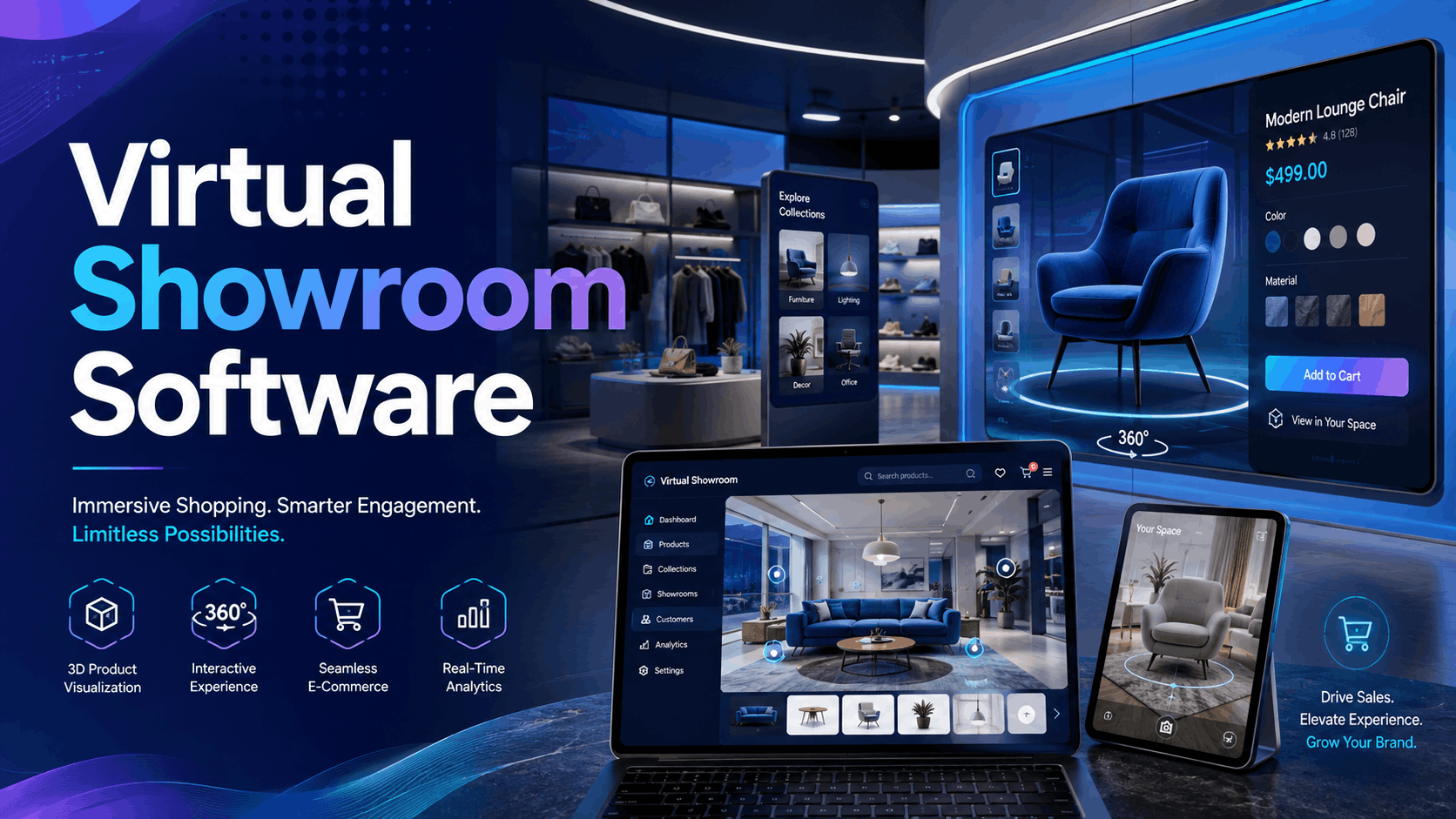
Virtual showroom software is transforming how businesses present products, enabling immersive 3D demonstrations that eliminate the need for physical inventory or travel. These digital platforms combine advanced product visualization, interactive features, and powerful distribution tools. They create virtual spaces where buyers can explore, customize, and experience products as if they were physically present, accessible from anywhere with an internet connection.
Core Components of Virtual Showroom Platforms
At their core, these platforms are designed to replicate and enhance the physical showroom experience. Key components include:
- 3D Product Modeling and Rendering: High-quality 3D models are the foundation, created from CAD designs or 3D scans to display products at scale with realistic detail.
- Interactive Features: Customers can engage with products by rotating them, zooming in on details, and customizing options like colors and materials in real-time. Interactive hotspots can be added to reveal specifications, videos, and other media.
- Multi-User Capabilities: Sales representatives can lead guided tours, conduct live demonstrations, and answer questions in a shared virtual space, making it ideal for B2B sales. Some platforms support up to 20 simultaneous users in a single session.
- Analytics Dashboards: Businesses can track user engagement, including session duration, product interaction rates, and navigation patterns, to gain insights into customer preferences and measure ROI.
Business Applications Beyond Traditional Demos
The utility of virtual showrooms extends far beyond simple product demos. Leading companies use them for:
- Trade Show Deployments: Instead of shipping large equipment, businesses use VR headsets at trade shows to offer immersive booth experiences, saving on logistics and space.
- Remote Sales Enablement: Sales teams can conduct detailed demonstrations of complex B2B products and machinery for clients anywhere in the world, shortening sales cycles.
- Dealer and Distributor Training: New product lines can be introduced to a global network of dealers simultaneously, ensuring consistent and effective training without travel costs.
- Customer Self-Service: Web-based showrooms embedded on a company’s website allow customers to explore and configure products at their own pace, 24/7.
Virtual Showroom Software Categories and Platform Comparison
The virtual showroom market is diverse, with solutions ranging from powerful enterprise platforms to accessible web-based builders. Understanding these categories is key to selecting the right technology for your business needs and budget.
Enterprise Virtual Showroom Platforms
Designed for large-scale operations, these platforms offer deep product configuration and integration capabilities.
- Examples: Threekit, Marxent, and Cylindo specialize in high-fidelity 3D product configuration, often incorporating augmented reality (AR) features. Salesforce Commerce Cloud and Shopify offer robust e-commerce backends that can power virtual showroom experiences.
- Integration: A key feature is their ability to integrate with existing CRM and e-commerce systems, creating a seamless workflow from product exploration to purchase.
- Cost: Licensing fees are significant, typically ranging from $2,000 to $10,000 per month, with enterprise plans exceeding $500 monthly.
- Timelines: Custom development for complex product catalogs can take 3-6 months.
VR-First Showroom Applications
These platforms prioritize a fully immersive experience, typically requiring a VR headset.
- Examples: Platforms like Spatial, Arthur, and VRChat for Business provide collaborative virtual environments. For more customized experiences, developers use game engines like Unity or Unreal Engine.
- Hardware: These applications are designed for VR headsets such as the Meta Quest, Pico, and HTC Vive.
- Content Creation: Creating content for these platforms often involves specialized 3D artists and developers.
- Use Case: Ideal for highly engaging, memorable experiences at events or for detailed product training simulations.
Web-Based 3D Showroom Builders
These platforms offer the broadest accessibility, allowing users to experience 3D content directly in their web browser without a headset. [3, 21]
- Examples: Sketchfab, Modelo, and Shapespark enable the creation and embedding of 3D models and virtual tours on websites. Other platforms like 3DVista offer one-time license fees for creating tours with offline delivery options, suitable for event kiosks.
- Accessibility: Their primary advantage is reach; anyone with a smartphone or computer can access the showroom.
- Limitations: While highly accessible, the level of immersion and interactivity is generally lower than that of dedicated VR platforms.
Rental vs. Software Licensing: Deployment Models for Virtual Showrooms
A critical decision for businesses is whether to license showroom software for ongoing use or rent a complete VR package for specific events. This choice hinges on usage frequency, technical resources, and strategic goals.
When Renting VR Showroom Packages Makes Sense
Renting is often the most practical solution for short-term, high-impact needs. Consider renting when:
- Executing Short-Term Events: For trade shows, conferences, or product launches lasting 3-5 days, renting a fleet of 10-50 headsets is more cost-effective than purchasing.
- Needing Turnkey Deployment: Rental providers can offer a complete package, including hardware, pre-loaded content, setup, and on-site technical support.
- Testing a Concept: A rental allows you to pilot a virtual showroom concept and gather user feedback before committing to a long-term software license.
- Managing Seasonal Demand: Businesses can supplement their owned hardware with rentals to handle seasonal peaks or large-scale dealer meetings.
Cost Analysis: Rental Packages vs. Annual Licenses
The financial break-even point is a key factor in the rent-versus-buy decision.
- Rental Costs: VR headset rentals can range from $50 to $300 per headset per day, depending on the model, quantity, and duration. A fully staffed, concierge service can start at around $499 for two hours.
- Software Licensing Costs: Annual licenses for enterprise software can range from $24,000 to $120,000, in addition to the initial hardware purchase costs.
- Break-Even Point: For businesses that need VR for fewer than 20 days per year, renting is typically the more economical choice.
- Hidden Costs of Licensing: Beyond the license fee, owning the software involves costs for staff training, content creation and updates, and ongoing IT support.
Hybrid Approaches Combining Both Models
Many businesses find a hybrid approach offers the best of both worlds:
- Maintain a web-based showroom year-round for constant accessibility while renting VR headsets for key trade shows to create a high-impact experience.
- Use rental periods to test and refine content on a small scale before a full-scale rollout on a licensed platform.
- Own a small number of headsets for the core sales team and supplement with rentals for larger events or training sessions.
Setting Up Virtual Showrooms for Trade Shows and Events
A successful trade show deployment requires careful planning across content, hardware, and staffing. Whether renting or using your own platform, a structured approach minimizes on-site complexity.
Pre-Event Content Preparation
- Asset Conversion: Convert existing CAD files and 3D product models into VR-ready formats. This process should be completed weeks in advance.
- Guided Tours: Develop scripts for booth staff to lead visitors through a consistent and compelling product tour.
- Hardware Testing: Test the final content on the specific VR headsets that will be used at the event at least 2-3 weeks prior.
- Offline Functionality: Prepare an offline mode for the experience to avoid issues with unreliable venue Wi-Fi.
Booth Layout and Hardware Configuration
- Space Requirements: Allocate a safe, open area of at least 6×6 feet per VR station to allow for user movement.
- Hardware Choice: Use standalone wireless headsets like the Meta Quest 3 to eliminate tripping hazards from cables.
- Power Management: Set up a dedicated charging station to ensure headsets can be rotated and remain operational throughout the day.
- Traffic Flow: Design the booth with clear signage and a queuing system to manage visitor flow during peak times.
Staff Training and Visitor Management
- Staff Training: Conduct hands-on training sessions (at least 2 hours) for all booth staff on headset operation, the demo script, and basic troubleshooting.
- Hygiene Protocols: Use disposable face covers and have antibacterial wipes readily available to clean headsets between each use.
- Appointment Scheduling: For high-demand demos, use a scheduling system to manage appointments and reduce wait times.
- Fallback Options: Keep tablets with a web-based version of the showroom on hand for visitors who are hesitant to use VR or for when all headsets are in use.
Measuring ROI from Virtual Showroom Deployments
Virtual showrooms deliver a measurable return on investment by reducing costs, increasing engagement, and improving sales efficiency. Tracking the right metrics is essential to justifying the investment and optimizing the experience.
Key Performance Metrics for Virtual Showrooms
- Average Session Duration: Virtual experiences typically hold visitor attention significantly longer than traditional web pages or videos.
- Product Interaction Rates: Analytics can reveal which products and features visitors engage with the most, providing valuable insights for marketing and product development.
- Lead Quality: The depth of a visitor’s interaction within the showroom can be used to score leads, allowing sales teams to prioritize follow-ups.
- Conversion Rates: Track how effectively the virtual showroom converts visitors into qualified leads or direct sales.
Cost Savings and Efficiency Gains
- Reduced Travel and Shipping: Eliminates the substantial costs associated with shipping physical products and prototypes to trade shows and sales meetings.
- Lower Event Costs: Virtual demos can reduce the need for large, expensive booth spaces at trade shows.
- Increased Sales Productivity: Remote sales presentations allow teams to reach more prospects globally without the time and expense of travel.
- Faster Product Launches: Digital showrooms enable product launches without waiting for physical samples to be manufactured and distributed.
Implementation Roadmap: From Pilot to Full Deployment
Adopting virtual showroom technology is most successful when done in phases. A structured roadmap allows for testing, learning, and building internal support while minimizing risk.
Phase 1: Pilot Program Design (Months 1-2)
- Select Hero Products: Choose a small set of 5-10 key products for the initial showroom.
- Choose a Trial Model: Opt for a software free trial or a short-term rental package to test the technology with minimal commitment.
- Identify a Test Group: Target a single sales team or a specific trade show for a controlled pilot program.
- Define Success Metrics: Establish clear KPIs to measure the pilot’s success, such as lead generation or user engagement, and create a method for collecting feedback.
Phase 2: Expansion and Optimization (Months 3-6)
- Analyze Pilot Data: Use analytics from the pilot to refine the content and user experience.
- Expand Product Catalog: Add more products and categories to the showroom based on performance data and business priorities.
- Train More Teams: Roll out training to additional sales and marketing teams.
- Test Multiple Formats: Experiment with different deployment formats, including VR headsets, web-based access, and mobile AR, to see what resonates with your audience.
Phase 3: Enterprise Integration (Months 7-12)
- CRM Integration: Connect the virtual showroom’s analytics and lead capture forms directly to your company’s CRM system for seamless lead tracking and follow-up.
- Establish Content Workflows: Create a standardized process for updating the showroom with new products, features, and marketing materials.
- Standardize Deployment: Develop standardized hardware kits and training protocols for field sales and event marketing teams.
- Calculate Full ROI: Conduct a comprehensive ROI analysis that includes both hard cost savings and soft benefits like enhanced brand perception and competitive differentiation.
Frequently Asked Questions (FAQs)
What’s the difference between virtual showroom software and VR rental packages?
Virtual showroom software is a platform you license to create, manage, and deploy your own digital product showcases. A VR rental package is a service that provides the hardware (headsets, controllers) and often includes pre-loaded content and on-site support for a specific period, typically for an event.
How much does virtual showroom software cost for small businesses?
For small businesses, web-based virtual tour software can be very accessible, with plans starting from free trials to around $20-$60 per month. One-time licenses for more advanced tour creation software can be around $500.
Can virtual showrooms work without VR headsets?
Yes. Many virtual showrooms are web-based and designed to be accessed on desktops, tablets, and smartphones without any special hardware. VR headsets enhance the experience by making it more immersive, but they are not a requirement for most platforms.
What file formats do virtual showroom platforms accept?
Most platforms are built to accept standard 3D file formats like STEP, SketchUp, OBJ, and FBX, which are common outputs from CAD and 3D modeling software.
How many products can you display in a virtual showroom?
A key advantage of virtual showrooms is that they are not limited by physical space. You can display an unlimited number of products, from a small collection to your entire catalog.
Do virtual showrooms require a constant internet connection?
While most web-based showrooms require an internet connection for access, some platforms allow you to create experiences that can be downloaded and run offline, which is a crucial feature for trade shows with unreliable Wi-Fi.
What’s the typical setup time for a trade show virtual showroom?
For a well-prepared team using standalone wireless headsets, the physical setup of a few VR stations at a trade show booth can be done in under an hour. The majority of the work lies in pre-event content creation and testing.
Can multiple users explore the same virtual showroom simultaneously?
Yes, many platforms are designed for multi-user experiences. This allows a sales representative to guide one or more customers through the showroom in a shared, collaborative session.
Conclusion
Virtual showroom software is no longer a futuristic concept but a practical and powerful tool for modern sales and marketing. By enabling immersive, interactive, and accessible product showcases, businesses can shorten sales cycles, reduce operational costs, and create unforgettable brand experiences. Whether through a flexible rental package for a key event or a fully integrated enterprise platform, the time to invest in a virtual showroom is now.
Ready to build your virtual showroom? Contact our team of experts today to schedule a demo and discover the right platform for your business.