Immersive product demos transform how sales teams showcase complex products, replacing static presentations with interactive 3D experiences that customers can explore, configure, and understand at a deeper level. For sales and marketing teams evaluating deployment options, rental solutions offer a practical path to testing immersive technologies without capital investment, providing access to enterprise-grade VR and AR equipment with full technical support for events, trade shows, and customer meetings.
What Makes Product Demos Immersive: VR, AR, and Mixed Reality Formats
Immersive product demos use VR headsets, AR glasses, or mixed reality displays to let customers interact with products in 3D space rather than watching videos or clicking through slides. For sales teams and event marketers, this means choosing between full VR experiences that transport users into virtual showrooms, AR overlays that project products into real environments, or hybrid setups that combine physical products with digital enhancements.
VR Product Demos: Full Virtual Environments
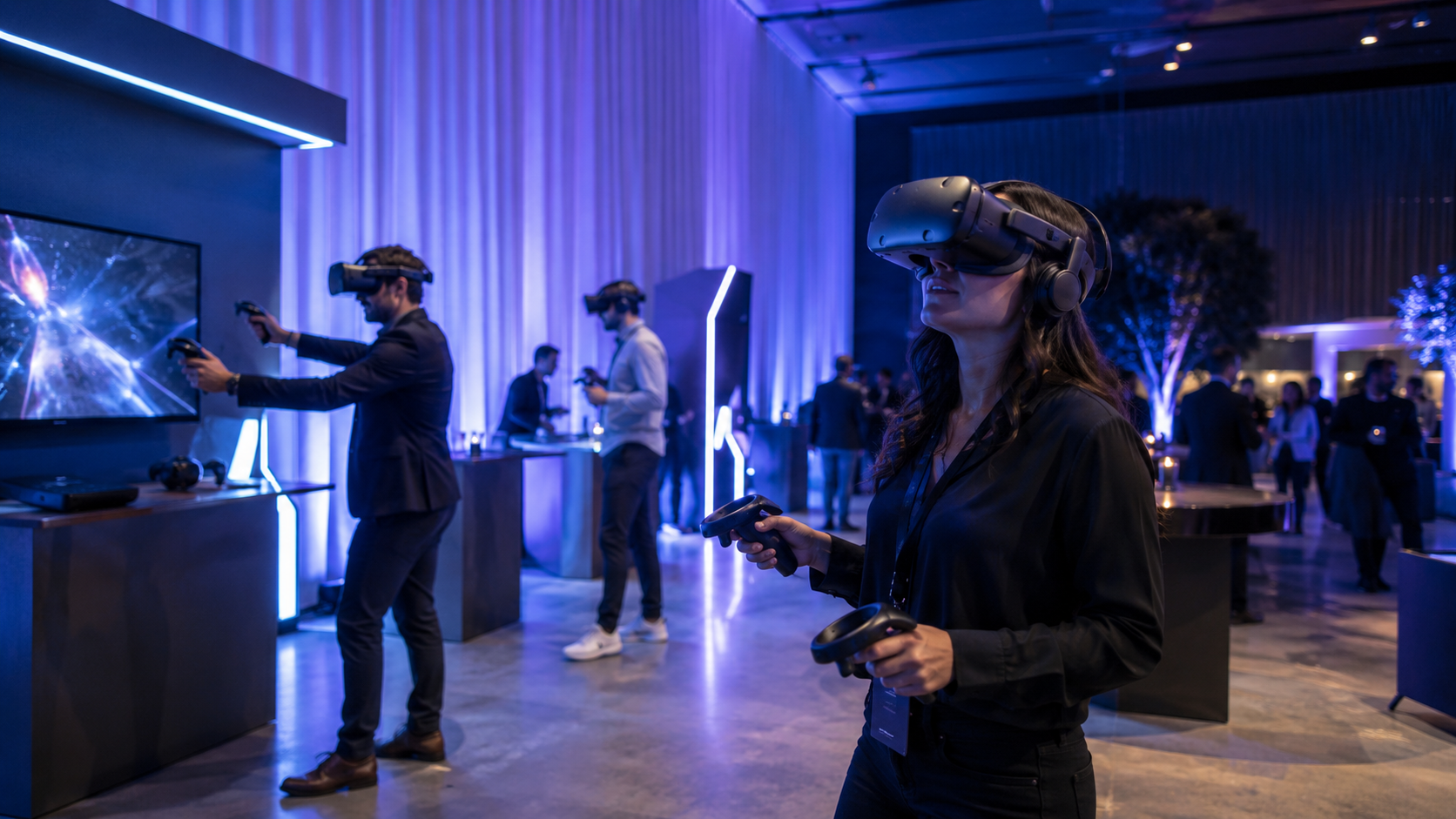
Virtual reality product demonstrations create completely immersive environments where customers explore products without physical constraints. Standalone headsets like the Meta Quest 3 enable untethered movement around trade show booths, eliminating trip hazards from cables while maintaining high visual fidelity at 2064×2208 resolution per eye.
Virtual showrooms built for VR demos display entire product catalogs without shipping costs or booth space limitations. A single 10×10 booth equipped with VR stations can showcase industrial equipment, vehicle fleets, or architectural spaces that would require warehouse-sized physical displays. Users navigate these spaces naturally, walking around products, crouching to inspect details, and reaching out to interact with controls.
The 360-degree exploration capability distinguishes VR demos from traditional presentations. Customers disassemble products layer by layer, viewing internal components impossible to access in physical demos. Configuration options appear as interactive menus, allowing real-time customization of colors, materials, and optional features while maintaining photorealistic rendering quality.
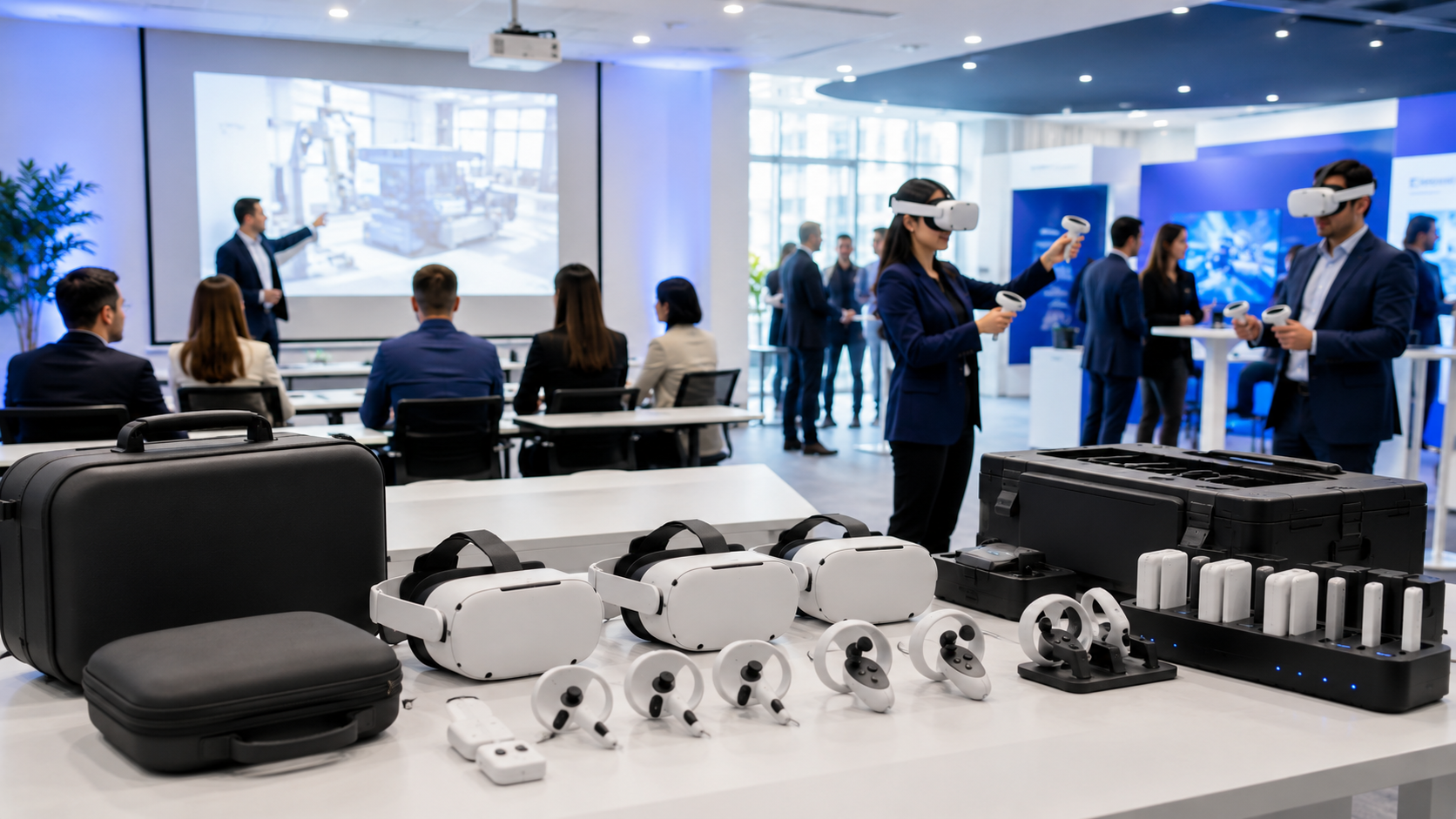
Standard VR rental packages for trade shows include 5-10 Quest 3 or Pico 4 Enterprise headsets, preloaded with custom demo applications, boundary setup equipment, and hygiene kits containing disposable face cushions and lens wipes. Professional packages add charging stations that keep headsets powered throughout multi-day events, spare controllers, and on-site technical support for troubleshooting and crowd management.
AR Product Demos: Digital Overlays on Physical Space
Augmented reality demonstrations project digital products into real environments, maintaining spatial context while eliminating shipping logistics. The Microsoft HoloLens 2 and Magic Leap 2 lead enterprise AR deployments, offering hands-free operation through gesture controls and voice commands that keep conversations flowing naturally during demos.
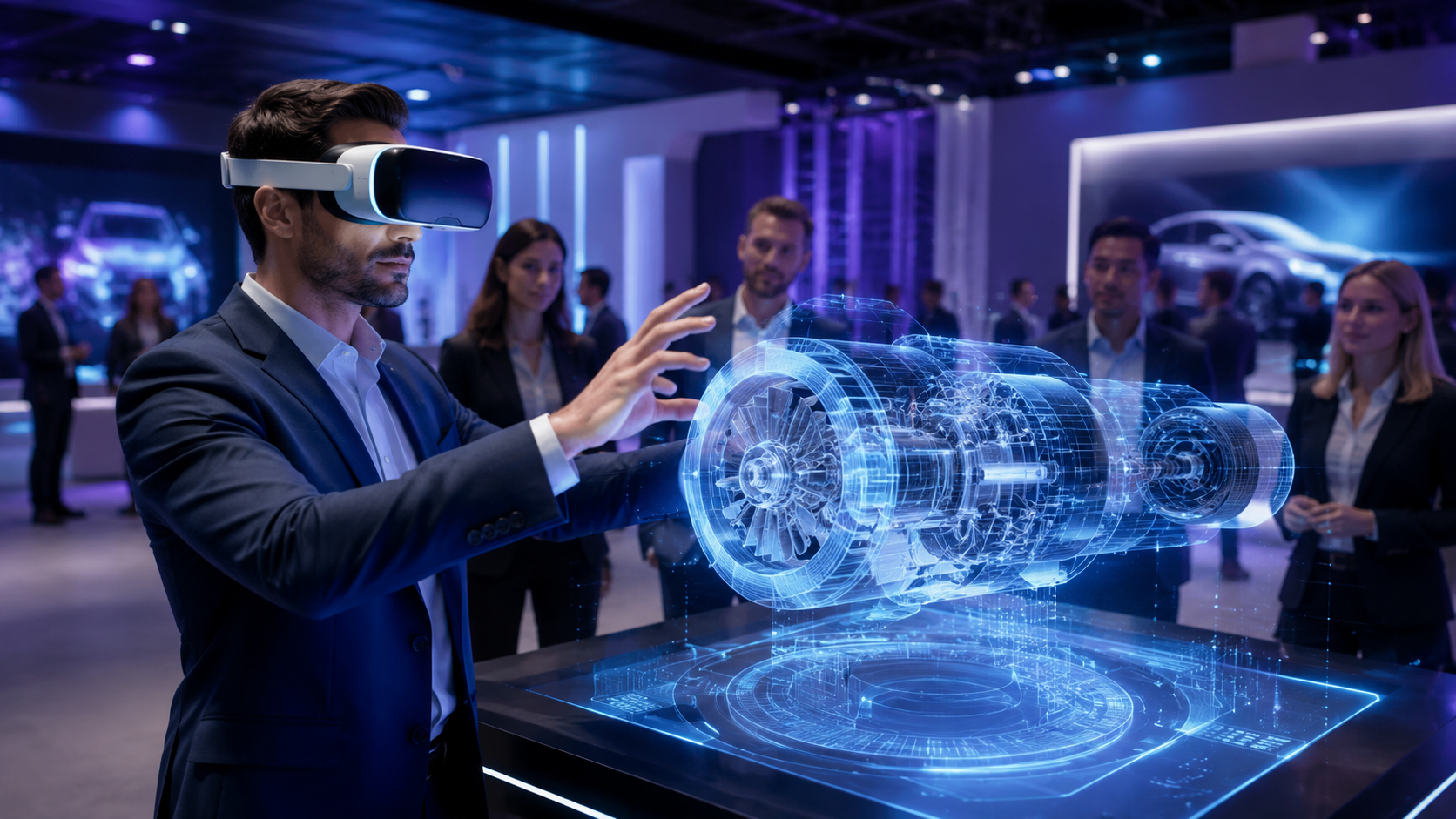
See-through AR displays excel at showing full-scale products in customer facilities during sales visits. A HoloLens 2 can project a complete manufacturing line onto an empty factory floor, allowing plant managers to walk through the layout, evaluate spacing requirements, and visualize workflow patterns before purchase decisions. The 52-degree field of view covers enough visual space for room-scale demonstrations while maintaining peripheral awareness for safety.
iPad and smartphone AR democratizes immersive demos without headset requirements, reaching broader audiences comfortable with familiar devices. ARKit on iOS and ARCore on Android enable marker-based tracking that anchors virtual products to printed targets or markerless tracking that maps surfaces automatically. While less immersive than headset-based AR, tablet demos scale efficiently for large trade show crowds where headset logistics become challenging.
AR rental considerations extend beyond hardware selection to tracking infrastructure and content optimization. Marker-based systems require printing and positioning QR codes or image targets throughout demo spaces, while markerless tracking needs well-lit environments with distinct visual features. Rental providers typically include tracking setup as part of installation services, calibrating systems for optimal performance in specific venue conditions.
Mixed Reality Demos: Physical Products with Digital Extensions
Mixed reality demonstrations combine tangible products with digital enhancements, bridging the gap between physical and virtual experiences. This approach leverages the Meta Quest 3’s advanced passthrough capabilities, displaying real environments in full color while overlaying virtual elements that respond to physical interactions.
Physical prototypes paired with VR headsets demonstrate product variations without manufacturing multiple versions. Automotive suppliers place a single physical dashboard in their booth, then use mixed reality to show different trim levels, display configurations, and lighting options. Customers touch real buttons and surfaces while seeing digital variations update instantly, maintaining tactile feedback that pure VR cannot replicate.
Interactive surfaces transform ordinary tables into collaborative demo platforms. The Quest 3’s hand tracking recognizes gestures without controllers, allowing multiple participants to manipulate 3D models simultaneously. Sales representatives and customers gather around shared visualizations, pointing at features, scaling models, and annotating designs through natural hand movements that mirror in-person collaboration.
Setup requirements for mixed reality demos include inside-out tracking that maps room geometry, calibration procedures that align virtual and physical elements, and adequate lighting for passthrough cameras. Most mixed reality installations need 30-45 minutes of initial setup to scan spaces, position tracking beacons, and verify alignment accuracy. Rental packages include pre-configured boundary systems and alignment tools that simplify deployment for non-technical staff.
Demo Content Development: From CAD Files to Interactive Experiences
Converting product designs into immersive demos requires translating CAD models, product animations, and configuration logic into VR-ready formats. Most rental providers offer preloaded demo templates, but custom experiences need 4-8 weeks of development time depending on interactivity levels.
CAD to VR Pipeline for Product Models
Engineering CAD files contain excessive geometric detail that overwhelms real-time rendering engines, requiring systematic optimization for VR deployment. Polygon reduction algorithms decrease model complexity from millions of triangles to thousands while preserving visual quality through normal mapping and texture baking techniques that encode surface details into efficient 2D images.
Unity and Unreal Engine dominate VR demo development, each offering distinct advantages for different content types. Unity’s lightweight architecture and extensive asset store accelerate development for product configurators and training simulations, achieving consistent 90Hz refresh rates on standalone headsets. Unreal Engine’s photorealistic rendering pipeline suits architectural visualizations and automotive demos where visual fidelity drives purchase decisions, though requiring more powerful PC-based VR systems.
File format standardization streamlines the content pipeline from CAD to VR platforms. FBX files preserve animations and material assignments when moving from Autodesk products to game engines. The glTF format optimizes web-based AR demos with efficient compression and fast loading times. Universal Scene Description (USD) emerges as the interchange format for complex scenes with multiple asset dependencies, particularly in enterprise workflows involving Nvidia Omniverse.
Development timelines vary significantly based on model complexity and interaction requirements. Basic product models with simple rotation and scaling complete in 2 weeks, including CAD cleanup, optimization, and basic material setup. Interactive configurators with multiple options, exploded views, and animated sequences require 4-6 weeks of development. Full virtual showrooms with multiple products, spatial audio, and multiplayer support extend to 8-12 weeks for production-ready experiences.
Prebuilt Demo Templates vs Custom Development
Rental providers maintain libraries of industry-specific demo templates that accelerate deployment for common use cases. Automotive templates include standard vehicle walkarounds with door opening animations, interior exploration modes, and color customization interfaces. Industrial equipment templates feature maintenance procedures, safety training scenarios, and component identification exercises. Consumer electronics templates emphasize product unboxing, feature discovery, and size comparisons.
White-label customization adapts template demos to specific brands without full custom development. Logo replacement, color scheme adjustments, and product model swaps transform generic experiences into branded demonstrations. Most template customization completes in 5-7 business days, including testing across target headset platforms and quality assurance verification.
Cost structures favor template-based demos for initial immersive technology trials. Custom demo development ranges from $5,000 for basic configurators to $50,000 for complex multi-product experiences with advanced interactions. Template rentals cost $500-1,500 per event including customization, representing 10% of custom development costs while delivering 80% of the functionality for standard use cases.
Content management systems enable remote updates across distributed headset fleets, critical for multi-city roadshows and evolving product lines. Cloud-based platforms push new content versions overnight, ensuring all devices display current information. Version control tracks changes across demo iterations, rolling back problematic updates without on-site intervention. Access controls restrict content distribution to authorized devices, protecting intellectual property during public events.
Interactive Features That Drive Engagement
Exploded views reveal internal product structures impossible to demonstrate physically, pulling components apart in 3D space while maintaining spatial relationships. Users grab individual parts, examining them from all angles before watching automated reassembly sequences that explain product architecture. Manufacturing equipment demos particularly benefit from exploded views that show wear parts, maintenance access points, and upgrade options.
Real-time configuration systems let customers build personalized products during demo sessions, selecting options that update pricing and specifications dynamically. Furniture retailers demonstrate fabric choices, wood finishes, and dimensional variations that render photorealistically as selections change. B2B equipment manufacturers show modular systems where customers add components, seeing how choices affect footprint, capacity, and cost.
Annotation layers overlay sales information directly onto 3D models, highlighting features as representatives discuss benefits. Hotspots glow when users approach, triggering information panels with specifications, videos, or comparison charts. Voice-over narration synchronized with visual highlights guides self-service demos when staff cannot attend every session, maintaining message consistency across presentations.
Input modalities affect user comfort and demo flow, requiring careful selection based on audience demographics. Hand tracking eliminates controller learning curves for executives unfamiliar with gaming interfaces, though reducing precision for detailed interactions. Traditional controllers offer reliable input for complex demos with multiple menu levels and precise object manipulation. Gaze-based selection works for accessibility cases where users cannot use hands, though feeling less natural for extended sessions.
Rental Logistics: Equipment Packages, Setup, and Support
Deploying immersive demos at events requires coordinating headset rentals, content loading, booth setup, and on-site support. Most VR rental companies offer turnkey packages that include equipment, preloaded content, and setup assistance, with pricing based on headset count, rental duration, and support level.
Standard Rental Packages for Trade Shows
Entry-level packages designed for small booth deployments include 5 Meta Quest 3 headsets, a multi-port charging station, hygiene supplies for 200 demo sessions, and basic setup documentation. These starter kits suit 10×10 booths running 15-minute demos with moderate traffic, processing 80-100 demonstrations per day with proper queue management.
Mid-tier conference packages scale to 10-20 headsets for island booths and dedicated demo rooms, adding queue management displays, appointment scheduling tablets, and dedicated demo stations with adjustable height stands. Professional packages include pre-event testing services where rental companies verify content functionality and train booth staff on troubleshooting procedures.
Enterprise deployments exceeding 50 headsets require comprehensive support infrastructure including redundant charging systems, network equipment for content synchronization, and dedicated technical staff. Large-scale events like auto shows or CES demonstrations often combine multiple VR technologies, mixing high-end PC-based systems for hero experiences with standalone headsets for crowd management.
Pricing structures reflect equipment complexity and support requirements. Basic Quest 3 rentals average $300-500 per headset per day including standard content and setup guides. Premium devices like the Varjo Aero or HoloLens 2 command $800-1,200 daily rates due to limited availability and specialized support needs. Multi-day discounts typically reduce daily rates by 20-30% for week-long events, with monthly rentals approaching 50% discounts for extended roadshows.
Setup Requirements and Space Planning
Demo station footprints extend beyond headset users to include safety zones preventing collisions with observers. VR stations require minimum 6×6 foot clear areas for room-scale experiences, expanding to 8×8 feet for energetic demos involving rapid movements. AR demonstrations need less dedicated space but require consideration for viewing angles and lighting conditions that affect tracking quality.
Power infrastructure supports both active demos and charging requirements between sessions. Each demo station needs 2-3 outlets for headset charging, display monitors, and auxiliary equipment. Charging stations require dedicated 15-amp circuits to support simultaneous charging of 10+ devices without tripping breakers. Battery-powered headsets like the Quest 3 operate 2-3 hours per charge, necessitating rotation schedules for all-day events.
Network connectivity enables content updates and analytics collection but isn’t mandatory for most demos. Local Wi-Fi networks support cloud-based content delivery and real-time usage analytics, though creating interference challenges in crowded convention centers with hundreds of competing access points. Offline modes preload all content onto devices, eliminating network dependencies but preventing remote troubleshooting and live updates.
Setup timelines account for equipment delivery, spatial configuration, content verification, and staff training. Standard installations complete in 2-4 hours for experienced teams, extending to 6-8 hours for complex multi-station deployments. First-time renters should schedule setup the day before events open, allowing time to address unexpected challenges like incompatible power outlets or challenging lighting conditions.
On-Site Support and Troubleshooting
Technical support models range from self-service rentals with remote assistance to dedicated on-site technicians managing all aspects of demo operations. Self-service rentals suit experienced teams comfortable with basic troubleshooting, while first-time users benefit from full-service support that handles everything from initial setup to crowd management.
Common technical issues during events include tracking loss from reflective surfaces, battery depletion during peak traffic periods, and content synchronization failures across multiple headsets. Rental packages include troubleshooting guides addressing frequent problems with step-by-step solutions verified to work in event environments. Remote support via video calls resolves 70% of issues without on-site intervention.
Backup equipment recommendations follow the 20% spare rule for critical events where downtime impacts lead generation. A 10-headset deployment should include 2 spare units, spare controllers, and redundant charging cables. Hot-swappable battery packs for devices supporting external power extend operating time during busy periods when charging breaks aren’t possible.
Multi-city roadshow support requires coordination between rental providers’ regional offices or nationwide shipping programs. Some providers maintain equipment depots in major cities, enabling local pickup and return that reduces shipping costs and damage risks. Others offer door-to-door logistics with pre-configured cases that ship directly to event venues, including return labels for simplified logistics.
Deployment Strategies by Sales Scenario
Different sales contexts require different demo approaches. Trade show booths need high-throughput experiences under 5 minutes, while executive briefing centers can run 30-minute deep dives. Field sales teams need portable setups that work in customer conference rooms without extensive setup.
Trade Show and Conference Demos
Trade show demonstrations optimize for visitor throughput while maintaining engagement quality. Three to five-minute experiences balance immersion depth with crowd management needs, allowing 12-20 demos per hour per station. Modular demo structures let users skip familiar sections or dive deeper into specific features based on interest levels and available time.
Queue management systems prevent booth congestion while capturing leads before demos begin. Digital sign-up kiosks collect contact information and qualification questions, assigning time slots that distribute traffic throughout event days. QR code systems let visitors reserve spots from anywhere on the show floor, receiving text notifications when their turn approaches.
Lead capture integration connects demo engagement directly to CRM systems, eliminating manual data entry and accelerating follow-up. Badge scanning before demos populates user profiles with company information and past interaction history. Post-demo surveys sent immediately via email capture interest levels while experiences remain fresh, scoring leads based on engagement metrics and stated purchase timelines.
Follow-up strategies leverage demo recordings and analytics to personalize outreach. Sales teams share video captures of customers’ actual demo sessions, highlighting products they configured or features they explored longest. Behavioral data from VR sessions identifies hot leads who completed entire experiences versus casual browsers who disengaged quickly, prioritizing follow-up accordingly.
Executive Briefing Center Installations
Permanent VR rooms in executive briefing centers create controlled environments optimized for high-stakes demonstrations. Ceiling-mounted tracking systems eliminate setup time while providing millimeter-precise positioning across 20×20 foot spaces. Dedicated rendering servers drive multiple high-resolution headsets simultaneously, enabling collaborative experiences for entire buying committees.
Multi-user collaborative demos transform purchase discussions from sequential presentations to simultaneous exploration. Six decision-makers wearing VR headsets examine the same industrial equipment together, each viewing from their perspective while discussing observations in real-time. Avatars represent participants in virtual space, with laser pointers and annotation tools facilitating specific feature discussions.
Integration with presentation systems extends immersive demos into traditional meeting flows. Video walls mirror VR content for observers not wearing headsets, maintaining inclusion for larger groups. Presenters switch seamlessly between PowerPoint slides, VR demonstrations, and video testimonials without disrupting meeting momentum. Recording systems capture entire sessions for stakeholders unable to attend.
Performance metrics from executive briefing centers demonstrate clear ROI advantages. Companies report 40% higher close rates for opportunities including immersive demos versus traditional presentations. Deal sizes average 23% larger when buyers experience products in VR before purchasing, attributed to better understanding of capabilities and reduced purchase anxiety. Sales cycles compress by 2-3 weeks as immersive demos answer technical questions typically requiring multiple follow-up meetings.
Field Sales and Road Show Deployments
Portable VR kits enable field sales teams to deliver immersive demos anywhere customers meet. Pelican cases protect 2-4 Quest 3 headsets during travel while organizing accessories for quick deployment. Pre-configured experiences load automatically when headsets power on, eliminating setup complexity in unfamiliar environments.
Customer conference room deployments work within existing infrastructure constraints. Standalone headsets operate without external computers or room modifications, needing only clear floor space for safety. Inside-out tracking adapts to different room layouts automatically, though spaces with blank walls or glass surfaces may require portable tracking markers for stability.
Offline demo modes ensure reliability in secure facilities restricting internet access. All content, including product models, animations, and configuration options, runs locally on headsets. Analytics data stores on devices until network connections become available, syncing automatically when returning to connected environments. Offline modes also eliminate latency concerns that degrade experience quality.
Shipping logistics for traveling demos require coordination between rental providers and field teams. Overnight delivery services position equipment at hotels or customer sites before meetings, with return shipping labels simplifying post-demo logistics. Some providers offer regional hand-off services where local representatives deliver and collect equipment, providing brief training and technical support.
Measuring Demo Impact: Engagement Metrics and ROI
Immersive demos generate measurable engagement data that traditional demos cannot capture: dwell time on features, interaction patterns, configuration preferences. This behavioral data feeds directly into sales intelligence and product development insights.
Analytics Platforms for VR/AR Demos
Built-in analytics platforms track user behavior at granular levels impossible with traditional demos. Unity Analytics captures every interaction, from button presses to gaze patterns, creating detailed session timelines. Unreal Engine’s analytics pipeline streams events in real-time, enabling live monitoring of demo sessions and immediate intervention when users struggle.
Heatmap visualizations reveal where users focus attention within 3D spaces, identifying high-interest features and overlooked elements. Aggregate heatmaps from hundreds of demo sessions show consistent patterns: which product angles generate longest viewing times, which configuration options get selected most frequently, and where users typically disengage from experiences.
Session recordings preserve complete demo experiences for sales coaching and optimization. Sales managers review recordings with representatives, identifying missed opportunities and successful techniques. Product teams analyze interaction patterns to understand which features resonate with customers and where additional explanation helps. UX designers identify confusion points where users struggle with controls or navigation.
CRM integration pushes engagement scores directly into sales pipelines, enriching lead profiles with behavioral data. Salesforce plugins receive VR analytics through APIs, creating custom fields for metrics like demo completion rate, feature interaction count, and configuration preferences. Lead scoring algorithms weight VR engagement alongside traditional factors, improving qualification accuracy and sales forecasting.
Key Performance Indicators for Immersive Demos
Session duration metrics distinguish engaged prospects from casual browsers. Qualified leads average 8-12 minutes in VR product demos, exploring multiple features and configurations. Visitors spending under 3 minutes rarely convert, often representing competitors gathering intelligence or attendees seeking entertainment rather than purchase evaluation.
Feature interaction rates identify which product capabilities drive purchase decisions. Tracking which components users examine, which configurations they test, and which information panels they read reveals true buyer priorities. Products with 10+ interaction points per session indicate high engagement, while passive viewing suggests misaligned expectations or poor demo design.
Completion rates measure how many users finish entire demo experiences versus abandoning midway. Industry benchmarks show 65-75% completion rates for well-designed 5-minute demos, dropping to 40-50% for experiences exceeding 10 minutes. Abandonment points identify where demos lose engagement, whether from technical confusion, content gaps, or excessive duration.
Qualification scores derived from VR behavior patterns predict purchase likelihood more accurately than self-reported interest. Users who explore pricing information, test multiple configurations, and review technical specifications score higher than those focusing on visual appeal alone. Machine learning models trained on historical demo data and eventual purchase outcomes continuously improve prediction accuracy.
ROI Calculations and Business Case
Cost per qualified lead calculations demonstrate immersive demos’ efficiency advantages. VR demos at trade shows generate qualified leads at $50-150 each, compared to $200-400 for traditional booth presentations. The higher engagement rates and better qualification accuracy of immersive demos reduce wasted follow-up effort on unqualified prospects.
Sales cycle acceleration metrics show consistent time savings across industries. B2B companies report 23% faster average close times for deals involving VR demos, attributed to better initial product understanding and fewer clarification meetings. Complex technical products benefit most, with some industrial equipment manufacturers reporting 30-40% cycle compression for million-dollar deals.
Travel cost reduction through virtual demos provides immediate ROI for companies with distributed customers. Replacing one quarterly on-site demonstration with VR demos saves $5,000-10,000 in travel expenses while reaching more stakeholders. Regional sales teams equipped with portable VR kits reduce customer site visits by 40% while maintaining engagement quality.
Long-term economics favor rental models for most organizations until reaching 8-10 events annually. Below this threshold, rental costs remain lower than equipment purchase, content development, and maintenance expenses. Companies exceeding 10 annual deployments should evaluate hybrid models: purchasing core equipment while renting supplemental units for large events.
Frequently Asked Questions
How much does it cost to rent VR equipment for product demos?
VR equipment rental costs range from $300-500 per headset per day for standard Meta Quest 3 packages including basic content and setup guides. Premium devices like HoloLens 2 or Varjo Aero cost $800-1,200 daily. Multi-day events receive 20-30% discounts, with weekly rentals often priced at 3-4 times the daily rate.
What’s the minimum lead time for booking immersive demo rentals?
Standard rental packages require 2-3 weeks advance booking to ensure equipment availability and content preparation. Custom demo development needs 4-8 weeks depending on complexity. Rush delivery is possible for standard configurations with 3-5 business days notice but incurs 25-50% premium charges.
Can we use our existing CAD files for VR product demos?
Most CAD files require optimization for VR use, including polygon reduction and texture baking. Standard formats like STEP, IGES, and native SolidWorks or Autodesk files convert to VR-ready models in 1-2 weeks. Complex assemblies with thousands of parts may need selective detail reduction to maintain performance.
Do customers need VR experience to use immersive product demos?
No prior VR experience is necessary for well-designed demos. Modern headsets like Quest 3 include automatic IPD adjustment and hand tracking that eliminates controller learning curves. Brief 30-second orientations covering headset adjustment and basic controls prepare first-time users for successful experiences.
How many demos can we run simultaneously at a trade show booth?
The number of simultaneous demos depends on booth size and staffing. A 10×10 booth accommodates 1-2 VR stations safely. 20×20 island booths support 4-6 stations with proper traffic flow. Each station requires 6×6 feet minimum for user safety and processes 12-20 demos hourly with 3-5 minute experiences.
What happens if VR equipment breaks during our event?
Professional rental packages include 20% spare equipment and on-site or remote technical support. Common failures like dead batteries or controller issues resolve in minutes with hot-swapping spare units. Rental insurance covers accidental damage, though deliberate misuse may incur replacement charges.
Can immersive demos work without internet connectivity?
Yes, most VR demos run entirely offline once content is preloaded onto headsets. Offline mode eliminates latency issues and security concerns in restricted facilities. Analytics data stores locally and syncs when internet becomes available. Only cloud-based features like real-time content updates require connectivity.
How do we capture leads during VR demo sessions?
Lead capture happens before demos through badge scanning or registration kiosks that collect contact information. Post-demo surveys sent via email capture interest levels and specific requirements. Analytics platforms track engagement metrics that feed directly into CRM systems for lead scoring and follow-up prioritization.
Conclusion
Immersive product demonstrations represent a fundamental shift in how sales teams engage prospects, transforming passive presentations into interactive experiences that drive deeper product understanding and accelerate purchase decisions. The combination of improving hardware capabilities, streamlined content development pipelines, and flexible rental models makes VR and AR demos accessible for organizations of all sizes.
For sales and marketing teams evaluating deployment options, the rental ecosystem provides a low-risk path to testing immersive technologies’ impact on their specific sales processes. Starting with template-based demos at single events allows teams to gauge customer reception and refine approaches before committing to custom content development or equipment purchases.
The measurable advantages from 40% higher close rates in executive briefings to 23% faster sales cycles justify the investment in immersive demo capabilities. As VR and AR technologies continue advancing with lighter headsets, higher resolutions, and more intuitive interfaces, early adopters who master immersive selling today position themselves for competitive advantages as these technologies become standard sales tools.
Ready to transform your product demonstrations with immersive technology? Contact our team to discuss rental options for your upcoming trade show, schedule a demo of our template library, or explore custom content development for your unique products. Visit our VR demo rental configurator to build a package tailored to your event requirements and receive instant pricing for your next immersive product demonstration deployment.