Quick Answer: How Does Meta Quest 3 Rental Work for Corporate Events?
A Meta Quest 3 rental lets a business temporarily deploy one or many standalone VR and mixed-reality headsets for a conference, trade show, training program, product demo or team event without buying and managing a permanent device fleet.
IGIVU currently lists Meta Quest 3 rental from $100 per headset per day, with lower pricing potentially available for larger quantities or longer rentals. Headsets can be delivered preconfigured, sanitized and tested, with nationwide shipping and optional technical support.
For most corporate events, the correct number of headsets depends less on total attendance and more on experience length, desired throughput and the number of people who need to participate simultaneously.
Meta Quest 3 Rental at a Glance
| Question | Short Answer |
|---|---|
| Current IGIVU starting rental rate | From $100/day per Quest 3 |
| Best for | Corporate events, product demos, VR training, mixed reality, team building |
| PC required? | No for standalone Quest applications |
| Processor | Snapdragon XR2 Gen 2 |
| Memory | 8 GB |
| Display resolution | 2064 × 2208 per eye |
| Passthrough | Full-color stereoscopic passthrough |
| Dedicated depth sensor | Yes |
| Typical battery life | About 2 hours depending on use |
| Standard corporate deployment | Often 3–20+ headsets |
| Shipping | Nationwide options available |
| On-site staff | Optional, but recommended for higher-volume activations |
Meta’s current Quest comparison documentation lists Quest 3 with 8 GB memory, the Snapdragon XR2 Gen 2 platform, a 2064 × 2208-pixel-per-eye display, 110° horizontal field of view, full-color passthrough and a dedicated depth sensor.
Why Rent Meta Quest 3 Instead of Buying?
Buying may make sense for an organization running VR every week. It often makes less sense for a company that needs 10, 20 or 50 devices for one conference.
Renting changes the cost structure from owning a technology fleet to paying for the deployment you actually need.
A corporate rental can also remove work that is easy to underestimate: updating devices, creating accounts, installing applications, charging hardware, resetting experiences, sanitizing interfaces, packing equipment and coordinating returns.
IGIVU currently describes its rental model as scalable from a few devices to large conference deployments, with configuration, testing and shipping handled before the event.
That matters because the real cost of VR ownership is not simply the purchase price.
It is the purchase price plus device management.
How Much Does It Cost to Rent Meta Quest 3?
IGIVU currently lists Quest 3 from $100 per day per headset. Quest 3S begins at $80/day, while other Meta Quest models have different rates. Pricing may decrease for longer rental periods and larger quantities.
The final project price can depend on:
- Number of headsets
- Rental duration
- Application installation
- Content licensing
- Device configuration
- Custom VR content
- Shipping requirements
- Rush delivery
- On-site technicians
- Synchronized multi-headset experiences
- Accessories and casting displays
Illustrative Base Rental Examples
These examples simply multiply the published $100 starting daily rate and are not project quotes:
| Deployment | Illustrative Base Cost |
|---|---|
| 3 Quest 3 headsets / 1 day | $300 |
| 5 Quest 3 headsets / 1 day | $500 |
| 10 Quest 3 headsets / 1 day | $1,000 |
| 20 Quest 3 headsets / 1 day | $2,000 |
| 50 Quest 3 headsets / 1 day | $5,000 |
Real multi-unit pricing may be lower, while configuration, custom content, staffing or specialized logistics can increase the total.
For procurement teams, the better question is therefore not simply “What is the headset rate?”
Ask:
“What will the complete event cost once the hardware is configured, delivered and supported?”
What Is Included in a Meta Quest 3 Rental?
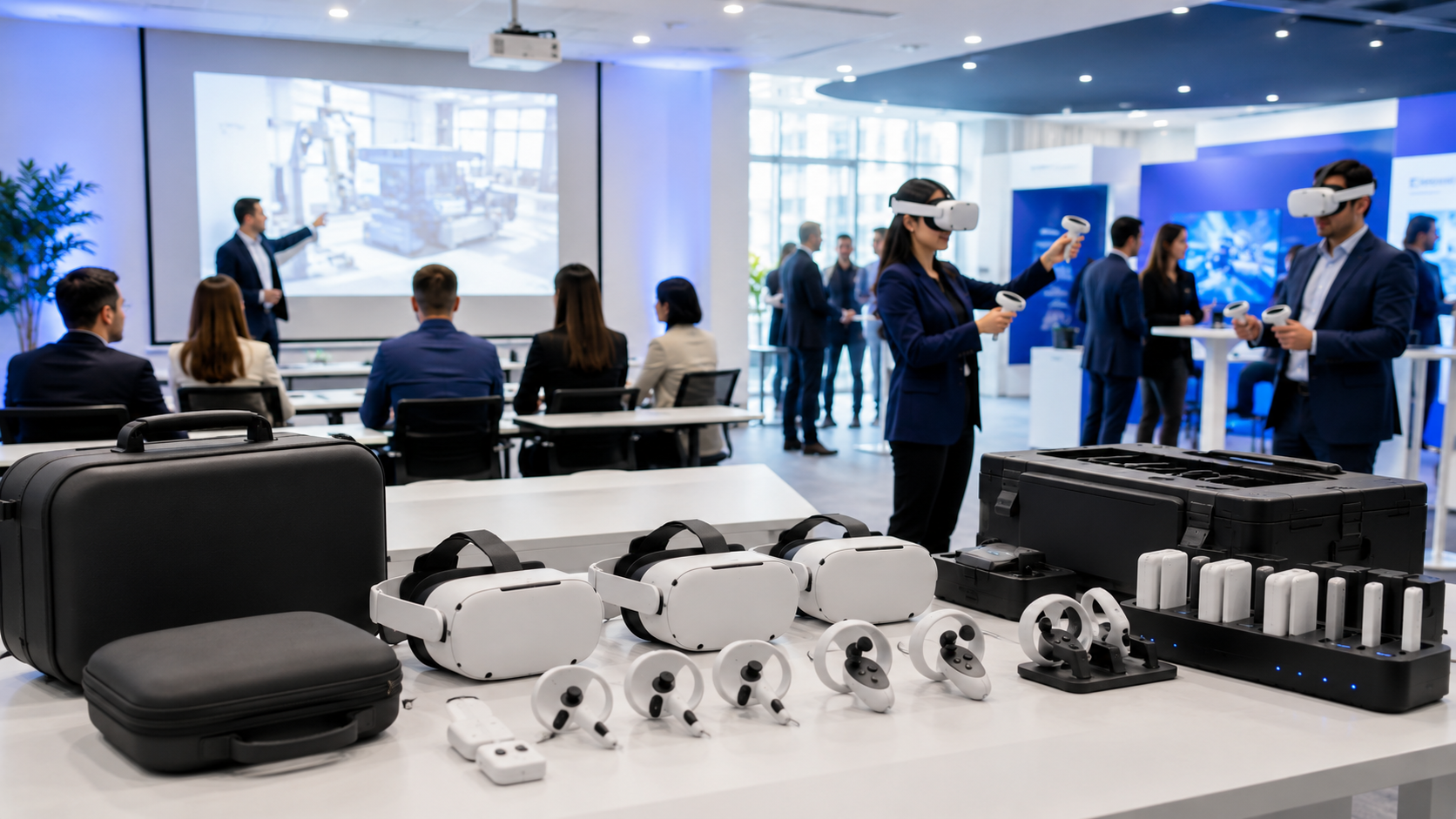
A standard IGIVU Meta Quest rental currently includes the headset, two Touch controllers, charging equipment and setup guidance. IGIVU also states that devices are sanitized, tested and supplied with a prepaid return process; content and more advanced configuration can be added depending on the project.
For a managed corporate deployment, confirm whether your quote includes:
Hardware: headset, controllers, charging cables and cases.
Configuration: Meta accounts, Wi-Fi configuration, kiosk-style workflows or application installation.
Content: existing applications, company-owned content or custom VR/MR experiences.
Operations: delivery, remote support, facilitator instructions or on-site technicians.
The difference between an equipment-only rental and a managed deployment can be substantial.
What Corporate Events Work Best With Meta Quest 3?
1. Trade Shows and Exhibition Booths
Quest 3 can turn a passive booth presentation into an interactive experience.
A manufacturer can demonstrate equipment too large to bring to the venue. A property company can let prospects explore an environment. A technology business can show an interactive 3D workflow instead of explaining it through a slide deck.
For a trade show, shorter experiences generally work best.
A focused three-to-five-minute interaction can produce significantly more participation than a 15-minute experience.
2. Product Launches
Quest 3’s mixed-reality capabilities can place digital products or information within the attendee’s physical environment.
Because Quest 3 combines full-color passthrough with environmental depth capabilities, developers can create experiences in which digital objects respond more naturally to the physical room.
This works well for products that are:
- Large
- Expensive to transport
- Not yet manufactured
- Highly configurable
- Easier to understand spatially than through video
3. Corporate Training
Companies can rent a batch of Quest 3 headsets for a training period and return them afterward.
Potential applications include:
- Safety procedures
- Equipment familiarization
- Operational processes
- Scenario training
- Soft-skills practice
- Onboarding
- Field-service education
Rental is particularly useful for quarterly or temporary programs where permanent ownership would leave hardware unused between cohorts.
4. Team-Building Events
Quest 3 can support rhythm competitions, sports simulations, collaborative problem solving and multiplayer experiences.
For large teams, the event does not need one headset per employee.
Employees can rotate through stations while scores are displayed on a shared leaderboard.
5. Innovation Days and Executive Events
Companies exploring immersive technology can create a temporary demonstration lab containing several Quest devices and applications.
This gives decision-makers an opportunity to evaluate practical use cases before considering a larger internal deployment.
6. Branded Mixed-Reality Activations
For a custom activation, a company can build content around its own product, campaign or environment.
IGIVU states that branded or custom VR experiences can be prepared and loaded onto rental headsets, with lead time required for development and testing.
How Many Meta Quest 3 Headsets Do You Need?
Do not calculate headset quantity from total event attendance alone.
Use participant throughput.
A simple planning formula is:
Required headsets = expected VR participants × session cycle time ÷ total available event minutes
Imagine 120 people are expected to use VR during a four-hour activation.
If each complete cycle takes six minutes:
120 × 6 ÷ 240 = 3 headsets
That is the theoretical minimum. In practice, you may add another station to reduce queues and accommodate delays.
Example Quantity Guide
| Experience | Suggested Planning Approach |
|---|---|
| Executive demo | 1–2 headsets |
| Small meeting | 2–4 |
| Trade-show booth | 3–8 |
| Team event | 5–15 |
| Training cohort | Based on learners per session |
| Large activation | 10–50+ |
| Synchronized experience | Often closer to 1 headset per simultaneous participant |
The goal is not to rent the largest possible quantity.
The goal is to prevent the hardware from becoming the bottleneck.
What Space Does a Quest 3 Event Need?
The answer depends on whether the experience is seated, stationary or room-scale.
Meta recommends a minimum room-scale area of approximately 6.5 × 6.5 feet, with additional clearance from furniture and other obstacles.
For corporate events, the usable footprint also needs room for:
- Queueing
- Facilitators
- Cleaning
- Headset storage
- Screens
- Charging
- Spectators
If space is limited, consider stationary or mixed-reality content rather than experiences that require significant movement.
Does Meta Quest 3 Need Wi-Fi?
Not always.
Standalone content can sometimes run without continuous internet access after configuration.
However, connectivity may be required for:
- Cloud applications
- Multiplayer experiences
- Authentication
- Analytics
- Updates
- Casting
- Remote content
Never rely on convention-center public Wi-Fi without testing it.
If the application is business-critical, ask the venue about a dedicated network.
What About Battery Life?
Meta currently rates Quest 3 at approximately two hours of battery life, although real-world runtime depends heavily on the application and use of features such as passthrough.
A full-day event therefore needs a charging plan.
Possible strategies include:
- Charging between sessions
- Rotating backup headsets
- Using approved external battery solutions
- Scheduling breaks
- Operating several stations while other devices recharge
For continuous events, battery management should be treated as part of the operational design—not an event-day surprise.
Do You Need On-Site VR Staff?
For one or two devices at an internal meeting, probably not.
For ten headsets at a trade show, dedicated facilitation becomes much more valuable.
A VR facilitator can handle:
- Headset fitting
- Basic instructions
- Application resets
- Sanitization
- Charging
- Queue flow
- Troubleshooting
- Casting
This allows the client’s booth or sales team to speak with prospects instead of restarting apps.
How Far in Advance Should You Book?
IGIVU currently states that standard Quest rentals typically arrive two to three days before the event, giving teams time to inspect and test equipment.
For straightforward equipment rental, a relatively short lead time may be possible.
For custom content or large deployments, plan significantly earlier.
A practical timeline is:
3–6 weeks before: finalize use case, quantity and content.
1–3 weeks before: complete content testing and logistics.
2–3 days before: receive devices, charge and test.
Event morning: run the complete attendee journey once before doors open.
What Should You Test Before the Event?
Test the experience as an attendee would experience it.
Do not simply confirm that the headset powers on.
Verify:
- Application launch
- Login state
- Controllers
- Sound
- Passthrough
- Tracking
- Internet
- Casting
- Battery
- Boundary setup
- Reset process
- Content loading time
Then ask someone unfamiliar with the project to try it.
If they need a five-minute explanation before they can begin, the attendee workflow probably needs simplifying.
Meta Quest 3 Corporate Rental Checklist
Before requesting a quote, prepare:
Event details: date, city, venue and operating hours.
Audience: total attendance and estimated VR participants.
Experience: game, training, demonstration, 360 video or custom MR.
Quantity: simultaneous users and acceptable waiting time.
Support: internal operator, remote support or on-site facilitator.
Technical: internet, power, floor space and casting requirements.
Logistics: delivery window, loading restrictions and return date.
Providing these details upfront gives a rental provider enough information to recommend the correct configuration instead of guessing.
FAQs About Meta Quest 3 Rental
How much does it cost to rent Meta Quest 3?
IGIVU currently lists Meta Quest 3 rentals starting from $100/day per headset. Multi-unit and longer-term pricing can vary.
Can I rent 10 or 20 Meta Quest 3 headsets?
Yes. Multi-headset corporate deployments are a major use case for VR rental.
Can applications be installed before delivery?
Yes. A managed rental can be configured and content-loaded before shipment.
Does Quest 3 require a gaming PC?
Not for most standalone Quest applications. Quest 3 is an all-in-one headset.
Is Quest 3 suitable for mixed reality?
Yes. Quest 3 has full-color stereoscopic passthrough, 4MP passthrough cameras and a dedicated depth sensor.
Is Quest 3 good for training?
Yes, particularly when training benefits from simulation, spatial interaction or repeated practice.
Can someone manage the headsets at our event?
Yes. For larger activations, on-site technical support can be added.
Is renting better than buying?
Renting is usually more practical for temporary events, campaigns and training programs. Buying becomes more attractive when the organization uses the devices frequently throughout the year.
Rent Meta Quest 3 for Your Corporate Event
Meta Quest 3 works best at corporate events when the experience is designed around a clear outcome and realistic attendee flow.
Choose the content first.
Then calculate how many people need to participate, how quickly they need to move through the experience and what level of support your team can realistically provide.
Planning a conference, activation, training program or corporate event? Request a Meta Quest 3 rental quote from IGIVU with your event date, location, attendee count and required number of devices.