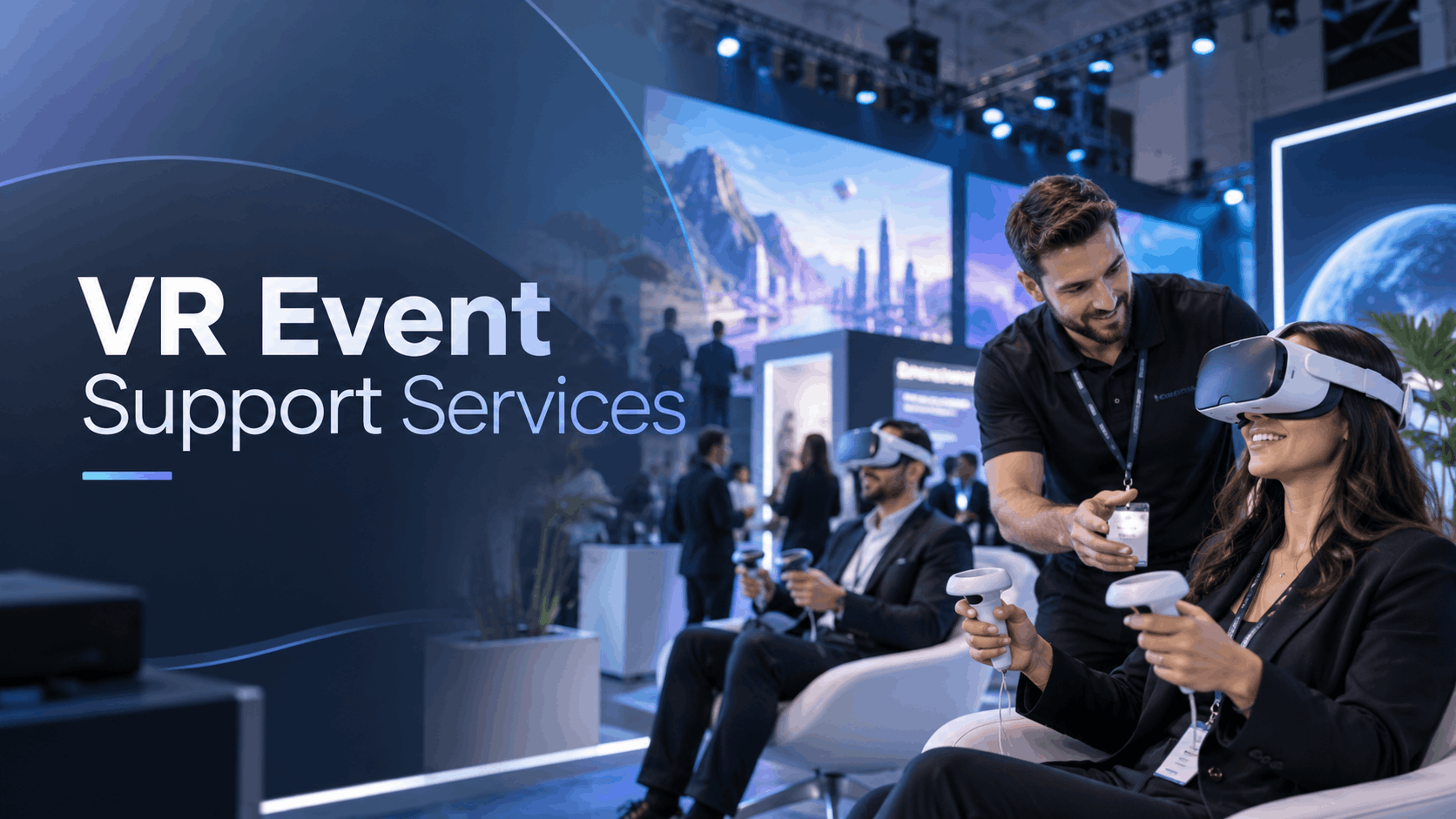
The term ‘event support services’ means something profoundly different when the centerpiece of your activation is a fleet of virtual reality headsets rather than a stage or a booth display. For most corporate buyers, the gap between a successful immersive activation and a failed one isn’t the content—it’s the operational layer. Who configures the hardware, who manages the experience on the floor, and who troubleshoots when something goes wrong in front of 200 attendees?
This guide is for buyers researching what VR event support services truly include, how to compare vendors, and what a full-service deployment looks like from end to end. It’s a buyer’s evaluation framework structured around the decision journey, focusing on the VR-specific realities of headset configuration, network management, attendee throughput, and on-site troubleshooting.
What ‘Event Support Services’ Actually Means for VR Activations
For immersive experiences, “event support” is the crucial, often underestimated, operational bridge between technology and a seamless attendee experience. It’s everything required to make the VR activation work flawlessly in a live event environment, from technical setup to guiding users.
The Operational Gap Most Buyers Underestimate
Many event planners source VR hardware and content separately, only to discover on event day that no one “owns” the deployment layer. This creates a significant operational gap. VR activations require pre-event configuration, network setup, attendee flow management, and real-time troubleshooting—none of which is covered by a hardware rental alone.
This is where the three core layers of VR event support become critical:
- Logistics: This covers the physical journey of the equipment, including delivery, setup at the venue, and post-event teardown and return.
- Technical: This is the digital backbone. It involves configuring each headset, preloading and testing content, managing network connectivity, and providing real-time troubleshooting.
- Experiential: This is the human element. It includes professional staff who onboard attendees, manage hygiene, execute battery swaps, and ensure a high-quality, consistent user experience.
Even with the rise of standalone wireless headsets like the Meta Quest 3, the need for on-site support is not eliminated. Battery management, headset resets, content updates, and user guidance still require a dedicated human operator to prevent logistical bottlenecks.
Why VR-Specific Support Differs from Standard AV Support
Handing your VR activation to a standard AV team is a common but costly mistake. While AV technicians are experts in displays, audio, and lighting, they are not trained for the unique challenges of headset fleet management or VR content troubleshooting. The skill sets are fundamentally different.
A VR support specialist is familiar with the specific headset platform, the content delivery method (e.g., MDM software), and the nuances of the attendee onboarding process. They can diagnose tracking issues or guide a nervous first-time user in seconds, whereas an untrained staff member might take several minutes, creating frustrating delays.
This highlights the difference between a generalist AV vendor who ‘also does VR’ and a VR-native deployment partner. A VR-native vendor’s entire service model is built around immersive experiences. For example, a partner like IGIVU offers curated packages with pre-configured hardware, preloaded content, and optional on-site staffing as an integrated offering, designed to eliminate the operational risks that corporate buyers face.
The Full VR Event Support Stack: What Should Be Included
When evaluating a VR event support vendor, the right question isn’t “do you offer support?” but “what does your support actually cover?” A complete support stack for immersive activations spans five distinct phases. A vendor who only covers one or two leaves you managing the rest.
Pre-Event: Hardware Configuration and Content Preloading
Headsets should arrive at your venue pre-configured with your content loaded, tested, and ready to deploy. This eliminates the need for time-consuming on-site setup and reduces the risk of technical errors in front of attendees.
Questions to ask vendors:
- Who is responsible for loading the content?
- How is the content and hardware tested before shipping?
- What is the protocol if a headset arrives with a configuration error?
The value of preloaded content is especially high for corporate training, where industry-specific scenarios (like safety procedures or product demos) can be deployed without the buyer needing to source or develop content independently. A strong vendor includes this pre-configuration as a standard part of their rental service, not as a surprise billable add-on.
Logistics: Nationwide Delivery, Setup, and Teardown
Reliable logistics are the foundation of any successful event activation. A vendor who ships equipment just two days before your event with no buffer is a major liability.
Key logistical considerations:
- Delivery & Setup: Clarify what “delivery” includes. Does the vendor ship to the venue’s loading dock or directly to your booth? Who handles the physical setup of the headsets, charging stations, and any required signage? Even wireless headsets require a methodical setup process.
- Multi-City Events: For roadshows or nationwide campaigns, does the vendor have the infrastructure to handle customs, freight, and coordinated delivery across multiple locations?
- Teardown & Returns: Who is responsible for packing the headsets, assessing for damage, and managing the return shipping process? A clear and efficient teardown process is just as important as the setup.
On-Site Technical Staffing: When You Need It and What It Covers
Not every event requires on-site staff. A small, internal demo with 10 headsets and a tech-savvy team might be self-managed. However, a 500-person trade show activation almost certainly needs professional support.
On-site VR support staff are not just general event helpers; they are trained technicians responsible for:
- Headset & Battery Management: Swapping batteries, cleaning headsets between users, and performing resets.
- Attendee Onboarding: Efficiently and safely guiding users into and out of the experience.
- Real-Time Troubleshooting: Quickly resolving technical issues like tracking failures or content crashes.
- Network Monitoring: Ensuring the dedicated network remains stable and headsets stay connected.
A common industry standard is to have one technician for every 5-8 headsets to ensure smooth operation at high-volume events. Some vendors offer optional staffing, while others mandate it for larger deployments to protect the integrity of the experience.
Network and Connectivity Management
A common point of failure for VR activations is the network. Standalone wireless headsets still require Wi-Fi for multi-user experiences, content updates, and remote fleet management using Mobile Device Management (MDM) tools.
Venue Wi-Fi is almost never adequate for a fleet of VR headsets. The bandwidth is often shared among thousands of attendees, leading to instability and dropouts. A professional VR support package should offer a dedicated network solution, such as a private router or a cellular backup system.
Questions to ask vendors:
- Do you provide dedicated network infrastructure, or is that the client’s responsibility?
- What are the bandwidth requirements for our specific VR content? Streaming 4K video can require up to 100 Mbps per headset.
- What is your backup plan if the primary network fails?
Post-Event: Data, Reporting, and Equipment Return
A VR activation can provide valuable data to prove ROI and inform future strategies. A full-service vendor should offer reporting on key metrics.
Key post-event components:
- Data & Reporting: Look for vendors who can provide session counts, average dwell time, and content completion rates. This data helps you demonstrate the event’s impact to stakeholders.
- Equipment Return: The process should be seamless, with clear policies on damage assessment and the return of any deposits.
- Debrief and Iteration: The best partners offer a post-event review to discuss what worked, what could be improved, and how to optimize the next deployment.
How to Scope the Right Level of Support for Your Event Type
Not every event needs the same level of support. A product demo for 20 executives has different operational needs than a multi-day trade show booth. Scoping support correctly prevents both overspending on unnecessary services and under-preparing for high-stakes activations.
Trade Shows and Brand Activations
These are high-stakes environments characterized by high attendee volume, short session windows, and significant public-facing brand risk. Any technical failure is highly visible.
- Recommendation: Full on-site staffing, dedicated network infrastructure, and a buffer of spare headsets are strongly recommended.
- Throughput: The focus is on maximizing attendee throughput with short, impactful experiences. This requires highly efficient onboarding and a high staff-to-headset ratio.
- Staging: The physical layout of the VR zone is critical for managing queues and ensuring safety.
Corporate Training Events and L&D Programs
Training deployments prioritize content consistency, session tracking, and learning outcomes over sheer volume.
- Recommendation: Pre-loaded, standardized content is crucial. On-site support may be needed for the initial rollout, but subsequent sessions might be managed by internal staff.
- Logistics: For multi-location training, a vendor with strong logistics for shipping configured kits nationwide is essential.
- Data: Post-session data on completion rates is vital for compliance and tracking training effectiveness.
Sales Demos and Product Launches
While often smaller in scale, these deployments are high-stakes. A failed demo in front of a key prospect can be a significant setback.
- Recommendation: For sales teams on the road, portable, self-managed demo kits can be effective. For a major product launch event, especially with press attending, full-service support including synchronized multi-headset experiences is necessary to ensure a flawless presentation.
- Hardware: The choice of hardware, such as the latest Meta Quest 3, can be a key factor in impressing clients.
Multi-Location and Hybrid Events
These activations demand meticulous logistical coordination to ensure a consistent experience across all sites.
- Recommendation: A vendor with a proven nationwide delivery infrastructure is a must. Centralized content management through an MDM platform ensures all locations are running the same version of the experience.
- Support: Remote support capabilities become important, alongside on-site staff at key locations.
- Hybrid Complexity: Events combining in-person VR with remote virtual attendees introduce another layer of complexity, often requiring custom solutions to bridge the two experiences.
Evaluating a VR Event Support Vendor: The Right Questions to Ask
The evaluation process for a VR support vendor is different from hiring a standard AV company. The questions that matter are operational and specific. You need to uncover their real-world deployment capabilities.
Logistics and Reliability Questions
- What is your standard delivery lead time, and what buffer do you build in for events with hard start dates?
- Do you ship pre-configured hardware, or does configuration happen on-site?
- What is your process if a headset arrives damaged or non-functional?
- Have you delivered to this venue or city before? What freight or access constraints should we know about?
Technical Capability Questions
- Who loads and tests our content, and what is your QA process?
- Do you provide dedicated network infrastructure, or is that our responsibility?
- What fleet management or MDM tools do you use to monitor headsets during the event?
- What is your on-site troubleshooting protocol if a headset fails mid-session?
Staffing and Experience Questions
- What is your recommended staffing ratio for our headset count and expected attendee volume?
- Are your on-site staff trained specifically on VR hardware and our content, or are they generalist event staff?
- Have you supported events of this size and format before? Can you provide a reference?
- What do your on-site staff do between sessions—are they actively managing headsets or just available on call?
What to Expect on Event Day: A Deployment Timeline
Even with a full-service vendor, event day requires coordination. Understanding the typical deployment timeline helps you set expectations and avoid last-minute issues.
Venue Arrival and Setup Window
- Timeframe: A typical setup for a 20-headset activation takes 60-90 minutes. For 50+ headsets with a dedicated network, plan for a minimum of 2-3 hours.
- Activities: This window is for powering on and verifying all headsets, configuring the network, arranging the physical layout and charging stations, and briefing the staff.
- Venue Access: Confirm your load-in window with the venue well in advance. A pre-event site visit or call can identify potential issues with power or space before they become day-of emergencies.
Live Event Operations
- Attendee Onboarding: A professional team will have a streamlined process for fitting headsets, explaining controls, and launching the experience, often in under 30 seconds for high-volume events.
- Battery Management: For all-day events, staff will manage a rotation of charging headsets to ensure none go down during use.
- Real-Time Troubleshooting: The support team actively monitors headset status and is prepared to handle any issue, with backup units ready to be swapped in.
- Throughput Management: The team will help manage queues and give you a realistic estimate of how many people can complete the experience per hour.
Teardown and Handoff
- Packing: The vendor’s staff should be responsible for a full inventory, inspection, and packing of all equipment.
- Shipping: You should receive confirmation that the equipment has been shipped and documentation of its condition.
- Data Handoff: Expect to receive your post-event data report within a few days, detailing metrics like session counts and user engagement.
Why a VR-Native Event Support Partner Outperforms a Generalist AV Vendor
The most common mistake buyers make is treating a VR activation as just another AV component. This often leads to a technically functional but operationally chaotic experience. You get headsets that work but aren’t managed, content that loads but isn’t optimized for attendee flow, and staff who can fix a projector but not a Meta Quest.
The Infrastructure Difference
A VR-native vendor has pre-built logistics and technical infrastructure. This includes large, configured headset fleets, tested content delivery pipelines, and established processes for nationwide deployment. A generalist AV company often builds this from scratch for each VR job, meaning you pay for their learning curve. This is reflected in the difference between curated rental packages with transparent pricing and custom-quoted AV proposals that can have longer lead times.
An integrated model like IGIVU’s—offering pre-configured hardware, curated packages, and optional staffing—is designed to compress the planning timeline for buyers who need a reliable, turnkey solution.
The Use-Case Depth Difference
A VR-native partner has seen your use case before, whether it’s a brand activation, product launch, or safety training. They can advise on content strategy, headset selection, and staffing models based on real-world deployment data. A generalist vendor can execute what you specify, but they often lack the depth to advise on what you should specify.
The true value of a specialist partner is their ability to provide prescriptive guidance. They can tell you, “For a 4-hour trade show with 300 attendees, you need X headsets, Y staff, and Z network setup,” removing the guesswork and ensuring your investment leads to a successful activation.
Conclusion: Operational Excellence is the Key to VR Event Success
Ultimately, the success of a corporate VR activation hinges less on the brand of the headset and more on the quality of the operational support behind it. From pre-event configuration and logistics to on-site staffing and network management, every step requires specialized expertise.
By understanding the full support stack, asking the right operational questions, and choosing a VR-native partner, you can mitigate risks and ensure your immersive experience is a seamless, engaging, and memorable success.
Ready to plan a flawless VR activation? Contact the deployment experts at IGIVU for a consultation on our curated rental packages and full-service event support.
Frequently Asked Questions (FAQs)
What does a VR event support service typically include?
A comprehensive VR event support service includes hardware rental with pre-loaded content, logistics (delivery, setup, teardown), optional on-site technical staffing for attendee management and troubleshooting, and sometimes dedicated network infrastructure and post-event analytics.
Do I need on-site technical staff for a VR activation, or can my team manage it?
For small events (under 10 headsets) with a tech-savvy team, you might manage it internally. For larger, public-facing, or high-stakes events like trade shows, professional on-site staff are highly recommended to manage hardware, assist attendees, and troubleshoot issues, ensuring a smooth experience.
How far in advance do I need to book VR event support services?
For standard rental packages, booking 2-4 weeks in advance is often sufficient. For large, multi-location, or custom-content events, you should plan on a 6-8 week lead time or more to allow for proper planning, content development, and logistics.
Can you support multi-location VR activations across different cities on the same day?
Yes, experienced VR event support vendors with a robust logistics network can manage simultaneous deployments in multiple cities. This requires centralized device management and coordinated shipping to ensure all sites have consistent, ready-to-go hardware.
What happens if a headset fails during my event—what is the backup plan?
A professional vendor will include a buffer of spare headsets in your rental package. On-site staff will be trained to quickly swap out a malfunctioning unit with a pre-configured backup to minimize downtime and disruption for attendees.
How many VR headsets do I need for my expected attendee volume?
This depends on your session length and throughput goals. A general rule of thumb for high-volume trade shows is one headset for every 10-15 attendees you want to serve per hour, assuming a 3-4 minute experience. A support vendor can help you calculate the precise number based on your event’s specific parameters.
Is network infrastructure included in VR event support packages, or do I need to provide it?
It varies by vendor. Because venue Wi-Fi is rarely reliable enough for a VR deployment, many full-service vendors offer a dedicated, private network (e.g., a high-performance router) as part of their support package. Always clarify this, as it is a critical component for success.
What is the difference between a VR rental and a full VR event support package?
A basic VR rental is typically “drop-ship” only—you receive the hardware and are responsible for all setup, content loading, and management. A full event support package is a turnkey service that includes pre-configured hardware, logistics, and expert on-site staff to manage the entire activation from start to finish.
Can I use my own VR content, or do I need to use preloaded scenarios?
Most professional vendors allow you to use your own custom content. You will need to provide the application file to them in advance so they can preload and test it on the fleet of headsets before shipping them to your event.
How do I get post-event data on how many people completed the VR experience?
Vendors with fleet management software can provide reports after the event. These reports typically include metrics like the total number of sessions run, average session duration (dwell time), and sometimes content-specific interaction data, which can be used to measure engagement and ROI.