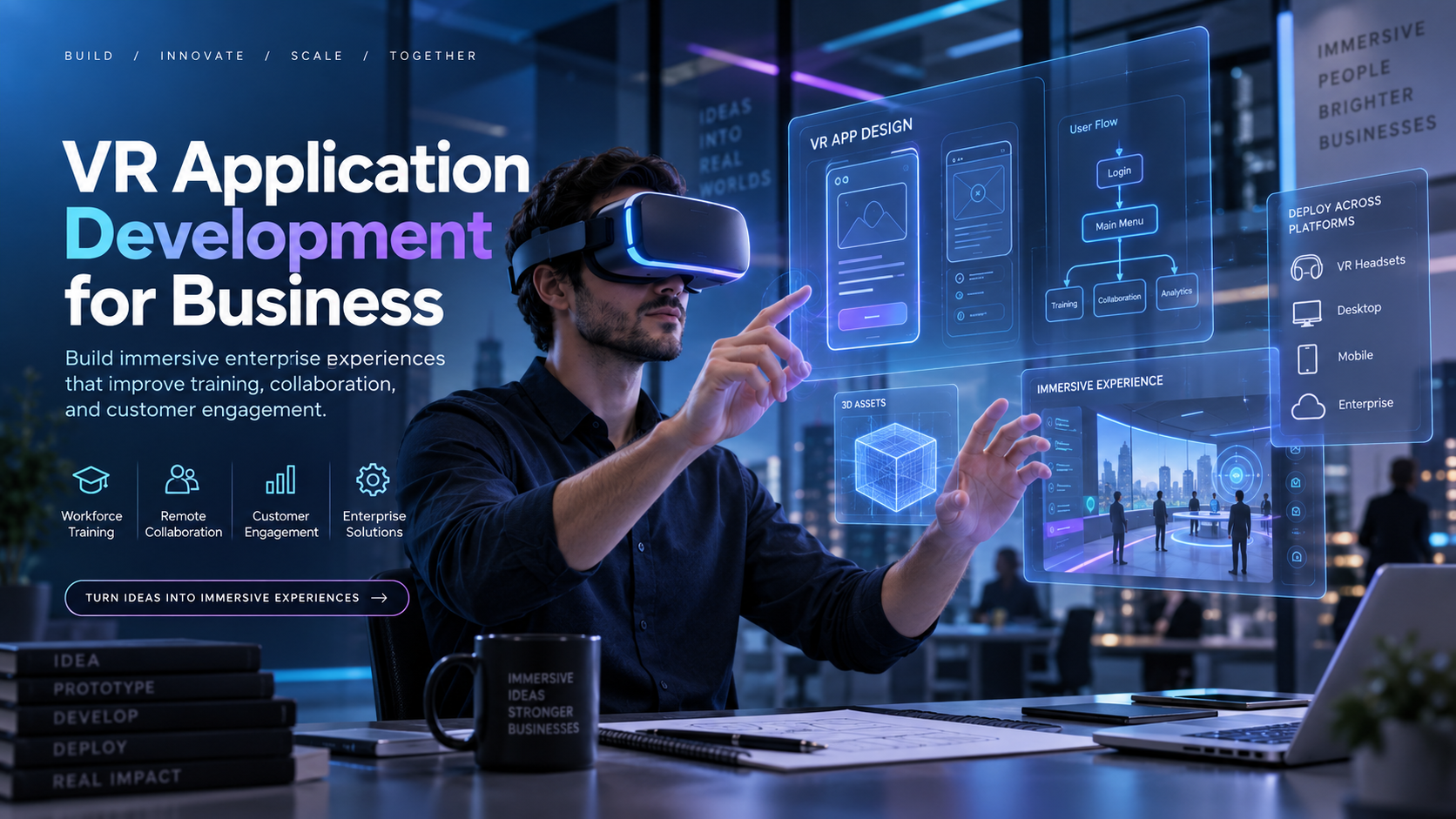
When marketing leaders, L&D managers, or event planners search for “VR application development,” they are often met with a wall of content for software engineers: SDK documentation, game engine tutorials, and rendering pipelines. This isn’t what a business leader needs to evaluate VR for a trade show, training program, or brand activation.
In a business context, VR application development is the process of creating, configuring, and deploying a virtual reality experience that serves a specific organizational goal. This could be a product demo, a compliance training module, or an immersive brand story at an event.
Understanding what this process actually involves and what it doesn’t require you to do yourself is the first step toward making a smart technology investment. This guide provides a decision-oriented framework for the business buyer, mapping the path from initial concept to real-world deployment.
What ‘VR Application Development’ Actually Means for a Business Buyer
For a business, VR development isn’t about writing code; it’s about achieving an outcome. The central question is how to get the right experience in front of the right audience, on budget and on time. This leads to two distinct paths.
The Two Paths: Custom-Built vs. Preloaded Rental-Ready Applications
- Custom VR Application Development: This is a bespoke experience built from scratch for a specific brand, scenario, or workflow. It’s created using a development platform like Unity or Unreal Engine and is tailored to your exact requirements.
- Rental-Ready Preloaded Content: This involves using curated, industry-specific VR scenarios that are already configured on standalone wireless headsets. These are deployable without a lengthy development cycle, offering a “plug-and-play” solution.
A critical insight for most business buyers is that many use cases do not require custom development. A vast library of preloaded content is available that covers a wide range of training, event, and activation scenarios. The decision between building a custom application and renting a preloaded one is the core strategic choice this guide will help you make.
Who Actually Needs Custom VR Application Development?
Custom development is a significant investment of time and resources. It’s essential when the experience cannot be replicated with off-the-shelf content.
Use cases where custom development is genuinely warranted:
- Proprietary Product Visualization: Demonstrating a product that is confidential, not yet physically built, or too large/complex to transport.
- Highly Regulated Compliance Scenarios: Training on company-specific workflows, patented equipment, or internal processes that are unique to your organization.
- Branded Immersive Narratives: Creating a world where the visual identity and story are the core deliverables, such as a major product launch or a flagship brand activation.
Use cases where custom development is often overkill:
- General Safety Training: Scenarios aligned with OSHA standards (e.g., hazard identification, fire safety, lockout/tagout) are widely available as pre-built modules.
- Event Activations for Engagement: When the goal is to draw a crowd and create a memorable, high-throughput experience, existing interactive games and 360-degree environments are highly effective.
- Sales Demos with Existing Assets: If product storytelling can be achieved with high-quality 360-degree video or existing 3D models, a full custom build may not be necessary.
If your use case falls into the second list, the following sections will help you save significant time and budget.
The VR Application Development Process: What It Takes to Build from Scratch
For organizations that genuinely need a custom VR application, understanding the development process is crucial for setting realistic expectations on timeline, cost, and internal resources. This is not a software engineering manual but a map of the process as it unfolds for corporate deployments.
Phase 1: Use Case Definition and Experience Design
Before a single line of code is written, the business objective must be translated into an experience design brief. This document defines what the user will do, see, learn, or feel. It also specifies the target hardware and how success will be measured.
This phase typically takes two to four weeks for a well-scoped project. It’s the most common stalling point for corporate VR projects because organizations often underestimate the level of specificity required.
Key decisions at this stage include:
- Perspective: First-person (seeing through the user’s eyes) vs. third-person.
- Interactivity: Passive (a 360-degree video) vs. interactive (the user can manipulate objects).
- Users: Single-user vs. multi-user experience.
- Hardware: Standalone headset (like Meta Quest) vs. a more powerful, PC-tethered device.
Phase 2: Platform Selection — Unity, Unreal, or WebXR
The choice of development platform has long-term consequences for hardware compatibility, cost, and deployment logistics.
- Unity: The dominant platform for standalone headset development, especially for the Meta Quest series. It is known for broad device support, a large asset library, and faster iteration cycles, making it suitable for most corporate training and event applications.
- Unreal Engine: Better suited for photorealistic product visualization and architectural walkthroughs where visual fidelity is the primary goal. However, this realism comes with higher development costs and longer timelines.
- WebXR: Enables browser-based VR experiences that require no app download. This is highly relevant for events where attendees use their own devices or where IT restrictions prevent app installation.
Phase 3: Development, Testing, and Deployment Configuration
The development timeline for a functional corporate VR application typically ranges from six to sixteen weeks, depending on complexity and interactivity.
- Development: This phase involves 3D modeling, interaction design, and coding. The majority of labor hours in a VR project are often dedicated to 3D asset production, not just programming.
- Testing: This is a critical and often-underestimated step. It must include device-specific QA to check for performance (frame rate), user comfort, and interaction accuracy. Crucially, it must also include logistics testing: How is the app loaded onto headsets? How is it updated remotely? What happens if a headset loses Wi-Fi at an event?
- Deployment Configuration: For events, the application must be preloaded onto all headsets, tested in the actual venue environment, and supported by a clear operator guide. Development doesn’t end when the code is complete; it ends when the experience runs successfully for the end-user. Skipping logistics testing is one of the most common and avoidable failure modes in corporate VR deployments.
Cost and Timeline Benchmarks for Custom VR Application Development
These benchmarks assume work is done by a competent external development studio. Internal teams may face longer timelines due to learning curves and overhead.
- Entry-Level Custom VR Application: $15,000 to $40,000 and an 8 to 12-week timeline. This typically covers a single interactive scenario on a standalone headset with no multi-user features.
- Mid-Complexity Application: $40,000 to $100,000+ and a 12 to 20-week timeline. This could include branching scenarios, a branded user interface, or synchronization across multiple headsets.
- Enterprise-Grade Application: $100,000 to $500,000 and beyond, with timelines exceeding six months. These projects often involve photorealistic environments, custom integrations with other company systems, and ongoing content updates.
When Rental-Ready VR Applications Outperform Custom Development
For a majority of corporate use cases—events, trade shows, safety training, onboarding, and sales demos—rental-ready preloaded applications deliver the same business outcome as custom-built software at a fraction of the cost and time.
Preloaded Industry-Specific Scenarios: What’s Already Available
Before commissioning a custom build, it’s vital to see if a solution already exists. The market for off-the-shelf VR content has matured significantly.
- Manufacturing and Safety Training: Libraries of OSHA-aligned training scenarios are available preloaded on rental headsets. These cover critical topics like hazard identification, lockout/tagout procedures, PPE compliance, and emergency response.
- Event and Brand Activations: Content libraries include immersive 360-degree videos, product visualization templates, and interactive games that can be customized with brand overlays without a full development cycle.
- Soft Skills and Customer Service: Simulation scenarios are available for contact center training, sales coaching, and leadership development, often showing significant improvements in employee confidence and customer satisfaction.
The practical implication is clear: if your use case maps to an existing category, you can deploy in days instead of months, with costs measured in rental fees, not large development contracts.
The Deployment Advantage of Standalone Wireless Headsets
The rise of powerful, standalone wireless headsets like the Meta Quest series has been a game-changer for enterprise VR.
- Elimination of Complexity: Standalone headsets remove the need for tethering cables, powerful PCs, and external sensors, which made early VR impractical for many business settings.
- Pre-Configured and Ready to Run: Rental packages can ship with the relevant application already loaded, tested, and configured. This means the on-site event team doesn’t need a developer to get started.
- Logistical Simplicity: Nationwide delivery and optional on-site support mean the complexities of a multi-headset deployment are handled by the rental provider, reducing the burden on internal IT or AV resources. For events with many attendees, this operational simplicity is a significant business benefit, reducing setup time and failure risk.
The Hybrid Path: Custom Content on Rental Hardware
For organizations that need a branded or proprietary experience but want to avoid the capital expense of owning and managing hardware, a hybrid model offers the best of both worlds.
This approach separates the content investment from the hardware investment. You commission a custom VR application to be developed once, and then deploy it on rented headsets for each event or training session. This is the right path for organizations with a genuine need for custom content but a desire to avoid the ongoing costs of headset ownership, maintenance, and firmware updates. IGIVU supports this model, allowing custom content—whether developed by our team or an external studio—to be preloaded onto our rental fleet for seamless deployment.
Matching VR Application Development to Your Specific Use Case
The right choice between custom and rental depends on your specific goals, timeline, and budget. Here’s a breakdown for the most common corporate use cases.
Events and Brand Activations
- Recommendation: Rental-ready content is almost always the better choice.
- Reasoning: For one-time or annual events, the ROI of a full custom build is rarely justified. Curated 360-degree environments or interactive games with simple brand overlays can deliver powerful attendee engagement at an event-appropriate cost. The content should be short (3-5 minutes), high-impact, and easy for first-time users.
- Key Consideration: How many headsets are needed simultaneously, and who will facilitate the experience for attendees?
Corporate Training Programs
- Recommendation: Start with preloaded scenarios; build custom only when necessary.
- Reasoning: Safety training is where preloaded, OSHA-aligned scenarios deliver the highest ROI. The content already exists, it meets compliance needs, and it can be deployed immediately. Similarly, soft skills training is well-served by existing libraries. Custom development is only warranted for proprietary training on company-specific equipment or regulated processes.
- Key Consideration: For recurring training cohorts, the hybrid model (custom content on rental hardware) is highly effective.
Sales Demos and Product Launches
- Recommendation: This is the strongest use case for custom development.
- Reasoning: If a product doesn’t exist physically or can’t be brought to a sales meeting, a custom VR application is a powerful substitute. The key question is the level of fidelity required. A photorealistic, interactive model demands custom development with Unreal Engine. A high-quality 360-degree environment with the product placed inside might be achievable with a more streamlined approach.
- Key Consideration: Evaluate WebXR for sales demos. It allows a customer to access the experience on their own device without a headset or app download, extending the conversation beyond the initial meeting.
Trade Shows and Multi-Day Deployments
- Recommendation: Standalone wireless headsets with rental support.
- Reasoning: Trade shows demand hardware that can run for hours, be easily sanitized, and be operated by booth staff without deep technical knowledge. The logistics of managing PC-powered headsets are prohibitive in this environment. Standalone headsets like the Meta Quest 3, with a battery life of about 2-3 hours of active use, are the practical choice.
- Key Consideration: Content should be designed for a short, high-impact experience suitable for a standing, distracted audience.
How to Evaluate a VR Application Development Partner or Rental Provider
The partner you choose determines whether your VR experience succeeds in the real world. Here are the critical evaluation criteria.
For Custom Development: What to Verify Before Signing
- Portfolio: Ask for examples of applications they have deployed on standalone headsets at live events, not just rendered demos.
- Platform Expertise: Confirm they have experience with the specific platform (Unity, Unreal, WebXR) and headset you plan to use.
- Content Ownership: Clarify who owns the source code and assets after development. Understand the process and cost for future updates and revisions.
- Logistics Plan: A great developer doesn’t just write code; they have a plan for deployment. Ask how the application gets onto the headsets and how they provide support during the actual event.
For Rental-Ready Deployment: What to Verify Before Booking
- Configuration: Confirm the provider ships headsets pre-configured and tested with your content, not in a factory-reset state that requires on-site setup.
- On-Site Support: Ask if they offer on-site event support and what that service includes (e.g., setup, user facilitation, troubleshooting).
- Delivery and Lead Time: Verify their nationwide delivery capabilities and ensure headsets will arrive at least two days before the event for testing.
- Content Library: Inquire about their library of available scenarios and confirm their ability to preload custom content onto the rental headsets.
Deploying Your VR Application: A Practical Pre-Event Checklist
Whether custom-built or rental-ready, successful deployment hinges on logistics. Use this checklist before every event or training session.
Hardware and Content Verification
-
Confirm Full Charge: All headsets should be charged to 100%. Standalone headsets typically offer 2-3 hours of active use, so plan your charging rotation for multi-day events.
-
Verify Application Launch: Test that the application launches correctly on every single headset. Do not assume one successful test applies to all units.
-
Test in Venue Environment: If possible, test the experience in the actual event space. Lighting, physical obstructions, and Wi-Fi can all impact performance.
-
Test Network Dependency: If your app relies on Wi-Fi (for multi-user sync, leaderboards, etc.), test it on the venue’s network, not a mobile hotspot.
Operator Preparation and Attendee Facilitation
-
Designate an Operator: Every VR station needs a dedicated person to help attendees with headset fitting, starting the experience, and basic troubleshooting.
-
Prepare an Onboarding Script: Most attendees will be first-time VR users. Have a 30-60 second script to orient them.
-
Establish Sanitization Protocol: Headsets must be wiped down between users. Have disinfectant wipes and replacement facial interfaces ready.
-
Have a Backup Plan: Determine the minimum number of headsets needed to run your activation and have backup units ready in case of failure.
Conclusion: Making the Right VR Decision for Your Business
Choosing a path for VR application development is a strategic business decision, not a technical one. The central question is not “How do we build a VR app?” but “What is the most direct and effective way to achieve our business goal with immersive technology?”
For many, the answer lies in leveraging the speed, cost-efficiency, and logistical simplicity of rental-ready, preloaded VR solutions. For those with truly unique requirements, a custom build—ideally deployed on flexible rental hardware—is the correct path.
By understanding the real-world process, costs, and timelines involved, you can move past the hype and make an informed investment that delivers measurable results for your next event, training program, or brand campaign.
Ready to explore the right path for your organization? Contact IGIVU’s team of deployment specialists to discuss your use case and get a practical, no-nonsense recommendation on whether to build, rent, or pursue a hybrid solution.
Frequently Asked Questions (FAQs)
How long does it take to develop a custom VR application for a corporate event?
A simple custom VR application for an event can take 8 to 12 weeks, while more complex experiences with high interactivity or multiple scenarios can take 12 to 20 weeks or longer.
What is the cost difference between custom VR application development and renting preloaded VR headsets?
Custom VR development can range from $15,000 for a simple app to over $100,000 for an enterprise-grade solution. Renting headsets with preloaded content is significantly more cost-effective, with pricing based on the number of headsets and rental duration, avoiding the large upfront development cost.
Can I use a custom VR application on rented headsets?
Yes. This “hybrid” model is very effective. You can commission a custom application and have a rental provider preload it onto their headsets for your event or training, separating the content investment from the hardware investment.
What VR development platform should I use for a standalone headset deployment?
Unity is the most common and recommended platform for standalone headsets like the Meta Quest series. It offers the best balance of performance, broad device support, and developer availability for most corporate applications.
Do I need a developer on-site at my event if I use rental VR headsets?
No. A key benefit of reputable rental providers is that they ship headsets fully pre-configured and tested. Many also offer optional on-site staff to manage the VR station, assist users, and handle any troubleshooting, so your team can focus on the event.
What types of VR training scenarios are available without custom development?
A wide range of off-the-shelf training scenarios are available, particularly for safety and compliance. This includes OSHA-aligned modules for manufacturing and construction (e.g., forklift operation, fall protection, fire safety), as well as soft skills training for customer service and leadership.
How many VR headsets do I need for a corporate event or trade show?
This depends on your goals, the length of the experience, and expected foot traffic. For a trade show booth, 2-4 headsets can create a compelling activation point. For larger events or training, the number could be much higher. A key factor is throughput—how many people you want to experience the VR demo per hour.
What is WebXR and when should I use it instead of a native VR application?
WebXR allows you to deliver VR and AR experiences through a web browser, with no app download required. It is an excellent choice for marketing activations, sales demos, or any scenario where you need to reach the widest possible audience with minimal friction.