

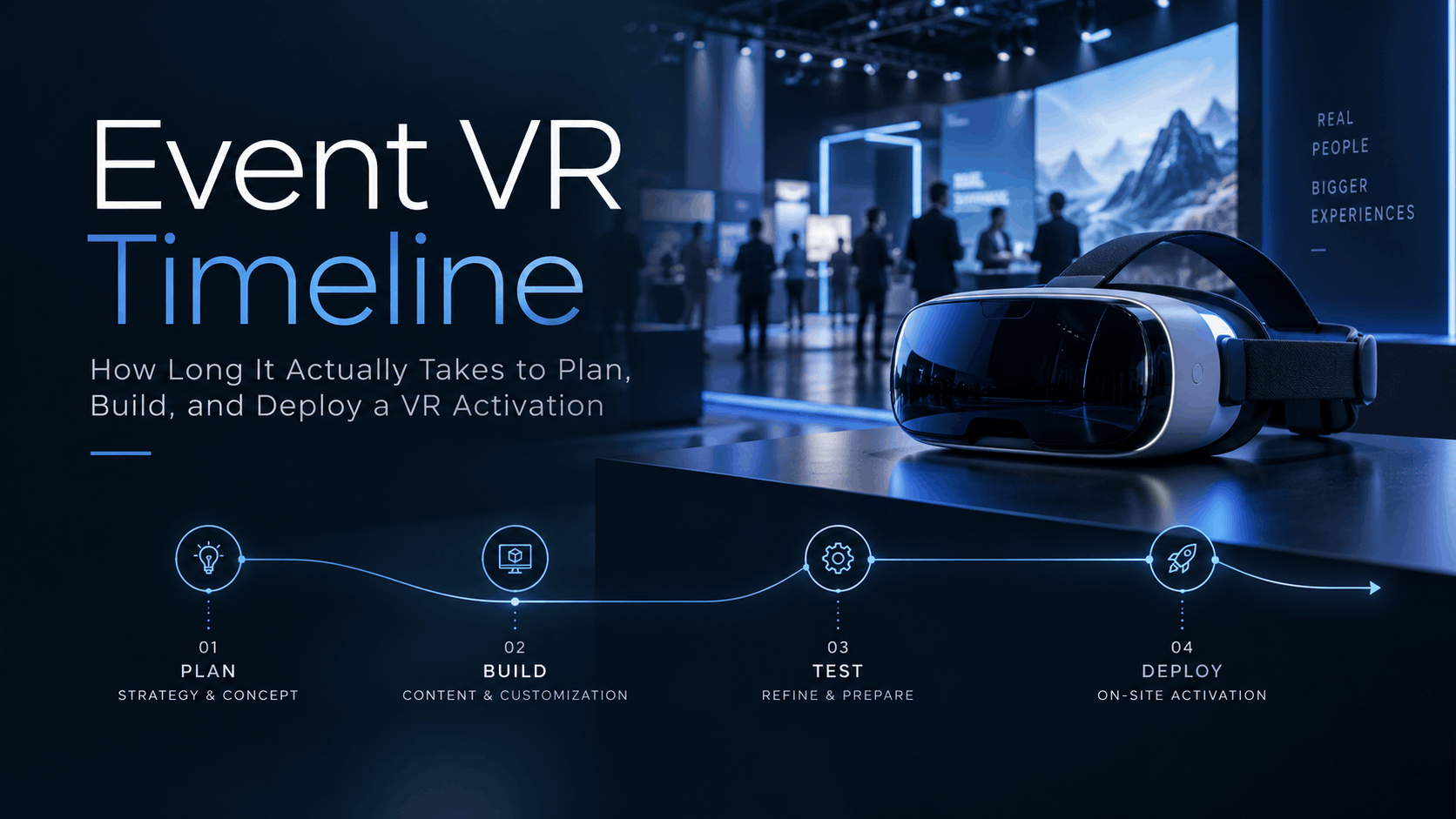
You’ve been tasked with evaluating a Virtual Reality activation for an upcoming event. Whether it’s for a trade show, a product launch, or an enterprise training session, the first question is always the same: “How long is this actually going to take?” Before you can talk vendors, budget, or creative, you need a realistic timeline to determine if a VR experience is even feasible.
This guide provides that answer with operational specificity. We’ll break down the timelines, phases, and critical decisions that control the schedule for an event VR deployment. This is the information you need for internal planning, stakeholder conversations, and justifying your approach.
The Short Answer: Timeline Depends on One Decision Made First
Before mapping out weeks and phases, your team needs to answer a single question: are you renting a pre-built VR experience or commissioning a custom one? That choice determines whether your realistic minimum timeline is three weeks or twelve. Everything else—hardware selection, asset production, staffing, and logistics—flows from that decision.
Rental-Based Deployment: The 3-to-6 Week Window
Rental deployments use pre-built VR experiences loaded onto event-ready headsets, requiring no custom development. This is the fastest path to getting VR at your event.
-
Minimum Viable Timeline: Approximately 3 weeks is the absolute minimum. This breaks down into one week for experience selection and hardware confirmation, one week for logistics and pre-event testing, and a one-week buffer for any venue-specific setup issues.
-
A More Realistic Timeline: A 4-to-6 week window is safer, allowing for light branding customization and absorbing minor delays. For example, pre-developed content with light branding can take 2-4 weeks. [1]
-
Key Constraint: The primary limitation isn’t development time; it’s content fit. Does a pre-built experience match your product, brand, or training scenario closely enough to be effective?
Custom VR Development: The 10-to-16 Week Baseline
Commissioning a unique VR experience offers complete control over the content and brand message but requires a significantly longer lead time. The average development time for a VR program is about 8-10 weeks, but this can vary widely. [9, 11]
-
Minimum Viable Timeline: A 10-week timeline is possible for simpler experiences, especially if you have existing 3D assets ready for a platform like Unreal Engine or Unity. Some vendors quote 8-14 weeks for a standard custom branded activation. [2]
-
The 3D Asset Factor: If 3D product models must be created from scratch or converted from complex CAD files, you must add 3-6 weeks to the timeline before development can even begin. [3] This asset production phase can take anywhere from 4 weeks to 4 months. [11]
-
Upper Bound: A 16-week or longer timeline applies to fully custom experiences with original environments, complex interactive logic, and multi-platform delivery. [2] Rushing custom development below eight weeks is risky and can lead to bugs, hardware problems, or on-site failures. [1]
Phase-by-Phase Breakdown: What Actually Happens and When
A timeline is only useful if it maps to real-world decisions and handoffs. This section breaks down the event VR production process into the phases that consume time and identifies where delays most commonly occur.
Phase 1: Scoping and Hardware Selection (Week 1-2)
This initial phase defines the “what” and “how” of your activation. For custom builds, this phase can include discovery and concepting, which may take 1-2 weeks. [3]
-
What Happens: You’ll define the experience type (product visualization, training simulation, brand environment), the number of headsets needed, venue constraints (power, internet, space), and content requirements.
-
Hardware Selection: This is a critical decision made early. Will you use standalone headsets like the Meta Quest 3 for ease of deployment, or PC-tethered headsets for maximum visual fidelity? [30] For premium, single-user demos, the Apple Vision Pro might be considered. [2]
-
The Hard Dependency: Rental vendors cannot hold inventory without a confirmed headset count, event dates, and venue city. This decision cannot be deferred.
-
Common Delay: Teams often wait for creative approval before committing to hardware. This compresses the logistics window and puts the entire project at risk.
Phase 2: Asset Production — The Timeline’s Longest Variable
This is where the timelines for rental and custom deployments diverge dramatically.
-
For Rental Deployments: Asset production is minimal, often limited to branding overlays, logo placement, or other light customizations. This typically takes only 3-5 business days.
-
For Custom Builds: 3D asset production is the longest and most variable phase. [3] Creating a single, high-fidelity 3D product model from existing engineering CAD files can take 2-4 weeks, depending on its complexity, texture requirements, and any necessary animations. [3, 9] The process of translating CAD data, which consists of mathematical surfaces, into a usable 3D mesh for VR is a complex task often underestimated. [17, 28]
-
Building from Scratch: If you need to create original 3D environments (not just repurposed architectural models), add another 3-6 weeks on top of product model production. [3]
-
Sequential Dependency: In game engines like Unreal or Unity, development of interactive elements cannot begin until the 3D assets are delivered and optimized. These are sequential steps, not parallel tasks.
Phase 3: Development and Integration (Weeks 4-10 for Custom Builds)
This phase, which applies almost exclusively to custom projects, turns your assets into a functional VR experience. The development and programming stage can take anywhere from 1 to 8 weeks or more. [11]
-
What Happens: Developers build the navigation logic, program interaction triggers (e.g., picking up an object, activating a feature), and optimize performance for the target headset.
-
Device Integration: Loading the experience onto the headset fleet is not an automatic process. It requires device management setup, especially for larger deployments. [7]
-
Testing at Scale: For multi-headset activations, the content must be tested on every single unit, not just a representative sample. Inconsistencies between devices can and do occur.
-
Iteration Cycles: The back-and-forth between client review and developer revisions is a frequent source of underestimation. Each cycle can easily consume 1-2 weeks.
Phase 4: Pre-Event Testing and Logistics (2-3 Weeks Before Event)
This phase is non-negotiable for both rental and custom paths. It is the phase most commonly cut when timelines slip, and its absence causes the most visible and catastrophic failures.
-
What to Test: Your checklist must include content playback on every headset, controller pairing and battery life, and overall performance under continuous use. You must also test for venue-specific conditions like Wi-Fi reliability; offline-loaded content is often the safer choice for busy trade show floors.
-
Vendor Responsibility: For rental deployments, the vendor typically handles device testing, but you must confirm this is explicitly stated in your contract. Do not assume it’s included.
-
Logistics: For multi-city or international events, factor in shipping windows, potential customs documentation, and on-site storage planning.
-
Staff Briefing: Your on-site staff needs a full run-through at least 48 hours before the event opens, not the morning of. This ensures they can troubleshoot common issues and guide participants effectively. [18]
Phase 5: On-Site Setup and Activation Management
The final step is bringing the experience to life at your venue. Setup time can range from minutes to a full day.
-
Standalone Headsets: A small deployment of 5 standalone headsets can be set up in 2-3 hours by a single trained technician. Individual standalone headsets like the Meta Quest 3 can be set up in about 5 minutes per unit. [2]
-
PC-Tethered Headsets: A 10-headset PC-tethered deployment is a different beast. With custom booth furniture and complex cable management, this requires a full day of dedicated setup time.
-
Staffing: During the event, plan for at least one dedicated VR technician for every 4-6 headsets. [3] This person will manage battery swaps, headset resets, participant onboarding, and hygiene between users. [18] A typical VR station needs a footprint of at least 10×10 feet. [1]
The Variables That Compress or Extend Your Timeline
Two events with identical headset counts can have timelines that differ by weeks. The variables driving that gap are predictable. Understanding them allows you to build a realistic schedule from the start.
3D Asset Availability: The Single Biggest Timeline Driver
For custom builds, nothing impacts the timeline more than the state of your 3D assets.
-
Ready-to-Go Assets: If you have production-ready 3D models in a compatible format (like FBX or OBJ), your custom development timeline can be significantly compressed.
-
Starting from CAD: If models must be converted from engineering CAD files, add a minimum of 3 weeks to your schedule before development begins. [3] The process is complex, as CAD files describe mathematical surfaces, not the polygonal meshes required by game engines. [17]
-
Starting from Scratch: Creating models from photos or concepts is the longest path and adds the most time.
-
Reusable Asset Library: Companies that have previously invested in 3D models for AR or other VR projects have a massive head start, dramatically reducing future timelines.
Internal Approval Cycles: The Hidden Timeline Killer
The most common source of timeline overruns in enterprise VR projects isn’t technical; it’s administrative. [15]
-
The Domino Effect: A single round of creative, legal, or brand review that takes two weeks instead of the planned three days can push a custom build past its event deadline.
-
Rental Isn’t Immune: Even rental deployments require internal sign-offs for branding customizations and contracts.
-
Best Practice: Define all approval owners and their required turnaround times (SLAs) in the project kickoff document. Don’t wait for the first review round to discover your legal team needs ten business days.
Headset Count and Fleet Complexity
Deploying 20 headsets is not simply four times the work of deploying five; it’s a step-change in complexity.
-
Mobile Device Management (MDM): Large fleets require MDM software to manage content, updates, and settings efficiently. [5] Setting up an MDM platform like ArborXR or ManageXR adds initial configuration time but saves immense manual effort later. [6, 7, 13] Manually configuring a fleet of 30 headsets can be a full day’s work. [6]
-
Multi-Model Fleets: Mixing different types of headsets (e.g., Meta Quest 3 and Pico 4) requires separate content builds and distinct testing protocols for each model.
-
Rental Vendor Advantage: Experienced rental vendors often have pre-configured fleet management systems, which reduces this overhead and is a key benefit of renting for larger deployments. [7]
Venue and Event Format Constraints
The “where” and “when” of your event introduce hard constraints.
-
Trade Show Move-In: Booths at major trade shows often have tight move-in windows (24-48 hours). This compresses on-site setup time and leaves no room for major troubleshooting.
-
Outdoor Activations: Events held outdoors or in semi-outdoor spaces introduce challenges with lighting, temperature, and Wi-Fi that impact which hardware you can use. These decisions must be made during scoping, not on-site.
-
Multi-Location Activations: A simultaneous product launch in five cities requires parallel logistics planning, redundant hardware inventory to cover potential shipping damage, and local technical support.
-
Venue Wi-Fi: Never assume the venue’s Wi-Fi will be reliable enough for streaming or last-minute content downloads. For mission-critical trade show environments, pre-loading all content for offline operation is the only safe default.
Rental vs. Custom: A Side-by-Side Timeline Comparison
The choice between renting and building is fundamentally a trade-off between timeline, budget, and customization—not necessarily quality. This side-by-side view helps frame the decision with concrete factors.
When Rental Is the Right Call on Timeline Grounds
-
Short Deadline: The event is less than 6-8 weeks away, making custom development infeasible. [38] Some rental services can deliver in as little as 14 days. [4]
-
Pilot Program: The goal is to test audience response or prove the concept of VR before committing to a larger investment in custom content. [37]
-
Content Fit is “Good Enough”: An existing, pre-built experience can adequately represent your product or training scenario with light branding.
-
Budget Constraints: The timeline savings of renting translate directly into cost savings by avoiding a six-figure development budget. [2]
When Custom Development Is Worth the Longer Timeline
-
Unique Product/Scenario: No pre-built experience can accurately represent your complex machinery, proprietary software, or specific spatial environment. [25]
-
Flagship Event: The activation is for a major product launch or a top-tier trade show where brand differentiation and making a memorable impact are primary goals. [36]
-
Content Reuse: The VR content will be reused across multiple events or for internal training, making the amortized per-event cost of custom development competitive with repeated rental fees. [37]
-
Procedural Accuracy: The training scenario requires a high degree of specific, procedural accuracy (e.g., for safety compliance or medical training) that a generic experience cannot provide.
Building a Realistic Event VR Timeline: A Planning Framework
Instead of a generic Gantt chart, use this decision-first framework to plan your timeline. Start from your fixed deadline and work backward through the non-negotiable phases to identify where your schedule is most at risk.
1. Start From the Event Date and Work Backward
-
Anchor Points: Identify the hard event date and the venue’s move-in window. These are your fixed constraints.
-
Reserve the Final Weeks: Block off the final 2-3 weeks before the event for pre-event testing, shipping, and staff briefings. This buffer is non-negotiable and cannot be compressed without accepting a high risk of failure.
-
Set the Content Lock Date: Working backward from the testing phase, determine the date when all content must be finalized and loaded onto devices.
-
Define Your Start Date: For a custom build, the content lock date determines when development must be complete. Use your vendor’s estimated build duration (e.g., 10 weeks) to find your required project start date. For a rental, this date determines when branding customizations must be approved.
2. Identify the Critical Path Dependencies
The critical path is the sequence of tasks that determines the total duration of the project. A delay in any task on this path will delay the entire project.
-
Custom Build Critical Path: The path runs directly through 3D asset production. Development, integration, and testing are all blocked until final, approved assets are delivered.
-
Rental Deployment Critical Path: The path runs through hardware reservation. Headset inventory is finite, and popular event dates can be booked out weeks or months in advance.
-
The Universal Dependency: Internal approval cycles sit on the critical path for both scenarios and are the variable most directly within your control.
3. Build in Contingency at the Right Points
Contingency isn’t just “padding”; it’s a necessary buffer that prevents a small delay from causing a total failure.
-
Add it Early: Build contingency time after the asset production phase for custom builds. A buffer there can absorb delays without impacting the final testing window. Late-stage contingency is often consumed by last-minute shipping and logistics issues, not development problems.
-
Logistics Buffer: For any multi-location or international event, add a dedicated logistics contingency of at least 5 business days to account for shipping delays, customs holds, or hardware damaged in transit.
-
First-Timer Buffer: If this is your organization’s first VR deployment, add a full week of contingency to account for the learning curve in device management, content loading, and stakeholder education.
Frequently Asked Questions (FAQs)
How long does it take to set up VR for a trade show booth?
Setup time depends on the hardware. A small deployment of 5 standalone headsets (like Meta Quest 3) can be set up in 2-3 hours. A larger, 10-headset PC-tethered deployment with custom furniture and cable management requires a full day. [2]
What is the minimum timeline to deploy a VR experience at an event?
For a rental experience using pre-built content, the minimum viable timeline is approximately 3 weeks, though 4-6 weeks is recommended. [1, 2] For a custom-developed experience, the absolute minimum is 8-10 weeks, with 12-16 weeks being a more realistic baseline. [2, 9]
How long does custom VR development take for an enterprise event?
The average is 8-10 weeks for a standard project. [9] This can extend to 16-20 weeks for complex experiences with original 3D environments, interactivity, and multi-platform support. [2] The timeline is heavily dependent on 3D asset creation, which can take 2-6 weeks on its own. [3]
Can I rent VR equipment for an event on short notice?
Yes, but it depends on inventory availability. For very short timelines (under 3 weeks), you will be limited to the hardware and pre-built software experiences the vendor has in stock. Popular dates get booked far in advance, so short-notice rentals are risky for mission-critical events.
How much time do I need for pre-event VR testing?
You should reserve a non-negotiable window of 2-3 weeks before the event. This period is for final content testing on all devices, logistics and shipping, and on-site staff training. Cutting this phase is the single biggest cause of on-site technical failures.
What is the difference in timeline between standalone and PC-tethered VR for events?
The primary timeline difference is in on-site setup. Standalone headsets are much faster to set up, taking minutes per device. [2] PC-tethered systems require connecting to a dedicated computer, which adds significant time for cable management, software configuration, and troubleshooting, often requiring a full day for a multi-headset installation.
How long does 3D asset production take for a VR event experience?
This is often the longest single phase in a custom project. A single high-fidelity 3D model from CAD files can take 2-4 weeks. [3, 9] Building a complete, original 3D environment can take an additional 3-6 weeks on top of that. [3] The total asset creation phase can range from 4 weeks to 4 months. [11]
What happens to the VR timeline if I miss an internal approval deadline?
Missing an internal approval deadline almost always results in a day-for-day slip in the final delivery date. Because asset creation and development are on the critical path, a one-week delay in creative sign-off can easily push your content delivery back by a full week, compressing your vital pre-event testing window.
Ready to Plan Your VR Activation?
Understanding the timeline is the first step to a successful VR deployment. The key is to make the foundational decision—rental or custom—early, plan backward from your event date, and build in contingency for the most common delays.
If you’re ready to get a detailed timeline and cost assessment for your next event, our team of VR experts can help you scope your project and determine the most effective path forward. Contact us today to start the conversation.

