Most buyers searching for “VR safety training companies” are looking for a shortlist of vendor names. That’s a valid goal, but it’s the wrong starting point. The right question isn’t just “who is the best?” but “who can execute reliably in my specific environment?” Whether that’s a noisy manufacturing floor, a confined training room with inconsistent Wi-Fi, or a multi-site rollout, operational reality is what separates successful VR training programs from expensive novelties.
This guide reframes the evaluation process. Instead of focusing on who has the most polished demo, we provide a procurement framework to assess which virtual reality safety training provider can deploy without failure under your unique conditions.
Why ‘Best VR Safety Training Company’ Is the Wrong Question to Start With
The search for the “best” vendor often leads to evaluating content quality and graphical fidelity in a controlled setting. But the real test of a VR safety training program isn’t how good it looks in a vendor’s showroom; it’s how it performs on a Tuesday morning with a cohort of 20 employees, managed by your staff, on your network.
The Gap Between Demo Performance and Field Performance
A VR demo in a controlled environment is designed to impress. It almost always outperforms the same system in a real-world plant or warehouse. Here’s why:
-
Lighting: Bright, direct industrial lighting or sunlight can interfere with the inside-out tracking on standalone headsets, causing the user’s view to drift or lose position. [25]
-
Space Constraints: A demo room is open and clear. A real training space may be cramped, with physical obstacles that don’t exist in the virtual world but can cause users to trip or collide. [25]
-
Connectivity: Many vendor demos run on a dedicated, high-speed Wi-Fi network. Industrial facilities often have spotty or congested Wi-Fi, which can disrupt training if the content isn’t designed to run offline.
-
Device Management: A demo uses a handful of perfectly configured headsets. A real deployment involves managing dozens of devices, ensuring they are charged, updated, and ready for back-to-back sessions.
This gap separates vendors who build for impressive demos from vendors who build for operational deployment. The primary evaluation criterion should be deployment reliability—the vendor’s ability to deliver a stable, consistent, and effective training experience at scale within your real-world constraints.
What Buyers Actually Need to Evaluate (and What Vendor Marketing Won’t Tell You)
Vendor marketing focuses on content libraries and learner engagement. Buyers must look deeper at the operational realities.
-
Hardware Compatibility: Does the vendor’s chosen headset—standalone or PC-tethered—fit your training space and IT infrastructure? What are the hygiene protocols for sharing headsets among employees? [18]
-
Content Compliance: Does the simulation truly map to specific OSHA, NFPA, or MSHA standards, or is it a generic experience? Crucially, does it train procedural competency or just hazard awareness? [1, 12]
-
Staffing and Facilitation Model: Who runs the training session? What is the protocol when a headset fails mid-training? Is on-site technical support included or an extra cost?
-
Cost Structure Transparency: What is the true total cost? Buyers need to break down per-seat licensing, rental day rates, content customization fees, and hardware costs to build a realistic budget. [5, 7]
The Two Vendor Models: Software Platform vs. Rental-Based Deployment
VR safety training vendors typically fall into two operational models: licensed software platforms or rental-based deployment services. Neither is universally superior. The right choice depends on your training frequency, number of employees, internal technical resources, and budget structure.
Software Platform Model: What You’re Actually Buying
When you license a VR training software platform, you are primarily buying access to content and a management dashboard. The operational burden falls on you.
-
What it is: The vendor provides a software license for their training content and a platform to track user progress. Hardware procurement, setup, and management are your responsibility. [13]
-
Hidden Costs: The sticker price for the license is just the beginning. You must also budget for headset purchases ($300-$3,500 per unit), mobile device management (MDM) software, staff time for setup and troubleshooting, and potential fees for content updates or customization. [4, 7, 13]
-
Best Fit For: Organizations with high training frequency (e.g., monthly), a stable inventory of headsets, and dedicated IT or L&D staff who can manage the technical and logistical aspects of the program. [13]
Rental-Based Deployment Model: What Changes Operationally
The rental model treats VR training as a managed service rather than a technology you own. The vendor handles the operational complexity.
-
What it is: The vendor provides a turnkey service, delivering pre-configured headsets with content loaded and tested. This often includes on-site or remote technical support to manage the training event. [7]
-
Operational Benefits: This model eliminates capital expenditure on hardware that depreciates quickly. The cost is a predictable operational expense tied to specific training events, making it easier to budget for cohorts. [7] It significantly reduces the burden on your internal IT team, as the vendor manages device updates, software, and troubleshooting. [7]
-
Ideal For: Companies running quarterly safety refreshers, new-hire onboarding, or training across multiple sites where centralizing and managing a fleet of headsets is impractical. It’s also a common choice for one-time compliance needs.
When the Hybrid Approach Makes Sense
Some organizations find a middle ground by combining both models.
-
A licensed platform can be used for core, ongoing curriculum at a central training facility.
-
Rental headsets can be brought in for large-scale events, annual safety days, or to extend training to remote sites without their own hardware.
-
Crucially, rental can serve as a low-risk pilot. You can run a single training cohort with a rental provider, measure the results, and use that data to justify a larger investment in a licensed platform and owned hardware.
Hardware Evaluation: Matching Headset Type to Your Training Environment
The headset is not a trivial detail; it dictates the feasibility and reliability of your entire program. Buyers must challenge vendors to justify their hardware choices based on the realities of the training site.
Standalone vs. PC-Tethered Headsets for Safety Training
-
Standalone Headsets (e.g., Meta Quest series, PICO): These all-in-one devices are portable, easy to set up, and have no cables to manage. [2] This makes them ideal for training in confined spaces, setting up multiple stations quickly, and deploying at sites without dedicated high-end PCs. [2]
-
PC-Tethered Headsets: These systems connect to a powerful computer, enabling higher graphical fidelity. This can be important for simulations where fine visual detail is critical for hazard recognition, such as reading chemical labels or inspecting complex equipment. However, they require a capable PC for each station and careful cable management, adding cost, complexity, and potential failure points. [2]
A vendor who cannot articulate why their chosen headset is the right operational fit for your specific training scenario should be considered a red flag. [23]
Environmental Factors That Affect Headset Performance
-
Ambient Light: Standalone headsets use cameras for “inside-out” tracking. Very bright industrial lighting, fluctuating light, or direct sunlight can cause tracking failures, disrupting the simulation. [25]
-
Space Requirements: While some simulations can be done while seated, many “room-scale” scenarios require a clear floor space of at least 6×6 feet per user to allow for safe movement. [25]
-
Hygiene and Shared Use: For shared headsets, a clear hygiene protocol is a non-negotiable operational requirement. This includes using antimicrobial covers, foam replacements, and having a documented cleaning process with approved non-abrasive, anti-bacterial wipes between each user. [18, 30] Alcohol should not be used on lenses. [18]
-
Battery Life: A standalone headset’s battery lasts about two hours. This is sufficient for a single 45-minute module but becomes a logistical challenge for full-day training programs. You’ll need a charging strategy and potentially extra headsets to swap out.
Content Compliance: What ‘OSHA-Aligned’ Actually Means in Practice
Many vendors claim their content is “OSHA-compliant” or “OSHA-aligned.” Buyers must dig into this claim. “Aligned” can mean anything from a simulation that meticulously follows a specific regulatory procedure to a generic hazard-spotting game with an OSHA logo on the loading screen.
The Difference Between Awareness Training and Procedural Simulation
This is the most critical distinction in compliance-focused training.
-
Awareness Training: Shows employees what a hazard looks like (e.g., spotting a frayed cord). This is useful for general orientation but is often insufficient for documenting compliance in high-risk tasks. [12, 14]
-
Procedural Simulation: Requires the trainee to perform a sequence of actions correctly. Examples include executing a lockout/tagout (LOTO) procedure, donning PPE in the right order, or following an emergency evacuation route. [12, 16] The system tracks and scores their performance. [2]
For many OSHA standards, effective training requires demonstrating competency, not just watching a video. [1, 20] Ask vendors: Does your simulation grade the user on performing the correct procedure? Can it export a completion record to our Learning Management System (LMS) as proof of competency? [2]
Industry-Specific Compliance Gaps to Watch For
-
Generic vs. Specific: A generic safety library is designed for a broad audience. It may not cover the specific standards that govern your industry, such as NFPA 70E for electrical safety or MSHA regulations for mining. [1]
-
Customization: If a vendor’s library doesn’t match your site-specific hazards, ask about the cost and timeline for customization. Can they modify an existing module, or does it require a complete rebuild from scratch? Custom module development can start at $25,000-$40,000 and take weeks or months. [4, 7]
-
Pre-built Compliance Modules: Some providers, particularly in the rental space, offer a catalog of pre-built simulations for common OSHA standards like LOTO (29 CFR 1910.147) or Hazard Communication. [1, 12] These are faster and cheaper to deploy but may be less specific to your facility.
Staffing and Facilitation: The Operational Layer Most Vendors Underspecify
A VR training session is a live event that requires operational planning. Headsets need to be fitted, users need orientation, and technical glitches must be solved in real time. A vendor who dismisses facilitation as an afterthought is setting your program up to fail—not because the content is poor, but because no one planned for what happens when a headset loses tracking with 20 trainees waiting.
What a Properly Staffed VR Training Session Looks Like
-
Facilitator Ratio: For first-time VR users, a ratio of one facilitator for every four to six headsets is recommended. This ensures each trainee gets help with fitting the headset, launching the session, and can be monitored for motion discomfort. [25]
-
Facilitator Responsibilities: A good facilitator does more than just hand out headsets. They are responsible for headset fitting, comfort checks, launching the session, monitoring for adverse reactions, and ensuring session data is captured correctly. [25]
-
Technical Support: This role should be separate from facilitation. A dedicated tech support person handles device failures, software resets, and connectivity problems, allowing the facilitator to focus on the trainees.
Ask vendors: Is facilitation included in your cost, or is it billed separately? Who provides it—your staff or ours? What training do you provide for our internal facilitators?
Technical Failure Planning: What Separates Reliable Vendors
-
Spare Hardware: A reliable vendor will always bring spare headsets to a live training event. A common best practice is at least one backup unit for every four to six active headsets.
-
Pre-Session Checks: The vendor should have a clear pre-flight checklist for every device: battery charged, content loaded and tested, and tracking calibrated for the room.
-
Offline Capability: For training at industrial sites with unreliable Wi-Fi, content that can run entirely offline is a must-have. [2]
-
Failure Recovery Protocol: Ask vendors for their specific protocol when a device fails mid-session. How long does it take to get a trainee into a backup headset and resume the simulation? A vague answer is a major red flag. [23]
Cost Structure: Building a Realistic Budget for VR Safety Training
Vendor proposals often misrepresent the true cost of a VR safety training program. They may exclude hardware, facilitation, or content customization, making it difficult to compare options on an apples-to-apples basis.
Cost Components to Itemize in Every Vendor Proposal
To build a realistic budget, demand that every proposal itemizes the following:
-
Content Licensing/Development: Is this a one-time fee or an annual subscription? What specific modules are included? [4] Custom development can range from $25,000 to over $100,000 per module. [4, 7]
-
Hardware Cost: Are headsets purchased, leased, or rented? Who is responsible for maintenance and replacement over the device’s lifecycle? [7]
-
Facilitation & Support: Is on-site support included, or is it billed at a separate day rate?
-
LMS Integration: Is the ability to track and export completion data included, or is API access a separate line item? [4]
-
Content Customization: What is the cost to add your company’s branding, site-specific hazard scenarios, or unique safety protocols? [4]
Rental-Based Cost Model vs. Software License: A Practical Comparison
-
Break-Even Point: For a company running quarterly safety training for a few hundred employees or less, a rental-based model is typically more cost-effective for the first one to two years. [13] A licensed platform with owned hardware often becomes more cost-efficient when training frequency is monthly or higher, or when headcount exceeds several hundred trainees per year. [5, 13]
-
Hardware Depreciation: Headset technology evolves rapidly. Renting eliminates the risk of owning a fleet of expensive hardware that becomes outdated in three years.
-
Cost per Employee: While e-learning can be as low as $20-$80 per employee per year, and classroom training $50-$150, VR training costs can range from $100-$300 per employee in the first year but can drop to $40-$80 in subsequent years as hardware costs are amortized. [5]
How to Run a Vendor Pilot Before Committing to a Full Program
The best way to evaluate a vendor’s deployment reliability is to run a structured pilot, not just watch a demo. A demo is controlled by the vendor; a pilot is controlled by you and designed to generate real operational data.
Pilot Design: What to Measure and How
-
Representative Cohort: Run the pilot with a cross-section of your actual workforce. Include employees who are not tech-savvy, older workers, and individuals in the specific job role the training is designed for.
-
Key Metrics: Don’t just measure “engagement.” Track hard data: session completion rate, average time to complete, number of technical interventions required per session, trainee comfort ratings (to check for motion sickness), and the workload placed on your facilitators. [22, 31]
-
Compare to Baseline: Evaluate the pilot results against your existing training methods, not against the vendor’s marketing benchmarks. [31]
-
Demand Raw Data: Ask the vendor for the raw session data, including individual completion records and any error logs. A summary report can hide problems.
Red Flags During a Pilot That Predict Field Failure
-
Lengthy Setup: If the vendor needs more than 30 minutes to set up each training station, the process is likely too cumbersome for a full-scale deployment.
-
High Failure Rate: More than one significant technical failure per eight headsets during the pilot session is a sign of unreliable hardware or software.
-
Trainee Discomfort: If more than 15% of trainees report significant motion sickness or disorientation, the simulation may be poorly optimized. [25]
-
Data Incompatibility: The vendor cannot export completion records in a format that works with your LMS or HRIS. [23] A refusal to run a pilot at all is one of the biggest red flags. [23]
Evaluation Checklist: What to Ask Every VR Safety Training Vendor
Use this checklist as a structured guide for RFPs and vendor interviews. It focuses on the operational criteria that define a reliable deployment partner.
Hardware and Technical Infrastructure Questions
-
What headset model do you use for this simulation, and why is it appropriate for our training environment?
-
Do you provide spare headsets for live events? What is your backup ratio?
-
Is your content fully offline-capable, or does it require a constant Wi-Fi connection?
-
What are the minimum space and lighting requirements per training station?
Content and Compliance Questions
-
Does your simulation require procedural completion and score performance, or is it observation-based?
-
Can you provide documentation mapping your content to the specific OSHA, MSHA, or NFPA standards relevant to our industry?
-
What is your process and cost for customizing content to include our site-specific equipment and hazards?
-
How often is your content library updated to reflect changes in regulations?
Facilitation, Support, and Data Questions
-
Is facilitation included in the program cost? Who provides it, and what is their training?
-
What is your technical failure recovery protocol during a live training session?
-
Can you export completion records to our LMS/HRIS? In what format (e.g., SCORM, xAPI)?
-
What does your pilot program include, what does it cost, and what data will we receive?
FAQs
What is the difference between a VR safety training company and a VR safety training software platform?
A VR safety training company may offer end-to-end services, including content, hardware rental, and on-site facilitation. A software platform typically provides a license for content and a management system, leaving hardware procurement, setup, and session management to the client. [7, 13]
How much does VR safety training cost per employee?
The cost varies widely. In the first year, including hardware, it can range from $100 to $300 per employee. [5] This cost can decrease to $40-$80 in subsequent years as hardware is amortized. [5] Rental models offer a per-event cost that can be more economical for smaller cohorts or infrequent training. [13]
Can VR safety training satisfy OSHA compliance requirements?
It can help, but it often cannot fully replace hands-on evaluation. OSHA has stated that computer-based training, including VR, can be an effective part of a program but may not be sufficient on its own. [1, 3, 20] For standards that require a practical demonstration of skills on actual equipment (like forklift operation), VR is best used to build procedural knowledge before the hands-on assessment. [1]
Do we need to buy headsets to run a VR safety training program?
No. Rental-based deployment models allow you to run training programs without any capital expenditure on hardware. [7] The vendor provides the headsets as part of the service. This is a good option for pilot programs or organizations that don’t want to manage a fleet of devices.
How long does it take to deploy a VR safety training program for the first time?
Using off-the-shelf content, a program can be deployed in as little as one to two months. [24] Developing custom content is a longer process, typically taking three to six months to get from concept to a deployable pilot. [7, 24]
What types of safety training work best in VR versus traditional formats?
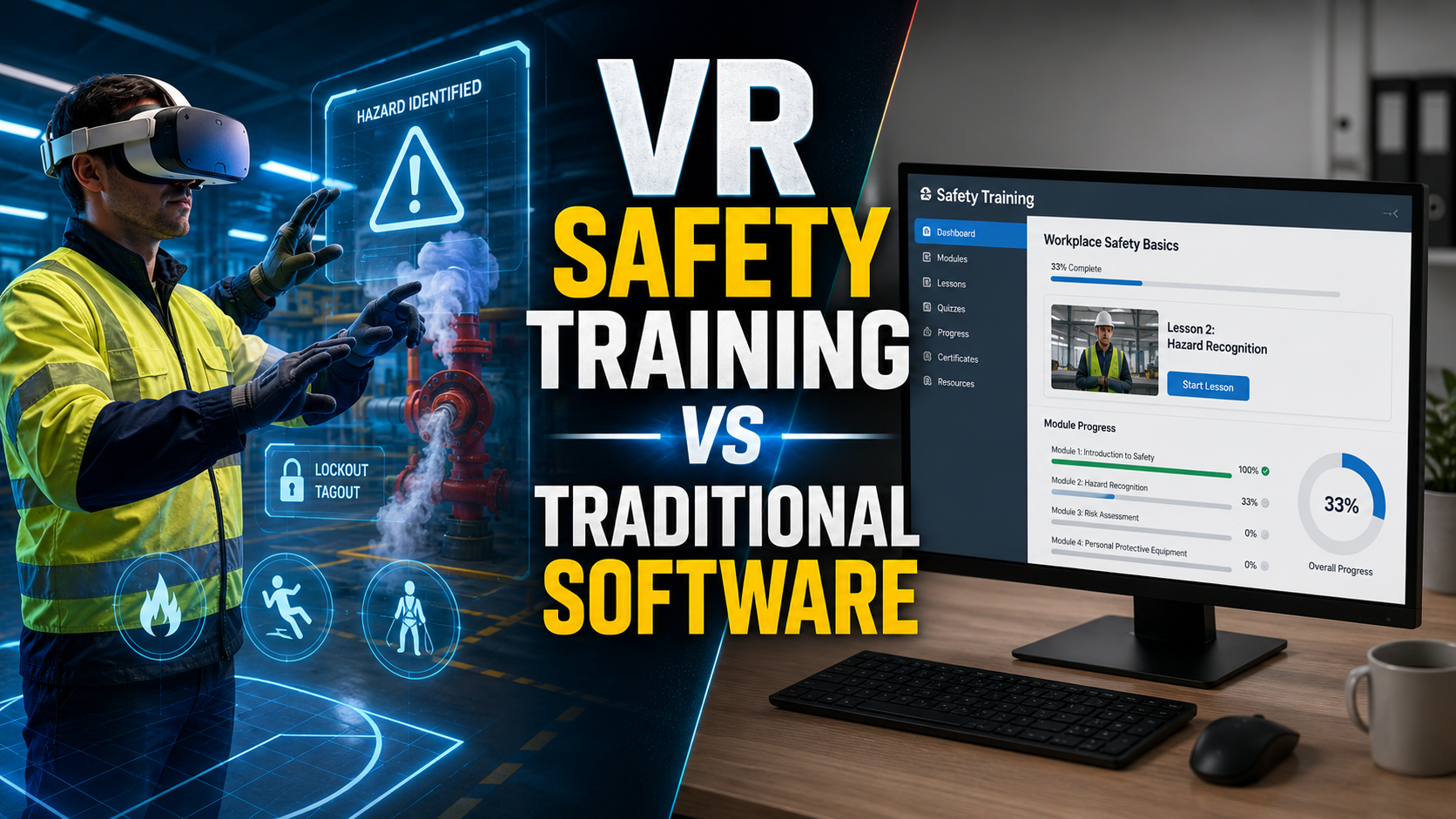
VR excels at training for high-consequence, low-frequency events (e.g., emergency response, chemical spills) and complex procedural tasks (e.g., lockout/tagout, confined space entry). [14, 16, 27] Traditional formats like e-learning are efficient for conveying factual knowledge and policies. [8]
How do we measure whether VR safety training is actually reducing incidents?
Measurement requires a structured approach. Track leading indicators like hazard identification rates and procedural compliance scores from within the VR training itself. [2] Then, correlate that data with lagging indicators like your facility’s Total Recordable Incident Rate (TRIR) and Days Away, Restricted, or Transferred (DART) rate over time. [2] Compare incident rates between groups trained with VR and those who were not.
What happens if a headset fails during a live safety training session?
A reliable vendor will have a clear failure recovery protocol. This typically involves having spare, pre-configured headsets on-site, allowing a facilitator to quickly swap the failed device and get the trainee back into the simulation with minimal disruption.
Conclusion: Choose a Partner, Not Just a Platform
Choosing a VR safety training provider is less about finding the slickest technology and more about finding a reliable operational partner. The most impressive demo is worthless if the program fails in the field due to hardware issues, poor facilitation, or a mismatch with your environment.
By using the framework in this guide focusing on deployment reliability, demanding transparency in costs and compliance, and running a structured pilot—you can move beyond vendor marketing and select a partner equipped to deliver a safe, effective, and scalable training program that measurably improves workplace safety.