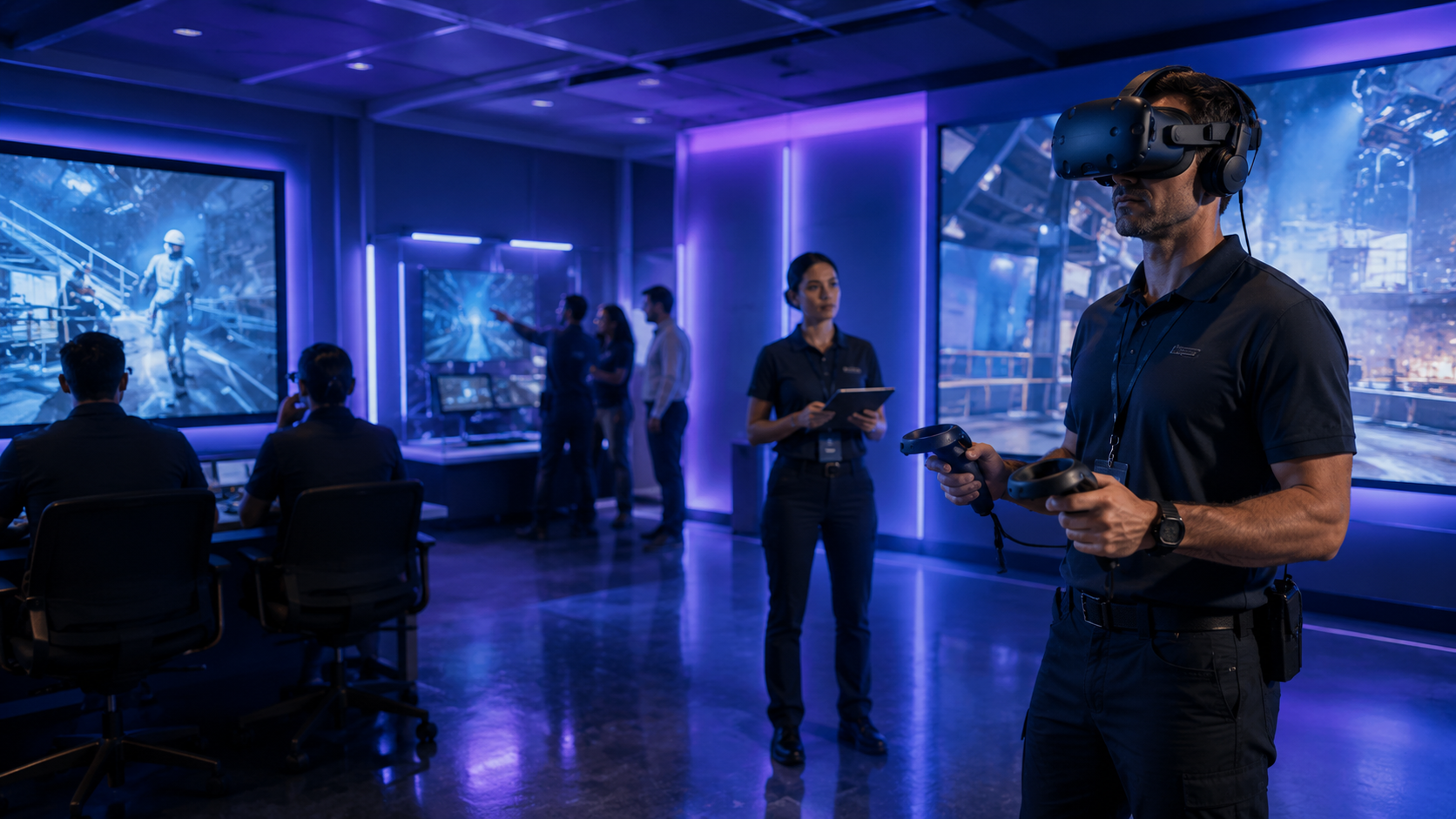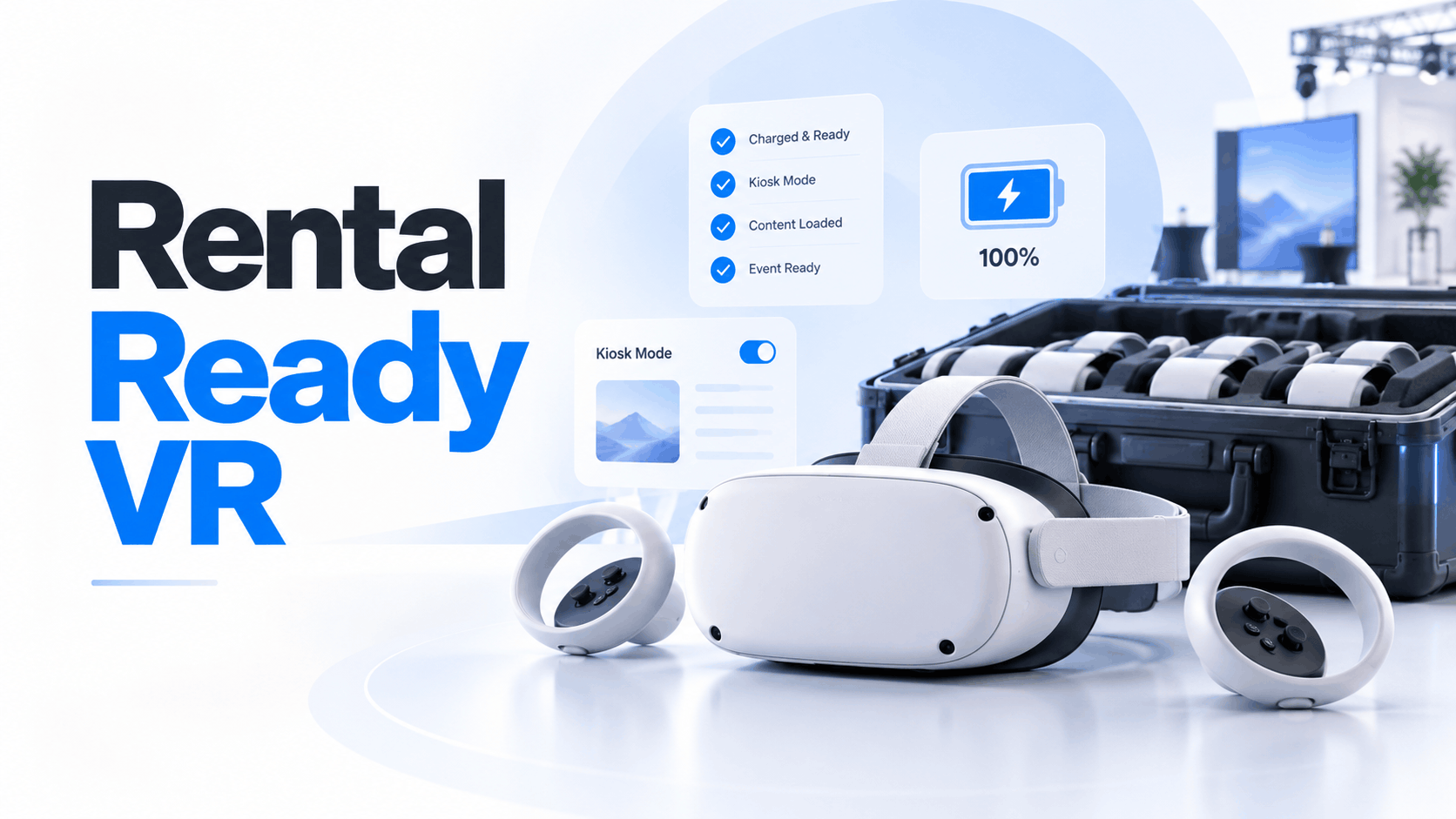
The promise of virtual reality at business events is captivating: transport clients into a photorealistic product demo, train employees in a risk-free environment, or simply stop trade show traffic in its tracks. But between that vision and a successful deployment lies a critical operational gap. Handing a stack of consumer-grade VR headsets to your event staff is a recipe for public failure. A successful VR activation hinges on a concept that most rental companies don’t deliver: a truly “rental-ready” deployment.
This definitive guide is for the event managers, marketing directors, and training leads tasked with making VR work in a high-stakes business environment. We’ll define what “rental-ready” actually means, provide a realistic framework for what it costs, and give you the tools to decide between renting, buying, and custom-building your next immersive experience.
What ‘Rental-Ready VR’ Actually Means (and Why Most Rentals Aren’t)
In the events industry, the term “rental-ready” is often used loosely, implying little more than hardware availability. But for business events, it signifies a specific, rigorous operational standard. A rental-ready VR deployment is one where hardware arrives pre-configured, software is pre-loaded and tested, and the entire system is robust enough to handle hundreds of attendee sessions without a technician hovering over every headset.
Most consumer-focused VR rentals—the kind marketed for parties or gaming nights—fail to meet this standard. They deliver hardware, but you’re left to manage the complex and failure-prone logistics of content loading, device management, and on-site troubleshooting. This section defines the criteria that separate a professional, rental-ready deployment from one that will create problems at your event.
The Five Criteria That Define Rental-Ready
A truly rental-ready VR setup for a business event is defined by more than just the hardware; it’s a service that ensures a seamless and controlled experience. These five criteria are non-negotiable for any professional deployment.
- Pre-loaded and Locked Content: The VR experience, whether it’s a 360-degree video or an interactive application, should be loaded directly onto each headset before it arrives. This eliminates the dependency on notoriously unreliable convention center Wi-Fi, which is a primary point of failure for streaming-based solutions.
- Kiosk-Mode or Guided Access Configuration: Nothing derail’s a VR demo faster than an attendee accidentally exiting the experience and landing on the device’s home screen. Rental-ready headsets are locked into a single-app “kiosk mode,” preventing users from accessing settings, system menus, or other applications. This ensures a consistent, branded experience for every user and minimizes the need for staff intervention.
- Battery and Thermal Management: A trade show floor is a high-demand environment. Headsets must be tested to run for the required session length without overheating. A professional rental package includes a clear battery rotation and charging plan, often with more headsets than are in use at any one time, to ensure the activation runs continuously throughout the day.
- Known Hardware Condition: Professional rental fleets maintain detailed records of each unit’s usage and maintenance history. Headsets are sanitized, factory-reset, and re-imaged between events to ensure that you receive hardware with clean lenses, functional controllers, and healthy batteries, not worn-out consumer units.
- Field-Serviceable: Hardware can fail. A rental-ready vendor anticipates this by including spare headsets or easily swappable components (like controllers or facial interfaces) in the rental package. This isn’t an add-on; it’s a core component of an event-proof service.
Why Consumer VR Rentals Fail at Business Events
The fundamental disconnect is one of purpose. Consumer rental services are designed for casual, unmanaged use. Business events demand reliability, control, and a seamless brand experience.
- Lack of Kiosk Mode: Consumer rentals are typically not configured for single-app use. Attendees can and will press the wrong button, exit your multi-thousand-dollar custom experience, and start browsing the app store, requiring a staff member to reset the device constantly.
- Dependence on Streaming: Many low-cost rental vendors expect you to handle content distribution, which often defaults to streaming over Wi-Fi. In a convention hall saturated with thousands of devices, this approach is doomed to fail, resulting in buffering, low-resolution visuals, or a complete inability to load the experience.
- No On-Site Support: A consumer rental is a transaction; a business deployment is a service. When you rent from a consumer-grade vendor, you are typically handed a box of headsets, not a deployment solution. There is no dedicated technician to troubleshoot issues, leaving your event staff to solve technical problems under pressure.
- Unknown Hardware Health: The headset you receive may have been used for an intense gaming session the night before. Scratched lenses, degraded foam interfaces, and batteries that can’t hold a charge are common issues that only become apparent under the sustained load of an all-day event.
VR Rental Costs for Business Events: A Realistic Pricing Framework
Quoted day rates for VR headsets are often misleading. The hardware-only price of $100 per day is just the starting point. A successful business event activation requires configuration, content loading, on-site staffing, shipping, and insurance. These crucial services determine whether the deployment works and can easily double or triple the total cost. This section provides a transparent breakdown of the real costs for the most common event scenarios.
Standalone Headset Rentals (Meta Quest Tier)
Standalone headsets like the Meta Quest 3 are the workhorses of the event world, offering a great balance of quality and operational simplicity. They are ideal for interactive 360-degree video, product configurators, and most branded experiences.
- Hardware Day-Rate Range: Expect to pay $75–$150 per headset, per day from a professional event vendor. This price reflects business-grade service, including clean, well-maintained hardware.
- Minimum Viable Fleet: For a standard trade show booth, a fleet of 3–6 headsets is recommended. This allows for 2-4 active units for attendees while 1-2 units are charging, ensuring continuous operation.
- Configuration and Content-Loading Fees: A one-time fee of $200–$600 per event is standard for pre-loading your content and configuring each headset in kiosk mode. This is a critical service that ensures your activation is plug-and-play.
- Staffing: Budget $400–$800 per day for a trained VR attendant. This person is essential for managing the queue, ensuring proper hygiene between users, and providing basic assistance to attendees.
- Total Realistic Cost (3-Day Trade Show): For a 3-day event with 4 headsets, pre-loaded content, and one on-site attendant, a realistic budget is $4,000–$8,000. This all-in figure accounts for hardware, services, and staffing.
PC-Tethered Headset Rentals (High-Fidelity Tier)
For experiences that demand the highest level of graphical fidelity—such as photorealistic architectural visualizations or complex engineering simulations in Unreal Engine—PC-tethered headsets like the Varjo or Pimax series are the go-to choice.
- Hardware Day-Rate Range: Rates for a tethered headset and the required high-end rendering PC typically range from $200–$400 per station, per day.
- Use Case Fit: These are for premier, high-impact demos where visual quality is paramount and throughput is a secondary concern.
- Setup and Staffing Complexity: Tethered rigs require careful cable management, a larger footprint (at least 6×6 feet per station), and a dedicated technician who can troubleshoot both the headset and the PC. This role is non-negotiable; a tethered setup cannot run unattended.
- Total Realistic Cost (3-Day Trade Show): For a 3-day show with 2 tethered stations and a dedicated technician, the total investment will likely be in the $6,000–$14,000 range.
Apple Vision Pro Rentals
The Apple Vision Pro has entered the event market as a premium, high-touch demo tool. Its exceptional display quality and spatial computing capabilities make it ideal for executive briefings or one-on-one sales presentations, but it is not designed for high-volume trade show throughput.
- Hardware Day-Rate Range: Due to the high initial cost, rental rates for the Apple Vision Pro are currently between $300–$600 per unit, per day.
- Content and Staffing: Content must be developed specifically for visionOS. Existing VR experiences do not transfer without significant redevelopment. Furthermore, each demo requires a trained attendant to manage the fitting process, guide the user, and ensure proper handling of the expensive hardware.
- Total Realistic Cost (2-Day Executive Briefing): For a high-stakes, 2-day meeting with 2 Vision Pro units and a dedicated attendant, expect to budget $3,500–$6,000.
What’s Almost Never Included in the Quoted Day Rate
Always scrutinize the initial quote. The attractive day rate often excludes essential operational costs. When evaluating vendors, demand an all-in quote that itemizes these components:
- Round-trip shipping and insurance
- On-site technical support
- Content loading and kiosk-mode configuration
- Guaranteed replacement units
- Charging stations, carrying cases, and cable management hardware
The day rate is the floor, not the ceiling. A professional vendor will provide a transparent, itemized proposal that covers the full scope of a successful deployment.
Renting vs. Buying vs. Custom-Building: The Decision Framework
For companies running a handful of events each year, renting is almost always the most logical and cost-effective choice. However, as event frequency increases or content becomes more specialized, the math can shift. This framework outlines the key decision criteria for choosing the right path for your organization.
When Renting Wins
Renting provides flexibility and access to the latest technology without the burdens of ownership.
- Fewer than 4 Major Events Per Year: The total cost of renting for a few events is significantly lower than the capital expense of purchasing a fleet, which includes hardware, rugged storage cases, and maintenance.
- Content Changes Between Events: Renting allows you to select the right headset for each specific experience. You can use standalone headsets for one show and high-fidelity PC-tethered rigs for another, rather than being locked into the hardware you own.
- No Internal Technical Staff: Reputable rental vendors bundle configuration, logistics, and on-site support, eliminating the need for your company to hire or train specialized in-house VR staff.
- International Events: Shipping owned hardware across borders introduces significant complexity with customs, carnets, and insurance. Renting from a vendor with a global footprint or a partner in the event’s market bypasses these logistical headaches.
When Buying Makes Sense
Owning a VR fleet becomes economically viable when usage is high and consistent.
- More than 8–10 Events Per Year: If you are running the same VR experience at numerous events throughout the year, the break-even point against rental costs typically occurs between 8 and 12 events.
- Ongoing Internal Training: For continuous training programs, such as safety or procedural training in a dedicated facility, owning the hardware is more practical. This allows for permanent installation and management via a Mobile Device Management (MDM) platform.
- You Have In-House Technical Expertise: If your company has an IT team capable of managing firmware updates, content loading, device configuration, and routine maintenance, the operational burden of ownership is lower.
Custom Development vs. Rental-Ready Content
The hardware decision is linked to your content strategy. A fully custom VR experience is a significant investment, but it’s not the only option.
- Custom VR Experience Development Costs: A professional, custom-built VR experience for business can range from $15,000 for a simple interactive demo to over $150,000 for a complex, high-fidelity simulation. Most projects land between $50,000 and $200,000.
- Rental-Ready Content Alternatives: Many vendors offer pre-built or customizable software solutions, such as 3D product viewers or virtual showrooms, that can be branded and deployed on rental hardware for a fraction of the cost of full custom development.
- The Hybrid Path: A smart strategy is to rent hardware for all events but reserve your custom development budget for your one or two flagship trade shows per year. For smaller regional shows, use a more cost-effective template experience.
- Timeline Reality: Be aware that custom VR development is a lengthy process, typically taking 8–20 weeks from kickoff to deployment. A template-based experience can often be configured and ready in just 2–4 weeks.
How to Evaluate a VR Rental Vendor for Business Events
Not all companies that rent VR headsets are equipped for the demands of corporate events. Your vetting process must focus on operational readiness, not just price. The questions below are designed to distinguish a true event partner from a simple hardware supplier.
The Questions That Reveal Operational Readiness
- “Do you pre-load and test our content on every unit before shipping?” A professional vendor will never expect you to load content on-site. They should perform a full test run of the experience on each specific headset assigned to your event.
- “What is your replacement policy if a headset fails mid-event?” The only acceptable answer is that they include spare, pre-configured units in the rental package. A promise to ship a replacement the next day is not sufficient for a live event.
- “How do you configure headsets for kiosk mode?” The vendor should be able to clearly explain their process for locking the device to a single application and preventing attendees from accessing system settings.
- “What MDM platform do you use to manage your fleet?” Professional vendors use Mobile Device Management (MDM) platforms like ArborXR or ManageXR to remotely configure, update, and monitor their headsets. This demonstrates a professional approach to fleet management.
- “Do you provide a dedicated on-site technician, or is support remote?” While remote support is a good backup, for any activation with more than two headsets, an on-site technician or a highly trained attendant is crucial for immediate problem-solving.
- “What is your headset hygiene protocol?” The vendor must have a clear, documented process for cleaning and sanitizing headsets between uses, including the use of disposable masks or replaceable facial interfaces.
Red Flags in Vendor Proposals
- Vague Day-Rate Quotes: If a proposal lists a per-headset price with no mention of configuration, content loading, support, or shipping, you are looking at a hardware-only rental, not an event solution.
- No Replacement Unit Policy: A vendor who does not automatically include spare units for a multi-day event is not prepared for the realities of live event production.
- Streaming-Dependent Content Delivery: Any proposal that relies on streaming your core VR experience over convention center Wi-Fi is a sign of an inexperienced vendor. Insist on pre-loaded content.
- No Business Event References: Ask for specific case studies or client references from trade shows, product launches, or corporate training programs. A vendor whose portfolio is filled with birthday parties is not the right fit for your brand.
Staffing a Rental-Ready VR Activation: Roles and Costs
The most common point of failure for a VR activation is under-staffing. The hardware is only one piece of the puzzle; a successful deployment requires clearly defined roles to manage the technology, the attendees, and the brand message.
The Three Staffing Roles Every VR Activation Needs
- VR Attendant: This is the frontline operator responsible for the attendee experience. Their duties include fitting headsets, explaining controls, ensuring hygiene between sessions, and managing the queue. Budget $35–$65 per hour for a trained attendant. A ratio of one attendant for every two active headsets is the minimum for smooth operation.
- Technical Lead: This individual is the on-site problem solver. They manage the battery charging rotation, troubleshoot any hardware or software glitches, and act as the liaison with the rental vendor’s remote support team. For any activation, one technical lead is essential. Budget $75–$150 per hour for this specialized role.
- Experience Host (Optional but High-ROI): This role is typically filled by one of your own brand-trained team members. Their job is not to manage the tech but to manage the conversation. They engage attendees in the queue, contextualize the VR experience they are about to have, and, most importantly, connect that experience back to your product’s value proposition and capture lead information. This role is what turns VR engagement into measurable business pipeline.
Staffing Scenarios by Event Type
- Trade Show Booth (4 headsets, 3 days): To manage attendee flow and ensure uptime, a recommended staffing plan would be 2 VR Attendants + 1 Technical Lead + 1 Experience Host. The estimated total staffing cost for the three-day event would be $8,000–$14,000.
- Product Launch Demo (2 headsets, 1 day): For a shorter, more controlled event, you can operate with 1 VR Attendant + 1 Technical Lead. The estimated staffing cost would be $1,500–$3,000.
- Traveling Sales Demo (1 headset): In this scenario, the sales representative, with proper training from the rental vendor, can serve as the attendant. No dedicated technical lead is needed if the hardware is properly pre-configured and the content is locked.
Logistics and Setup: What Rental-Ready Looks Like on the Ground
The success of your VR activation is often determined in the 60-90 minutes between the hardware’s arrival and the event’s start. A rental-ready deployment is designed for rapid, foolproof setup. Here is what that process should look like.
Pre-Event Checklist for Rental Hardware
Upon receiving the equipment case, your technical lead should immediately run through this checklist:
- Verify Full Charge: Check that every headset and controller is fully charged. Do not assume they were shipped at 100%.
- Test the Full Loop: Launch the VR experience on every single headset, including the spares. Run through the entire content loop to confirm there are no loading errors, corrupted assets, or unexpected crashes.
- Confirm Kiosk Mode: On each unit, test that the home button, back gestures, or other system controls do not exit the application.
- Establish Charging Rotation: Identify the designated charging station area. Label the headsets to correspond with a rotation schedule (e.g., Headsets 1 & 2 active, Headset 3 charging).
- Set Up the Hygiene Station: Prepare a dedicated area with disinfectant wipes (non-alcohol for lenses), disposable VR masks or replacement facial interfaces, and a clear protocol for cleaning each headset between attendees.
- Confirm Support Contacts: Ensure your technical lead has the direct contact information for the rental vendor’s support team and any necessary credentials for remote management platforms.
Floor Layout Considerations for VR at Trade Shows
How you integrate VR into your booth space has a major impact on safety, throughput, and attendee experience.
- Safety Perimeters: For PC-tethered VR, a clearly marked safety perimeter of at least 6×6 feet per station is mandatory to prevent attendees from tripping over cables.
- Seated vs. Standing: While some experiences require standing, offering a seated option can increase throughput, improve accessibility, and significantly reduce the risk of users losing their balance.
- Queue Management: A well-managed queue with stanchions and clear signage indicating the estimated wait time adds a sense of professionalism and reduces attendee frustration. It makes the experience feel like a destination.
- Power Access: A fleet of six headsets with a continuous charging rotation requires at least two dedicated power circuits. Confirm your power drop locations and capacity with the event organizer well in advance.
Conclusion: Making the Right Immersive Investment
Deploying virtual reality at a business event is no longer a novelty; it’s a powerful tool for creating memorable engagement and driving measurable results. However, success is not achieved by simply renting hardware. It is achieved through a partnership with a vendor who understands that “rental-ready” is an operational guarantee, not a pricing model.
By focusing on pre-event configuration, robust on-site support, and transparent, all-in pricing, you can de-risk your investment and ensure your VR activation captivates your audience for all the right reasons. Whether you rent for flexibility, buy for frequency, or pursue a hybrid strategy, the principles of a rental-ready deployment remain the same: prepare for failure, prioritize the user experience, and staff for success. The result is an immersive activation that not only works flawlessly but also delivers a powerful return on your event marketing investment.
Frequently Asked Questions (FAQs)
How much does it cost to rent VR headsets for a trade show?
A realistic budget for a 3-day trade show with 4 standalone headsets (like Meta Quest 3), pre-loaded content, and a dedicated attendant is typically between $4,000 and $8,000. This all-in cost covers hardware, configuration, and essential on-site staffing.
What is the difference between a rental-ready VR setup and a standard VR rental?
A standard rental provides you with hardware. A rental-ready setup is a complete operational solution for business events. It includes hardware that is pre-configured with your content in a locked “kiosk mode,” a clear plan for battery management, guaranteed spare units, and often includes on-site technical support.
How many VR headsets do I need for a trade show booth?
For a typical 10×10 or 10×20 booth, a fleet of 3 to 6 headsets is recommended. This allows you to have 2-4 headsets active for attendees while 1-2 are on a charging rotation, ensuring continuous uptime throughout the day.
Can I use my own VR content with a rental headset fleet?
Yes. A professional VR rental vendor will have you send them your content file ahead of the event. They will then pre-load and test it on every headset to ensure it runs correctly and is locked in kiosk mode before shipping the equipment to you.
How far in advance should I book VR rentals for a corporate event?
It is best to book your VR rental at least 4-6 weeks in advance, especially if you have custom content. This provides ample time for the vendor to test your application, configure the hardware, and handle shipping logistics without rush fees.
What happens if a headset breaks during my event?
A reputable business event rental vendor will include pre-configured spare units as part of your rental package. If a headset fails, your on-site technician or attendant can simply swap it out with a spare, ensuring no downtime for your activation.
Is Apple Vision Pro available to rent for business events?
Yes, several specialized vendors now offer Apple Vision Pro rentals for corporate events. Due to its high cost and specific use case, it is best suited for high-touch, one-on-one executive demos rather than high-volume trade show use. Rental rates typically range from $300 to $600 per day.
Do VR rental vendors provide on-site staff, or do I need to hire separately?
Many professional VR rental vendors offer on-site staffing as part of their service packages, including trained VR attendants and technical leads. You can also hire these roles separately, but using the vendor’s staff ensures they are already familiar with the hardware and troubleshooting protocols.
How long does it take to set up a VR activation at a trade show?
With a truly rental-ready package, setup should be quick and efficient. A trained two-person team can typically unbox, test, and prepare a 4-to-6-headset activation in 60 to 90 minutes.
When does buying VR hardware make more sense than renting?
Buying becomes more cost-effective if you plan to use the headsets at more than 8-10 events per year with the same content, or for an ongoing internal training program. For companies running fewer events or those who want the flexibility to use different types of hardware, renting is the more economical choice.