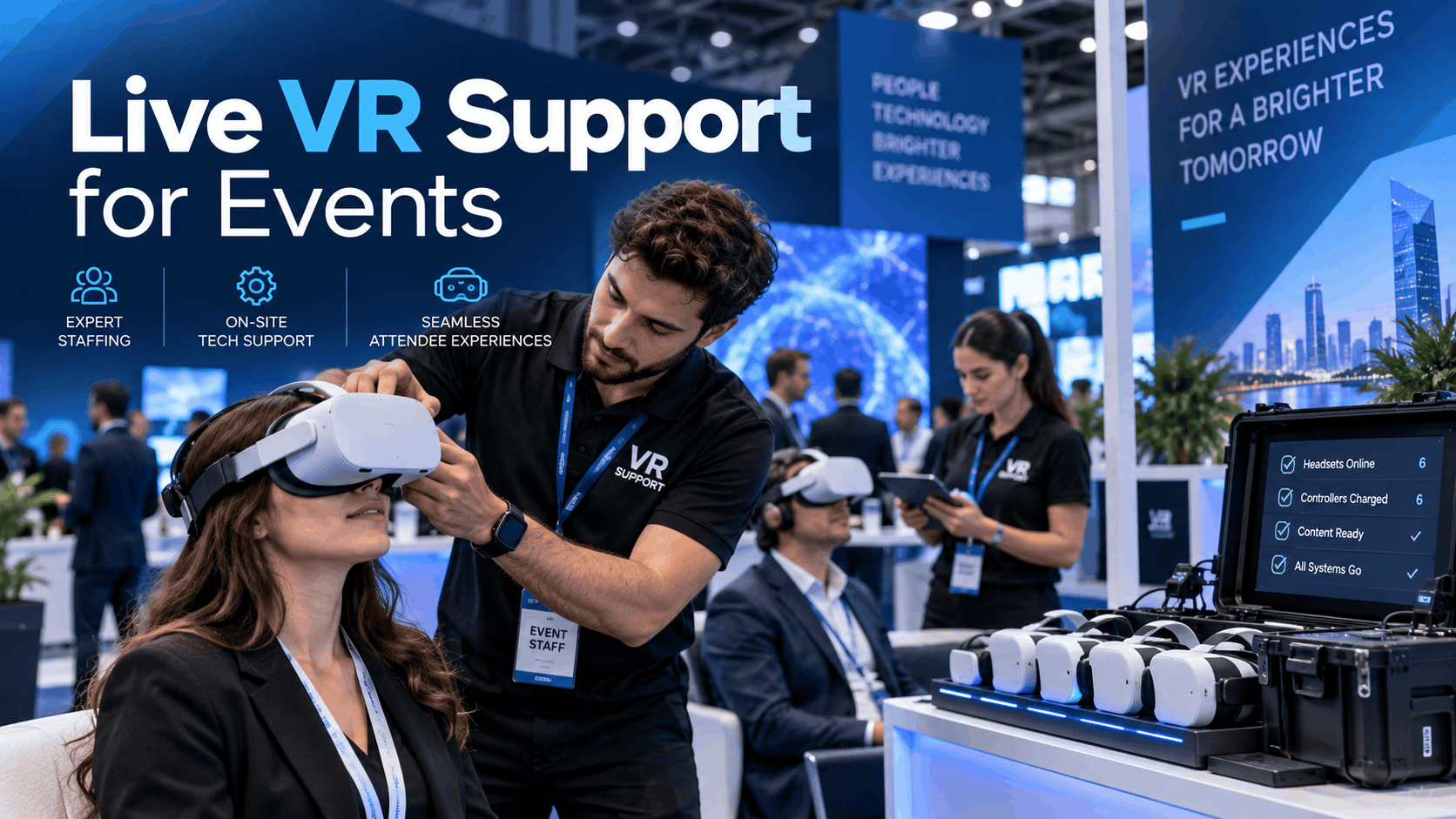
The term “live VR support” is often used loosely. Sometimes it means a technician standing by; other times, it refers to a full managed service with pre-loaded content, dedicated hardware, and a clear escalation protocol. Before planning your budget or staffing, you need a working definition that matches your event format, headset type, and audience throughput goals. This operational guide will walk you through the chronological arc of a live VR deployment, providing concrete staffing ratios, hardware-specific protocols, and decision frameworks to ensure your event’s VR activation is a success.
What ‘Live VR Support’ Actually Means at an Event
To plan effectively, you must first understand the operational scope of on-site support. Every subsequent decision about staffing, hardware, and budget depends on this foundation.
The Three Layers of On-Site VR Support
Successful VR activations require more than just technical know-how; they depend on a multi-layered support structure that covers hardware, content, and audience management.
- Layer 1 – Hardware Operations: This is the most visible layer, involving headset fitting, sanitization between users, battery swaps, and basic connectivity checks. Staff at this level ensure the physical equipment is clean, charged, and comfortable for each guest.
- Layer 2 – Content Management: This layer involves launching the correct VR experience, resetting the application between sessions, and handling content-specific issues like crashes or freezes. This requires familiarity with the specific software being used.
- Layer 3 – Audience Management: This involves managing queues, briefing participants on what to expect, collecting lead data, and managing how long each person spends in the experience to meet throughput targets.
Many events fail to scale because they only budget for a single “tech person,” expecting them to handle all three layers simultaneously. For any deployment larger than two headsets, this model quickly breaks down, leading to long queues, frustrated attendees, and underutilized technology.
Standalone vs. PC-Tethered Headsets: How Hardware Choice Changes Your Support Model
Your choice of hardware fundamentally alters your support needs and staffing model.
- Standalone Headsets (e.g., Meta Quest series): These wireless devices eliminate cable management and reduce trip hazards. However, managing content across a fleet requires Mobile Device Management (MDM) tools or sideloading workflows. They are ideal for scalability but demand robust pre-event provisioning.
- PC-Tethered Headsets (e.g., Valve Index, Varjo): These offer higher fidelity and are necessary for demanding experiences, such as those built on high-end game engines. This power comes at the cost of requiring a dedicated operator and computer for each station, plus careful management of power and data cables.
- Apple Vision Pro Deployments: This emerging category represents a third model. It is a high-touch, single-user experience that demands a dedicated attendant for personalized fitting, orientation, and guidance, focusing on quality of experience over quantity of users.
The support staffing ratio is not the same across these categories. A simple standalone setup might require one operator for every two headsets, while a complex PC-tethered station needs a one-to-one operator-to-headset ratio.
Pre-Event Support: The Work That Happens Before Anyone Puts on a Headset
The success or failure of a live VR activation is often determined in the week before the event, not on the show floor. Asset validation, device provisioning, and venue walk-throughs are critical support functions that prevent day-of-show troubleshooting.
Asset Validation and Content Staging
Thorough testing on the exact event hardware is non-negotiable.
- Test on Final Hardware: Every VR experience must be loaded and tested on the specific headset units that will be used at the event, not a developer kit.
- Check Performance Under Stress: Trade show floors can get hot. Test for frame rate stability under the venue’s expected thermal conditions to prevent overheating and performance drops.
- Validate Audio Levels: VR audio is often mixed for quiet environments. Test audio in a simulated noisy setting and consider using noise-canceling headphones to ensure an immersive experience.
- Confirm Clean Resets: The most common failure on the floor is content that gets stuck at the end of a session. Confirm that every experience loops or resets cleanly without requiring manual intervention from an operator.
Device Fleet Provisioning
For deployments with multiple standalone headsets, efficient provisioning is key.
- Use a Mobile Device Management (MDM) Tool: For larger fleets, use an MDM platform like ArborXR or ManageXR to push content, updates, and settings to all headsets simultaneously. This is vastly more efficient than sideloading content onto each unit individually.
- Label Everything: Implement a clear numbering system for each headset and its paired controllers. This becomes critical when you need to swap batteries or troubleshoot a specific unit under pressure.
- Pre-Charge and Plan for Recharging: Charge all devices to 100% the night before the event. Bring a charging station or power strips capable of handling the entire fleet at once to manage battery life throughout the day.
- Document Network Credentials: Obtain the venue’s Wi-Fi details and inquire about any network restrictions in advance. Many convention centers have firewalls or captive portals that can block MDM traffic or cloud-based content delivery, so this needs to be sorted out with the venue’s IT department.
Venue Walk-Through and Station Layout
A pre-event site visit is essential for mapping out the physical space.
- Power and Cable Runs: Identify the location of all power outlets and plan your cable runs before the booth is built.
- Map Play Areas: Use the actual headsets on-site to map the Guardian or boundary for each station. A floor plan is not sufficient, as you need to account for the real-world environment. A minimum space of 6.5 by 6.5 feet (2 by 2 meters) is recommended for experiences with moderate interaction.
- Check for Tracking Interference: During the walk-through, look for reflective surfaces like glass walls, polished floors, or direct sunlight that can interfere with the headset’s inside-out tracking cameras.
- Confirm Internet Connectivity: If your experience relies on a live data feed, test the on-site internet connection thoroughly. Have a plan for what to do if the connection is unstable or drops.
Staffing a Live VR Activation: Ratios, Roles, and Shift Planning
Understaffing is the single most common reason a VR activation underperforms. The calculation for proper staffing is straightforward once you define the variables: the number of headsets, the average session length, and the target number of attendees per hour.
Calculating Your Staffing Ratio
Avoid vague recommendations and use a clear staffing model.
- Standalone Headsets: For simple, interactive standalone experiences, a good rule of thumb is one dedicated operator for every two headset stations.
- PC-Tethered or Complex Experiences: For PC-VR or experiences that require an operator to actively guide the user, plan for one operator per station.
- Queue and Audience Management: If you anticipate high foot traffic, add one queue manager for every four to six stations. This person’s role is to manage the line and brief attendees, not to handle hardware.
- Plan for Rotations: For events lasting longer than six hours, plan for shift rotations. VR operator fatigue is a real factor that can degrade the quality of support and guest experience in the afternoon.
Role Definitions: What Each Person on the Floor Actually Does
Clearly defining roles prevents confusion and ensures all responsibilities are covered.
- VR Operator: This is the frontline staff member. Their duties include fitting headsets, launching the content, monitoring the user’s session, sanitizing and resetting the station between users, and handling first-level hardware issues.
- Technical Lead: One technical lead is required for every deployment, regardless of size. This person handles escalated technical failures (e.g., network issues, persistent software crashes), manages the device fleet remotely via MDM if applicable, and serves as the point of contact for venue IT staff.
- Experience Host (Optional but Recommended): This role adds significant value by bridging the virtual experience with your event goals. The host can narrate the experience for spectators, answer questions, collect lead data, and transition the participant from the VR moment into a sales or marketing conversation.
Briefing Your On-Site Team
A well-prepared team is a confident team.
- Create Quick-Reference Cards: Provide each operator with a one-page guide that includes: how to launch the experience, how to reset it, what to do if the headset freezes, and who to escalate issues to.
- Conduct a Live Rehearsal: A verbal walkthrough is not enough. Hold a 30-minute rehearsal with the actual devices on the morning of the event to ensure everyone is comfortable with the hardware and software.
- Establish a Communication Channel: Set up a dedicated group chat, Slack channel, or radio channel for real-time communication. This allows operators to escalate issues to the technical lead discreetly and efficiently.
Day-Of Execution: Managing the Floor Without Technical Failure
Even with perfect preparation, problems can occur. The difference between a minor hiccup and a visible failure is having a clear triage protocol. This section outlines the most common day-of failures and the specific steps to resolve them.
The Five Most Common Live VR Failures and How to Resolve Them
- Content Freeze or Crash: The operator should perform a hard relaunch of the application from the device’s system menu, not a full reboot of the headset. Document the exact button sequence for your specific headset model and include it on the reference card.
- Tracking Loss: This happens when the headset loses its spatial orientation, often due to a change in the environment. The fix is to have the operator quickly clear the Guardian boundary history and re-establish it. This is often caused by someone moving a physical barrier or a new reflective surface appearing in the play area.
- Battery Depletion Mid-Session: Never let a station go dark. Maintain a rotation of fully charged spare headsets or batteries. Train operators to seamlessly swap the entire headset unit rather than making a guest wait.
- Network Dropout: If your experience depends on a live internet connection, always have an offline fallback version pre-loaded on every device. This ensures the activation can continue even if the venue’s Wi-Fi fails.
- Headset Discomfort or Motion Sickness: Train operators to recognize the early signs of discomfort (e.g., sweating, unsteadiness). They should be empowered to gracefully end the session, help the participant remove the headset, and guide them to a designated recovery area with a seat and water.
Throughput Management and Queue Control
Managing attendee flow is crucial for meeting event goals and preventing long wait times.
- Calculate Your Theoretical Throughput: Use this simple formula:
(Number of Stations) x (60 minutes / Average Session Length in Minutes) = Max Participants Per Hour. This gives you a baseline target. - Manage Queue Length: At a trade show, a queue longer than 15 minutes often translates to lost leads. If the line gets too long, consider shortening the session length or, if possible, adding another station.
- Use a Queuing System: For high-traffic events, verbal queuing is ineffective. Use a physical system like numbered tickets or wristbands to manage the line efficiently.
- Track Throughput in Real Time: Compare your actual number of participants per hour against your target. If you are falling short, your technical lead or queue manager should have the authority to adjust session lengths to improve flow.
Managed VR Support Services vs. Building an Internal Capability
For companies running only one or two VR events per year, building an internal support team rarely makes financial sense. For those with more frequent needs, the calculation changes. This section provides a framework for making that decision.
What a Managed VR Service Actually Includes
Managed services exist on a spectrum, so it’s important to clarify what is included in any proposal.
- Full-Service Managed Rental: This is a turnkey solution where the provider bundles hardware, content pre-loading, on-site operators, technical management, and post-event reporting into a single fee. This offers the lowest risk and internal coordination burden.
- Partial Managed Service: This might include hardware rental with remote technical support, while you provide the on-site operators. This is a lower-cost option but requires more of your team’s time and expertise.
When evaluating providers, ask these key questions:
- What is your standard on-site staffing ratio for an event of my size?
- Do you include spare hardware units in your rental package?
- What is your escalation protocol if the on-site technical lead encounters a major issue?
When to Build Internal VR Support Capacity
Developing an in-house team can be a strategic investment under the right circumstances.
- Frequency of Events: If your organization runs more than four major VR activations per year, the cost of purchasing a device fleet and training internal staff can often break even with managed service fees within 18 months.
- Ongoing Training Programs: Internal capacity is particularly well-suited for enterprise VR training programs where deployments happen in a controlled and consistent environment.
- The Hybrid Model: A common approach is to build an internal team that handles content strategy and device provisioning while hiring external staff from a managed service provider to act as on-site operators for large-scale events.
Post-Event: Reporting, Device Return, and Lessons Captured
Live VR support doesn’t end when the trade show floor closes. The operational close-out process is what ensures your next deployment runs even more smoothly.
Post-Event Checklist
Don’t skip these crucial final steps.
- Inventory All Hardware: Before packing, check every headset, controller, and cable against your numbered manifest. It’s much easier to find a missing controller on the show floor than back at the warehouse.
- Document All Failures: Log any hardware or software issues that occurred, noting the time, the device ID, and the resolution. This data is invaluable for future planning.
- Export Lead Data: If you were collecting lead information or user analytics, export all data before the devices are wiped or returned.
- Charge for Storage: Before placing headsets into long-term storage or shipping them back, charge the batteries to approximately 50%. Storing lithium-ion batteries at a full charge for extended periods can degrade their health.
Debrief and Iteration
Continuous improvement is driven by structured feedback.
- Hold a Post-Mortem Meeting: Schedule a 30-minute debrief with the entire on-site team within 48 hours of the event, while the details are still fresh.
- Capture Key Learnings: Focus the discussion on three questions: What went wrong? What slowed down our throughput? What did participants respond to most strongly?
- Update Your Playbook: The most important step is to feed the failure modes and lessons learned back into your pre-event checklist. This checklist should be a living document that gets smarter with every event you run.
Conclusion
A successful VR activation at a live event is not the result of luck; it is the product of a rigorous, process-driven approach to support. From pre-event hardware provisioning and venue analysis to disciplined day-of execution and post-event debriefing, every step matters. By defining the layers of support, calculating the correct staffing ratios, and preparing for common failures, you move from simply “having VR” at your event to deploying a powerful, reliable, and memorable brand experience. Whether you choose to partner with a managed service provider or build your own internal capability, this operational framework is your guide to getting it right.
Frequently Asked Questions (FAQs)
How many staff do I need to run a VR activation at a trade show?
The ratio depends on the hardware and complexity. For simple standalone headsets (like Meta Quest), plan for one operator per two stations. For complex PC-tethered VR, you need one operator per station. If you expect long lines, add a dedicated queue manager for every 4-6 stations.
What is the difference between on-site VR support and a managed VR rental service?
On-site VR support refers to the staff and tasks performed during the event. A managed VR rental service is a broader, often turnkey solution that can include hardware rental, content loading, on-site staff, and technical management as a bundled package.
What are the most common technical failures at live VR events and how do I prevent them?
The most common failures are content freezes, tracking loss, dead batteries, and network dropouts. Prevention involves thorough pre-event testing on the exact hardware, having an offline content backup, maintaining a battery-swapping rotation, and clearing the play area of reflective surfaces.
Can I use my own staff to run a VR activation or do I need specialized operators?
You can use your own staff for roles like queue management or as Experience Hosts with a brief training session. However, the VR Operator and Technical Lead roles require specific training on the hardware, software, and troubleshooting protocols. For your first few events, using experienced operators is highly recommended.
How do I manage a fleet of VR headsets at a large event?
For fleets of standalone headsets, a Mobile Device Management (MDM) platform is essential. Tools like ArborXR or ManageXR allow you to remotely push content, update settings, and monitor the status of all devices from a central dashboard, which is crucial for efficiency and control.
What happens if a VR headset crashes during a live demo?
Your on-site operator should have a documented protocol to handle this. The first step is to quickly restart the specific application, not the entire headset. If that fails, they should seamlessly swap the guest into a pre-charged backup headset to minimize downtime and keep the line moving.
How long does it take to set up a VR activation at a trade show or conference?
For a small setup of 2-4 headsets, you should budget at least 2-3 hours for physical setup, software checks, boundary drawing, and a team rehearsal. For larger or more complex deployments, especially those involving PC-tethered VR or custom builds, setup can take 4-8 hours or more.