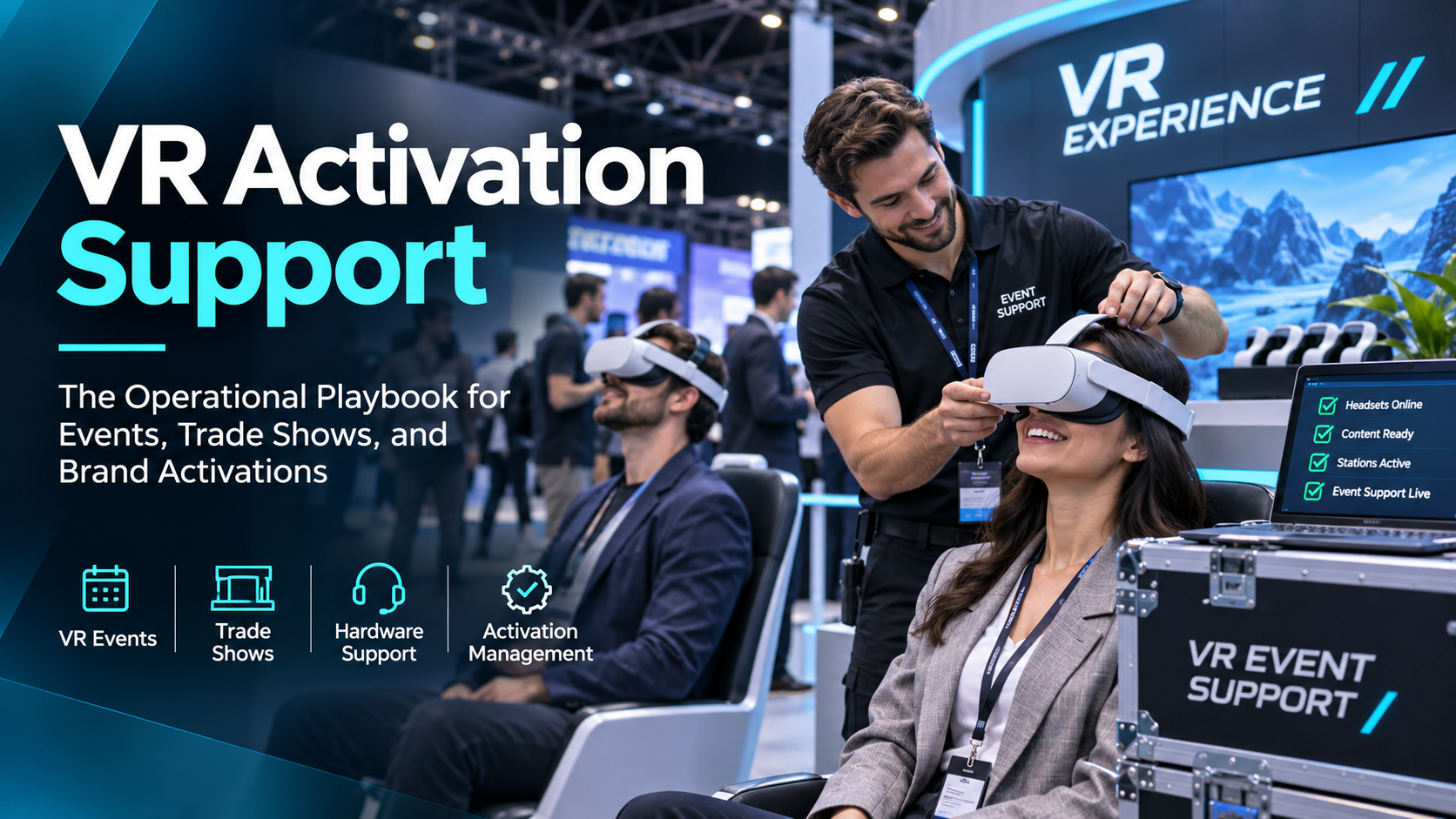
VR activation support is not a single service. It is a stack of operational decisions that determine whether your experience runs reliably for eight hours on a trade show floor or fails in the first twenty minutes.
Most event teams treat support as something they figure out after the hardware is booked. That is backwards. Support planning starts before you select hardware, and every downstream decision — staffing, staging, content format, fallback protocols — flows from it.
If you are planning a booth, launch, or training deployment, this guide is the checklist. It breaks down the full lifecycle of vr activation support from pre-event planning through live execution and post-event wrap, so you can reduce risk before the first attendee puts on a headset.
What “VR Activation Support” Actually Means (and Why Most Events Get It Wrong)
At a practical level, VR activation support means the people, processes, and spare equipment that keep your experience running under real event conditions.
That includes:
-
hardware prep and testing
-
content validation on the exact device and firmware version
-
staffing roles and escalation paths
-
battery rotation and charging
-
hygiene and user turnover
-
failure recovery and replacement procedures
-
post-event reporting and improvement
Where activations go wrong is not usually the headset itself. It is the absence of a support model.
The Three Failure Modes That Kill VR Activations
1) Hardware failure
Headsets overheat, lose tracking, disconnect, or run out of battery mid-demo because no rotation or charging protocol was in place.
This is preventable. It is not “just what happens with VR.” Most failures are the result of poor staging, insufficient spares, or no one assigned to monitor device health.
2) Staffing failure
Booth staff are asked to “run the VR” without being trained to fit the headset, restart the experience, or explain the demo to a skeptical attendee.
The result is visible hesitation, abandoned demos, and a booth that looks unprepared.
3) Content failure
VR assets were never tested on the specific hardware used at the event, so the experience stutters, crashes, or renders incorrectly.
This is especially common when teams validate content on a powerful development machine and assume it will behave the same way on event hardware.
The fix for all three is the same: build support into the deployment plan, not around it.
Rental-Based vs. Owned Hardware: How It Changes Your Support Model
Your support model changes depending on whether you own the hardware or rent it.
If you own the hardware
You are responsible for:
-
maintenance
-
firmware updates
-
battery health
-
spare units
-
replacement logistics
-
device resets between events
That can work well for recurring programs, but only if you have an internal process for upkeep.
If you rent the hardware
The rental provider typically handles more of the prep work:
-
pre-staging
-
firmware updates
-
charging
-
spare unit logistics
-
device labeling and configuration
But only if you specify those requirements in the engagement.
Rental-based activations shift the support burden upstream, which reduces day-of risk if the provider is experienced. The key question to ask any rental provider is simple:
What is your on-site spare unit ratio, and what is your headset swap protocol if a unit fails mid-event?
If you are comparing options, see our VR headset rental packages page for how support scope changes by deployment type.
Pre-Event Support Planning: The Work That Happens Before Load-In
Most VR activation failures are traceable to decisions — or non-decisions — made in the two weeks before the event.
Pre-event support planning covers hardware selection, content validation, staffing briefings, and logistics coordination. Skip any of these and the risk compounds on show day.
Hardware Selection for Event Conditions
The right headset is not the newest one. It is the one that matches your throughput goals, content complexity, and booth footprint.
Standalone headsets
Standalone devices such as the Meta Quest series reduce cable management complexity and speed up deployment.
Tradeoff: they introduce battery life and thermal management constraints in high-traffic booth environments.
Use them when:
-
you need fast setup
-
you want fewer cables
-
your demo is short and repeatable
-
the booth has limited space
PC-tethered headsets
PC-tethered systems deliver higher fidelity for complex Unreal Engine VR content.
Tradeoff: they require a clean cable management plan and a dedicated PC operator.
Use them when:
-
visual fidelity matters more than mobility
-
the experience is graphically demanding
-
you have room for a more controlled setup
-
you can staff the system properly
Apple Vision Pro
Apple Vision Pro can create a strong visual impression at events, but it is not a high-throughput headset by default.
It requires:
-
a dedicated attendant per headset
-
longer fit and onboarding time
-
careful hygiene protocols
-
a more controlled audience flow
It works best for premium brand moments, not high-volume trade show demos.
The right hardware choice is determined by throughput, content complexity, and booth footprint — not by product novelty. For a deeper comparison, use our event VR hardware selection guide.
Content Validation: Testing on the Actual Event Hardware
Never assume content that ran correctly in development will run correctly on the specific headset model and firmware version used at the event.
That assumption causes a lot of avoidable downtime.
Minimum validation checklist
Before the event, test:
-
frame rate stability under sustained load
-
audio sync
-
controller mapping
-
load time from cold start
-
behavior after a headset reboot
If you are deploying Unreal Engine content, test on the exact GPU configuration that will be used at the event — not a higher-spec development machine.
See our Unreal Engine VR for events page for production considerations that affect rendering stability.
Lock the build
Document the validated build version and lock it.
Do not allow content updates in the 48 hours before the event unless you can fully retest the build on the same hardware.
That one rule prevents a large percentage of last-minute failures.
Staging and Pre-Configuration
Every headset should arrive at the event ready to use.
That means:
-
WiFi credentials loaded
-
content sideloaded or installed
-
guardian boundaries set for the booth footprint
-
display names assigned for easy identification
-
batteries fully charged
-
devices labeled for rotation
Battery pre-charge protocol
Headsets should arrive at 100% charge, and the staffing plan should include a rotation schedule from day one.
If you are using multiple units, do not rely on “we’ll just charge them when needed.” That creates hidden downtime.
Device management
For multi-headset deployments, use an MDM or the headset platform’s fleet management system to:
-
push updates
-
monitor battery status
-
track device health
-
standardize configuration
Physical staging checklist
Prepare a physical checklist that travels with the hardware.
A digital checklist is useful. A printed one at the booth is better when the team is moving fast and needs to confirm setup without hunting through a laptop.
Staffing a VR Activation: Roles, Ratios, and Responsibilities
Staffing is the most under-specified part of most VR activation plans.
Event teams often assign a general brand ambassador to “run the VR” without defining what that means technically. That is a mistake.
A properly staffed VR activation has distinct roles with distinct responsibilities. The ratio of staff to headsets is not optional math.
The Core Staffing Roles
VR Experience Host
This is the attendee-facing role.
Responsibilities:
-
greet attendees
-
explain the experience
-
fit the headset
-
monitor the user during the demo
-
remove the headset safely
-
reset the attendee flow
This person should not be expected to troubleshoot hardware.
VR Technical Lead
This is the hardware-facing role.
Responsibilities:
-
headset rotation
-
battery management
-
reboot and reset procedures
-
controller re-pairing
-
swap-out of failed units
-
escalation to the rental provider or technical vendor
A reasonable baseline is one technical lead per 4–6 headsets in a high-traffic trade show environment.
Content Operator
Required for PC-tethered or server-driven experiences.
Responsibilities:
-
manage the PC or server
-
monitor rendering performance
-
handle content resets
-
support Unreal Engine or other high-fidelity deployments
If your experience depends on a PC, do not assume the host can also manage the machine while greeting attendees.
Staff-to-Headset Ratios by Event Type
The right ratio depends on the event format.
Trade show booth
High traffic, long days, unpredictable audience.
Minimum baseline:
-
1 host per 2 headsets
-
1 technical lead per 4–6 headsets
This is the most demanding environment for on-site VR support trade show.
Product launch or brand activation
More controlled, often higher production value, smaller audience.
You can run slightly leaner, but a dedicated technical lead is still required for any deployment of 3 or more headsets.
Corporate training deployment
Controlled room, known participants, scheduled sessions.
You can reduce host intensity, but a technical lead should be present for the first session of any new content deployment.
For broader planning, see our live VR support for events page.
Briefing and Training Your Activation Staff
A staffing plan is only useful if the team knows what to do.
Your staff briefing should cover:
-
how to fit the headset correctly for different head sizes
-
how to restart the experience from the home screen
-
how to perform a soft reboot
-
how to swap a headset out of rotation
-
what to say if the experience fails mid-demo
Run a live rehearsal
Do not stop at a verbal briefing.
Run a live rehearsal with the actual hardware in the actual booth configuration before doors open. That is where you catch:
-
cable routing issues
-
queue bottlenecks
-
headset fit problems
-
reset timing problems
-
confusing attendee handoff points
Use a quick-reference card
Prepare a one-page laminated card for each staff member covering the five most common issues and their fixes.
That small step dramatically improves response speed under pressure.
On-Site Technical Management: Running the Activation on Show Day
Show day VR activation management is a continuous operational loop:
-
monitor hardware status
-
rotate headsets on battery schedule
-
reset experiences between users
-
respond to failures before they become visible
-
keep the booth looking clean and functional
The goal is zero visible downtime — not zero failures. Failures will happen. The support system is what keeps them from becoming public.
The Headset Rotation Protocol
Standalone headsets in continuous use will typically deplete to around 20% battery in 2–3 hours, depending on content complexity.
Build a rotation schedule that pulls headsets for charging before they hit 30%.
Minimum spare unit recommendation
Use at least 1 spare headset per 4 active units for a full-day trade show.
Important: spares should be pre-configured and charged. A spare in a box is not a spare.
Track rotation visibly
Label headsets with rotation numbers and track status on a physical whiteboard or shared tablet.
Do not rely on memory. In a busy booth, memory fails before batteries do.
Technical Failure Response Protocol
Before the event, define a three-tier response protocol.
Tier 1: Staff-resolvable in under 60 seconds
Examples:
-
content restart
-
headset reboot
-
user reset
-
simple controller reconnect
Tier 2: Technical lead required
Examples:
-
headset swap
-
controller re-pairing
-
WiFi reconnect
-
guardian reset
-
battery or thermal issue
Tier 3: Escalate to rental provider or content developer
Examples:
-
hardware defect
-
content crash loop
-
server failure
-
persistent rendering issue
-
firmware incompatibility
For each tier, define:
-
maximum acceptable response time
-
who owns the issue
-
attendee-facing script
-
when to remove the device from service
Never leave a failed headset visible
If a headset fails, remove it from the demo area immediately and replace it with a spare.
A broken headset sitting on the counter signals disorganization, even if the issue is already being handled.
Hygiene and User Throughput Management
Hygiene is both a health requirement and a brand perception issue.
Use:
-
disposable face gasket covers, or
-
alcohol wipes between users
Have supplies visible and easy to reach.
Manage queue length
If wait time exceeds 10 minutes, evaluate whether:
-
the demo can be shortened
-
additional headsets are needed
-
the experience should be re-sequenced
-
the host should adjust the flow
Track performance in real time
Track:
-
demo completions
-
abandoned demos
-
failure incidents
-
average wait time
-
headset rotation status
This data is useful immediately and even more useful after the event.
Post-Event Wrap: What to Document and How to Improve the Next Activation
Most teams pack out the hardware and move on.
The teams that run better activations treat post-event documentation as part of the support process.
A 30-minute debrief and a structured failure log will improve every subsequent deployment.
What to Document After Every Activation
Hardware performance log
Record:
-
which units had issues
-
what the issue was
-
how it was resolved
-
whether the unit should be flagged for inspection before the next event
Content performance log
Record:
-
crashes
-
frame rate issues
-
user complaints
-
onboarding confusion
-
any mismatch between expected and actual demo behavior
Staffing performance notes
Record:
-
which roles were understaffed
-
which procedures were unclear
-
where the handoff broke down
-
what should be added to the next briefing
Demo count and failure rate
Record:
-
total demos run
-
demos that failed or were abandoned
-
estimated attendee satisfaction
-
any visible bottlenecks
Feeding Learnings Back Into the Next Activation Plan
The point of documentation is not reporting for its own sake. It is to improve the next deployment.
Update the staffing brief
If staff struggled with a specific issue, add it to the next quick-reference card.
Review content failures
If content failures were content-related, schedule a review with the development team before the next event.
Reassess hardware and rotation
If hardware failures exceeded one per day per four units, evaluate whether the hardware choice or rotation protocol needs to change.
For recurring programs, see our corporate VR deployment guide for how to standardize support across multiple activations.
VR Activation Support for Specific Event Types
The support model for a trade show booth is meaningfully different from the support model for a product launch or a corporate training session.
This section maps the core support decisions to the three most common event contexts.
Trade Show Booth Activations
Trade shows are the most demanding support environment for VR.
Why:
-
high throughput
-
unpredictable audience
-
long days
-
limited booth space
-
constant turnover
Priorities
Focus on:
-
spare unit availability
-
battery rotation discipline
-
staff-to-headset ratio
-
short demo length
-
fast reset procedures
Content format
Keep content short — ideally 2–4 minutes maximum — and self-guided where possible.
That reduces host dependency and increases throughput.
For more on event marketing applications, see our VR experiential marketing guide.
Product Launch and Brand Activation Events
These events are often more controlled and more visually polished.
That changes the support model.
Priorities
You can shift toward:
-
higher-touch hosting
-
more narrative-driven demos
-
premium hardware presentation
-
tighter attendee curation
Apple Vision Pro in launch settings
Apple Vision Pro can be viable here because the audience size is manageable and the premium experience aligns with launch positioning.
Content format
Longer demos, interactive product visualization, and guided narrative experiences can work well if the audience flow is controlled.
If you are comparing immersive formats, see the AR activation rental guide for complementary options.
Corporate Training Deployments
Training deployments are different again.
The audience is known, the schedule is fixed, and the goal is reliability rather than spectacle.
Priorities
Focus on:
-
content reliability
-
participant onboarding
-
session consistency
-
completion tracking
-
compliance-friendly documentation
Technical lead requirement
A technical lead should be present for the first session of any new training content deployment to catch hardware-content compatibility issues before they affect participants.
Reporting
Document:
-
completion rates
-
technical interruptions
-
user drop-off points
-
session-by-session performance
That data supports both program improvement and internal reporting.
FAQs
How many staff do I need to run a VR activation at a trade show?
A practical baseline is 1 host per 2 headsets and 1 technical lead per 4–6 headsets. If the experience uses PC-tethered hardware, add a content operator.
What is the right spare headset ratio for a full-day event?
Use at least 1 spare headset per 4 active units. Spares should be charged, configured, and ready to swap immediately.
How do I prevent VR headsets from running out of battery during a trade show?
Use a rotation schedule, pull headsets before they hit 30% battery, and keep spares fully charged. Do not rely on charging “when there’s time.”
What should I do if a VR headset fails during a live demo?
Remove it from the booth immediately, replace it with a spare, and follow your tiered response protocol. Do not leave a visibly broken headset in the demo area.
Do I need a dedicated technical person on-site for a VR activation, or can a brand ambassador handle it?
For anything beyond a very small, low-traffic deployment, you need a dedicated technical lead. A brand ambassador can host the experience, but they should not be responsible for technical recovery.
How far in advance should I test VR content on the event hardware?
Test as early as possible, and lock the validated build at least 48 hours before the event. Any last-minute changes should trigger a full re-test.
What is the difference between a VR experience host and a VR technical lead?
The host is attendee-facing and manages fit, flow, and user experience. The technical lead is hardware-facing and manages device health, rotation, resets, and escalation.
Is renting VR headsets for an activation better than using owned equipment from a support perspective?
Often yes, especially for one-off or infrequent events. Rental shifts prep, firmware, and spare logistics upstream — but only if the provider includes those services in writing.
Conclusion: Build the Support Model Before You Build the Booth
A successful VR activation is rarely the result of one great headset or one clever demo.
It is the result of a support system that was designed before load-in:
-
hardware chosen for the event environment
-
content validated on the actual device
-
staff trained for specific roles
-
spares staged and charged
-
failure protocols defined in advance
-
post-event learnings documented and reused
If you are planning an upcoming activation, do not start with the booth aesthetic. Start with the support model.
If you need help defining the right staffing, hardware, and on-site workflow for your event, explore our vr activation support services or contact us to scope your deployment before the schedule gets tight.