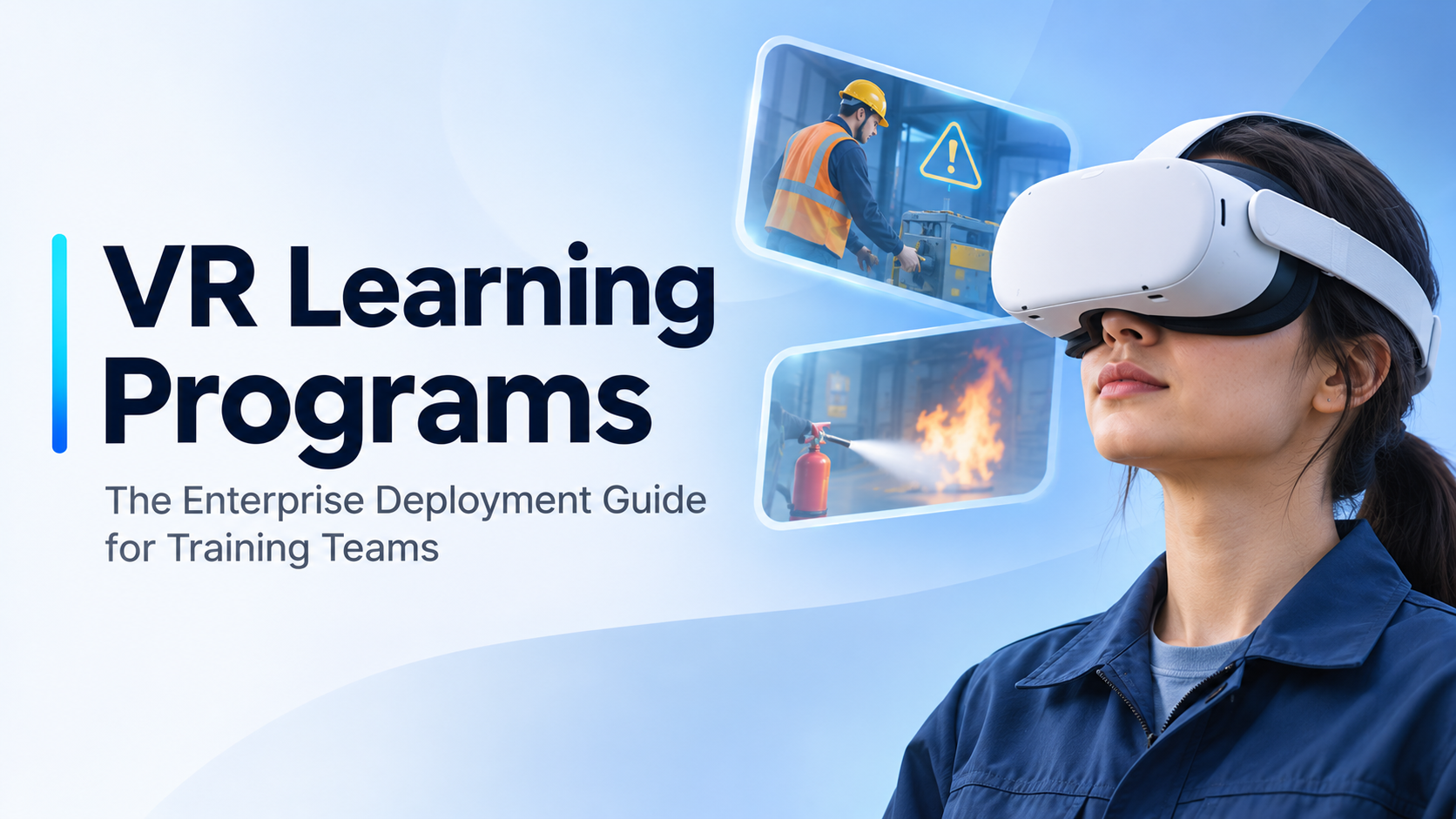
If you’ve been tasked with evaluating VR learning programs for your organization, you’ve already discovered the problem: the phrase means something different depending on who’s using it. A vendor demo reel, a published ROI study from Walmart, and a 10-minute onboarding simulation at a trade show booth are all called “VR learning programs.” They share almost nothing in common operationally.
This guide is written for L&D directors, corporate training managers, and HR operations leads who need to move past the marketing language and build an honest picture of what enterprise VR training actually involves what it costs, what formats exist, how hardware decisions get made, and what separates a program that scales from one that quietly fails after the pilot.
Every section is organized around the decisions you’ll actually face, in the order you’ll face them.
What VR Learning Programs Actually Mean for Enterprise Training Teams
Before evaluating a single vendor or headset model, a training team needs a working definition of VR learning programs that maps to their specific operational context — not the one that appears in a press release.
In enterprise terms, a VR learning program is a structured training intervention in which learners use a head-mounted display to experience a simulated or 360-degree video environment as part of a defined curriculum. The key phrase is “structured training intervention.” The headset is not the program. The simulation is not the program. The program is the combination of content, hardware, and operational infrastructure that gets a learner from pre-session to post-session debrief with measurable outcomes in between.
That distinction matters because most enterprise VR pilots fail not because the content was bad, but because the operational infrastructure was never designed. Headsets weren’t charged. Facilitators weren’t trained. Motion sickness wasn’t anticipated. Content wasn’t updated after a regulatory change. The simulation worked fine in the demo room and fell apart in the field.
The Three Layers of a VR Learning Program: Content, Hardware, and Operations
Every VR learning program that works reliably in an enterprise context is built on three layers, and all three must be planned together.
Content is what the learner experiences inside the headset — the simulation, the 360-degree scenario, the branching narrative, or the AI-driven conversation. Content format determines hardware requirements. A photorealistic industrial simulation built in Unreal Engine has fundamentally different hardware demands than a 360-degree video compliance walkthrough.
Hardware is the headset and compute stack that delivers the content. Standalone headsets like the Meta Quest 3 run content locally without a connected PC. PC-tethered headsets like the Varjo XR-4 require a VR-ready workstation at each station. The hardware model determines the operational complexity of every session.
Operations is everything that happens outside the headset: who sets up and sanitizes devices, who runs the session, who troubleshoots a crash mid-cohort, how content gets pushed to 20 headsets simultaneously, and how completion data gets back to your LMS. This layer is the one most organizations underestimate, and it’s the one that kills programs at scale.
Content format must match hardware capability. Hardware must match the operational context whether that’s a fixed training room, a rotating multi-site rollout, an annual sales kickoff, or a distributed workforce that never gathers in one place. Planning any two of these layers without the third is how you end up with a pilot that works and a rollout that doesn’t.
Who Actually Uses VR Learning Programs in Enterprise Settings
The primary decision-makers evaluating enterprise VR learning programs fall into a consistent set of roles: L&D directors building the business case, corporate training managers responsible for program delivery, HR operations leads managing onboarding at scale, EHS managers running safety compliance programs, and product training leads supporting distributed sales teams.
Common trigger events that bring these stakeholders to VR include high-volume onboarding cycles where classroom throughput is a bottleneck, OSHA or industry-specific safety compliance requirements, product launch training for sales teams who need to understand a physical product before they can sell it, and soft-skills programs where live role-play facilitation is expensive to run at scale.
Secondary stakeholders who shape the decision without owning it include IT (device management, network security, MDM requirements), procurement (capital expenditure vs. operating expense classification), and event or facilities teams when training runs at a physical site. Engaging these stakeholders early — particularly IT — prevents the most common procurement delays.
Program Types: Matching the VR Format to the Training Objective
Choosing the wrong VR format for a given training objective is one of the most common reasons enterprise pilots fail to scale. A 360-degree video experience is not a substitute for a procedural simulation, and a procedural simulation is not the right tool for empathy-building awareness training. The format must follow the objective, not the other way around.
360-Degree Video Scenarios
360-degree video places the learner inside a filmed environment — a factory floor, a hospital ward, a retail customer interaction — where they can look around in all directions but cannot physically interact with objects or change the outcome of what they’re watching.
This format works well for awareness training, compliance walkthroughs, empathy-building programs, and any situation where the environment itself is the lesson. It is the most accessible VR format for enterprise deployment: production cost is lower than fully interactive simulation (because content is captured with a 360-degree camera rig rather than built in a game engine), and it runs reliably on standalone headsets without a PC tether, which simplifies logistics considerably for high-volume or distributed programs.
The honest limitation: learners are observers, not participants. Interactivity is minimal — typically limited to gaze-based hotspots or simple branching choices. Research consistently shows that retention gains are lower for passive observation formats than for active simulation formats. If the training objective requires the learner to perform a task or make a consequential decision, 360-degree video is the wrong tool.
Interactive Simulation Training
Interactive simulation places the learner inside a scenario where their actions have consequences — they operate equipment, follow a safety protocol, make decisions under pressure, or complete a procedural task. This is the format most often cited in published VR ROI studies from organizations like Walmart, UPS, and PwC, and it is the format that produces the strongest retention and behavior-change outcomes when designed well.
Interactive simulations are typically built in Unity or Unreal Engine, which means development time and budget are significantly higher than 360-degree video. Hardware requirements are also higher: PC-tethered headsets deliver better fidelity for complex industrial or clinical simulations, though standalone headsets are viable for less graphically demanding scenarios.
The critical qualifier on those ROI studies: the results depend on the simulation being well-designed and the session being properly facilitated. A poorly designed simulation with no debrief produces results that look like any other poorly designed training — and it costs significantly more to build.
Soft-Skills and Behavioral Training (AI-Driven Scenarios)
AI-driven VR scenarios place the learner in a conversation with a virtual human — a difficult manager conversation, a sales objection, a de-escalation scenario, a DEI awareness interaction. Platforms in this space use AI-driven avatars or branching narrative structures to respond to learner choices in real time.
This format is best suited for manager training, sales conversation practice, de-escalation training, and any scenario where the learner needs to practice interpersonal responses in a low-stakes environment before facing them in the real world. The per-learner cost is higher than 360-degree video, and effective deployment requires facilitator involvement to debrief the experience — the VR scenario surfaces the behavior, but the debrief is where the learning gets anchored.
Product and Process Familiarization Programs
Product familiarization VR places the learner inside a 3D rendering of a physical product or complex process — a piece of industrial equipment, a new product line, a manufacturing workflow — before they encounter it in the real world. This format is particularly valuable for sales enablement and technical onboarding, where learners need to understand what something looks like, how it works, and how its components relate before they can sell it or service it.
Because this format uses 3D product models rather than full simulation environments, development cost is lower and content updates are faster when product specifications change. It also deploys well at event-based contexts — trade shows, sales kickoffs, distributor training days — using rental hardware, which eliminates the need for a permanent hardware investment. This is a format where the deployment model (event-based rental rather than owned fleet) often makes more operational and financial sense than any alternative.
Hardware Decisions: Standalone vs. Tethered, Owned vs. Rented
Hardware selection is where most enterprise VR learning programs encounter their first serious operational problem. Teams either over-specify — buying high-end PC-tethered rigs for a use case that a standalone headset handles fine — or under-specify — deploying standalone headsets for a simulation that requires dedicated compute power. The decision criteria are straightforward once you separate them from vendor marketing.
Standalone Headsets: When They Work and When They Don’t
The Meta Quest 3 and Quest 3S are the dominant standalone options for enterprise training in 2024–2025. They require no connected PC, support mobile device management via Meta Quest for Business, have a broad content library, and are priced at a point that makes fleet deployment financially viable for most enterprise training budgets.
Standalone headsets are appropriate for 360-degree video programs, moderate-complexity interactive simulations, soft-skills platforms, and any program where mobility and ease of setup matter more than graphical fidelity. A facilitator can set up 10 standalone headsets in a conference room in under 30 minutes. The same setup with PC-tethered headsets takes significantly longer and requires cable management infrastructure.
The limitations are real and worth stating plainly. Processing power caps what simulations can render — if your content requires photorealistic environments or complex physics, a standalone headset will not deliver it. Battery life runs 2 to 3 hours per charge, which constrains session length and requires charge discipline between cohorts. Shared-device hygiene — cleaning face gaskets between learners — adds 5 to 10 minutes of operational overhead per session that must be built into the schedule.
The Apple Vision Pro sits at the high end of the standalone category with significantly higher fidelity and a price point ($3,499 per unit as of 2024) that makes it relevant for high-stakes product visualization or executive-level demonstrations, not high-volume learner throughput programs.
PC-Tethered Headsets: When the Simulation Demands More
Varjo XR-4, HP Reverb G2, and Valve Index are common enterprise choices for high-fidelity simulation training in industrial, medical, and technical contexts. These headsets deliver rendering quality and precision hand-tracking that standalone devices cannot match — relevant when the simulation requires photorealistic detail, accurate spatial representation of equipment, or mixed-reality passthrough for overlaying digital content on physical environments.
The operational trade-offs are significant. Each headset requires a VR-ready PC at its station, which adds cost, weight, and setup complexity. Programs that move between locations — a multi-site safety training rollout, for example — face substantial logistical overhead with PC-tethered setups. Staffing requirements increase: someone needs to manage the PC-headset cable, monitor session stability, and handle software crashes, which occur more frequently in complex simulation environments than in standalone deployments.
PC-tethered setups are best justified when the simulation genuinely requires what they deliver. If your use case is a 360-degree compliance walkthrough or a moderate-complexity onboarding simulation, the additional cost and complexity of a PC-tethered setup produces no meaningful benefit.
Owned Hardware vs. Rental: The Build-vs-Borrow Decision for Training Programs
This decision is driven by program frequency, headset count predictability, and IT capacity — not by which option sounds more committed to VR.
Ownership makes sense when the program runs on a continuous schedule (weekly or monthly cohorts), the headset count is fixed and predictable, and IT has the capacity to manage a device fleet — including MDM enrollment, content updates, battery maintenance, and hardware replacement.
Rental makes sense when the program is event-based (an annual sales kickoff, a quarterly onboarding cohort, a trade show deployment), the headset count varies by event, or the organization wants to validate the concept before committing capital. Rental also eliminates depreciation risk — VR hardware generations turn over every 18 to 24 months, and enterprise buyers who purchased Quest 2 fleets are now managing hardware that is a full generation behind current content optimization targets.
Rental packages typically include headsets, charging cases, sanitization supplies, and — depending on the provider — on-site technical support. For low-frequency programs, the total cost of a rental is often lower than the hidden operational cost of managing an owned fleet: storage, maintenance, MDM licensing, battery replacement, and the staff time required to keep devices deployment-ready between uses.
For organizations evaluating rental as a pilot or ongoing deployment model, IgivU’s VR training solutions rental packages provide a structured option with support included.
Content Development: Custom Build vs. Off-the-Shelf vs. Rapid Authoring
The content question is inseparable from the budget and timeline question. A fully custom simulation built in Unreal Engine and a pre-built compliance module from an off-the-shelf library are both described as “VR learning programs” — but they have completely different development timelines, update cycles, and cost structures. Training teams need a realistic framework for making this call before they talk to a single content vendor.
Custom Development: What It Actually Costs and How Long It Takes
Custom VR simulation development typically runs $50,000 to $250,000 or more depending on interactivity level, number of scenarios, graphical fidelity, and the studio’s rates. Timeline from brief to deployable content runs 3 to 9 months for a moderately complex simulation. 360-degree video production is faster — 4 to 12 weeks — but still requires scripting, filming, and post-production work that takes longer than most internal stakeholders expect.
Custom development is justified when the training scenario is proprietary — your specific equipment, your specific process, your specific regulatory environment — when off-the-shelf content does not exist for the topic, or when the program will run at high volume over multiple years and the per-learner cost amortization makes the investment rational.
The hidden cost that most content development conversations skip: maintenance. When the process changes, the product changes, or the regulation updates, the simulation must be updated. A Unity build that requires a development studio to modify is not the same as a PowerPoint deck that an instructional designer can update in an afternoon. Budget for content maintenance from day one — a reasonable estimate is 15 to 25 percent of the original development cost per year for actively maintained programs.
Off-the-Shelf VR Training Libraries
Pre-built VR training libraries offer lower upfront cost and faster deployment for common training topics: forklift safety, fire evacuation, unconscious bias, customer service scenarios, and similar subjects where the regulatory standard or behavioral objective is universal.
The trade-off is specificity. Off-the-shelf content is not built for your environment, your equipment, or your brand. A generic forklift safety simulation will not reflect the specific equipment configuration in your facility or the specific protocols your EHS team has developed. For compliance training where the regulatory standard is truly universal and customization is not required, off-the-shelf content is a rational choice. For procedural training tied to proprietary equipment or processes, it is not.
Evaluate platform compatibility carefully before committing to an off-the-shelf library. Some content is locked to a specific headset ecosystem or requires a proprietary player application that may not integrate with your existing LMS. Confirm SCORM or xAPI compatibility before procurement.
Rapid Authoring Tools: The Middle Path
Rapid authoring tools allow L&D teams to build 360-video-based VR experiences without a development studio. Tools in this category use drag-and-drop interfaces to add interactive hotspots, branching decision points, and quiz overlays to 360-degree video footage. The output is not a Unity simulation — it is an interactive 360-degree video experience — but for many training objectives, that is sufficient.
This path works best for teams that already have 360-degree video footage or can capture it, want to add interactivity without a full custom build, and need to deploy on a timeline that custom development cannot meet. A 360-degree video module can move from footage to deployed experience in 2 to 4 weeks with a rapid authoring tool, compared to 3 to 9 months for a custom simulation.
The ceiling is real: output quality and interactivity are lower than Unity or Unreal builds, and this path is not suitable for procedural simulation training where the learner must perform tasks with physical consequences. But for awareness training, compliance walkthroughs, and onboarding orientation, rapid authoring tools offer a cost-effective and fast-to-deploy middle path between off-the-shelf content and full custom development.
Operational Deployment: What Running a VR Learning Program Actually Looks Like
This is the section most VR training content skips entirely, which is precisely why so many enterprise programs fail between the pilot and the rollout. A VR learning program does not run itself. Someone has to set up the headsets, sanitize them between learners, troubleshoot connectivity issues, manage session flow, and debrief participants. Getting the operational model right is what separates a program that scales from one that quietly dies after the pilot.
Session Staffing: Who Runs the Room
Minimum viable staffing for a standalone VR training session is one facilitator per 6 to 8 headsets. For PC-tethered setups, plan for one technical operator per 4 to 6 headsets. These are not conservative estimates — they reflect what actually happens when a headset fails to launch content, a learner experiences motion sickness and needs to exit, or a Wi-Fi connection drops mid-session.
Facilitator responsibilities extend well beyond pressing play. They include headset fitting and hygiene checks, launching the correct experience on each device, monitoring learner comfort throughout the session, managing motion sickness responses (which affect 10 to 40 percent of first-time VR users depending on content type and session length), and running the post-session debrief that anchors the learning.
For large cohorts — 20 or more learners per day — a dedicated technical operator separate from the facilitator is strongly recommended. The facilitator manages the learner experience; the technical operator manages the devices. Combining both roles in a single person at scale is a reliable path to session failure.
If the organization does not have internal staff trained on VR operations, rental packages that include on-site technical support are worth the premium. A failed session due to technical issues damages the program’s internal credibility in ways that are difficult to recover from — particularly when the program is still building executive support.
Device Management at Scale: MDM, Charging, and Hygiene
For owned fleets, Meta Quest for Business provides MDM capability that allows training teams to push content to devices remotely, lock headsets to specific applications, monitor battery status, and manage device enrollment at scale. This is not optional for programs running more than 10 headsets — manual content loading and configuration at scale is operationally unsustainable.
Charging logistics deserve more planning than they typically receive. A 10-headset program needs a charging station capable of fully charging all devices overnight. Partial charges during sessions are unreliable — a headset that starts a session at 60 percent battery may not complete a 90-minute program, and mid-session battery failure is one of the most disruptive operational incidents a VR training program encounters.
Hygiene protocol is non-negotiable for shared-device programs. Disposable face gasket covers or washable silicone covers must be part of every session setup. Build cleaning time into the session schedule — 5 to 10 minutes between learners is a realistic minimum. For rental deployments, confirm with the provider what hygiene supplies are included and what the device return condition expectations are before the event.
Technical Failure Prevention: The Checklist That Saves Programs
Pre-session preparation is the single highest-leverage operational investment a VR training team can make. A 30-minute pre-session checklist prevents the majority of in-session failures.
The checklist should verify that all headsets are charged above 80 percent, confirm that content is loaded and launches correctly on every device before the first learner enters the room, test Wi-Fi connectivity if the experience requires it, and ensure one spare headset is available per 8 deployed devices.
Common failure modes and their preventions: headset battery drain mid-session (prevent with charge discipline and session length planning), content failing to load due to Wi-Fi drop (pre-load content locally where possible rather than streaming), and motion sickness causing a learner to exit early (have a seated fallback option and brief facilitators on early warning signs).
For PC-tethered setups, cable management is both a safety issue and a reliability issue. Use cable management clips to keep tether cables off the floor, and brief learners on cable awareness before the session starts. A learner who trips on a tether cable ends the session for everyone.
For a complete deployment checklist and technical setup requirements, see IgivU’s VR setup and deployment resources.
How to Run a VR Learning Program Pilot Without Overcommitting
The most common mistake enterprise training teams make with VR is attempting to solve the full rollout before they have validated the concept internally. A structured pilot — limited in scope, deliberately instrumented to generate decision data — is the correct approach to building the business case and surfacing operational problems before they affect hundreds of learners.
Defining the Pilot Scope: Learner Count, Duration, and Success Metrics
A meaningful pilot runs 20 to 50 learners across 2 to 4 cohorts. This is large enough to surface operational issues and generate statistically meaningful outcome data, and small enough to manage without a full infrastructure build. Fewer than 20 learners produces data that is too thin to defend to procurement or executive stakeholders. More than 50 learners before the operational model is validated creates unnecessary risk.
A pilot window of 4 to 8 weeks from first session to data review is realistic. Shorter windows do not allow enough cohorts to identify patterns; longer windows lose organizational momentum.
Define success metrics before the pilot starts — not after. The metrics that matter for a business case are knowledge retention (measured by pre- and post-session assessment), learner satisfaction (NPS or Likert scale), session completion rate, and operational incident rate (headset failures, motion sickness exits, facilitator escalations requiring intervention).
Avoid using learner enjoyment as the primary success metric. It is easy to achieve — VR is novel, and novelty produces positive reactions — and it does not predict whether the program will change behavior or improve performance. Stakeholders who have seen VR pilots before will ask about retention and behavior change. Have those numbers ready.
Using Rental Hardware to Reduce Pilot Risk
Renting headsets for the pilot eliminates the capital commitment and the depreciation risk of owning hardware that becomes obsolete if the program does not scale. It also provides access to current-generation hardware — piloting on Quest 3 rather than Quest 2 gives a more accurate picture of the learner experience the full program would deliver, which matters when you’re projecting the outcome of a scaled rollout.
Some rental providers include content loading, device configuration, and on-site technical support as part of the package. For a pilot where internal VR expertise is limited, this support is worth the premium — it removes the operational learning curve from the pilot and allows the team to focus on measuring learning outcomes rather than managing device logistics.
IgivU’s VR training rental packages are structured to support pilot deployments with configuration and support included, which reduces the operational burden on internal teams during the evaluation phase.
What to Do with Pilot Data: Building the Internal Business Case
The output of a pilot is not a satisfaction report — it is a deployment readiness assessment. The data package that moves a VR learning program from pilot to approved rollout addresses four questions: Does it work (retention and behavior change data)? Can we run it (operational feasibility data)? What will it cost at scale (cost-per-learner projection)? What does the full rollout require (hardware model, content update cadence, staffing model, LMS integration plan)?
Compare pilot knowledge retention scores against the baseline from the existing training method — classroom, e-learning, on-the-job observation. If the VR program does not outperform the existing method on retention, the business case for the additional cost is weak regardless of how much learners enjoyed it.
Calculate cost per learner for the pilot by amortizing content development cost across the pilot cohort, adding hardware rental cost, facilitator time, and session overhead. Then project that cost at full-program scale — the per-learner cost typically decreases significantly as content development cost is amortized across a larger learner population.
Document every operational issue encountered during the pilot and the solution applied. This documentation becomes the operational runbook for the full rollout and demonstrates to IT and procurement stakeholders that the program has been stress-tested, not just demonstrated.
Budget and Timeline: What VR Learning Programs Cost in Practice
Published budget ranges for VR learning programs are nearly useless without context — a $5,000 rapid authoring project and a $300,000 custom simulation are both described as “VR training content.” The following ranges are broken down by program type and deployment model to give training teams a realistic starting point for budget conversations.
Cost Breakdown by Program Type
360-degree video program (custom production): $15,000 to $60,000 for content development, depending on number of scenarios, production quality, and post-production complexity. Hardware rental for a cohort of 20 headsets runs $2,000 to $6,000 per event day depending on headset model and support level included.
Interactive simulation (custom Unity/Unreal build): $75,000 to $300,000 or more for content development, depending on the number of scenarios, interactivity complexity, graphical fidelity, and studio rates. This range widens significantly for programs requiring photorealistic rendering or complex physics simulation.
Off-the-shelf platform subscription: $50 to $200 per learner per year, depending on the vendor and content library access tier. Evaluate total cost of ownership carefully — platform fees, LMS integration costs, and facilitator training are often not included in the per-learner headline price.
Rapid authoring tool plus 360-degree video: $5,000 to $20,000 for video production plus $3,000 to $10,000 per year for the authoring platform license. This is the most accessible entry point for organizations that want to deploy VR training without a full custom development investment.
Hardware rental for a 20-headset pilot cohort: $2,000 to $6,000 per event day. Rates vary by headset model (Quest 3 vs. higher-end tethered options), session length, geographic location, and whether on-site technical support is included.
Timeline Expectations by Development Path
Custom simulation: 4 to 9 months from signed contract to deployable content. This is the lead time that most internal stakeholders underestimate. If a program launch is scheduled for Q1, content development needs to begin no later than Q2 of the prior year.
360-degree video production: 6 to 14 weeks from shoot to deployed experience. The range reflects the difference between a single-location shoot with a straightforward script and a multi-location production with complex post-production requirements.
Off-the-shelf platform onboarding: 2 to 6 weeks for procurement, IT security review, MDM configuration, and facilitator training. IT review is typically the longest step and the one most frequently underestimated in project timelines.
Rapid authoring from existing footage: 2 to 5 weeks from footage to deployed experience, assuming the footage is usable and the authoring tool is already licensed.
Hardware procurement for an owned fleet: Add 2 to 6 weeks beyond content readiness for procurement, MDM enrollment, content loading, and pre-deployment testing. Headsets do not arrive ready to deploy — they require configuration, and that configuration takes time that must be built into the project schedule.
Frequently Asked Questions
What is the difference between a VR learning program and a VR training platform?
A VR learning program is the complete training intervention — content, hardware, and operational infrastructure combined. A VR training platform is a software system that manages content delivery, device management, learner tracking, and analytics. You can run a VR learning program without a dedicated platform (using MDM tools and a standard LMS), and you can have a VR training platform without a coherent program. The platform supports the program; it does not replace the need to design one.
Do VR learning programs work for remote or distributed workforces?
Yes, with the right deployment model. For distributed workforces, the most practical approaches are: shipping pre-configured standalone headsets to learner locations with a facilitator guide and remote technical support, running event-based cohorts at regional hubs using rental hardware, or using a hybrid model where VR is deployed at physical training events and complementary digital content covers distributed learners between events. Fully self-directed VR training without any facilitation or support infrastructure tends to produce lower completion rates and weaker outcomes.
How many headsets do I need to run a VR training program for a cohort of 50 employees?
For a cohort of 50 employees trained in a single day, plan for 10 to 15 headsets running in rotation across multiple time slots, assuming each VR session runs 20 to 40 minutes and you build in 10 minutes of setup and hygiene time between learners. If you need to complete all 50 learners in a 4-hour window, you will need more headsets or a longer training day. Calculate headset count by dividing total learner-minutes by available session-minutes, then add 10 to 15 percent buffer for technical incidents and extended sessions.
Can VR learning programs integrate with our existing LMS?
Yes, if the content and platform support SCORM 1.2, SCORM 2004, or xAPI (Tin Can) standards. Most enterprise VR platforms support at least one of these. Confirm LMS compatibility before content development begins — retrofitting xAPI tracking into a completed simulation adds cost and time. Also confirm that your LMS can receive data from the headset’s MDM system, as some VR platforms use proprietary analytics dashboards rather than standard LMS reporting.
What is the minimum budget to pilot a VR learning program?
A structured pilot using rapid authoring tools and rental hardware can be executed for $15,000 to $35,000 total, covering content development (using existing footage or a simple 360-degree video shoot), authoring platform license, hardware rental for 2 to 4 cohorts, and facilitator time. A pilot using off-the-shelf content and rental hardware can run lower — $8,000 to $20,000 — but produces less differentiated data because the content is not specific to your organization. Custom simulation pilots start at $75,000 to $100,000 when content development is included.
How do you prevent motion sickness in VR training sessions?
Motion sickness in VR is primarily caused by locomotion (artificial movement through a virtual environment that does not match physical movement), high-latency rendering, and poorly optimized content. Prevention strategies include: selecting content designed with comfort in mind (teleportation locomotion rather than smooth locomotion, stationary or limited-movement scenarios), keeping initial sessions short (15 to 20 minutes for first-time users), ensuring headsets are properly fitted with correct IPD (interpupillary distance) adjustment, briefing facilitators to watch for early warning signs (pallor, stillness, removing the headset), and having a seated rest area available. Approximately 10 to 40 percent of first-time VR users experience some degree of discomfort — plan for it rather than hoping it won’t happen.
Is it better to rent or buy VR headsets for a corporate training program?
It depends on program frequency and headset count predictability. Ownership is more cost-effective for programs running continuous cohorts (weekly or monthly) with a fixed headset count and IT capacity to manage the fleet. Rental is more cost-effective for event-based programs, variable headset counts, and organizations that want to avoid the depreciation risk of owning hardware through a hardware generation cycle. For most organizations running fewer than 6 training events per year, rental produces a lower total cost of ownership when operational overhead is included.
How long does it take to develop custom VR training content?
Custom interactive simulation: 4 to 9 months from signed contract to deployable content. Custom 360-degree video: 6 to 14 weeks. Rapid authoring from existing footage: 2 to 5 weeks. These timelines assume a clear brief, approved script, and timely stakeholder feedback. Delays in script approval, subject matter expert availability, or review cycles are the most common causes of timeline overruns in VR content development.
What metrics should I use to measure the effectiveness of a VR learning program?
The metrics that build a defensible business case are: knowledge retention (pre- and post-assessment score delta), behavior transfer (observed performance change on the job, measured 30 to 90 days post-training), session completion rate, learner confidence self-assessment (pre- and post-session), and operational incident rate (headset failures, motion sickness exits, facilitator escalations). Secondary metrics include learner satisfaction (NPS or Likert scale) and time-to-competency compared to the previous training method. Avoid relying solely on satisfaction scores — they measure novelty, not learning.
Can VR learning programs be used for OSHA or safety compliance training?
Yes, and this is one of the strongest use cases for VR in enterprise training. VR allows learners to experience hazardous scenarios — equipment failures, fire evacuation, chemical spill response, fall protection — without physical risk. For OSHA compliance specifically, confirm that the VR program meets the documentation requirements of the relevant standard (some standards require demonstrated competency, not just completion of a training module). VR completion data tracked via xAPI or SCORM can be logged in an LMS for compliance records. For programs where OSHA requires hands-on demonstration of competency, VR is most effective as a preparatory tool that reduces the time required for live competency assessment.
Conclusion: Build the Program Before You Buy the Technology
The organizations that get the most value from VR learning programs are not the ones that bought the most advanced headsets or commissioned the most expensive simulations. They are the ones that defined a clear training objective, matched the VR format to that objective, planned the operational infrastructure before the first session, and ran a structured pilot that generated real decision data before committing to a full rollout.
VR is a delivery mechanism. Like any delivery mechanism, it works when it is matched to the right content, the right audience, and the right operational context — and it fails when it is treated as a solution in search of a problem.
If you are at the beginning of this evaluation, the most valuable next step is not a vendor demo. It is a clear answer to three questions: What specific training objective are you trying to achieve? What does success look like in measurable terms? And what operational infrastructure do you have — or need to build — to support a program at the scale you’re planning?
When you have those answers, the hardware and content decisions become straightforward. The pilot becomes a validation exercise rather than a leap of faith. And the business case becomes a measurable, evidence-based plan built around training effectiveness, operational feasibility, and long-term cost efficiency.
Ultimately, a successful VR learning program is not defined by the technology it uses, but by its ability to deliver consistent learning outcomes, integrate into existing training workflows, and scale sustainably. Start with the learning objective, validate the approach through a structured pilot, and expand only when the results justify the investment.